
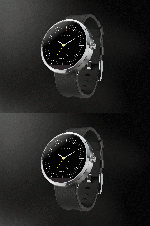
Manufacturer: Motorola Mobility
Release Date: 9/5/2014
MSRP: $299.99
Colors: Champagne, Black, Metal, Stainless Steel, Gold
As kids, we all dreamed of being like James Bond or our favorite sci-fi character with cool watches that could show videos, talk, and do various other things, let alone surf the internet. Google made this all possible with the Android Wear OS, and many phone companies jumped on board and saw the profit. This isn’t just an over-glorified calculator app in 8-bit black-and-white text that you got out of a cereal box. This is a legit high-tech futuristic piece of hardware that will just keep growing and getting better over time.
While there are many smartwatches out there from LG, Huawei, Samsung, Sony, and Motorola, I personally think watches should be round; why square? While shopping around for smartwatches and watching them over the last year, I noticed that the square watches are rather ugly and cheap-looking. I got my hands on a Samsung Gear S2 and a Sony watch, and they just looked and felt cheap. The Moto 360 made me cautious as they make awful smartphones and have terrible software, but it looked great, and the recent price drop due to the Moto 360 2 coming out today helped. All I can say is that I didn’t expect this thing to be as useful or as good-looking as I originally thought.

However, there were issues right out of the box, and it wasn’t a fun start. I should rate this watch much lower due to the issues I had getting the thing up and running, but it was an easy fix once I figured out how to fix it. Three hours of searching around online and wishful thinking, and maybe some luck, did the trick. See, the Android Wear OS has been updated quite rapidly over the last year, going from 4.4W.1 to 5.1W.1 in less than a year. My Moto 360 shipped with the original buggy Android Wear OS on it, and I couldn’t get it to update. The Google servers no longer recognize the original Android Wear OS, so you get the Google Services have stopped working and various other crash notices on the watch.
Right out of the box, the watch’s battery was dead, so I had to charge the thing. After about 3 minutes, I got the charging symbol on the watch screen, and after about 30 minutes, I booted the watch up. I have to say that it’s really cool to see a watch boot up and show more than just time; it was quite the experience. After booting up, I set up the Android Wear app on my Galaxy Note 5 and linked the two via Bluetooth. The watch’s battery was at about 40%, so I figured I’d play with it. The first thing I did was check for a system update, and there was one, but it would crash when it got about 5% done. I reset the watch back to factory defaults because it was an endless loop of crashes and errors after each restart. This is where the three hours of research came in, as I could not update the watch to 5.1W.1, and it turns out the latest Android Wear app doesn’t work with that older version. I had to install an older version of Android Wear as the watch downloaded the update through the phone via the Android Wear app. The problem was that the watch was stuck, wouldn’t do a factory reset, had endless crashes, and would shut down. I thought I was going to have to call Motorola tech support when, for some unknown reason, it finally reset on its own. Everything seemed to work fine, so it was obvious that the newer Android Wear app was causing issues. I then downloaded the update, which took about an hour, and everything was fine. I updated the Android Wear app, and I was set.

This kind of stuff is what most common users won’t be able to figure out, and Motorola needs to fix this issue by either recalling their first shipments of the watch or getting together with Google to support older versions so they can update. Also, note that during this fiasco, the watch died about three times, as it’s not meant to be used constantly like a phone. The watch also charges wirelessly, so you can’t use it while it’s charging as the battery will drain faster than it can charge. Thankfully, the watch charges fully in about two hours but will last all day if you use it right. The initial fiddling and setting up will drain your battery a couple of times, but after that, I pulled it off the charger at 1 PM, and at around 8 PM, it was at 53% battery. I later spent about 90 minutes adjusting apps on my phone, which would push updates to the watch. I would also go into the watch to make sure the settings went through. It dropped down to 42% after the adjustments, which isn’t too bad for a 320 mAh battery.

Let’s talk about what a smartwatch actually is and does. This is supposed to be “Your life at a glance,” which is Android Wear’s official motto. This isn’t something you sit down and play around with all day like a phone; you just do simple, quick things like reply to texts, read emails, check the time, do weather updates, do fitness tracking, change tracks on your music, use Google Maps navigation, etc. Various apps will support Android Wear and install its app on your phone. Most major and popular apps support Android Wear already, and it all works better than you think. When you get a text, your watch will vibrate and show the text on the face. You can swipe right to ignore, left to reply with Google Now, or open the app on your phone. This is how every app works for the most part: just the essential information without pulling your phone out of your pocket every 2 minutes.

Using the actual watch was a bit confusing, I would say. The watch has a pull-down drawer that allows you to change your notification settings, swipe left for gestures, watch brightness, and even settings. There’s even a theater mode that will keep the screen off until you press the hardware button. I also used a custom mini launcher, which allowed me to swipe right for a custom launcher that put the apps in a circular grid rather than a scrolling list that the default launcher has. Honestly, the default launcher isn’t that great. After this, I can swipe up for my weather and once again for my Google Fit tracking stats. Now, this is the confusing part that most people don’t understand: most of the major settings are controlled by the apps on your phone. There’s no Google Play Store on your watch; everything is downloaded to your phone or tablet. The phone then beams the Android Wear app to your watch, and it installs.
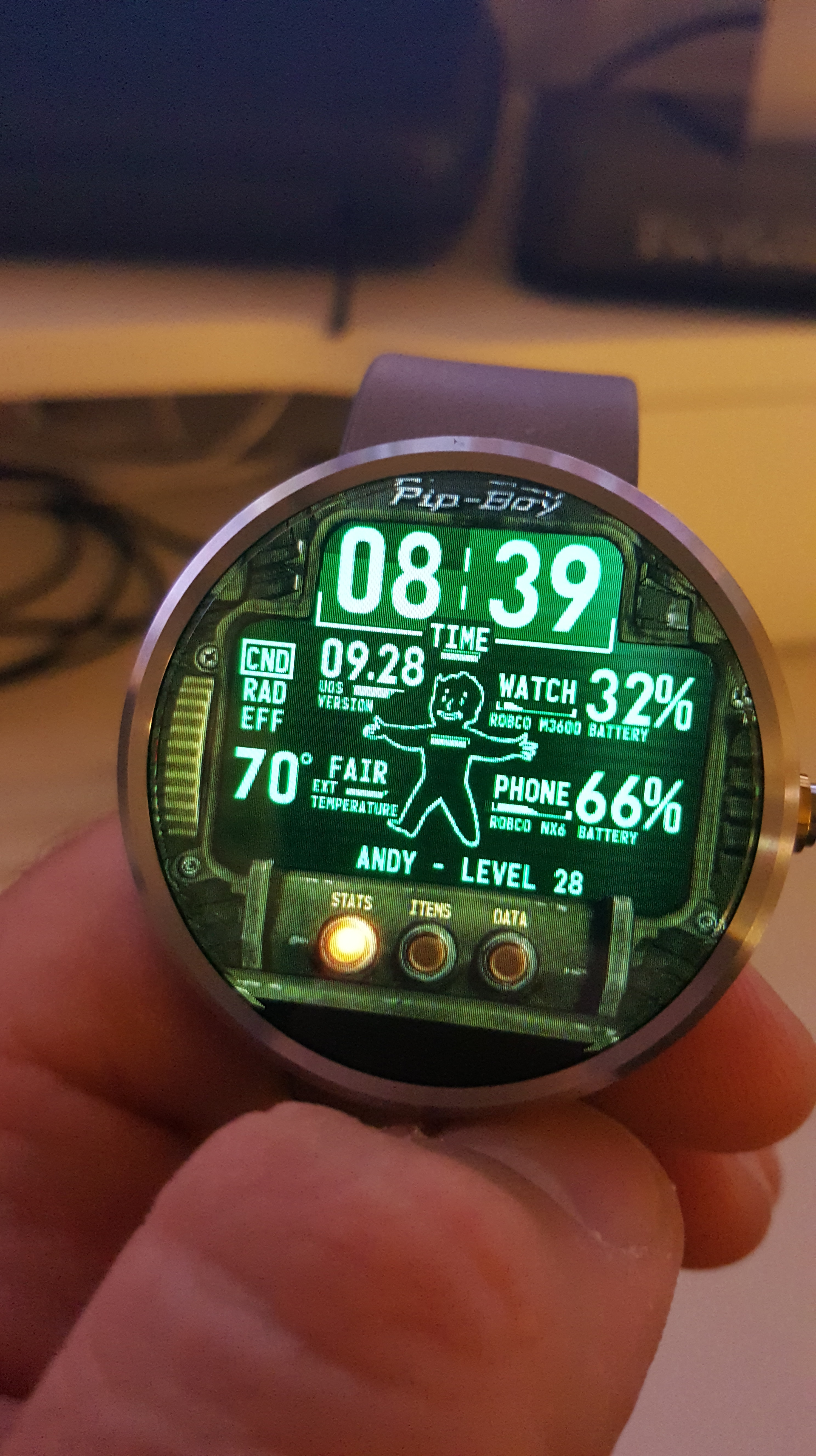
Another, and probably my favorite feature, that makes smartwatches so amazing are the custom watch faces you can use. I personally used the WatchMaker Faces app to download faces that users made that looked incredible. Anywhere from video game and anime faces to digital and analog faces that mimic real-life watches. This app allows each face to use various stats, such as the weather, stopwatch, timer, battery levels, etc. Standard watch faces from the Google Play Store are also just as great, but I’ve found WatchMaker Faces to be the best face app out there. The Moto 360 allows an ambient mode (which is shoddy) to detect when your face is near the watch, or you can use a gesture that will turn the face on when you raise your arm, which I also didn’t prefer as sudden movement kept turning on the screen, killing the battery. Sadly, there’s no way to adjust the sensitivity of the gyroscope, so just touching the screen to see the time worked fine for me.

Now let’s talk about the hardware a little bit. The Moto 360 comes in various colors and styles, such as metal and leather wristbands, and various body colors, from stainless steel to gold. The watch is actually a little thicker than your typical watch, but think of what’s inside this thing. While it looks fine on people with larger hands, it looks a little silly on people with smaller wrists and hands due to the thickness. It’s honestly very stylish and looks like a watch, but you will notice something different about it that makes people ask what it is, mainly wondering why the face is blank. The watch itself has some impressive hardware inside: a 1 GHz Cortex A8 CPU, 512 MB of LPDDR RAM, 4 GB of internal storage, Qi wireless charging, a 9-axis accelerometer, a heart rate sensor, dual microphones, Bluetooth 4.0, 2.4 GHz WiFi, an ambient light sensor, and a capacitive touchscreen. The resolution is 320×290 at 205 PPI, which is pretty standard for a display this size, but it has a great backlight and looks sharp.
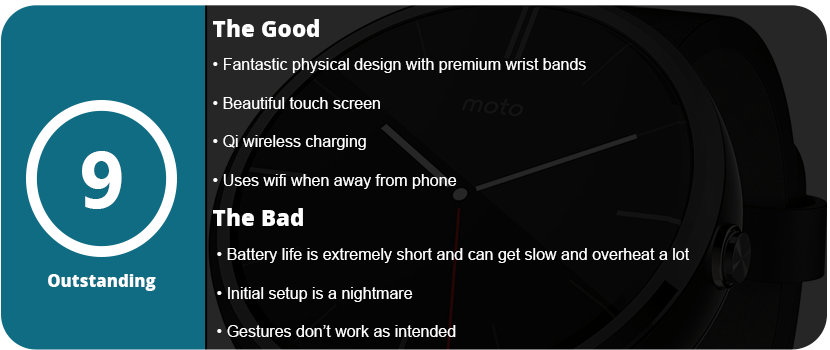
When actually using the watch, it feels quite responsive; the touchscreen works like your phone would, is quite sensitive, and doesn’t require stabbing your finger to get things done. I’m not too impressed with the wrist gestures, as the screen wakes up constantly, killing the batter, and using gestures to swipe your cards seems pointless and looks quite silly, but it’s there if you want it. The battery life is also extremely sensitive, and any heavy use will drain it very quickly. If you use the watch as intended, with just a few quick glances, it will last all day.
Overall, the Android Wear suite is quite nice, there are a ton of customization options, and the Android Wear app is a great hub to control what your watch does and get all the information you need from it. The actual Android Wear OS is great, is surprisingly responsive, and does exactly as it’s intended, giving you information about your life at a quick glance. Obviously, going forward, the biggest challenge is battery life and faster hardware; I also would have liked a mic on the watch, but maybe next time.


 thebinarymessiah.com
Try multiplayer. A lot of fun !