
My one and only experience with AtGames products wasn’t good. I have the Sega Ultimate Arcade Portable, and it isn’t a very good product. I was very hesitant about anything else from this company, but they recently expanded into large cabinet-style products and seem to have a good reputation for those. I have always wanted at least one pinball table in my house. However, older electro-mechanical tables cost thousands, sometimes over $10,000, and can cost hundreds of dollars to fix if they break. Later digital tables are cheaper, but they are still not cheap to fix. AtGames has given us two solutions. There is this table plus a larger, full-size table for about double the price. Digital pinball tables exist in arcades. They are cheaper to fix and mostly consist of a large display, a single board, and mostly empty housing. The cost of these has come down enough to bring them into the home, and AtGames is one of the best at doing that.

I do want to note that I bought my table on sale for $100 off, but I will be judging the entire experience based on the full $449.99 retail price. I also want to note that these tables don’t ship quickly. It took nearly two weeks for mine to ship, so keep that in mind when ordering these as well. Don’t expect them on a deadline or order them early if this is a gift idea. The unboxing experience was pretty straightforward. These systems were, of course, built and manufactured during a global chip shortage and a pandemic, so the packaging is minimalistic and there’s not much to it. The Pinball Micro does have a back display board as well as the main display, just like its bigger brother. These come separately in the box, but it’s just these two pieces. You unscrew the back panel of the back display and plug it into the main display, as well as insert two wooden pegs (the kind used when building furniture) and two large bolts that attach it to the main display. There are cutouts for a VIBS board, which I will explain later.
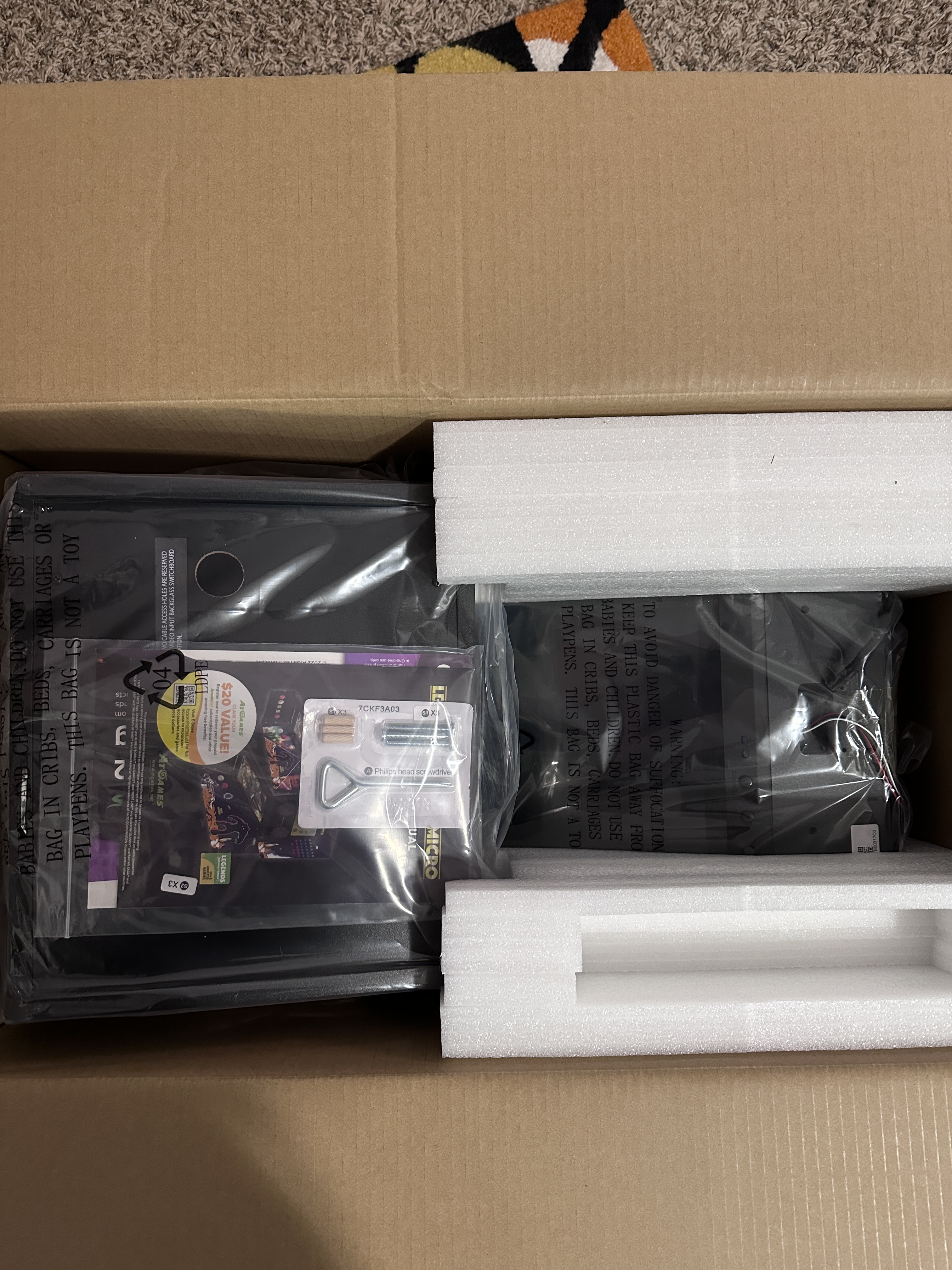
You get a full AC adapter with a barrel jack, and once you plug that in, you flip the switch. I do want to give AtGames credit for creating a physical switch in the back rather than a soft power-on. This allows you to keep the table tucked away somewhere without having to disconnect the system from the wall every time you want to shut it off, like with a Raspberry Pi system. Surprisingly, there is a full OS here with an interface and everything you would see on a game console. You have settings, a library, online tabs, and a store. I do want to talk about the software experience first before getting into the hardware. I have quite a few issues with the software side.
The Software/OS
Upon start-up, you are presented with a blank Legends Pinball logo. The startup time is quite long. Maybe a good 30 seconds. Before that, you actually get a black screen for about 10–15 seconds, and at first, I thought something was wrong with my unit. The logo should come up immediately, so don’t think this But after turning it on and off a few times, I decided to wait a bit, and it was fine. The first thing you need to do is create a Pinball Legends account, which is separate from the account you made on the store (if you ordered it from their site), which was really confusing. My login info for the store wasn’t working. Once you do that, you can save and upload high scores to the leaderboards, redeem codes, and play the Arcade games. We will get to those later. Once I had everything logged in, the system software was updated, and I was able to fiddle with settings.

There are quite a few settings here, and the amount surprised me. I expected a basic set of options for just a few things. You can do things like change the background wallpaper and music, which is really awesome. You can load them off of a USB drive in the back, and they save to the internal 8GB storage, but it’s just one at a time. You can use various arcade OSes, such as CoinOpsX, that allow you to play MAME roms that use a vertical display. There is a network test kit built in as well. This is great for linking up pinball machines for multiplayer or for using arcade mode. You can pair wireless Bluetooth controllers, such as the PS5 or Xbox One. If you are having hardware issues, there is a health check screen, and you can upload a system log to a USB device, Enable an attract mode, and even live stream straight from the machine itself. The options are very robust for a device like this.

I do not like how slow the software is to navigate. After start-up, the controls won’t respond for a few seconds, and it takes a few seconds to load every screen. A few times, the entire system just froze on me, and I had to reboot it. Thankfully, these are fixes that can be made with software updates. As of this writing, the OS is not very well optimized.
The Tables
So, how do the tables actually play? amazing well, and the effect is very convincing. With games running at 60 fps and the screen tilted inside, you get the effect of this being very real. The graphics are good enough to be convincing as well, especially with the deluxe tables. The 80 built-in tables include a lot of duplicate variations, but they are very unique tables. There are three different types of tables you can come across. A classic table brings you back to the 1960s with pure electromechanical play. Bells, bumpers, and very few crazy obstacles with no music or sound effects. You also only get two flippers. The retro-style tables are reimagined using 90s technology. You get your rails, different play fields, flashing lights, and the classic pinball experience that most of us grew up with. Then you have deluxe tables, which are reimagined for digital pinball. These will be familiar to those who have played PinballFX or other digital pinball games for the last 15 years. Moving characters, music, clouds, rain effects, etc. These are the most impressive and look the best.
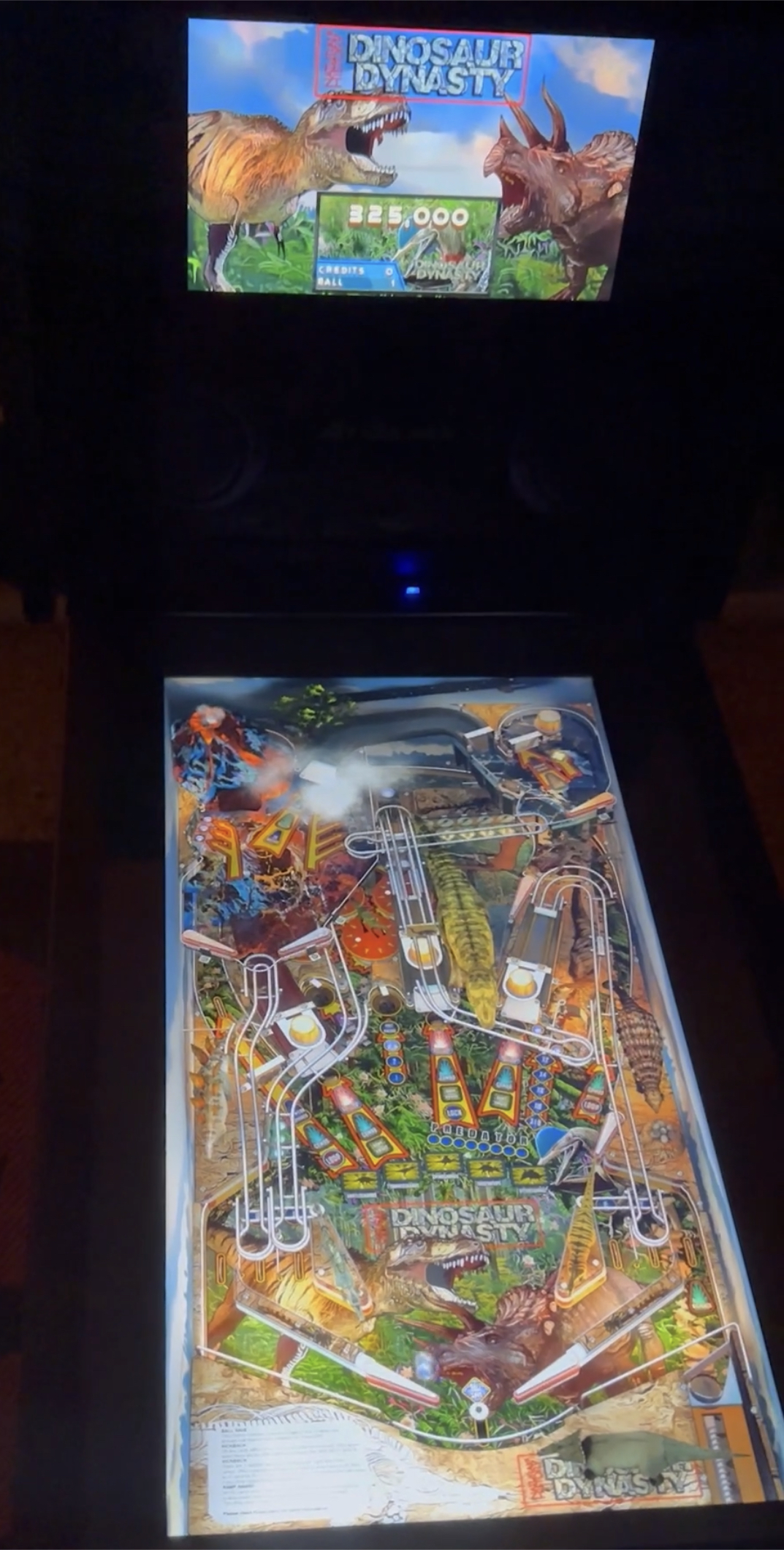
I like the various times of day you can select as well. Morning, afternoon, and nighttime. This simulates the outside ambiance of being in a pinball arcade room at different times of the day. The backboard display is sadly only really impressed with the remastered and updated tables. The retro and classic tables have the images stretched to a 16:9 aspect ratio, and it looks pretty bad, but those displays on the real tables were vertical. You can adjust the screen to display the image correctly, which is a nice option. The speakers are just below this display, and this thing gets incredibly loud but not distorted. The sound is deep, with some great bass, and quite booming. I had to keep the volume below 50 to have a normal sound experience. Anything above that, and you might disturb everyone in the house. Which can be a good thing!
You can buy table packs for $25 apiece. You might think that’s outrageous, but these are tables built for this machine, so it justifies the price somewhat. Packs are usually themed, such as the Natural History, Dr. Suess, and Taito packs. I do hate the way you have to buy these. The included AppstoreX is completely useless as you can’t buy tables on the actual table itself. You need to buy them on the website and then enter a redemption code on the table itself. There isn’t even a QR code you can scan! You also have to buy a connection online to play any of these tables. Yes, there is DRM on this machine, which really stinks. The built-in tables can be played offline, but not your purchased packs. These are stored on the internal storage and are usually a few hundred megabytes a piece, so I don’t understand why there isn’t some sort of DRM token installed on the machine.
The Controls
Like most pre-built arcade games, the buttons are pretty bad. They bind, squeak, and are inconsistent during rapid presses. I had to replace mine with Ultimarc GoldLeaf buttons, and that improved my experience quite a bit, but most people won’t want to take apart their machine and risk ripping off connectors on the buttons. It is worth the upgrade. I didn’t bother replacing the forward tilt and rewind buttons, as you don’t use those to play the actual game. The home and menu buttons are also different and work just fine for what they are. You get two flipper buttons, two side tilt buttons, and a front tilt button. The game does have force feedback, and it works great here. You feel the ball rolling down the table, and it shudders and jumps, which really adds to the experience. I didn’t feel there was feedback lag compared to what was happening on-screen.
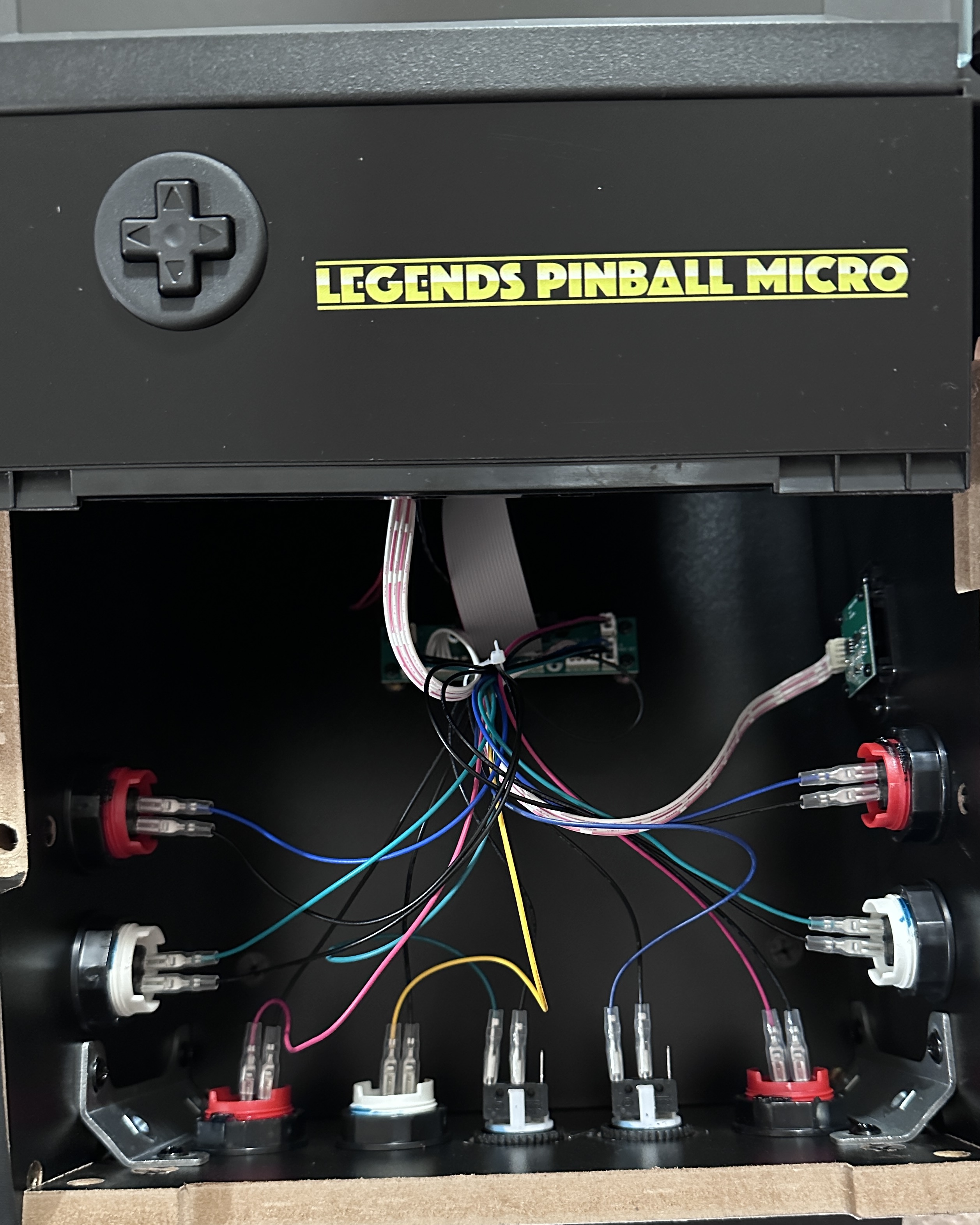
There is also a D-pad at the bottom of the display, and my God, is this an awful D-pad? It’s mushy and skips and jumps around on the menu, and there’s no way to replace it at the moment. Sadly, it’s needed for navigation and entering text on the keyboard. You might want to rig up a wired USB controller with a mount on the back to avoid using this awful thing.
The Arcade
Okay, I will never understand why this is included. You can’t even argue that it increases the value of the system. The arcade games are mostly horizontal, so they are very small on the display, and they are streamed onto the device. That’s right. This is basically cloud gaming on this thing, and you need a controller to play these The pinball micro has no option for a separate control panel like the larger version does. The streaming is awful and sluggish, and there’s serious lag. Even being right next to my router and having a gigabit connection, even with Ethernet, it just didn’t work right. The visuals degrade rapidly, like a video stream buffering on a slow connection. You also have to pay a subscription fee for this lousy experience, and the games are so limited. You mostly get Taito, Activision, and Data East games on here. They aren’t updated very often, and you will most likely get bored with them after an afternoon. I can’t fathom paying a monthly fee for a service that rarely adds any games. You can also play these online with other people, but it’s not like these machines are PlayStations with millions in the home. You’re most likely stuck with local multiplayer. This is where the CoinOpsX OS comes in, so you can play your own games from the USB drive, and that’s the way to go.
Conclusion
Overall, the AtGames Legends Pinball Micro is a fantastic and versatile machine. The digital pinball is really good, with 60FPS gameplay and virtually no lag. This makes the games look real if you’re standing up and looking down at the machine correctly. The option to use a VIBS board and connect to a PC to play other digital pinball games on the machine is a great option as well. There are a lot of multiplayer, diagnostic, and optional OS features. You really get your money’s worth, and I praise AtGames for not locking this machine out. The system does have its issues, such as the horrible arcade game streaming, the rarely updated service, downloadable tables having always-online DRM, and the OS being a bit slow and unresponsive, but these are things that can be fixed.
I don’t like how low-quality the buttons are, as these are really important things, and the D-pad is horrendous and can’t be changed out. Thankfully, the machine has great build quality and is rock solid, with a beautiful display. I wish the back display screen was a bit larger, but it works for what it is. The speakers and audio quality are amazing, with loud volumes and no distortion. The force feedback works well, and the main display just looks so good. I also want to mention that you can optionally put legs on this thing, so it can be a stand-up machine too.


 thebinarymessiah.com
Yeah, it's pretty damn awful. Notoriously one of the worst games on the PSP. A 4 was actually being generous.…