
We finally made it. It took over 8 years, and what feels like a whole life ago, to get to the sequel. Nintendo’s success has been largely attributed to the success of the Switch. 2017 was a tough year. In the first year, the console was met with little fanfare and releases, but it gradually gained popularity and surpassed the PlayStation 2 and Nintendo DS to become the single best-selling console of all time. Around 2020 people wanted a Switch Pro, but instead we got other typical iterations of the Switch, such as the Lite and OLED. We met both of these models with plenty of enthusiasm, but we saw no raw spec upgrade for the system. Ever. What people wanted was divided. Some individuals desired Nintendo to innovate, much like they did with the Wii nearly two decades ago, while others simply desired an improved version of the Switch. We got the latter.
Some Tech for Your Brain
The Switch 2 wasn’t announced with open arms. Not entirely. A lot of outcry has been about pricing, game ownership, and specs. What we got spec-wise was more than expected from Nintendo. While the Switch 2 does not quite surpass the competition, it is positioned closely alongside them. The Switch 2 boasts a custom Nvidia chipset with Ampere technology. This feature puts the Switch 2 in the same ballpark as the RTX 2050 Mobile series GPUs, but it’s not a 1:1 scale. The weaker CPU, which is identical to the one in the Switch 1, is what primarily holds it back. Despite a more powerful next-gen GPU the CPU being weak means that games will need to be well optimized to push everything to the GPU as much as possible. Nintendo’s power was obviously scaled back for mobility, but the system uses more modern technology while docked, such as HDR, ALLM, VRR, and higher refresh rates, as well as PCM Linear 5.1 surround sound. We now have increased onboard storage of 256 GB, which means purchasing a micro SD card is not immediately necessary. However, Nintendo locked many users out, as you can’t go grab that 128GB SD card that’s been sitting in a drawer. You need express-rated SD cards, which are quite pricey right now. While the SD card technology isn’t a proprietary storage solution like Sony used to use, it does limit a lot of people and requires you to shell out more money for an already expensive console.
Unboxing a Slate
The unboxing experience isn’t anything special, and I’ve mentioned this with other modern devices. The focus is less consumer waste, less cardboard, no polystyrene, and fewer things to throw away. You receive all the same items that were included with the original Switch: Two Joy-Cons, a dock, an HDMI cable, a power cable, and Joy-Con straps. While these are essentially the same, they are also updated and new. For example, the power brick is now a detachable USB-C cable, so you can replace the cable if it fails. The Switch 2, however, needs a more powerful power supply. The Switch 1’s 15 measly watts won’t suffice anymore. The Switch 2 uses 60W, so you will need to upgrade your power banks and charger adapters. Handheld gaming PCs (usually 65W) will suffice. The dock is new and updated. The updated dock now includes a built-in fan, which makes it bulkier; however, it also features a back cover that can be completely removed, exposing the same ports: HDMI, USB-C, and LAN. We also get two USB-A ports on the side. It feels appealing and solid, but it is not backwards compatible with the original Switch.

Hardware Overview: Joy-Cons of Madness or Greatness?
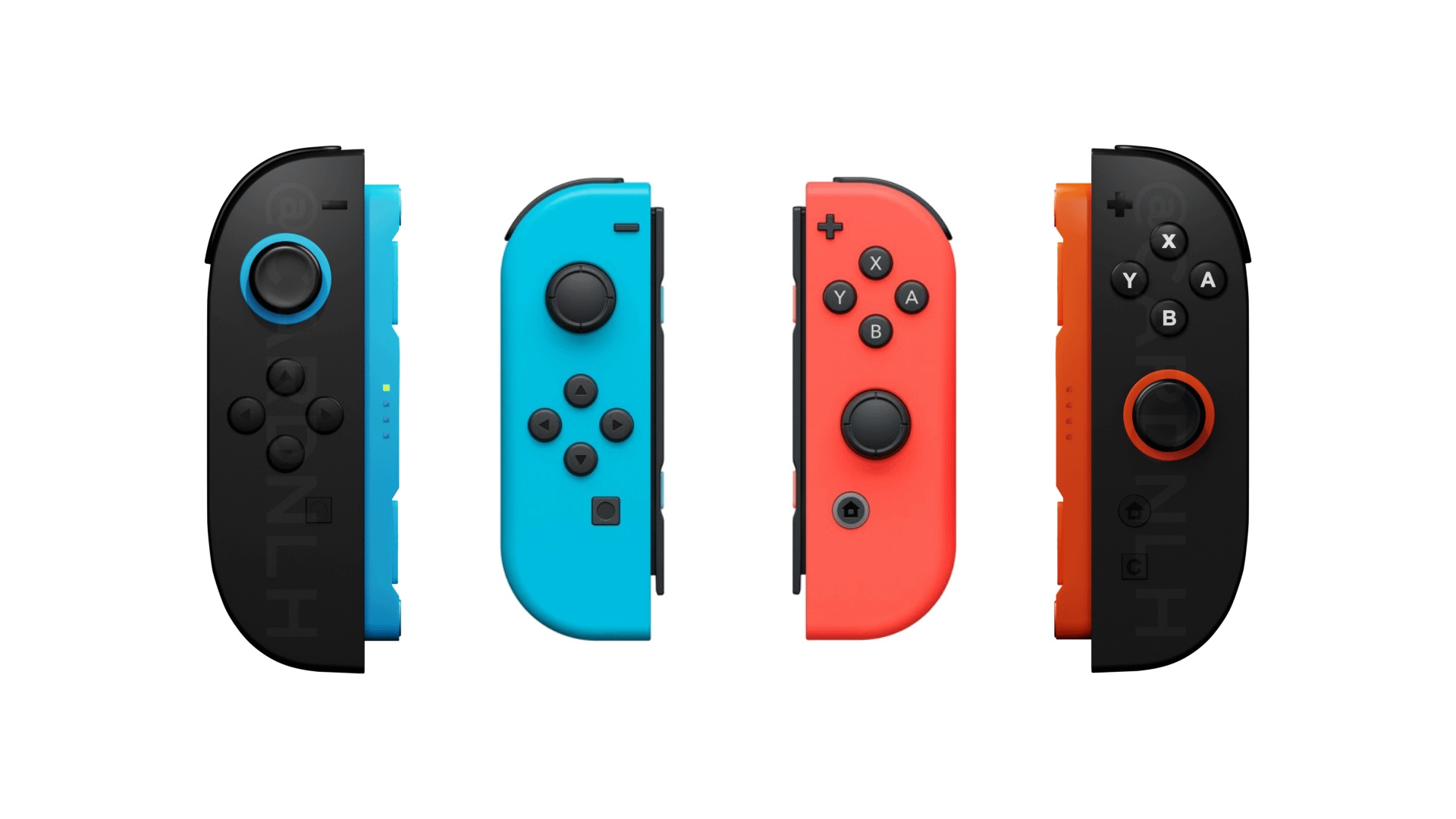
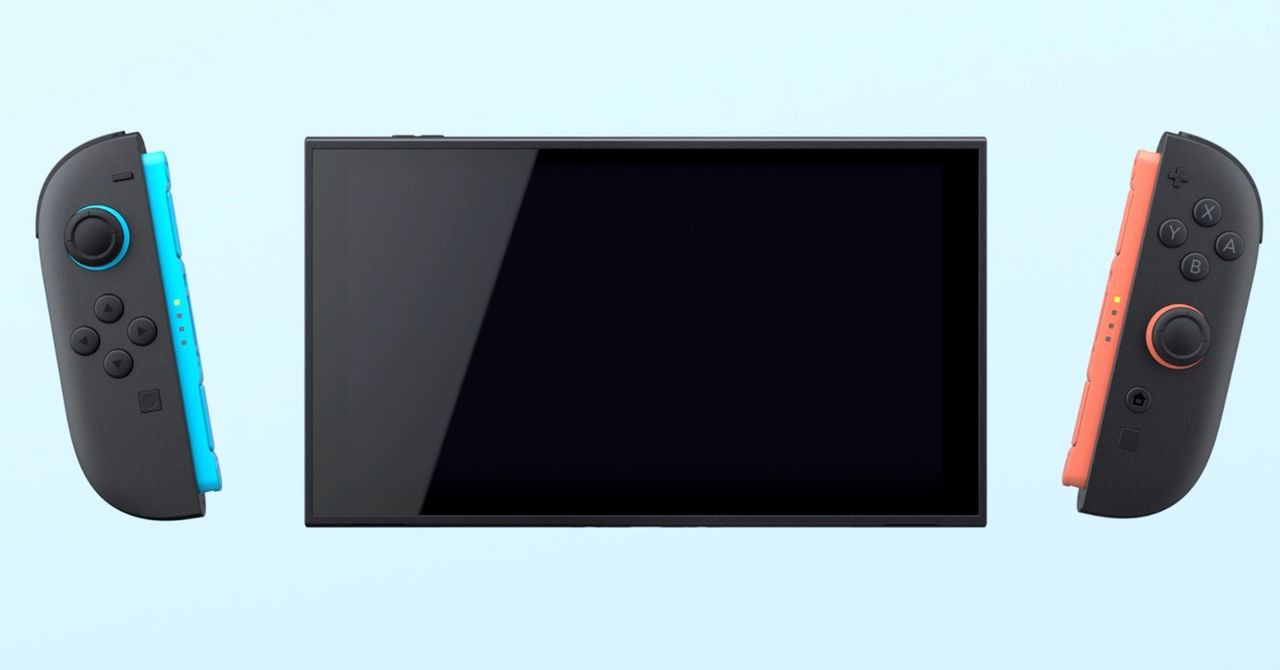
To get the biggest question out of the way, it’s uncertain if the new Joy-Cons will drift, but they lack Hall Effect sensors. They are apparently built from the ground up to avoid this, but only time will tell. With that said, they are slightly larger than the original ones and are much more comfortable to hold. The buttons are less mushy and have a more tactile click. Sadly, there’s still no real D-pad, but the clickiness of the buttons makes it feel a bit better. Here’s the other big question. What’s the deal with those magnets? It’s a real gamble, and somehow Nintendo pulled it off. They are incredibly strong. There is a new “trigger” switch on the back of the JCs that you pull, like ZL or ZR, and this activates a plunger that pushes the JC away from the console. The electrical connection is now a new connector slot that also adds stability. It’s a very satisfying feeling, and the new JC animations that play are nice. It’s such a strong magnet that you get a physical and audible snap when connecting them. There is an ever-so-slight wobble when twisting the system slightly, but it’s not noticeable when actually playing. We will see over time how these hold up mechanically. The JC’s new controller dock is nearly the same, but it’s taller than wide. I still had hand cramps when using this thing, and sadly, I never really used it for the original Switch. This accessory was reserved for people who used the JCs as a controller and, for the most part, was stored in a drawer for the last 8 years. The same fate will occur with this device.
Hardware Overview: Upgrade or New Machine?
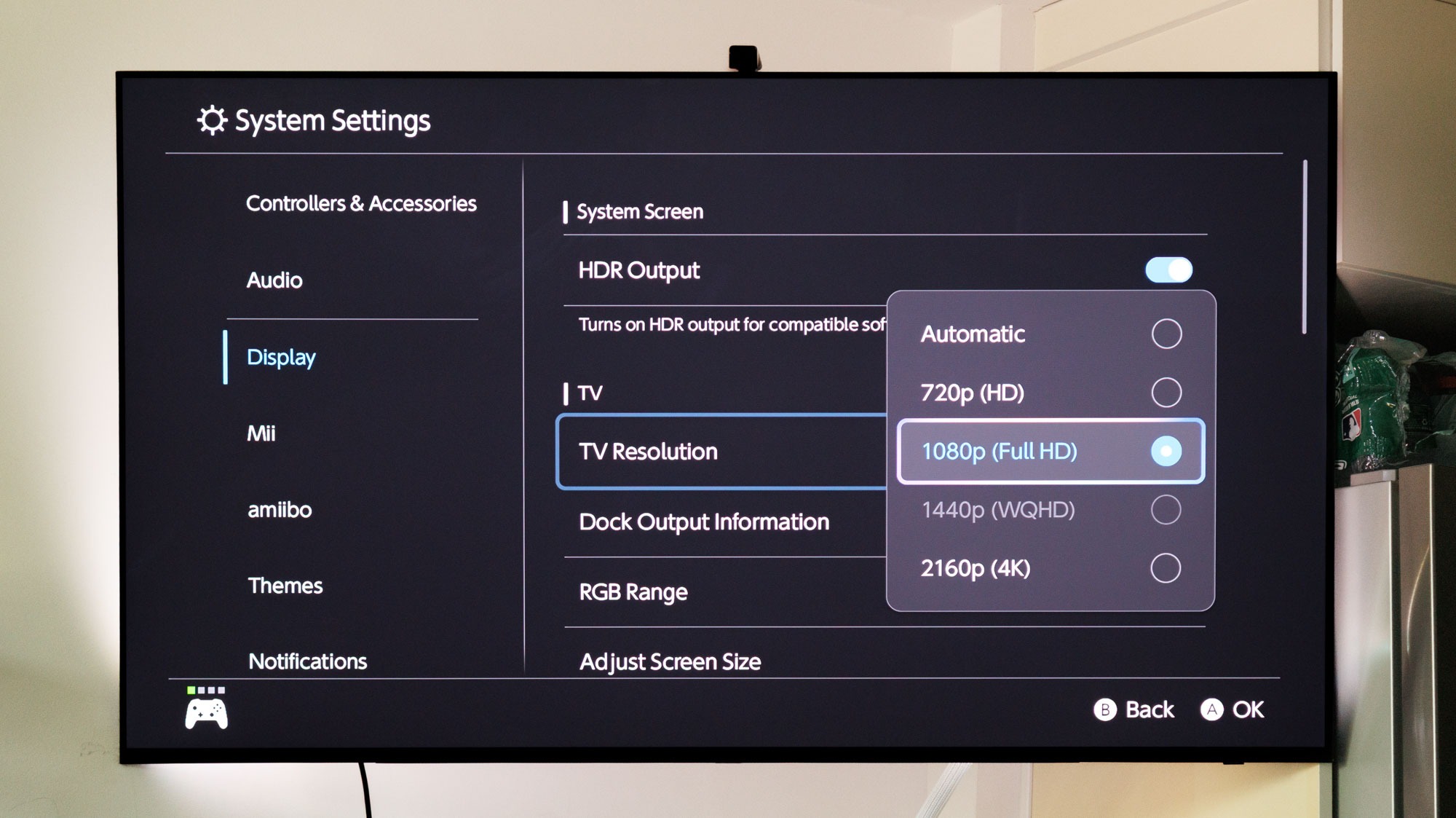
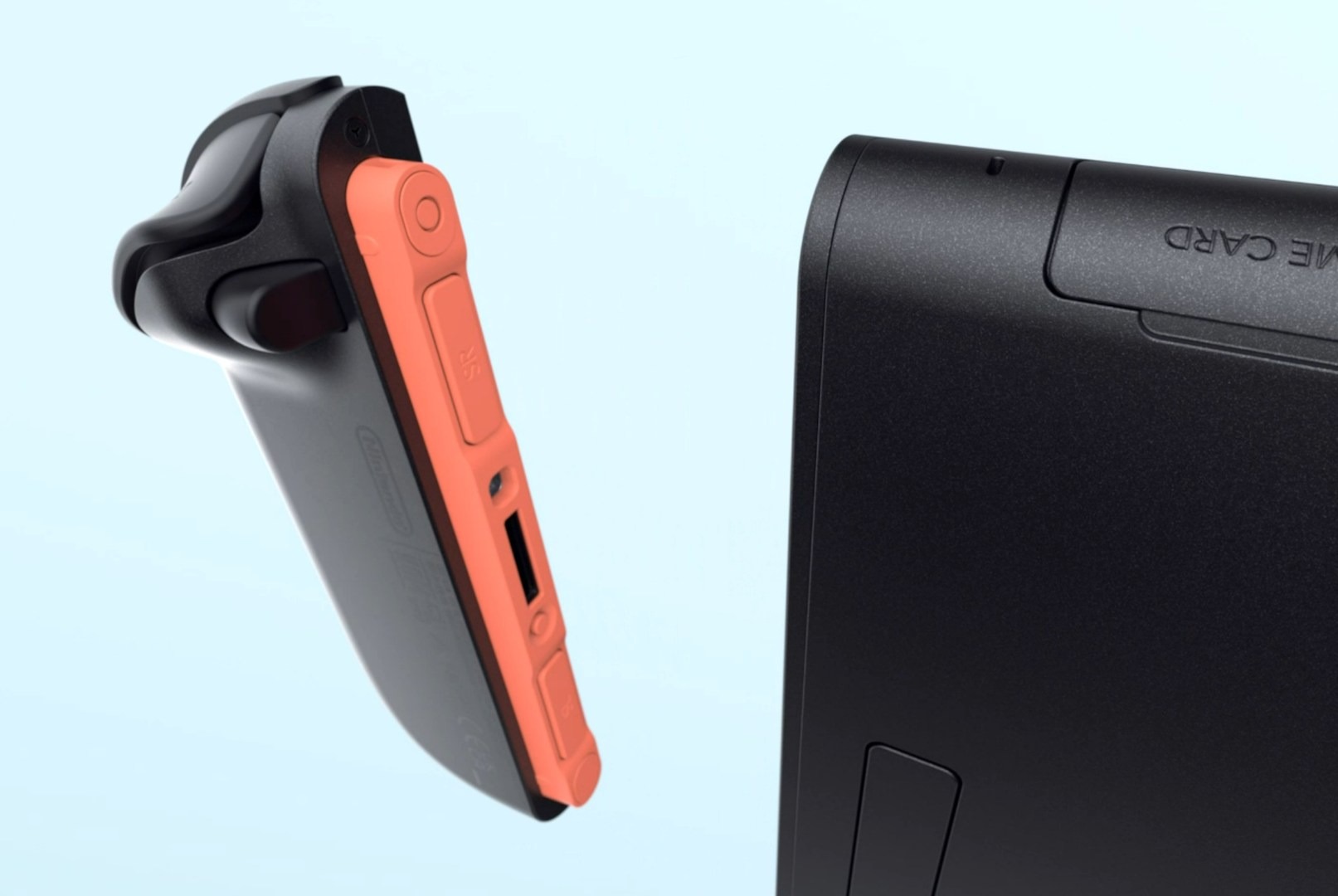
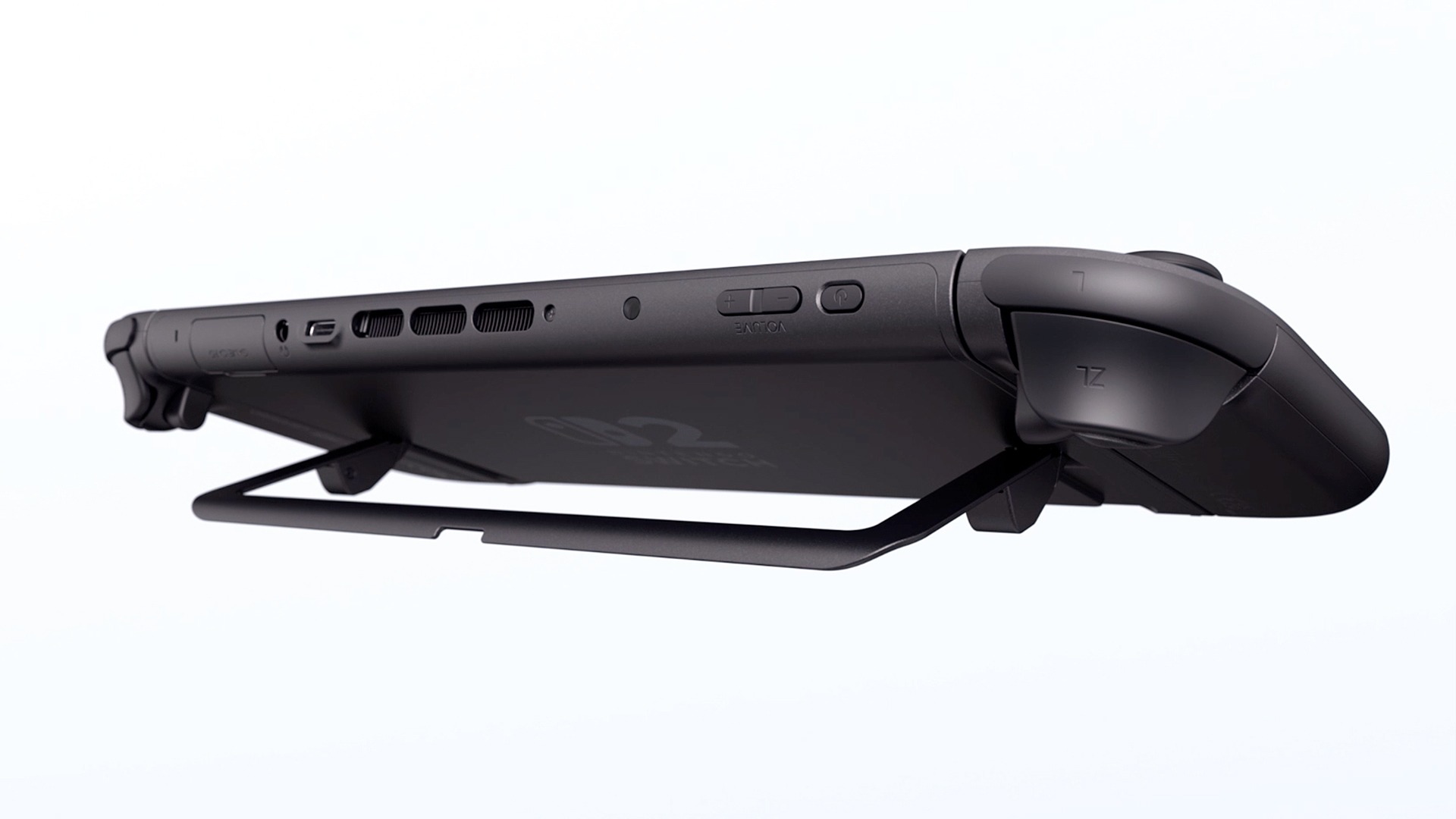
The tablet itself looks nearly identical to the OLED tablet but is larger, with a 7.9″ LCD. It has HDR and 120 Hz, like the Steam Deck, but it’s not OLED. The Steam Deck OLED has a 90 Hz OLED display with HDR, and while its screen is a very nice LCD, it’s still not as crisp and vivid as an OLED display. It feels heavier and very solid. All of the ports and buttons are in the same place as the OLED model, but there are a few tweaks. Intake vents have been added to the bottom of the system, located on either side of the USB port. This allows for more efficient cooling. The system is hushed when the fans are kicked on. The kickstand is now a round plastic piece rather than a solid flap. It extends out more, just like the OLED, so the change is a great improvement. The micro SD card slot is located behind this component, and the system now supports express micro SD cards, which are slightly more expensive than standard cards; however, I believe their prices will decrease significantly by next year. The game card slot has a pull-out flap that now has a metal box that sits over the game card. I’m not sure what this metal reinforcement was for, as I have yet to get ahold of a Switch 2 cart. One of my favorite new features is the USB-C port on top of the unit, which will help relieve strain on the bottom port when playing while charging or lying down. This seems like a feature taken from the handheld PC scene. Overall, the tablet adheres to the adage “if it’s not broken, don’t fix it,” and I appreciate their decision.
Software Overview: The Account Transplant
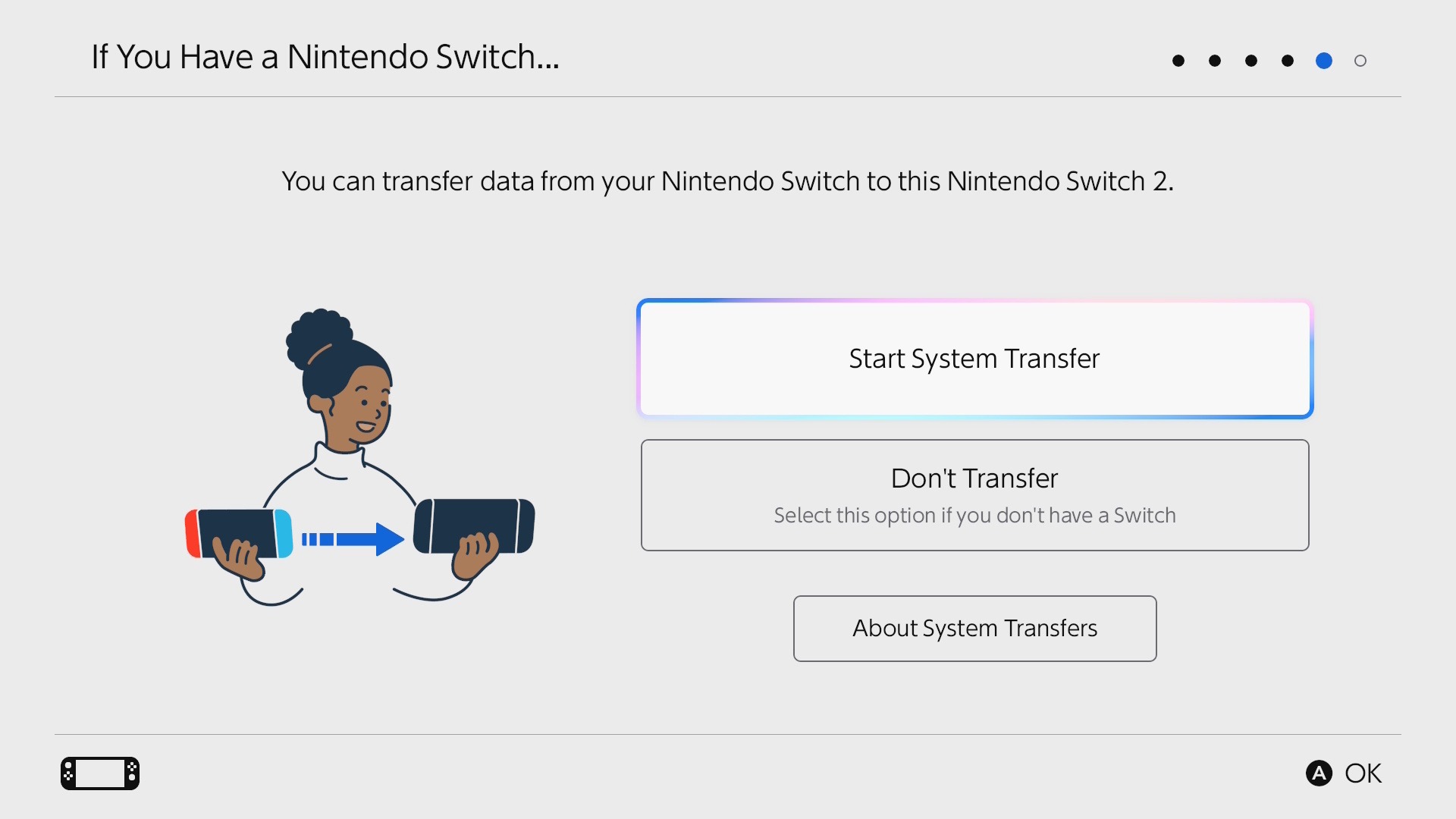
Nintendo’s online features have never been particularly efficient, and utilizing their account features presents a significant challenge. Don’t even begin to discuss the complexities of the Switch 1’s parental controls and digital game ownership. With that said, transferring accounts is similar to the process used for smartphones. You have to connect both units to a charger (super annoying), and you just begin the transfer on both devices. This initial transfer has to be done when the system is initialized. If you cancel it, you have to reset the system back to factory defaults; there’s no option in the settings to do this. You can also do a server transfer if your Switch is dead or you no longer have it. Another option is to remotely wipe your Switch 1 once it’s connected back to the internet. This process transfers all account information, offline saves, and ownership of digital games and DLC. It does not transfer actual game data. You will need to redownload everything. The third option is specifically designed for new Switch 2 owners without a Nintendo account, requiring them to start from the beginning. If you have NSO (Nintendo Switch Online), you can choose not to do a system transfer since all your saves are stored in the cloud; however, you will still need to set the Switch 2 as your primary device. This was a very painless process, and I had zero issues.
Software Overview: The Use Experience
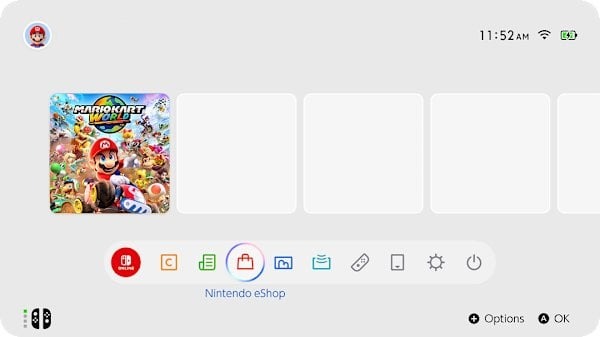
It’s to no one’s surprise that the UI is mostly the same. It’s the same boring row of icons with a black or white theme. Yeah…no themes still. The UI is more “Nintendofied” this time around with adorable sound effects for every system icon, and there’s an RGB-outlined swirl when you hover over something. It’s also snappier and more fluid, but it’s still the most basic UI of any modern Nintendo console. Thankfully the eShop has been completely fixed. It’s a new interface with videos that instantly load when hovering over icons, and it feels fluid. I also noticed the algorithm for recommended games has been immensely improved. No longer will you get shown mostly hentai or alarm clocks. While it’s refreshing to see this improvement, the overall eShop hasn’t changed much, and it didn’t need to. It worked; it was just dog slow and locked up the Switch sometimes. There are new icons at the bottom of the screen now with Virtual Cards and GameShare; these are the only two major software updates the Switch 2 got. There’s also a new button on the Joy-Con, a C button, for Chat. The button pulls up GameChat. Nintendo has finally gotten on board with live video and messaging.
Software Overview: DRM is the Future
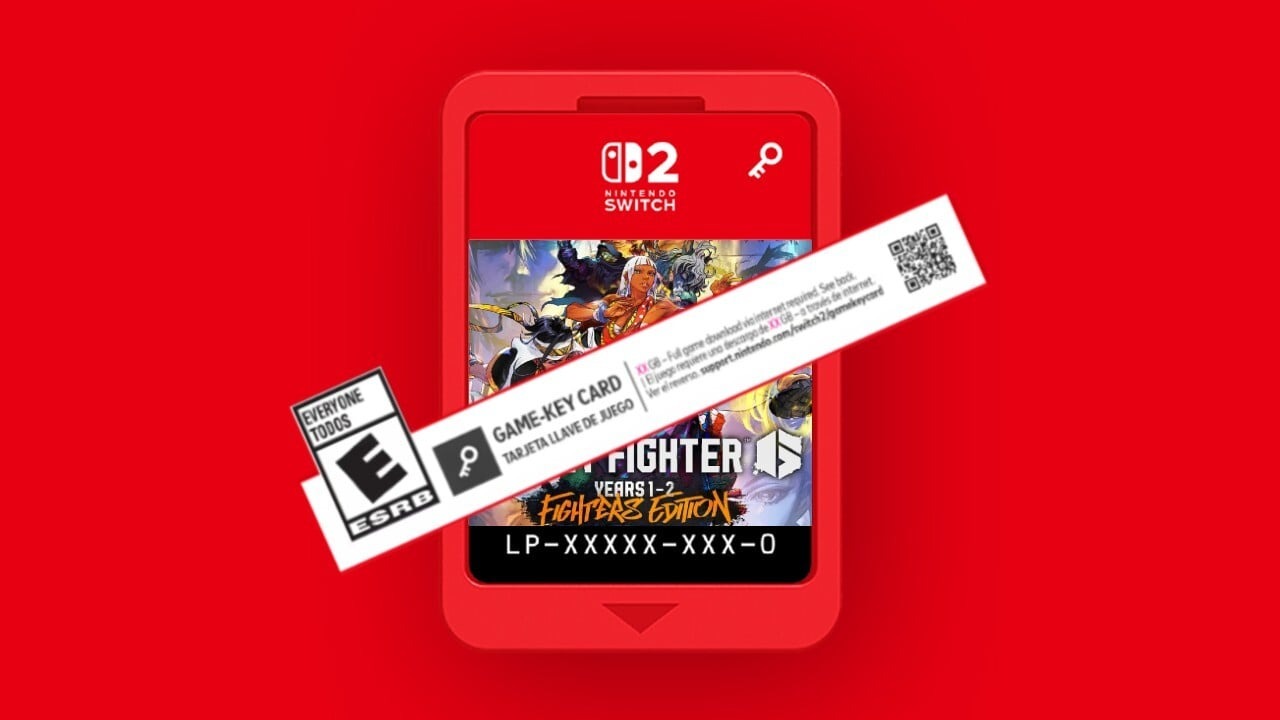
Nintendo has introduced two new features to enhance DRM; however, this solution resolves one issue. The virtual cards are both cool and annoying. This results in the introduction of new Game Key Cards, which can be obtained physically but do not contain any game data. The experience feels like Code-in-a-Box with more steps. It’s cool that you get a tangible item like a physical box, but it means nothing once the service shuts down. The Virtual Card system has fixed the parental control problems that plagued the original Switch. You now can just lend the digital game to a family member that’s in your family group. This is good for 2 weeks, and then you can renew it. This means your Switch doesn’t have to be the primary Switch that your child will use if you end up buying games on your account so they can use them. However, if you want to then play the game, you must revoke the card to load it onto your account again.
Nintendo has also implemented some way to brick your console and disable it remotely if you are caught hacking the services or modifying the Nintendo services in any way. This has been a misleading piece of info stating you don’t own your Switch 2 and it will be bricked if you modify the firmware. This procedure has been possible since consoles could connect to the internet. The Xbox 360, for example, would disable your Xbox account and ban it from the servers if you installed a mod chip and went online or hacked into games too often. Such behavior has been a standard practice since the mid-80s.
Software Overview: The Games: Updated and New
Let’s talk about why you even got this thing. The games. The launch lineup is fragile. Although the launch lineup is among the weakest of any console launch, the games themselves exhibit considerable strength. If you want to fully utilize the Switch 2’s hardware, Mario Kart World, Cyberpunk 2077, and Fast Fusion are the games to consider. Some Switch 1 games received full Switch 2 upgrades, including The Legend of Zelda: Breath of the Wild and Tears of the Kingdom, while a few others received free updates, including Super Mario 3D World, Pokemon Scarlet and Violet, and Super Mario Odyssey. The Switch 1 games aren’t always going to transition to the new system very well. If the Switch games didn’t support scaling in any way, the game could look more blurry and ugly even in handheld mode. Some games are going to need updates and will make a lot of Switch 1 games either unplayable or less enjoyable than the original console. Games that had unlocked frame rates or locked frames, like 30 or 60, will enjoy more stable gameplay. Some Switch 1 games are already getting these benefits without any update, including faster load times.
For 120 FPS there is only one game that supports this, and that’s Welcome Tour via a mini-game. The only confirmed game to have this feature is Metroid Prime 4 as of this writing. This is something that even the PS5 and Xbox Series X don’t have much of. Only 2 Switch games support HDR, VRR, and ALLM. These also have to be programmed into the game, and not many currently support this with the small launch lineup that we got. I found that games do look and play great like you would expect, and HDR works fine even on the handheld screen. While it’s not quite as vivid as an OLED it’s quite a crisp screen and looks good.
Early Adopters Need Patience
Just like with the Switch 1, early adopters need to be patient. While we have an entire backlog of Switch games to still play, there are some that don’t work, need patching, or simply will never work or get patched. Don’t throw away your Switch 1 just yet. There is an anemic Switch 2 game offering right now, and unless you really want any of those games, holding off for a year wouldn’t hurt. However, there’s also nothing wrong with getting one just to play Switch 1 games, as a lot do run better. There are other issues, like a lot of third-party controllers no longer work and need patches. All of my 8bitdo controllers don’t work or have issues, but they have already released firmware updates for many controllers. HDR isn’t perfect and needs some patching as well. The display itself only has 450 nits, which isn’t adequate for proper HDR. The HDR performance is better on the TV, but the current offerings for the Switch 2 do not look promising.
See You In 2033
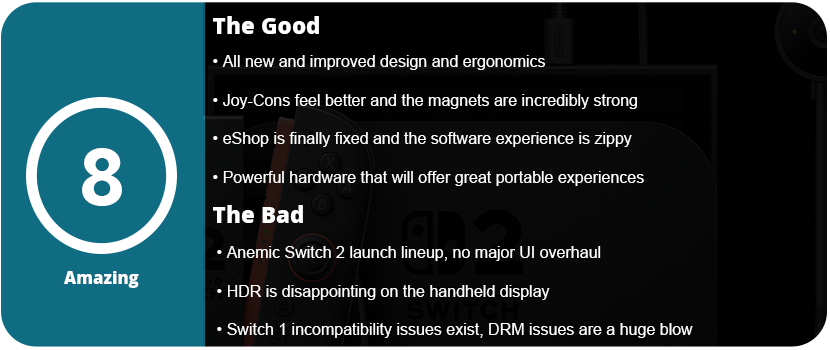
In the end, the Switch 2 currently offers a lot of value for mostly newcomers—those who skipped the original Switch. There’s also no loss in upgrading sooner rather than later because all of your games will work as long as they don’t require features from the Switch 1 that didn’t carry over. Yes, the launch lineup is weak and small, but the hardware is a massive upgrade over the original, and we should see some great things from Nintendo over the next couple of years. The sequel will be a slow burn just like Switch 1, with only a couple of first-party games announced for release this year. This is sadly due to Nintendo having to play catch-up with their tech that’s been around for five years already. The Joy-Cons are more enjoyable to use, the mouse mode works surprisingly well, and the handheld display is great. We sadly don’t get much of a UI overhaul, but at least the eShop works as intended. It’s the Switch 1, but better, which is what everyone wanted.


 thebinarymessiah.com
Try multiplayer. A lot of fun !