The Galaxy Tab S2 was the best tablet I have ever owned. It’s sleek, powerful, includes a familiar Samsung Android OS, has a beautiful screen, and I never had a single issue with the tablet. That was three years ago, and I felt it was time to upgrade. While I understand that the Tab S3 isn’t the dramatic change that the S2 was from the original Tab S, to me at least, it’s a marginal difference to justify an upgrade, especially if you are growing tired of your S2 or realize, like I did, that Samsung is no longer supporting it.
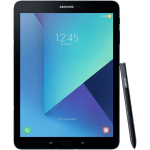
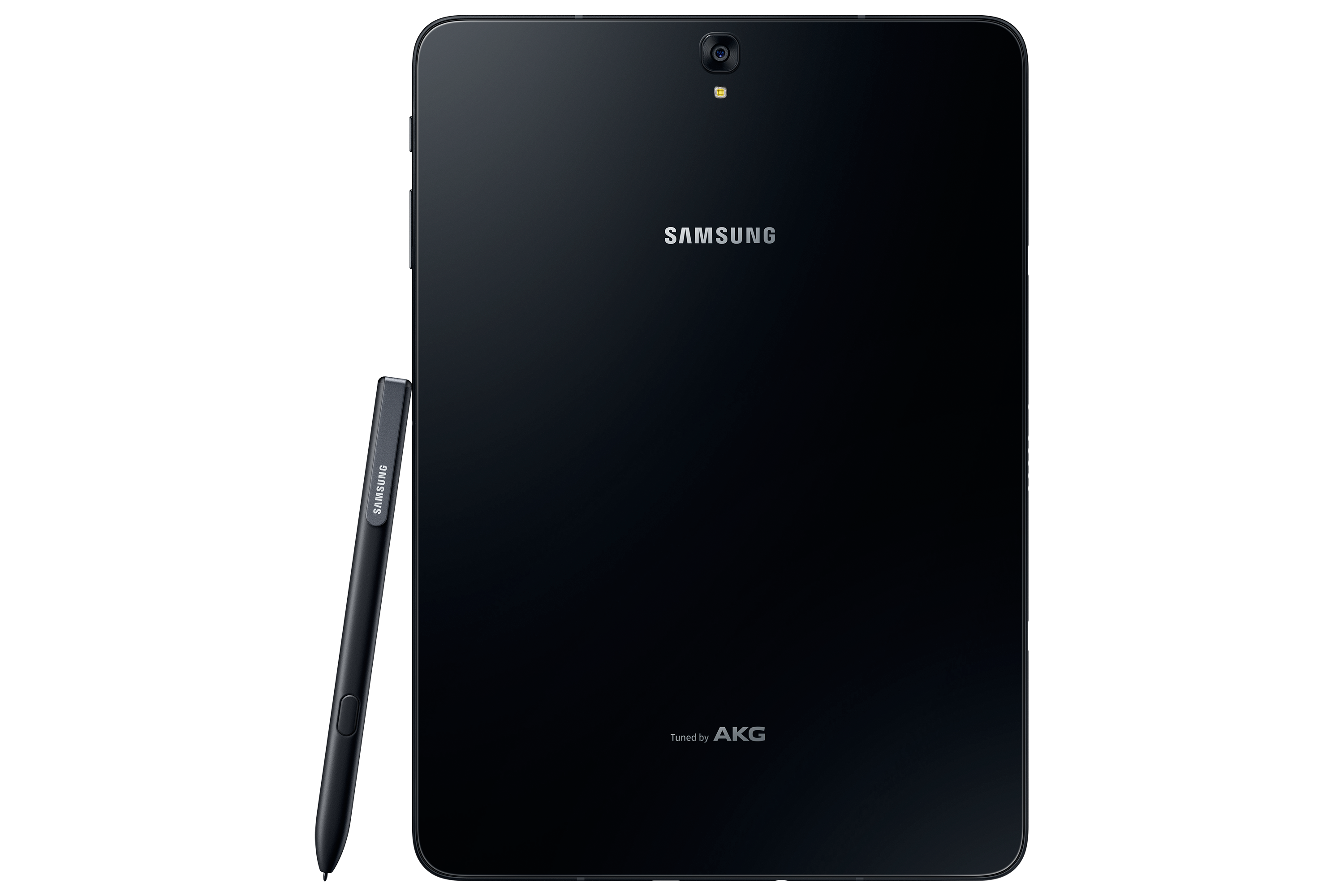
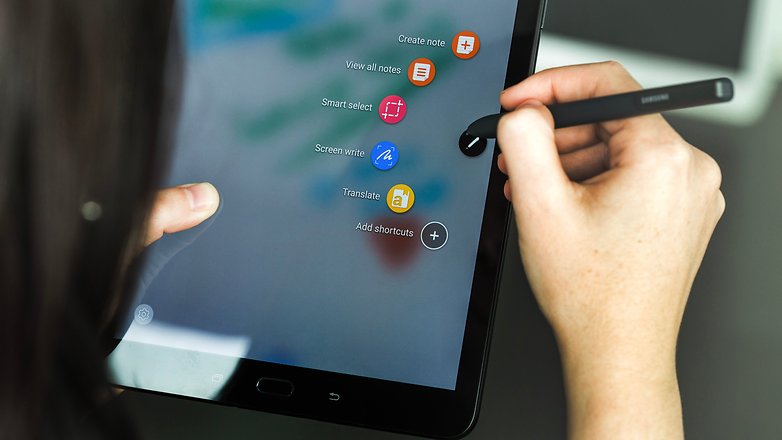
When I took the tablet out of the box, the differences were noticeable right away. While it’s shaped the same way, is the same size, and looks familiar, it’s made completely out of glass, so that plastic feeling is gone. It’s also half the weight and thickness of the S2, which is insane as the S2 was the thinnest tablet around for the longest time. The Tab S3 also includes the S Pen for the first time since the Note 10.1 tablet. The S Pen is large and full-sized, unlike the pens for the Note phone series, and it doesn’t go into the tablet. This is a bit of an issue because you always have a loose pen floating around unless you buy a case for the tablet that can hold the pen.
Once I turned on the tablet, it was a familiar experience. The Nougat OS is exactly like the S2, with a few added features. Sadly, I noticed that Samsung themes are absent from this tablet as well and seem to be exclusive to the newer Samsung phones. I did notice that everything ran a bit smoother and was more responsive overall.
The biggest change of all would be the sound and screen. The S3 features four speakers for surround sound by AKG, which sounds fantastic. As I was playing games or watching videos, I could hear the sound differential change with each speaker, which was a huge change from the S2’s stereo speakers. The screen features HDR, which was the first tablet to do so. Watching HDR videos on Netflix or just high-res videos, in general, look fantastic on this screen and almost look better than on Samsung’s high-end phones. I can’t stress enough how great everything looks on this tablet; these two features alone are worth the upgrade.
Let’s get under the hood of this beast. While there are more powerful tablets on the market, the Tab S3 is one of them. The S3 boasts the Snapdragon 820 SOC with a quad-core CPU running at 2.15 GHz. We get 4GB of LPDDR4 RAM and an Adreno 530 GPU. It’s not the biggest leap over the S2, and it disappointed a lot of people, but as a whole, it’s a worthy upgrade and still more powerful than the S2. It has a 13 MP rear camera and a 5 MP front-facing camera, which is just fine. Who really takes photos with their tablet? I took maybe a dozen with my S2 over the last 2 and a half years, and it never got used. Thankfully, the S3 has a flash on the back this time, so your photos will turn out a bit better.
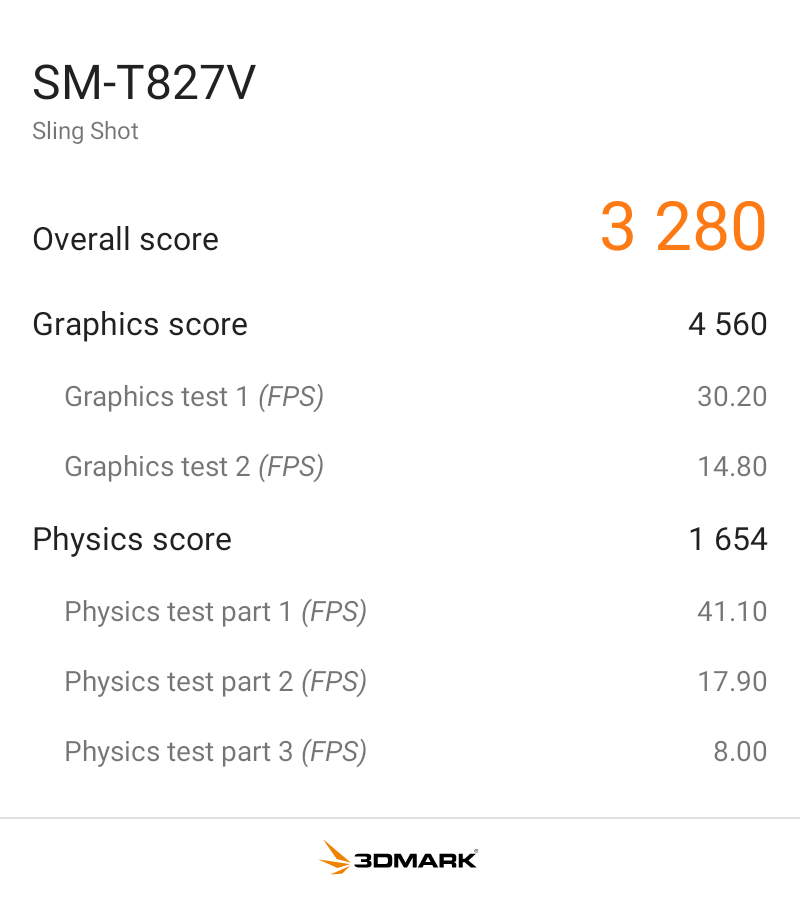
I benchmarked the S3 with 3DMark Sling Shot Extreme, and it did fairly well with the Vulkan and OpenGLES 3.1 APIs. As you can see, when the system is pushed fairly hard, it can maintain a solid 30FPS, so it’s ready for games for the next few years.
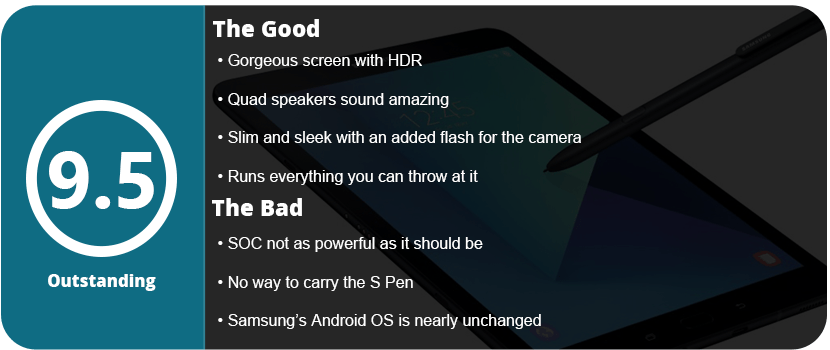
Overall, the Tab S3 is a fantastically powerful and feature-packed tablet. It’s a worthy upgrade from the S2, or if you want an all-new tablet, this is a great one to jump into. With a gorgeous screen, HDR support, a versatile S Pen, quad speakers, and a slim design, there’s nothing wrong here at all. While the SOC isn’t as powerful as I’d have hoped, it’s not enough to deter me from recommending it.
Samsung has been one of the top leaders in the mobile department for a long time, and for good reason. They continue to push their products with new ideas and reinvent them. They aren’t scared either, as every 2–3 generations we see an entirely different device. While the Note7 was a fantastic piece of hardware, it was seriously flawed, and the Note8 is already a huge jump forward from that device. It shares similarities with the S8+ that was released earlier this year, and that’s actually a good thing.
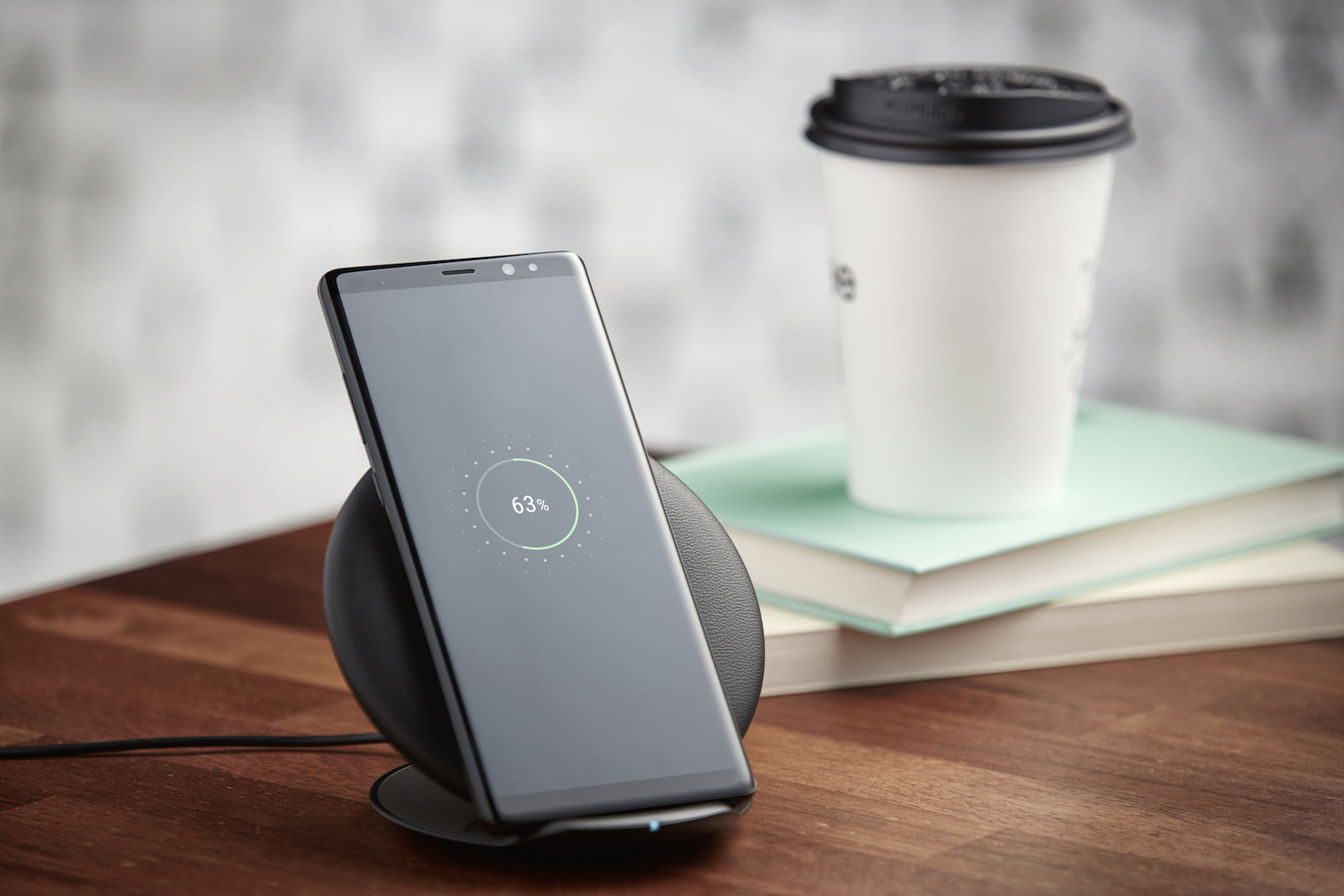
You will notice it looks identical to the S8+ outside of the more rectangle edges, and the screen is a smidge bigger. It features the same galaxy black design and gorgeous infinity display. From this point, it seemed not much different than the S8+ I had earlier, so I wasn’t too surprised, but new owners upgrading from older phones will be more amazed.
It’s still quite a beautiful-looking phone. However, the key feature of the Note series is the S-Pen. It hasn’t changed at all from the Note 7, and that’s not a problem at all. It still feels light and easily fits in the hand. The Bixby button is located a little further down, but if you hated it on the S8, you won’t like it here.
Note8 using Live Focus
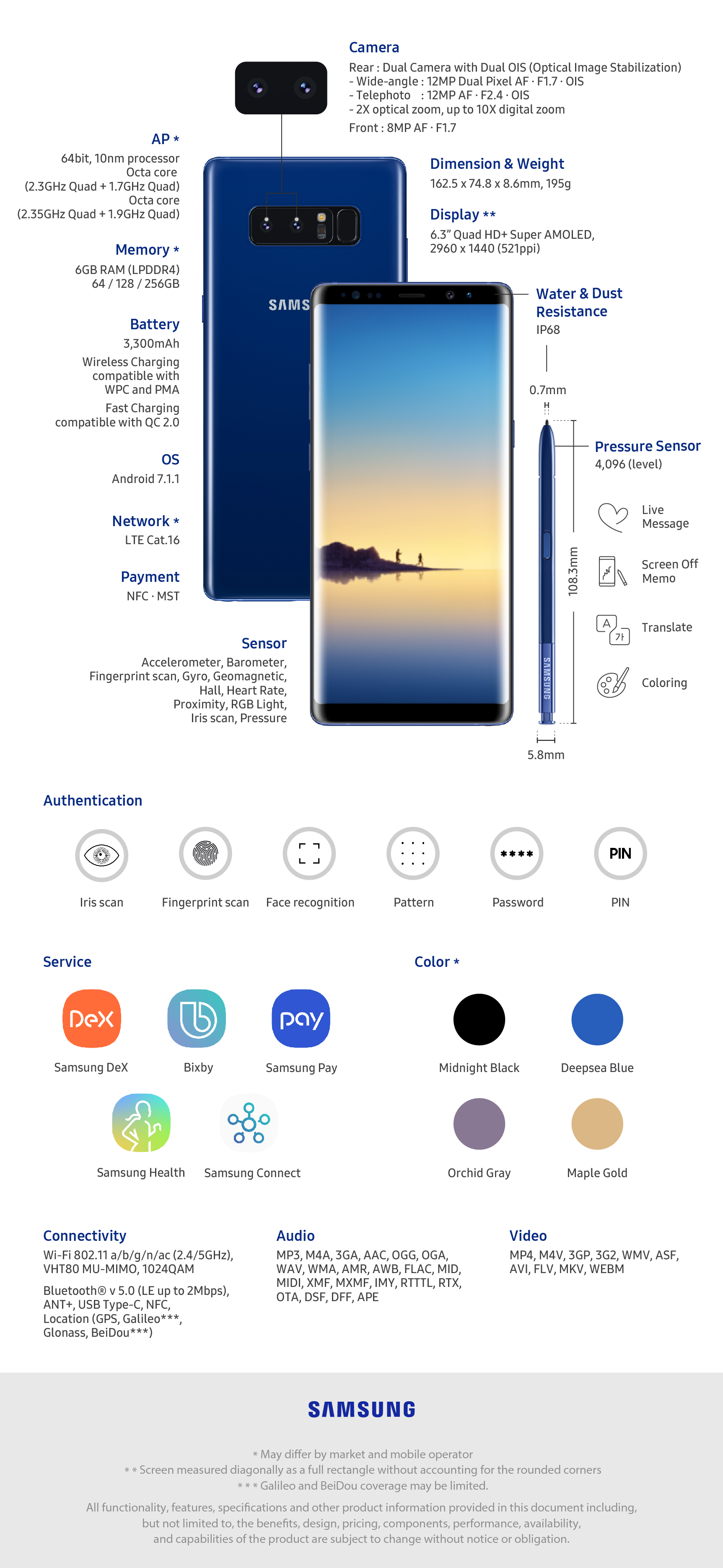
The Note8 does feature the same Snapdragon 835 chipset as the S8, but it has 6GB of RAM instead of 4, so apps do load a bit faster, but the biggest addition to this phone is the camera this time around. It features a 12MP dual-lens setup that allows Bokeh to focus on fantastic-looking images. It’s the first time Samsung has had a dual-camera setup on their phones, and it’s the best smartphone camera around, hands down.
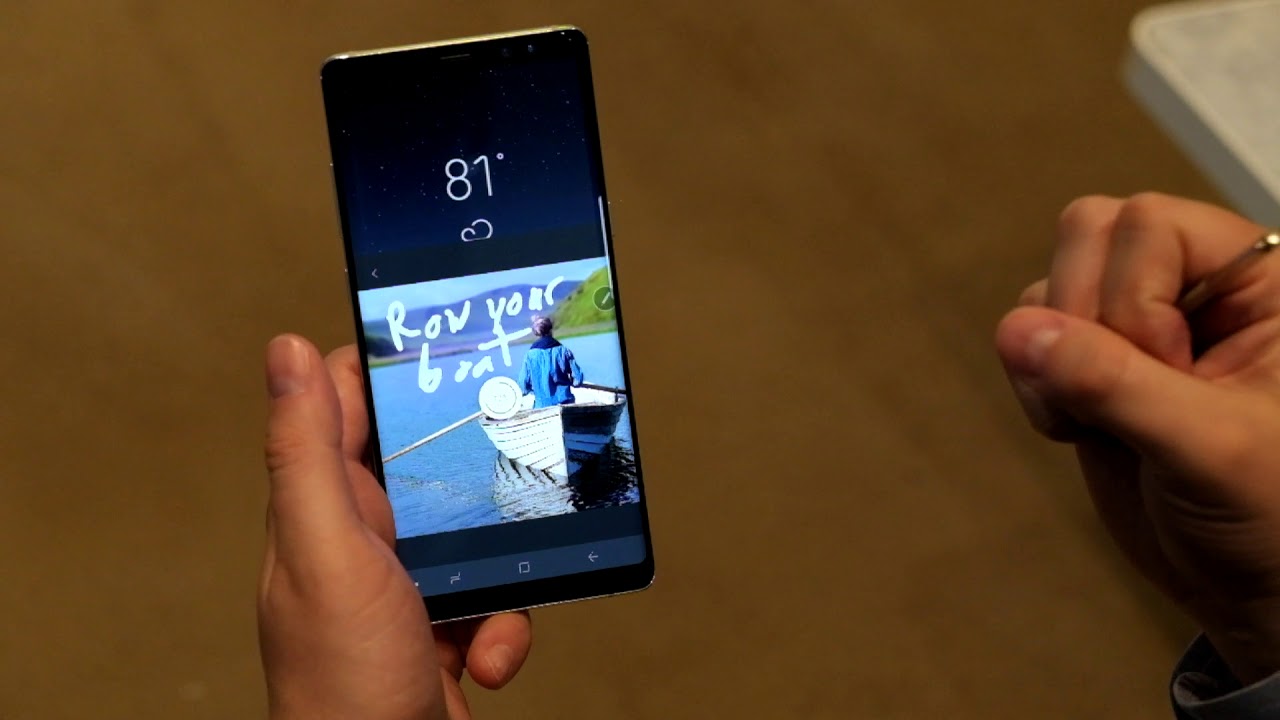
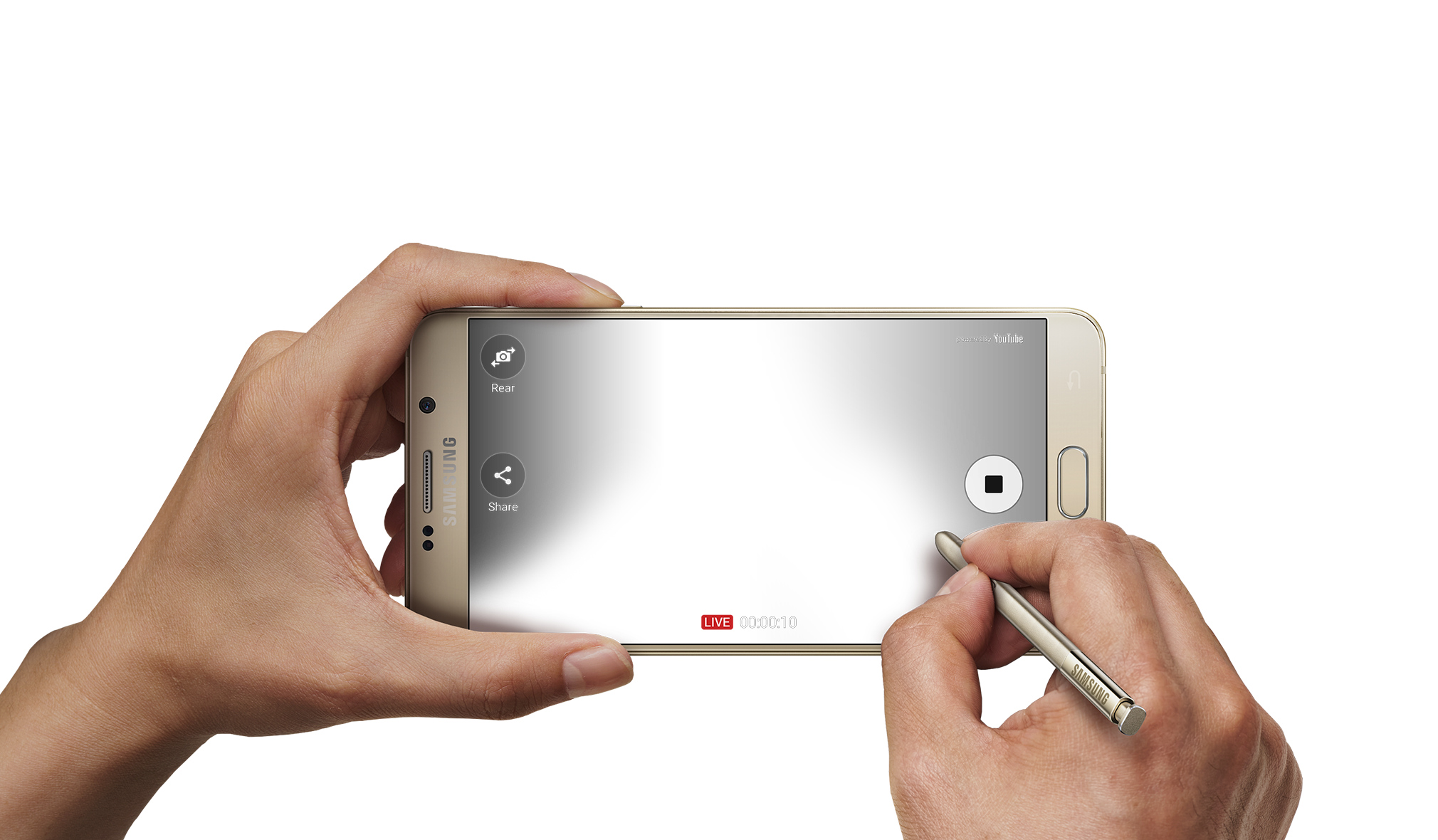
Outside of what we saw with Nougat on the S8+, the UI is the same, and there’s only one extra software feature, and that would be Live Messages using the S-Pen. When you write, you can choose between glowing, sparkly, or other inks that turn into a GIF as you write. It’s a neat feature and a great piece to add to the Note 8’s S-Pen suite. Bixby is also rather used this time around, being a little more of an AI assistant and not an obtuse nuisance. Most people may still prefer OK Google over this, but I liked being able to hold down a physical button and ask Bixby questions. It just seemed faster and more reliable.
The screen is one of the main reasons I stick with Samsung, and they don’t disappoint, with this screen being slightly better than the S8 screens. 4K content looks fantastic at 60FPS on here, and playing games never looked better.
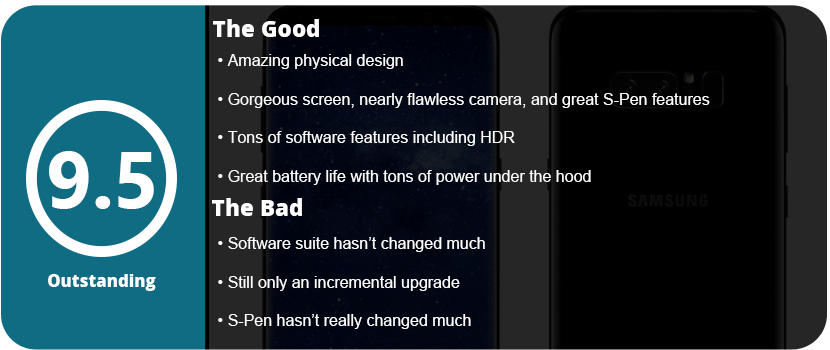
Bottom line: you can’t go wrong with the Note8, especially with the great battery life I have been getting. It has only needed one charge in a single day, even for heavy use. From the camera, screen, S-Pen, larger RAM, and many other features packed in here, the Note8 is a beast of a phone and the best you can get on the market right now.
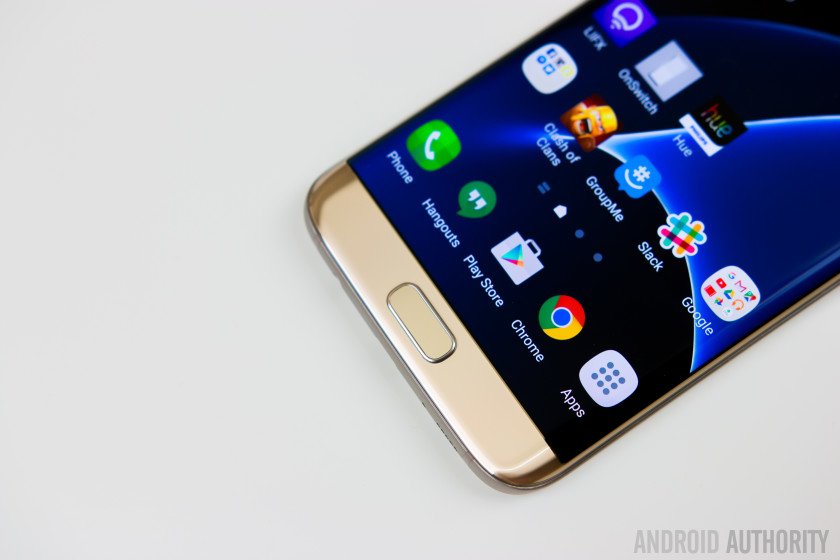
So, this is my fourth Samsung phone, and this company has come a long way. After dealing with the Note 7 disaster, I switched to the LG V20 while awaiting the next Samsung phone, thinking the S7 wasn’t worth it. I recently decided to switch back as the Galaxy S8 is around the corner and the S7 Edge is pretty much the same as the Note7 without the S-Pen and a smidge smaller. The OS is identical, and I really missed the fantastic screen and OS experience from Samsung.
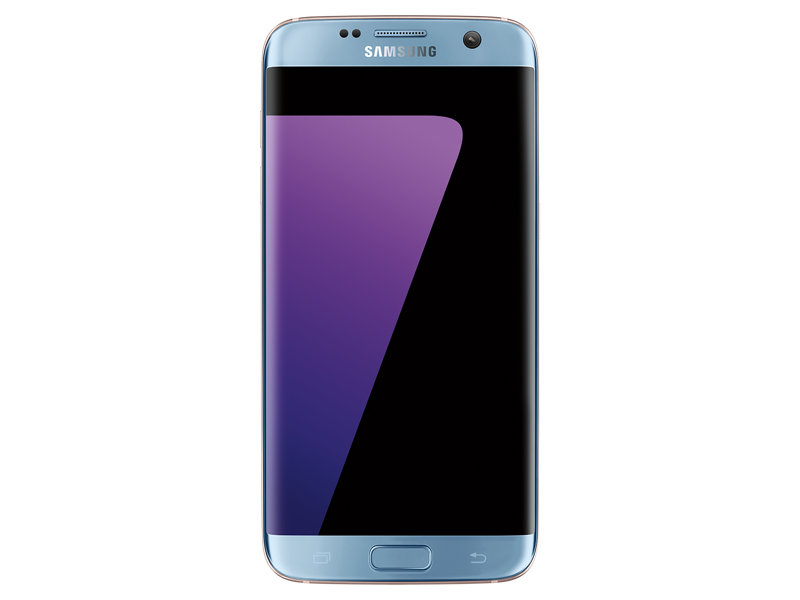
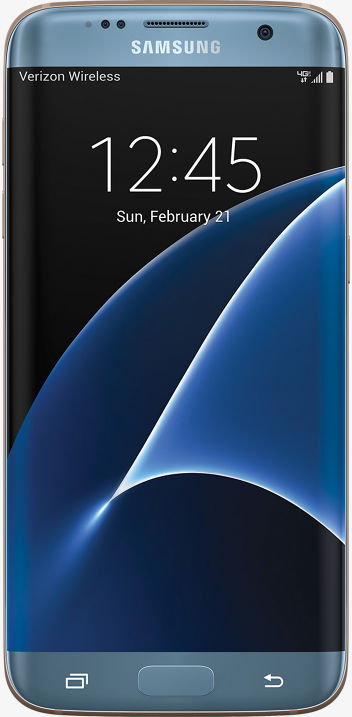
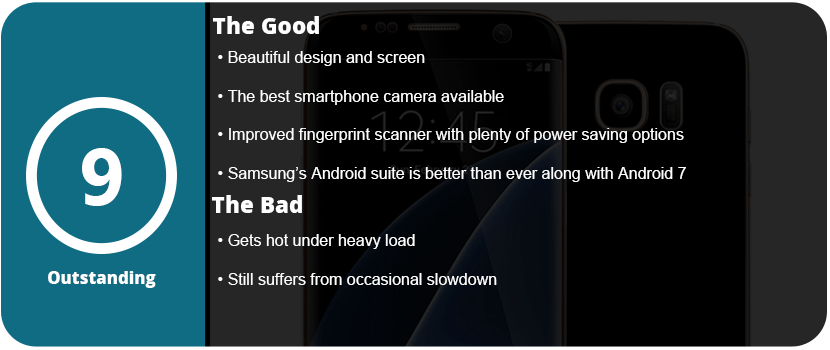
Thankfully, I picked up an S7 Edge after the 7.0 Nougat update, and I have to say it is just a beautiful update to the already great 6.0 that the Note7 shipped with. The S7 Edge has a 2K screen (2560×1440) with a 12MP rear camera and a 5MP front camera. The S7 camera is rated as the best phone camera around, and you can really see just how fantastic it is. The full glass body is sleek and gorgeous and feels great in your hand, and the much-improved fingerprint scanner works great.
The phone has a Snapdragon 820 SoC, which is currently the fastest available for a smartphone and is lightning fast. 4GB of RAM and 32GB of UFS 2.0 memory allow for speedy transfers and writes. The addition of a microSD slot is welcome, and the Adreno 520 GPU allows you to play the latest and greatest games. There’s nothing faster out there right now. However, this phone did tend to run very hot when I did the initial setup. It was so hot it made my hand sweat, but after this setup, I have yet to have the phone get that hot again.
The OS experience is wonderful, and Samsung has implemented so many features over the years that it can be overwhelming. From being able to transfer your files from your old phone via WiFi or USB to advanced security features, excellent power-saving technology, and features for gamers, there’s a lot packed into this tiny brick. Samsung’s Game Tools and Game Launcher are awesome to use, and I have been a fan since day one. Being able to launch a game from the Game Launcher allows you to keep your phone at maximum performance, or you can turn it all down for smaller games that aren’t graphics-heavy. Game Tools allows you to customize each game individually if you want as well.
Samsung’s themes and icons are nice to see on the S7 and make the phone feel unique and personable. Samsung is the only phone maker right now that has this feature, but LG is trying to catch up, but their theme updates are slow going. Samsung has other things packed in here, like Samsung Gear, VR, Pay, and many other proprietary apps that are robust and work well with their own products.
I really can’t pick this phone apart from the Note 7, as it’s exactly the same—same button placement and feel, same style, same screen, same everything. If you were screwed by the Note 7, this has all the exact same hardware but in a slightly smaller form factor. It still has some of the same issues that have plagued Samsung smartphones forever, such as the occasional slowdown if you don’t constantly keep up on optimizing your phone, and it does run hot if the CPU is pushed too hard. Hopefully, this eventually goes away with the next phone, and I don’t know if the OS can’t keep up with the CPU or the other way around, but as time goes on, this issue should not exist.
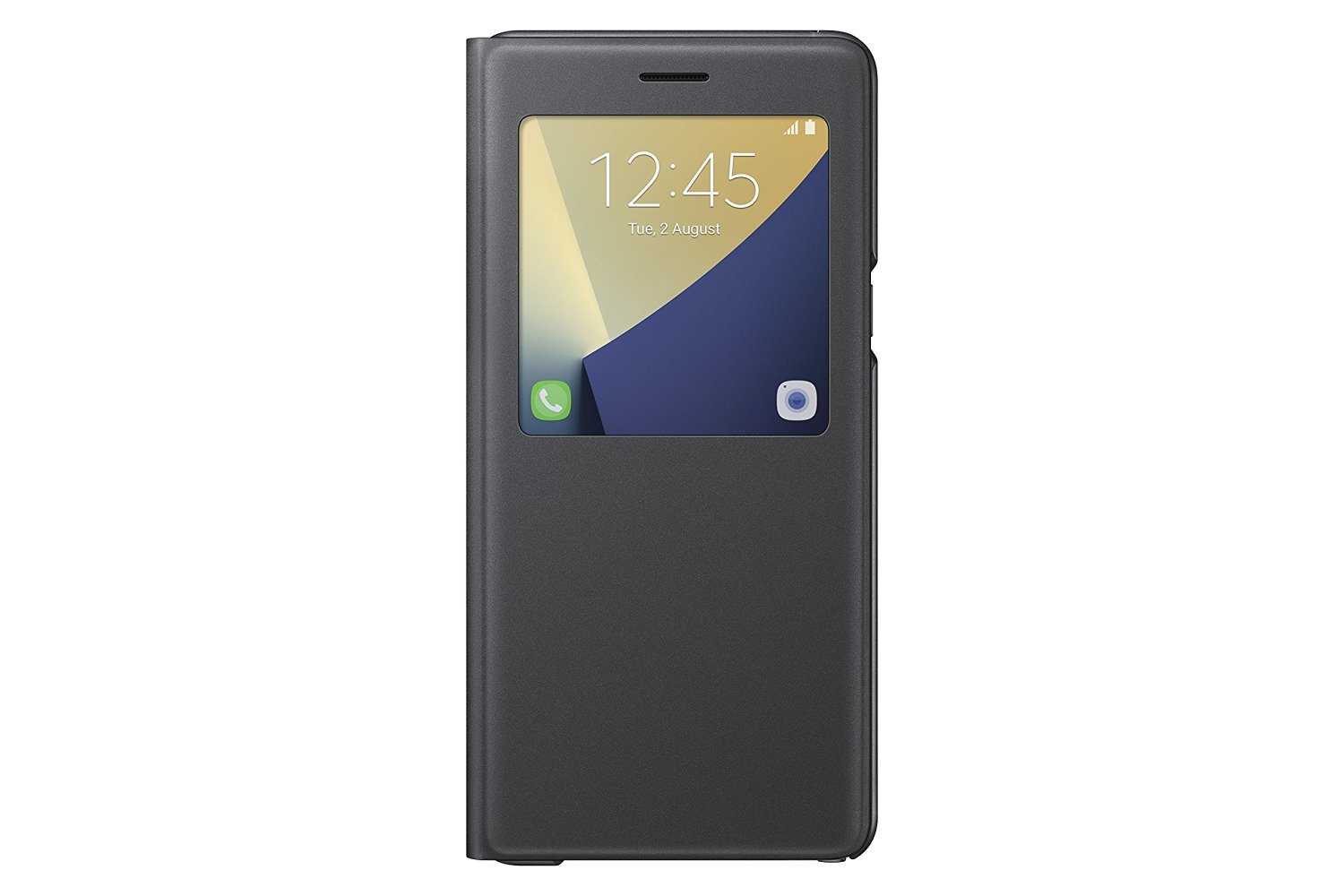
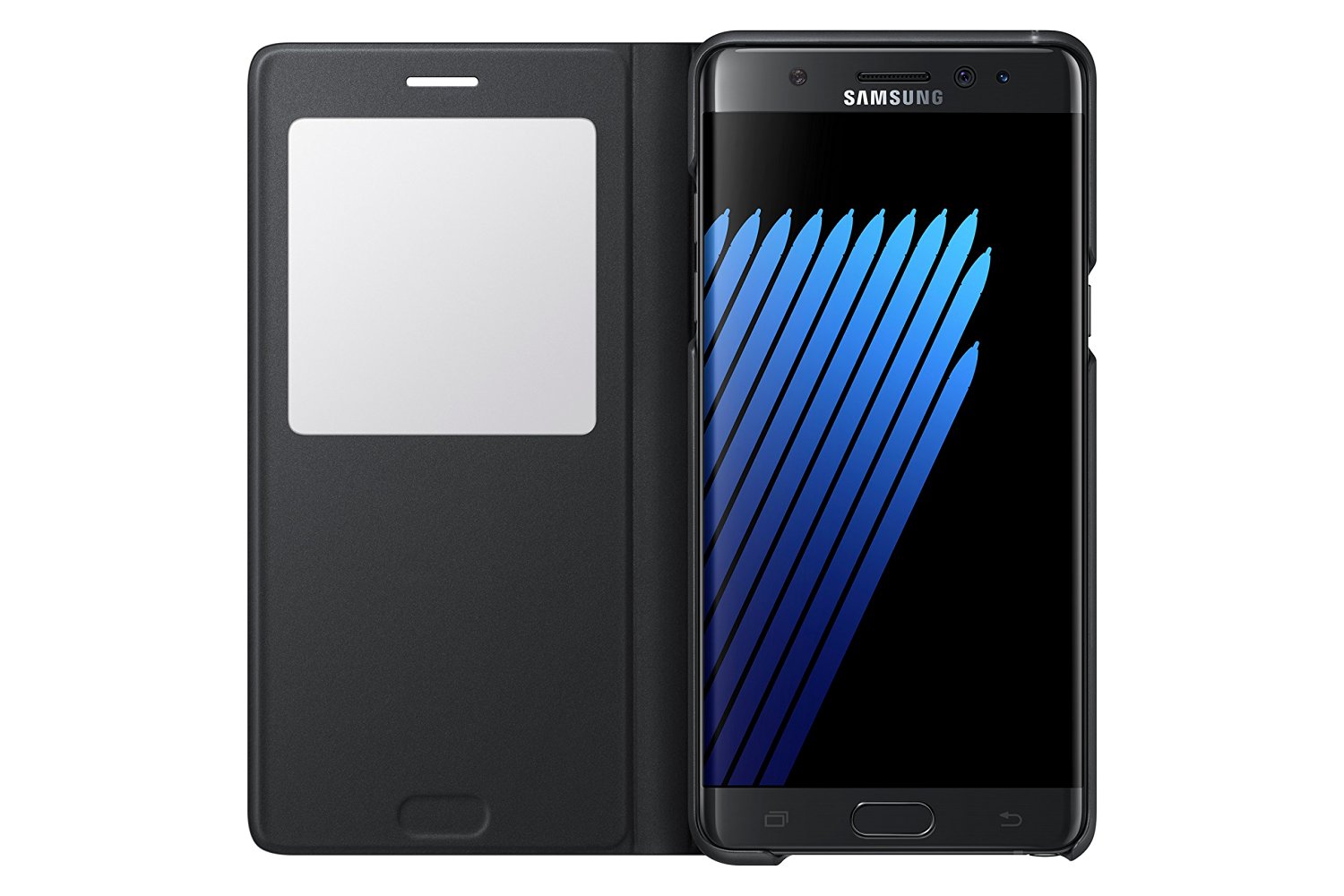
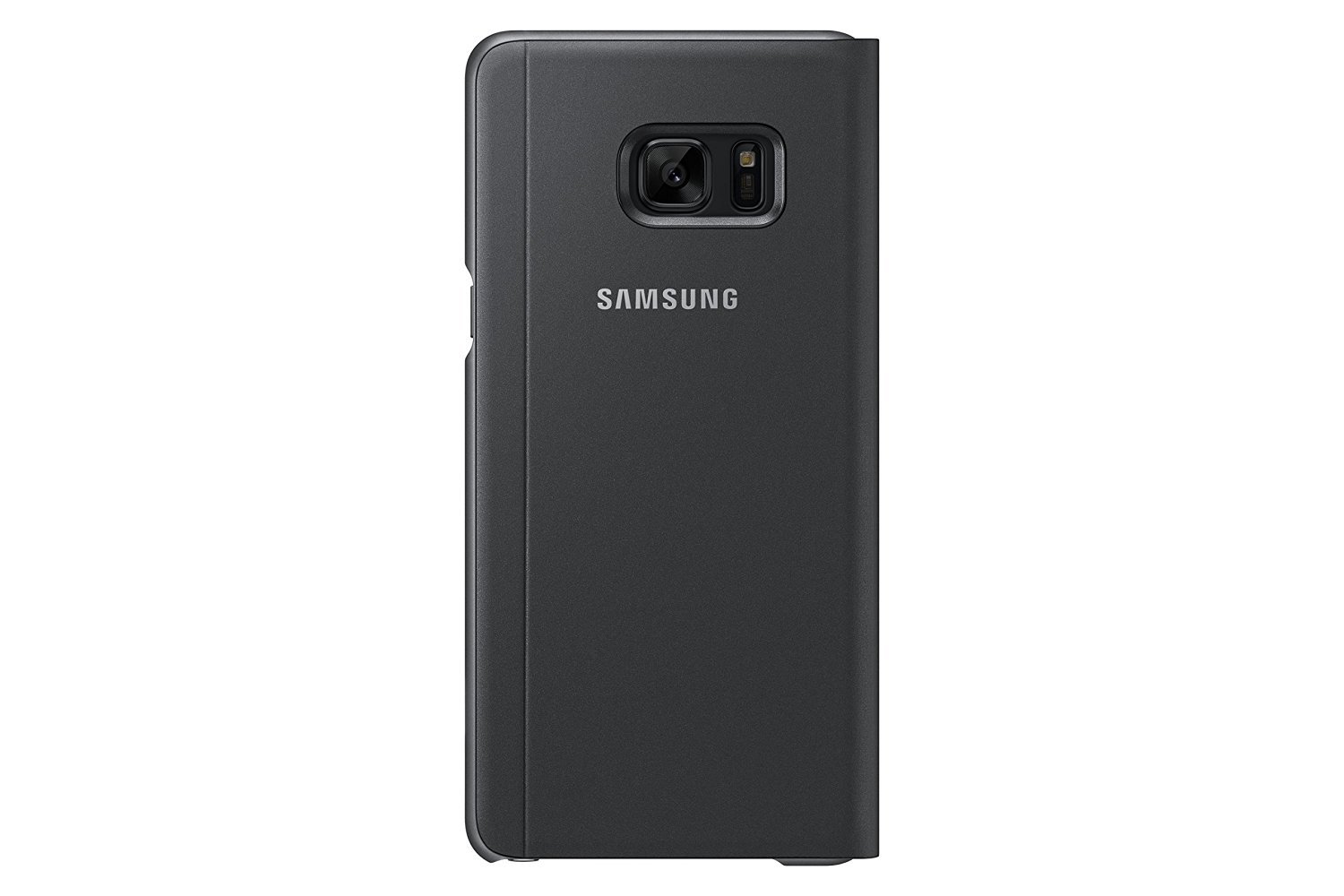
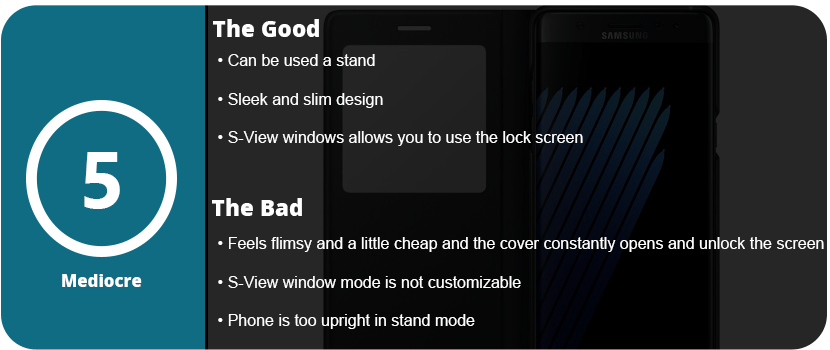
Official cases by phone manufacturers are sometimes the best bet, and Samsung always pushes the bar when it comes to accessories. They may be pricey, but they offer unique experiences you can’t get from third parties. Samsung has had a line of unique cases for some time, and the S-View cover makes a comeback with the Note 7. The case is new and improved over previous versions, but it’s still not quite the perfect case.
The case has a hardback that the phone snaps into and translucent edges that protect the aluminum sides of the phone. Right off the bat, I didn’t quite like this, as you can’t see the color of the phone inside as the edges are nearly black, blocking out the color. This won’t be a big deal to some, but I love the look of the rose gold edges on my coral blue Note 7, and it’s a must. The material is nice and feels good in your hand, but when you flip the cover over, that’s when things go downhill.
There isn’t a magnetic clasp or any way to keep the cover from flapping open constantly, and it feels cheap. The window is just a square piece of plastic, and after so many months, it could easily be scratched up to the point of not being able to see through it. The volume buttons were nicely labeled on the spine, and they pressed easily enough; however, the case just didn’t feel solid enough.
I did some drop tests on it, and it did protect the phone, but if it lands just right and that front flap opens, the screen is shattered. It felt like it wouldn’t protect the phone and was kind of flimsy. The actual use of the S-View window is nice, as you can access everything you normally would on your lock screen, but you must open the cover to actually see the apps, which was a bit annoying. You also can’t customize what’s seen on the window with just two icons you can switch out.
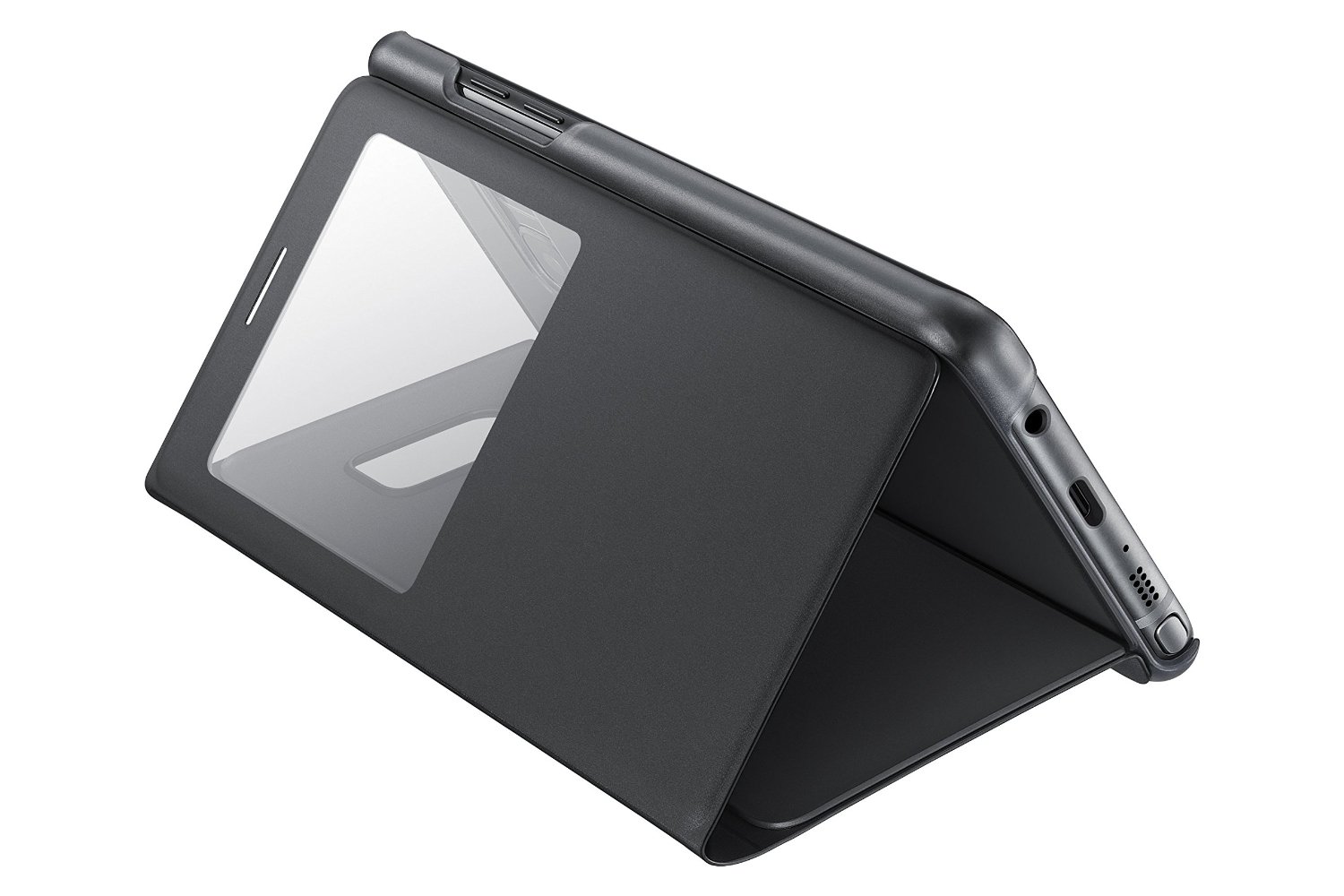
Overall, the S-View cover can’t only be recommended to people who don’t really worry about protecting their phone or already like the S-View cover. I returned this to T-Mobile and got the LED wallet cover instead, which is much better. If there was some way to keep that flap closed, I could see this being better. The only upside is that you can use the phone as a stand, but I felt the phone was too upright and was only ideal when laying down.
Here we are, the fifth and sixth generations of long-running phones, showing just how far technology has come. Phones are probably some of the most advanced pieces of technology on the planet, and each generation shows it. The Samsung Galaxy Note series has been one of the most popular smartphones ever created. The S Pen—its staple feature—and the large, gorgeous screens are what people come to the Note series for. The Note 5 doesn’t disappoint, and it improves immensely on the Note 4 in many ways. What exactly has a year done for the Note series? From the outside, it may not seem like much, but the Note 5 proves that the little things matter the most for a better long-term experience.
Face Lift
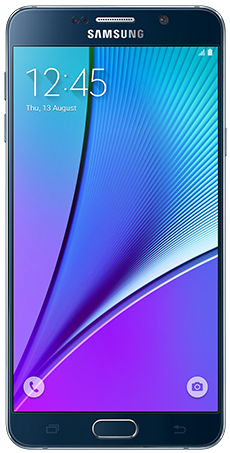
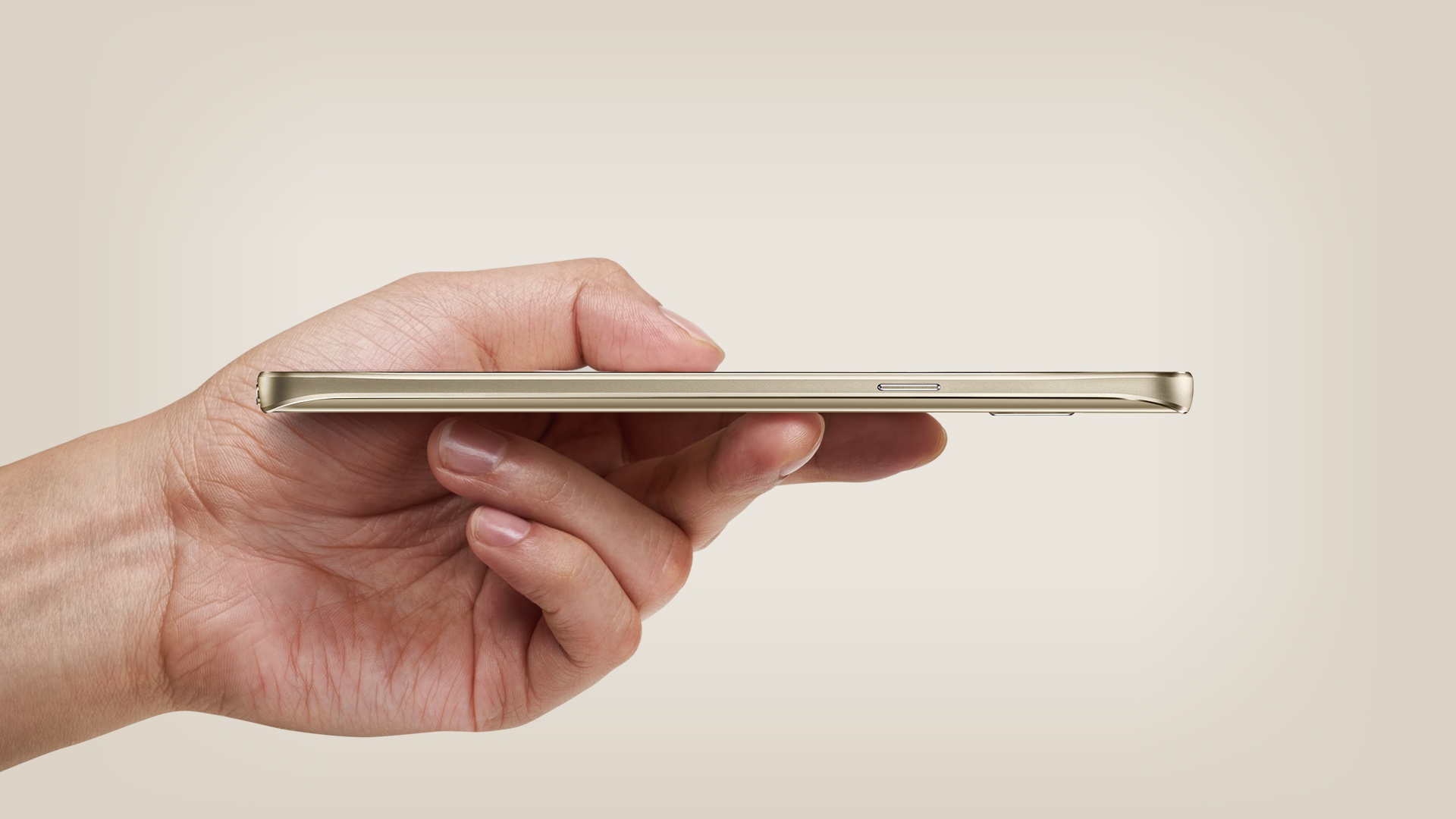
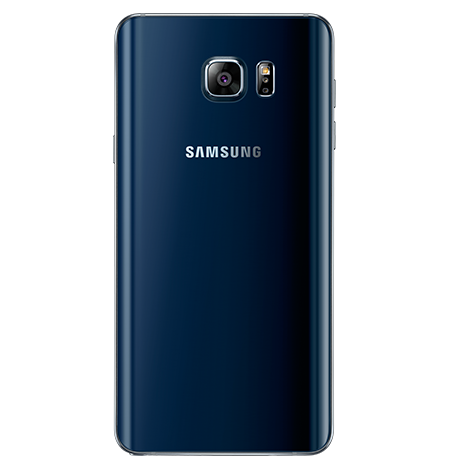
The Note 5 may look nearly the same from the front. The iconic physical home button, the Samsung logo at the top, the round edges, and the chrome speaker at the top all look familiar. The silhouette of the Note series has never changed; one good look at the phone, and you know what it is. However, turn the phone around and on its side, and you will notice a stark difference. No longer does the phone look like cheap plastic and aluminum. The Note 5 now has a glass back with rounded edges and brushed aluminum sides. This makes it one of the sleekest smartphones to ever be created. The top comes out a little and is a tad thicker than the rest of the body. This is so the phone fits better in your hand and looks prettier. The Note 5 is a looker, with the Sapphire Black looking almost navy blue in certain light and being quite eye-catching.
The bottom of Note 5 is also a new change. The speaker is now located next to the S-Pen (with improved quality), and the S-Pen is now completely surrounded by the inside of the phone and clicks out. The power button is smaller and has a more satisfying click to it; the same goes for the volume buttons. For the first time, the volume buttons are no longer rockers. Each button is the size of the power button and is separated. This allows you to easily feel which button you are on. It helps the phone feel less cheap with smaller, more subtle buttons that have a better clicking feeling to them. The Note 5’s screen is also made of Gorilla Glass 4, so it feels sleeker than ever and is less prone to having fingerprints stick to it, which is a first for any smartphone I have used.
Fast Just Got Faster
The Note 4 was an extremely fast phone—the fastest of its generation. The Note 5 is now one of the first octa-core smartphones. What does this mean? Two sets of four cores running at two different speeds for various multi-tasking purposes. While the Note 4 was a quad-core device running at 2.7 GHz, the Note 5 uses Samsung’s own Exynos chipset rather than Qualcomm’s Snapdragon chipset. The 7420 set has a 2.1 GHz quad-core set running alongside a 1.5 GHz quad-core set. The Exynos chipset is also more battery-efficient than the Snapdragon chipsets Samsung has been using for the longest time.
The Note 5 is also the first smartphone to have a whopping 4GB of RAM. This is one of the phone’s secret weapons, as it allows a massive amount of apps to stay loaded into the RAM for ultrafast speeds. The RAM is also LPDDR4, which is the fastest available right now, running at 1600 MHz. Want to put this into perspective? The iPhone 6 Plus has only 1GB of RAM. The Note 5 also switches over from Adreno GPUs to Mali GPUs. The Mali T760 MP8 performs much faster than the Adreno 430 that was in the Note 4. With double the frame rate during benchmark tests and higher clock speeds, the Note 5 is the best choice for gamers who want to run the latest and greatest.
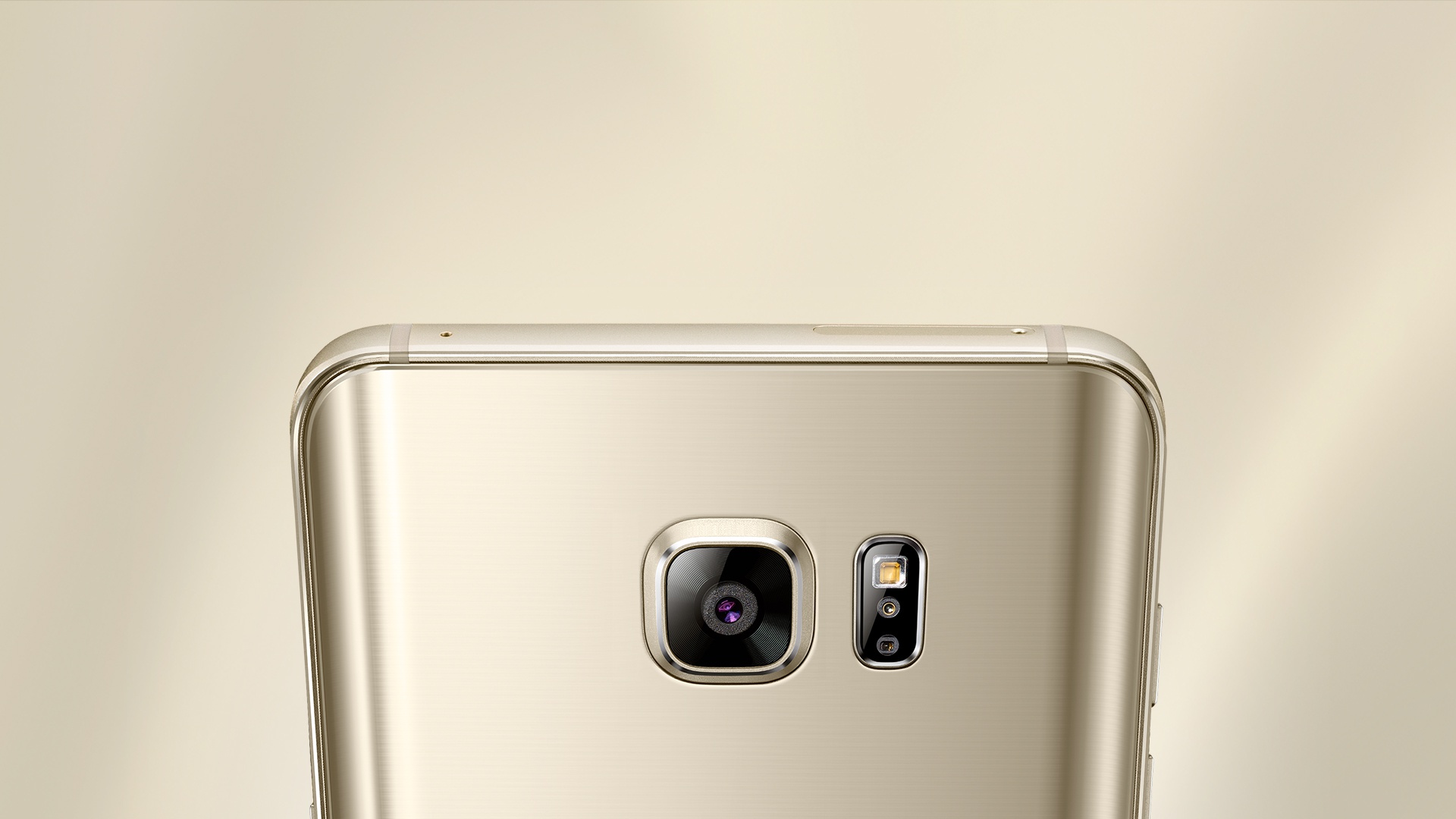
One of the biggest decisions for phone buyers is the camera. Don’t worry. The Note 5 has one of the best cameras on the market. While it’s still 16 MP, it has better technology inside to allow more control and speed. With an exposure of f/1.9, 4K video at 30FPS, 1080p video at 60FPS, and 720p video at 120FPS, video stabilization, auto HDR, manual focus, tracking focus, and various other features, the Note 5 becomes an extremely powerful camera. The Note 5 is also one of the first phones to save in RAW format for complete manual editing in Adobe Lightroom or Photoshop. The Note 5 also has various other features, like video collages and faster editing, thanks to the more powerful hardware. It can’t be said how beautiful the pictures turn out. Even low-light images are pretty impressive for a phone camera.
What about installing apps, downloading, and writing to the internal memory? The Note 5 uses UFS 2.0 flash memory, so read/write speeds are nearly double those of the Note 4. Games load faster, apps install quicker, and everything is just lightning quick. This is honestly the fastest phone I have ever used. Never have I used a phone before where everything just happened instantly or near-instantly. No slowdown, no loading, no freezing. From swiping up on the camera app from the lock screen to taking a photo, it took all of two seconds. Yes, just two.
Benchmarks
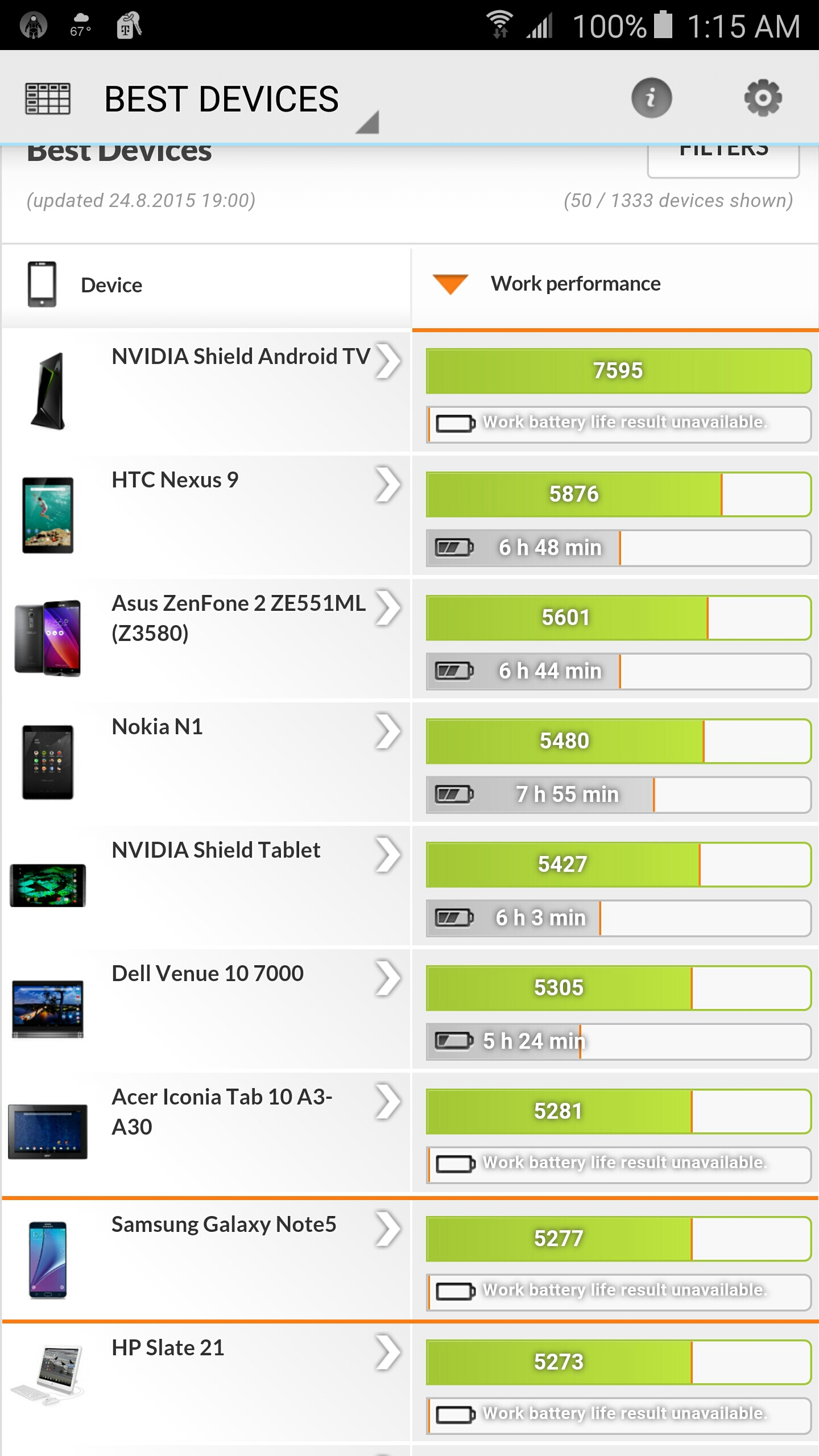
Just like PCs, high-end phones are benchmarked for their performance, from CPU and GPU load to physics tests. 3DMark has extensive benchmarking software just for these reasons and allows you to compare your phone to pretty much every device in existence. The Note 5 stands as the most powerful phone available, with only tablets beating it (which is expected). Below are the various benchmarks, including the brand new Open ES 3.1 and 3.0 graphics tests, which are the most demanding in the world (for phones). Remember, the Slingshot tests are meant to be too powerful for phones to run at a high frame rate. FutureMark benchmarks are designed to be too much for devices to handle to truly push them to their limits.
Open ES 3.1 Slingshot
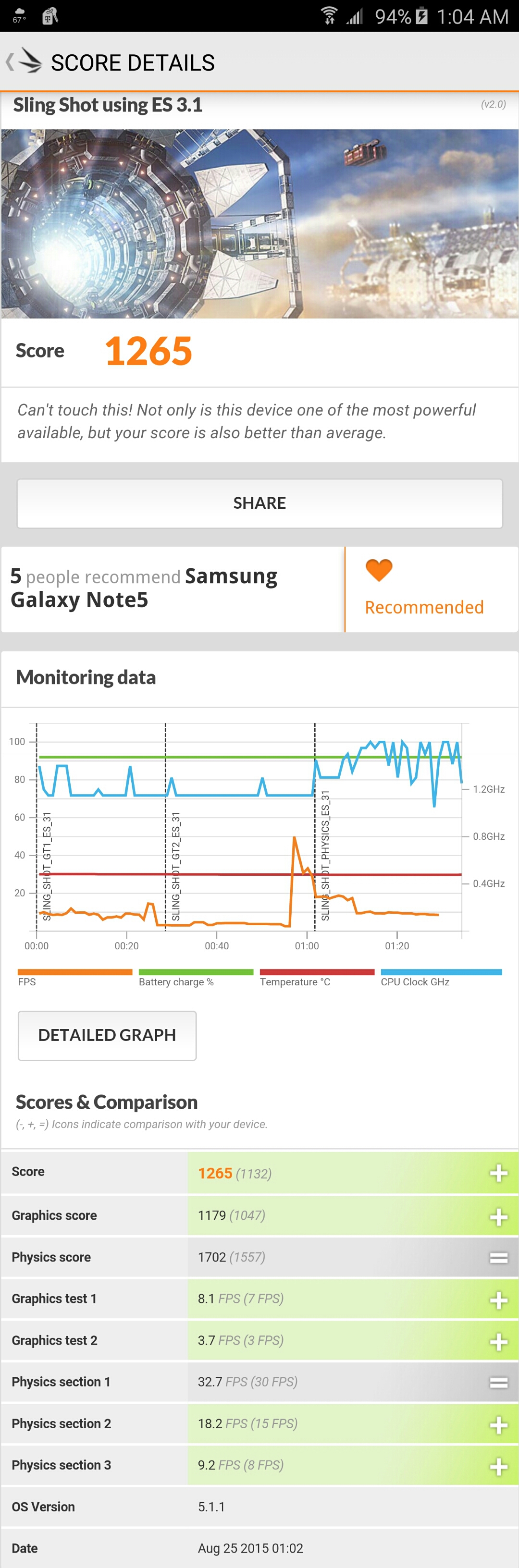
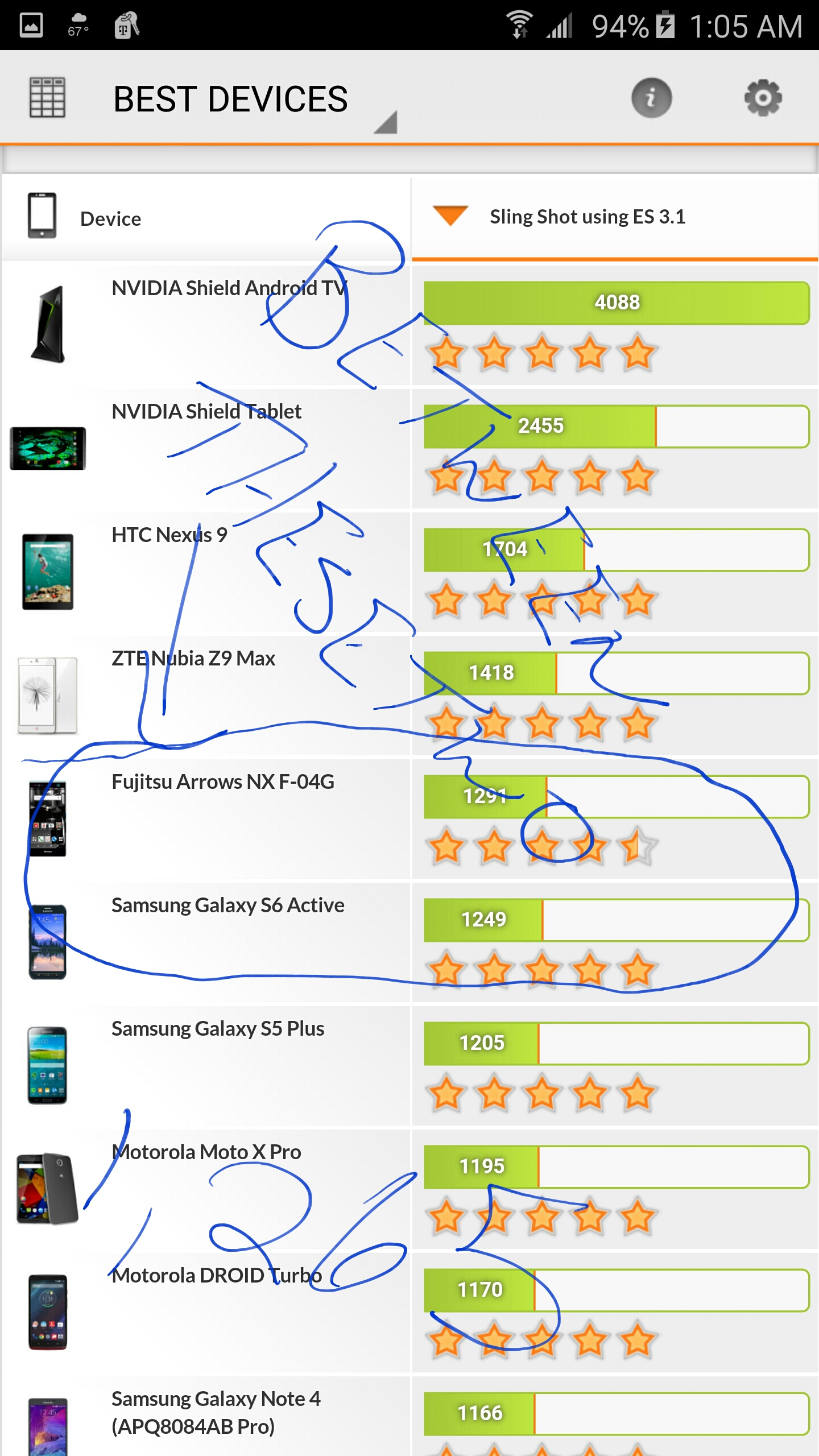
The Slingshot 3.1 benchmark shows that the Galaxy Note 5 is one of the most powerful devices available, with only four tablets outperforming it (the Nvidia Shield TV is at the top of the list). This is extremely impressive and shows that the Note 5 is ready for the latest and greatest in gaming.
The Slingshot 3.1 test includes three: Test 1 uses particles and post-processing effects that are very GPU-intensive. Test 2 consists of volumetric illumination, and then Test 3 is a physics test for the CPU. All of this is rendered in 1440p, which is higher than your standard 1080p, which is quite impressive. The iPhone 6 Plus, in comparison, is about 70 down the list with a score below 1,000.
IceStorm Unlimited
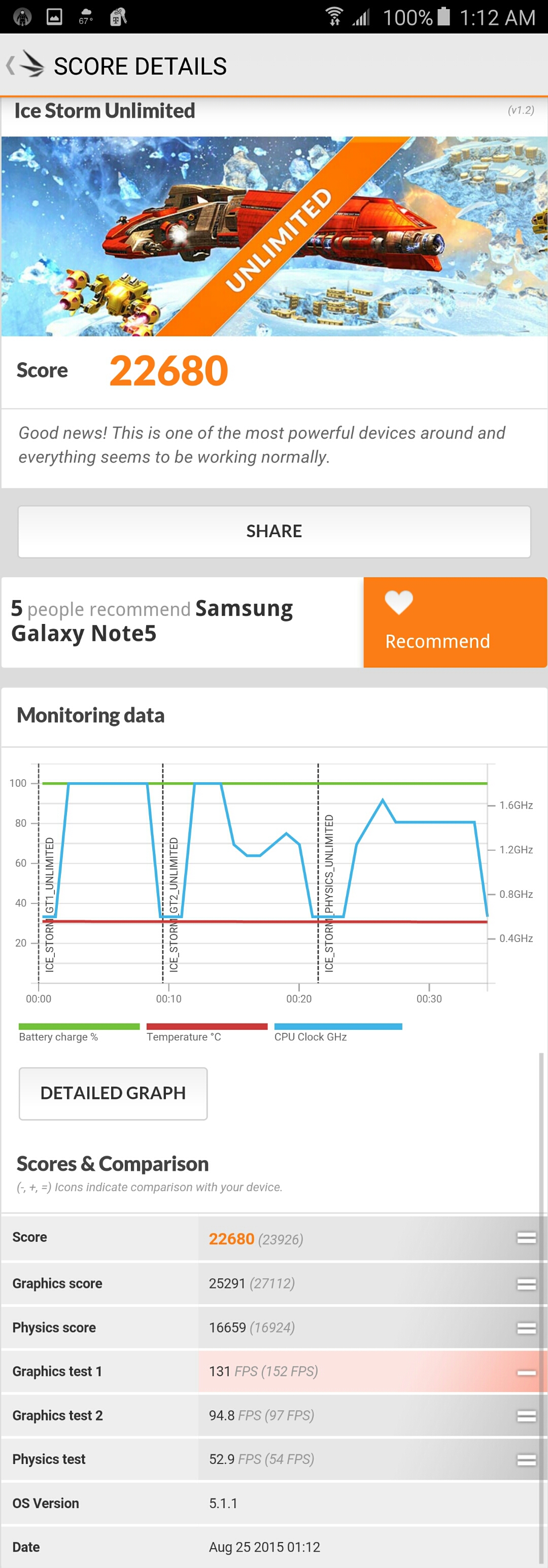
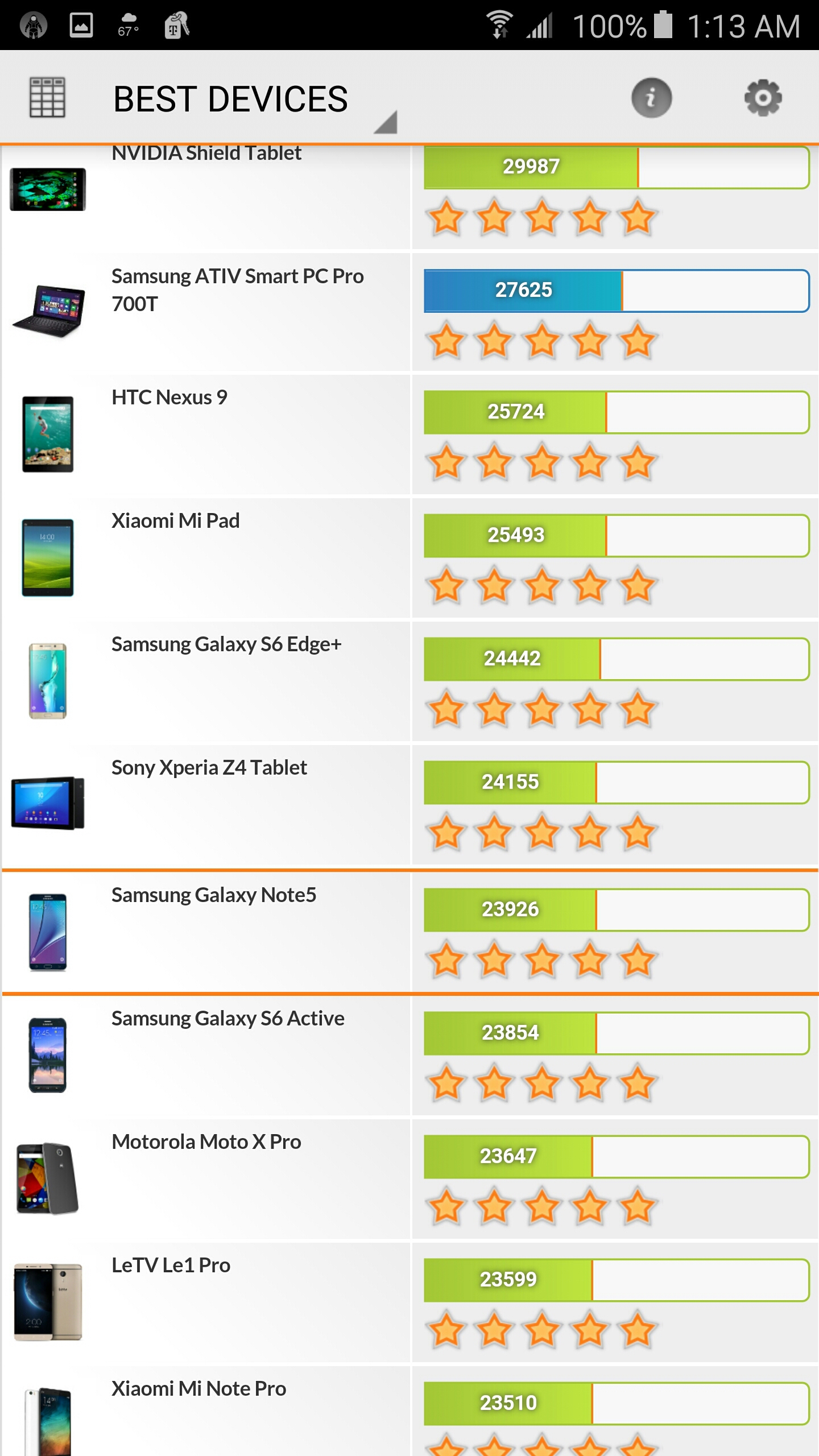
IceStorm Unlimited shows the Note 5 is extremely powerful when it comes to Open ES 2.0 rendering at 720p. IceStorm is a benchmark that can give a more even and balanced test over nearly every device that has been released in the past 3 years. The Note 5 actually outperforms some tablets and laptops, which is extremely impressive. The IceStorm Unlimited test consists of three: Test 1 stresses the GPU with vertices, while Test 2 uses a lot of pixels on the screen. Test 3 is a physics test to stress the CPU. The iPhone 6 Plus is about 100 down the list, with a score of around 17,000.
PCMark
PCMark is actually a benchmark for everyday use of the phone, including video streaming, read/write access speed, web browsing, photo editing, and typing. This benchmark shows that the Galaxy Note 5 outperforms tablets and laptops, which is once again very impressive. The buttery smooth operation of the Note 5 just can’t be stressed enough. This is the fastest and smoothest phone I have ever used, and that’s not just because the phone is new. The PCMark app is not available for the iPhone, so a comparison can’t be done.
The S-Pen
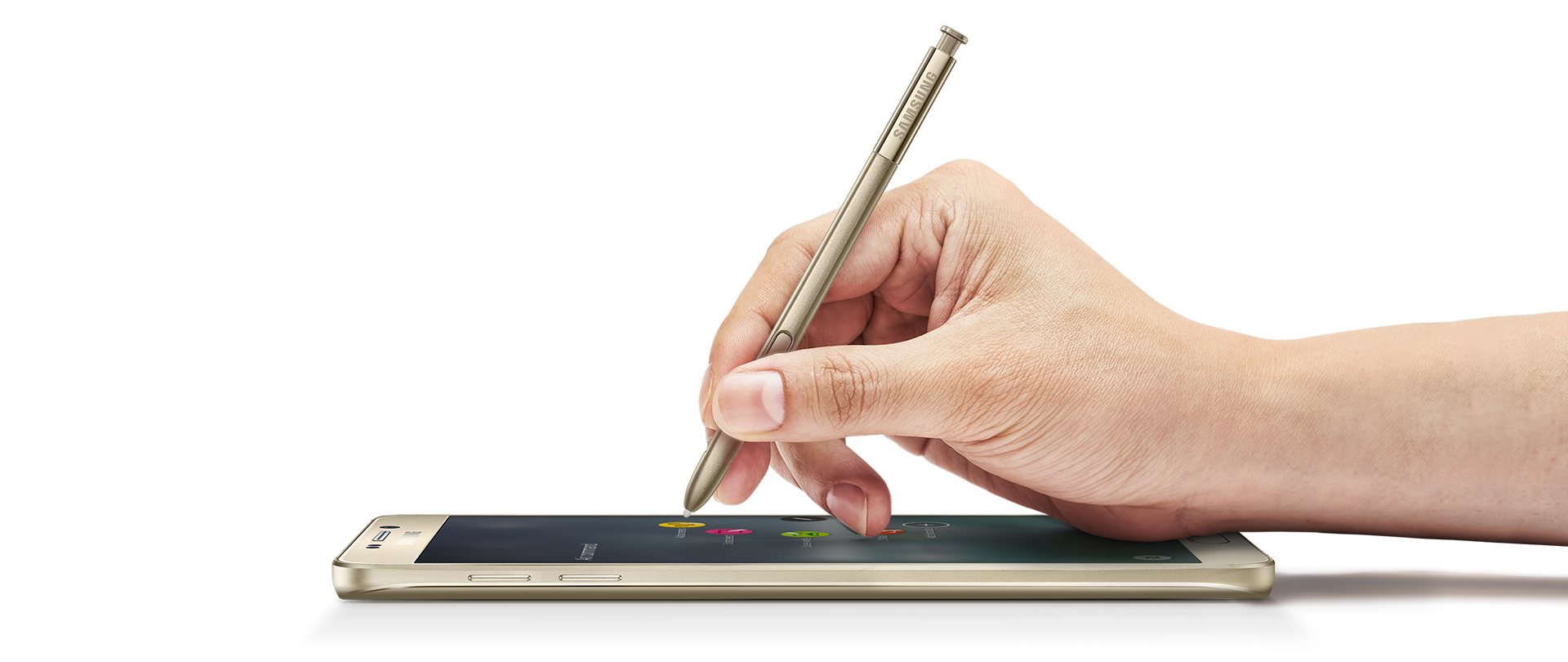
Samsung continues to improve on the iconic S-Pen that the Note series is famous for. How could they improve on the excellent Note 4 S-Pen? Well, they found a way by making the S-Pen more sturdy using thicker plastic, making it less like a toothpick. The button is much smaller but more responsive, and the pen also has a new metallic look. Ideally, the best thing would be to make it out of metal, but maybe another time. For now, we have a fantastic new pen that is more responsive and sensitive than ever before. The bottom of the pen clicks in (think a clicky pen), so it lays flush with the phone.
What’s a stylus without good software? The S-Pen software suite has actually been improved in many ways I didn’t think would happen. My favorite new feature is the lock screen writing. Just eject the pen and start writing on the black screen with white ink. You can save your note or delete it to go straight to the standard lock screen. This is great for taking quick notes when launching the suite isn’t an option.
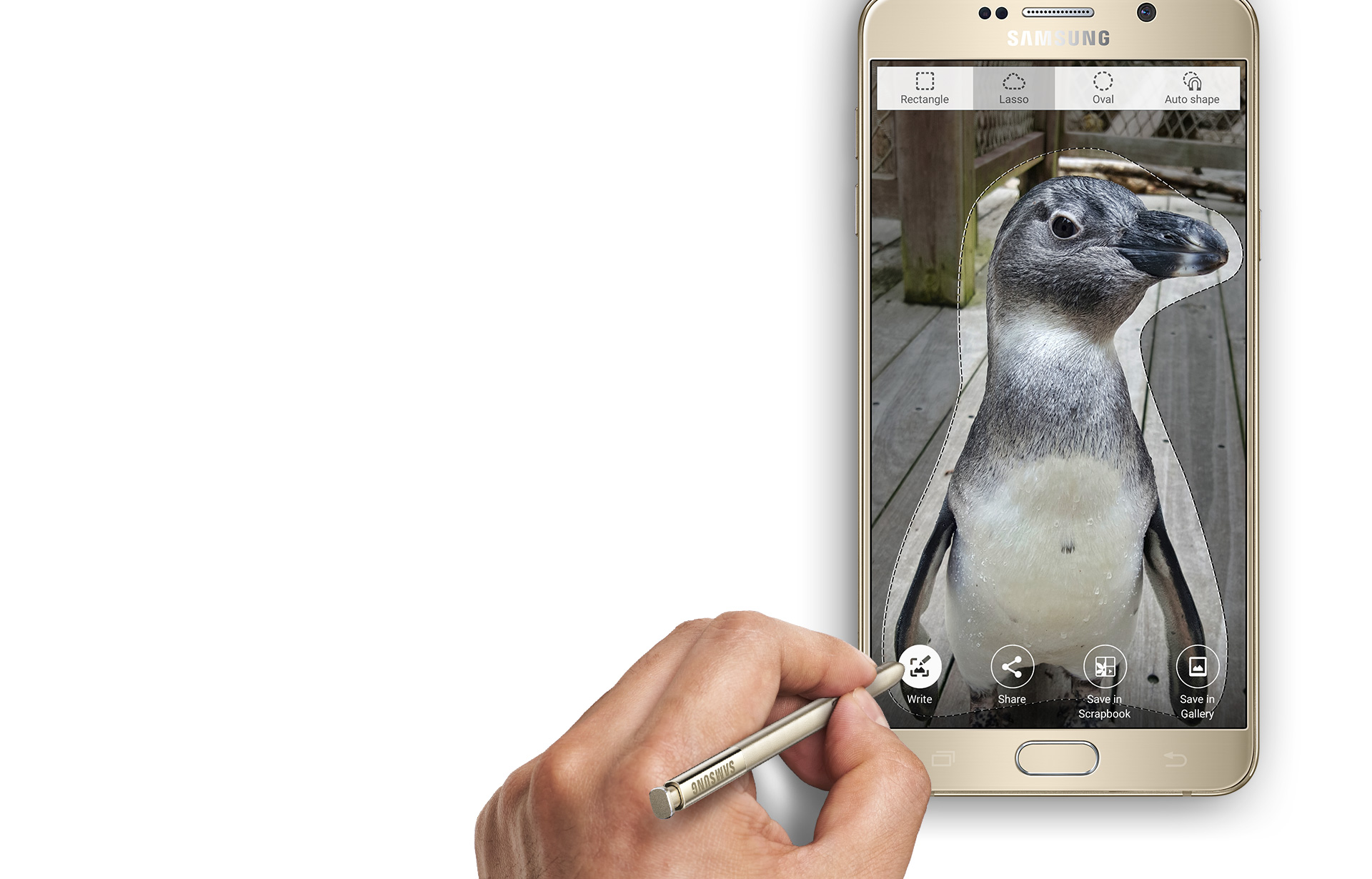
Outside of the lock screenwriting is a more advanced and much faster suite of options. The usual four apps are back that we are familiar with, but with new features. The most notable is the scrolling capture in the screen capture app. This allows you to save large sections of text or an entire webpage. However, a huge feature has been removed, and I don’t understand why. The smart select does not detect what kind of content you are selecting anymore and rather just lets you save the content as an image. Why this was taken out is unknown, but it’s a slight setback that may annoy some people.
Air Command now lets you add two of your own shortcuts to the list of four, which is a nice touch. The air command icon is also always on screen, so you don’t always have to click the pen button. Thanks to the buttery smooth operation speeds, everything comes up instantly with no lag, and my S-Pen experience has never been better. I would have liked to see more features or a new Air Command app, but don’t fix it if it ain’t broke.
A Bigger Bite of Lollipop
Android 5.0 Lollipop has been around for a while, but 5.01 broke the Note 4. The Note 5 uses 5.1.1, and I couldn’t be happier. Lollipop is just a fantastically streamlined OS and is Google’s best yet. The Samsung skin on top of Lollipop is actually better as well, with their awful TouchWiz home launcher being redone and improved. Samsung now offers themes that change everything on the phone and can be quite fun. Even if you use a third-party home launcher, anything system-wise will be changed via the theme. This is a nice step up and makes it that much easier to customize your phone, which has always been a pain up until now.
One of my favorite additions to Lollipop was the lock screen notifications. No longer do you have to unlock your phone or swipe your drawer down. Just swipe away on the lock screen or double tap to open the notification in the app. The same goes for when you are using your phone; you now get a nice pop-up at the top of your screen instead of the entire notification scrolling in the home bar at the top. Outside of this, Samsung toned down the various hand-waving gestures you can do. They are no longer the front-running features like when the Galaxy S4 was released. Using your hand to hang up, put someone on hold, and various other features using the Smart Stay are now on the back burner, and that’s a good thing. These features no longer drain your battery, but if you don’t mind pressing one extra button, you can just turn them off.
One major addition to the Note series that is built-in is the Samsung SideSync app. This allows you to mirror your phone on your computer and easily transfer files back and forth. I used it a lot on my Note 4, and it works great with the Note 5. Samsung is one of the first phone makers to have good-working proprietary software to use your phone on your computer.
Thanks to the faster-running software, tapping to pay has never been easier. I could never get it to really work on the Note 4 due to the Lollipop update slowing the phone down. However, Samsung Pay and Google Wallet are both available to use for tap-to-pay. It’s never been easier; just link your bank accounts or cards, set a pin, tap your phone to the card reader, and you’re done. Naysayers and paranoid users aside, tap-to-pay is the future of electronic payments. However, I still suggest carrying your cards with you in case it somehow doesn’t work.
Sacrifices Must Be Made
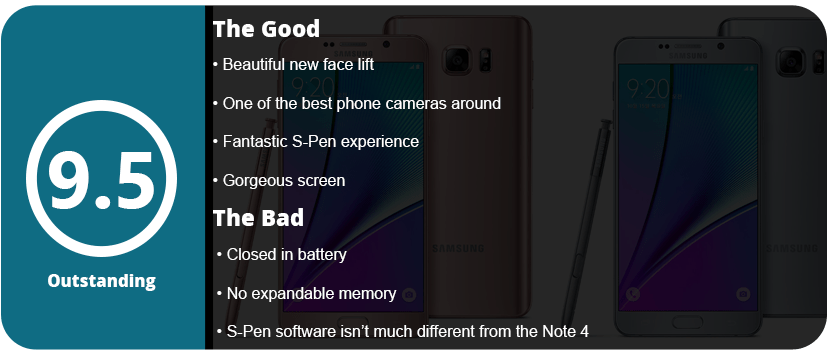
The Note 5 isn’t perfect; there were a few key design choices that Samsung had to sacrifice. One of those is the battery and expandable memory. To make the Note 5 look as sleek as it does, it had to enclose the battery, which means expandable memory as well. The Note 5 also has a slightly smaller battery over the Note 4, at 3000 mAh, despite being a little thicker. However, Samsung has its power management down pretty well, so the battery won’t drain as fast as you think if you optimize your phone correctly. The Note 5 comes in 32GB and 64GB variants, and I highly recommend the 64GB. This has been the biggest gripe over the phone, but honestly, you can transfer your files to a computer or use cloud storage. These are probably the biggest hits to the phone, but after using it for some time, it feels less of a deal.
The Little Things Matter
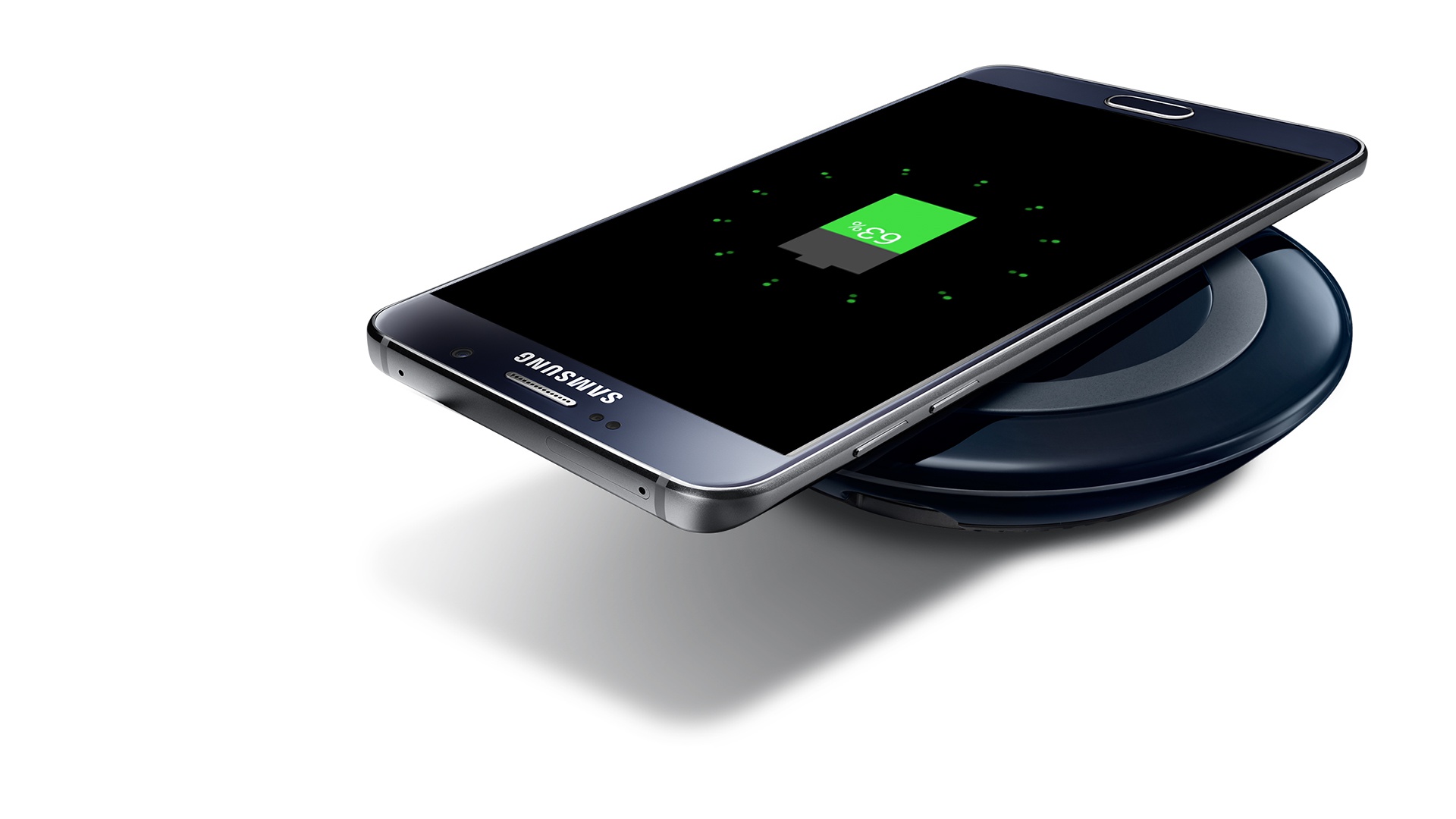
Wireless charging is another huge addition to the Note series. Using a Qi wireless charger allows you to charge your phone without the cables, and it charges just as fast. While wireless chargers are a little expensive right now, they’re worth the investment.
I can’t stress enough how much these little changes make the phone feel better. The new buttons, glass back, better S-Pen, and overall design tweaks really mean a lot once you have the phone in your hand. The Note 5 represents subtly and elegance and proves that you don’t need a rebooted design to make a phone have a huge impact on the market. Sometimes a minor adjustment can make that much of a difference. However, the question comes to mind: were there so many little adjustments that Samsung really felt the smaller battery and lack of expandable storage were worth it? Only the sales will tell. I, for one, think they are, and maybe the Note 6 will have expandable memory again. Could this be a field test to see just how much people care about expandable memory? Who knows, but there are other solutions available that are easy, from cloud storage to portable hard drives and even your computer.
As it stands, the Galaxy Note 5 is truly a beautiful piece of hardware and proves that the evolution of phones is heading in an all-new direction. With phones becoming and replacing computers more and more, a fast OS and operating speeds are becoming paramount—maybe even the most important thing a phone can have.
Samsung is the top dog right now in the phone business. They know what customers want and know exactly how to utilize the Android OS on their device the best. With the Note 4 being my second Samsung Android phone and my fourth Android phone in general, I have to say Samsung has finally perfected the smartphone. Even after playing with this thing for three days and running numerous apps and benchmark tests, I can’t find anything wrong with the phone. I honestly really tried hard to find some minute detail that I overlooked and just can’t like I was able to with previous Android phones. Why is this phone so perfect? Let’s start with what’s under the hood to get an idea of why this phone can do what it can do.
Under the Hood
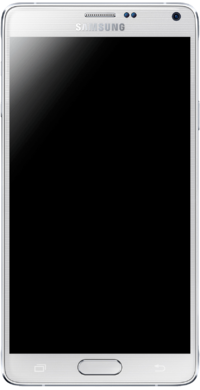
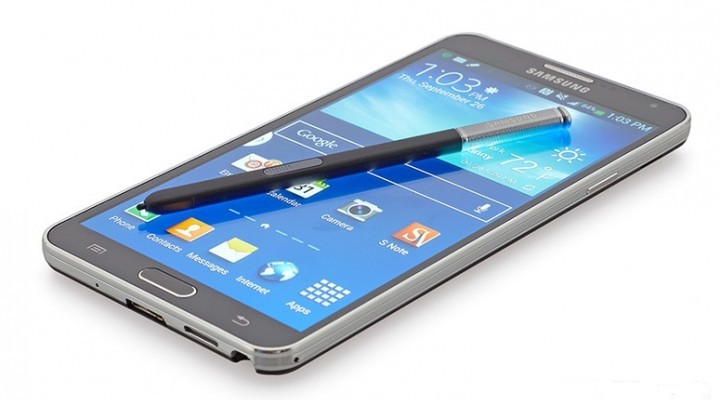
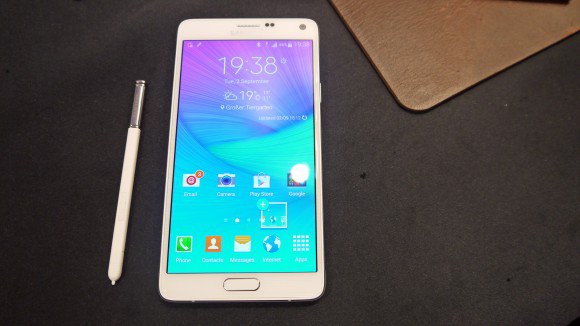
The Note 4 is a beast in small clothing. There is so much going on under the hood—so much amazing hardware crammed into this tiny shell—that I am just flabbergasted at how Samsung was able to pull it off. Let’s start with the basics. The phone is 6.04″ tall, 3.09″ wide, and 8.5mm thick. That’s not a lot of room to cram this much hardware into. The phone actually has a good weight to it—not too light but also not too heavy. It doesn’t feel overly cheap like the iPhone 6 does. The actual material doesn’t feel cheap either. The edges are solid aluminum and won’t bend or twist in your pocket or under pressure. The back has a faux leather texture, which feels extremely nice. While Samsung is known for cheap plastic backs, faux leather makes up for it.
With any Samsung phone, you will be familiar with the hardware button layout. A menu button, volume rocker, and power button, as well as two soft keys. I actually have to compliment the volume rocker here; it feels more solid and easier to find with your thumb. Instead of the whole rocker being flush, each side sticks out a tad more than the middle section. One thing that will throw users off is the new task list softkey that replaced the soft menu key on the Galaxy S5. It took a while to get used to this, as I was always hitting the app list key, thinking the app menu would come up.
After the sleek and comfortable design is looked over, you will notice what is probably the best-looking phone screen available right now. The 5.7″ Super AMOLED screen just looks fantastic. While Samsung device owners will be used to quality screens, this one is a huge jump up. Being twice the resolution of most large phone screens. This screen has a whopping 2560×1440 resolution with 515 PPI. every other smartphone, including the iPhone 6 Plus, which has a 5.5″ screen and a 1920×1080 resolution. This quad-HD screen is just addictive to look at. Everything, no matter what it is, just looks gorgeous with deep colors and a vibrant backlight. The screen is also much brighter than previous Samsung phones, but for some reason it uses less battery power than even the Galaxy S4 did.
For the picture lovers out there, the Note 4 has one of the most powerful phone cameras available and is one of the few that can shoot in full 4K resolution. The Sony IMX240 camera allows 5K photos. The 16 MP rear and 3.7 MP front-facing cameras are just fantastic. With the front being a 3.7 MP camera, it is a better quality camera than the average 2 MP front-facing camera that most phones have. Under the rear-facing camera is a heart rate sensor as well as a UV sensor. This heart rate sensor is more useful than you think. Want to take a selfie with a better rear camera? Press your finger against this sensor, and it will snap the photo for you. Health nuts will also love the sensor for fitness apps.
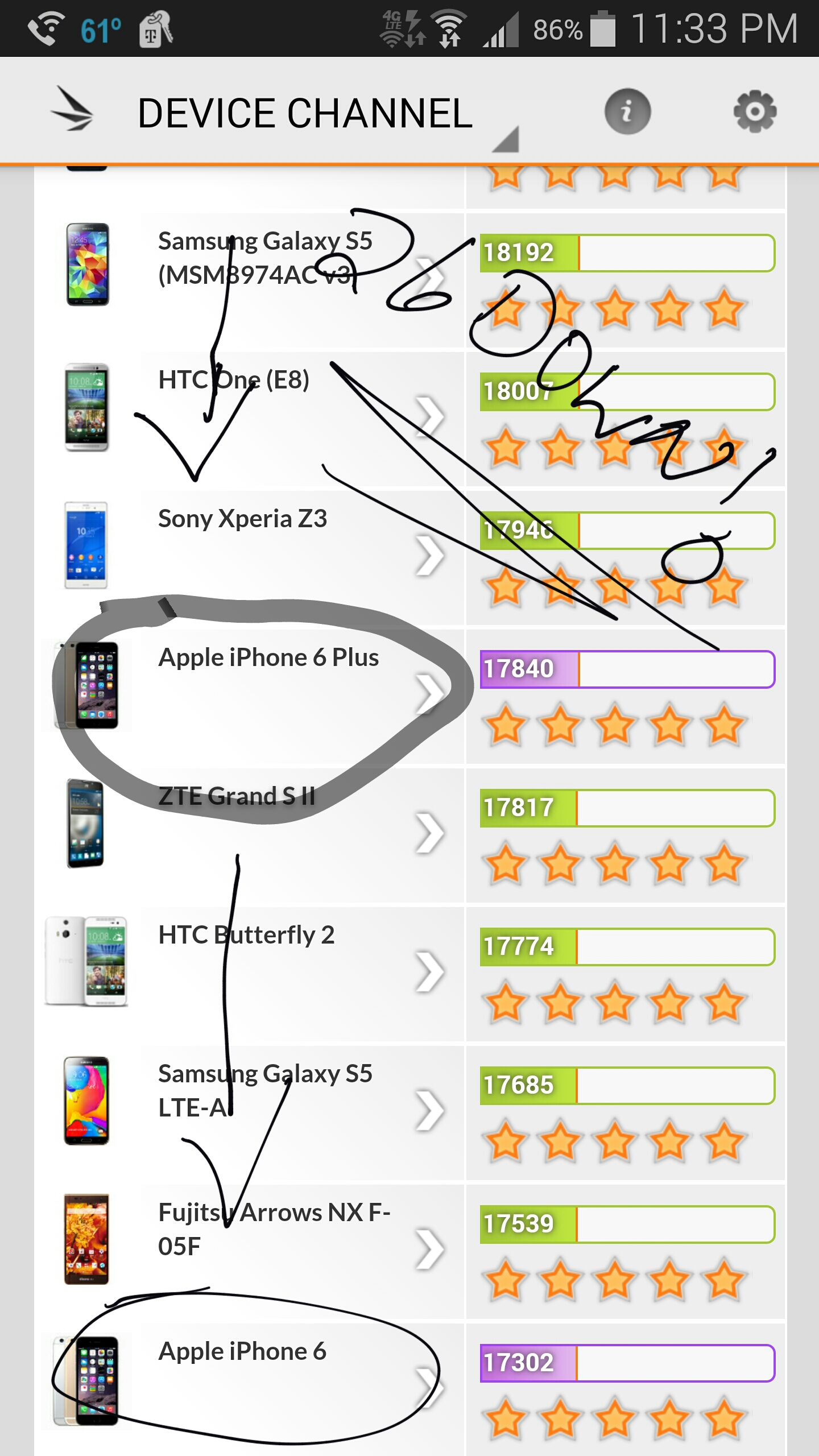
Let’s get to the heart of the phone. The Note 4 uses the Snapdragon 805 chipset, which sports a Krait 540 quad-core CPU at an astounding 2.7 GHz. The GPU is the Adreno 420, which is one of the most powerful phone GPUs out right now. The phone also sports some of the most RAM you will find at a solid 3GB of LPDDR3 RAM. The internal memory is 32GB, which is great for photo takers and gamers. What does this mean to the average user? Your phone will operate at lightning-fast speed with no slowdown when switching or using apps. If you want to know just how powerful the Note 4 is, take a look at the screenshots for benchmarks from 3D Futuremark’s benchmarking software. The Note 4 ranks as the fourth most powerful phone in existence, while the iPhone 6 and 6 Plus are way down to 31 and 26, respectively.
There are other hardware features, such as 2.4/5GHz WiFi and even an MHL-AV link for connecting your phone to your TV. While the Note 4 surprisingly lacks the USB 3.0 port seen in the Galaxy S5 and Note 3, it is replaced with a fast-charging Adaptive Charge technology that allows the phone to fully charge in 1 hour.
While that is a lot of technology, there is one thing that the Note series has been beloved for, and that’s the S Pen. This little guy does so much and becomes so useful in situations you didn’t think it would. The software suite for the pen may be small, but it is all useful. Artists will love how accurate the pen is for drawing thanks to pressure recognition and pinpoint accuracy. Writing memos is extremely easy. Once you pop out the pen, you can use it to highlight text, write down email addresses, phone numbers, and links, and turn them into usable actions on your phone. This is a very neat idea and even comes in handy at job sites. The pen hides away on the bottom right of the phone and is completely flush. It feels nice in your hand and is nearly as long as the phone. My favorite feature is being able to have your phone alert you if you leave your pen somewhere and even show you where you last had it on Google Maps.
Software
Software-wise The Note 4 uses a tweaked version of the Galaxy S5 OS. With a better drop-down menu and more options in the device settings, you can completely hand-tailor this device to every possible need yourself. One feature I wanted to save for last is the fingerprint scanner. Yes, I know the iPhone 5S started it, but it’s a fantastic feature to have. The sensor is actually more responsive than the 5S sensor, as it also recognizes the tip of your pad. You honestly would have no idea the menu button has a sensor built into it. I found linking my PayPal account to the sensor for logging in was great and added a ton of security. You can even set this as a lock screen and save up to three different fingers.
There are various other little features, such as a download booster. If you have weak WiFi, the phone will use your 4G speeds along with WiFi to break data up into packets and increase your download speed. I tested this with my work’s WiFi, as its max speed is about 4 mbp/s. I downloaded a 250MB app, and the download booster kicked in and showed me a comparison bar. While the WiFi was pulling in about 4 MB/s, the 4G was pulling 35 MB/s. Of course, this is only if the file size is over 30MB to keep everything you download from kicking in the booster.
Another neat feature is emergency assistance. Add your contacts, and you can press the power button three times, and it will send pictures and sound recordings to those contacts. This is great if you are in a car accident with no one around and need help. While this isn’t a substitute for 911, it can be used in situations where 911 doesn’t apply.
Overall, the Galaxy Note 4 is just a fantastic phone all around. With a solid physical design, a gorgeous screen, a very useful S Pen, and various other software features, you are just going to fall in love with this phone.
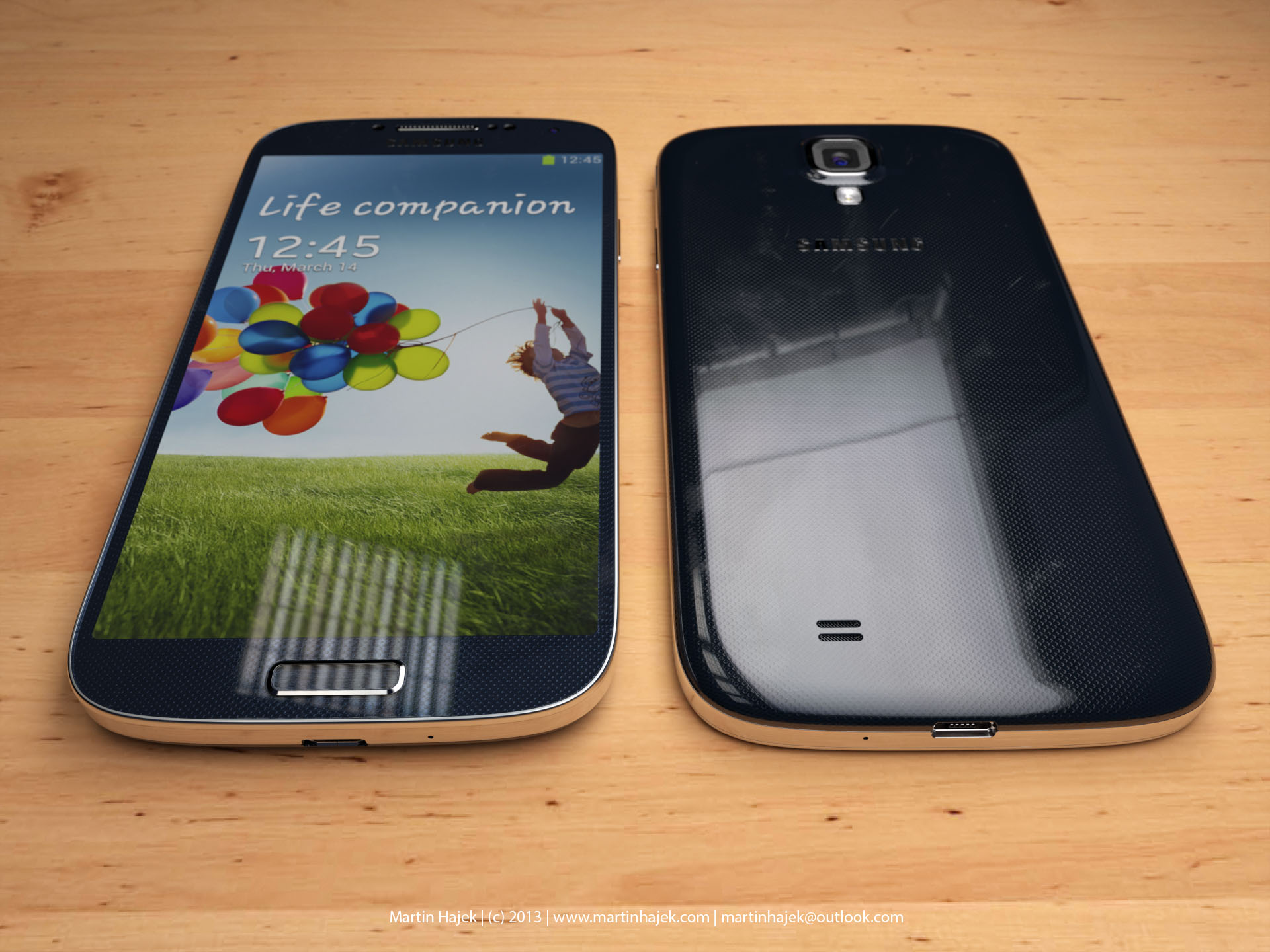
Apple finally met its match; the Samsung Galaxy S III has sold more units than the iPhone 4 and 4S combined. That’s a serious feat. Why do you ask? Because Android OS gives you complete freedom to do what you want, not what Samsung wants. There is no iTunes that you are tethered to; you can put what you want on your phone; you can buy expandable media; the choice is yours. People loved that, and the S3 took off due to the form factor and Samsung’s smart marketing ideas. With the S4, Samsung has created the most powerful smartphone on the planet. Honestly, I won’t even compare the S4 to the iPhone 5 much because it is more powerful than that phone and the iPad 3.
Out of the Box
The box itself is actually pretty nice. It has a wood texture on it, letting you know you bought something classy, something with character—not a robot clone like the iPhone 5. Like wood, you can shape it and do what you want with it—make furniture, do some wood burning, or break it into pieces. Like wood, the S4 has endless customization options. The S4 comes with earbuds that are better than the iPhone earbuds, as well as three different earpieces for different size preferences. You will also have to put the battery in yourself, the back cover, and for some carriers, the 4G SIM card. Assembling your phone also lets you know that it’s yours; it’s not assembled in the box like an iPhone, and it gives you a bit more attachment to your phone. This sounds weird to some people, but it’s true; there’s a reason for all this.
Welcome to Android
For people who have used Android for a while (like me since 2.2), you will love the 4.2.2 Jellybean OS. Samsung’s personal touch is amazing, with many power-saving options, a great shutter menu, and the speed and precision of a high-end PC. Think I’m kidding? There is virtually zero lag even with multiple apps open, but that’s not the first thing you will notice.
The phone itself is the thinnest and sleekest phone around. Especially for the power under the hood. The 5″ Super AMOLED display is gorgeous and rivals that of high-end HDTVs. It has a 1920×1080 resolution; that’s a full 1080p resolution, which is the same quality as a TV. The screen is also 441 PPI, which is twice that of most other high-end phones. You are looking at pure, eye-catching, crisp visuals for movies, games, and photos. Nothing out there beats it. It also feels great; it’s a perfect rectangle with rounded edges. It has aluminum sides to make it look modern, and it also comes in black and white. I prefer the black because it looks sleeker, and the white makes it look like a stretched-out iPhone 4S. The volume rocker is very thin and blends in with the phone, and the same goes with the power button. The S4 has a home button like the iPhone and is unlike most other Android phones. It has a menu and back soft key, but no search soft key like other phones. I found this simple, and honestly, it looks like a better iPhone.
Under the Hood
For people who care or don’t care, the S4 is one of the most powerful phones on the market. It has a 1.9 GHz (there are 1.6 and 1.4 GHz models available) quad-core Krait 300 CPU. That is damn fast, even faster than most high-end tablets. It sports an SGX PowerVR 544 GPU, which will let you play the best games out there but is also extremely fast, and current games don’t quite push it to its limits; it’s a tri-core GPU to boot. In fact, it’s just one up from the PlayStation Vita GPU, and everyone knows it can produce near-PS3-quality graphics. The S4 has 2GB of LPDDR3 RAM, which means tons of room for app switching, and you won’t have any slowdowns. You also get a 13 MP camera, yeah. It’s the same quality as a high-end point-and-shoot, and the quality is amazing. There is also a 2 MP front-facing camera, which is better than most phones’ 1.3 or 0.3 MP FFC. This allows extra precision when using the smart gestures later. The battery also has a Near Field Communications chip, which allows for NFC to beam to other devices. You can also mirror your screen on another device to show them something. The S4 also features DLNA file sharing for computers and other devices.
Air Gestures
With the combination of the gyroscope, front-facing camera, and smart screen, you can do things on your phone without even touching it. One feature lets you wave your hand in front of the screen to answer a call, hold the screen with two thumbs and use the gyroscope to look around your pictures, wave your hand in front of the screen to scroll pictures, and various other features. One other feature lets you hover your finger above an image to preview it before pressing it. Honestly, these features are gimmicks and nothing more than something to show off to the public. The biggest issue is that there is a serious battery drain. Keeping the FFC and smart screen features on just sucks your battery dry in a few short hours.
Smart Screen
A few features are here, including scrolling pages with the tilt of your head or tilting your screen. It doesn’t respond as well as you think and sucks your battery down. You can also use Smart Stay, which will turn the screen off when you look away, and Smart Pause, which will pause the video when you look away. This all keeps your FFC on and will drain your battery in no time as well.
The Little Things That Matter
In the end, there are little things that are there for customization. Multi-Window allows you to quickly switch apps with a drawer at the side of your screen. There’s a great power-saving mode that underclocks the CPU and can turn off haptic feedback as well as dial back the color resolution on the screen. You will need these because the battery does not last long in the S4 with everything turned on. There’s also a little feature that lets you make your own vibration patterns, which are really interesting. You can have widgets and shortcuts on your lock screen, which most phones need third-party apps for; you can control the phone with your voice; and you can unlock the screen with your voice. This may seem pointless to some people, but the fact that Samsung put it in here means they care about the consumer. They give you all these tools, and you can decide if you want them or not; they are not forced on you. One thing that I do need to mention is that there is a lot of bloatware on the phone that needs to be disabled. I disabled nearly 30 apps that I would never use and just used up space and resources.
In the end, the Galaxy S4 is one of the most customizable and powerful smartphones on the market, and I would go as far as to say THE most. I have never had a phone that gave me so much freedom, so much power, and such great picture quality. The biggest problems are with the battery and the gimmicky features that help drain that battery. The air gestures and smart screen are for lazy people or people who like to show off; it actually takes more effort to use these than to just use the screen. Despite this, the S4 gives you endless possibilities with the most powerful and efficient mobile OS on the market. You are a fool not to own this phone.














 thebinarymessiah.com
Try multiplayer. A lot of fun !