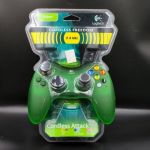
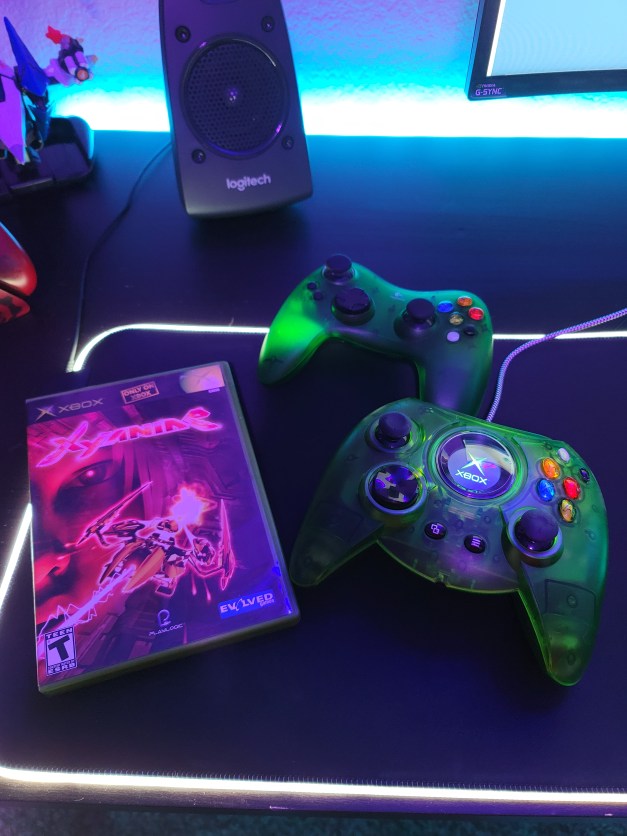
After loving the Cordless Precision Controller for PS2, I had to get something similar for the Xbox. Now, the Xbox controller is great, but I don’t like cords strung across my house. Back in the day, wireless controllers were expensive, and there weren’t many good ones. After picking up a generic wireless controller a couple of weeks ago, I ditched it in the trash. It lagged, was constantly cut out, had to be reconnected from the receiver end, and was just glitchy and cheap. The Logitech controller feels solid, literally melts away in your hands, and has a nice weight to it.
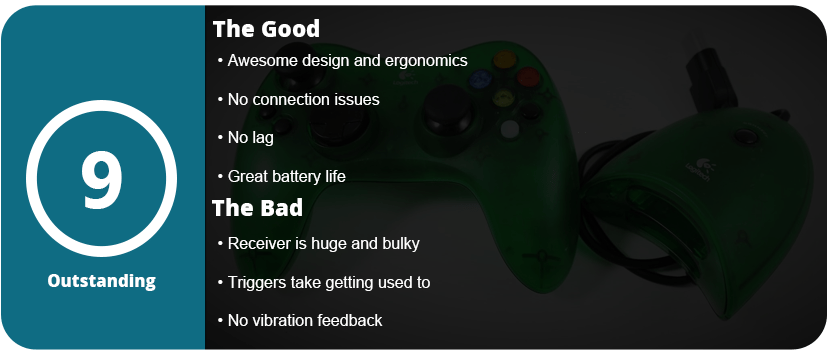
The arms of the controller are bent out more and are a bit longer, so you have a more solid grip. The black and white back and start buttons are closer to your thumbs and are a bit bigger. The triggers aren’t really better than the OEM controller, but they still feel nice and are a little less stiff. The analog sticks feel great, and just like the PS2 version, they are a tad loose, so it takes getting used to.
I found it puzzling to have memory card slots on the receiver end as it makes it big and bulky, and the Xbox has an HDD, so why do we need memory cards? I understand transferring saves to a friend’s system, but it couldn’t have been built into the system. Anyway, the controller connects without a hitch and never needs to be repaired. Just press a face button and it connects with zero hassle, and this is why I absolutely love these Logitech controllers.
The back door to the batteries is much easier to get off than the PS2 version, and you get 50 hours of battery life off of two AAs. Overall, this is the go-to wireless controller for Xbox, as it feels better than the OEM one and is just a seriously solid and amazing product. They tend to be a bit cheaper than the PS2 versions, as there was only one version released. However, a new controller will still cost you over $100.
I have to note that this is the older, and better, model of the Cordless Precision Controller for PS2. The newer one doesn’t feel as nice but is more widely available. Besides the official DualShock 2, there isn’t a better controller out there. There were so many third-party controllers for the PS2, and they were all mostly terrible. From poor ergonomics to bad wireless technology or lame button placement, Some controllers opted for the Xbox-style analog stick layout or were just poorly built. Logitech was the king of accessories back in the day, and while they were more expensive, they were worth the money. I had this controller last for over 10 years until it pretty much died on me recently, and I had to buy a new one. That’s a long time for an accessory, and it went through several moves, was stashed in storage for a couple of years, and was dropped, kicked, thrown, and smashed over and over again growing up.
What makes this controller the best wireless option for PS2 is that it just feels good and is more solid than the official controller. There’s more bulk, and it feels heavier and more solid in your hands. The controller fits so nicely with shorter arms and a thicker back with larger top buttons. The D-pad is much improved and works well with fighters as it’s a rolling D-pad over the standard plus D-pad. My only complaint would be that the analog sticks are too loose for my taste, and they take some getting used to.
The controller connects to the receiver easily with just a press of a button, and there is no need to repair it. I never once had to pair the controller over the 10 years I owned it. It shuts off after 5 minutes of inactivity; there’s a mode button for switching from digital to analog, and that’s all you need. It lasts nearly 50 hours on 2 AAs, so get some rechargeables and you’re golden. I also have to mention that the battery cover is a pain to get off, but you can’t have everything.
Overall, this is the best controller option for the PS2 bar none. Sadly, it’s not made anymore and can be upwards of $50–60 used, and new controllers run over $100. If you can nab one, these are worth the investment tenfold. Just another side note: the black version is the most common, with the silver being second and the blue one being nearly impossible to find. The silver ones pop up here and there, but I have yet to ever see the blue one.
I’m a huge fan of high-end gaming mice, and I’ve had them all. I usually buy a new one every 8–10 months because the technology is changing and getting better so quickly. Recently, I switched from Razer to Logitech because Razer’s software is just plain awful. I don’t know if it’s the software causing it, but all of their wireless mice lag like crazy, and they haven’t changed up their software in years. I switched to the G700S, which was an amazing mouse, but it didn’t have great battery life and was lacking flair.
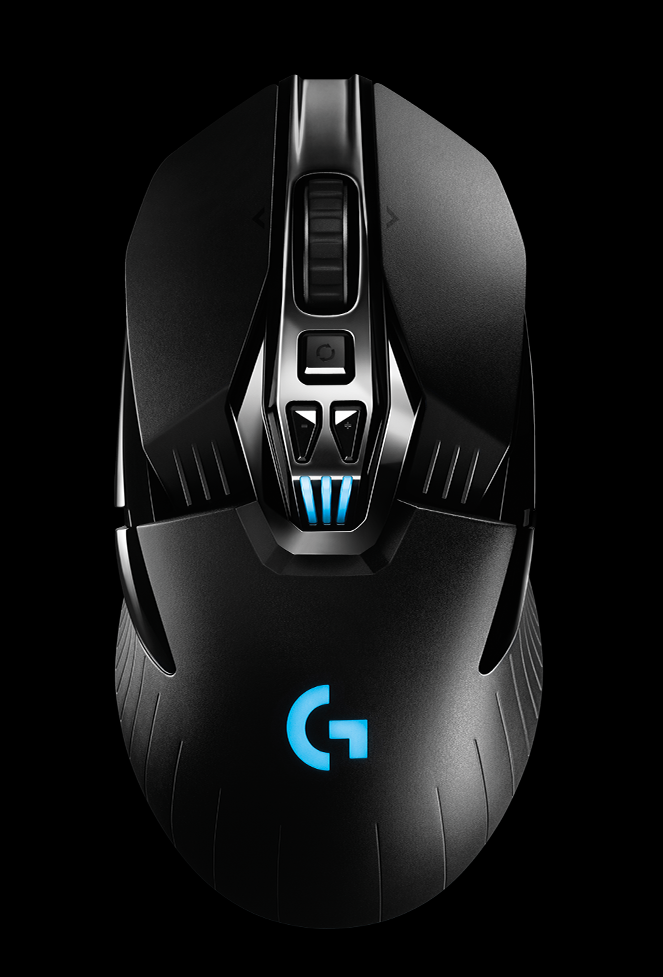
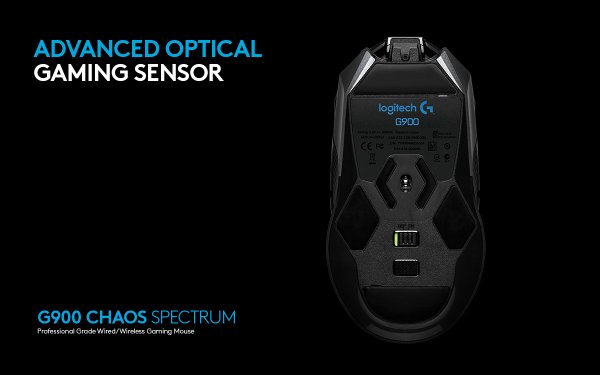
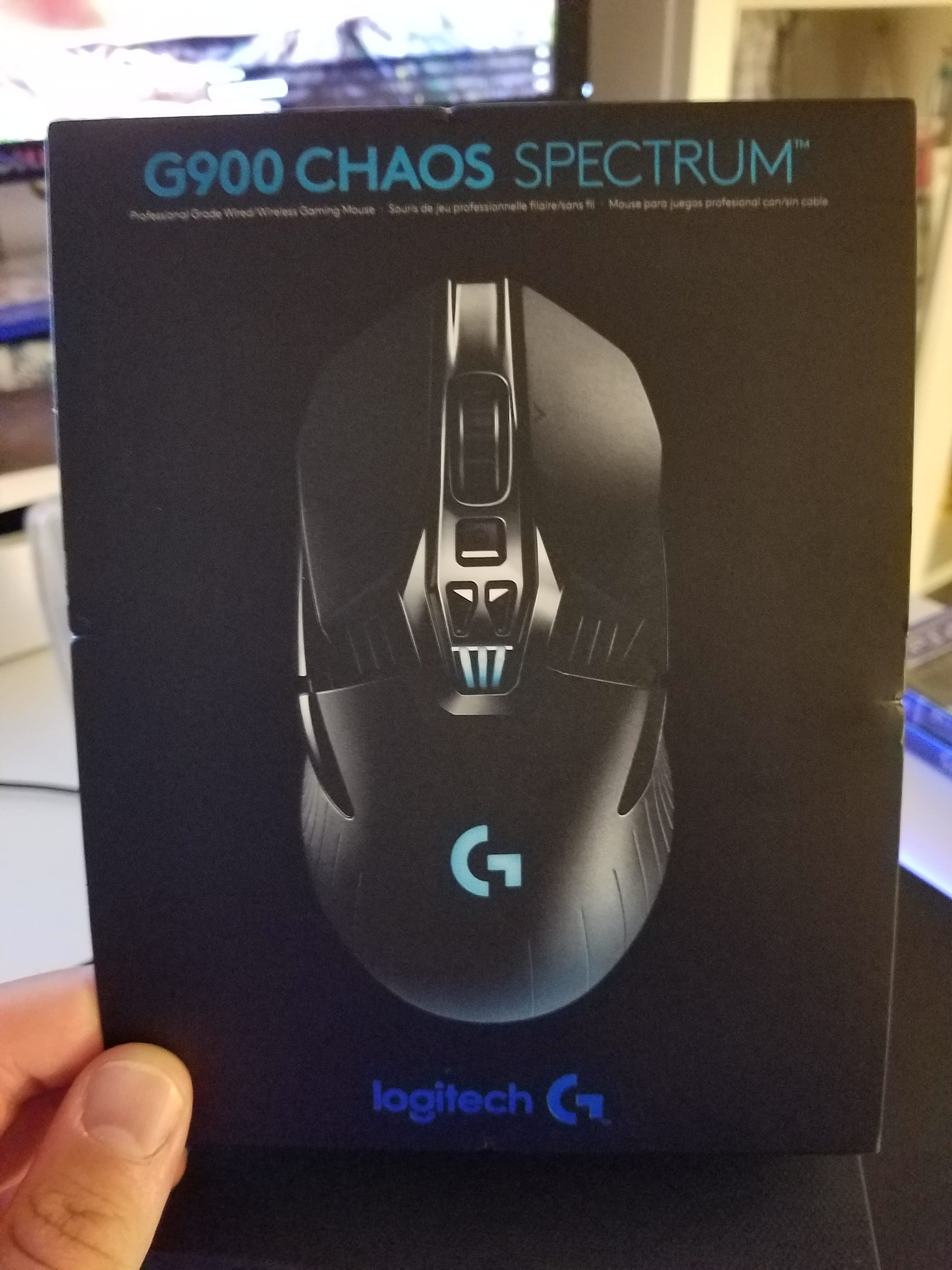
Here comes the G900 Spectrum Chaos. This is the best mouse I’ve ever had, and not just recently, but I would choose this over all my current mice that I own. It’s ultra-light, looks fantastic, and has some of the best software and hardware I’ve seen or used.
When you open the box, you know you’re in for something great, as it comes in a hard cardboard clamshell with great texture. It sits in a plastic case, which has a cool design and is so minimal and sleek. Lift up the inner plastic insert, and you have a quick guide, a USB cable, and a little plastic box with your wireless receiver and extra buttons inside. This is an ambidextrous mouse similar to the Razer Ouroborus, but it forgoes any side anti-drag fins, and that’s okay.
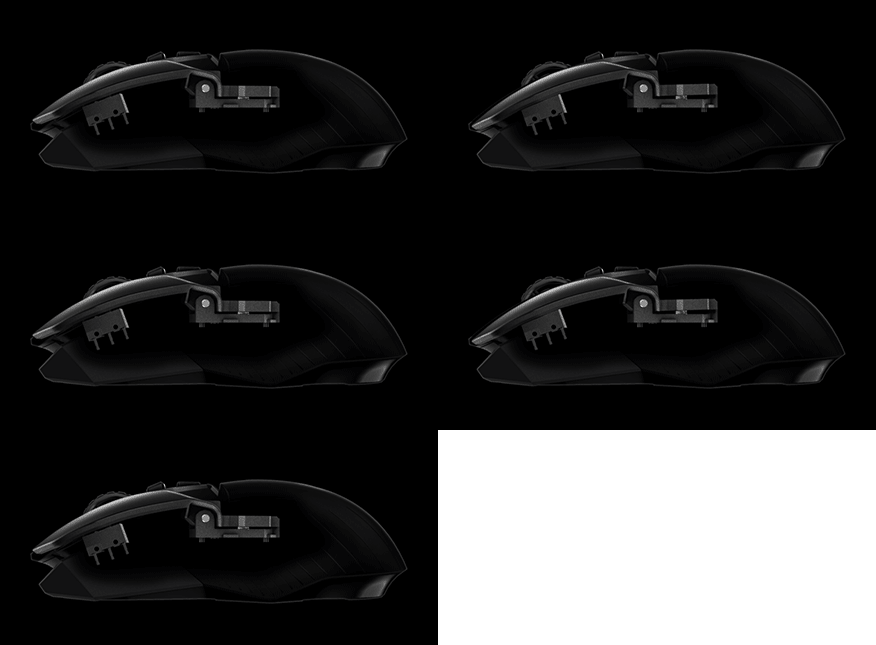
I did have one issue, and that was how to set up the mouse for wired and wireless use. There’s a wireless receiver, but the tiny part comes out of a larger piece that has a USB mini-D on the other end. I tried plugging the mini receiver piece directly into the computer and plugging the mouse in, but that didn’t work. It turns out you have to plug the whole receiver piece into the cable and then unplug that to charge the mouse. It’s actually better as the receiver is closer to the mouse, and there’s one other feature for this: So you can take your mouse with you and your laptop on the fly. Just remove the tiny piece from the larger piece, and you’re done. The battery is no longer an AA rechargeable Sanyo Eneloop like the G700s, which lasted 8 hours at best. This is a no-removable proprietary battery that can last over 30 hours depending on your settings and weighs in at 700 mAh, which is quite large for such a small piece of hardware. Gone is the heavy mouse scroll wheel, yet you still have the free scroll option. This is the lightest mouse I have ever used, but it just works and feels great. The new buttons are also pivot buttons, as you aren’t bending the plastic to press an actuator. Instead, the buttons sit freely and pivot back and forth, meaning ultra-light presses will click the buttons.
The mouse uses the PMW3366 sensor, which is the fastest and most advanced sensor ever created. This mouse can also track at 300 inches per second and has zero smoothing and zero pixel rounding. You can’t get a faster mouse. I also have to note that in 2016, even on lower-end mice, there’s no lag. Any PC gamer using lag as an excuse to not use wireless mice is stuck in 2000. It just doesn’t exist these days, so ignore anyone who tells you this.
This is the longest I’ve ever seen a wireless mouse last. The most I previously had was a battery that lasted 12 hours, but this is just amazing. Especially since this is the first mouse with 12,000 DPI tracking and dual sensors. The amount of precision this mouse wields is just insane, and most gamers won’t even use all that. This is the most advanced laser technology for mice ever created, so why do you need it? It’s aimed at professional gamers, but everyday gamers will find it useful as well. Think of the mice as a controller. You need to not think about it or know it’s in your hand.
The mouse has two buttons on each side, but it’s only designed to use two at once, but you can use all four despite how awkward it will be. They feel great and are long, so you can hit them from any angle. There are two DPI buttons below the scroll wheel, but you can program these for anything. The lack of buttons leads to a sleek and minimalistic design, and I like that. I’m not really a macro guy, so this works for me. The mouse, given its name, has three LED lights for the battery indicator and profile selection, as well as a Logitech G logo on the palm rest that lights up. It can glow the entire color spectrum, just one color, or you can turn it off. Having it on eats batteries, but if you are at home, this is no issue.
The battery life is just fantastic. I can actually use this from morning until night and still have a charge. With my other mice, I would have to charge them 3–4 times a day. With lighting all the way up, a polling rate of 1000 Hz, and using the sensor tracker, I get 22 hours. That’s damn impressive, if you think about it. I am highly impressed with their mouse pad tracker, as it’s so much better than Razer’s. You actually have to calibrate the mouse by moving it around your pad, and it detects what material and color it is as well as other variables. Razer’s tracking tech never worked and was awful and useless.
The software is your typical Logitech flair, but this mouse can track heat maps and just feels overall more fluid and tighter than the G700s software version. The mouse is fully customizable on the software side, and you can tailor this mouse to do exactly what you want.
Before I end this review, I want to show you what this mouse was like playing some games and how it compared to my other mice. Was I better in the game or worse? Let’s see!
Call of Duty: Black Ops III
I was actually better in this game. The aiming is just so much more precise, and I mean that you feel like you’re almost pointing with your finger. It’s not just about how fast your mouse moves around like other mice; it’s about actual, real precision. I was able to stop enemies on a dime, and it felt good. I was able to use my default preferred DPI setting of 2750, and it felt perfect. There was no need to adjust in-game settings or DPI. This mouse is a perfect fit for this game.
Overwatch
My shooting skills improved slightly in Overwatch. There’s not as big of a difference as in Black Ops III, but it was there. I found I was able to track fast-moving players better, and my kill ratio went up slightly due to this. This mouse will definitely benefit competitive shooter players.
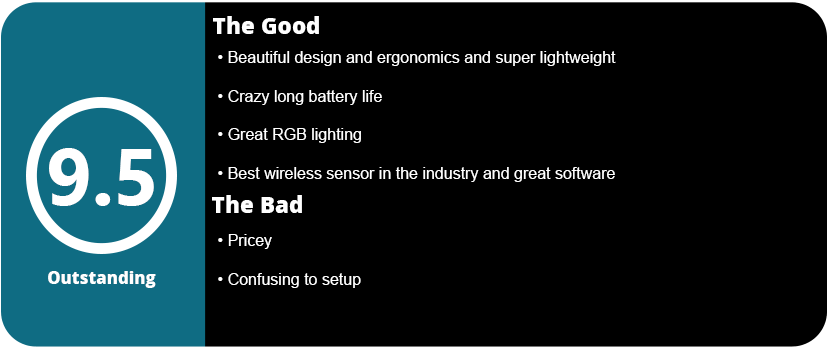
Overall, the G900 is probably the best mouse ever invented, and while it doesn’t cater to every type of gamer, it gets all the important stuff right. A highly advanced sensor, great wireless tech that doesn’t cut out or time out, a beautiful design, and, best of all, a long battery life.
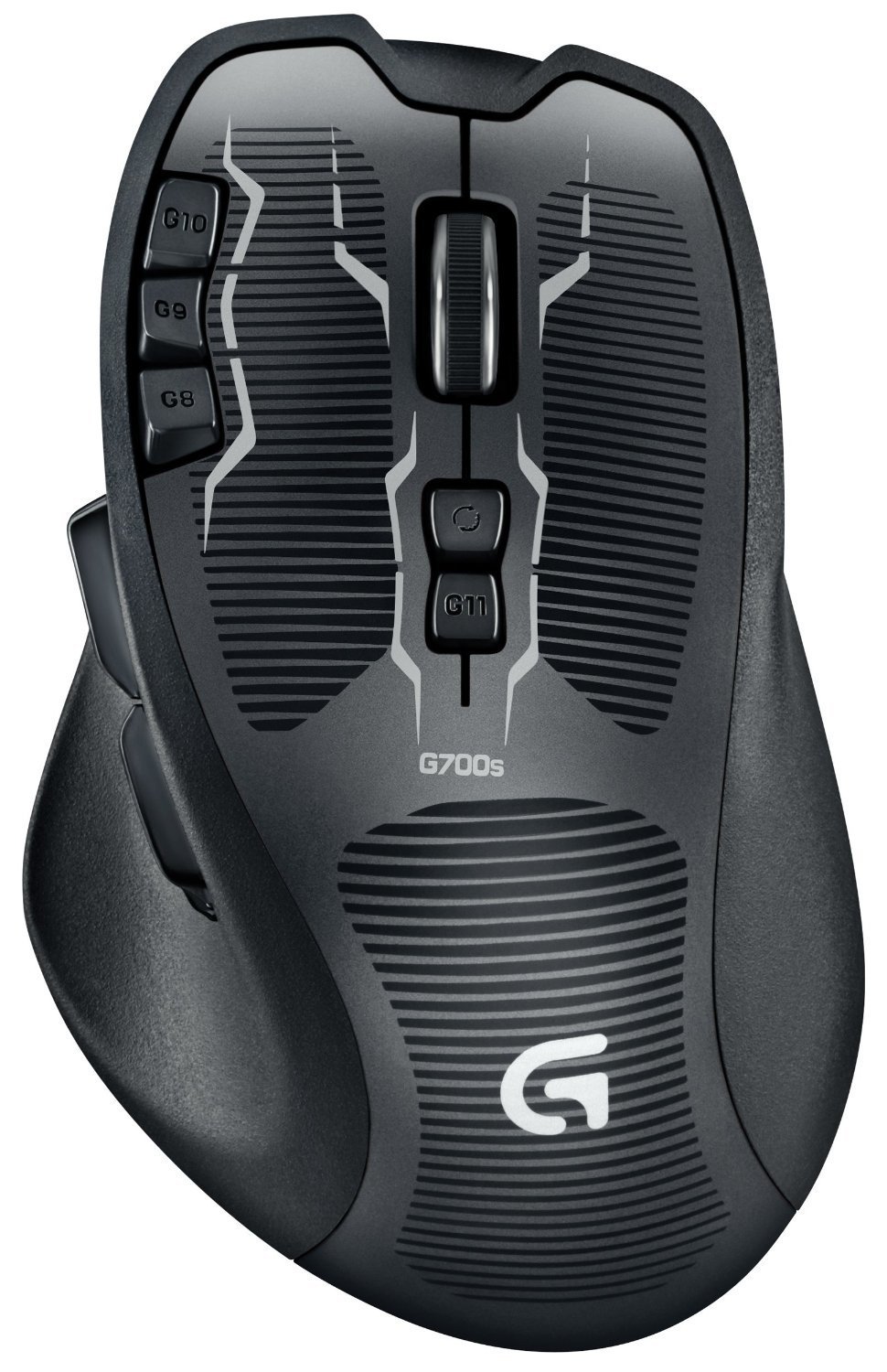
I’m a fanatic about gaming mice and keyboards. I love getting the latest and greatest because I always want something that’s evolving and making gaming more comfortable, accessible, and easier, and I also love state-of-the-art tech. I’ve tried mice from both Mad Catz and mostly Razer, but there’s been one underlying issue from both companies that hasn’t been fixed in years: The drivers stink big time. The mice are unresponsive, freeze up, can’t go from wired to wireless seamlessly, act up when coming out of sleep mode, etc. I love my Razer Ouroboros, but I couldn’t stand the shoddy drivers anymore; the freezes, skips, and bugs were driving me insane. I finally decided to switch to a completely different company, Logitech. Someone I’ve known for years, even before I started PC gaming, is a company that is notorious for high-quality products that last a long time and work well. I went for the gusto and picked up their best mouse available: The G700S
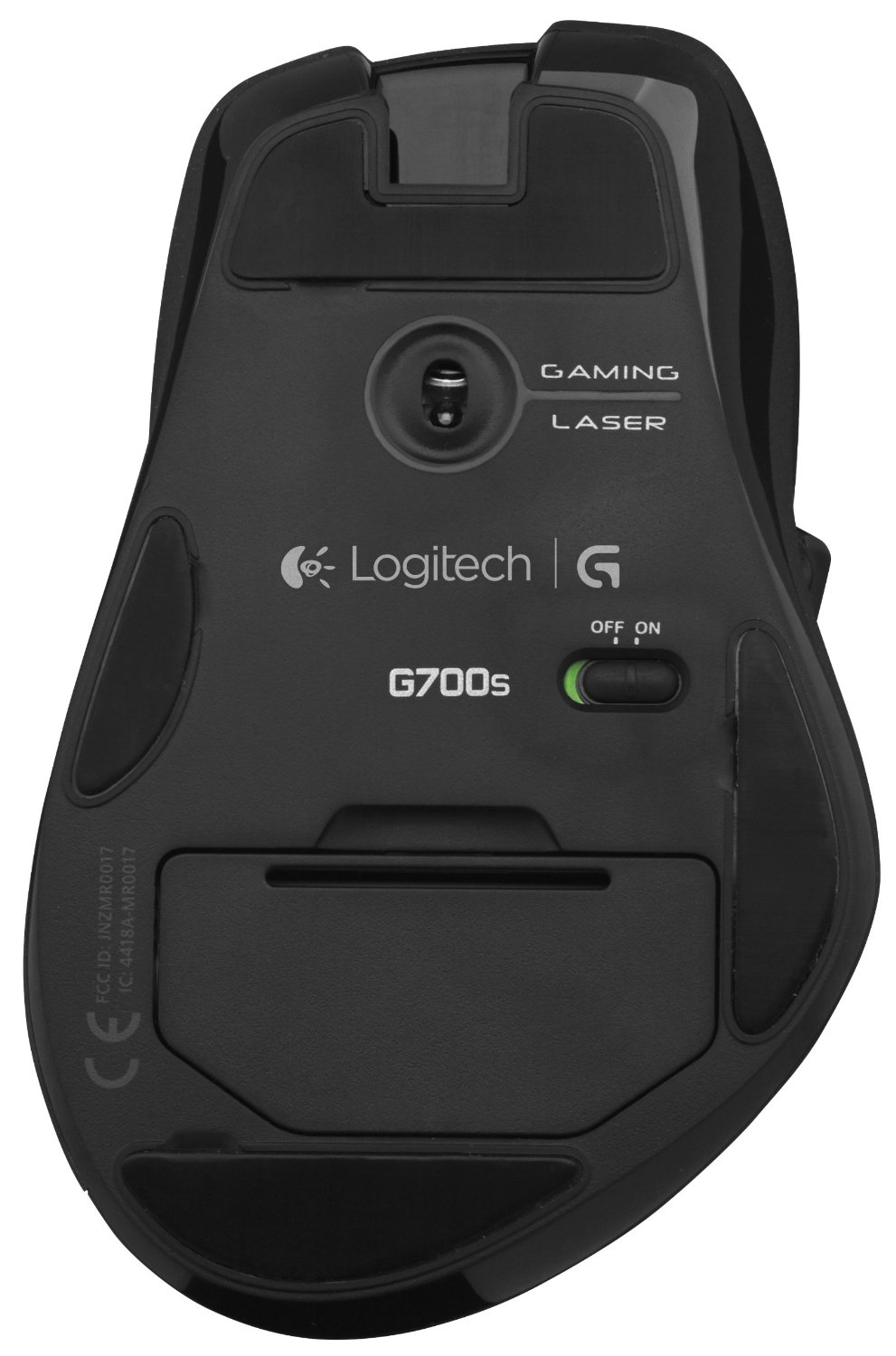
It’s not exactly a flashy mouse like Razer or Mad Catz. It won’t turn heads, and it may not even be noticeable to most people until they touch it. There’s no fancy charging dock or lighting effects, no over-glorified box, just a mouse in cardboard with some neat buttons. I was a little skeptical at first because it didn’t have a charging dock; it has a USB cable, an extension, and a micro USB dongle, which kind of scared me. Those dongles are known to not work well and have poor signal strength, but I trekked on.
The setup was actually so simple that I was confused and thought something was wrong. I literally plugged in the mouse and the dongle, and no drivers were installed. I thought it was odd. I then downloaded the software suite and proceeded to scour the manual for something, thinking I had missed something. It turns out, Logitech is a master at drivers, and a completed in-your-face setup isn’t necessary.
After this, I proceeded with changing some settings; thankfully, the mouse keeps all profiles and settings inside the mouse via onboard memory. There are gaming profiles you can use, but every profile was exactly the same for the mouse; most changes were for Logitech keyboards, so I stuck to the onboard memory. The mouse has eight programmable buttons: three accessible to your left finger, one below the mouse wheel, and a cluster of four on your left thumb. These all felt natural and very easy to get to, unlike some mice, despite their ergonomics. The buttons clicked well and weren’t too difficult to press, even for intense games.
Once I easily programmed the buttons, I realized how nice this mouse felt. It fit so well in my hand and didn’t need fancy adjustments or anything that could come off. It was just a nice-feeling mouse that had a good weight to it. The feet were great and slid better than any other mouse I have used, and there’s an interesting feature unique to this mouse that you won’t see on any others. There’s a “clutch” button that releases the scroll wheel to free spin. It feels like spinning around weights and glides buttery smooth—so smooth, in fact, I can’t even feel it spin. The weight allows you to spin the wheel really fast for quick scrolling, or you can press the clutch again to lock the wheel and make it slower and click.
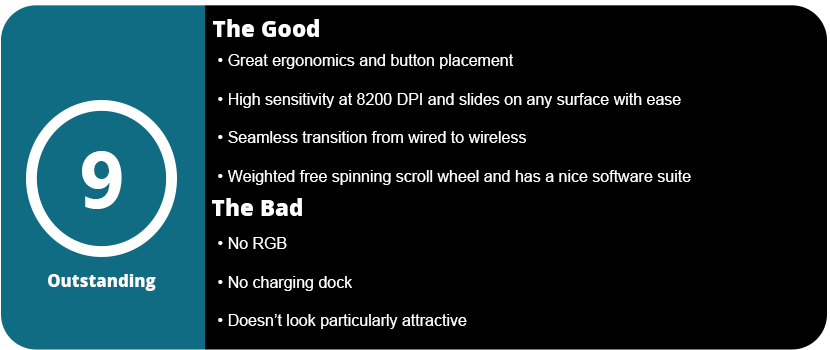
The performance is also the most flawless I have seen on any mouse. Going from corded to wireless is seamless, with zero hiccups, which are needed when your mouse dies in the middle of a game; it responded when my PC came out of sleep; and there have been no freezes, lag, hitches, or DPI drops like I have in Razer mice (three in total, by the way). The mouse can track up to 8200 DPI with a 1000 polling rate, perfect for people who love high sensitivity. I was able to adjust my DPI on the fly to adjust for different games, and I had no problems with the whole software or hardware.
With that said, the Logitech G700S may not be the flashiest mouse, but it functions the best, and in the end, that’s what counts. With zero lag, no connectivity issues, seamless corded-to-wireless transitions, and a great software suite, there’s not much more you can ask for. The ergonomics are great, and the mouse slides better than any other mouse I’ve touched. This is well worth the $100, even over flashier Razer and Mad Catz mice.
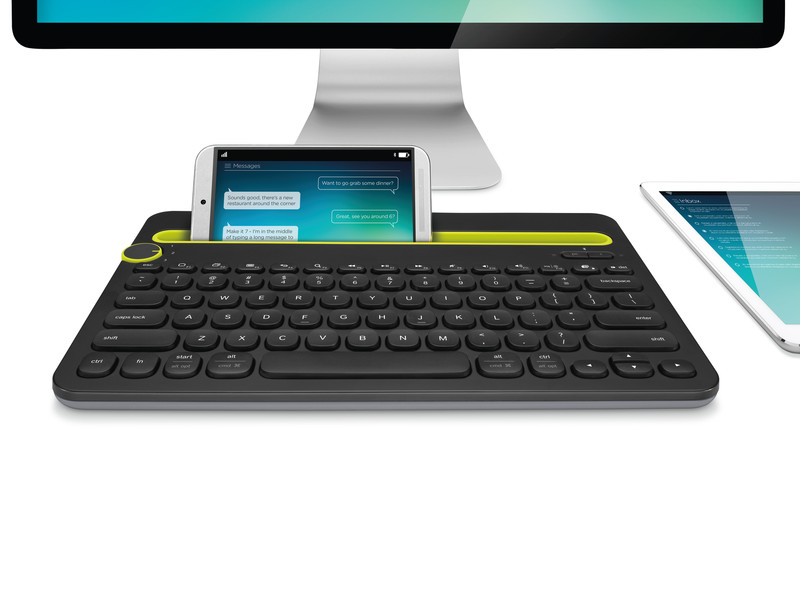
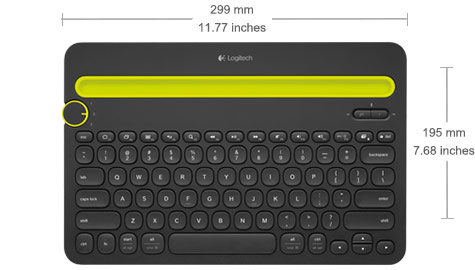
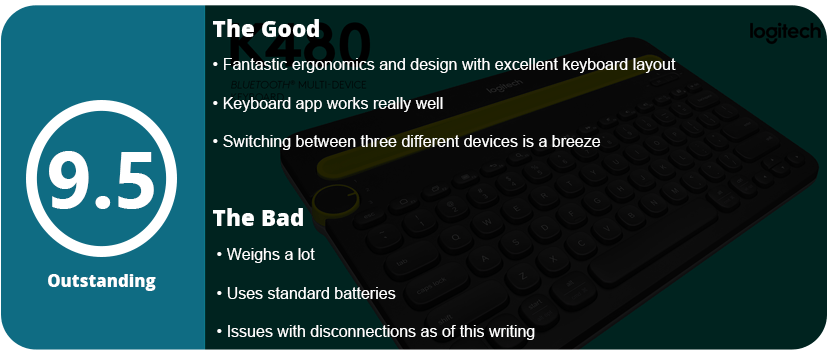
Logitech makes some pretty fantastic products, and it doesn’t surprise me that they make the first Bluetooth keyboard that actually interests me or seems useful. Most are too small, too big, or just don’t feel right. The K480 is perfect for anyone with big hands or multiple devices.
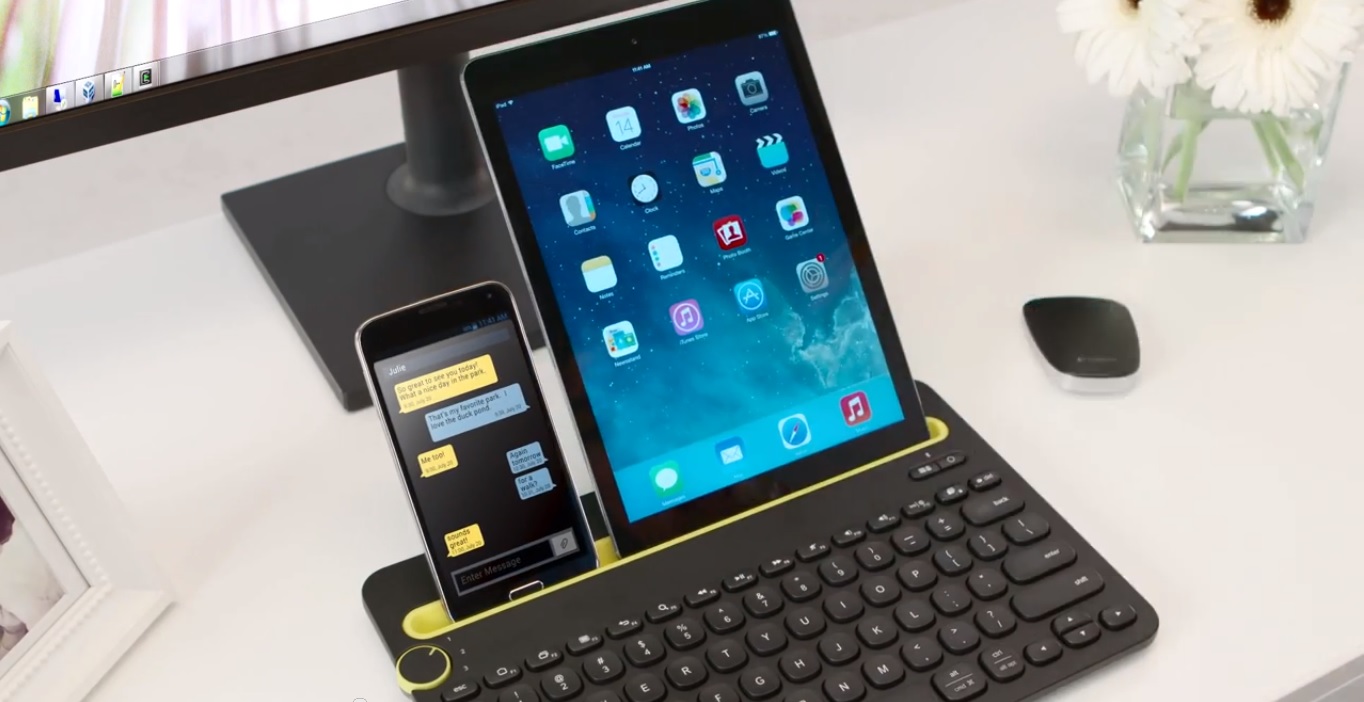
While the keyboard isn’t exactly portable and won’t fit into any small carry-on bags, it doesn’t need to. What got my attention right away was being able to switch between three devices on the fly. The turn dial on the left allows switching between a tablet, phone, and computer all at the same time. Why would you need to do this, you ask? Well, you may be using your computer like normal while texting a friend or typing up a report on your tablet, or vice versa. You can do your research on your computer while you type on the tablet and still chat with a friend. Some people may not need to multitask like this, so having three channels is great to have without having to re-sync your keyboard with every device you use every time.
With that said, you can fit a 7″ tablet laying sideways with a 4″ wide phone next to it, or a 10″ tablet by itself. You can also have the 7″ tablet standing up with a 6″ phone laying sideways. It’s up to you. The keys feel great and click just right. The keyboard looks “bubbly” and sleek, with the keys concaved just right. The actual layout makes sense and works with Macs, iOS devices, and Android. With the FN key, you can use the top row as F keys on a PC, and without it, they are your regular functions on a touch device, such as a menu, home screen, recent apps, media keys, screenshot, volume, etc. It’s a smart layout and one of the best I’ve ever seen on a compact keyboard.
Actually, getting this thing to function with a device isn’t that hard, but Android users may find switching between devices a little annoying when having to select the default keyboard. Using the Logitech app to allow you to type without touching the keyboard is needed. This is actually an issue with the Android OS and not the keyboard itself.
The PC and Mac have their own software that allows you to use the shortcuts on the desktop. It’s fairly easy to connect and use without much hassle. Now the biggest issue with this keyboard is that it uses standard AAA batteries, which blows my mind. In this day and age, most of these gadgets should have internal batteries, but maybe this will cut the price down? I don’t know. Just make sure you have rechargeable AAA batteries handy. The other downside was the weight. This thing is pretty heavy by itself, and even more so if you have a tablet and phone on it. It’s meant to sit on a desk or table, so don’t expect it to be comfortable on your lap.
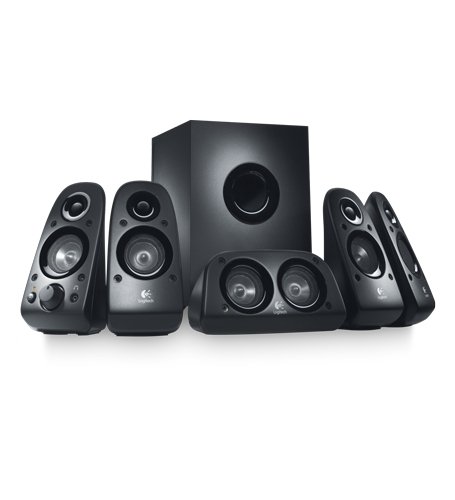
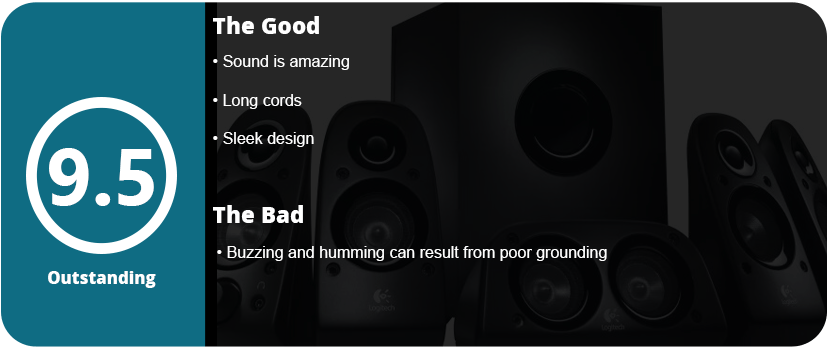
It has been a long time coming, but I finally got a surround sound system. I had never really heard of one before, so I wasn’t sure what to expect. After opening the box and seeing about 20 cords, it felt pretty daunting. Thankfully, the Alienware X51 that I hooked them up to had 5.1 audio jacks, and the colors matched perfectly. There’s also only one power cable coming from the subwoofer, which is really nice. I thought I had to plug every speaker into the wall! Once you get everything set up cord-wise, you then have to position every speaker. There are five in total, so you’re going to need a lot of room. Plan ahead of time and decide where to put them. Some probably should be on a shelf above your monitors; the subwoofer can sit nicely next to your desk, while the center speaker should be in front of you. It’s the rear speakers that are tricky. They are supposed to be on either side of you, but most people don’t have that kind of setup. Thankfully, I had a bookshelf and table on either side of me, so the trickiest part is positioning these monsters.
Once you get them plugged into Windows, they should automatically set your sound to 5.1. Once I started playing music on Windows Media Player, I was blown away. It sounded like I was in a theater, and these speakers get really, really loud. During gameplay, I heard enemies coming from behind me (literally) and crashing off to the side like you are in a theater. The same goes for movies as well. Being surrounded by all these speakers, it feels like the sound is coming from all angles. The speakers have great clarity as well and don’t rattle or sound tinny like some cheaper models. For $100, this is a great deal.
My only issue is that there is buzz and hissing when no sound is coming out. This is pretty common for speakers, but you need a well-grounded home or an expensive surge protector to prevent this. I tried a few methods, such as plugging it into the wall by itself and turning the volume up high and the device volume down. At least the buzzing stopped once I started playing something through them. This will drive you nuts, though, and you will resort to turning them off if you aren’t listening to anything. On the other hand, there’s a headphone jack on the front speaker, so you don’t have to use your PC jack, and the power button is on there as well. No reaching behind the subwoofer to flip a switch.
With all that said, the Z506 are fantastic speakers for the price. They blow you out of your house and are of great quality. The only problem is the constant buzzing and hissing if you don’t have good grounding. It takes a little while to get set up and seems daunting at first (even for someone who’s knowledgeable about all this stuff). Once you get everything set up, it’s well worth it, and you won’t be disappointed one bit.

















 thebinarymessiah.com
Yeah, it's pretty damn awful. Notoriously one of the worst games on the PSP. A 4 was actually being generous.…