
I took a long break from Razer products for a while. Razer’s quality has gone downhill over the years, and not to mention, their Synapse software has become bloated, buggy, and just plain awful. I only ever owned three Razer mice, and one was my first ever gaming mouse back in 2009. That mouse in question was the original Naga MMO. I also had the Razer Mamba 2012 and Ouroboros. They all had issues with the laser causing drift, the material wore down fast, and the Teflon feet became uneven in less than a year. I never went with a Razer mouse again. I then tried a headset, Man O’ War (awful after a few weeks), a keyboard, Blackwidow Chroma V2 (not too bad), and I was just never pleased with them. There’s something always off about Razer that just feels icky. If the product works fine out of the box, then the software has issues. If you don’t have software issues, you might have issues with the hardware somewhere down the road. Razer simply manufactures subpar products under the “Gamer” label and then moves on. For the insane premium price they charge, I would expect better.
To wit, I thought I’d give them another shot. At this point, I have mostly moved on from gaming keyboards, as I’m beginning to value key switch feel over aesthetics and RGB. Razer’s RGB is rather decent, and all of their products work with SignalRGB, which is a third-party RGB software I use to control everything. If SRGB doesn’t support it, I won’t use it. The OLED panel on the keyboard was very intriguing; however, I hesitate whenever gaming-branded keyboards have a gimmick. The last keybord I had with a massive gimmick was the Mad Catz Strike 5 keyboard. They are usually mostly useless or are never really supported by anyone or the community. I was also interested in the modularity of this keyboard. More mainstream gaming keyboard companies are trying to embrace the modding community, but it’s a hard community to win over. A lot of these keyboards just don’t have any personality or soul. They don’t feel unique or are too gaudy for the custom keyboard community.
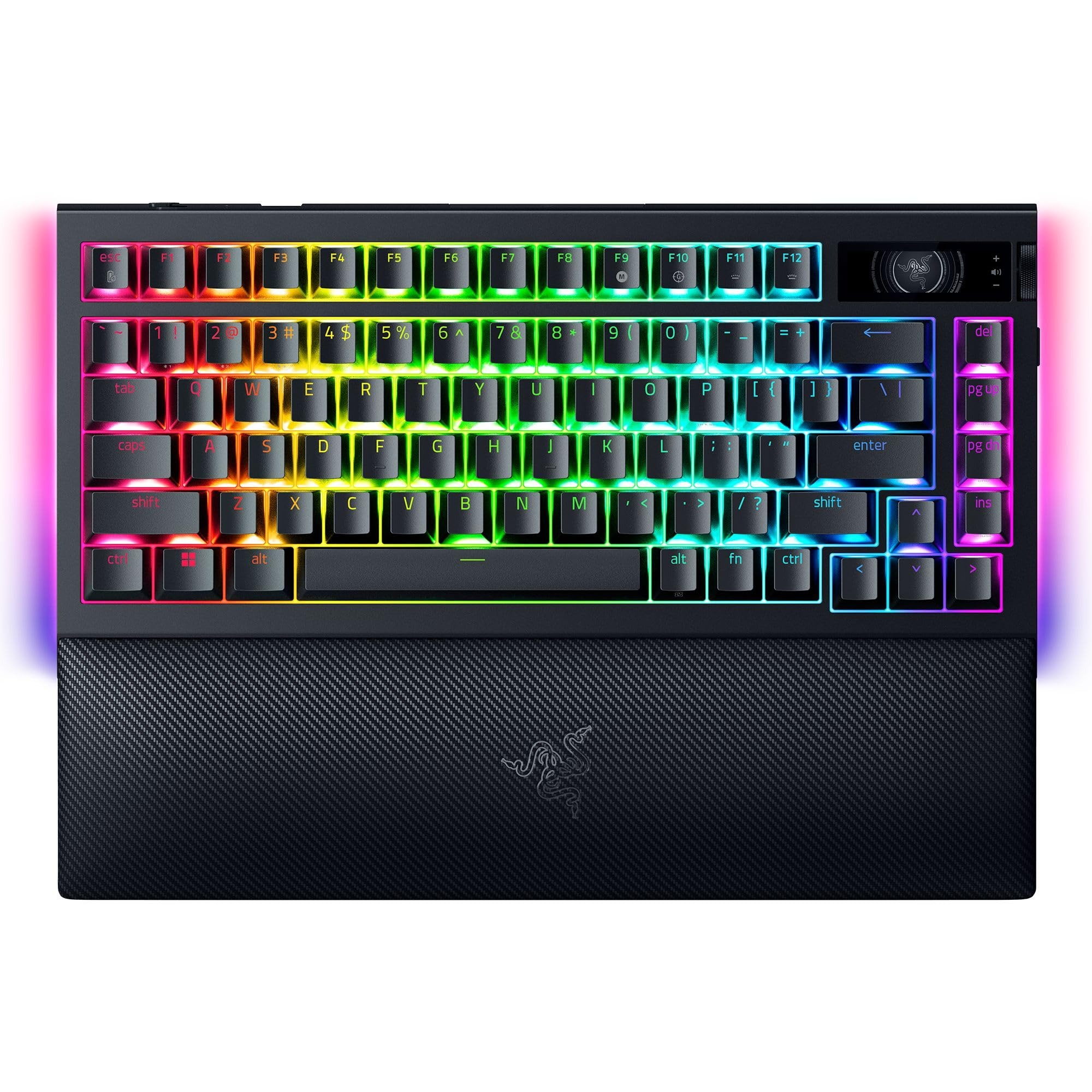
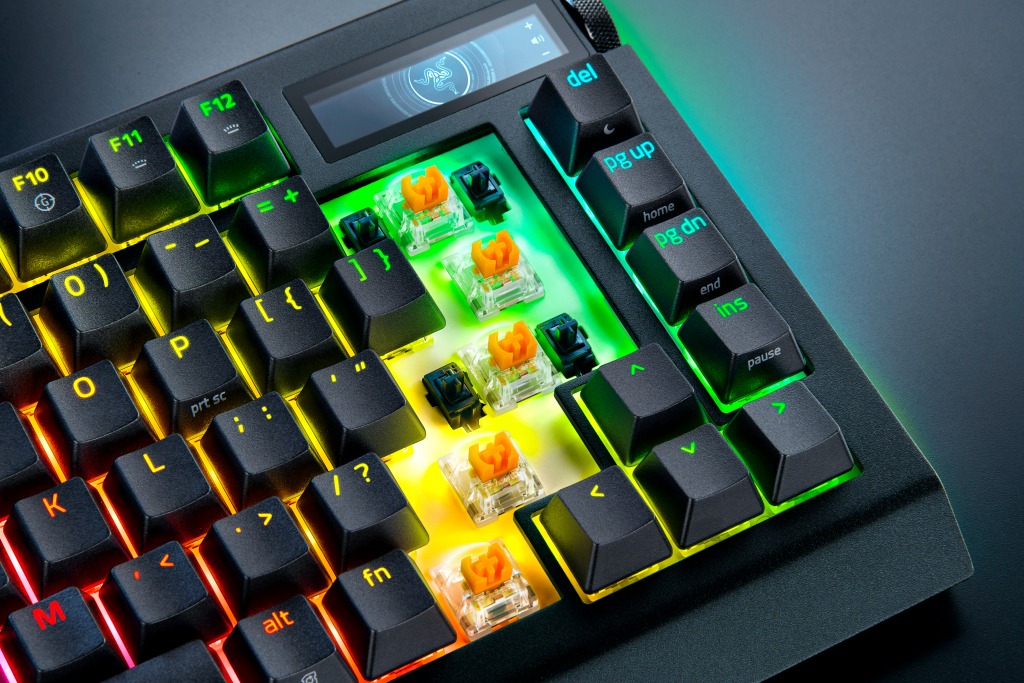
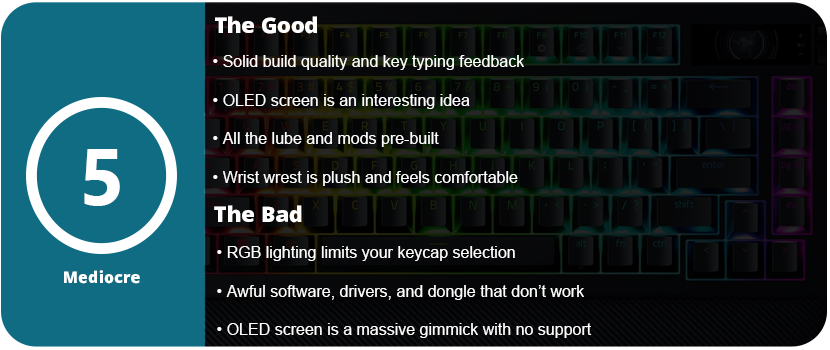
As always, Razer has premium packaging; I can’t fault them there. The keyboard itself has an aluminum body and feels solid and sturdy. It feels great to type on. The switches have a nice tactility, and the foam mod inside the keyboard reduces pinging and enhances the tactile feel of the keys. The Razer Orange Tactile Mechanical Switch Gen 3s aren’t bad. You can swap the switches out for any 3 or 5 pin switches, which is really nice, but with the RGB lighting, you are limited to the type of keycaps you can use. “Backlit” or “Shine-Through” caps are not very popular. You can disassemble and mod the keyboard, but the only benefit is the Razer branding and OLED screen. If you want to take a keyboard apart and mod it, you might as well get a better moddable keyboard for a third or half the price.
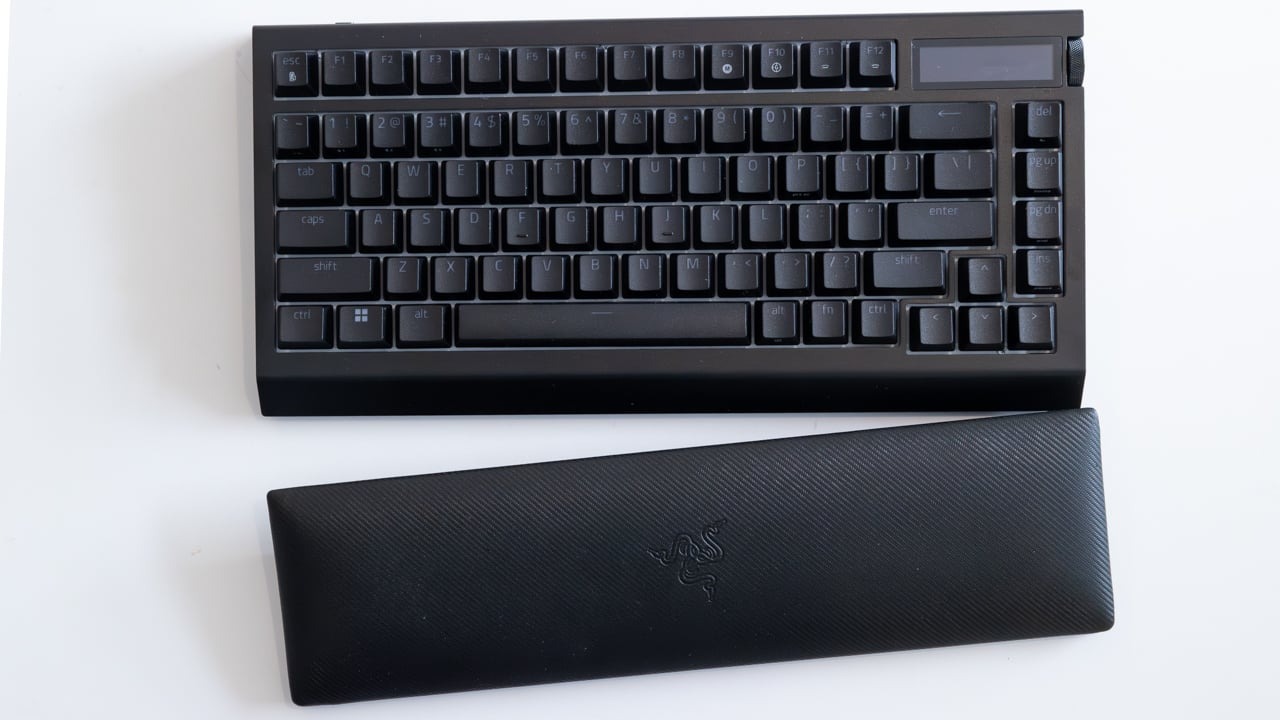
The palm rest is comfortable and plush, and it is magnetic so it won’t slide around on your desk; however, I know this material will wear over time. I’d rather have a harder rubber material instead of the plush. Over time it will fade, discolor from the acid in the oil from your skin, and eventually start tearing and becoming thin. Overall, the design of the keyboard is rather standard and unordinary. It has an all-black finish with black keycaps that looks rather standard. The entire keyboard is nothing special to look at. The OLED screen will catch most people’s eyes. I couldn’t find any specs or resolution on the OLED display, but it is black and white, not color, and has minimal customization and features. What probably accounts for at least $100 of the price tag is, at best, a simple gimmick.
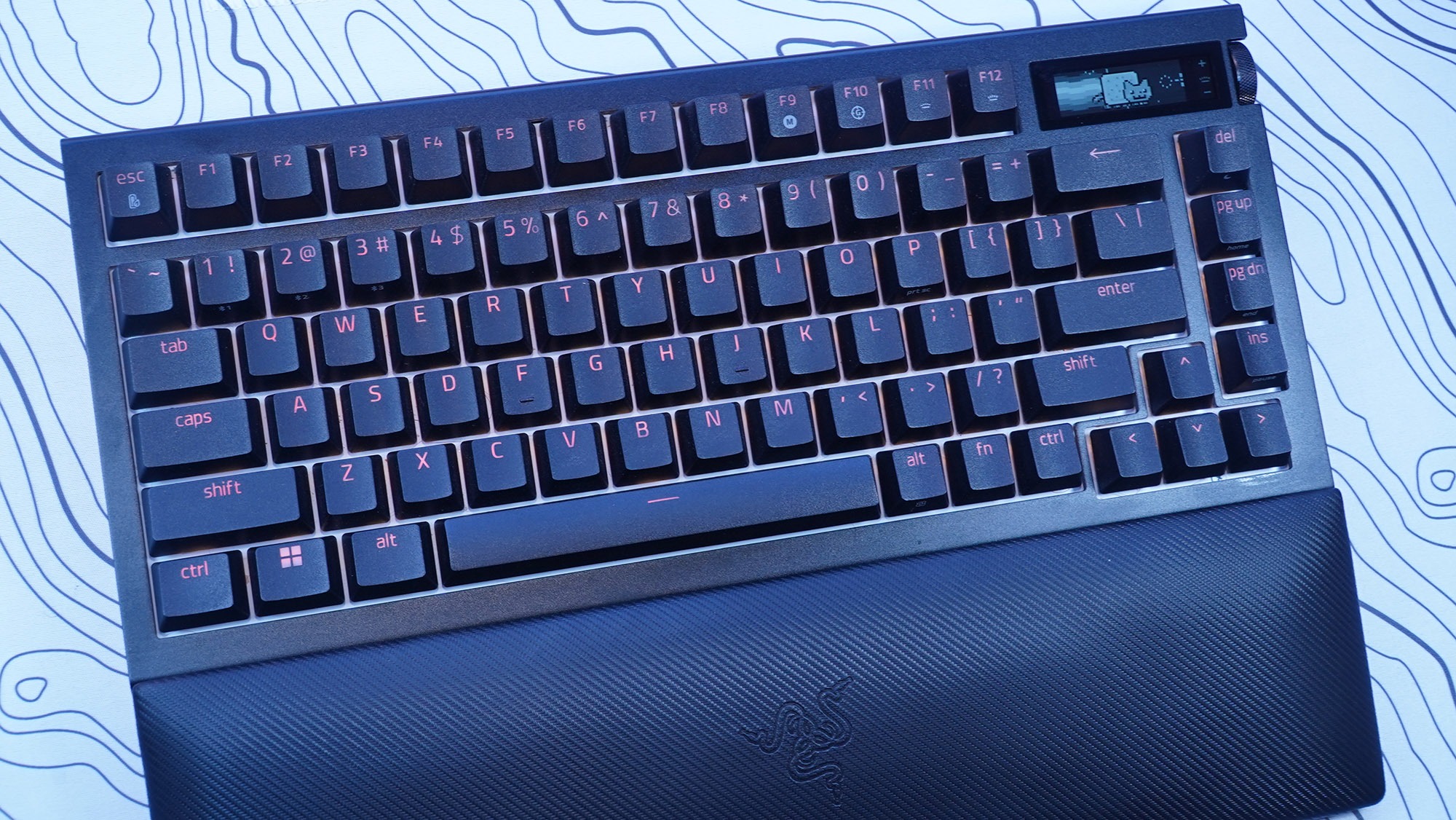
The OLED screen is controlled with a wheel on the side of the keyboard next to the screen that also clicks in. There is also another button below this. You can change the “screensaver” animation and swap between “apps” such as volume control, media control, system info (such as CPU and GPU temperature), keyboard info, and an audio visualizer. This isn’t very impressive given the technology we have today, and it’s an OLED screen. You’re stuck with everything Razer branded. The animation and text banners are generic and all Razer logos. GIF animations can be uploaded to the keyboard, but resolution and size limit them. The keyboard saves only 150 frames. This was the coolest part of the screen, as switching between apps like media controls and the volume got annoying. It’s faster just to use dedicated keys for that. I also could not get the keyboard to read my system info. Overall, the OLED screen is a disappointing gimmick with no support from Razer and no way to customize anything outside of a scrolling text banner and GIF animations. There’s also the battery-eating part. With the OLED screen just on 50% brightness, the keyboard’s battery didn’t last a day. I also had issues with the OLED screen syncing and working on any wireless mode. Synapse would stop syncing things and it would crash. The transfer rate is also really slow for uploading GIFs and most of the time it would time out before an upload would finish.
My biggest issue with this keyboard isn’t the overall lack of impressive features that are already present in custom keyboards. Razer claims to have invented revolutionary features. The damn thing just doesn’t work. It works best in wired mode, but Synapse 4 is an awful piece of software. This keyboard is not compatible with the more stable Synapse 3 software. The keyboard also worked fine in Bluetooth mode, but SignalRGB does not work over Bluetooth due to the bandwidth limitations, and many Synapse features are not available in Bluetooth mode. I wanted to use the keyboard in wireless mode with the 4K Hyperpolling dongle. It never worked. It would continuously disconnect every 2–3 minutes. I spent 4 hours troubleshooting this. I tried reinstalling the Synapse software, deleting all devices in device manager, different USB ports, a USB hub, USB 2.0 and 3.0, front and rear USB ports, a different computer, and updating the dongle and keyboard firmware. If you think of it, I tried it. I also don’t understand how Razer can’t just give us a normal USB dongle. You need to attach a USB cable to this device, which then dangles and flops around on the desk or behind your PC. 8000 Hz polling is also a placebo effect. No one can type that fast or needs that kind of responsiveness. Most people are fine with 1000 Hz polling. 4K is even unnecessary.
This absolute garbage driver issue caused me to return the keyboard, and the fact that this expensive OLED screen is a mere gimmick with no third-party support or seemingly any support from Razer, for that matter. Synapse 4 is also an unwieldy, bloated piece of software trying to advertise so many other Razer software apps that it has acquired. I just cannot believe that the most expensive keyboard I have ever purchased is this bad. Razer really needs to overhaul their product line, fix their software issues, and stop offering gimmicks that most people won’t care about. Sure, you can set macros on the OLED screen and keyboard, but they are unwieldy, and using keyboard commands is much faster than flicking through a screen. Additionally, the keyboard lacks color and rapidly drains the battery. Overall, just stick with whatever keyboard you currently have, as I’m sure it works much better than this overpriced monstrosity.


 thebinarymessiah.com
Yeah, it's pretty damn awful. Notoriously one of the worst games on the PSP. A 4 was actually being generous.…