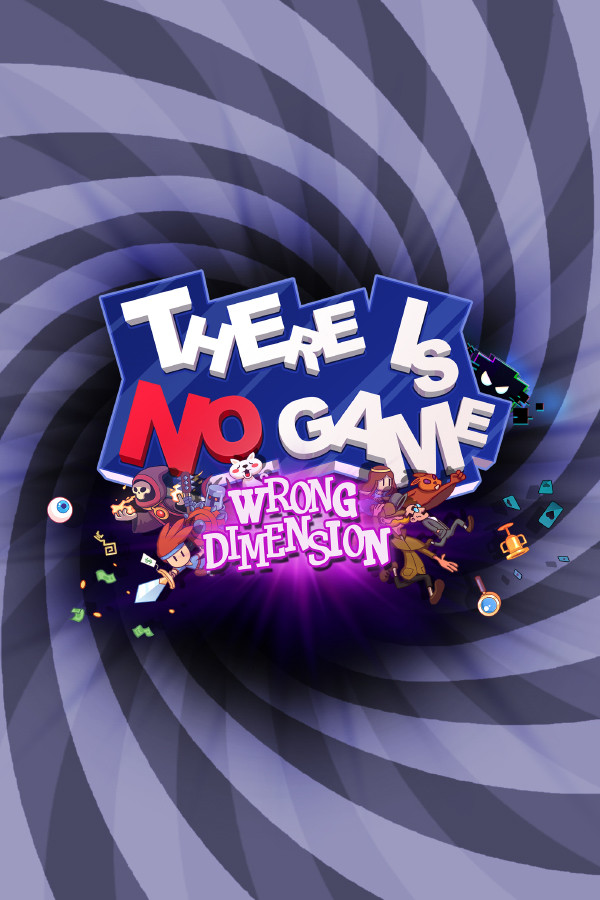
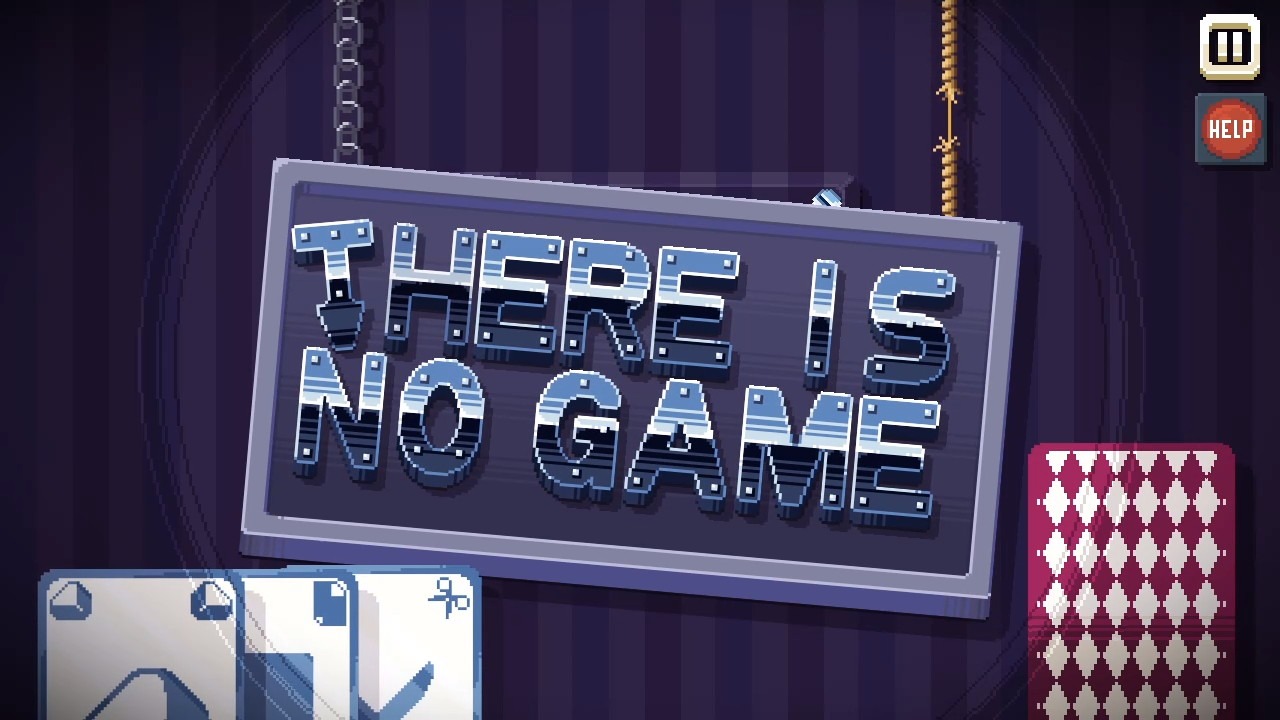
Have you ever wondered what it’s like to play a game as the actual code or program inside the game? Well, now you can! TING is a game in which you embark on an adventure with the game’s code. You start out at the title screen and must dismantle the entire screen to get the code’s attention. In this process, you discover a “glitch” that is trying to destroy everything. You get sucked into other dimensions and try to find your way back. The entire game is in the style of a point-and-click adventure, but instead of controlling a single character, you are the “user” that the code talks to. He gives you hints along the way as well as being able to unlock actual hints, which makes some of the more obscure puzzles easier.
You have to really think outside the box with this game, as you can take down parts of the UI and completely break the smaller games inside to progress. You will end up with a classic adventure title and a JRPG that makes fun of Zelda tropes. The game also pokes fun at other games and mechanics, such as microtransactions and free-to-play mechanics. I don’t want to spoil the Easter eggs, but the game has a great sense of humor, and anyone who has watched a few behind-the-scenes videos on how games are made will appreciate this game and the message it’s getting across.
Every area is new and different, and no two puzzles are the same. Some areas have multiple screens, and you can manipulate them in interesting ways, such as unscrewing the computer monitor you’re playing the game on and getting the back of the scene through the back panel. You have to also be okay with dragging the objects onto everything and trying combinations. Some things may not look obvious, but they make sense once you get the object or discover its use. Things like a mouse cursor popping a balloon, a metal letter T being used as a screwdriver, and the sign to a game title being used as a bridge. Almost every puzzle can be figured out with a bit of thinking, but a few were so obscure that I had to use all the hints available to me. When you press the hints button, it will show locks over the object that has hints. This can also be useful just to figure out what objects can be interacted with or what your focus should be without even using a single hint.
There are cutscenes in the game that can’t be interacted with, and this is shown with filmstrips going up the sides of the screen. Because this is a “joke” game and you can break actual games inside, you need other cues as to what’s a joke and what is not. Sometimes I didn’t know what was a joke and wound up restarting the game, but you also need to trust the game. There isn’t much else in terms of gameplay, but there doesn’t need to be. This is a very clever idea for a game that I have never seen before. The story is interesting, the characters are likeable, and it’s just an overall fun time and something really unique. The visuals are charming and switch up all the time, which makes you think outside the box.
Here I am. Back home. Back to where it all started. Android. I left for a few years in 2021 as Android phones, especially from Samsung, were becoming stale and I was tired of the infrequent and late updates. Hardware hadn’t made any significant or interesting jumps. Add more lenses to the camera, slowly inch the screen larger and closer to 7”, add rounded edges, take them away, increase screen resolution, refresh rate, etc. Nothing at all interesting. That is, until foldable phones started coming out. I left those alone for a few generations, as I knew they needed to be perfected and tweaked. There were a lot of things that needed to be fixed, both physically and in software. We are on the 4th generation of foldable phones, and I feel like most of the smaller issues have been resolved. So, for someone who has been with Android since the original Motorola Droid, here’s my take.
My last Android and Samsung phone was the Note 20 Ultra. The last Note phone. It was fine. It was not impressive, and it had pretty much been the same for the last five years. It was nice that Samsung was redesigning their entire UI system for all of their smart devices. Tablets, watches, and phones. We are on One UI 6.1 now, and I feel it’s mostly unchanged from what it was five years ago. I also last used Android 10, so there have been four Android system upgrades since my last use.
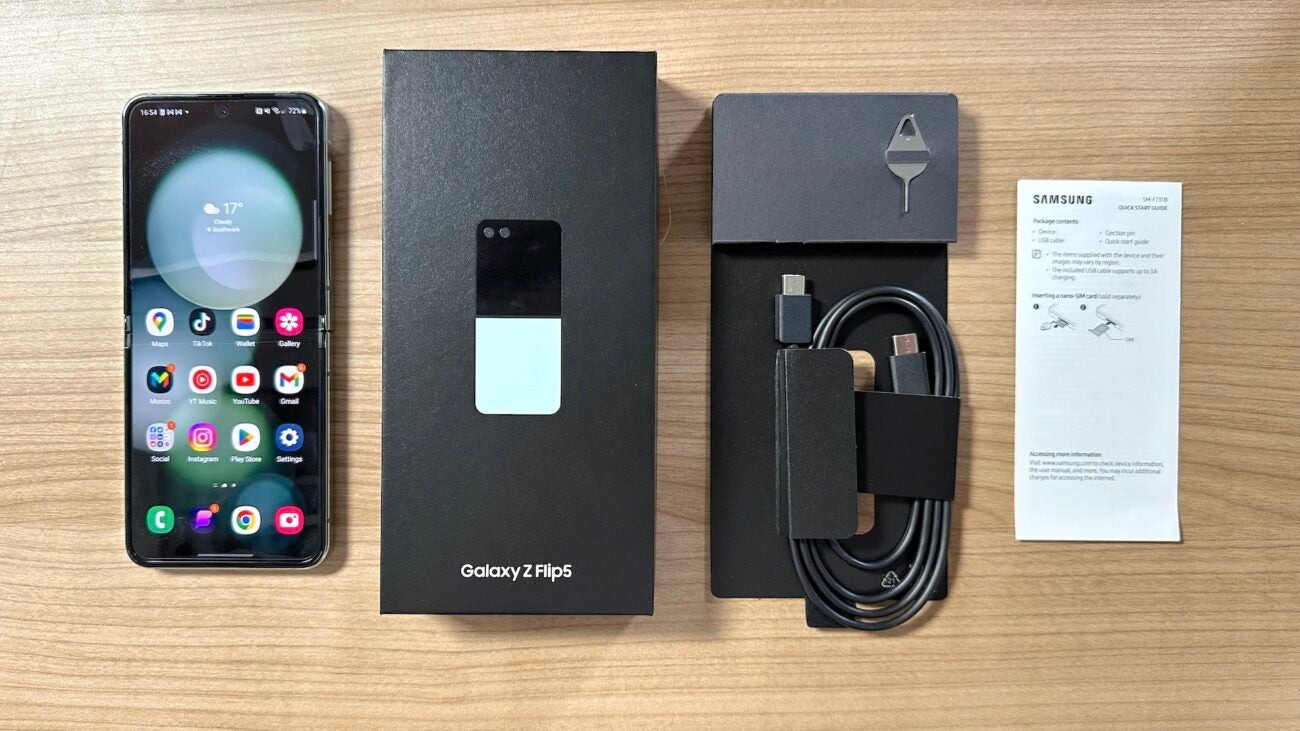
Unboxing experiences are mostly unremarkable these days. Phones no longer come with wall adapters and expect users to know what the proper wattage input is needed to properly fast charge their phone. The Flip 5 needs 25W and uses 15W for wireless charging. It comes with a USB-C cable, and that’s about it. The biggest thing to note is the phone when it’s folded in half. Usually, this would make you cringe. Folding phones in half is usually a big no-no these days, but this is by design. Samsung is using Corning Gorilla Victus 2 glass for the front and rear displays. There is also a hinge system in place for folding the phone. The “crease” in the phone is obvious at first, but when using the phone, I rarely notice it or forget about it quickly. The glass does have a different feel to it. It almost feels like a layer of plastic rather than solid glass, but it’s still smooth to the touch. The front screen is a 6.7-inch AMOLED 2x screen, while the rear display is a 3.4-inch Super AMOLED screen. Both are incredibly vivid and bright, and they look fantastic.
The rest of the phone also feels good on the hands. The fingerprint sensor is on the power button now, and this is needed so you can unlock your phone while it is folded and with one hand. It makes it easy to just press the power button, and your phone will unlock at the same time. No silly in-screen sensor, rear sensor, or any other place. I’ve used them all, and the power button makes the most sense. The only other button is a volume rocker. The screen features a keyhole front-facing camera that is super tiny. There is also only a small bezel around the display, and it doesn’t really affect use or viewing the screen. I’m incredibly impressed with how well designed this phone is and how slim it is.
The software is mostly unchanged since I last used it four years ago. With a much faster chipset, the Snapdragon 8 Gen 2, over Snapdragon 865+, things are snappy and breezy, and Android can rarely freeze or slowdown now. Apps open instantaneously, and most of the issues I had with Android phones even just four years ago are pretty much gone. Samsung has tweaked their settings, gotten rid of Bixby for the most part, and it’s an intuitive setup switching from Apple. With Anroid being the most customizable and allowing more freedom, it can seem overwhelming, with nearly every app or setting you select coming with a pop-up or a tutorial. There is a lot that can be tweaked and defined in Android 14 now. From Android Auto to Galaxy Wearables, there’s a lot of quality of life improvements and things I wish Apple would do. While I won’t go into minute details here, just know that switching from a complete Apple setup to Android, or Samsung specifically, overnight is a seamless experience. I miss my custom ringtones!
Let’s talk about his front-screen business. The Flip 5 features a much larger screen than its predecessors. These previous models only had a 1.1” screen to basically show you notifications, and that was it. Now you can fully use apps and replay messages on the front screen. This may seem silly to some, but it’s pretty nice and easy to use, and I use this feature a lot. Having a much smaller device in your hand to just do something as simple as check the weather, respond to a text, read an email, etc. is really nice. Samsung hasn’t fully enabled this feature yet. You need to enable apps through the Design Labs, but this in turn only allows apps that seem to be fully tested by Samsung. The Good Lock app on the Samsung store can add a launcher to allow you to open any app on the front screen, pretty much without issues. The apps resize down correctly, and some apps even have widgets that support the front screen already. With this being the first generation of the Flip with a full cover screen, it may take time for apps to natively support it.
Battery life seems to be okay, but the OS takes about a week to learn your habits and adjust how the battery is used accordingly. The 3,700mAh battery is just fine, but don’t expect 24 hours of use out of this. I got better life out of my iPhone 14 Pro Max, but improvements with use are still to be determined. The camera is pretty good but does not use Samsung’s flagship sensor that’s seen in the S series. The camera is a 12 MP sensor with a 12 MP wide telephoto lens. The front camera is a 10 MP sensor. They aren’t anything to write home about, but they aren’t awful either. I’m not a camera snob, so they work just fine for me, but if you want a top-end camera in your phone, this isn’t the one for you.
Point-and-click adventures are already as archaic as they are. They are probably one of the least evolved video game genres and have mostly remained unchanged over the last few decades. Beyond Shadowgate was one of the first graphical adventure games that became a big deal. You move your hero around, clicking on things, talking to people, and hopefully solving some of the many obtuse puzzles in the game.
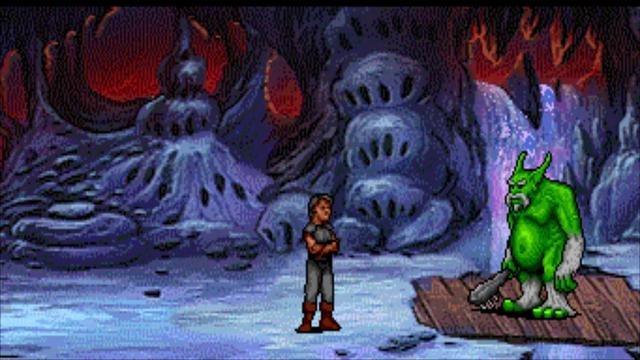
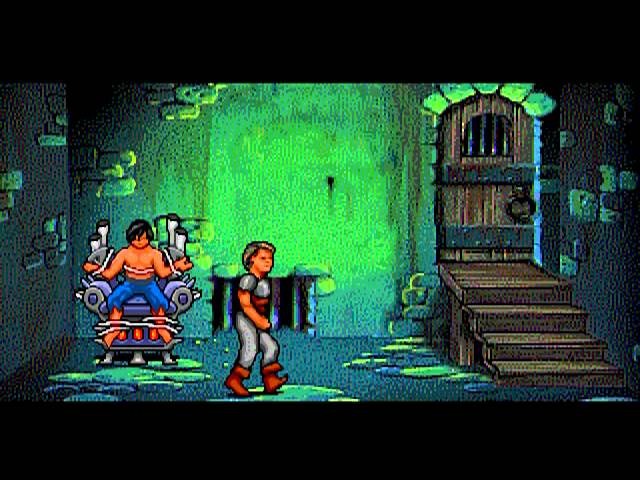
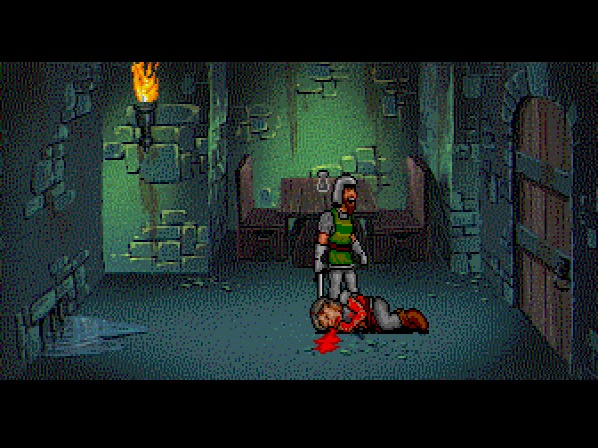
Beyond Shadowgate has a very simple story ripped straight from a text adventure or an 80’s low-budget cartoon. You are the hero, Prince Erik, who is framed for his father’s murder. You start out in the dungeons, break your way out, and off you go to beat the real murderer. The beginning of the of the dungeon is a simple version of what’s to come. You need to get out of the room, and here you need to figure out how to use your inventory, action icons, and consequences for not reacting fast enough. You will meet the Grim Reaper along with a gory animation if certain actions are done, or not done, on time, and these can be quite hilarious.
I understand that this was made back when point-and-click adventures were fairly new, but one thing I can never get past are the obtuse puzzles and lack of any hints. There is a good and bad ending, and to even get to those, you need specific items to access the final room in the game. These items are acquired by either finding them or purchasing their alternatives. Some items can be completely missed just by killing a specific creature or not talking to someone before another event is triggered. Thankfully, most of these items have multiples, so you will come across them in some form. Most of the game has Erik wandering around teasing people, and this is done by selecting the speech bubble icon and using it over something. You can see a description of something with the eye icon, and you can use items by using the hand icon. The inventory works for the limited buttons you have. There is a single column you can scroll through, and getting to the inventory requires multiple button presses.
There is a duck and punch button because these are required for combat. It doesn’t come often, but each fight gives Erik a different amount of health. He has no health bar, and it’s reset when the creatures die or you leave the screen. You can hold the punch button down, and this will lock the enemies in an animation loop of winging, and that’s your opportunity to keep up the pressure. There are a couple of tough boss fights that require patience, but this is far from a good combat mechanic, and it doesn’t need to be either. My biggest gripe is how slowly Erik walks, and there’s no run button. Backtracking a dozen screens can take forever since each screen has a black screen before it while it loads. This is one of the downsides of being a CD-based game.
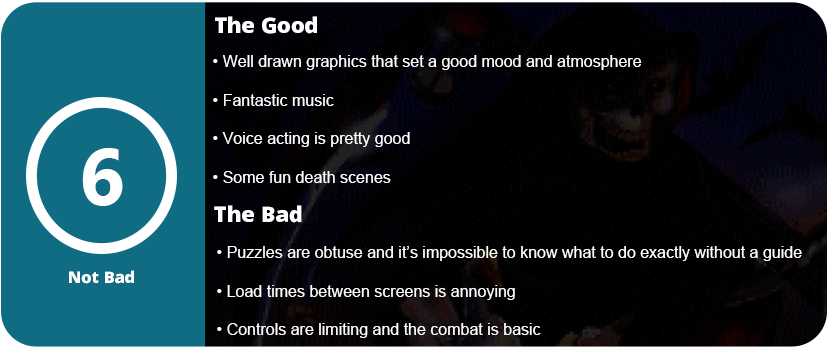
There aren’t a lot of characters to talk to, but the mood and atmosphere are well done here. The graphics are well drawn, and the music is fantastic. I think this is the best part of Shadowgate, but the voice acting is also surprisingly good as well, and there’s a fair amount of it for a game of this age. I just wish this game could be completed without a guide, but it’s nearly impossible without one. I got about 1/4 through the game and had no idea what to do. I wound up missing objects that blended in with the background, and I never would have found them without a guide. Even with a guide, I still missed items and objects that I would have had to restart the game for. At least there are three save slots, so you can go back and forth between them.
Overall, Beyond Shadowgate is a relic of its time. Obtuse puzzles, no hints, and objects that blend into the background, as well as game-stopping walls if you miss an object, A couple will even require an entire game restart. The music and atmosphere are well done, and the death scenes are pretty gory and fun to watch. The voice acting is great, as is the music, and this is all thanks to the CD technology. However, the combat is pretty basic and cumbersome, as are the controls and inventory management. I say that with a guide, this game is well worth playing through, but just don’t expect a memorable story.
The battle for handheld PCs is the next evolution in gaming. Handheld gaming has made a comeback thanks to Nintendo’s Switch and Valve’s Steam Deck. Sony released the PlayStation Portal, and Logitech released their G-Cloud handheld device. While streaming handhelds isn’t very popular and there is a huge crowd of detesters (me included), it doesn’t change the fact that portable gaming is coming back, just not in the traditional sense we all grew up with, like the Game Boy, DS, or PSP. Those days are still long gone.
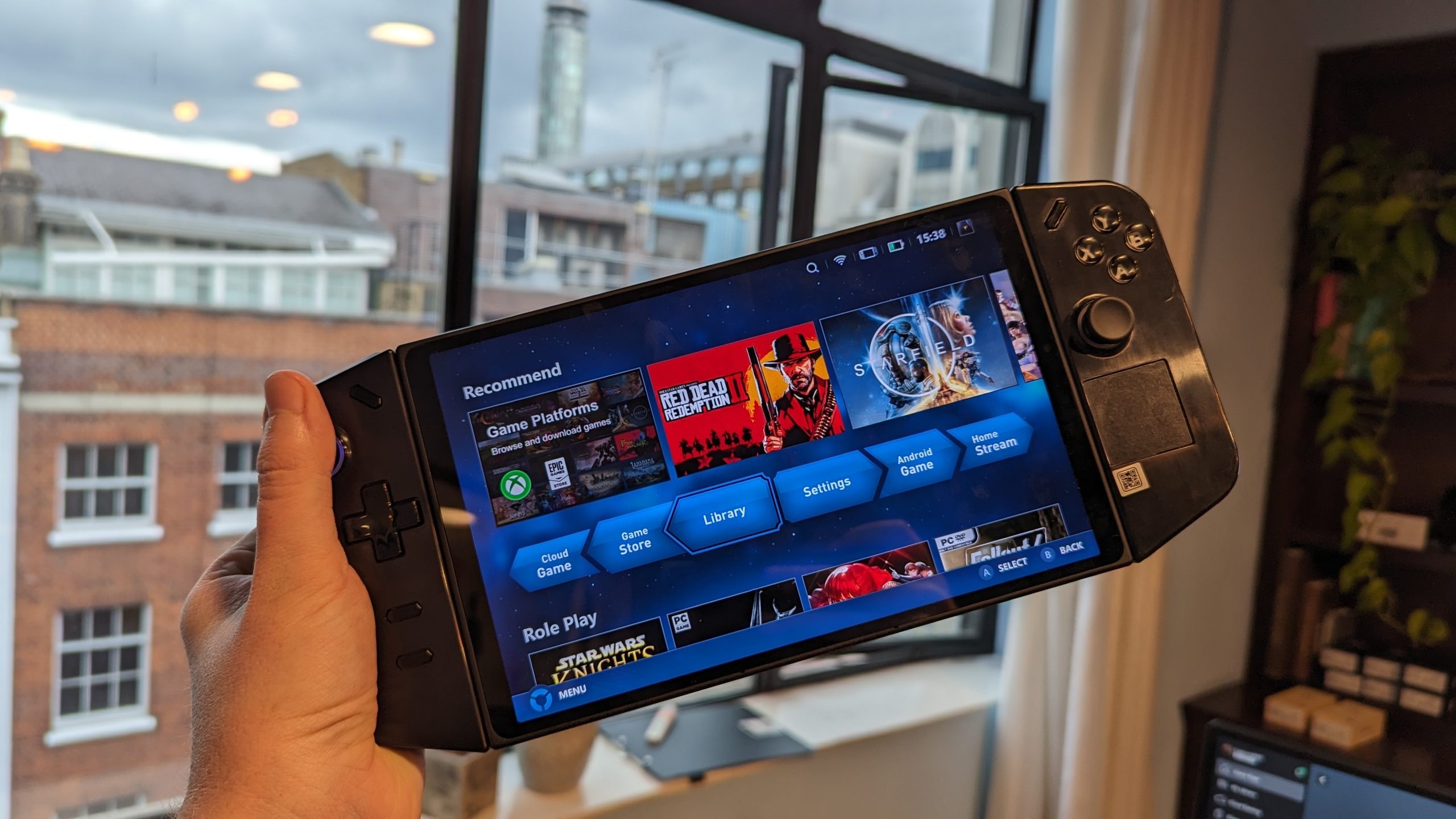
Lenovo of all people threw their hat into the ring, and I think people are taking them less seriously than ROG. While the handheld is brand new, there is a lot of potential, and Lenovo is actively listening to their community, taking a page out of Valve’s book that’s essential for the handheld PC gaming space: Ignore the player base, and your product is dead in the water. Specs-wise, the Legion Go is a direct competitor to the ROG Ally. It sports the same APU, the AMD Z1 Extreme, the same amount of RAM, 16GB, but differs with unique controls and a massive 8.8″ 144Hz screen. This is a huge game changer for the handheld PC space that has sported 7″ displays up until now, thanks to Nintendo pushing this size with the Switch OLED. Lenovo takes ideas from everyone in this space—Valve, Nintendo, and ROG—and creates their own take on the portable PC, but it’s not without its flaws.
Unboxing
The unboxing experience for Legion Go is similar to the Steam Deck. It comes inside its own carrying case but needs a retail-friendly box around that as this is sold on store shelves, unlike the Steam Deck. The Legion case is bigger but of about the same quality, holds the controller mount, and allows you to charge the system through the case, which is a nice change, but it takes one step back by not having a spot for the charger. This will be a recurring theme with Lenovo. One step forward, but one step back into something else. The system is the heaviest of them all, weighing in at nearly 2 pounds, or 864 grams, with controllers attached. It’s a heavy beast, but that large display and removeable controllers come at a cost. Outside of the unboxing, that’s where things start getting complicated.
Windows 11 Headaches
This is a Windows 11 device, and it’s not a portable gaming console. This is marketed as a portable PC, and it shows. Setting this thing up is exactly like setting up any Windows 11 gaming laptop or desktop, including all the problems and pains. Bloatware, display-changing issues, controller issues, and everything in between. This is not a pick-up-and-play device like the Steam Deck or Switch. There’s no proprietary OS running in the background doing all the heavy lifting for you. The first complication is Lenovo’s choice of using a 2K display for hardware that can’t run any current AAA games at that resolution. This leads to the need to rely on AMD Interger Scaling technology to make the games look good. Most casual gamers picking this up will get frustrated as running games natively at 1280×800, just like the Steam Deck, looks like a blurry mess, but most higher-end games can’t run anything higher than this if you want a decent frame rate. Interger scaling will allow you to essential upscale by pixel “quadrupling” in this case to make the image much less blurry, and it works really well here.
This is done in the AMD Adrenalin driver software and can be done system-wide or on a game-by-game basis. You can tell it’s working if you open up the Lenovo Space side panel (another page from Valve) and select one of the smaller resolutions. The screen will shrink down into a window. When you want to play a game at 1280×800, you select it in the side panel, and the game usually needs to be in fullscreen bordered mode for this to work. If you want to play a game in native resolution, you don’t need to change it in the side panel before launching.
There’s also an issue with Lenovo Legion Space, which is a terrible piece of software that doubles as a game launch hub. It’s not Steam, but it’s needed to change some settings for the system. Drivers are also not easily updated, like with the Steam Deck, where they are delivered with regular Steam updates. You need to go onto the Lenovo site and manually check or use their auto-check software, just like a laptop. Other qualms include needing to navigate Windows with a touchscreen and using an onscreen keyboard, but thankfully there is a touchpad on the right controller that also has vibration feedback. It doesn’t compete with the Steam Deck’s dual touchpads, but having one at all is a nice addition, and it works just fine with no issues.
Another issue I ran into was the low volume output of the speakers. They are upfiring speakers, unlike the Steam Deck, and I needed the Fxsound software to increase the volume and make the overall soundscape sound better. I also had to adjust settings in the Realtek audio driver software. This isn’t a good thing, and these power user adjustments need to be done by Lenovo through some sort of overlay on top of Windows. Legion Space needs to make huge strides to even compete with SteamOS. I also had to use BloatyNosy to remove Windows 11 bloatware and background processes to get more frames out of games. Windows 11 is not an optimized portable experience by any means.
Controllers. Yay or Nay?
You can use Steam Big Picture Mode and have the Legion auto-start this on bootup, which helps, but there’s an issue with the controllers, which Lenovo calls TrueStrike Controllers. They took an obvius note from Nintendo and created their own Joy-Cons, essentially. They feel good, they are much more ergonomic than Joy-Cons, and they have great-feeling joysticks, but some of the ideas behind them don’t make sense. They put the system functions buttons where your menu, start, and select buttons usually go. Thankfully, the Legion Space software lets you swap these, but this was a dumb move on their part. The left function button opens Legion Space, and you have to wait for it to load every time. Accidental presses were really frustrating.
These controllers are read as Xbox controllers or Xinput in Windows. Sadly, there is no Xbox menu button outside of a button combination, and there’s no way to map one as the rear buttons can’t be mapped. Lenovo blocked access to these, which are only usable in “FPS” mode with the right controller in the controller stand. This essentially turns it into a mouse, as the stand has feet that allow you to slide it around. There is a mouse sensor on the bottom of the controller and a switch to change to FPS mode. This can also double as a desktop mouse, but Steam has default desktop controls that work only in controller mode. The FPS mode feels like a gimmick, but it works and is really responsive, and it’s a nice middle ground for those who don’t like using controllers for FPS games and want a mouse on the fly. Again, this is one step forward and another backward. These extra buttons on the back feel a little hollow and cheap-sounding, but they work fine.
Another step forward is having detachable controllers to use the system as a standard Windows tablet, but then they detach and attach very poorly. The switch in the back feels clumsy and cheap, and the controllers slide down rather than up on a full rail like the Switch. This means you need to hold the system awkwardly to slide them up, and they don’t click in a satisfying way. They kind of “clunk” in, and you’re never quite sure if they snapped in or not.
The Legion also has a built-in kickstand similar to the Switch OLED, which is nice and has two charging ports. One on top and the other on bottom, so you can orient the cable however you need. If you have the system on the kickstand, you can still charge it at the top, so this is really nice. This kickstand is also required if you want to use the controllers attached, just like the Switch.
The Games Are What Matter the Most
At the end of the day, we want to just play games, right? They are great on Legion Go, and you can squeeze a higher resolution out of some games. Nothing but smaller indie and older games will run at the full 1600p, but many do at 1200p, and they look fantastic. The upside of the Steam Deck is its compatibility with Windows. All games just work and don’t need tweaking. This is why Microsoft would be smart to release a stripped-down handheld version of Windows 11, as the compatibility is already there. We just need an easier console-like experience to navigate to the actual game. Many games that would get sub-60fps reached so or beyond on Legion Go. Either with higher graphics settings or the exact same—just more frames per second.
The other upside to being a Windows device is playing games with any type of anti-cheat system in place. They all just work. Games like Destiny 2 and Genshin Impact work because the Legion is not an unsupported Linux system. A lot of the same tweaks on PCGamingWiki will also work, as will mods from Nexus Mods. You can also just use the Vortex mod manager and run everything like you would on a regular desktop PC. With a keyboard and mouse, modding is a breeze, and this is one thing I avoided on the Steam Deck.
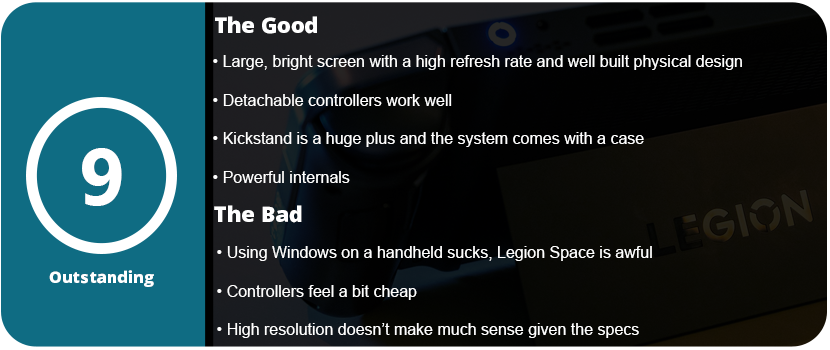
Overall, the Legion Go is a fantastic handheld PC that brings new ideas and pushes the envelope for hybrid machines. With the power of the ROG Ally that we already had and the compatibility of Windows combined with Switch-like hardware, there is a lot here to like. While the detachable controllers aren’t of the highest quality and aren’t as intuitive to use as the Switch, they offer a hybrid way of gaming and are still fun to use. The gigantic, vibrant screen looks great at 144 Hz as well. There’s a lot here to like with little to dislike, and most of the problems lie within Windows and aren’t the Legion’s fault.
The original Alan Wake is one of my favorite horror games of all time. Its gameplay may not hold up well today, but overall, the game is still solid. The atmosphere really pulled me in when the game was released, and here I am now, 13 years later, living in the PNW near where the first game was inspired. The story was full of mystery and suspense and always saw-sawed between being confusing and then suddenly making sense—always being a mystery. The story of light vs. dark and the definition of insanity play a big role in the world of Alan Wake, and that goes even further in the sequel.
Alan Wake II is pretty much an entire reboot on the surface. Taking some design questions from Remedy’s previous entries, like Quantum Break and Control, they have integrated the series into their “Remedyverse” (you can borrow that one if you want!). The story has an entirely new way of being told via live-action cutscenes and in real-time. The new playable character, Saga Anderson, is introduced as an FBI agent who is investigating cult murders in the town of Bright Falls. She gets sucked into the story of Alan as he tries to write his way out of his own madness and destroy the main antagonist from the first game, Scratch. The story continues that constant teetering of not making much sense and then wrapping around multiple times to have it all click, but I highly recommend playing the first game (there’s a remastered version out now) before playing this one, as there are many references. I also recommend playing Control first as well, as the stories are intertwined.
The game starts out so much different than the first game. Instead of a long, drawn-out, time-ccut scene of sunshine and beauty, you are tossed straight into something straight out of Silent Hill. You’re a naked, bloated man running from cultists. It’s a crazy way to start a game, and it shows the cinematic quality and effort put into this game. However, you control Saga first, and this is where the first half of the game starts. You jump between Alan and Saga, but their levels are unique on their own. Saga’s side is more action-oriented and collectible hunting. There are three main large areas in the game. Watery, Bright Falls, and Cauldron Lake. Bright Falls is a main hub town that you can walk around in and also find collectibles. These range from cult stashes, breaking open locks with a screwdriver or boltcutters (found later in the game), Alex Casey lunchboxes, and nursery rhymes. These are all fun to find, and they all reward you with different things. The lunchboxes give you manuscript scraps used to unlock weapon perks; the rhymes unlock charms; and the cult stashes have various usable items in them.
The combat itself is familiar from the original game, but it’s more refined and feels like a solid third-person shooter. You still blast the darkness from vulnerabilities to make them vulnerable to your gunfire, but it’s less frequent. Alan Wake felt like an action title and less like a survival horror due to so many enemies thrown at you at once. Like any survival horror game with guns, the best ones are locked away and require puzzle-solving skills to acquire them. Usually it’s a three-digit code, and you need to figure out the clues in the room you are in. It’s usually not super hard, and the answer is right in front of you. You just need to be observant. Weapons feel good to shoot, and while there aren’t many, they feel unique. The pistol, shotgun (sawed-off, double-barelled, and pump variety), crossbow, revolver, and hunting rifle make up the majority of your weapons, but Saga and Alan’s sides play differently even with combat.
Alan isn’t a fighter. He has much more limited ammo than Saga gets and usually only has the revolver and flare gun through most of the game. The shadows usually won’t attack you if you side-step them, but in some cases, they require you to fight. He has less health than Saga, and his levels are mostly backtracking puzzle-solving-style affairs. This leads me to talk about the Mind Place. This is essentially an interactive pause screen that would normally be a menu with flipping pages. It’s a room that loads instantly, and you advance the story here. Saga’s Mind Place is more complicated and involved. She has cases on the wall, and as you discover things, you can place evidence on said wall, and when you find everything for that chapter, the case will be solved. However, solving these cases isn’t required. You just need to place the main ones to advance the story. She also has a profiling section in which she can talk to characters in her mind. This gives her ideas when she is stuck and needs to move on further. There are also areas to listen to radio programs you found, TV shows, and manuscripts.
Alan’s Writer’s Room is similar, but you use it less often. Instead of profiling and cases to solve, Alan can switch scenes he finds through echos found throughout the levels. These are black-and-white orbs that shimmer, and you must align them with the camera to activate the scene. This is where a lot of the puzzle-solving comes in, and honestly, it is the weakest part of the game. Switching between scenes can become frustrating because you don’t know which one you need to be in to access a certain area. When you switch scenes, rooms get closed off and new ones open. This also doubles down on the light-holding feature. Alan can absorb certain bright lights that open up a new path in that room. Some areas have up to three or four lights that need to be absorbed or put back in a certain order, and it can cause frustration. I didn’t like this part of Alan’s story. You can switch between Saga and Alan at any time with portals in certain levels and play any chapter in any order. Alan’s side is mostly cinematic adventure stuff with a lot more storytelling than Saga’s. Saga has larger areas to explore (three whole large maps), and Alan is mostly confined to one small area and kept inside various buildings in a more urban setting.
Outside of the Writer’s Room scene switching and the confusing mess some of the levels can be, the game is solid with a 15-20 hour play time. There is so much content in this game that it’s hard to hate it. The visuals are state-of-the-art and push PCs and consoles to their absolute limits and beyond. On PC, Alan Wake II sports the latest ray-tracing and path-tracing tech and mesh shaders, which have been crippling the highest end of hardware. Unless you have a 4xxx series RTX card that can utilize the DLSS Frame Generation, you’re going to struggle with ray-tracing. Even with DLSS on balanced and ray-tracing set to medium (and other settings optimized through guides online), I would dip below 60FPS at 1440p. Without ray-tracing, the game runs much better, but this is one of the few games where RTX actually makes the game a different experience.
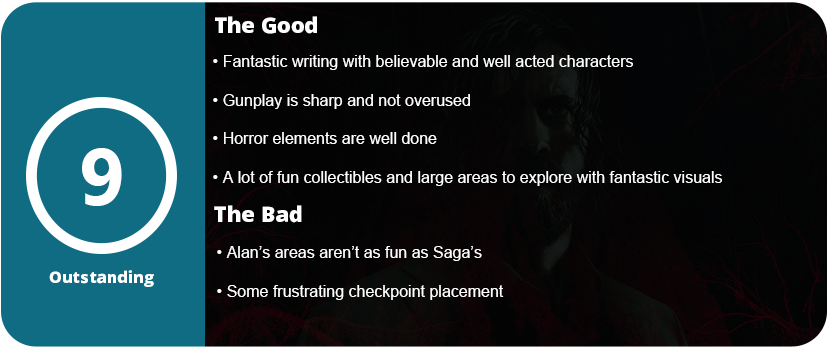
The game’s horror elements are full of haunting atmospheres and fewer jump scares. There are a few, but they were done well and got me good. The monster designs are well done, but not overdone and made to be unbelievable. The game straddles reality and fiction just right to make this seem like it could really happen. The story really does a good job of making Saga and Alan worthwhile and memorable characters and delves deep into their backstory and psyche. Very few AAA games can do this right. Alan Wake II is not just one of the best games of 2023, but of all time. This is how you can do a sequel without making it a full-on reboot or changing very little. The entire game rides the middle ground on every level, which makes it nearly perfect.
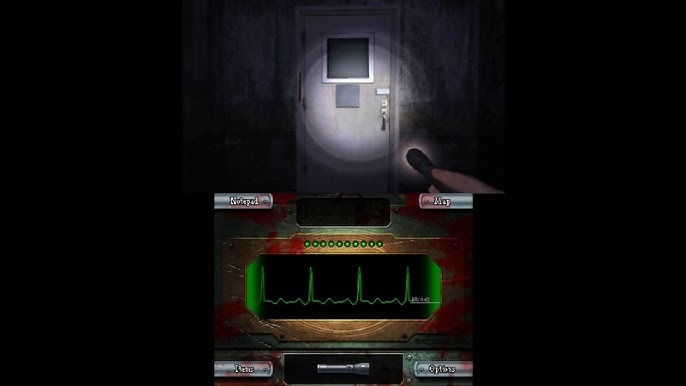
Dementium is one of the saddest stories on the DS. There are very few horror games on the system, and Dementium was a hyped-up train wreck all the way to release. Renegade Kid originally pitched Dementium as a Silent Hill game on the DS. They went to Konami to show off their FPS engine running at 60 FPS. It’s an impressive engine and still is today, and it’s a joy to play and experience, but Dementium’s tricks end after about 30 minutes, and even the remastered version doesn’t add much.
The biggest issue with the original game was the insane difficulty level and lack of checkpoints. If you died, you had to restart the entire chapter, and the game is made up of claustrophobic, deja vu-enducing labyrinthine corridors that require either a detailed walkthrough and guide or pure dumb luck. The enfuriating boss fights and repeated enemies will make your head scream, and most people won’t get through the first few chapters before shutting the game off. I did it back when the game originally came out. The first half of the game consists of finding items to progress, and this constant backtracking is infuriating. Each floor of the hospital looks exactly the same, and each hallway is literally repeated on multiple floors. I passed the same hallway with slugs coming out of the walls and dropping from the ceiling grates in the exact same pattern dozens of times. The same closets with the same set of boxes stacked in the exact same position will repeat several times in a row in every hallway. The same three office layouts repeat ad nauseam. It’s a lazy design of copy and paste, and the last of the landmarks makes backtracking an utter nightmare.
What becomes a horror game of keeping your own sanity quickly becomes apparent once you get to the first boss fight. Bosses flash red and become invulnerable for a few seconds after each shot. This is an incredibly stupid design choice. Let me blast these guys away, as you also have limited ammo early in the game, only to become Rambo by the final few chapters. Health is also finite, as whatever you find in each hallway is. Thankfully, it’s plentiful, but later chapters become endurance races. The final chapters lack any type of puzzle solving or object hunting and just see you running through dozens upon dozens of hallways, just running from enemies, hoping you find the right door that’s not locked. Almost every door in this game is locked, and the clues to the right door are the ones with bloody handprints. That’s even not 100% true sometimes. The remastered version adds new checkpoints and save points throughout the game, but those still aren’t enough. This game needs a save anywhere feature.
There are plenty of guns, such as a pistol, revolver, sniper rifle, assault rifle, and baton. They all feel good to shoot, and the shooting mechanics are very smooth and accurate. It’s a crying shame it was put to waste on this mundane slog of a mess. The remastered version also takes advantage of the dual analog controls of the 3DS, which helps as well. The final chapter of the game is a stamina rush of every enemy thrown at you numerous times just to get to a final boss that can kill you very quickly. Prepare to run through this level numerous times in sheer frustration over terror. I like the idea of switching between a gun and a flashlight, but after a while, I ran from most enemies. The same five repeat through the entire game; the novelty of a DS shooter wears off very quickly.
Overall, the visuals and atmosphere are actually memorable. The music is haunting, and the darkness creeping in around you works. There are no jump scares, and the story is non-existent outside of a few scenes. You can’t even determine what’s going on in this poem through written text, as there’s very little of it. It’s a boring, frustrating mess of a game wrapped around a fantastic game engine and haunting atmosphere. It’s a shame the remaster couldn’t do more than upscale the textures and add checkpoints that barely help the difficulty.
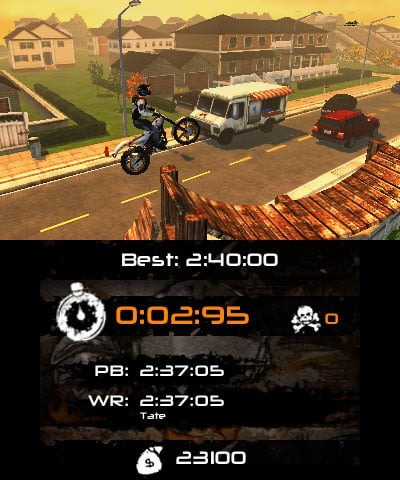
Trials is the dominant 2.5D motocross physics game. It’s a hard category to describe. I reviewed Trials 2: Second Edition over a decade ago and have loved the series ever since. RedLynx knows how to mix fast-paced gameplay with well-designed courses and tracks that are fun to master, and restarting isn’t always an absolute pain. Urban Trial is a fairly decent clone of that game, but it falls flat in many areas.
Firstly, there is no story, so don’t worry about that. You can just jump straight into the main campaign, which consists of five different urban environments and seven tracks in each area. To unlock the next area, you need three stars or better on every track in the previous map. This isn’t too difficult. Just get through the course without crashing a lot. My issues with the game started on the second map and made me question whether I wanted to keep going, at least in a single playthrough.
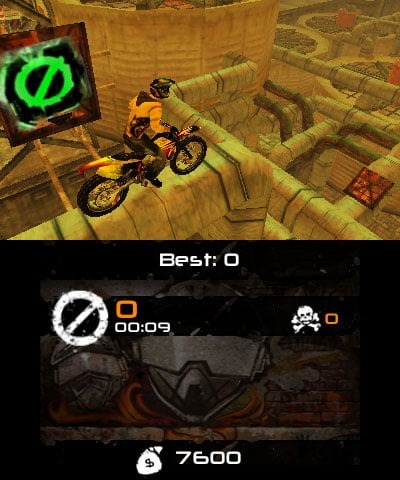
The physics in Urban Trial Freestyle 2 are mostly okay, but they put you on moving platforms that the physics engine isn’t great at emulating. Riding on a moving grate across a bunch of moving barrels isn’t as easy as you’d think in this game. A lot of times my bike got stuck on the edges, and I couldn’t pull back to get over them. Even stationary stairs are hard to get over. The physics feel almost too centered. If I push too far forward or backward, the bike loses complete control, and it’s too hard to correct it. The bike also feels way too heavy once it is not completely centered. This was never an issue in trials. The tracks are also haphazardly laid out, with too many steep jumps next to each other, so it makes it hard to gauge how to take each ramp.
There is some sort of jump scoring gauge that was never explained, and I couldn’t quite figure it out. When you approach a certain jump, a couple of green bars will float around, and your rider will make a comment that he made it or didn’t. I don’t understand what this was for, and it seemed pointless in the end. It’s hard to pull tricks on these bikes with the physics the way they are.
There are cash icons to grab in each level, but I was never interested in getting these as the unlockables are pretty lame. You can customize your dude and bike, but the options are very limited. Just a few colors and clothing items (I mean less than 10 each), and they cost a lot of money, so it’s not worth it. This felt like a throw-in at the last minute to make it feel more like a sequel or something. There is a freestyle mode where you can do stunts, but with the wonky physics, it’s kind of hard. There is also a track editor mode, which isn’t intuitive at all. It requires a lot of trial and error to get everything placed right, and with the weird physics, it just isn’t worth the effort. I feel this is for kids who have nothing else to play and got this on sale and are just bored.
The visuals are actually pretty good, with decent textures and a lot of detail in the environments, and there wasn’t really any slowdown that I noticed. I wish the music was better and there were more ambient sounds like in Trials, but for a budget eShop game, this is actually not that bad. What’s here is fun to fill a couple of evenings, and if you are itching for a Trials game, then you can’t do much harm with this game. If the physics felt more balanced and the track design was a lot better, it could go a long way toward really competing with Trials. The track editor is passable, and the unlockables feel thrown in at the last minute. All this game made me want to do is go back and play a much better Trials game, but for a few dollars it’s harmless.
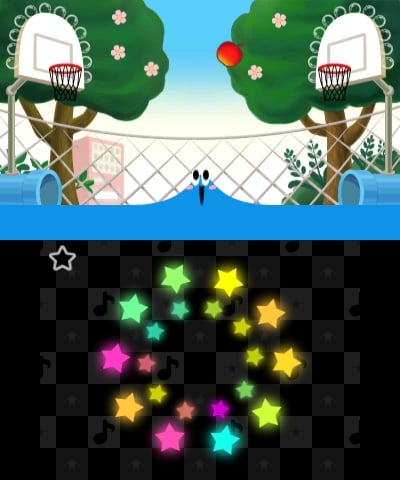
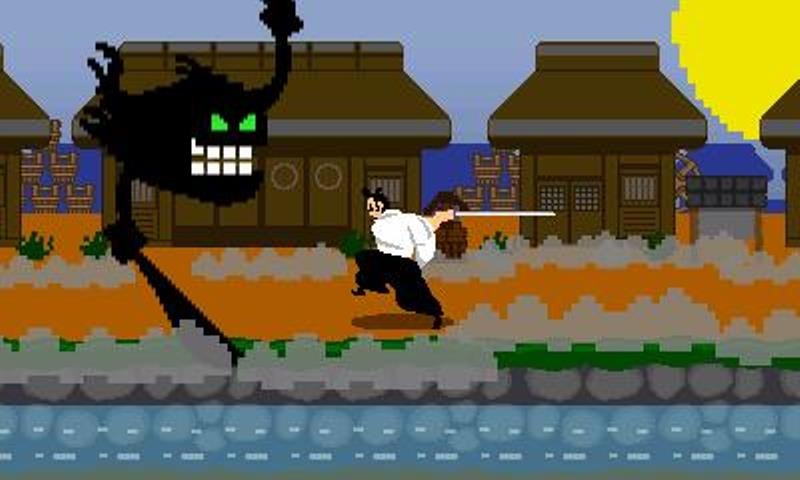
Rhythm Heaven has always been a difficult game to master. This isn’t Warioware or Hatsune Miku. This game requires precise timing, and you must be really in tune with the beat. I had to physically tap my foot or nod my head to keep myself in rhythm for some of these minigames.
The game has a typical Nintendo-esque storyline in the vein of Warioware, with goofy characters. The art style is nice and cute, with skippable dialogue, which most people will probably do. Each section contains four mini-games that you must pass to move on to the next set of four mini-games. These games are some new and mostly old from the previous two games. Mini-games require you to press the A or B button or tap the stylus (this is an optional alternative). Being on the beat is a bit more forgiving than previous mini-games, and scoring is a lot more generous. If you are just a couple of points from passing, the game will give them to you out of pity, and the boss stages will let you pass if you spend 30 coins for at least trying. My biggest gripe with the previous games was the lockout from progression, which would make you want to quit playing.
My favorite mini-games are the ones that have something physical to track. The LumberBear one is a perfect example. Logs get laid out in front of you, and each mini-game has a second type of beat to follow. There is usually a fast-paced rhythm and then one where it requires longer pauses or rapid-fire button presses (in the form of three most of the time). The first tower you play is actually much harder than the later towers because the second version of these mini-games is longer, which allows you to miss more and still pass. There is a practice mode before each game starts and if you miss too much the bottom screen will show a rhythm pattern for you to follow. This helps as some patterns are just hard to get down. Again, another way for the series to be more forgiving this time around.
There are some mini-games I was just terrible at or weren’t designed in a way that made staying on beat intuitive. There is always a visual or audio cue, but sometimes the mini-games will trick you and pull the camera out, obscure your view, or cut the audio, and this requires mastering the mini-game. It all becomes muscle memory at a certain point. This isn’t a casual rhythm game or mini-game compilation like we’re used to. Can we call this a hardcore rhythm game?
You can unlock trophies and other extra mini-games in the museum and cafe. This never really interested me, as this isn’t a game I wanted to finish 100%. Once you finally finish the story mode, there’s no real reason to come back to this game unless you really love punishment. I found this game wasn’t relaxing at all for how tense and focused you have to be to play it and pass the story stages. Even with the goofy characters and skippable dialogue, the story mode is quite long, with seven towers to finish. The graphics are great, and each mini-game looks unique and charming. This has that wacky Nintendo signature all over it. If you disliked previous Rhythm Heaven games, I would give this a shot since it is more forgiving and the timing has been somewhat refined.
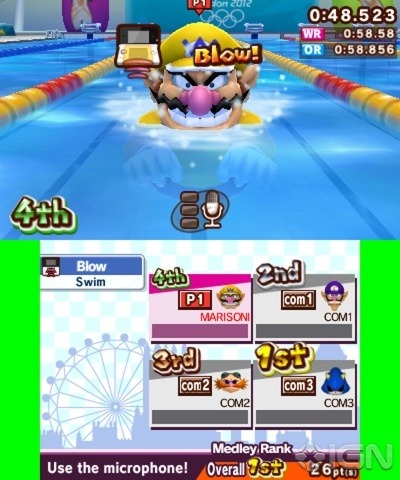
This is my first time playing a Mario & Sonic Olympic game outside of an arcade room. The series never appealed to me, and it’s been around for what seems like forever. They never reviewed very well; they all looked and seemed to be too similar, and they felt aimed at kids. A mini-game-style game set around the Olympics is usually something you can blow off. Anything Olympic-branded is most likely hot garbage, but there is something here.
The 3DS version of the game has a story mode, unlike the Wii version. The mini-games are also hand-tailored for a more pick-up-and-go style and are much shorter. The story mode is quite simply dead-ass boring and a complete snooze fest. There was zero effort put into it, and there is no reason to play it other than to get used to some mini-games. The basic premise is that Mario and Sonic can’t start the opening ceremony because Bowser and Dr. Eggman have set off a fog machine that produces evil versions of everyone. The cutscenes last way too long, sometimes up to five minutes, and consist of characters standing around grunting, showing emotes, and yapping about a whole lot of nothing. All of your usual Sonic and Mario characters appear, such as Team Chaotix, Princess Peach and Daisy, Yoshi, and Metal Sonic. That means absolutely nothing. When everyone is done running their mouths, you can pick a challenge. Some challenges are one event only; some can be more. There are five chapters in the story mode and then bonus chapters focusing on Bowser Jr. after the fog has cleared.
There are a lot of mini-games, so I will give the game credit there, and they are varied. You use everything in the 3DS to play these games. Shooting mini-games uses the gyroscope and the shoulder buttons; swimming might have you partially rotating the circle pad. A swimming game has you using the touch screen with your fingers. Some require timing and reflexes, but I felt some were pure dumb luck unless you played against an actual person. Some mini-games are just hard to understand, with about four screens of instructions before each game starts. This makes the story mode drag on, as you just want to jump in. I don’t need to confirm three times and get instructions more than once. Even restarting an event resets all of this, and it’s back to confirming everything. It drove me crazy.
Mini-games play fine on normal difficulty, but hard feels nearly impossible. Not one mini-game ever feels right or perfected. Some feel sluggish and unresponsive; others are hard to grasp and take multiple tries to understand. Some I never quite knew what was causing me to fail, such as the BMX sport excusive to the 3DS. You press A to jump, but you need to tilt the 3DS to land flat. I could never figure this out and always landed wrong, no matter what I did. Games that require timing, such as fighting sports, just get frustrating because it seems the CPU knows what you pressed, and it’s a dice roll as to whether it fails. This is most notable in table tennis and badminton. I would get 50 rallies on one match and fail, but the next serve, the CPU would fail in 3 rallies. It never felt fair.
It got to a point in the story mode that I avoided the timing and reflex mini-games and went straight for ones that required physical ability to win, such as blowing into the mic, tapping a button really fast, or using the stylus. When you finally beat the story mode, you can mix and match event types through unlocked playlists or create your own. Once you’ve played every game a few times, there’s no reason to keep playing against the CPU. This game really needs a second player to feel fun, but then you still run into issues with sluggish controls, and the game never quite gives you the control you need or that would make the mini-game feel more organic.
The visuals are pretty good for a 3DS title, but they’re nothing special to write home about. Textures and character models look pretty decent, but it’s your typical Sonic or Mario visual style, which can feel pretty boring around this point in time. I wish the story mode was better and wasn’t geared towards pre-schoolers, and there are a few really fun games in here, but they are buried by the sheer weight of many other sub-par games.
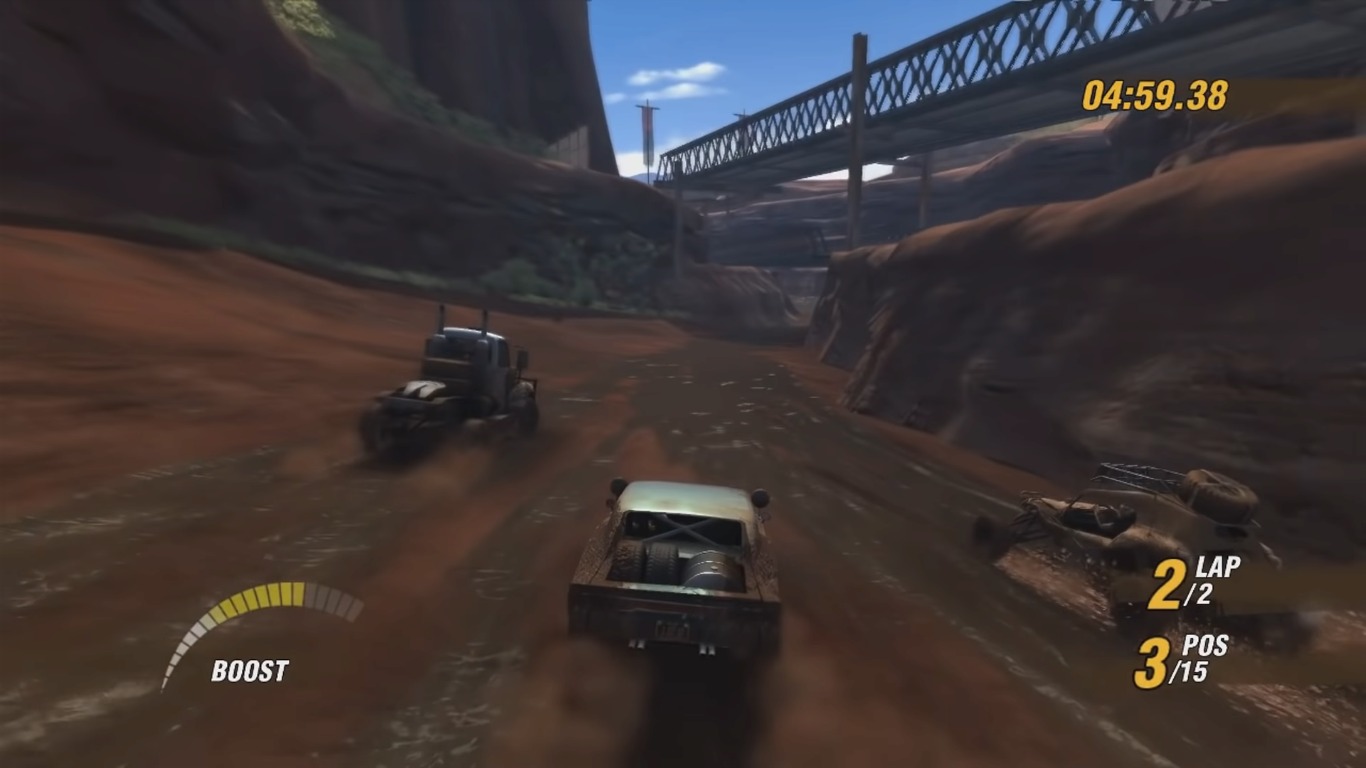
I remember seeing the trailer for this game during the PS3 reveal when Sony briefed the world on their latest console. The trailer blew my mind. No one knew if it was real-time gameplay footage or not. I remember being impressed by the mud deformation effects and how light reflected off the water in the mud. After playing this game, I realized that it never looked anything like that or that the trailer was pre-rendered. MotorStorm still looks pretty good even today, but there are other problems than my foggy memory.
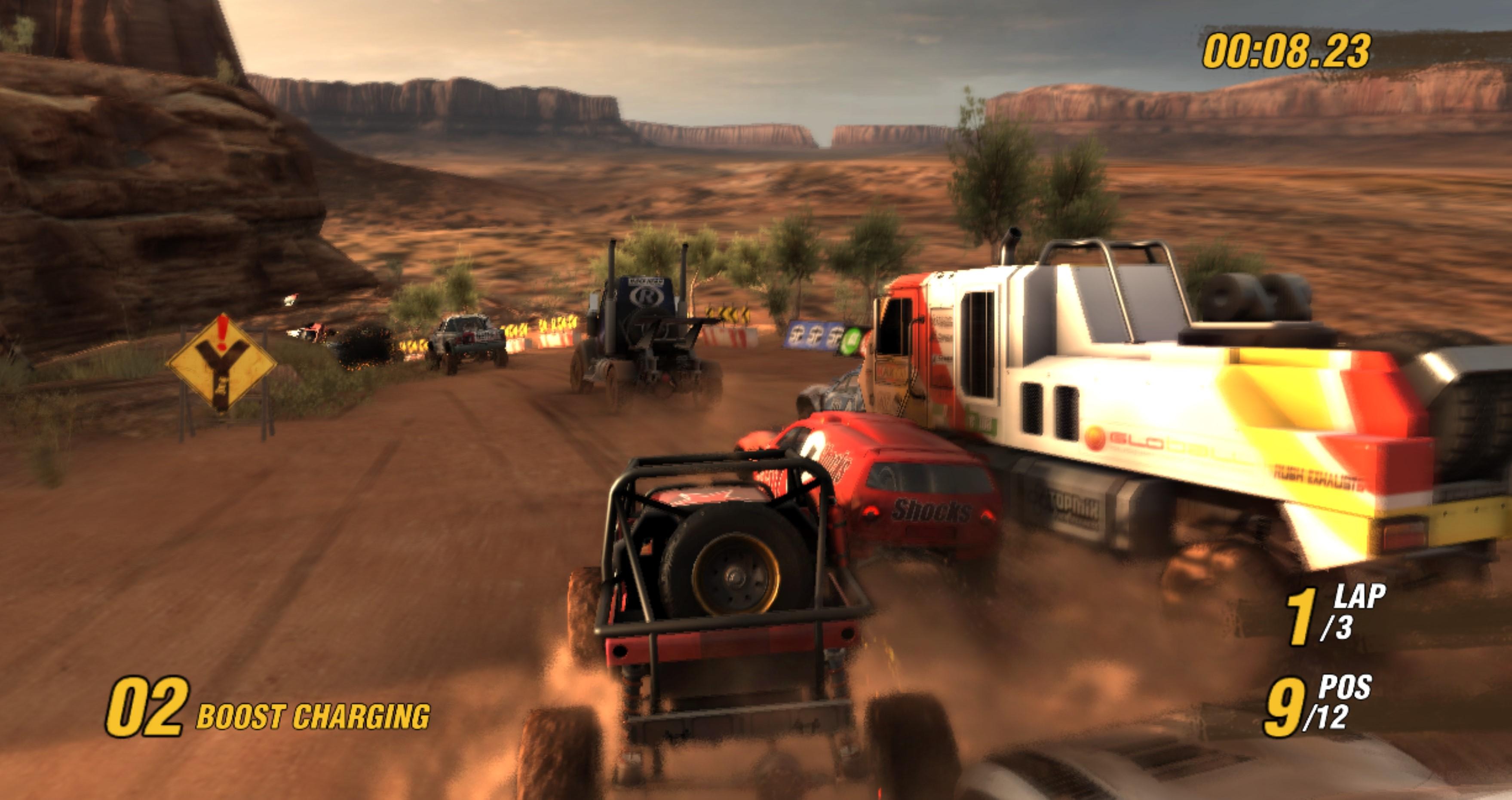
The game is fairly basic, but for a first-time effort for a new franchise, the game isn’t too bad. This was also what feels like a slightly rushed title to get it out the door for the PS3’s launch (which it missed). The game consists of only circuit races around nine different tracks. The draw of MotorStorm is the different vehicle types and how they interact with the terrain. There are trophy trucks, rally cars, buggies, motorbikes, ATVs, and even big rigs. Each vehicle does feel unique, and the interaction works in terms of agility and jump height. There are different paths on each track that are best suited for a different vehicle type. Motorbikes are best at jumping large gaps, but big rigs won’t make the jump. Buggies are great at lots of small bumps, but some cars might slow down a lot here. There are even areas with a lot of junk that you have to maneuver around, or you will crash.
Crashing is incredibly annoying in this game. Every crash activates a slo-mo cam, and you can’t skip this. Your car resets back to where you crashed, but the game has some serious rubber-band AI as you fall way behind after just a couple of crashes, and sometimes you can’t catch up depending on your vehicle. You have to memorize each track well and master them to get first place, or even think about qualifying. Sharp hairpin turns can send you off a cliff; the wrong path can slow you down too much if you’re not in the right type of vehicle; and the signs posted on some tracks for the vehicle aren’t helpful. I wish there was a vehicle recommendation during the ticket selection so I didn’t have to trial and error with each vehicle. Vehicles are also all the same in each category. You get to pick between three styles and three colors. There are no stats at all. Annoyingly, each vehicle must load in during a real-time vehicle selection screen.
The main campaign is played by advancing in tickets by winning points. You must place third or better in each race to continue. There are 25 tickets and up to five races in each ticket. Races all have three laps, so you can imagine it gets tedious. And boy, does it. The same tracks repeat over and over again with no variation in even types. Why not drag races? How about tracks with lots of jumps? Something, anything, to break up the monotony. After tickets 7-8, I got tired of the game and shut it off for good. By then, I had finished around 40 races and had raced every track multiple times.
That’s another big issue with this game. The tracks are all similar. There are only desert or dirt tracks that mostly look the same. It’s just dead brown flat textures with nothing in between. The layouts themselves, in terms of jumps, turns, dangers, etc., are well done. Once I learned a track, it felt good to race around flawlessly and know what paths were best for the vehicle I picked, but after 3–4 times on each track, I got tired of it. Not to mention having to constantly restart the same one over and over again (some were a dozen times) because one crash too many made me fall too far behind. You need to flawlessly race around these tracks, and it can get super frustrating and punishing.
MotorStorm has a lot of potential to be a great arcade racing series. There needs to be more focus on terrain deformation, more track and event type variety, and a bigger distinguishing difference between vehicle types. I also felt the menus were sluggish with constant loading, and the game suffered from texture pop-in a lot, but in the actual races, the gameplay and framerate were smooth. Can we also get another color in the sequel besides brown, please? Please, and thank you.











































 thebinarymessiah.com
Clearly you have been blocking everything you or haven't played the game at all. Maybe pay attention to the story…