I’m currently on my journey to finish a chronological Batman story, and where best to start than Year One? Issue #404 changed the entertainment world forever and helped pushed comic books into more serious adult territory. The days of the campy Adam West “Kapows!” and “Whams!” are gone. Comics needed to grow up and mature, and I for one don’t like comics from the Golden/Silver Age, and I can barely stand any from the Bronze Age. Frank Miller took it upon himself to change the world forever.
Frank Miller and team were taking the three most iconic DC characters at the time, Batman, Superman, and Wonder Woman, and tried transforming their backstories and consolidating everything into a reboot for the new age. Batman’s was one of the only ones that stayed the same. Year One perfectly tells Batman’s origins in just four issues. Think about that for a second. You understand why Bruce wants to protect Gotham, why Detective Gordan is a good soul that becomes hardened from the City and brings in the first two villains into this new world. Dr. Hugo Strange and The Roman.
Year One made such an impact for a reason. It inspired all of the movies and games that came after. The dark and grungy city of Gotham. Endlessly tall buildings, dirt, grime, filth, and constantly dark somehow with no sunshine. Prostitution, drugs, sex, and gore. It’s all here for the world to see in the late 80s. This wasn’t a comic book for the kiddies anymore. The only other character that’s introduced into this new reboot is Catwoman and we get to see how she started out as Catwoman as well. This is so well written and the pacing is perfect. By the end of Year One, you are set up for literally any arc to come and that takes real skill and talent to do.
My only grip on the comic is the poor use of the font. The cursive can be really hard to read sometimes and of course, the art itself has aged. This was all hand drawn before digital art was really a thing so it looks rough in some shots. There are some iconic panels with Batman seen with just his silhouette and white eyes. I loved every shot of Gotham itself and there was a good amount of action and talking scenes. There’s the constant switching between Gordan and Batman and the scenes change so much that you don’t get bored. This is a page-turner for sure.
In the end, if you want to start reading Batman comics this is the perfect place to start. It’s when Batman got serious and when the comic industry got serious with their iconic characters. Even if you think you know Batman’s origins you don’t know it in this kind of detail.
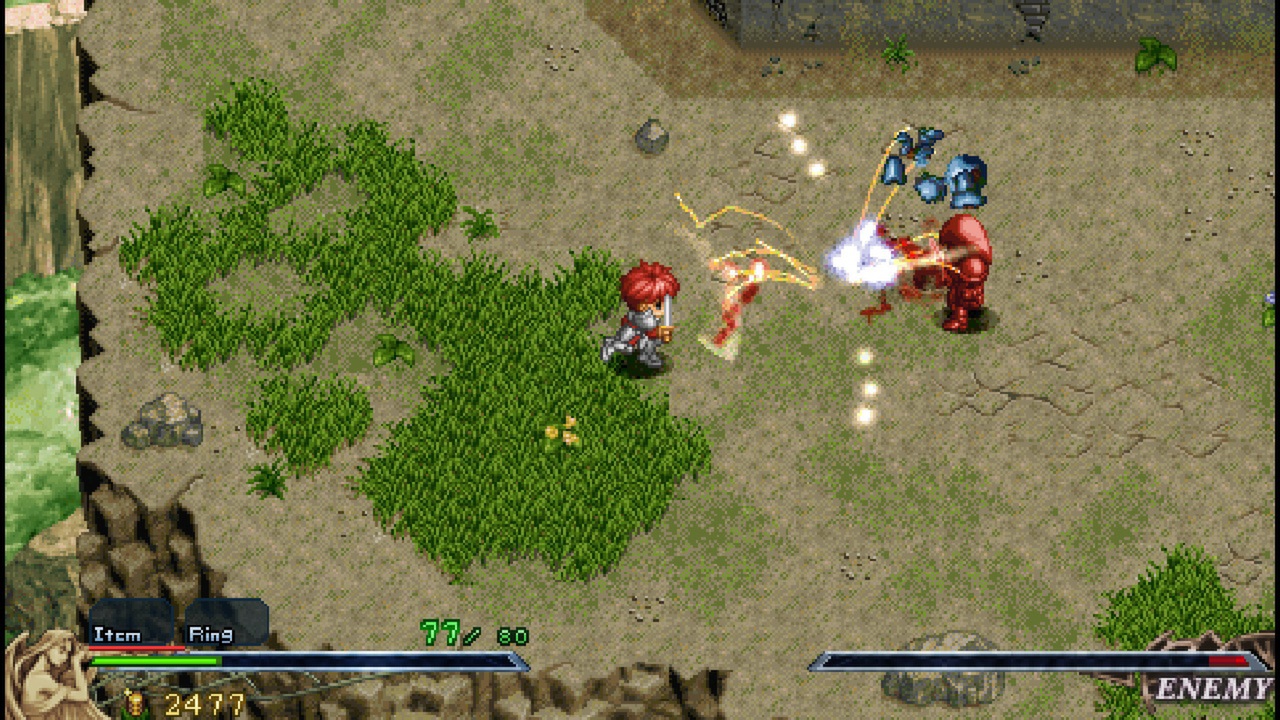
Ys is a series I have barely dabbled in. I rarely finish JRPGs either due to their insane difficulty spikes, incessant grinding, or boring story and characters. Ys I is a game that’s older than I am. It’s also incredibly short because of this and due to the cryptic nature of games from the late 80s, I decided to play this game using a walkthrough guide. This is sadly one of those JRPGs that has a specific way to play or it becomes an incredibly hard game. There are so many things you can miss, but also encourages multiple play-throughs. For a game this old, I don’t see any reason to play it other than to complete the Ys series from the beginning. It is as basic as JRPGs come due to its age as well.
The story is pretty decent despite the short playtime. I actually enjoyed the characters as well. There isn’t a lot of talking that drags on forever. The game does get to the point with some short and sweet dialog. You play as series’ main protagonist Adol Christin who must collect the books of Ys to save the world from evil. It’s pretty typical, but I enjoyed the small little world they built around the books of Ys. They were interesting to read and I felt this was a world you could get sucked into if it were to progress (which surprise, it did). The art is amazing with beautiful backdrops. The music is also fantastic thanks to legendary composer Yuzo Koshiro. Lots of rock and beautiful orchestral music. The Chronicles+ version contains both the chiptune versions and the arranged versions.
Ys‘ main combat system is called the “bump” system in which you just walk into enemies and are dealt knockback damage if hit straight on. The idea is to hit them on the edge of their sprite kind of like speed jousting. It’s a weird system but keeps the pace of the game moving and I like that. Again, the game is really hard unless you quickly level and are constantly acquiring the best equipment. You can get some for free if you do things in a certain order or find a certain key for a certain chest. These are JRPG tropes that I absolutely hate because most of the time no one will know this without a guide or accidentally coming across it. Easter eggs and extra dialog are fine, but essential things to play are something that really irks me.
Due to the short length, you can easily hit the level cap in a few hours. The cap is 10 and you quickly acquire money and XP as you advance to more powerful enemies. For such a short game there is a large variety of them as well and their design is really cool. I always looked forward to seeing what was next. The dungeons are also varied such as a mine (which is dark), an ice floor with mirrors, a 20-floor tower that you must climb towards the end, forests, and other places. It’s crazy just how much unique content was crammed into a 4-5 hour game. One thing I was relieved by is if you keep up with the equipment and level up to maybe 4-5 before the first boss you can easily fight each boss with just a few hits. I know that sounds crazy, but there’s only so much balancing in a game this short. The final boss is notorious for being impossible to beat, and even with the best armor/weapons, level cap, and on Easy I still had to try nearly a dozen times to beat him. You also can only fight him with a specific weapon.
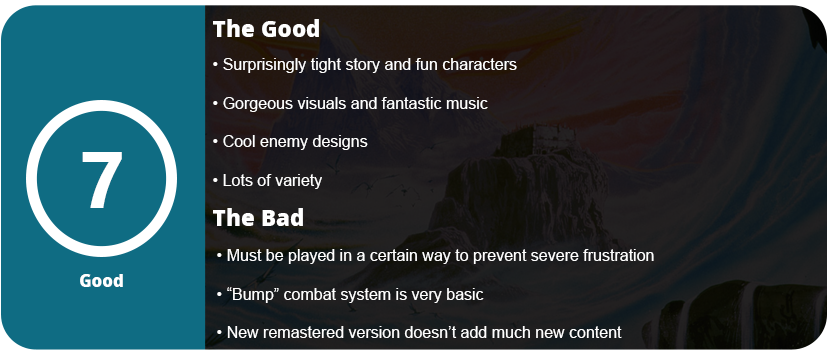
Overall, Ys Iis a memorable JRPG if you play it the way it was supposed to be played. Many will get frustrated due to needing to constantly level up fast and always have the best weapons, and the weird boss difficulty spikes will turn many away. I only recommend this game if you’re a fan of the series or really want to start from the beginning like I am. It has fantastic art and music and is a well-contained and fun JRPG…if you play it right.
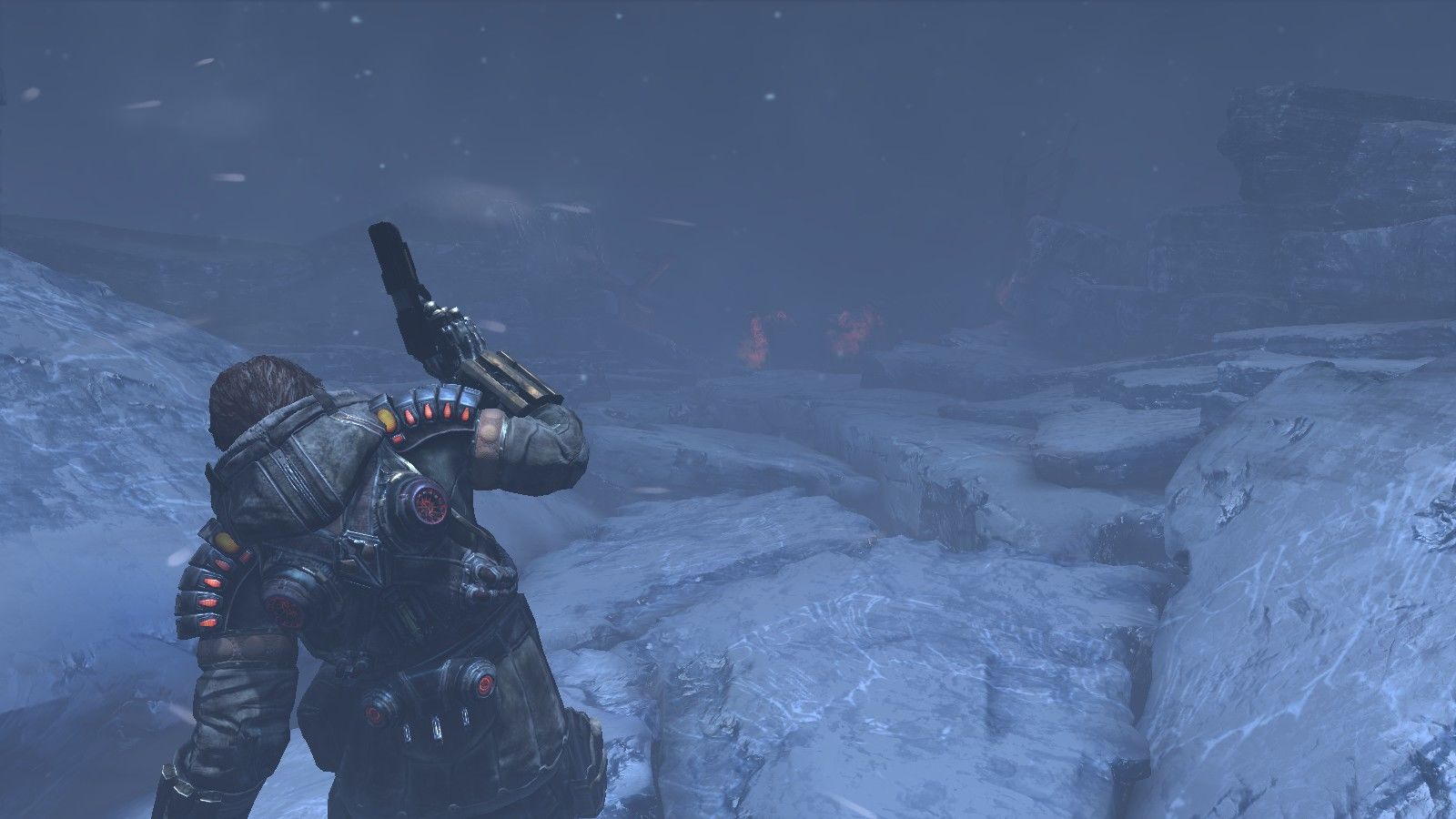
TheLost Planet series is one of those sad ones you see on “worst of” or “what happened” YouTube videos. The first game is great if not repetitive. It was early in the HD era of gaming and showed off what the Xbox 360 could do. The second game took a serious dive and tried to be a Monster Hunter rip-off and the third game tries to blend both but doesn’t do it very well. The biggest strength in Lost Planet 3 is the continued story from the first game and it’s done quite well with story twists and surprises, but it’s dished out too slowly and the game in between is repetitive and slow.
You play as Jim Peyton. A man who is just using his rig to make some money to send back to Earth for his wife and baby. You are back on E.D.N. III and you are back to work for the NEVEC company just like in the first game, and the story starts out really slow. While you wait for that to pick up you get to learn the two main gameplay loops here. On foot shooting and your rig. The rig is a hulking mech that can’t really fight. It’s mostly used to trek across small areas to get to an objective and I honestly find this a waste of time. The whole trapesing across areas to get to somewhere isn’t done right. The areas are small, there’s zero exploration, and it just wastes time. You can eventually unlock fast traveling, but you can only fast travel at the opening of each area. The first 2/3 of the game starts each mission with you doing the same preamble of walking out of the base and then across the same areas dozens of times to get to the objective. When fast travel is unlocked it helps, but why wasn’t this an option from the start?
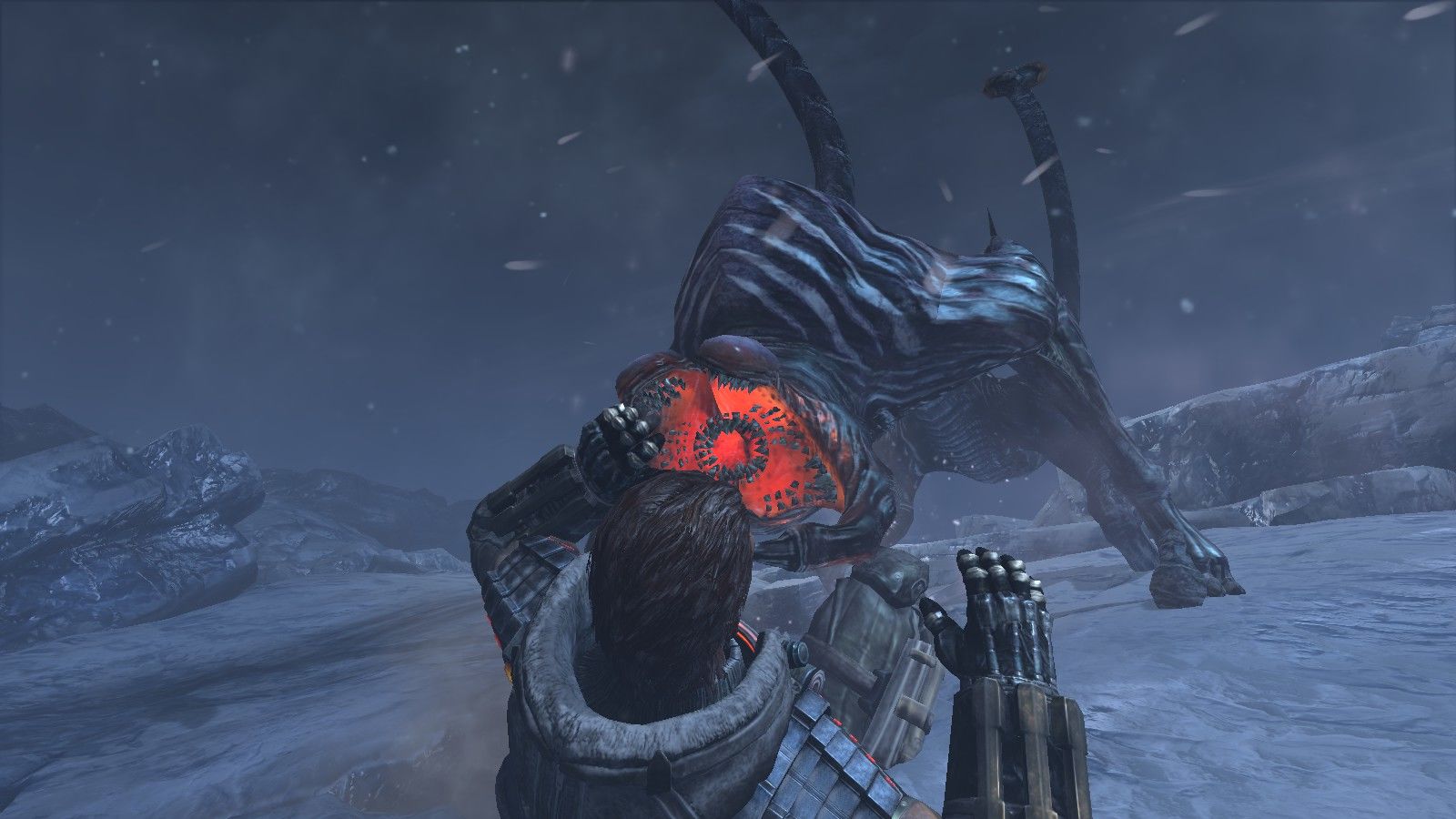
The rig can kind of fight, but it’s melee brawling with larger Akrid which are the planet’s native creatures you must kill. The same five-six enemies repeat throughout the entire game and it gets old quickly. There are a ton of repeated boss fights in the game and to mix things up (not really) you can fight them in the rig as well. This consists of timed blocks and then using your claw arm to and drill to get at their weak points which glow orange, a series staple. This orange stuff is the lifeblood of the planet and used as currency in-game and is sent back to Earth to solve the energy crisis. The mech itself is very clunky but in a bad way. It feels unresponsive and sluggish to move and the boss fights are never epic feeling or satisfying. The most irritating missions are the ones in which it turns into a drilling platform and you must defend it. These missions last for what seems like forever and you never have good enough weapons for the enemies at hand.
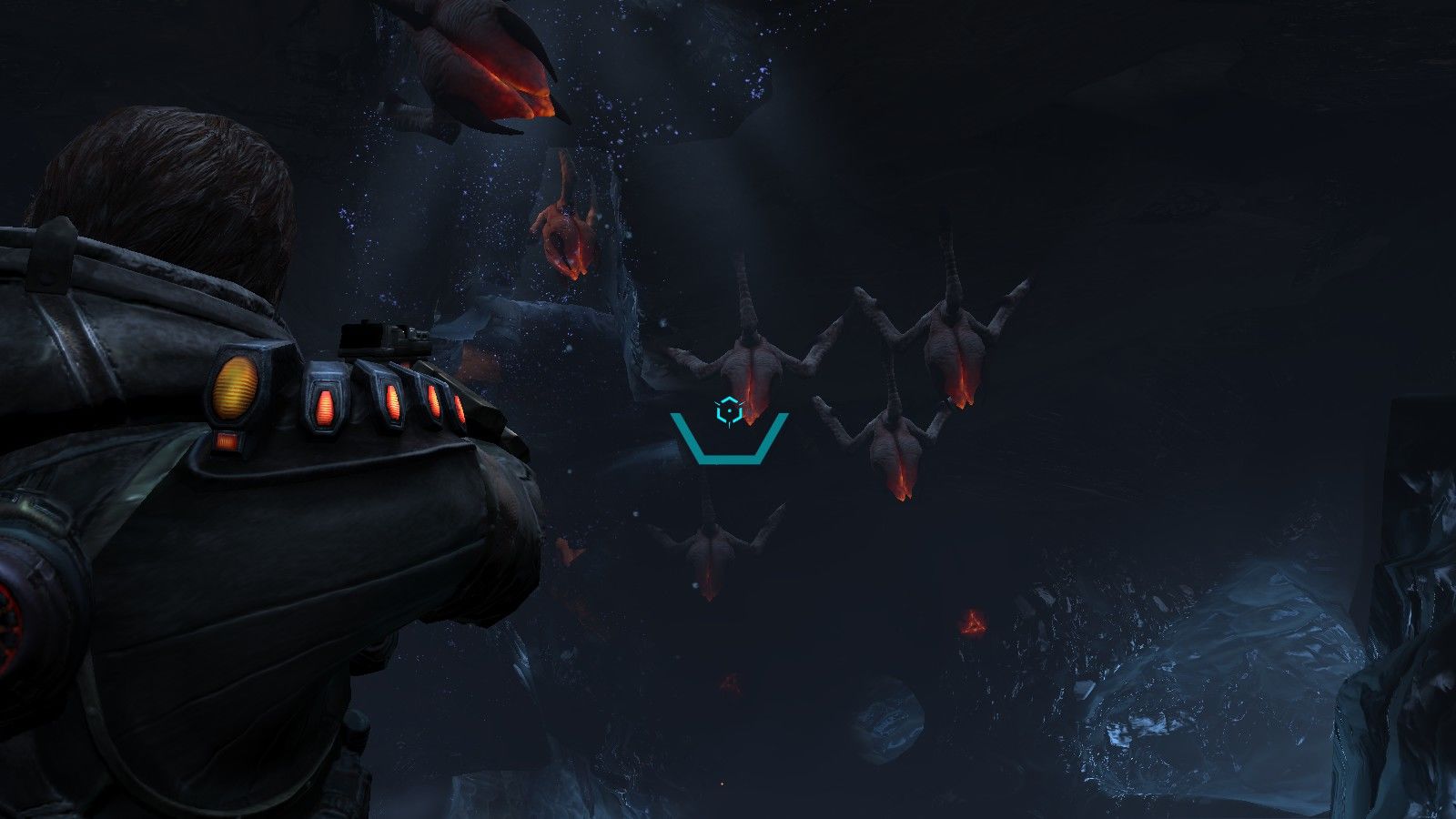
Let’s get to the on-foot combat. The weapons here are completely useless. Only the shotgun and assault rifle is any good. The hunting rifle, bowcaster, and grenade launcher are mostly useless. They fire too slow as every single enemy moves fast and swarms you. They only became useful in the final chapter when you finally fight human enemies. The same few enemies repeat. Three small swarming enemy types, two larger giant dog-like creatures, one centipede-like creature that can use cover, and three boss types that repeat often. That’s it. The game relies on quick-time events when enemies get too close and especially in the rig. They all move fast and don’t benefit from long-range weapons or slow-shooting weapons. You need a lot of ammo to pelt at them to keep them off of you. There are upgrades and weapons to purchase, but you wind up not needing most of them for the other weapons because they are useless. You can also upgrade your rig, but outside of armor there really isn’t a reason to do much upgrading.
The entire game is also dull to look at. Sure it looks nice graphically, but artistically the entire game is just ice and snow. There’s no variation and it just looks boring. Even the base is boring to be in because it’s all ice and snow. I know this is a frozen planet, but there are usually other biomes on every planet type. Mix it up some. Outside of shooting Akrid you are pulling levers, turning knobs, and pressing buttons. There are some scripted events, but the few interior areas are drab and just as boring as the outside. The game has no soul and feels like a typical cookie-cutter shooter. It feels like it tries to be Dead Space 3 sometimes with odd horror music that doesn’t fit and the creatures that hide behind cover.
Overall, the game is just so underwhelming. It doesn’t have compelling shooting, the weapons suck, the rig is wasted by not having any weapons, and the areas repeat just like the bosses and enemy types. The story is the only thing worth sticking around for, but unless you’re a hardcore Lost Planet fan there’s no reason to play this. The story is for fans of the original game and newcomers won’t get the full impact of the twists in the story. The graphics look nice, and the voice acting is great, but the same repeated ice and snow levels for 10 hours get old really fast. Sadly, this series doesn’t end with a bang and there’s a reason why Capcom left it in the graveyard.
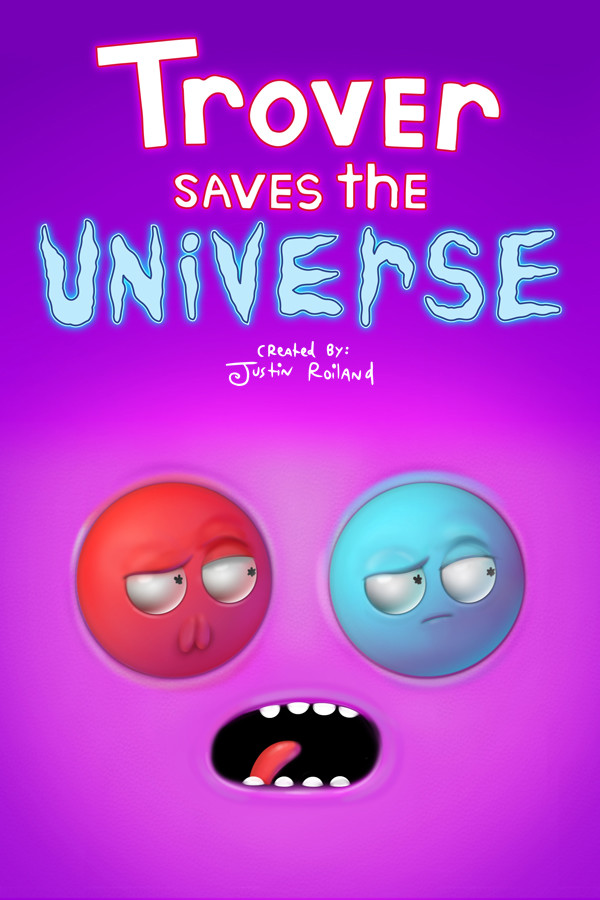
Rick & Morty became an animation phenomeon due to its quirky humor, crazy art style, and memorable characters. A lot of people don’t like the show, which is fine, and a lot of people love it. I just want to preface this review by saying if you don’t like Rick & Morty you won’t like this game. It’s basically an interactive Rick & Morty episode with the same voice actors, but with original characters. It’s the same humor, but more vulgar and mature due to not needing to tone things down for cable TV.
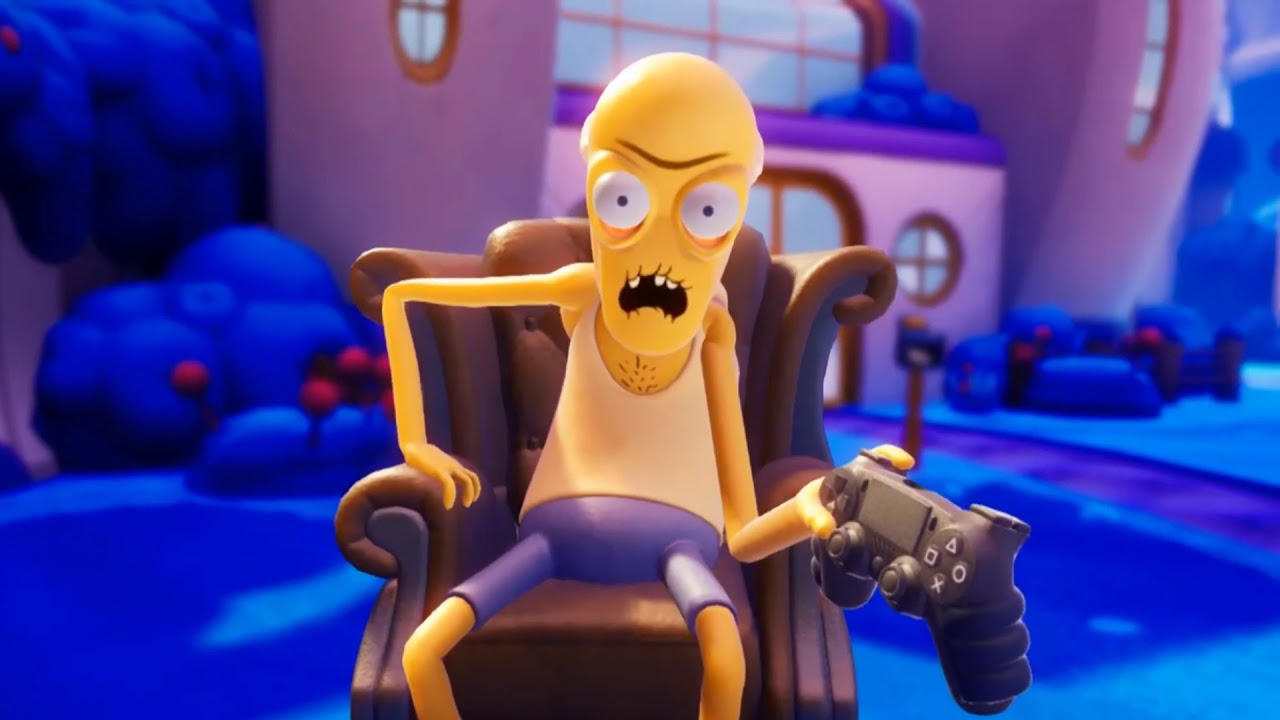
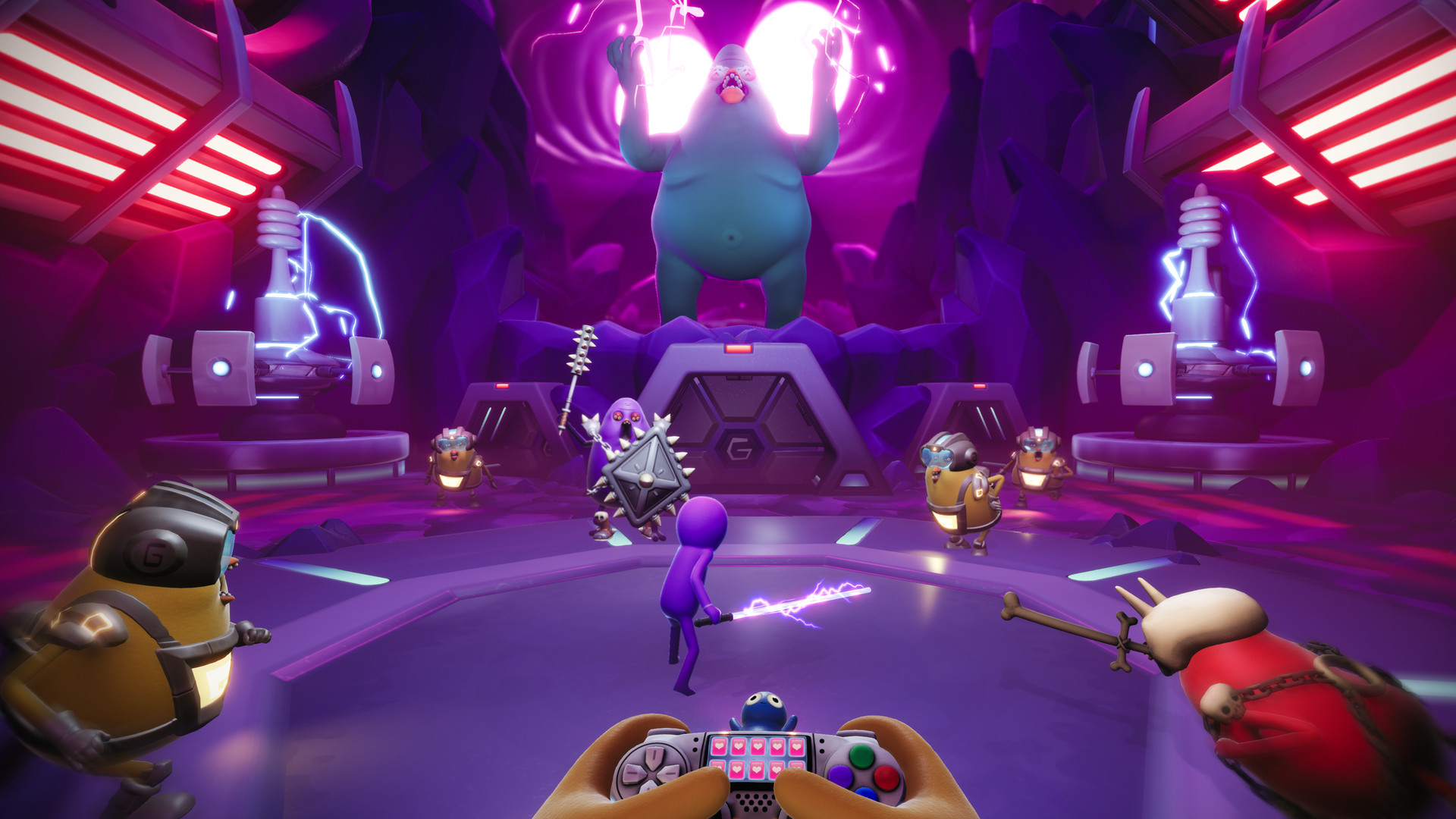
You play as a Chairorpian. A floating person in a chair holding what looks like a PS4 controller. The center part shows Trover’s health and the button presses reflect yours in real life. This is mostly for playing in VR, but it’s still funny without. Your two dogs get stolen by an evil god thing and Trover is sent to you so you can control him to save the universe. The story is insane and crazy and while it makes sense it’s as simple as an animated TV episode. It’s nothing groundbreaking. The most entertaining part about the game is the dialog. Characters break the third and fourth wall constantly and call out typical video game tropes which is hilarious. You can stand near a character and they will drone on for several minutes longer with a new dialog. If you don’t do a certain action Trover will call you out on it knowing you’re supposed to do it. The writing never misses a beat and is spot on.
When it comes to gameplay this is where Trover kind of falters. It’s incredibly simple and basic and pretty boring. Trover has a lightsaber-looking sword and he has a simple basic and heavy attack, but the heavy attack has to be acquired later on. You also have a dodge roll button which also has to be acquired. It’s an obvious stretch for gameplay time and feels necessary. Enemies are “kiddie video game” territory in terms of ease. There’s zero challenge here. Some enemies need armor knocked off which you can do by throwing objects into them, but it’s still not a challenge. There aren’t any puzzles here either. The ones that could pass as one are super easy and require no thinking. There is some platforming, but this is marred by the weird camera angles due to your perspective. There are nodes that allow you to move around and you can hover higher up to get a bird’s eye view, but it still makes some platforming more difficult than it needs to be.
There are green babies you can collect to upgrade Trover’s health, but I didn’t bother much with this outside what was out in the open. The game is so easy the upgrades feel like an afterthought. I mostly enjoyed just exploring the weird worlds and listening to all the dialog. The game gets incredibly graphic, but I personally love this kind of stuff. Too many games are afraid to dive into this territory. It’s just gross, sexual, vulgar, and super weird which I can’t get enough of. The writing of the show is elevated a bit due to not needing to censor anything. Visually, the game is fairly tame outside of some cartoony gore, but the dialog goes off the rails.
The game can be finished in about 5 hours, maybe 6-8 if you collect all of the green babies. It doesn’t stay its welcome and has a satisfying ending. However, there’s zero replay value unless you want to go back in VR. The gameplay is so basic and dull that I wouldn’t even do that, to be honest. If it weren’t for the awesome writing and characters and striking visuals this would be a pretty basic and generic game at its core. The pacing is at least great and you get pushed along the story and always see something new. A single evening would suffice and it would be well worth your time.
Overall, Trover Saves the Universe is full of Rick & Morty humor cranked to 11, but offers simple childlike gameplay. If you hate the show you will hate this even more, but fans of the show must play this. The over-the-top writing that you never see or hear in video games is a breath of the fresh air and it’s never boring. Once you finish the game there’s no reason to come back, but the time spent is worth the price of entry.
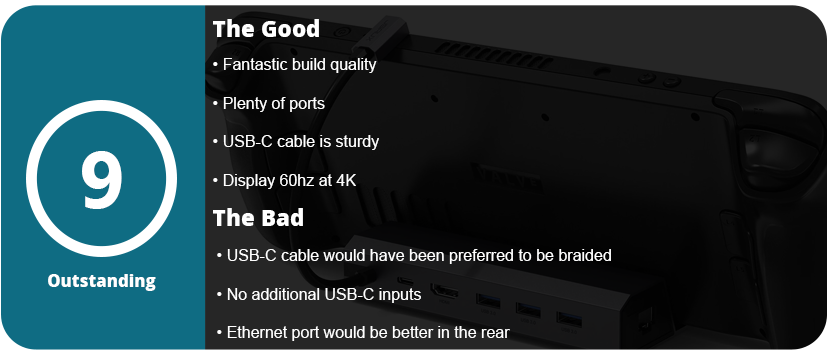
USB-C docks are fairly common and can be used with the Deck. However, the unique handheld console form factor of the Deck makes it awkward to prop it up on something. If you use an external monitor this isn’t a problem, but I want to tinker around in desktop mode on the Deck’s screen itself which is just fine. The dock also keeps the Deck up off the table and just makes it look nicer in your setup.
The dock itself is built with high-quality aluminum. It’s solid and has a bit of weight. My biggest fear was the cable that goes into the Deck itself. Thankfully is fairly thick and the point where it goes into the dock itself feels solid. It would take a massive tug to pull it out. I would have preferred a braided cable here. The end that goes into the Deck is bent at a 90-degree angle and is very solid and won’t go anywhere.
The ports themselves are tight as well and not loose. The three USB-A 3.0 ports are a nice touch. You can have a keyboard, mouse, and external drive. Any combo of USB accessories will not be limited with this dock. The HDMI port is a nice touch since it’s full size. I also like the addition of an ethernet port. It works well and has access and status lights. I would have preferred the ethernet port on the rear as well, but you can only fit so much back there. I also would have liked an additional USB-C port that may be on the opposite side of the ethernet port. Missed opportunities, but what’s here is fine.
The docking part itself has rubber pads to keep the Deck from moving around and is molded perfectly the to bottom. The actual dock itself has rubber pads on the bottom so a simple bump or shake won’t knock your Deck over. I was even able to hold the Deck while it was docked to use the controls for testing things and it wasn’t an issue. The dock is also light enough and small enough to fit into a bag. It’s a high-quality product and I also didn’t have issues displaying 60hz at 4K, but why you would want to do this with the Deck is beyond me. It can’t game in 4K. Maybe in desktop mode with YouTube videos? The option is there at least.
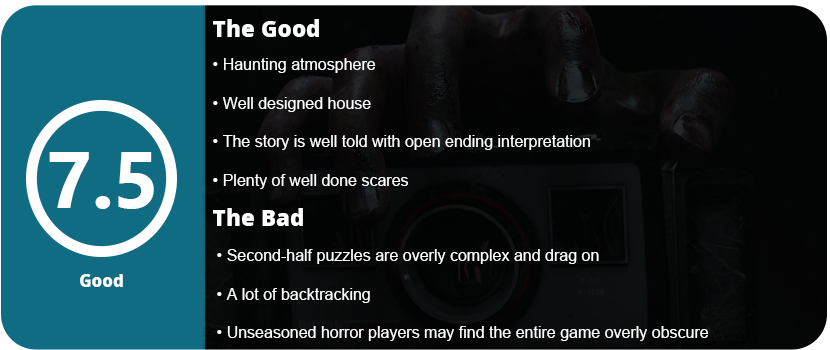
Ever since P.T. was shown and canceled it set a new standard for survival horror games. Silent Hillhas always been the gold standard to live up to and many games have since. MADiSON is one of the first games I’ve played in the style ofP.T. to actually be good and pull off the scares and atmospheres. While not inherently as frightening as P.T. or other horror games it definitely gets across a dark and haunting atmosphere with plenty of scares.
The game starts out really solid but also has foreshadowing of the game’s main weakness. You start out in a dark room with just a TV on and your dad pounding on a door. You need to use the TV as a flashlight by spinning it around and finding a handle to a cupboard on the wall to get a hammer. You get to crawl your way into the rest of the house which acts as the main area you will be solving puzzles. Madison is all about puzzle solving as that’s all you do. The first half of the game can be solved fairly easily. It’s the same affair of examining everything you can and finding that one thing you can pick up and can use on something you remembered it would go to. A lot of finding and matching at the beginning. In between, there is the main gameplay mechanics which involved a Polaroid camera. A Camera Obscura isn’t unusual in horror games. The entire Fatal Frameseries is based around one, but here it’s used to advance the story. There are Polaroids laying around objects you can photograph. When you do you can shake the photo to expose it. While most photos don’t need this some need to be exposed to show a number for a combination lock.
I have to give the developers credit for the great layout of the house. This is a huge issue with a lot of horror games. Many require tons of backtracking through the same area and they grow as you unlock new areas. The house in Madison is well laid out with lots of landmarks to memorize where certain things are. I knew the main starting point with the “ritual area” was past the dining room. The basement was in the main hallway etc. The house is laid out like all horror games should be laid out. Make it memorable with easy landmarks because you trek through the house probably hundreds of times. Most of the rooms hold puzzle areas or transport you to new areas to solve puzzles. You also have an 8-item inventory limit and need to trek to your safe often to store and pick up items. Outside of occasional scripted events, not much happens in the house outside of sounds. There is one scene in a water-filled basement that was probably the scariest in the whole game. The developers really used audio to spook the crap out of you and draw out many fears people would have. Creepy static on radios with unclear voices is haunting.
When you’re wandering around the house nothing happens in between puzzles. Just a lot of squeaking doors, wind blowing, slamming doors, etc. There’s Luca’s breathing that gets annoying as his deep sighs repeat often, but the house itself is just haunting. The sterile lighting, the ultra-realistic look to the house, and the head bobbing. If you played the P.T. demo you know what I’m talking about. This is the new-age horror style that needs to get perfected and Madison definitely sets a new bar. Here’s where things take a bit of a dive. Halfway through when you get to the infamous candle puzzle area in the church many players may turn the game off. You must find four different candles in two different time periods and match those colors that are associated with religious imagery. You also have to navigate through four different mazes and if that candle’s image isn’t there you have to backtrack, go back to the other time period, navigate the same maze again, then repeat this three more times. The one thing the game doesn’t tell you is that if you listen to the confessional too early a ghost stalks you and can kill you if you don’t place the candle down before he shows up. Thankfully he only exists in one time period. I was able to place the first three candles before doing the last one, but many players won’t know this.
Then there’s the clock face puzzle. You must match clock faces that are shown on five different walls but the correct faces are spread out around the house. It’s a lot of memorization and backtracking. And then there’s the Blue Knees ghost puzzle that was incredibly frustrating at the very end. None of this spoils the story, but the last half of the game will really try players’ patience. The game got so much right up until this point and it felt like filler to stretch a 2-hour game into 5. Horror game developers please listen. You don’t need insanely mind-bending puzzles to be a good game. I know this is a trope, but please stop it. No one liked them 25 years ago and no one likes them now. We play horror games for the atmosphere, scares, and intense scenes, not puzzles.
In the end, the story itself is open to self-interpretation. It’s not obvious or clear when the credits roll about what happens to Madison or Luca, but what is obvious are the possible reasons why the ending occurred the way it did. Props to the developers for making an open-ending without being cryptic or making no sense. The visuals are excellent and the production values are up there, but those later half puzzles really bring the game down quite a bit. If you can push past them you’re in for a treat with this being one of the best horror games in recent years.
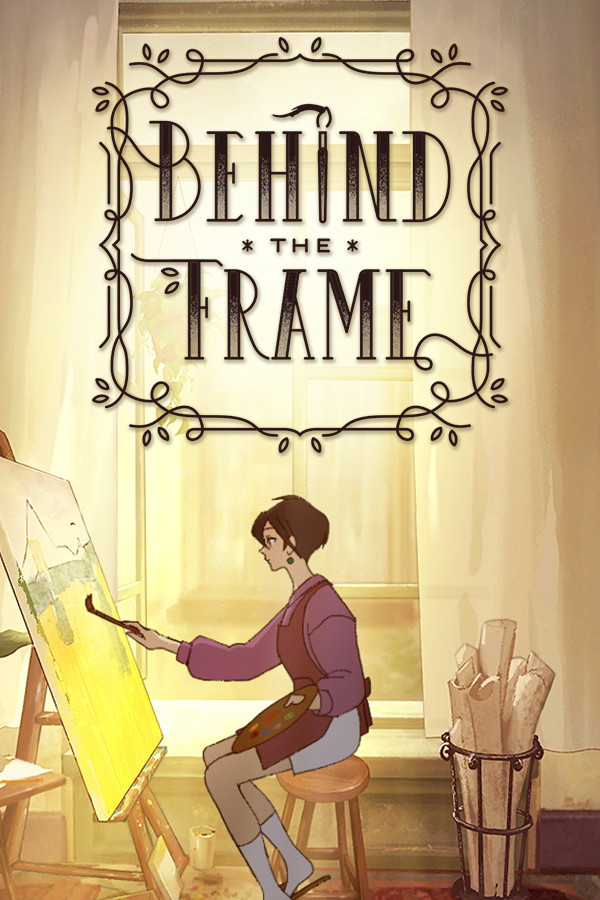
We as humans tend to dwell on death and what lies beyond. It’s only natural as we simply don’t know. Behind the Frameexplores this concept with an emotional tug-of-war of a story, but you really need to pay attention, and a lot of the story is more between the lines and not what’s really being shown in front of you. There’s a lot of assumption that you know what’s happening when the main character looks shockingly off in the distance based on the previous scene. It’s done fairly well too.
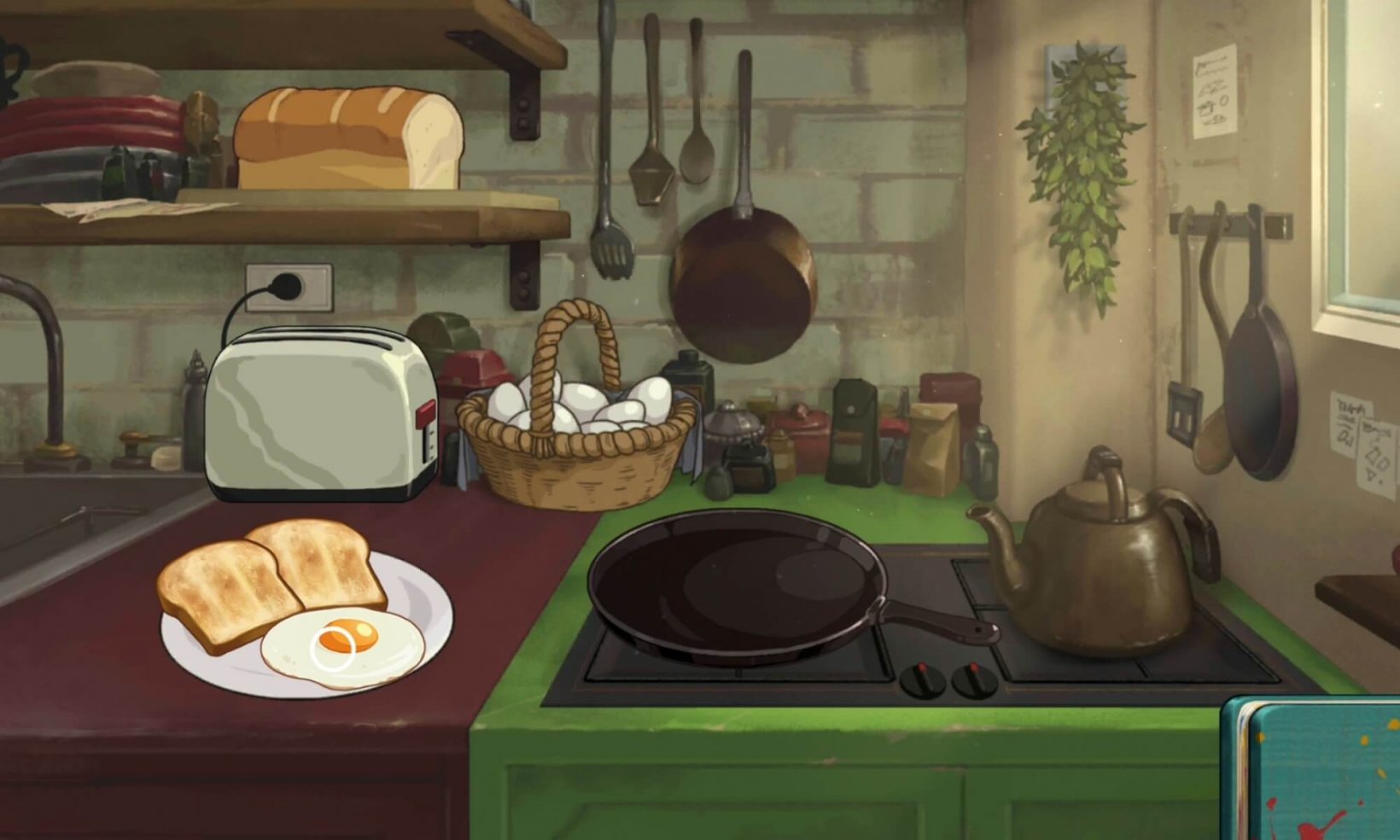
Most of Behind the Frame is puzzle solving. It takes a dark twist halfway through and it surprised me. Your goal is to acquire all five missing colors on your paint palette to finish your painting. To do this each color is locked away behind a chapter puzzle. These got rather complex towards the end, but nothing you can’t figure out without exploring and finding that key item that gives you that “AHA!” moment. Some puzzles are as simple as matching colors on a painting to memorization. Nothing is overly complex and it does eventually come together. The painting itself is a matter of scribbling enough in the empty space and it will auto-fill. Nothing extraordinary there. There are some other small tasks like making food which is as simple and dragging items around.
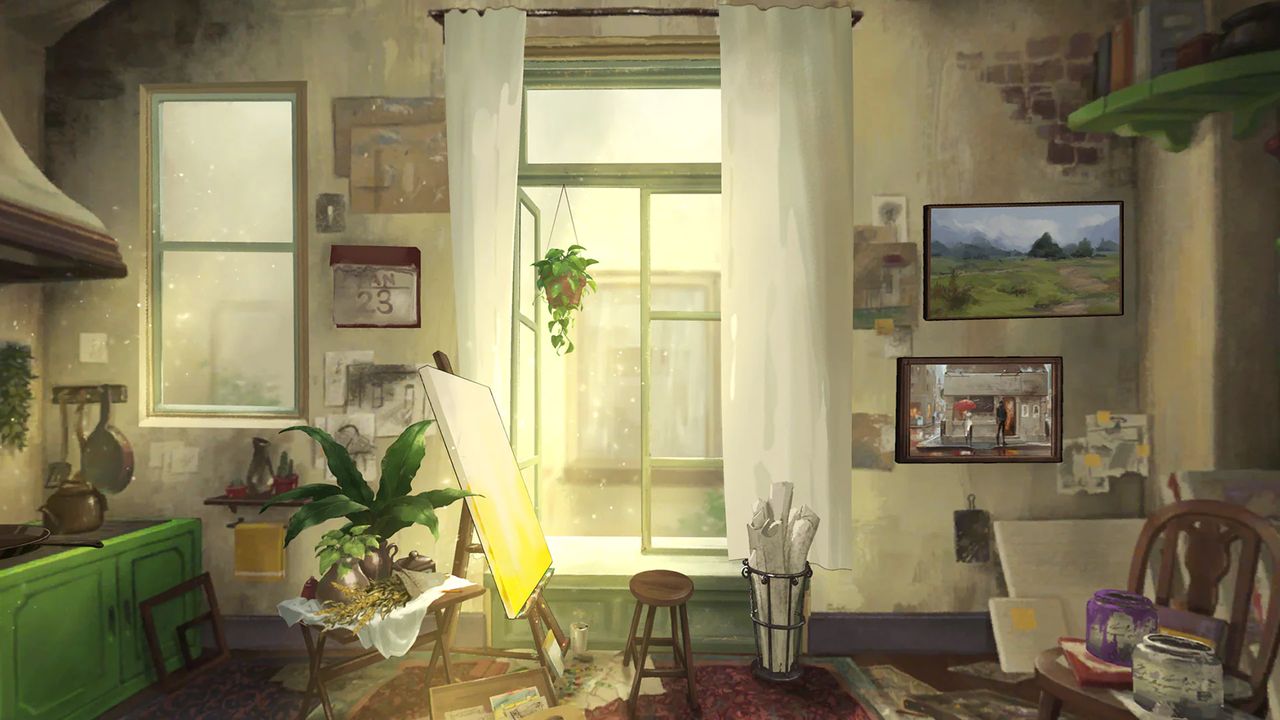
There isn’t a lot of context on the main character’s life itself through any reading of notes or anything. It’s pretty much learning about her past and her connection with her neighbor. The game has gorgeous anime-Ghibli-inspired art with a few small cut scenes thrown in. I never got tired of looking at the game, but it is confined to mostly her apartment. Every so often you “dive” into a painting, but it’s usually just for story context. There were a few panoramic scenes that were breathtaking. I actually felt like I stepped into a painting myself a few times.
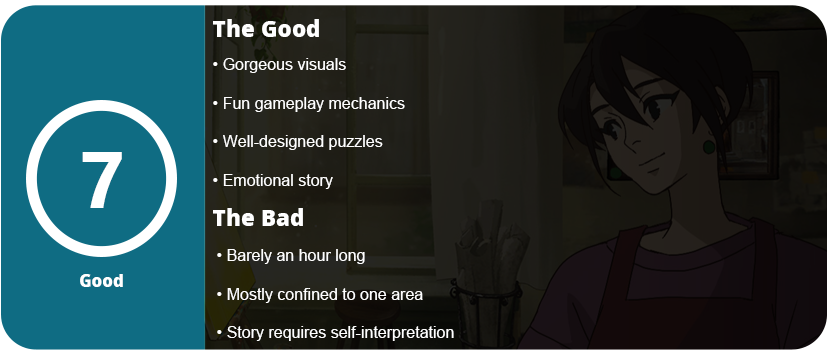
In the end, the game is over in about 90 minutes or less depending on how long it takes you to solve the more complex puzzles in the final chapters. Without having to solve these this game is over in an hour. The story does unfold quite a bit towards the end and without voice acting it gets a lot of emotions across and I have to give the developers credit for that. Most of these short indie games don’t have any meaning behind them. They have some clever gameplay ideas or neat visuals and nothing beyond that. Behind the Frame actually tugged at my heart strings a bit and got me thinking at the end which is more than I can say for 60-hour-long AAA titles. If you want a puzzle-filled emotional evening with great visuals and fun gameplay mechanics then look no further.
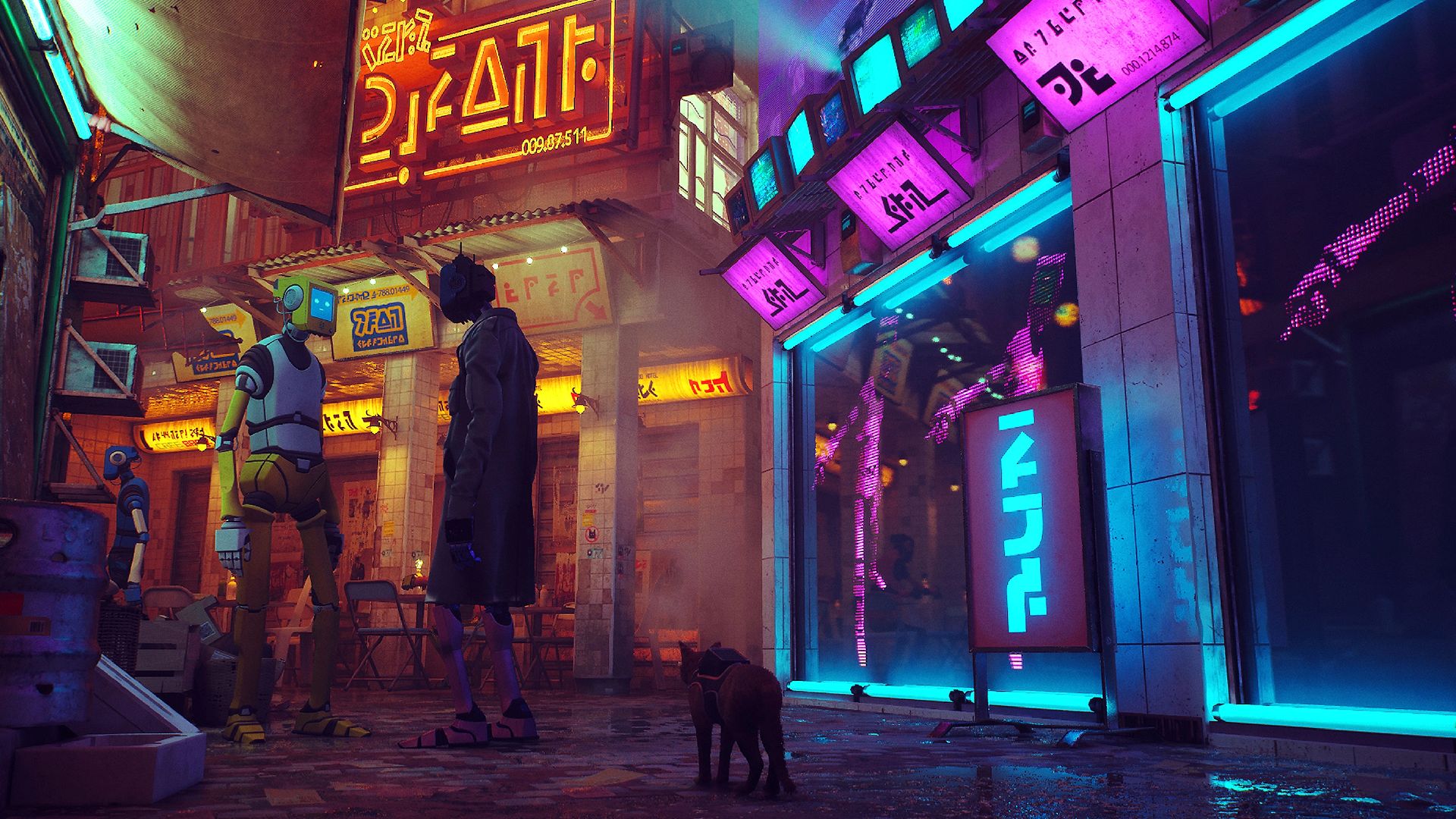
I love cyberpunk settings. There’s so much darkness and imagination that can go into the setting. It’s also a setting we could possibly be heading into ourselves with the way technology is advancing and how much we rely on it. Stray is all about exactly this issue. You play as an unnamed orange cat who ends up in the middle of trying to help a race of robots see the “Outside” again. You befriend a robot named B12 who helps you communicate with these robots and he also learns about his identity along the way.
Stray has some really good pacing. It’s a very short game that can be completed in a single sitting, but it has exploration, puzzles, scripted action events, stealth, and collectibles. That’s a lot to back into 5 hours and it’s done very well. Let’s start out with the obvious. This is the best representation of a cat in any video game. The animations are insanely realistic, you get a meow button that’s pretty much useless, but it’s there, and you can do cat things like knock stuff over, sleep, scratch on carpets and walls, and get paper bags stuck on your head that reverse the controls. While it may seem superfluous on the surface it helps add to the love of cats that the developers have even though none of these things really involve advancing the game further.
Jumping around in the game is dealt with context buttons. The jump button will appear on top of the platforms you can climb onto. Outside of this, there are no other actions except accessing B12’s menu to look at items and the flashlight. On occasion, you will have chase sequences in which you are running from a swarm of insect-like creatures, but most of Stray involves finding ways into rooms, platforming, and minor puzzles such as rolling barrels underneath things to jump up to. There are three major cities you end up in. The first one involves vertical platforming that lets you find lost music pages, B12 memories, and various item gathering to progress past certain points. The second city is a brief visit, but the last one is pretty large and looks beautiful. You can also talk to the various robots in the city to help you find out where to go or give you hints.
My favorite parts of Stray were the areas in between cities. I liked climbing around, jumping, and running from the insects. The city areas slowed the game down too much for me especially trying to gather the items needed to progress out of the city. The game looks gorgeous with lots of neon lights, and it’s surprisingly dark and gritty for a cat starring a cute cat. The story is pretty touching and tugs at your heartstrings towards the end. Despite the short length, the developers did a great job connecting you with these characters. However, there does seem to be a missed opportunity here. This is a game that would benefit from being open-world. A vast cyberpunk city with side quests and tons of areas to explore. While quite ambitious for such a small team, it would be great, and I think a lot of people are mistaking this game for something like Cyberpunk 2077 in its scope.
Overall, the game is a lot of fun and quite enjoyable despite the limitations of exploration. The game is sadly, poorly optimized on PC with lots of stuttering, terrible temporal anti-aliasing, and shader caching issues. I played the entire game on Steam Deck and it suffered from stuttering when going into new areas. When it’s all said and done, Stray is a very unique game and the love of the domestic feline companion oozes through the screen and pulls on your heart.
I haven’t been this excited about a handheld console since the Sony PSP, nor have I been as impressed. There have been many excellent handhelds by Nintendo and various Chinese third-party manufacturers, but nothing quite like the Steam Deck. If you have been living under a rock for the last year the Deck is the most powerful handheld ever made to date. Sporting custom AMD APU hardware and many fantastic and exciting features that make the Deck the next handheld that makes gamers envious.
The Deck was announced at a bad time. With the global COVID-19 pandemic driving sales of popular consumer electronics sky-high thanks to chip shortages and shipment delays, the Deck was a hot-ticket item for scalpers and general gamers alike. I set my alarm and smashed the refresh button on Steam when the pre-order went live. The server crashed and was down for 2 hours after this and I thought all hope was lost. I finally got through and placed my $5 deposit only to realize it was going to be a year or more before I got my unit. When the Deck finally started shipping in late February everyone started pre-ordering more and gamers got greener.
If you want you can check to see when your pre-order will ship thanks to a bunch of community members’ calculator. It’s not 100% accurate but gets more accurate as people input when their Deck shipped. Mine originally said the end of July, but it shipped at the beginning. Check it out here.
I got my pre-order purchase email on July 4th. Right as I hit the bed to go to sleep the email arrived. It took about 9 days to arrive after the purchase. As of my purchase, there are less than 100,000 Steam Decks in the wild (probably not including review units) and I feel incredibly privileged to get my unit so early. I feel the 4.5-month waiting period allowed the Deck to receive a lot of updates and improve some over time.
There are 3,000 “verified” games as of this review with a third of my library being verified. Being Deck verified means the game boots up and launches without any tinkering and has readable text, supports the Deck’s resolution, and can run at default graphics settings. Similar to how you would experience a game on a console. There is a “playable” flag that means it runs fine, but there’s some weirdness like default controls don’t work or the text is hard to read. Another third of my library is playable. The third flag is “unsupported” which means Valve tested the game and the developer needs to work on it more. Anti-cheat systems usually prevent launching or some sort of weird third-party stuff. Or the game doesn’t work with the current Media Runtime files (Valve’s end) or the latest versions of Proton or Glorious Eggroll Proton…yeah, more on that stuff later.
The Unboxing
The unboxing experience was odd with the Deck. It almost feels cheap. There isn’t any type of fancy retail box. The Deck comes packed inside a blank shipping box with a paper insert instructing you to plug the Deck in and turn it on in multiple languages. The charger is in a separate box next to the Deck and the Deck itself is just wrapped up in plastic with a cardboard sleeve and inside its case. Yes, every Deck comes with a carrying case which is freaking revolutionary. This needs to be a standard. I’m assuming there will be final retail packaging once these things can be shipped and stay on store shelves after pre-orders are fulfilled.
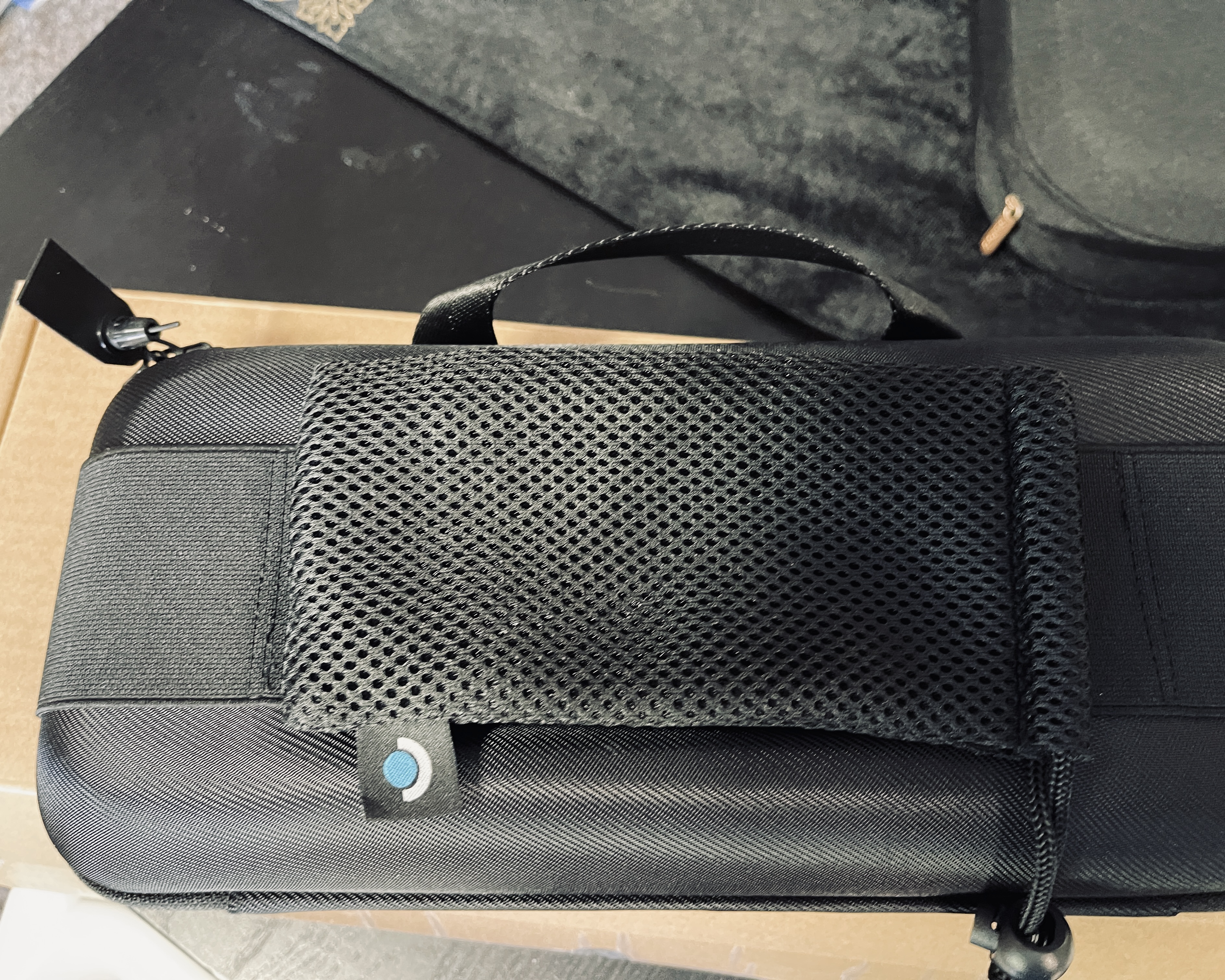
The upgraded case is well worth it compared to the other two models. The interior cloth is more premium feeling and doesn’t attract as much dust. The strap inside is also black with higher quality material. The outside has a colored Deck logo and white zipper pulls. What really got me jazzed was the underside has a scoop punched into it with an elastic strap over it. This is for the charger! It’s freaking incredible and this should be a new standard for cases. The 512GB model comes with a sinch pouch for it with a Deck tag logo. I actually love this as it’s extra protection to keep the charger from falling out. You also get a cleaning microfiber cloth that says Steam Deck. It’s pretty cheap and you can get better cloths that will fit in the case, but it’s great for starters.
The other hardware bit that the other two models don’t get is the anti-glare etched glass. This has benefits and caveats such as slightly softer edges on everything and text being slightly soft. However, the colors are more saturated and look more vibrant while the screen itself isn’t quite as bright, but it does get darker at the lowest levels. There’s an excellent comparison video here. It’s not a deal breaker for the price difference, but it’s nice to have that premium option. The main difference is the internal storage space which is a continuing problem with consumer electronics and has been for the last 20 years.
The Hardware
Holding the Deck itself feels solid and of the quality, you would expect from Sony or Nintendo. It sounds silly, but it feels like a “real” handheld. While the Chinese ones have gotten better over the years in terms of higher quality plastics and tighter molds, the Deck is leagues above any of them. There’s no creaking, no sharp edges, no corners cut here. However, it’s insanely massive especially compared to the Nintendo Switch Lite. The upside is that the system is well balanced in the hand. It feels super solid and you can get a nice firm grip on it and it won’t cramp your hands. The layout of the buttons is similar to the Wii U gamepad, but with better ergonimics (the gamepad was dog crap let’s just all admit it). Everything is up top and at the far edges for minimum reach even on tiny hands. My 6-year-old was able to play this thing with no issues.
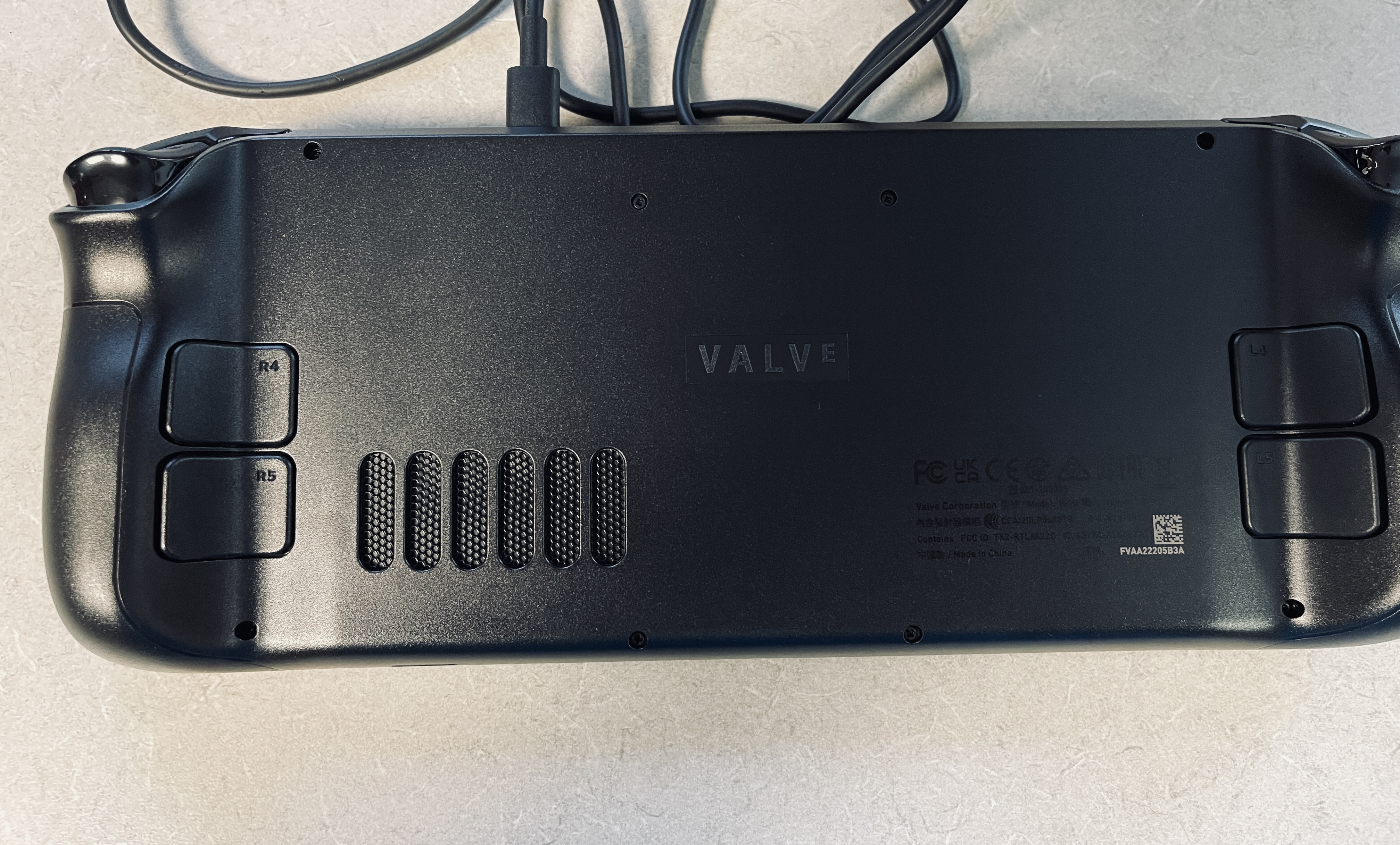
There are four rear buttons that sit right where your fingers wrap around the back but are tight enough buttons to not cause actuation by just holding the thing. You can easily squeeze your fingers to press these buttons and it freaking works. It doesn’t feel awkward or hard. I actually wanted to use these buttons in shooters because most of the weight of the console is already on those fingers. A firm, but not hard squeeze, will let you easily manipulate these buttons. A lot of R&D had to have gone into just this one feature.
There are also two trackpads below the analog sticks that also aren’t hard to reach. They are just large enough to move your thumb around on without struggling with the weight of the Deck. That’s the beauty of the ergonomic engineering that went into this thing. You can’t appreciate just photos alone. Holding this thing is a miracle and sets new standards for how larger handhelds should be made. These trackpads also have haptic feedback in them that can be adjusted in the settings. They also click which is great for using in desktop mode (more on that later) or games that need mouse control. The bumpers and triggers feel great and natural with the triggers having a good height to them similar to an Xbox controller and less like a PlayStation controller. The D-Pad needs credit as it’s great for fighters and allows rolling similar to the Xbox controller as well. The controls on this thing are absolutely perfect and I have zero complaints about them.
When it comes to I/O and various holes in the Deck it won’t let you down there. Similar to the Switch there’s a large vent up top but also one in the back with the speakers located at the bottom front below the Steam and Quick Access buttons. There’s an open SD card slot at the bottom right and the fact that it doesn’t have a door means fewer parts to break. It’s recessed just right and won’t get the way at all. Valve needs a lot of credit for putting the USB-C charging port at the top of the unit. While this means it’s not super easy to dock it means no cable is in the way when you play which I can’t stand about handhelds. The PSP had the port right where you hold it, and only the DS had the port in the rear. Sony never caught onto this. The charger port is also slightly loose by design to give it some play so it doesn’t short out and start breaking. Good on Valve for also thinking about this ahead of time. If you notice your port is loose, this is normal.
The volume buttons have a nice click to them and the power button has a white LED next to it when it’s charging. It turns off when it’s done. There is also a 3.5mm headphone jack located up top as well which makes sense. It’s already pretty thick and excluding this would be a pretty bad move. The screen itself looks fantastic thanks to the higher than usual resolution for a handheld. However, the aspect ratio being 16:10 poses issues for a lot of games as most don’t support that resolution so you get black bars on the top and bottom. While the Switch OLED has the best handheld screen ever made, the Deck is probably a good second. It’s crisp, vibrant, and has great contrast as it’s the first major handheld with an IPS display that’s normally used in gaming monitors.
The Software
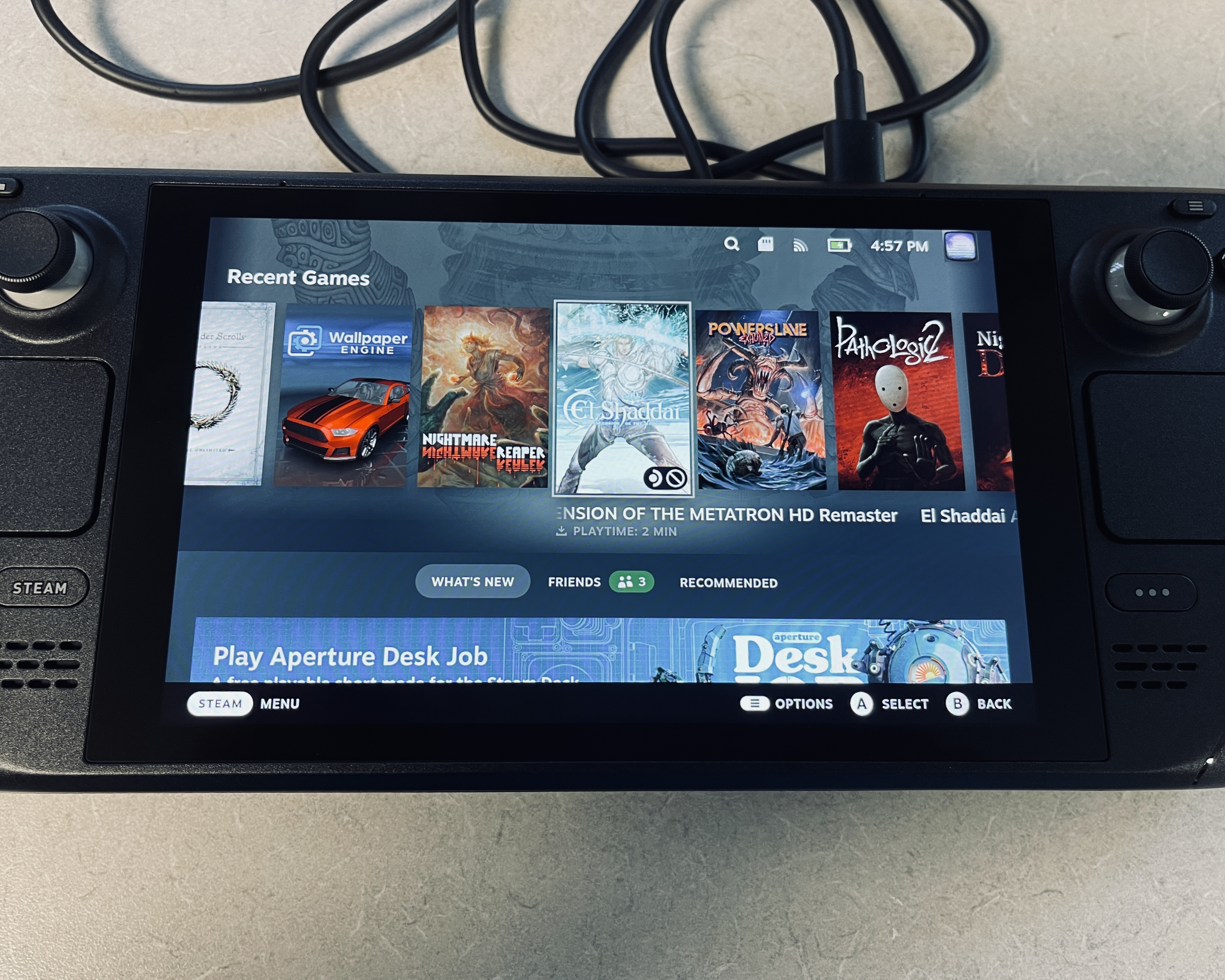
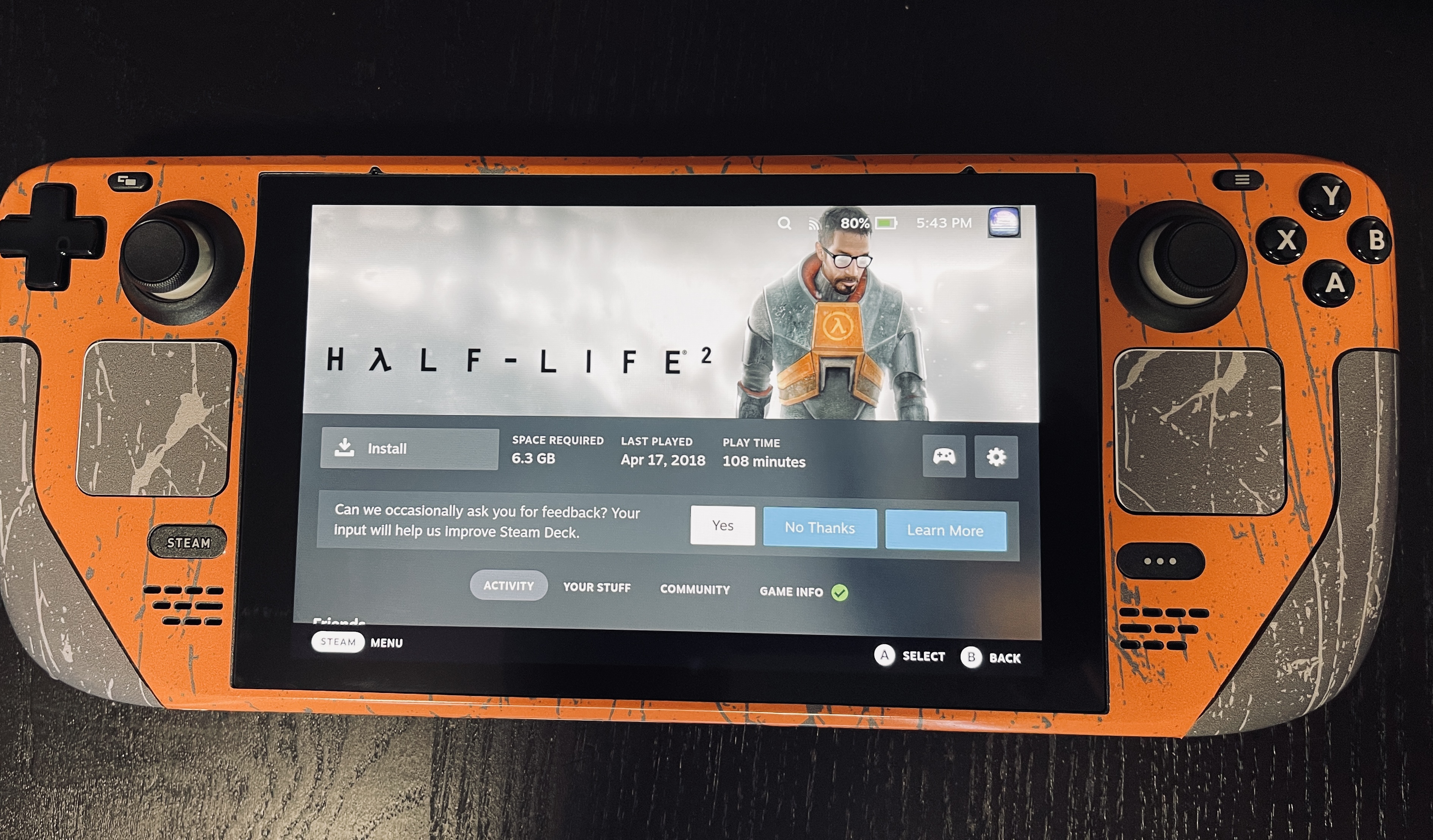
It’s no secret that Valve’s SteamOS home consoles were a flop a decade ago. SteamOS was mostly used for Linux players who were a small percent of Steam users. Thanks to the Deck and its popularity not only will Linux gaming boom, but SteamOS is seeing major improvements now and has finally found a home. Steam on the Deck is a tailored handheld experience. There is a special storefront for Deck verified games only, but you can also browse the rest of the store, access your profile, friends, inventory, and everything else you could do on Steam on desktops.
There are some issues with it. There’s a persistence bug that constantly reminds you to claim your Steam Deck awards even though I already did. You can’t remove notifications or clear them without clicking on every single one. Certain Steam pages require you to use the touch screen and scrolling through the long pages on games is a bit cluttered. It all works fine, but I hope there are many improvements made to make Steam more tailored for Deck in the future.
The settings are fairly typical for both a handheld and Steam itself. Most of your settings on Desktop are here such as family sharing, download speeds, uploading screenshots, cloud saving, and various adjustments to calibrate the thumbsticks and trackpads as well as adjusting haptic feedback. The Quick Access menu is where this makes it a portable PC. You have access to performance overlays, underclocking and under volting the GPU and AMD FSR 2.0 is available at the hardware level for every game. All you have to do is lower the game’s resolution and turn FSR on to increase your frames in power-hungry titles like Elden Ring and God of War. You can turn V-Sync on at the hardware level and turn it off and set the FPS level you desire. There’s a new 40FPS mode that helps games find a sweet spot without pushing the Deck to get higher frames to save battery life. You can also turn on VRS for pixelated games to reduce battery life. There’s a lot of tinkering involved with the Deck which we will get into more and this can both be fun for an enthusiast like myself or a nightmare for a casual gamer.
The Games
In the end, we all want to game on this thing. I will get to emulation later as that seems to be one of the main reasons that are making the Deck so popular. As for “verified” Deck games they work just fine. These are games that launch with no issues, the default control scheme works, and it can hit 30-40FPS at default settings at the minimum. You can tinker to eke out every frame by looking up guides and changing settings around paired with FSR. High-end games like Days Gone needed this. FSR is probably a boon for the Deck as it needs it. Yes, the fact that you can run these next-generation/current generation games on a handheld is a miracle itself. Even at 30FPS. A lot of gamers, however, are going to get into this expecting max settings for every game and get upset or disappointed. While my 3080ti rig can run everything at 2K with ray-tracing enabled and hit 60+FPS in every single game, that’s not the case here. This is a handheld that lets you pick up where you left off on the go. Sony tried doing this with their handhelds and it failed as it relied on the developers to implement this type of feature and release their game on both platforms. The Deck takes them out of the equation.
The caveat here is that this is Linux gaming. It’s not perfect and requires a wrapper for Windows-based games developed by Valve. Proton is needed to run every single game, but it’s still not perfect. While Valve’s current stable version works for most games some require Glorious Eggroll, or GE Proton, which is acquired through the Discover store. This is a faster-developed version of Valve’s main branch. It includes patches, fixes, and features that aren’t available yet. It’s as simple as going into the game’s properties in Steam and enabling GE Proton once it’s been downloaded and installed from the Discover store. It’s still not always that simple.
Some rare occasions need an older version, and some need Media Runtime files that are considered advanced Linux user stuff. I spent dozens of hours already tinkering and trying to get certain games to work and I can report that so far only one hasn’t worked for me. There is also a way to add other launchers such as Ubisoft Connect, EA Origin, Battle.net, and Epic Games Launcher, but it’s a bit complicated and those games aren’t always compatible with Steam Deck at all. For example, Tony Hawk’s Pro Skater 1 + 2 will not work on Steam Deck no matter what version of Proton you use. Maybe when and if it comes to Steam this can change, but then there’s the issue with older games. GOG Galaxy is available through the Hero Game Launcher and most of these games can work just fine. You can even install mods like on PC, but the paths and structure of Linux are so much different than Windows. Everything is buried under tons of folders and it can be confusing and quite daunting. Even Windows’ file structure is emulated in each and every game install. I was even able to get pirated games to work through Bottles in the Discover store to allow regular game installs to run. I will cover how to do all of this in another post as most Steam Deck deep-dive stuff is pretty fragmented right now.
Most of the time even untested or unsupported games worked out of the box in my own experience. Fallout76 is technically unsupported but works fine and runs surprisingly well on the deck gettings 30-45FPS with the graphics settings at medium-high. Castlevania: Lords of Shadow – Ultimate Edition is another unsupported game but works great with no tinkering needed. However, a game like Bulletstorm: Full Clip Edition needed an older version of Proton and specific Media Runtime files installed through the terminal to work right. Grim Dawn had save issues where I had to copy the save manually from my other PC, create a character with the same name, and then overwrite the save files for it to recognize them. On top of that Grim Dawn didn’t recognize the standard controller layout or community profiles. I had to use a specific template and painstakingly remap the controller buttons correctly. This type of tinkering may keep a lot of gamers away especially if they just focus on the negative things like this.
When it comes to battery life it wildly varies. Desktop surfing can last 6 hours while a high-end game may drain it in 2. The battery life is comparable to the Switch. When it comes to things like heat and fan noise my unit is fairly quiet even when the fan is going full bore. The air coming out is incredibly hot but surprisingly doesn’t heat the Deck up like a phone would. The Deck has a fairly accurate battery counter based on your current usage including charge time. A full charge takes around 2 hours similar to the Switch.
Desktop Mode
The Steam Deck also breaks new ground by making this a handheld portable desktop. With the official dock coming soon and unofficial ones already available you can plug a keyboard, mouse, and USB-C monitor in this thing or any other type of output that your dock supports. You can simply long press the power button and go straight into desktop mode. This brings up a Windows-like UI with a desktop, start menu, and various customizable settings like the splash screen, wallpaper, font, theme, cursor, and various other things. It’s a full desktop experience that also allows you to use a web browser like Chrome or Firefox and watch YouTube videos or type documents. This is unprecedented as even the Switch doesn’t allow this with its anti-consumer locked down system. With Valve doing this it might pressure the other parties to participate in open-source fully open firmware and UIs. This is good for the consumer.
The desktop mode is smooth and works great. You can easily switch back to Game Mode, which has another little issue. Games don’t run as well in desktop mode as the APU is underclocked here. The Deck is meant to fully run and be optimized in Game Mode only. You can’t access the Quick Menu settings for GPU control or FSR which is fine. When docked the Deck now lets you override the resolution to match your display. If you want to game with an external monitor this is when FSR will really come in handy, but I don’t see the appeal of this outside of lower-end less graphically demanding games. I use my dock for tinkering in Linux to add custom images to my Steam games, mod games, etc. I don’t think I’d game much on an external display. That’s what a desktop PC or laptop is for. For emulation, this might come in handy.
Emulation
Another huge plus for the Steam Deck is that the open software means no waiting for firmware hacks or downgrades. You can just install emulators and go. There’s already a whole suite available called EmuDeck that installs the emulators of your choice and you just need to provide BIOS and ROMs. Many emulators are already configured for the Deck control and graphics wise. There’s even a specific Dolphin branch just for Metroid Prime Trilogy that allows for dual-analog control called Prime Hack. This is a whole new rabbit hole that I think more gamers will be willing to invest in over getting Steam games to work right. EmulationStation works great and so does Retroarch.
I have put hundreds of games on my SD card and thanks to EmuDeck everything mostly works out of the box including systems that couldn’t be emulated in handheld fashion before like the GameCube, Dreamcast, and PS2. The Deck is also capable of emulating PS3, Xbox 360, Wii U, and Switch games, but don’t get your hopes up. Even on PC the emulators are still maturing and don’t run well. Don’t expect the Deck to replace your Switch just yet. It can’t even run Breath of the Wild at a decent framerate, but the Yuzu emulator is still in its infancy. Same with RPCS3. These are also not as simple as dragging and dropping an ISO file into a folder. There are keys, encryption, emulated installation, patching, and a lot of work to get these newest systems up and running. For now, just enjoy the Wii and back.
Conclusion
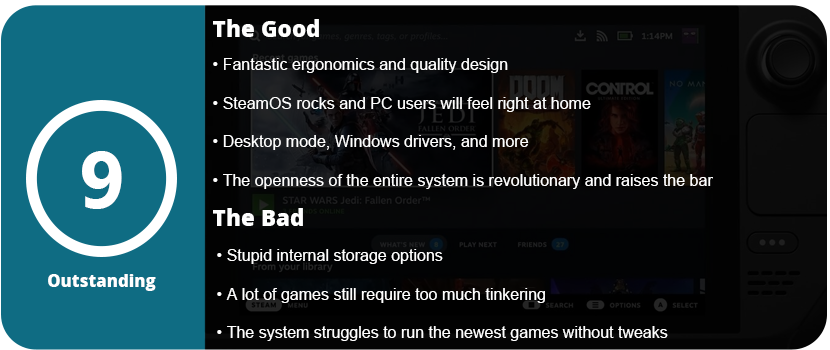
The Steam Deck is a revolutionary device in more than just its graphical power. The openness of its software is what we need to break the shackles of locked-out proprietary video game console OS. Without needing to wait years for a hacked firmware, the Deck is ready to tinker with right out of the box. While emulators will never be officially supported, we can make anything run on here. It’s essentially a Linux or Windows computer. Yeah, I didn’t mention that yet. You can have a micro SD of Windows 11 on here to play Xbox Game Pass games or others that won’t run well on Linux. While this isn’t officially supported, Valve does provide drivers. This is crazy to think about in the current ecosystem of locked-out consoles.
This is a great system if you just want to play Steam games or just do emulation. Out of the box, the verified games work great and with 3,000 titles available already that’s usually more than a console’s entire life cycle. The Steam deck really teeters on the edge of a great casual gamer’s first PC and the more hardcore hacking/downgrading/emulation market. It serves both well, but each side needs to be patient and wait for better compatibility on the software side of everything from emulators to SteamOS. For such a vast and all-encompassing system that can do so much, it does it so well and so early on in its life. This could easily have been a huge disaster with constant crashes, overheating and melting units, and other issues, but clearly, Valve tested this thing like crazy.
My biggest complaint is the internal storage and that’s Valve’s fault. I mentioned at the beginning we have had 20 years of awful internal storage options from the iPod to the PS5. The base model at 64GB is unacceptable today. You can’t even fit a full install of most higher-end games like Call of Duty or Red Dead Redemption. Even the 256GB isn’t acceptable. The base model should have been 512GB with 1TB and 2TB options. $250 extra dollars for a 512GB NVMe SSD is crazy. This isn’t like the PS5 with brand new SSD tech. This is PC hardware that we can buy and install ourselves.
Thankfully you can and that’s another revolutionary thing Valve is doing which is the right to repair. iFixIt has all of the Steam Deck parts available for purchase to repair the system yourself. This includes being able to upgrade the SSD if needed, however, game load times are fine off of the SD card. I recommend a 1TB card or at least a 512GB to start. You can also use external drives, but then you’re tethered to another device. At least there are more options available, but internal storage is key. These devices are expensive and most people can’t upgrade their storage right away.
Oh man, where do I start. I’m not the biggest 3D Sonicfan and never have been. I didn’t care for Sonic Adventure even when I was a kid. My hot take here is thatSonic Adventureis awful and not a good game. Sonic Team seems to be the only developer on the planet that can’t improve their games in 20 years. Sonic Generationswas the only good 3D Sonic game because it cut out all the crap that slows the game down and makes it frustrating. Why do you need combat? Why do we need gimmicks? Mario hasn’t changed in 30 years but has somehow naturally evolved. Why can’t Sonic just do what it’s good at Going fast?
That may have made some people mad, but I don’t care. This type of stubbornness is just unacceptable today. NowSonic Colors is a better 3D Sonicgame, but it has many problems. The game is poorly balanced in difficulty, but it makes going fast still fun. I hate the combat. I don’t like homing in on enemies to speed the game up. If anything it makes jumps inaccurately. I nearly tore my hair out trying to complete certain levels due to stupid game mechanics.
Sonic’s double jump is terrible. It’s too floaty and I constantly overshot jumps or undershot them. His wall jumping is awful. You have to waggle the stick in the same direction as each jump. This is too much for a game that’s supposed to be fast. The Wisps, while interesting in their own way, just slow the entire game down. Some are neat like the drill that lets you burrow through water and dirt. The purple one that turns you into a giant monster is fun. The green one that lets you shoot around like a dart is also fun. The ghost is an awful Wisp. It’s slow, the zooming through rings mechanic just doesn’t work right, and it made some levels insanely difficult to complete. The Wisps are cute, but I don’t want them back.
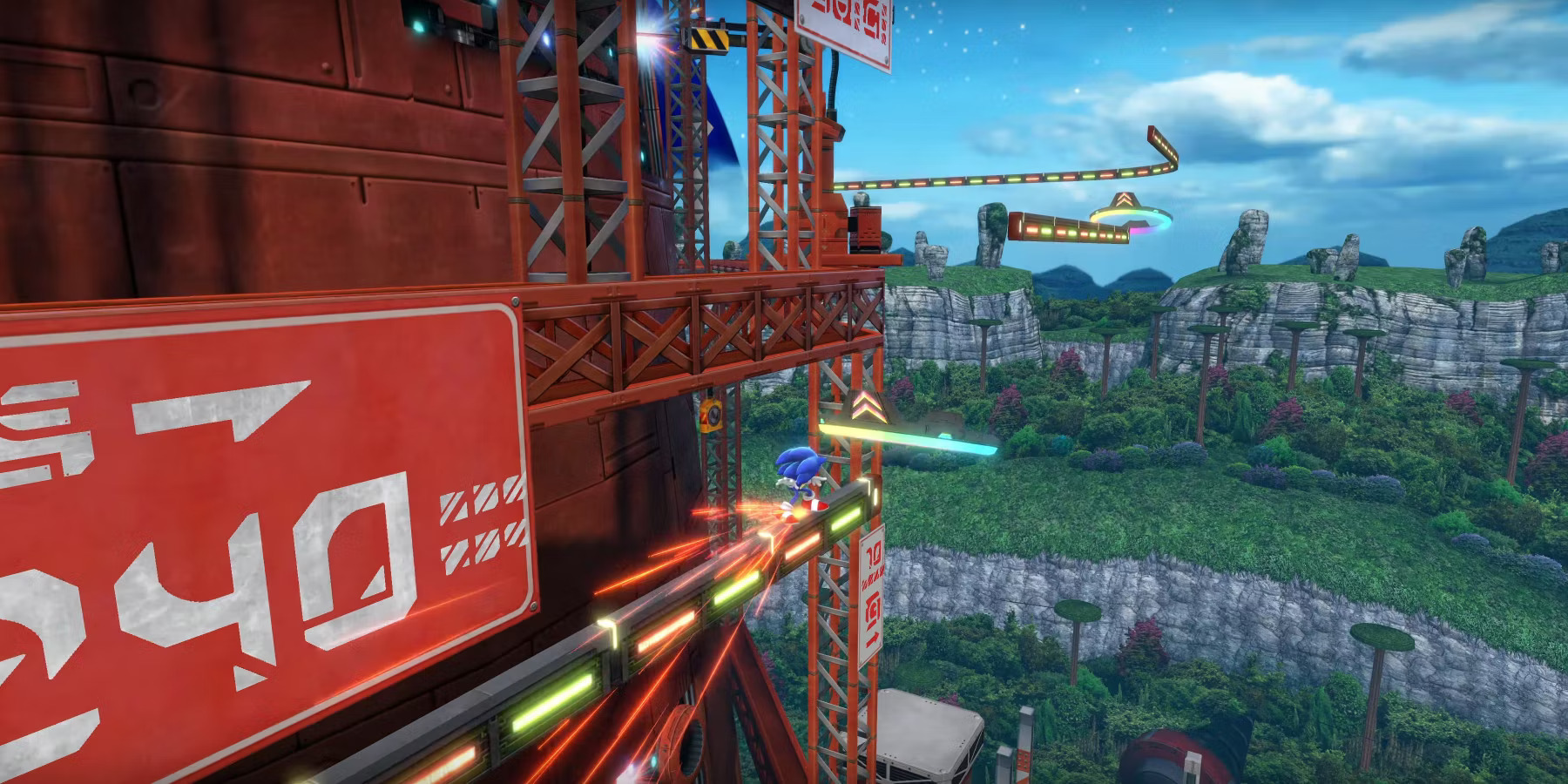
Like other 3D Sonicgames, you are on a track and transition from 2D to 3D. I honestly wish the game stayed in 2D. The fun loops and speed pads are so much fun. This is where the game accelerates (HA!) and does a great job. The levels zoom by here and there are a good amount of collectibles. Red stars plus gold coins to spend in the shop to customize Sonic (which I didn’t care about at all), and it made my completionist demon itch. Sonic games have always been good at making you want to explore and retry levels and master them to know where all the goodies are. Colors kind of does this until you have to use the bad mechanics in certain levels. Why does the game need to slow down and make me bounce across a moving spring through half a level just die dozens of times to get a single jump timed right? That is what killed this series.
I also don’t care for the repeating boss fights. They are pretty dumb, to begin with. A giant Ferris wheel thing that just adds annoying obstacles later on that make it frustrating and not challenging. There’s a ship you need to take down and the captain jumps down after you get through its obstacle course. Later on, it adds missiles that need to follow you through a series of moving platforms to break a glass bubble. This slows the game down as you need to wait and guide the missile carefully. This isn’t what makes Sonic games! That’s like having Mario go through an entire level on a floating platform and jump over an occasional rotating fire bar. But that’s it. No enemies. No power-ups. Just float along and occasionally jump. It would be maddening!
There are a few levels that made the game enjoyable somewhat. They were better designed but didn’t have any obstacles or ridiculous platforming shenanigans or floating platforms to deal with. The levels that focus mostly on using Wisps also were frustrating and took dozens of tries to get through. I also never mentioned the story. Yeah, just forget it. It’s pretty basic and pointless and doesn’t really have a conclusion. The voice acting has at least improved over time.
The visual upgrade from the Wii version is decent. The game runs smoother and there are texture and model upgrades, but it’s not mind-blowing. There’s an extra mode where you can do challenges in 2D mode only, customization, and that’s about it. I don’t see any reason to replay this game unless you specifically like this kind of Sonicwith the momentum always being interrupted. It’s over-engineered gameplay when it needs to stay basic. Colors is decent to play through, but many gamers will turn it off after their first irritating level they get stuck on.




















































 thebinarymessiah.com
ORC is probably the worst game in the entire series. It's objectively awful. Being bad isn't different. Different is Outbreak…