• About
    • BinaryMessiah
    • Game Collection -BinaryMessiah-
  • Guides
  • Blogs
    • FAQs/Walkthroughs
      • Mortal Kombat (Vita)
      • Mortal Kombat: Deception/Unchained
      • Syphon Filter: Dark Mirror
      • Syphon Filter: Logan’s Shadow
  • Games
    • PC Reviews
      • Mac
      • Steam Deck Verification
        • Steam Deck Verified
        • Steam Deck Playable
        • Steam Deck Unsupported
        • Steam Deck Unknown
    • Microsoft Consoles
      • Xbox One
      • Xbox Series X|S
    • Nintendo Consoles
      • Switch
    • Sony Consoles
      • PlayStation 5
      • PlayStation 4
    • Mobile Reviews
      • Android
      • iOS
    • Retro Consoles
      • Nintendo
        • Game Boy
        • Game Boy Color
        • Nintendo 64
        • Game Boy Advance
        • DS
        • 3DS
        • Super Nintendo
        • Gamecube
        • Wii
        • Wii U
      • Sony
        • PlayStation (PS1)
        • PlayStation 2
        • PlayStation 3
        • PSP
        • PlayStation Vita
      • Sega
        • Sega Master System
        • Sega Genesis
        • Sega 32X
        • Sega CD
        • Sega Saturn
        • Sega Dreamcast
        • Game Gear
      • Microsoft
        • Xbox
        • Xbox 360
      • SNK
        • Neo Geo Pocket
        • Neo Geo Pocket Color
      • NEC
        • TurboGrafx-16/PC Engine
        • TurboGrafx-CD/PC Engine CD
      • Nokia
        • N-Gage
      • Bandai
        • WonderSwan
        • WonderSwan Color
  • Game of the Year Awards
    • 2025
    • 2024
    • 2023
    • 2022
    • 2021
    • 2020
    • 2019
    • 2018
    • 2017
    • 2016
    • 2015
    • 2014
    • 2013
    • 2012
    • 2011
    • 2010
    • Retrospective Round-Up
      • Retrospective: 2009
      • Retrospective: 2008
      • Retrospective: 2007
  • Gadgets
    • Reviews
  • Comics
    • Avatar Press
    • Boom! Studios
    • Dark Horse
    • DC
    • Dynamite
    • IDW Publishing
    • Image
    • Markosia Publishing
    • Marvel
  • Book Reviews
  • Interviews

LG 29UM68-P 29″ Ultra Widescreen IPS Monitor

Posted by BinaryMessiah on 04/10/2017
Posted in: Hardware, Mac, PC Reviews. Leave a comment

Manufacturer: LG Electronics

Release Date: 1/15/2016

MSRP: $399.99


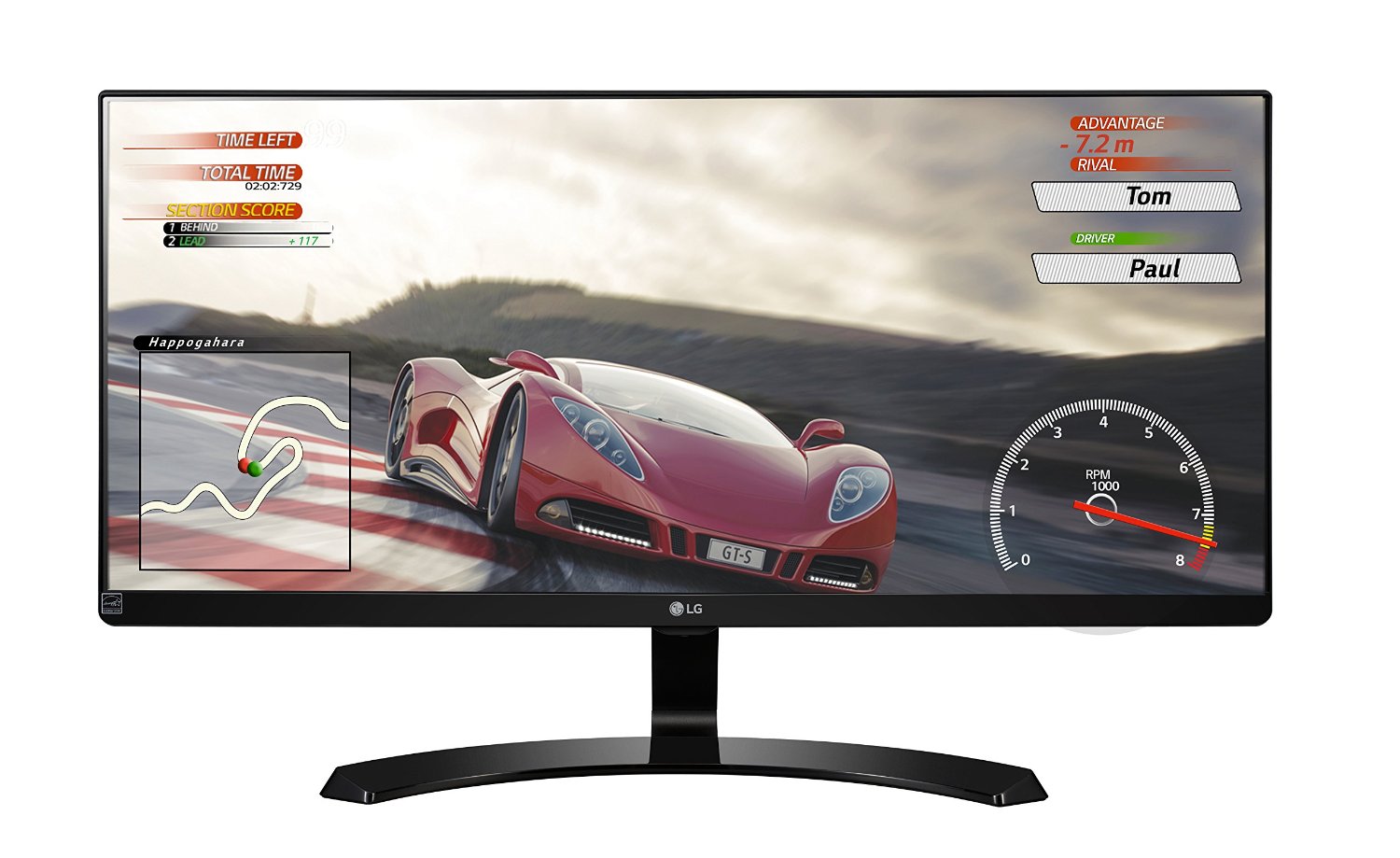
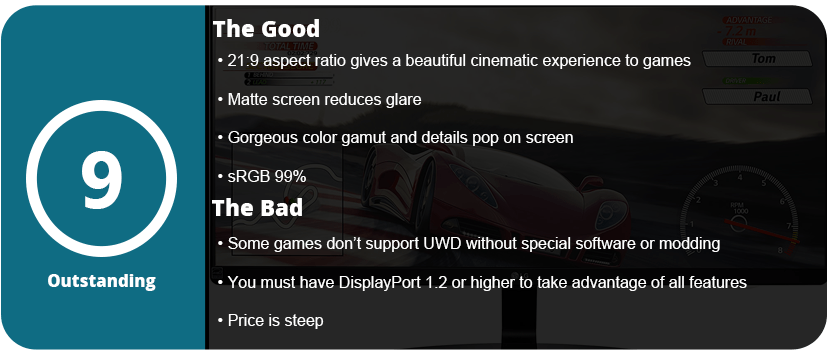
Ultra-widescreen monitors are the future of PC gaming as resolutions increase, FOV is pushed, and refresh rates skyrocket. Standard 1080p 60Hz monitors are becoming a thing of the past, and PC gaming is finally passing them up. Sure, there are amazing-looking 1080p monitors out there, but for high-end PC gaming, you need to break out the Benjamins to push your system to its limits. While Nvidia has many G-Sync UWD monitors, they start at $500 at around 27″. AMD has cheaper FreeSync monitors, which are more widely available, as they use DisplayPort 1.2 and higher to control their Vsync. I, sadly, have an Nvidia GPU and got a FreeSync monitor, which I learned is not compatible and vice versa. Instead, I get a really nice 75Hz UWD monitor.

Firstly, let’s talk about the advantages that UWD monitors give you. For one, you get a much wider view of everything, which is great for pretty much everyday use in gaming. The downside is that most videos do not have a 21:9 ratio, so you get black borders. I recommend having a secondary 16:9 monitor running right next to it. An advantage is PIP, so you can split your screen into two and eliminate the second monitor altogether. This is best for monitors over 27″. In gaming, you will notice more around you as the FOV is pushed back from 70 to around 100–105. The higher resolution means a sharper and clearer image, but the disadvantage is that you need powerful hardware to render at this resolution. While the UM68 is 2560×1080, it has double the resolution horizontally, thus still needing a powerful GPU.
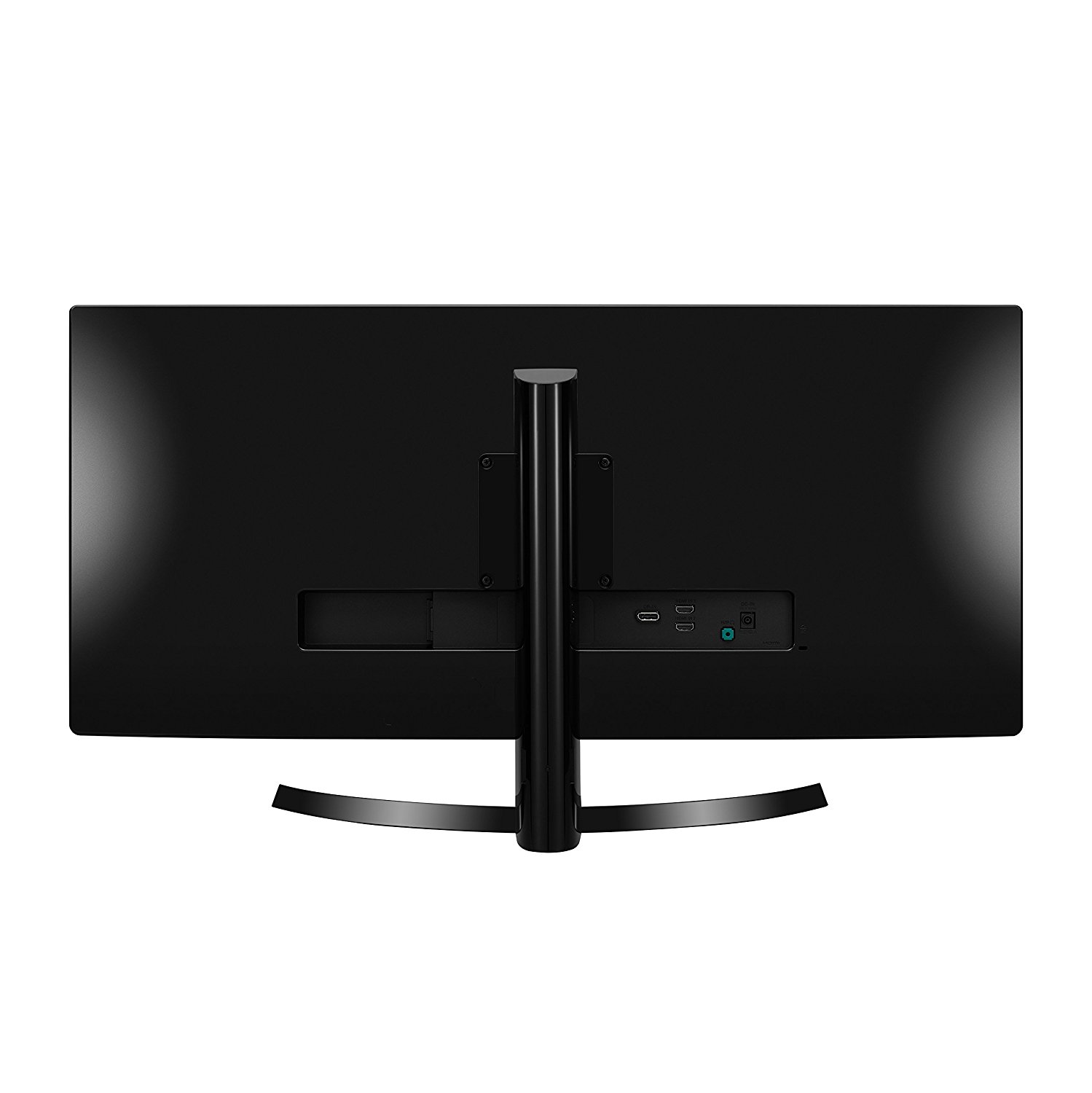
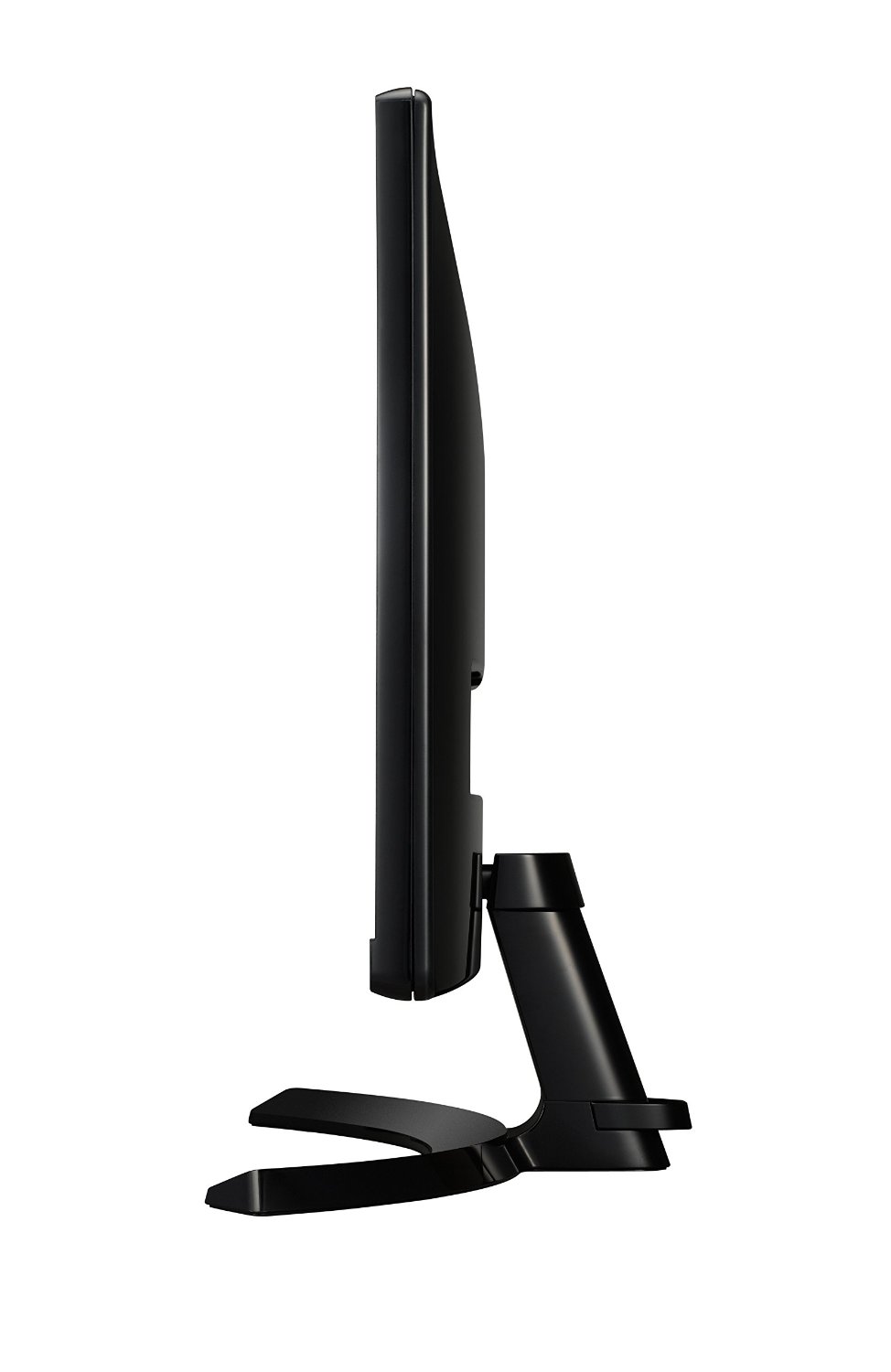
I highly recommend connecting this display to the display port, as the picture will be much better. DP is the future of higher-resolution displays and has a much faster transfer rate than HDMI. Once I set up the monitor by attaching the stand, I turned it on and noticed it had a buzzer. Yes, this monitor makes a chime when you turn it on and off, which is nice or annoying depending on the person. The first thing you need to do is go into the settings menu and decide what setting you want. I preferred the custom game mode with sharpness at 50% and everything else at default. LG monitors tend to have fantastic default settings that don’t need much tweaking. Make sure you turn on FreeSync and set the response rate too high. That’s all I needed to do, and everything looks fantastically sharp and brilliant. The monitor itself isn’t the thinnest out there and is quite thick, but it has a matte screen that is anti-glare and still looks sleek and sharp.
This is the nicest monitor I have ever seen or owned. I have it next to my older 32″ LG 1080p monitor, and I realize that there’s some blurriness to that monitor, and it’s not as crisp. Not saying it’s a bad monitor, but it shows how amazing these UWD monitors can look. In games and movies, the colors just pop and are so vibrant and alive that it’s something I can’t really explain. With 75Hz, you get more than 60FPS in games if your rig does it, and it’s a nice touch. It also allows you to dip a bit in FPS and stay close to your target 60FPS goal if you don’t have a powerful enough rig. However, the downside is that some games don’t support ultra-widescreen, and you’re stuck with a 4:3 game. The only solution is a program called Flawless Widescreen that will patch certain games to fit your monitor, and that includes FOV fixes as well. Two games I have already played that don’t support UWD are Skyrim and Mortal Kombat X. Thankfully, Flawless fixed UI, FOV, and menu issues in both games without any crashes or errors.

Ultimately, I can only recommend spending the money on a UWD monitor if you game or do art of some sort. For someone who just uses their computer as a glorified Facebook and Instagram machine, you’re throwing money down the drain. While everyday use is nice on a monitor like this, there’s no advantage over a normal 16:9 monitor that can justify the double price jump. You also need to have a pretty high-end rig to start rendering at these resolutions so you can keep your FPS up to take advantage of the monitors’ Vsync features. While the monitor changes its own refresh rate according to the FPS, it helps to keep it stable and as high as possible.
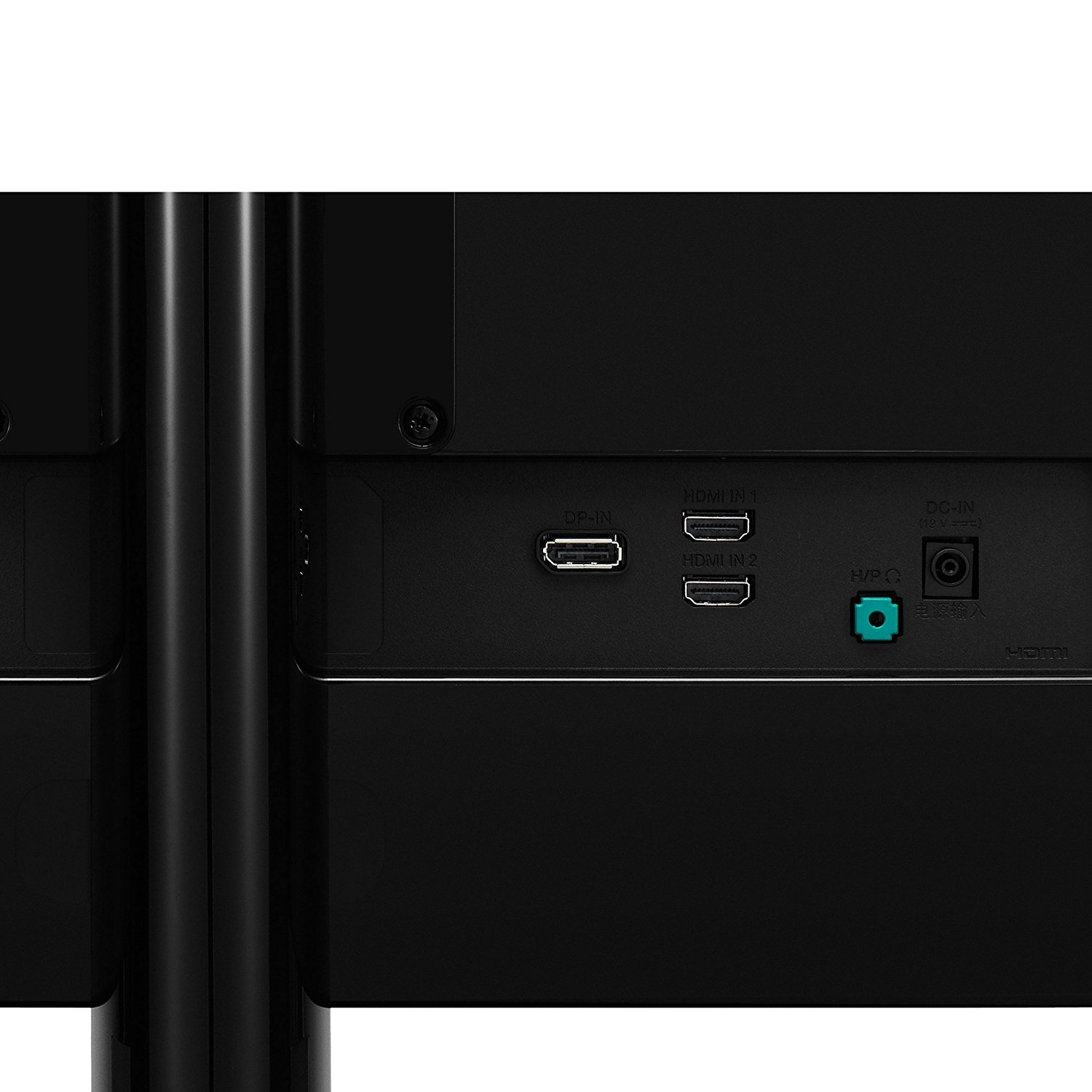
My biggest gripe is that FreeSync is not compatible with Nvidia GPUs, and the main reason why I wanted a UWD monitor was for the built-in features. Maybe soon I’ll switch to an AMD card to take advantage of this monitor’s features, but for now, I have a really crisp and sharp 75Hz UWD monitor, and I couldn’t be happier. Just make sure you really want to spend twice the amount of money.
Share this:

  • Email a link to a friend (Opens in new window) Email
  • Share on Tumblr
  • Tweet
  • Share on Reddit (Opens in new window) Reddit
Like Loading...

Legacy of Kain: Defiance – 14 Years Later

Posted by BinaryMessiah on 04/04/2017
Posted in: Microsoft, Microsoft Consoles, PC Reviews, PlayStation 2, Retro Consoles, Sony, Steam Deck Unsupported, Steam Deck Verification, Xbox. Tagged: defiance, legacy of kain, pc, ps2, xbox. Leave a comment

Publisher: Eidos Interactive

Developer: Crystal Dynamics (PS2), Nixxes Software BV (PC, Xbox)

Release Date: 11/11/2003 (PS2, Xbox), 12/17/2003 (PC)


Available On


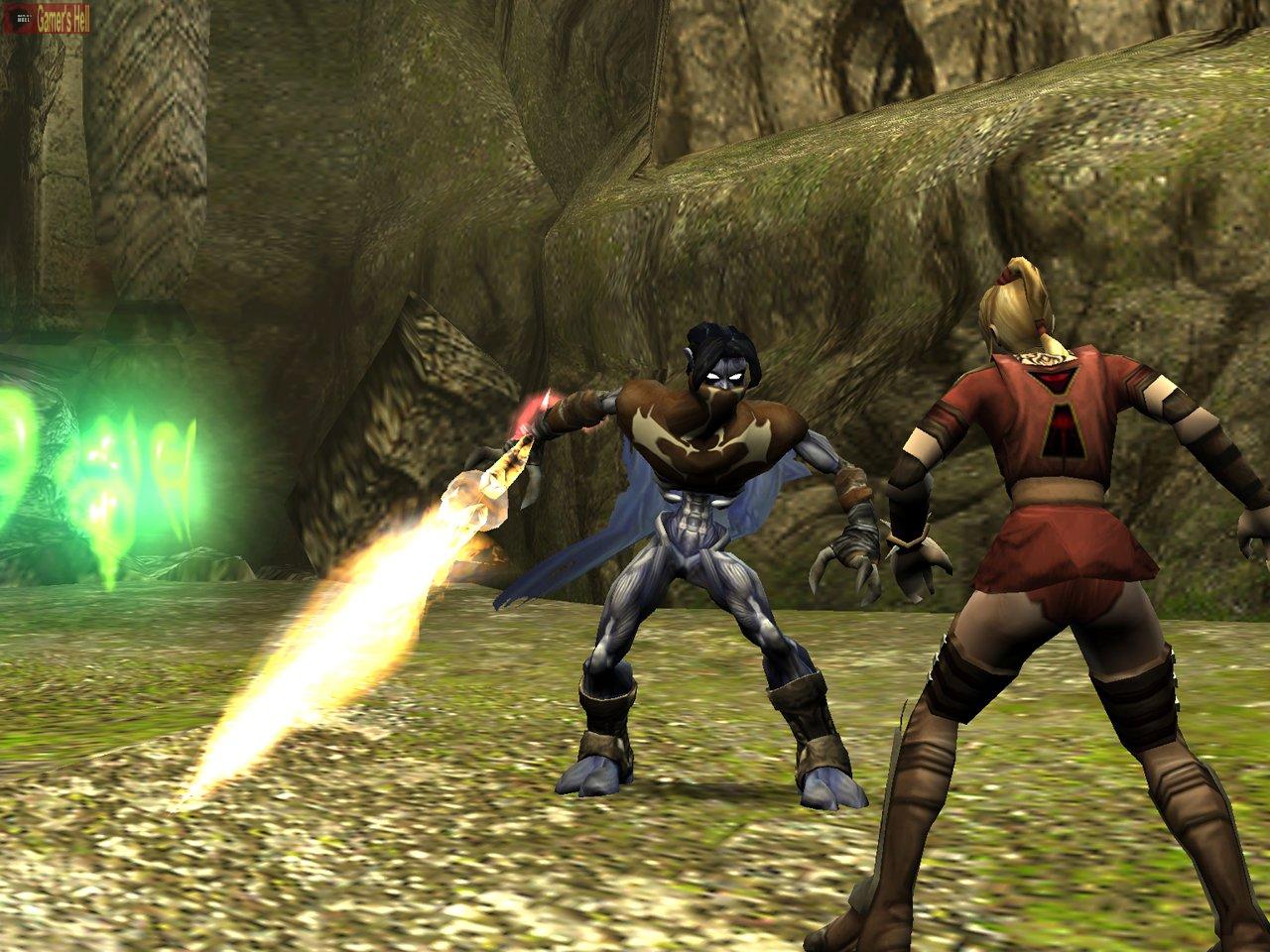
The Legacy of Kain was a very popular series back in the day. Defiance, an epic tale about vampires, is the final entry in the long-running series. You play the vampires Kain and Raziel. You switch between solving puzzles, fighting enemies, and discovering secrets.

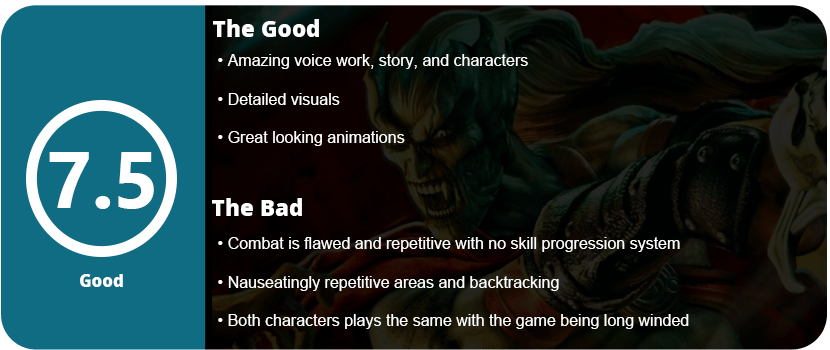
The game is well worth a playthrough, and you don’t have to play the previous games to understand what’s going on. The story is told so well that you get the entire picture by the end of the game, and it feels satisfying. It’s one of the few games back in the day that had a fantastic story that was worth trodding through the mediocre gameplay to see unwind. Playing as Kain is actually a lot easier than Raziel as his sections are shorter, he doesn’t have to do as many puzzles, and he’s more powerful. However, I was seriously disappointed with many aspects of this game as it became frustrating and repetitive long before I reached the end.

For starters, the level design isn’t the best, and there’s more backtracking in this game than I can stand. You don’t just visit the same area twice or even three times, but over half a dozen, and it becomes a drag. Kain’s segments are mostly just combat-oriented, finding balance pieces to acquire one of four sword abilities. Raziel’s segments require him to find seven different swords, and each element temple is exactly the same, just rearranged. You go into the temple, get the new sword, fight a mini-boss, use the new element to unlock a portal, and repeat nearly a dozen times. It’s so tiring and boring that most people won’t finish the game.

It’s not just the temples that repeat, but the rest of the game. You swap between the vampire citadel and a mansion, and both Kain and Raziel revisit it multiple times each. You go through the entire area once and then come back with a new ability to break through some wall that leads to a new area, just to go through it all over again as the other character. I find this level design poor, and some of the levels are confusing and maze-like, and I just didn’t care for it. Raziel has to shift between the Material Realm and Astral Realm several times throughout levels, but you have to find a conduit spot to shift back into the Material Realm. It’s a neat idea, but later you realize this is more of a hindrance and doesn’t really add much to the gameplay. There aren’t any special puzzles that require you to swap between the two to make things really interesting. You just use it to pass through certain doors and for platforming.

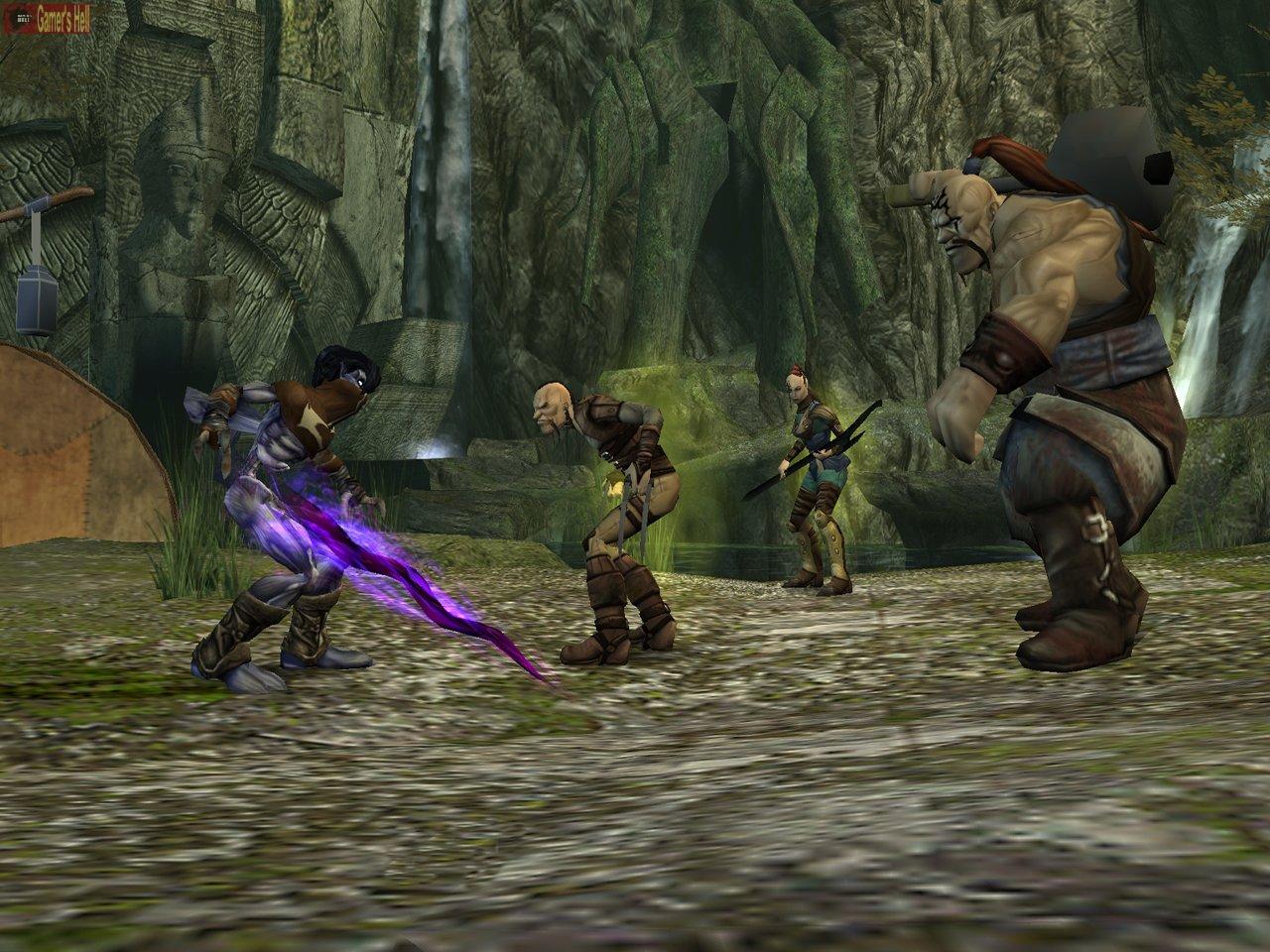
Combat is also full of flaws, with one major one being that Kain and Raziel fight nearly identically, with Kain just being slower than Raziel. Both have telekinesis powers, both use a sword, and both dodge nearly the same. Dodging is one of the biggest problems in the game, as you have to hold down the jump button while moving in a certain direction. Enemies move too fast to have time to hold the button down. Why do you hold a dodge button? It doesn’t help that there are knockback animations, and I absolutely hate these as they make combat a drag. Throw in the fact that you don’t get more powerful throughout the game; each sword element just adds a different power attack when your meter is all the way up. There’s no sense of character progression at all, and this game is long enough (roughly 12 hours) to have that kind of system. You can acquire new special combos, but they are difficult to execute, and most of the time you just button-mash. After about halfway through the game, I just ran past enemies unless I was forced to fight them. There’s no reason to fight these enemies at all except for health (both characters can absorb them to replenish), as there are no skill points or XP to gain.

I will say that the combat animations are fluid, the controls are solid, and everything works. The second biggest issue is the damn camera. It’s a static camera most of the time that spins around, and you can’t control it. A lot of times, objects were blocking the camera during combat, or I would fall and die because I couldn’t judge a jump right. The camera is atrocious and really detracts from the overall experience here.

The puzzles are also a joke, as they are barely puzzles. Just push this block onto that switch, and that’s all you do. There’s no thinking involved at all, like in other games in this genre. Now, it seems I’m ragging on the game, but I did enjoy it despite its many flaws. The voice acting is just fantastic, as are the story and characters; it’s the sole reason why I pushed on. The graphics are somewhat decent, with lots of detail everywhere, but there are games that look much better, especially since 2003 was a time when developers were really pushing these systems.

Once you beat the game, there are zero reasons to go back. There are no alternate endings, no special unlocks, nothing. There is great making-of stuff when you finish, but that’s it. Take it for what it’s worth and definitely pick this game up. It was one I missed growing up as a kid, and I plan to play every game in this series despite all its flaws.

Reviewed On


Share this:

  • Email a link to a friend (Opens in new window) Email
  • Share on Tumblr
  • Tweet
  • Share on Reddit (Opens in new window) Reddit
Like Loading...

Logitech Cordless Attack Controller for Xbox – 13 Years Later

Posted by BinaryMessiah on 04/02/2017
Posted in: Hardware, Microsoft Consoles, Xbox. Tagged: controller, cordless, logitech, Microsoft, precision, wireless, xbox. Leave a comment

Manufacturer: Logitech

Release Date: 08/2005

MSRP: $39.99

Colors: Green


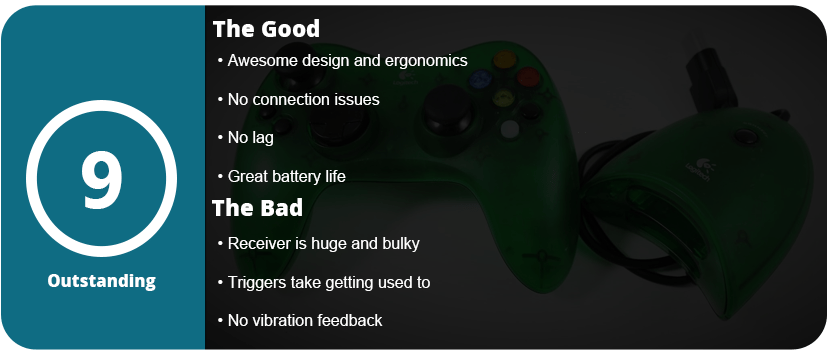
After loving the Cordless Precision Controller for PS2, I had to get something similar for the Xbox. Now, the Xbox controller is great, but I don’t like cords strung across my house. Back in the day, wireless controllers were expensive, and there weren’t many good ones. After picking up a generic wireless controller a couple of weeks ago, I ditched it in the trash. It lagged, was constantly cut out, had to be reconnected from the receiver end, and was just glitchy and cheap. The Logitech controller feels solid, literally melts away in your hands, and has a nice weight to it.

The arms of the controller are bent out more and are a bit longer, so you have a more solid grip. The black and white back and start buttons are closer to your thumbs and are a bit bigger. The triggers aren’t really better than the OEM controller, but they still feel nice and are a little less stiff. The analog sticks feel great, and just like the PS2 version, they are a tad loose, so it takes getting used to.

I found it puzzling to have memory card slots on the receiver end as it makes it big and bulky, and the Xbox has an HDD, so why do we need memory cards? I understand transferring saves to a friend’s system, but it couldn’t have been built into the system. Anyway, the controller connects without a hitch and never needs to be repaired. Just press a face button and it connects with zero hassle, and this is why I absolutely love these Logitech controllers.

The back door to the batteries is much easier to get off than the PS2 version, and you get 50 hours of battery life off of two AAs. Overall, this is the go-to wireless controller for Xbox, as it feels better than the OEM one and is just a seriously solid and amazing product. They tend to be a bit cheaper than the PS2 versions, as there was only one version released. However, a new controller will still cost you over $100.

Share this:

  • Email a link to a friend (Opens in new window) Email
  • Share on Tumblr
  • Tweet
  • Share on Reddit (Opens in new window) Reddit
Like Loading...

Logitech Cordless Precision Controller for PlayStation 2 (Older Model) – 11 Years Later

Posted by BinaryMessiah on 03/30/2017
Posted in: Hardware, PlayStation 2, Sony Consoles. Tagged: controller, cordless, logitech, PlayStation 2, precision, ps2, wireless. Leave a comment

Manufacturer: Logitech

Release Date: 8/28/2006

MSRP: $39.99

Colors: Black, Silver (EA Sports), Blue


I have to note that this is the older, and better, model of the Cordless Precision Controller for PS2. The newer one doesn’t feel as nice but is more widely available. Besides the official DualShock 2, there isn’t a better controller out there. There were so many third-party controllers for the PS2, and they were all mostly terrible. From poor ergonomics to bad wireless technology or lame button placement, Some controllers opted for the Xbox-style analog stick layout or were just poorly built. Logitech was the king of accessories back in the day, and while they were more expensive, they were worth the money. I had this controller last for over 10 years until it pretty much died on me recently, and I had to buy a new one. That’s a long time for an accessory, and it went through several moves, was stashed in storage for a couple of years, and was dropped, kicked, thrown, and smashed over and over again growing up.

What makes this controller the best wireless option for PS2 is that it just feels good and is more solid than the official controller. There’s more bulk, and it feels heavier and more solid in your hands. The controller fits so nicely with shorter arms and a thicker back with larger top buttons. The D-pad is much improved and works well with fighters as it’s a rolling D-pad over the standard plus D-pad. My only complaint would be that the analog sticks are too loose for my taste, and they take some getting used to.

The controller connects to the receiver easily with just a press of a button, and there is no need to repair it. I never once had to pair the controller over the 10 years I owned it. It shuts off after 5 minutes of inactivity; there’s a mode button for switching from digital to analog, and that’s all you need. It lasts nearly 50 hours on 2 AAs, so get some rechargeables and you’re golden. I also have to mention that the battery cover is a pain to get off, but you can’t have everything.

Overall, this is the best controller option for the PS2 bar none. Sadly, it’s not made anymore and can be upwards of $50–60 used, and new controllers run over $100. If you can nab one, these are worth the investment tenfold. Just another side note: the black version is the most common, with the silver being second and the blue one being nearly impossible to find. The silver ones pop up here and there, but I have yet to ever see the blue one.

Share this:

  • Email a link to a friend (Opens in new window) Email
  • Share on Tumblr
  • Tweet
  • Share on Reddit (Opens in new window) Reddit
Like Loading...

Samsung Galaxy S7 Edge

Posted by BinaryMessiah on 03/30/2017
Posted in: Android, Hardware, Mobile Reviews. Tagged: android, edge, galaxy, google, s7, samsung, smartphone. Leave a comment

Manufacturer: Samsung Electronics

Release Date: 3/12/2016

MSRP: $699.99

Colors: Black, Blue, Gold, Silver


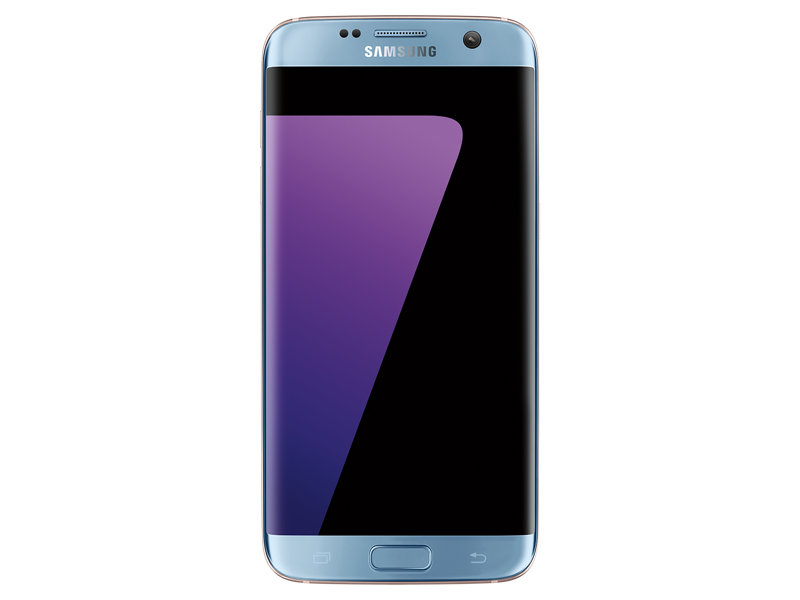
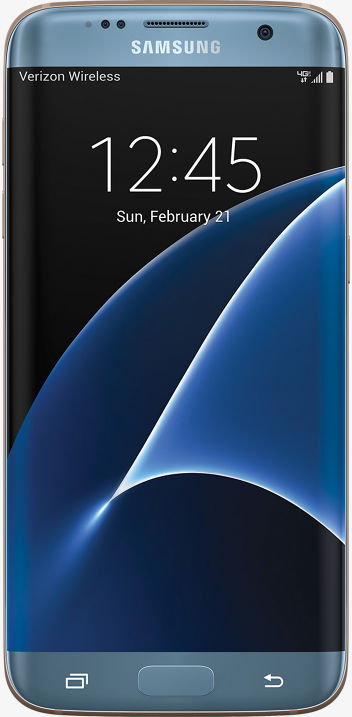
So, this is my fourth Samsung phone, and this company has come a long way. After dealing with the Note 7 disaster, I switched to the LG V20 while awaiting the next Samsung phone, thinking the S7 wasn’t worth it. I recently decided to switch back as the Galaxy S8 is around the corner and the S7 Edge is pretty much the same as the Note7 without the S-Pen and a smidge smaller. The OS is identical, and I really missed the fantastic screen and OS experience from Samsung.

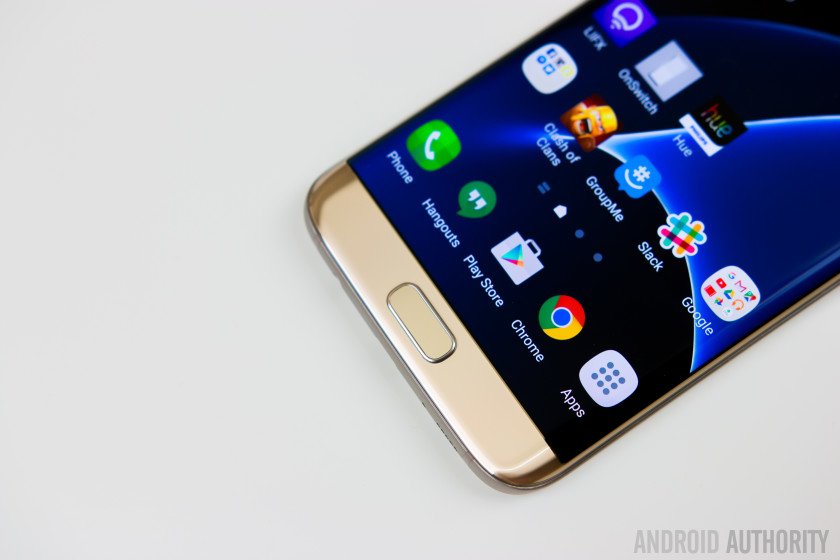
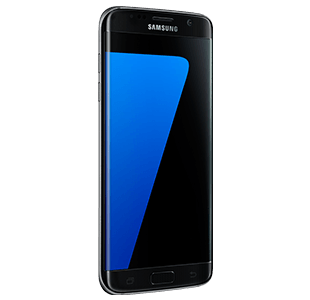
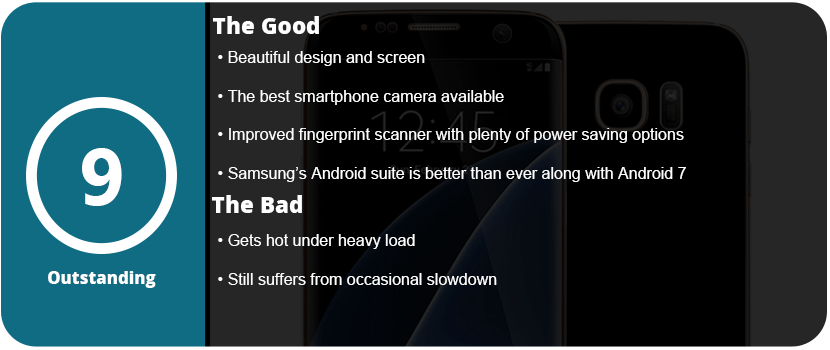
Thankfully, I picked up an S7 Edge after the 7.0 Nougat update, and I have to say it is just a beautiful update to the already great 6.0 that the Note7 shipped with. The S7 Edge has a 2K screen (2560×1440) with a 12MP rear camera and a 5MP front camera. The S7 camera is rated as the best phone camera around, and you can really see just how fantastic it is. The full glass body is sleek and gorgeous and feels great in your hand, and the much-improved fingerprint scanner works great.

The phone has a Snapdragon 820 SoC, which is currently the fastest available for a smartphone and is lightning fast. 4GB of RAM and 32GB of UFS 2.0 memory allow for speedy transfers and writes. The addition of a microSD slot is welcome, and the Adreno 520 GPU allows you to play the latest and greatest games. There’s nothing faster out there right now. However, this phone did tend to run very hot when I did the initial setup. It was so hot it made my hand sweat, but after this setup, I have yet to have the phone get that hot again.

The OS experience is wonderful, and Samsung has implemented so many features over the years that it can be overwhelming. From being able to transfer your files from your old phone via WiFi or USB to advanced security features, excellent power-saving technology, and features for gamers, there’s a lot packed into this tiny brick. Samsung’s Game Tools and Game Launcher are awesome to use, and I have been a fan since day one. Being able to launch a game from the Game Launcher allows you to keep your phone at maximum performance, or you can turn it all down for smaller games that aren’t graphics-heavy. Game Tools allows you to customize each game individually if you want as well.

Samsung’s themes and icons are nice to see on the S7 and make the phone feel unique and personable. Samsung is the only phone maker right now that has this feature, but LG is trying to catch up, but their theme updates are slow going. Samsung has other things packed in here, like Samsung Gear, VR, Pay, and many other proprietary apps that are robust and work well with their own products.

I really can’t pick this phone apart from the Note 7, as it’s exactly the same—same button placement and feel, same style, same screen, same everything. If you were screwed by the Note 7, this has all the exact same hardware but in a slightly smaller form factor. It still has some of the same issues that have plagued Samsung smartphones forever, such as the occasional slowdown if you don’t constantly keep up on optimizing your phone, and it does run hot if the CPU is pushed too hard. Hopefully, this eventually goes away with the next phone, and I don’t know if the OS can’t keep up with the CPU or the other way around, but as time goes on, this issue should not exist.

Share this:

  • Email a link to a friend (Opens in new window) Email
  • Share on Tumblr
  • Tweet
  • Share on Reddit (Opens in new window) Reddit
Like Loading...

Raidmax Viper GX Computer Case

Posted by BinaryMessiah on 03/22/2017
Posted in: Hardware, PC Reviews. Tagged: building, case, computer tower, gx, pc, raidmax, viper. Leave a comment

Manufacturer: Raidmax

Release Date: 10/15/2014

MSRP: $89.99

Colors: Red, Green, Blue


While diving into my first PC case purchase, I put myself on a budget. Sure, all those $200+ cases are nice and fancy, but do I really need 12 HDD bays? I wanted style more than expansive bays and slots, and this case caught my eye in the store. It looks like Dead Space armor, for one, and it’s green. It also has two 120-mm fans that light up green and give off a nice glow. It’s sleek, lightweight, and seems to have plenty of ventilation.

When I unpacked the box, the case came with a bag of screws, motherboard mounts, converter rails, and lousy instructions. Yes, this case is kind of a figure it out yourself, as the instructions only tell you about the drive bays and a couple cables; that’s it. It’s a useless 3-page manual with poor illustrations, and I threw it away after about 5 minutes of scanning it over. The case has toolless access with two sets of finger screws, which were nice. Once I popped the panels off, I was greeted by a bundle of cables and green. Thankfully, the motherboard mounts are already installed for you, so you can just get going with installing and not waste time.

The case includes two USB 3.0 ports on the top as well as an audio and mic jack. There’s also a power and reset switch and a red and green LED. On top, there’s a hot-swap bay for a 2.5″ drive, which was a nice surprise. Once I installed my motherboard and PSU and started connecting cables, I noticed a big problem. The front fan’s cable is really short and doesn’t really reach out unless you have a full-size motherboard. I have to just connect it to the motherboard and forgo the 3-pin connector. The rear fan was long enough, thankfully, and there were no issues there. Connecting the front panel header cables was easy enough; however, there are no positives or negatives clearly indicated. There’s just a small arrow on the plastic on the back of the pin, and that is positive. It didn’t say anything in the instructions, and I just had to guess. I didn’t connect the 2.5″ bay drive to the motherboard, so those cables were tucked away.

After the cables were connected, I installed the GPU, and it’s really cramped in here with a full-size 10.5″ card. I installed an Nvidia GTX 1070 Founder’s Edition, and the huge bundle of cables had to sit behind the GPU. If you don’t have a modular PSU, there are going to be space issues, and you will need to get creative with your cable management. After the GPU was installed, I popped in a 2.5″ HDD and a 3.5″ HDD with ease. The drive trays slide out, and then you snap in the 3.5″ drive with no screws needed. The 2.5″ drive sat on the floor of the tray and was screwed in from the bottom. It would have been nice to keep everything toolless with adapters for smaller drives.

I then went about and installed three 120mm fans, with two on top and one on the bottom, next to the PSU. I used three Antec TrueQuiet fans, and they went on with ease. Optionally, you can install a 240-mm radiator on top for liquid cooling. I need to mention at this point that cable management got easier with this case once I started and knew where everything was going to lie. I did have to get a tad creative and tuck cables away at the bottom on the backside, but the case comes with velcro tie-offs, which helped, and there were plenty of areas to tie things down on.

My biggest complaint is that the three front bays are only 5.25″ with no adapters. I had to take my fan controller back to the store because I thought I could stick a 3.5″ controller in there. It is seriously disappointing that these bays aren’t compatible with adapters. Sadly, you can’t even access the front without opening the front panel, which is a tad annoying, but you can get used to it. Once everything was connected and tied down, I closed it up, and the case looked beautiful turned on. I chose green fans, and with the GTX 1070 lighting up green, it was a perfect color scheme. The case fans were quiet, and I didn’t really notice them much. It was much quieter than my Alienware X51-R2, which was very loud at high RPMs.

Overall, this was a great PC building experience, and I’m happy with this tower. It’s not the roomiest or the greatest for cable management, but it works and gives a satisfying end result. The bays were compatible with different sizes, and the front bays were more easily accessible. The front fan is also impossible to connect to a motherboard unless you have a full ATX motherboard.

Update: (4-22-18) After spilling soda on top of this case and having the reset switch go out on me, I decided to update the case with something new. My final thoughts on this case after upgrading the Alienware parts and installing full-size hardware are that, I have to say, it’s very cramped and hard to manage. The 5.25″ bays and that whole column on the right just cramp up this case big time. There are also not enough slots to stick cables through, and it became crowded and hard to manage. I also don’t like the small see-through window, as it restricts any lighting in the case with everything closed off. I also don’t really like the cheap-feeling power and reset buttons, and there aren’t enough USB ports up front. I quickly outgrew this case, but it is good for beginner PC builders on a budget.

Share this:

  • Email a link to a friend (Opens in new window) Email
  • Share on Tumblr
  • Tweet
  • Share on Reddit (Opens in new window) Reddit
Like Loading...

The Weakest Link – 16 Years Later

Posted by BinaryMessiah on 03/12/2017
Posted in: PC Reviews, PlayStation (PS1), PlayStation 2, Retro Consoles, Sony. Tagged: game show, ps1, retro, the weakest link. Leave a comment

Publisher: Activision

Developer: Traveler’s Tales

Release Date: 10/2/2001


Available On


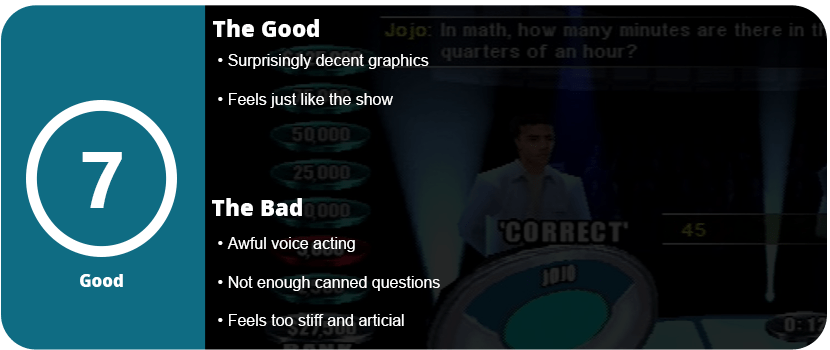
The Weakest Link brings back memories from my childhood. I remember the show being the next Jeopardy or Who Wants to Be a Millionaire. I remember the sound bites, that sassy British host, and the fast-paced and addictive play style. Surprisingly, the video game is an exact copy of the game show but is held back by set content.

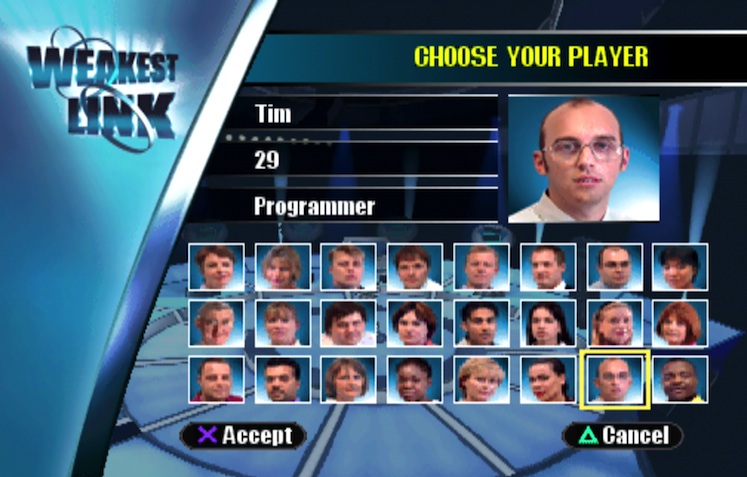
There are about two dozen contestants you can choose from, who are all poorly voiced and have canned sayings that get old quick during the games. The Weakest Link is an elimination-style game that is made up of six rounds. The first round starts out at 2 minutes and 30 seconds, with each round taking 15 seconds off the clock. The host goes around in a randomly chosen order, asking trivia questions, and you can either bank the amount of cash totaled so far or answer the question. If you’re wrong or pass, you lose the total amount of money queued.

For the video game, the answers start out with one letter, and as the timer goes down, more letters are revealed. This is obviously easier and faster than typing in a full answer, as that wouldn’t be any fun. The trivia questions can be rather hard and range from science to sports, so having multiple people in the room helps a lot. When the round is over, each contestant votes off another, and here’s where the game becomes a little stale. The AI will automatically vote off the weakest link for the round, which is annoying if it’s you. This is the furthest from the game, as the contestants don’t know who’s the strongest or weakest link for the round, but somehow the AI knows.

The game continues in this fashion with live-action clips of the host rambling on pre-scripted sayings and jokes from the show. It’s nice to see, but after about an hour, you start to see some repeats. Honestly, the only way to play this is with other people, and the way too smart AI kind of ruins the game-show feeling of the entire experience. It nails down the feeling of The Weakest Link perfectly, but you also have awful voice acting and a limited amount of content.

I would recommend anyone who is a fan of the show or wants a fun new trivia game to play. Even for the PS1, the graphics are quite nice, and they capture the effects of the show. If you can look past the stiffness of it being a pre-set video game and the awful voice acting, then give it a go.

Reviewed On


Share this:

  • Email a link to a friend (Opens in new window) Email
  • Share on Tumblr
  • Tweet
  • Share on Reddit (Opens in new window) Reddit
Like Loading...

Mad Catz Strike 5 Keyboard – 5 Years Later

Posted by BinaryMessiah on 03/03/2017
Posted in: Hardware, PC Reviews. Tagged: gaming, keyboard, mad catz, pc, strike 5. Leave a comment
41u-mc9enzl

Manufacturer: Mad Catz

Release Date: 10/31/2012

MSRP: $199.99


Mad Catz has an interesting history of trying to revolutionize the PC scene with interesting new devices that are unique and not seen anywhere else. It started with the RAT series of mice, which were modular and fully customizable to your hand. Later, they released the Strike series keyboards, which took that to a whole new level.

With the RAT 9 that I owned, I liked it a lot, but there were a lot of mechanical issues for me, and it failed twice. I skipped Mad Catz altogether for a while until I saw this keyboard on sale. The Strike 7 is the most expensive gaming keyboard ever made, and I didn’t want to spend $300 on it. The Strike 5 takes some of those features and creates an interesting piece of hardware. The box is huge and stands out from all other flat keyboard boxes. When you open it up, it has some very ugly packaging, with all the pieces in plastic bags and ugly pressed cardboard.

415zwfepenl

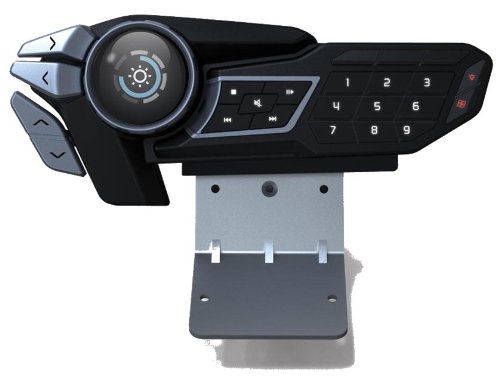
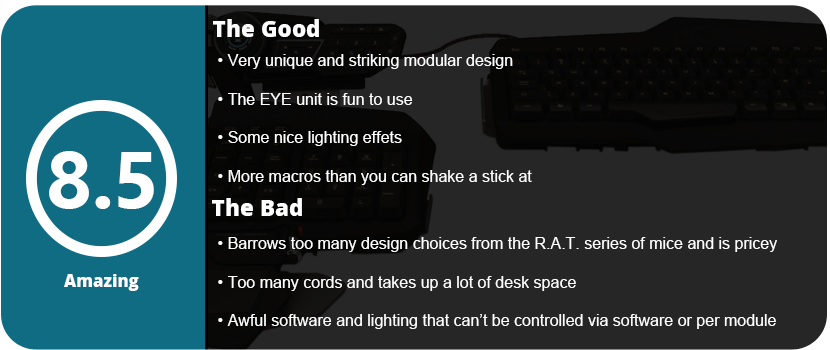
Once you get everything out, it seems overwhelming to put together, but in the end, it’s not really. There are about a half-dozen pieces to screw together. You can put them in any order, but it’s recommended that you put them together as instructed until you are familiar with the product. The main keyboard piece attaches to a side piece that holds the num pad and arrow keys. There are three wrist rest pieces. One is taken straight from the RAT series mice, which are the palm rests. With a scroll wheel and red button, as well as adjustable height and length. It looks like an oversized RAT palm rest on the keyboard, which was rather disappointing as I wanted to see something unique for this series of keyboards. There’s a macro sidebar, but the most interesting thing is the top EYE unit.

61l3wltudwl-_sl1413_

This unit has an OLED display and a scroll wheel. There are arrow buttons, macros, media controls, and profile selection for this piece. You can see the time, set timers and stopwatches, use the program shortcuts, and control backlight brightness and volume for speakers and mics. This is what makes the Strike keyboards so unique and why they cost so much. Using the Mad Catz software (which isn’t all that great), you can see the program icon on the display and just select it to open it. It’s actually very useful, and this whole top piece will be used quite a bit.

41sjeporfil

The software itself hasn’t changed much in nearly five years. I also don’t like how you can’t set windows or media functions to any other keys; you also can’t set them to open programs, which really stinks. After spending a week with the unit, I felt the keys were a tad too soft. The keys are made with Mad Catz’s own technology, but they have an actuation force similar to Cherry MX Blue keys. You won’t get the super clacky sounds of standard Cherry keys, but they feel mushy, and while you will get used to it, Cherry MX Brown and Red fans will find it too soft. One key I loved, in particular, was the space bar. It’s wider and comes down further, so people with longer fingers won’t cramp their thumbs. It’s a subtle detail, but one that could matter with extended use.

81y5oibfunl-_sl1500_

The arrow keys take getting used to because there are lowered command keys around them, so sometimes you will press a command key. Overall, the key layout is fantastic, and I don’t really have huge issues with any part of it. The overall disappointment stems from identity issues, as the keyboard borrows too much from the Mouse series and doesn’t quite stand out on its own. While all this is great, it all comes down to price. For $200, it’s hard to say if this keyboard is worth it for most people. If you are looking for something unique to stand out from your command station, then go for it, but recently the keyboard has been on sale in stores for under $100, and if you can find it at that price, swipe it up.

Share this:

  • Email a link to a friend (Opens in new window) Email
  • Share on Tumblr
  • Tweet
  • Share on Reddit (Opens in new window) Reddit
Like Loading...

Final Fantasy XV

Posted by BinaryMessiah on 01/30/2017
Posted in: Microsoft Consoles, PC Reviews, PlayStation 4, Sony Consoles, Steam Deck Verification, Steam Deck Verified, Xbox One. Tagged: 15, final fantasy, square enix, xv. Leave a comment

Publisher: Square Enix

Developer: Square Enix

Release Date: 11/29/2016


Available On


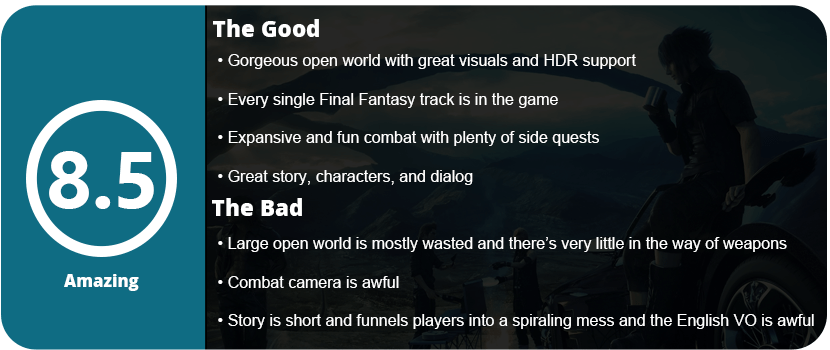
The JRPG genre, in general, is probably the stalest of them all. I understand the Japanese market is a lot different than ours, but the Western audience is always looking for something new and always interested in change. Final Fantasy is one of the most popular and highest-grossing video game franchises of all time, so it’s no wonder that Square Enix finally took the leap and made drastic changes to the series before they lose all their fans and can’t gain new ones. Final Fantasy XV takes a huge step forward and leans more towards Western RPGs such as Skyrim, Fallout, Mass Effect, and Fable.

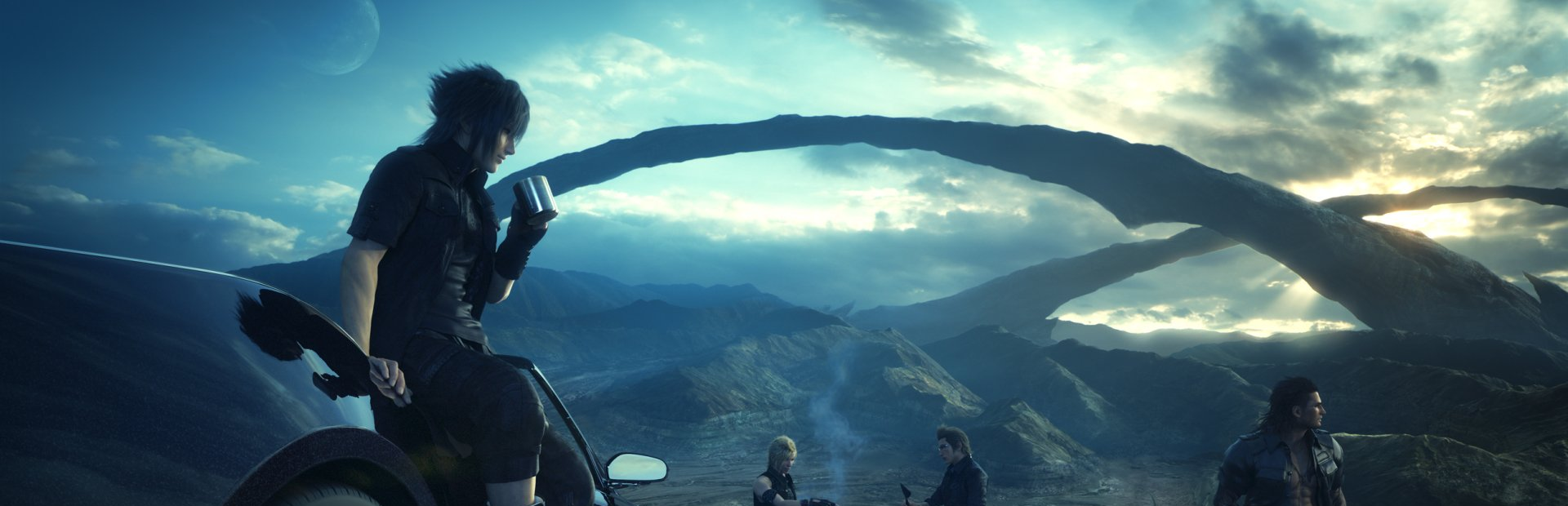
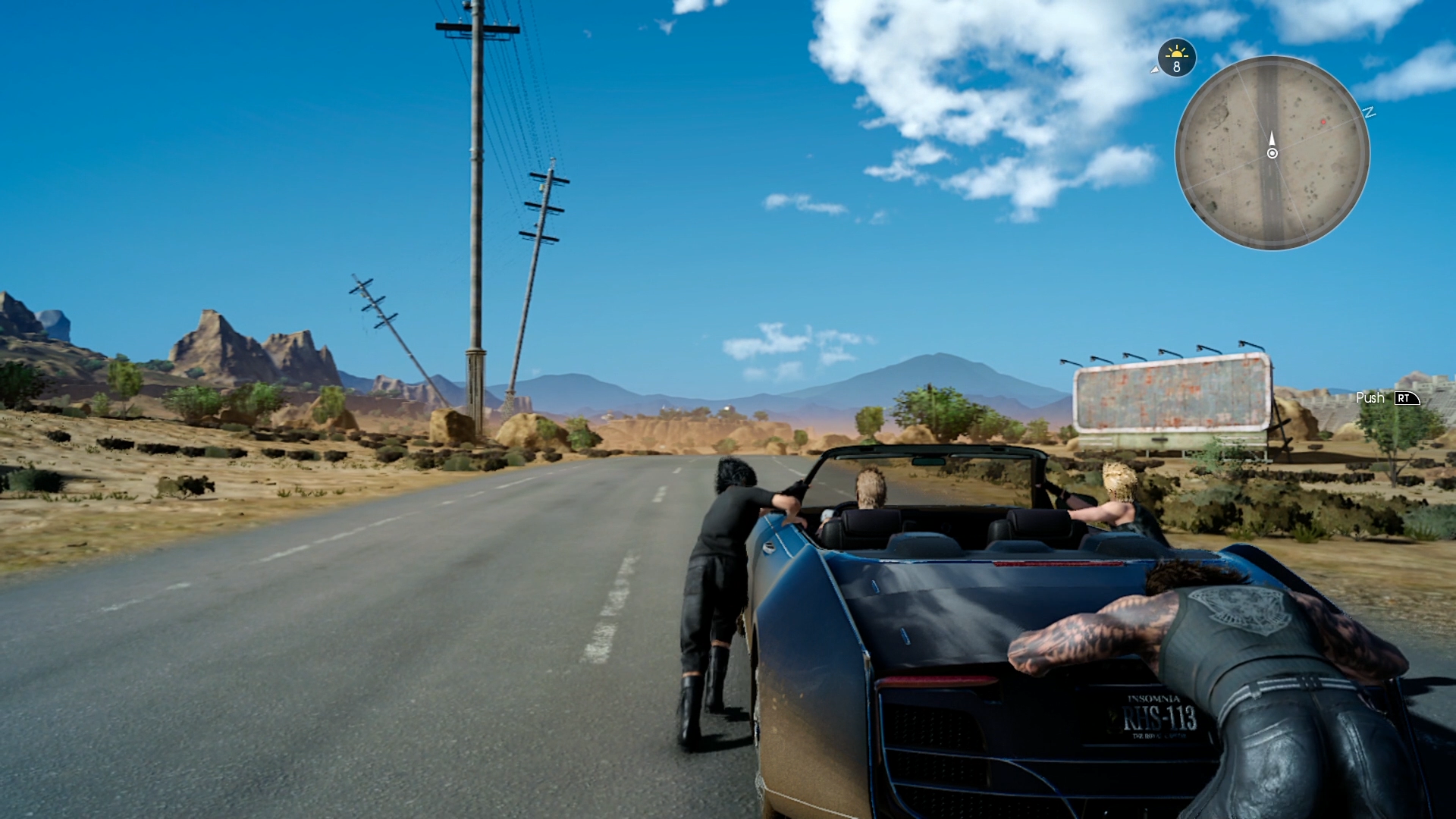
The first thing you will notice is that the game is mostly open-world. The area of Lucis is huge, wide, and expansive, and it can take over 15 minutes to travel from one end to another by car, probably over 30 on foot. But let’s back up a bit and talk about the story. The game has quite an interesting story, albeit straightforward and not as expansive or in-depth as other games in the series. You play as a team of four lifelong friends who are trying to stop an immortal from destroying the last remnants of Prince Noctis’ kingdom. You play as Noctis, and your other three companions, Prompto, Ignis, and Gladiolus, are all fighters in their prime. The story goes from very subtle pieces broken off to an unbalanced acceleration of linearity and difficulty.

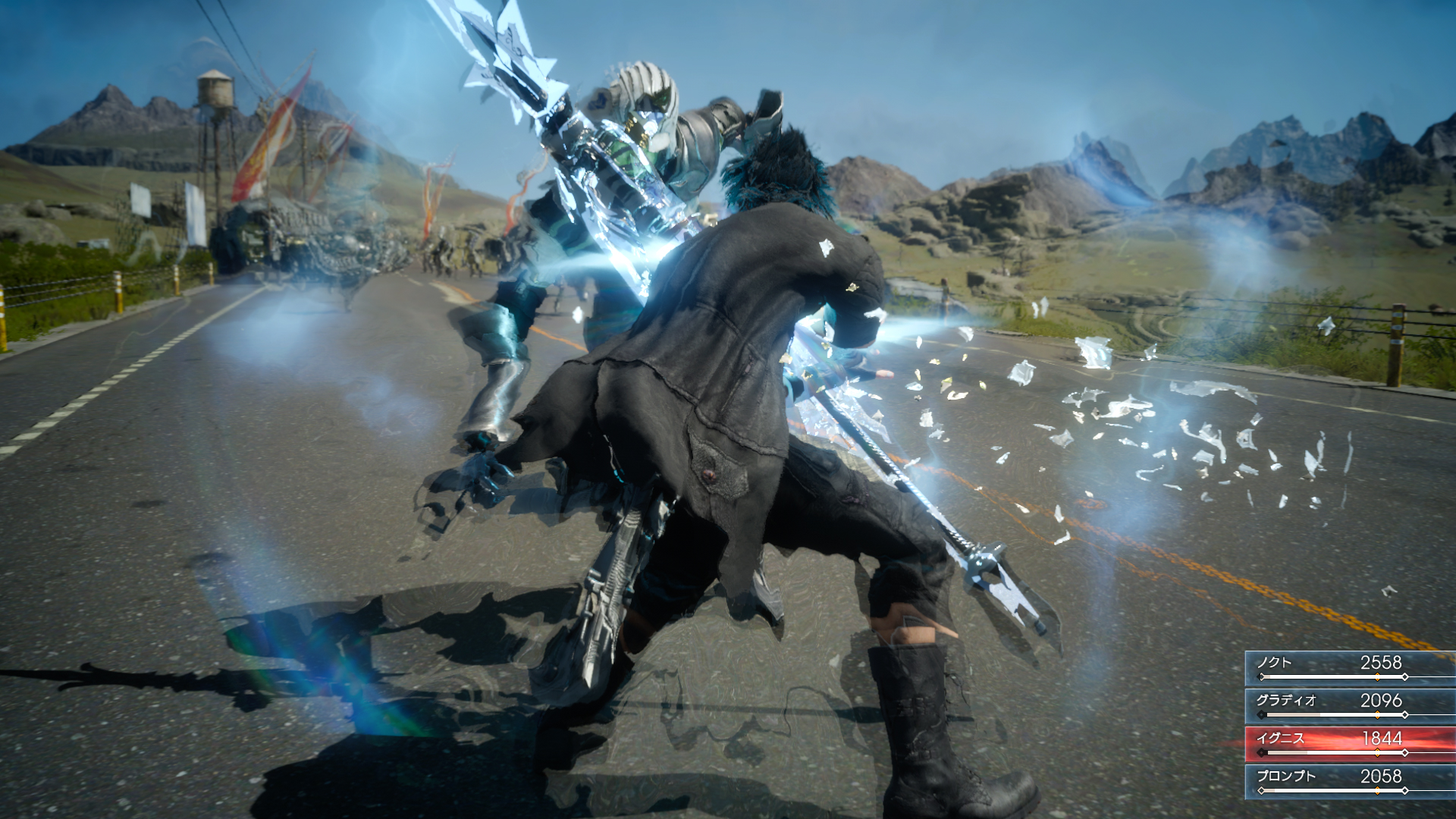
I can’t give away more of the story, or I would spoil it, so let’s get into combat. The game is not turn-based like previous games or even like Final Fantasy XII. The game is completely open combat, and if you want to run away from a battle, you just leave the red area on your mini-map. Noctis locks onto an enemy and uses a button combined with analog stick movements to slice and dice. You can equip up to four weapons, including magic (yes, it’s equippable and you have to craft it), so it’s very diverse compared to turn-based combat. The other three can use special moves when your meter goes up that can do devastating damage. Noctis can also warp to a point and hang there to recover MP and HP to take a breather. The combat is quite in-depth and fun to use, but the camera is just plain awful, and without locking it on, you won’t be able to hit anything. The camera swings around and gets stuck everywhere, forcing you to blindly fight enemies off-camera sometimes.

The game starts you out on a tight leash but slowly lets you out into the world. The biggest disappointment about this game is that this huge and beautiful world is wasted on side quests. While these side quests are addictive and I spent more time with them than with the main story, I still wish there was more to do and see. The only other activities are fetching items on the world map like ingredients for cooking and treasures, and that’s about it. You don’t even get achievements for these, which makes it less worth doing. You wind up with plenty of ingredients and items just from combat alone, so wasting time driving around this big world to do these mundane tasks is unnecessary. I wasted a good three hours in the beginning doing this only to realize that the items respawn, so it’s pointless. The treasures are no more than consumable items and rare weapons that you can easily buy at a store.

3129615-ffxv_tgs_screenshot_22

So what we have here is a huge open world for side quests, and the main story funnels us from the open world to a linearly scripted second half of a game that feels more repetitive than fetching useless items. Now that may sound harsh, but the game’s dialogue, story, and characters make it worth going through all this. Like most other Final Fantasy games, there is a level-up and skill progression system, but this time it is two-fold. Each character has a set skill, such as Prompto taking photos throughout your trip. This is a great feature, as when you rest, you can just pick what photos you want from what he took. As he levels up, he learns new filters, and it’s a lot of fun. Gladio will increase his survival skills by increasing item drops; Noctis can fish for ingredients; and Ignis will learn new recipes. Some may not care at all about this, but it’s optional for sure. The second progression system is a node-type layout similar to Final Fantasy X, where you use AP to unlock skills ranging from combat, teamwork, arbiter skills (basically an ultra move), and so forth. It takes forever to unlock all of these, and even with 50 hours of gameplay put in, I still didn’t acquire them all.

Once you get the hang of the entire game and get combat under your belt, you will blow through side quests, acquire items in the game, and finish the story. The story can’t be beaten without completing most sidequests, and you need to be at least level 40 before getting to the end. The strongest enemies in the game are the daemons, which come out at night, and you can’t even start tackling them until you reach level 30. Driving the Regalia around at night isn’t safe, and Ignis will always suggest you rest and not travel at night. So if you need to be level 40 before getting to the end, are the side quests really optional? They are fun and allow you to see the entire game, as this is a gorgeous world that Square Enix has built.

final_fantasy_xv_master_version_game_still_3_0

The visuals in the game are amazing, and the character models look great. This game supports HDR, and it looks gorgeous on a 4K TV, but there are some ugly bits, such as texture issues, and the NPCs aren’t as detailed as the main characters. While Final Fantasy XV is far from perfect, it’s also far from bad. If the camera was fixed in combat, there was more to do in this open world, and the story didn’t spiral into a linear, unbalanced mess, it could be the best FF game ever made. As it is, though, you will have to forgive the game’s shortcomings and learn to appreciate how far the series has come in 25 years.

Reviewed On


Share this:

  • Email a link to a friend (Opens in new window) Email
  • Share on Tumblr
  • Tweet
  • Share on Reddit (Opens in new window) Reddit
Like Loading...

Halo 5: Guardians

Posted by BinaryMessiah on 01/13/2017
Posted in: Microsoft Consoles, Xbox One. Tagged: fps, guardians, halo 5, master chief, shooter, xbox one. Leave a comment

Publisher: Microsoft Game Studios

Developer: 343 Industries

Release Date: 10/27/2015


Available Exclusively On

  • xbone

It has been a long time since Halo was first released. Most people may not even remember it, but it was a series that almost never saw the light of day. Halo: Combat Evolved was a well-made sci-fi epic first-person shooter turned into a multi-million dollar sci-fi odyssey spanning dozens of comics, books, TV shows, and almost a movie. The first three games were absolutely fantastic, with Halo 2 being the best of the bunch. With revolutionary multiplayer and combat mechanics, Halo has been copied countless times over and over again. But how far can a series take something revolutionary and continue to build on it? Halo had three spin-offs, with ODST and Reach expanding beyond Master Chief and Wars being an RTS.

h5-guardians-campaign-fp-genesis-warden-unleashed-0

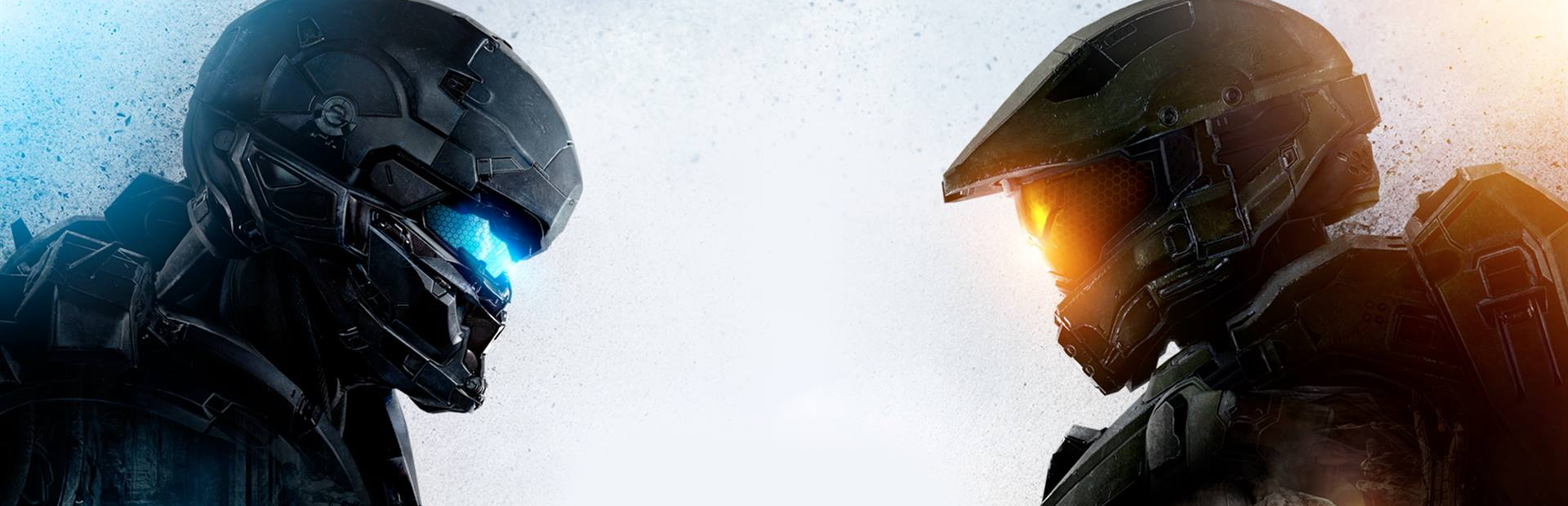
Halo 5 is the direct sequel to Halo 4, with Cortana’s rampancy going off the charts and team Osiris trying to track down the Blue Team, which is Master Chief and co. The story will make zero sense unless everyone has been playing the games recently and even reading the literature. The story has become so complex and involved that the games can’t tell the whole thing anymore. I didn’t even make much sense of it and was lost most of the time. With the story out the window for most, what we have left is just the gameplay.

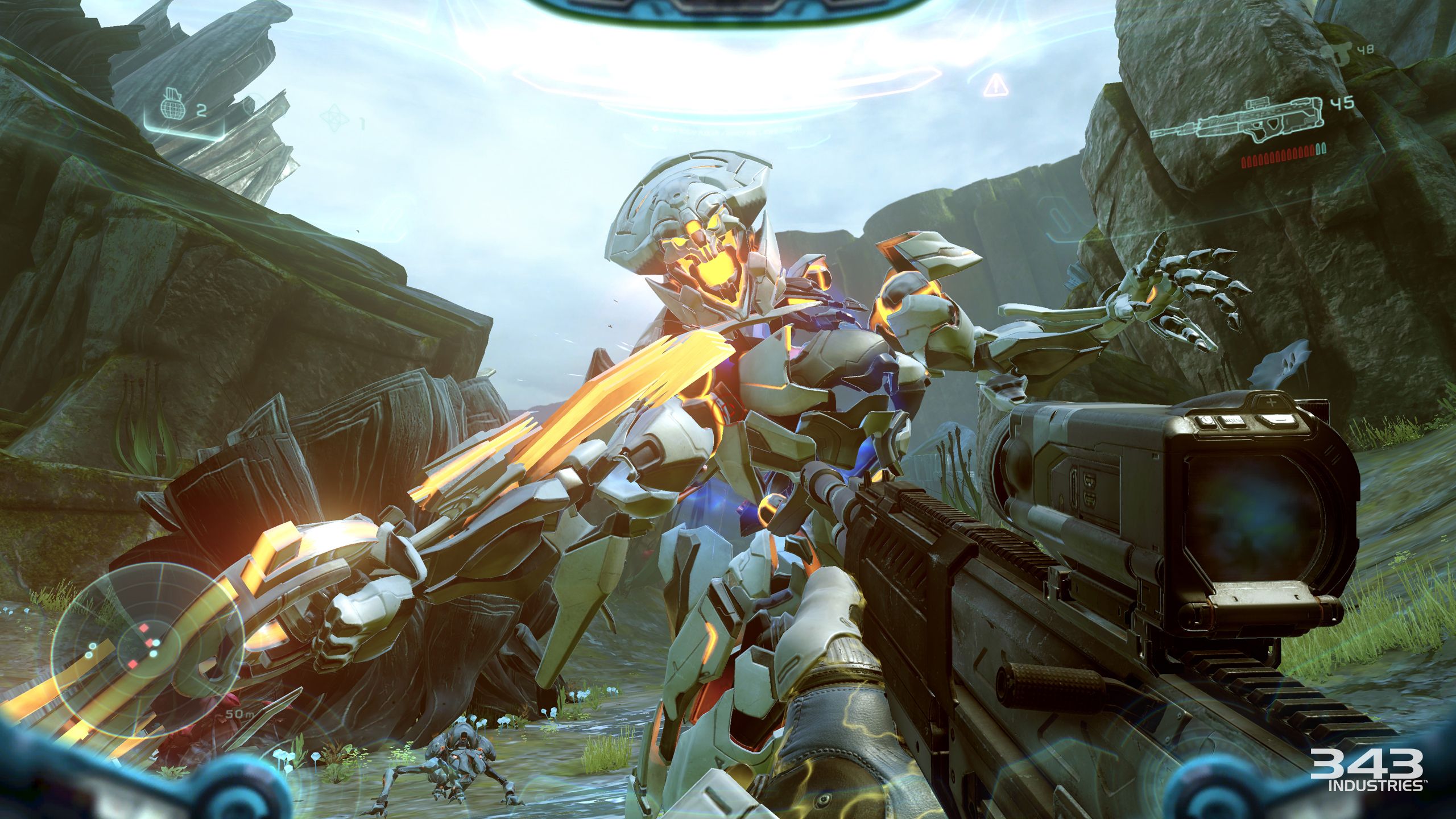
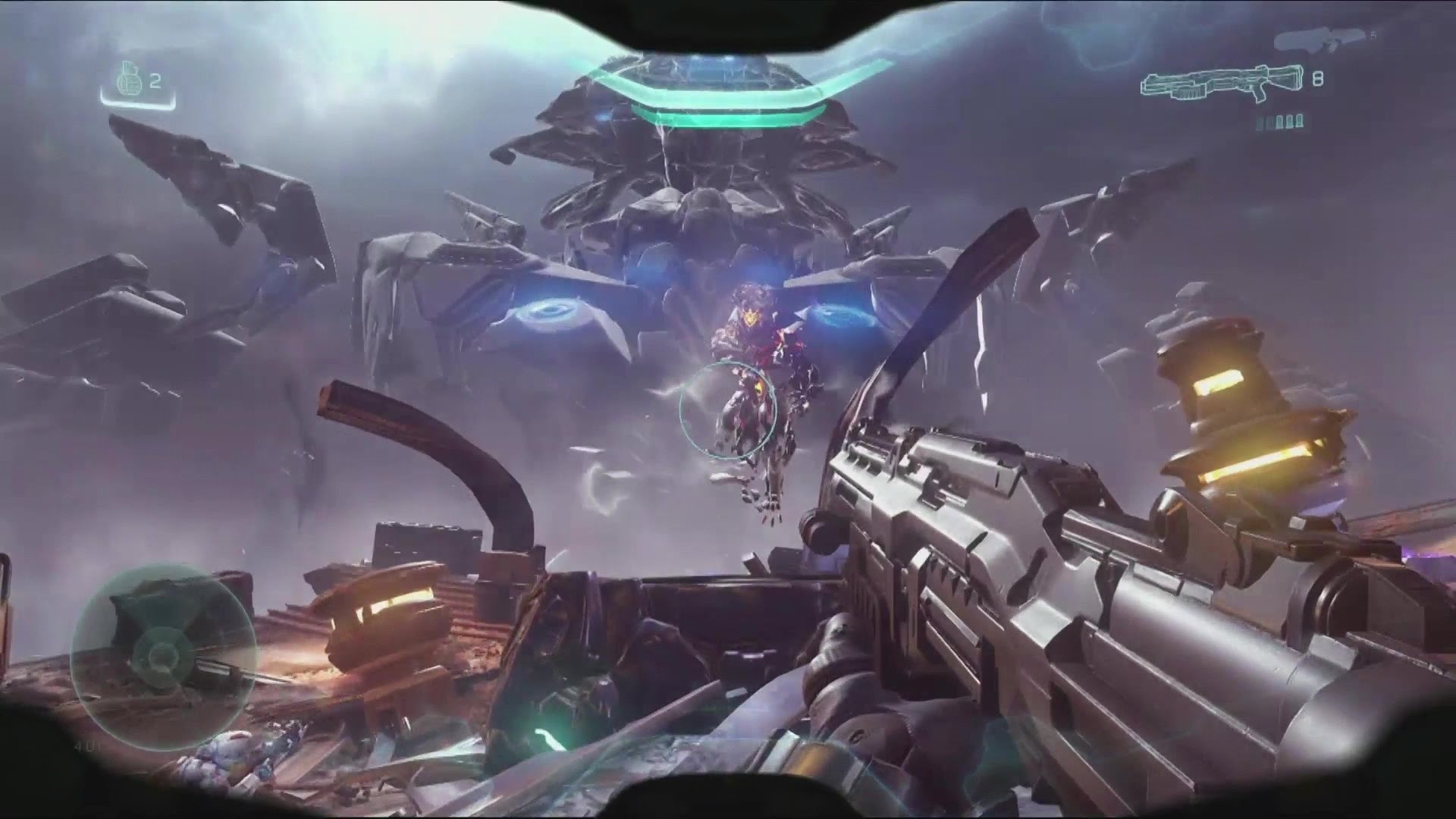
Halo 5 has a solid campaign, but it is forgettable and too similar to previous games. With the added Prometheans from Halo 4 returning and the remade Covenant, it is definitely a strange game to accept. All your Halo vehicles are here, albeit remade, and even the new mix of UNSC, Covenant, and Promethean weapons can make your head spin. The weapons are rather unique, and they all feel great and are well balanced. You are forced to switch weapons based on the situation, as each enemy plays differently and requires different tactics. This has been a staple of Halo gameplay, and it is at its pinnacle here.

Missions are sadly unvaried, with just on foot trotting through various landscapes and getting on vehicles here and there (the least amount of vehicle riding out of any Halo game), and that’s about it. You get new jetpacks and a Spartan Charge and Stomp move as Locke when you play the Osiris team. Master Chief feels like his same old self but is only played at a couple of levels in the game. This feels more like a spin-off and more on the lines of ODST and Reach than the main Halo game. The campaign has 14 chapters and will take around 8–12 hours to finish. Once you do, you’re on to multiplayer and customizing your character.

halo-5-guardians-character-select

Halo 5 introduces card packs to rake in microtransaction-loving fools this time around. These packs have perks and extra customization options. There’s a lot to customize, such as your armor, emblem, narrator’s voice, weapon skins, and some other things. Outside of this multiplayer, Halo has been so involved and similar through each game that it all blurs together. I’m not a Halo multiplayer veteran or expert, but I can only tell you that it’s fun and isn’t less fun than other Halo games. There are plenty of maps and modes to keep you busy for the rest of the year. Halo is its own beast and carves its own path in the FPS multiplayer landscape. It may not be for everyone, as it doesn’t feel like the military shooter, just like with Gears of War. It’s difficult; there are people who play this professionally online or have played since the first game, and you will die more times than you can count.

Outside of multiplayer, there’s 4-player co-op and Halo Forge, which allow you to build multiplayer maps. I honestly didn’t dabble in this too much as I’m not very good at it, but it’s very robust, and map creators will be in heaven here. Let’s get sad here and talk about what I didn’t like. The visuals were extremely disappointing. With this being the flagship Xbox franchise, the graphics were more like they were ported over from Xbox 360 and touched up. The textures are fairly low resolution, and the model detail wasn’t too great. This game doesn’t look much better than Halo 4 outside of the lighting effects and draw distance. The game doesn’t even support HDR, which was a real letdown as well. The game just isn’t much of a sequel, and Halo needs a serious reboot at this point.

maxresdefault

Overall, if you hate Halo or are tired of it, this won’t change your mind at all. Halo has declined over the years and doesn’t retain the quality it once had or the chokehold on the FPS genre. This is far from the king that it used to be and needs a passover with fresh minds and new ideas. Stay for the multiplayer, but most people will play this game and forget about it.

Share this:

  • Email a link to a friend (Opens in new window) Email
  • Share on Tumblr
  • Tweet
  • Share on Reddit (Opens in new window) Reddit
Like Loading...

Posts navigation

← Older Entries
Newer Entries →
    • Reddit
    • Instagram
    • Bluesky
  • Follow on WordPress.com
    1. Unknown's avatar
      Anonymous on Red Faction – 22 Years Later03/10/2026

      Try multiplayer. A lot of fun !

    2. BinaryMessiah's avatar
      BinaryMessiah on Rengoku II: The Stairway to H.E.A.V.E.N. – 19 Years Later01/25/2026

      Yeah, it's pretty damn awful. Notoriously one of the worst games on the PSP. A 4 was actually being generous.…

    3. Unknown's avatar
      Anonymous on Rengoku II: The Stairway to H.E.A.V.E.N. – 19 Years Later01/24/2026

      No idea about this game, its not that bad its a 6.5 not a 4....

    4. BinaryMessiah's avatar
      BinaryMessiah on Lonewolf12/10/2025

      Yep! The fact that I forgot about this game until you made a comment proves that.

    5. Unknown's avatar
      Anonymous on Lonewolf12/10/2025

      completely forgetable?

  • https://www.heavensgate.com/
Blog at WordPress.com.
  • Subscribe Subscribed
    • thebinarymessiah.com
    • Join 204 other subscribers
    • Already have a WordPress.com account? Log in now.
    • thebinarymessiah.com
    • Subscribe Subscribed
    • Sign up
    • Log in
    • Report this content
    • View site in Reader
    • Manage subscriptions
    • Collapse this bar
 

Loading Comments...
 

    %d