Mobile games were stronger than ever this year, and thankfully paid games are slowly making a comeback. There were quite a few heavy hitters this year, and for once, it was actually a tough choice picking the top mobile games this year.
Pocket City
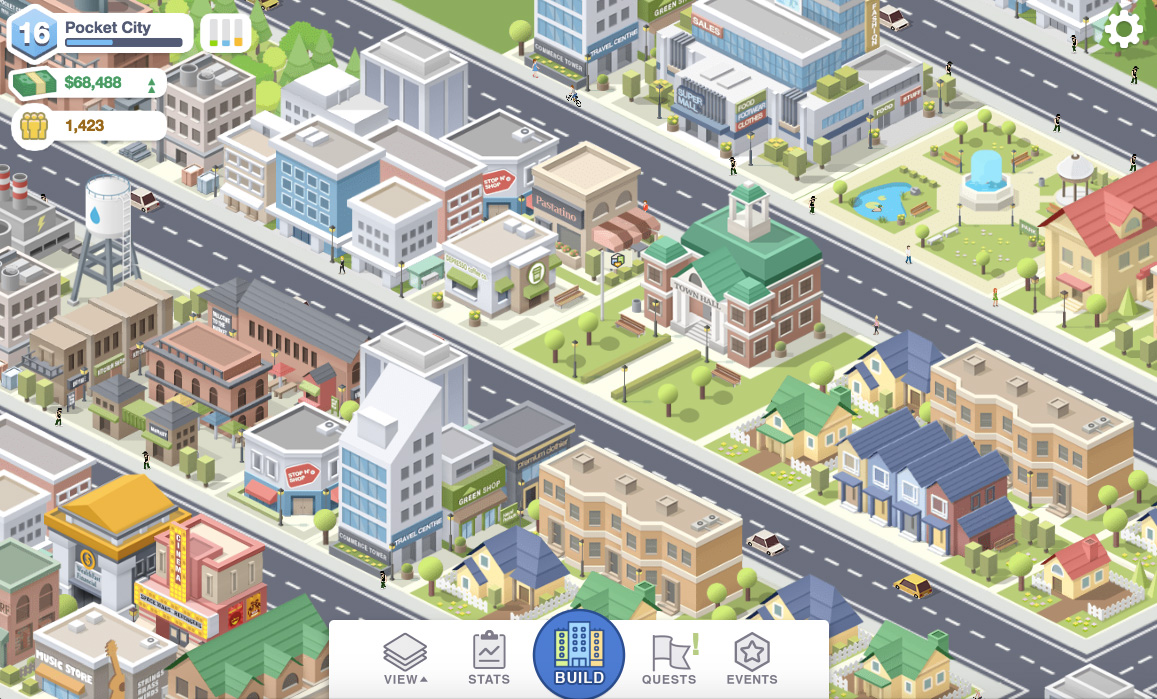
Pocket City is not only the only good city building game ever made for mobile, but it’s a premium game so there are no microtransactions holding the game back. It’s got a great UI, deep gameplay, and any city builder fan must play this as it runs well on any mobile device
Coming from being a dedicated fan of one manufacturer and switching to a new one can be jarring, but sometimes it can bring in a breath of fresh air. Recently I looked at my Note8 thinking about the Note 9 and realized how little of a difference there is between the two, and about $400. Samsung’s phones have gotten more expensive over the years and have become so pricey that I now have to start putting down payments on my upgrades which I never did before. Then after I decide to wait it out for a while along comes OnePlus. I’ve heard of them before, and most of us have, but they were a flash in the pan that didn’t last very long.
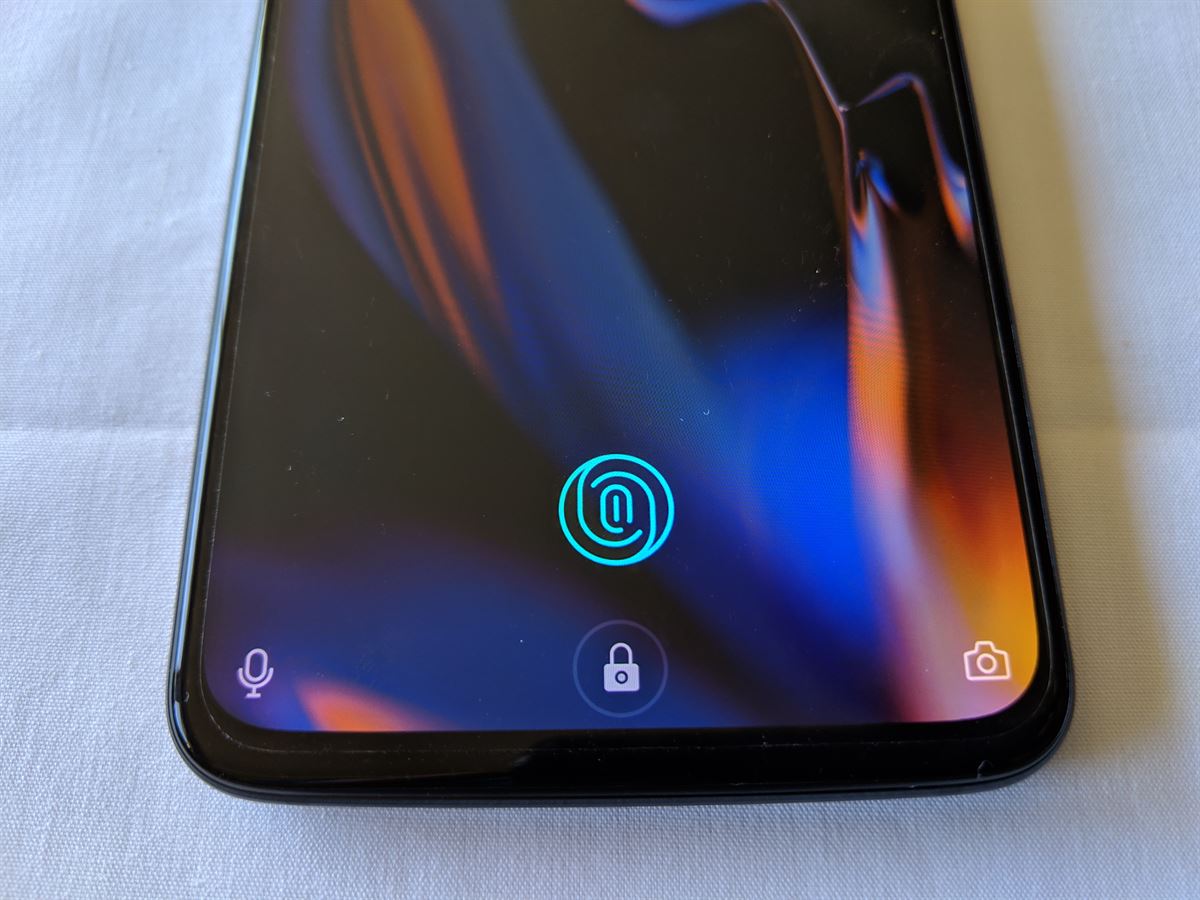
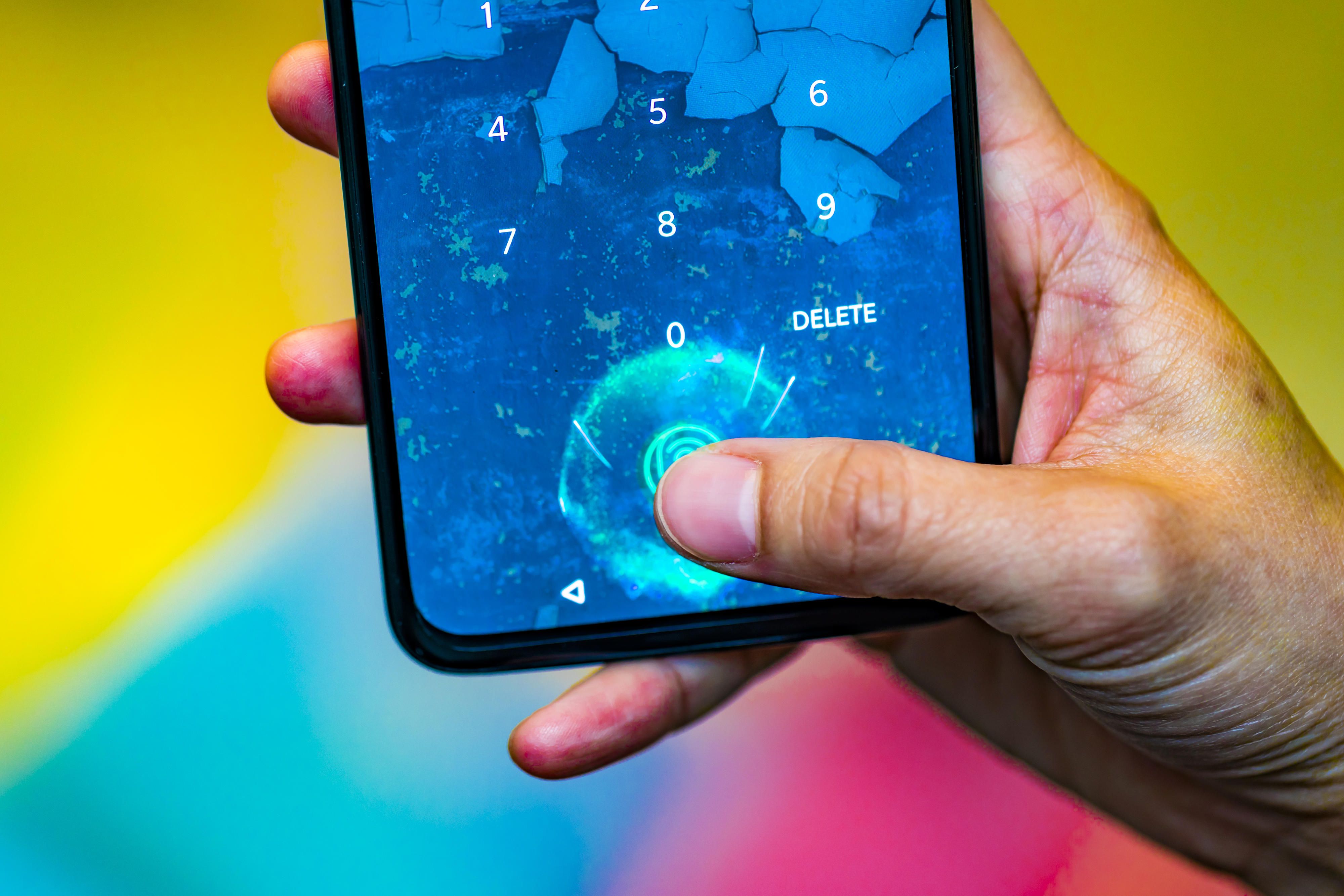
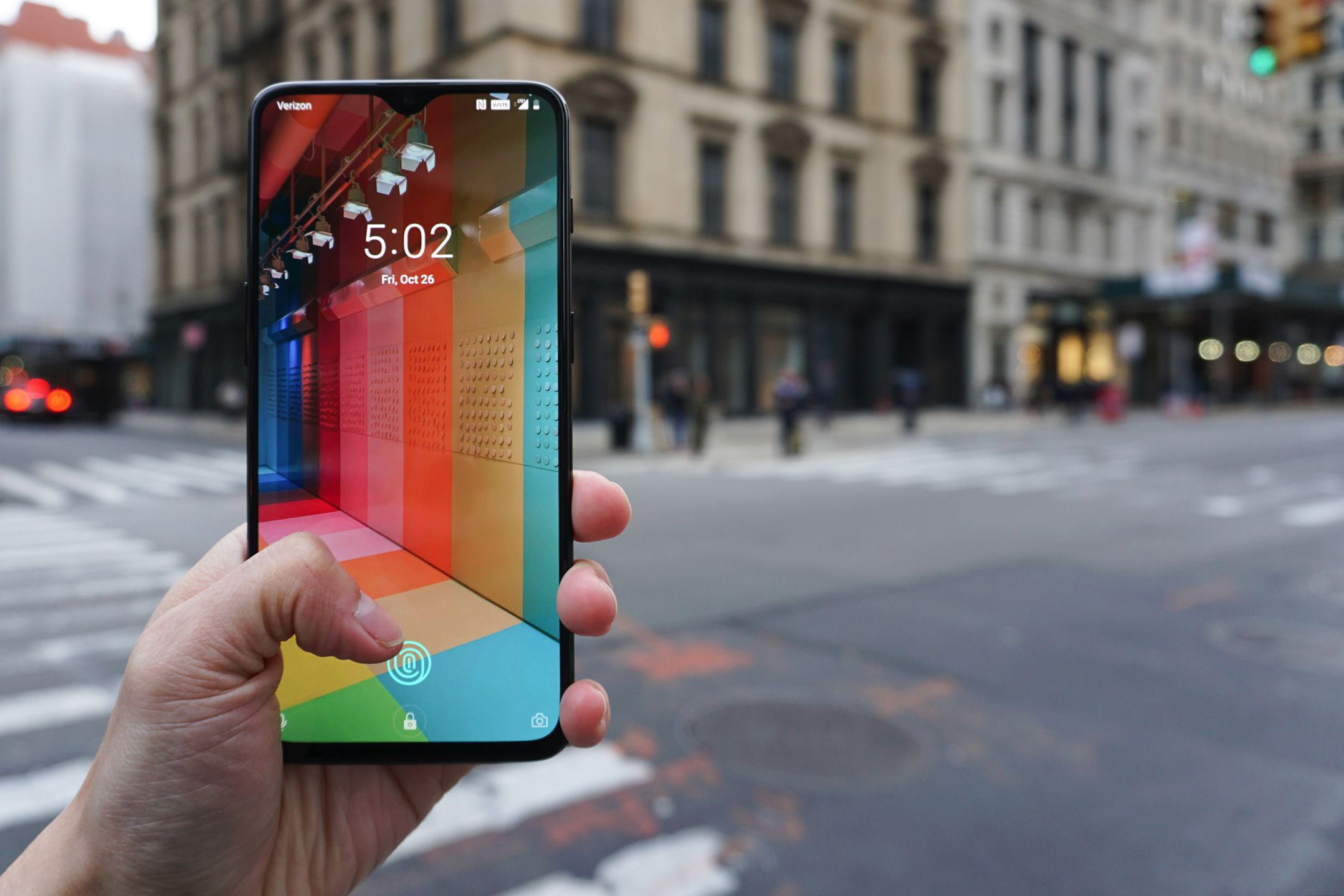
Here we are at the end of 2018 and OnePlus comes out swinging with features that both Samsung and Apple have not done yet or haven’t done right, and that’s what gets you sales. The biggest attraction by far is the on-screen fingerprint sensor and the best screen notch to date, not to mention it’s 1/3 the price of other phones. The same hardware packed into the Note 9 at a fraction of the price? Yes, please!
Looks Matter
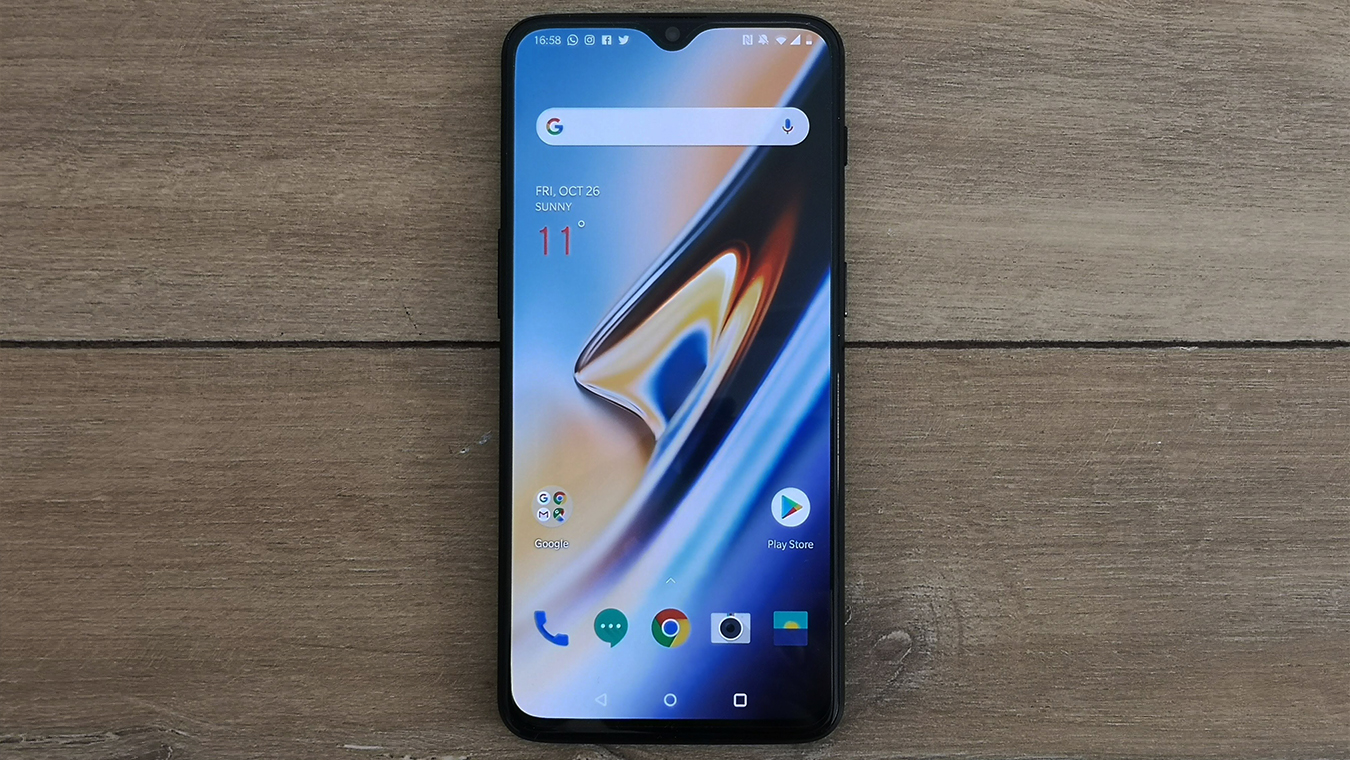
The 6T is a very sexy device and probably one of the nicest I have ever seen. The extreme bezeless display is just amazing to look at and has a look even Samsung can’t get right with their Edge displays. We finally have a phone with about 95% screen, and that’s a big deal. Gone are the days of physical buttons and large bezels for cameras and sensors. OnePlus managed to pack ambient light, a camera, notification LEDs, and everything else into a tiny spot on the front of the phone that is just about the same width as the notification bar. It’s really a sight to behold, and it looks so damn good with the AMOLED display. OnePlus did not cut any corners here, and this is clearly a luxury phone that tops some of the big dogs already.
The entire phone is also made of glass, so it feels high-end and features a volume rocker, a power button, and a volume slider that allows you to physically silence or set your phone on vibrate, and I can’t say how nice this feature is enough. I got so tired of taking my phone out to silence it, and this feels like a great addition. The phone has a USB-C connection, a vertical rear camera, and a flash. It looks sleek, minimal, and attractive at every corner, and it’s still slim with a large 3,700 mAh battery.
Underneath It All
If you go inside the hardware, we have heavy-duty, state-of-the-art hardware that makes this a high-end phone. For starters, the Snapdragon 845 is present with the Adreno 630 GPU for insanely smooth high-end gaming, and thanks to OnePlus’s OxygenOS, the Android experience is buttery smooth, and games never see any slowdown or suffer from poor OS optimization, which is something that Samsung and a lot of other manufacturers suffer from, at least in a small amount. The $580 model also comes with 8GB of RAM, which makes switching apps and loading them lightning fast, and they instantly load. This is also in part due to being the first Android phone to launch with Android Pie 9.0, which has insane optimizations and feels on par with Apple’s iOS, which is well known for being fine-tuned to their hardware.
Gone are the days of 32 and 64GB of storage, so we get 128GB and 256GB options on the 6T, which is more than enough, and the exclusion of an SD card slot is a little disappointing, but OxygenOS has the option of using OTG (on-the-Go) storage built into the OS, so your USB-C flash drives will come in handy there. The phone also has no headphone jack, but at this point, most phones are leaning that way, and it does save space inside the phone. This isn’t a deal-breaker for me at all, as I don’t use headphones with my phone hardly ever. I do have to mention that this phone does not have wireless charging, which was a bummer and probably the biggest disappointment with this phone, but it makes up for it with the fastest charge time I have ever seen. In my first test, my phone was at 30% and charged to 90% in just 30 minutes. I couldn’t believe what I was seeing, so a full charge would be about an hour or less, which is insane. Even on my Note8, a full charge from 0-100 was almost 2 hours on fast charge, and it was a smaller battery. With that said, you have to use OnePlus’s proprietary charger cables and plugs.
The phone features a 16MP+20MP rear camera, a dual-lens camera, and a 16MP front-facing camera, which is kind of unheard of. It can actually shoot 4K at 60 fps, which the Note 9 can do, but only for 5 minutes. The photos are incredibly sharp and vibrant, and I am not disappointed at all with this setup. Camera enthusiasts won’t be disappointed.
A Smooth Ride
There are quite a few options in OxygenOS that just kept impressing me, and this is clearly the most innovative and optimized Android OS variant I have ever used. I actually didn’t need my third-party home launchers for once, which was nice. There are plenty of options to change themes, accent colors, and icon packs, and the Shelf is a great alternative to Samsung’s Edge Bar as you can swipe left and have a whole area full of neatly organized widgets that allow you to add weather, app shortcuts, contacts, and various other things. I use it a lot, and it’s much easier than searching for apps in the drawer.
OnePlus’s Game Mode works well, and while not quite as robust as Samsung’s, it feels more optimized and has some options. Samsung doesn’t like the various ways notifications display and what part of the hardware you actually want optimized, rather than a universal setting. It has more options than features, which is fine with me. OnePlus also added a night mode and a reading mode, which will make apps appear in black and white and change the darkness based on the ambient light.
OnePlus is also the next phone to use something similar to Samsung’s Always On Display, as the 6T has a gorgeous AMOLED screen. However, it utilizes this feature better, as the actual notifications will now pop up with text while the phone is off rather than just an icon, which is really awesome. The ambient display is also not always on to conserve battery life but allows you to tap the screen to show it or when you pick up your phone. These are quality-of-life features that other manufacturers aren’t thinking of.
There are some nice gesture features, such as drawing letters on the screen while it’s off to launch apps, and the navigation bar is fully customizable. You can hide it and even use gestures to navigate the phone, which I am currently using, and it’s incredible. Swipe up on the bottom left corner for back, bottom right for forward, and up in the center for recent apps. It works so well, and I haven’t run into any issues with it.
Overall, the OnePlus 6T is the phone we’ve needed in 2018 when the big guys aren’t innovating anymore. Each year, phones are less and less dissimilar, and the prices are skyrocketing. OnePlus brings us premium luxury features at a budget price, and it knocks every single feature out of the park that it does have. Sure, it’s missing a 3.5mm headphone jack, wireless charging, and a higher resolution screen, but in the end, it doesn’t matter as it does everything else the others are doing better and bringing new things to the table. In-screen fingerprint scanning, ultra-fast charging, a nearly invisible notch, and a gorgeous camera are nothing to scoff at.
The Galaxy Tab S2 was the best tablet I have ever owned. It’s sleek, powerful, includes a familiar Samsung Android OS, has a beautiful screen, and I never had a single issue with the tablet. That was three years ago, and I felt it was time to upgrade. While I understand that the Tab S3 isn’t the dramatic change that the S2 was from the original Tab S, to me at least, it’s a marginal difference to justify an upgrade, especially if you are growing tired of your S2 or realize, like I did, that Samsung is no longer supporting it.
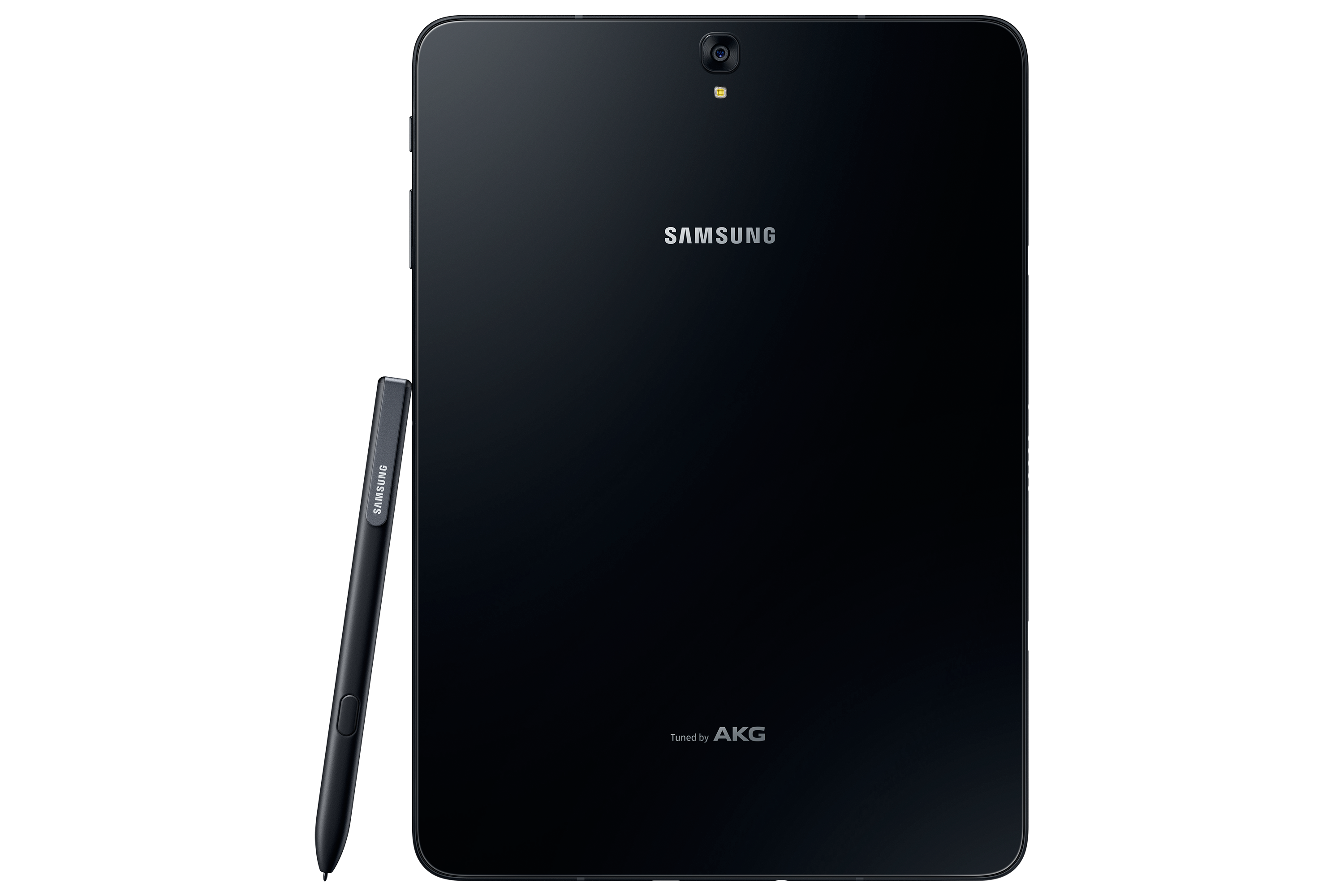
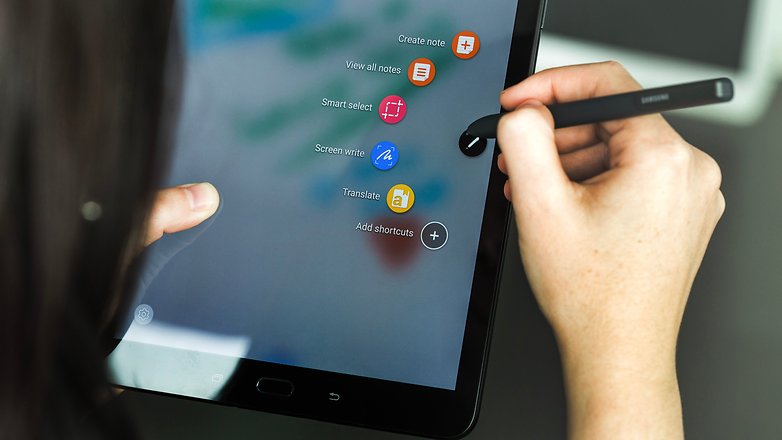
When I took the tablet out of the box, the differences were noticeable right away. While it’s shaped the same way, is the same size, and looks familiar, it’s made completely out of glass, so that plastic feeling is gone. It’s also half the weight and thickness of the S2, which is insane as the S2 was the thinnest tablet around for the longest time. The Tab S3 also includes the S Pen for the first time since the Note 10.1 tablet. The S Pen is large and full-sized, unlike the pens for the Note phone series, and it doesn’t go into the tablet. This is a bit of an issue because you always have a loose pen floating around unless you buy a case for the tablet that can hold the pen.
Once I turned on the tablet, it was a familiar experience. The Nougat OS is exactly like the S2, with a few added features. Sadly, I noticed that Samsung themes are absent from this tablet as well and seem to be exclusive to the newer Samsung phones. I did notice that everything ran a bit smoother and was more responsive overall.
The biggest change of all would be the sound and screen. The S3 features four speakers for surround sound by AKG, which sounds fantastic. As I was playing games or watching videos, I could hear the sound differential change with each speaker, which was a huge change from the S2’s stereo speakers. The screen features HDR, which was the first tablet to do so. Watching HDR videos on Netflix or just high-res videos, in general, look fantastic on this screen and almost look better than on Samsung’s high-end phones. I can’t stress enough how great everything looks on this tablet; these two features alone are worth the upgrade.
Let’s get under the hood of this beast. While there are more powerful tablets on the market, the Tab S3 is one of them. The S3 boasts the Snapdragon 820 SOC with a quad-core CPU running at 2.15 GHz. We get 4GB of LPDDR4 RAM and an Adreno 530 GPU. It’s not the biggest leap over the S2, and it disappointed a lot of people, but as a whole, it’s a worthy upgrade and still more powerful than the S2. It has a 13 MP rear camera and a 5 MP front-facing camera, which is just fine. Who really takes photos with their tablet? I took maybe a dozen with my S2 over the last 2 and a half years, and it never got used. Thankfully, the S3 has a flash on the back this time, so your photos will turn out a bit better.
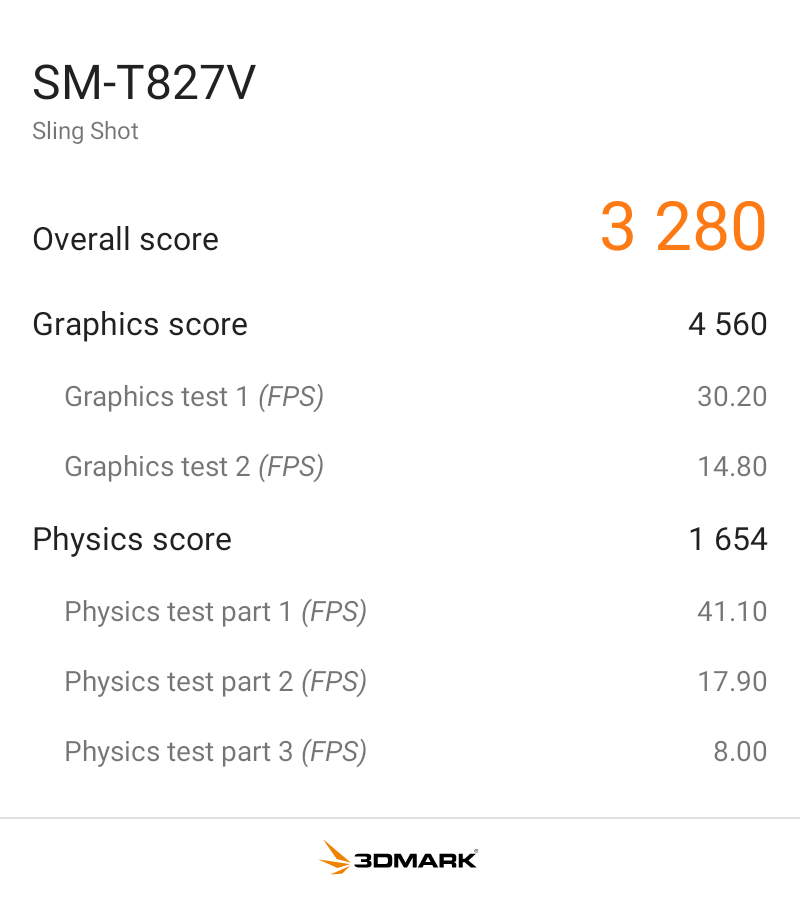
I benchmarked the S3 with 3DMark Sling Shot Extreme, and it did fairly well with the Vulkan and OpenGLES 3.1 APIs. As you can see, when the system is pushed fairly hard, it can maintain a solid 30FPS, so it’s ready for games for the next few years.
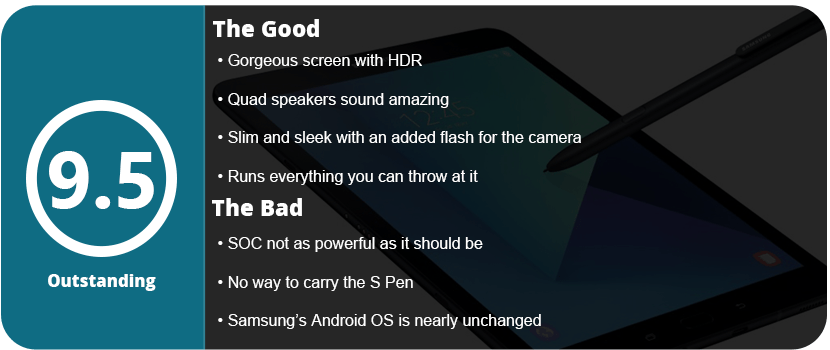
Overall, the Tab S3 is a fantastically powerful and feature-packed tablet. It’s a worthy upgrade from the S2, or if you want an all-new tablet, this is a great one to jump into. With a gorgeous screen, HDR support, a versatile S Pen, quad speakers, and a slim design, there’s nothing wrong here at all. While the SOC isn’t as powerful as I’d have hoped, it’s not enough to deter me from recommending it.
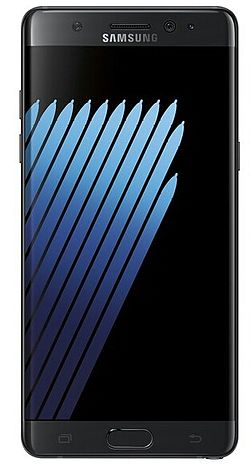
Samsung has been one of the top leaders in the mobile department for a long time, and for good reason. They continue to push their products with new ideas and reinvent them. They aren’t scared either, as every 2–3 generations we see an entirely different device. While the Note7 was a fantastic piece of hardware, it was seriously flawed, and the Note8 is already a huge jump forward from that device. It shares similarities with the S8+ that was released earlier this year, and that’s actually a good thing.
You will notice it looks identical to the S8+ outside of the more rectangle edges, and the screen is a smidge bigger. It features the same galaxy black design and gorgeous infinity display. From this point, it seemed not much different than the S8+ I had earlier, so I wasn’t too surprised, but new owners upgrading from older phones will be more amazed.
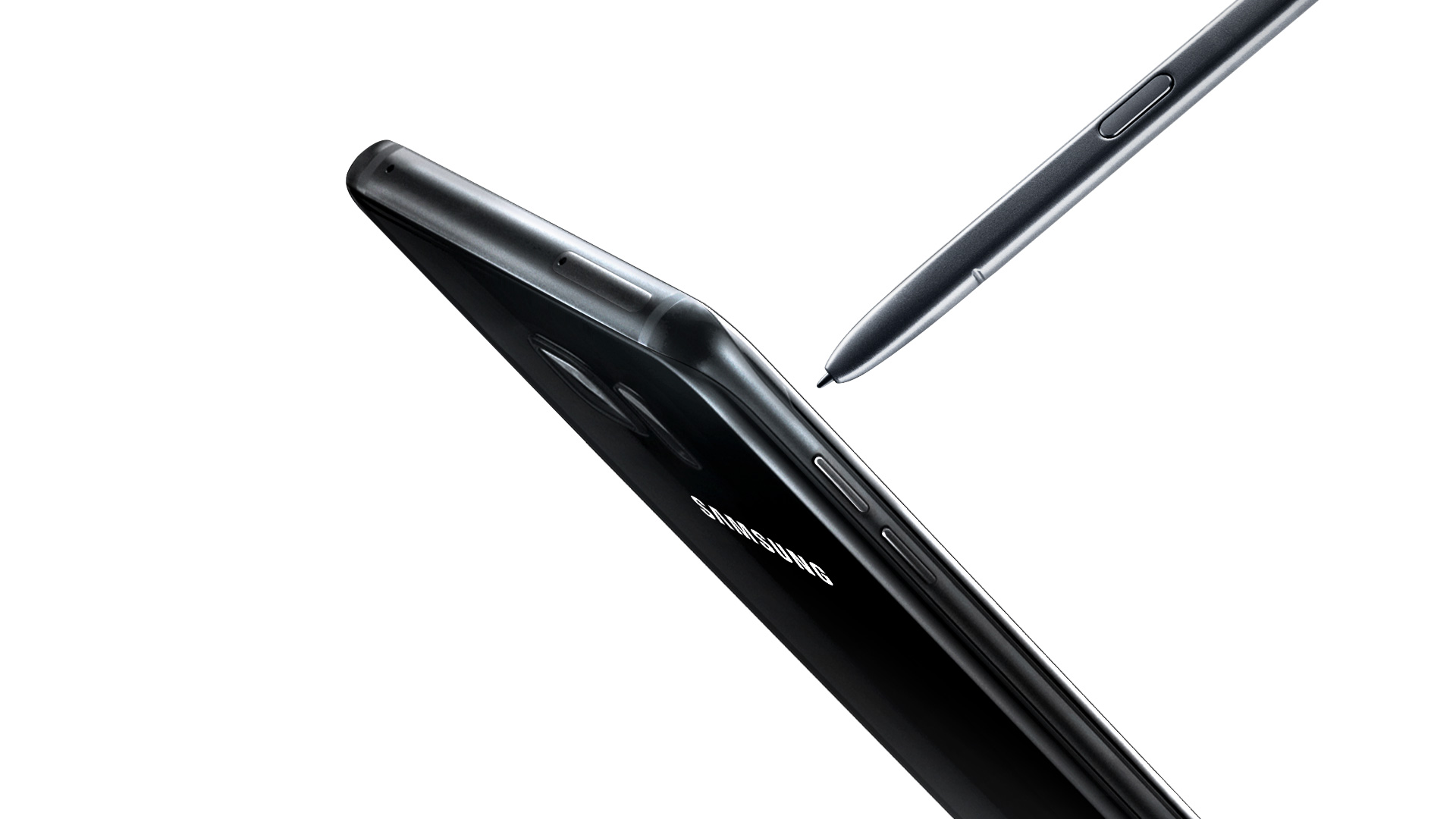
It’s still quite a beautiful-looking phone. However, the key feature of the Note series is the S-Pen. It hasn’t changed at all from the Note 7, and that’s not a problem at all. It still feels light and easily fits in the hand. The Bixby button is located a little further down, but if you hated it on the S8, you won’t like it here.
Note8 using Live Focus
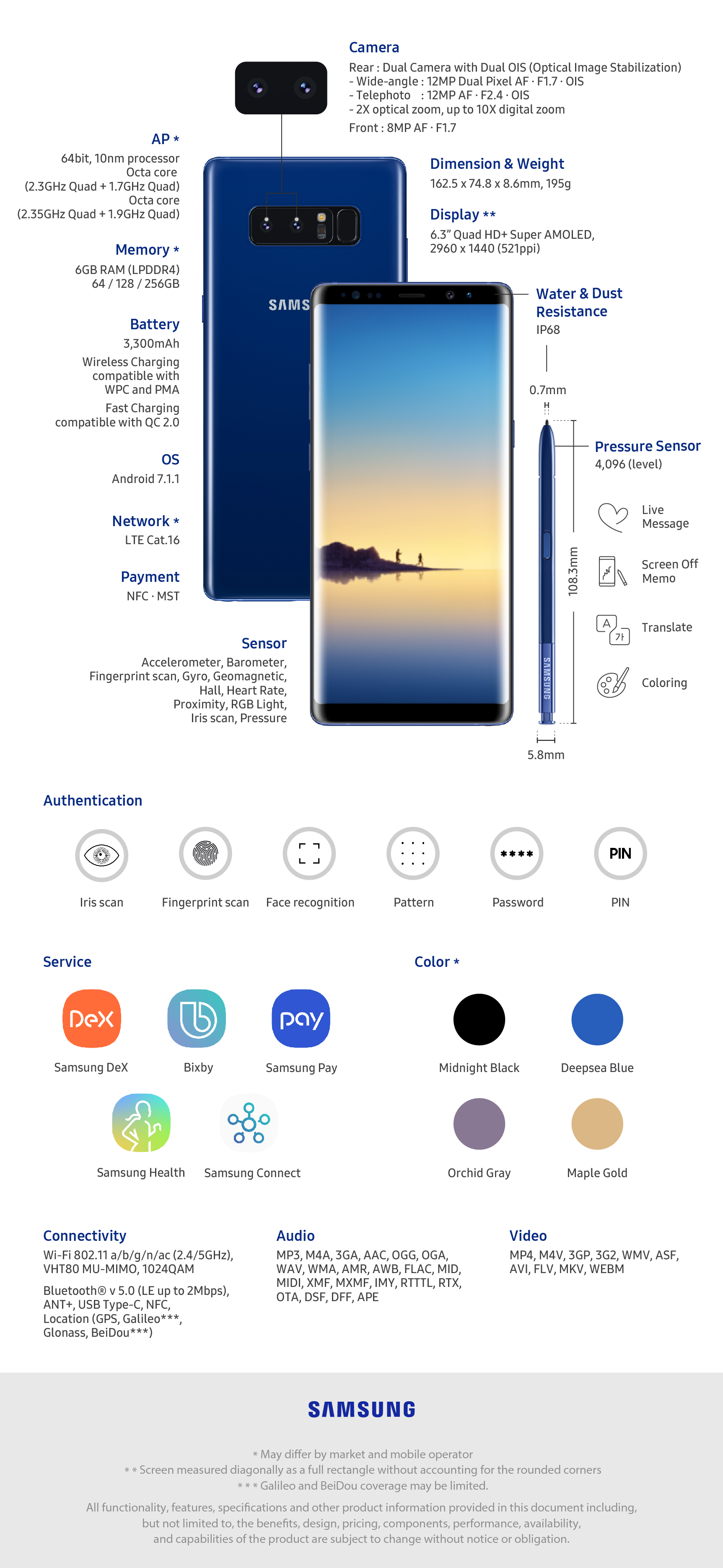
The Note8 does feature the same Snapdragon 835 chipset as the S8, but it has 6GB of RAM instead of 4, so apps do load a bit faster, but the biggest addition to this phone is the camera this time around. It features a 12MP dual-lens setup that allows Bokeh to focus on fantastic-looking images. It’s the first time Samsung has had a dual-camera setup on their phones, and it’s the best smartphone camera around, hands down.
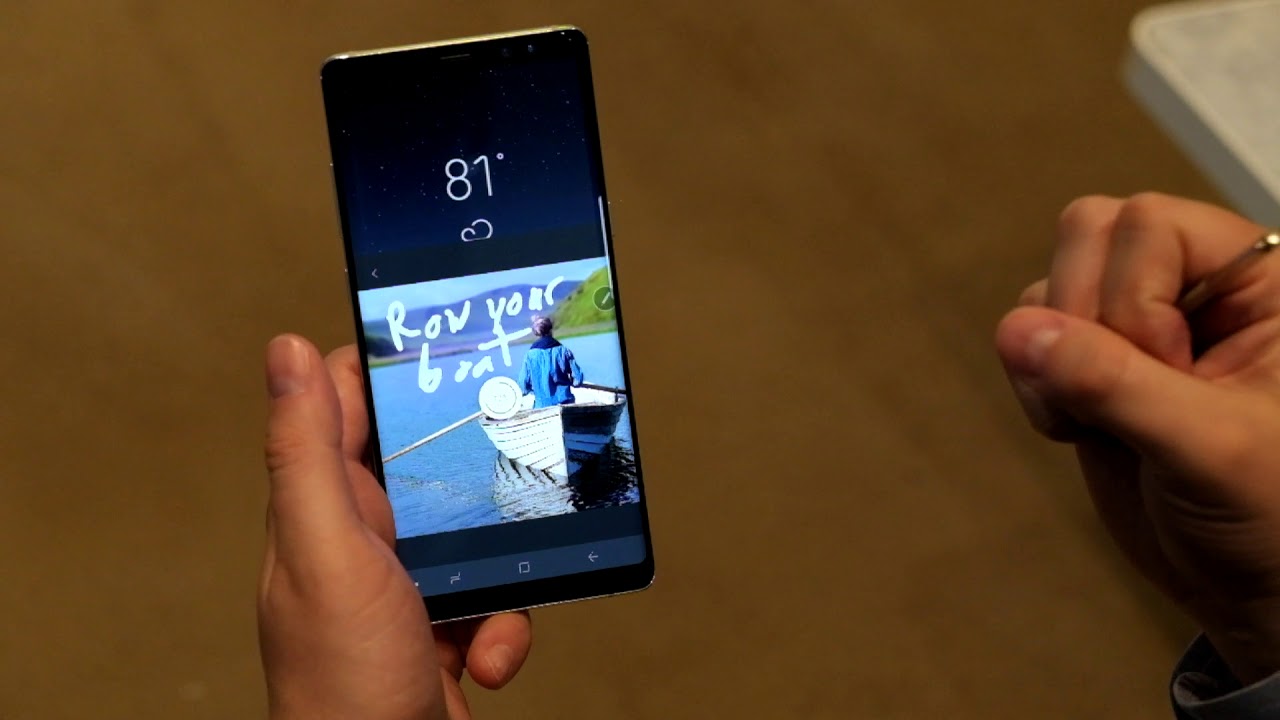
Outside of what we saw with Nougat on the S8+, the UI is the same, and there’s only one extra software feature, and that would be Live Messages using the S-Pen. When you write, you can choose between glowing, sparkly, or other inks that turn into a GIF as you write. It’s a neat feature and a great piece to add to the Note 8’s S-Pen suite. Bixby is also rather used this time around, being a little more of an AI assistant and not an obtuse nuisance. Most people may still prefer OK Google over this, but I liked being able to hold down a physical button and ask Bixby questions. It just seemed faster and more reliable.
The screen is one of the main reasons I stick with Samsung, and they don’t disappoint, with this screen being slightly better than the S8 screens. 4K content looks fantastic at 60FPS on here, and playing games never looked better.
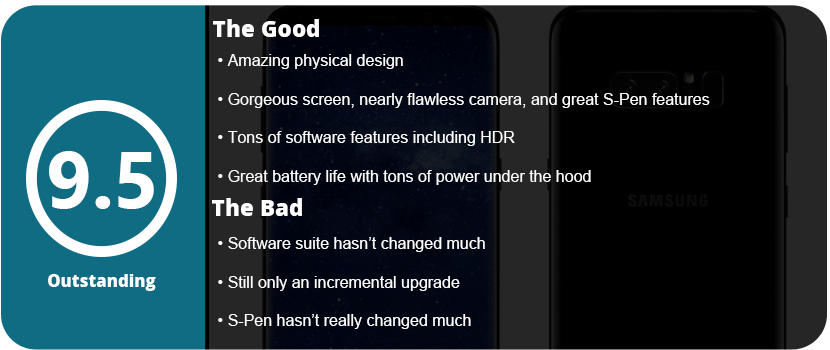
Bottom line: you can’t go wrong with the Note8, especially with the great battery life I have been getting. It has only needed one charge in a single day, even for heavy use. From the camera, screen, S-Pen, larger RAM, and many other features packed in here, the Note8 is a beast of a phone and the best you can get on the market right now.
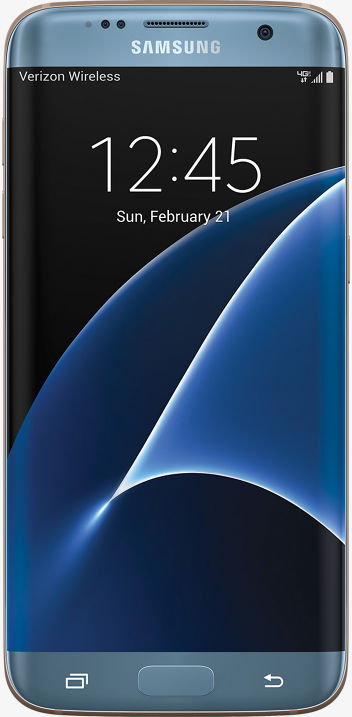
So, this is my fourth Samsung phone, and this company has come a long way. After dealing with the Note 7 disaster, I switched to the LG V20 while awaiting the next Samsung phone, thinking the S7 wasn’t worth it. I recently decided to switch back as the Galaxy S8 is around the corner and the S7 Edge is pretty much the same as the Note7 without the S-Pen and a smidge smaller. The OS is identical, and I really missed the fantastic screen and OS experience from Samsung.
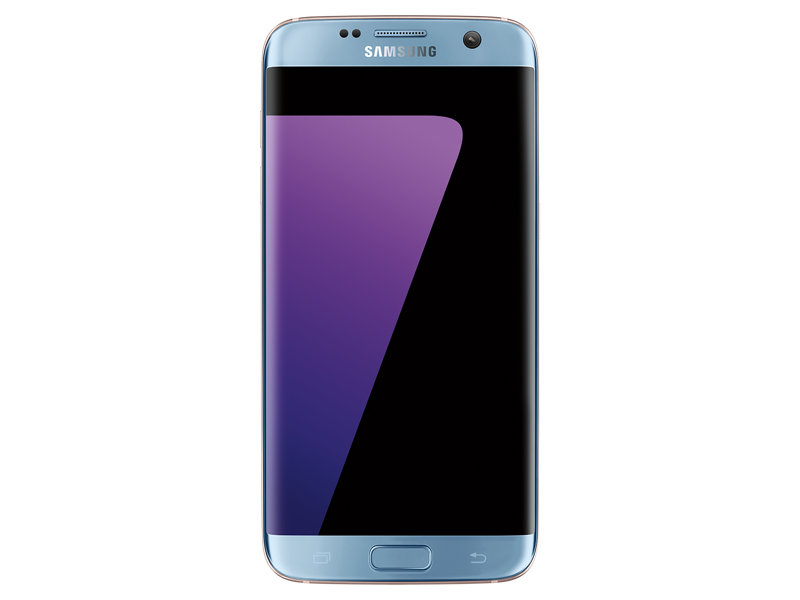
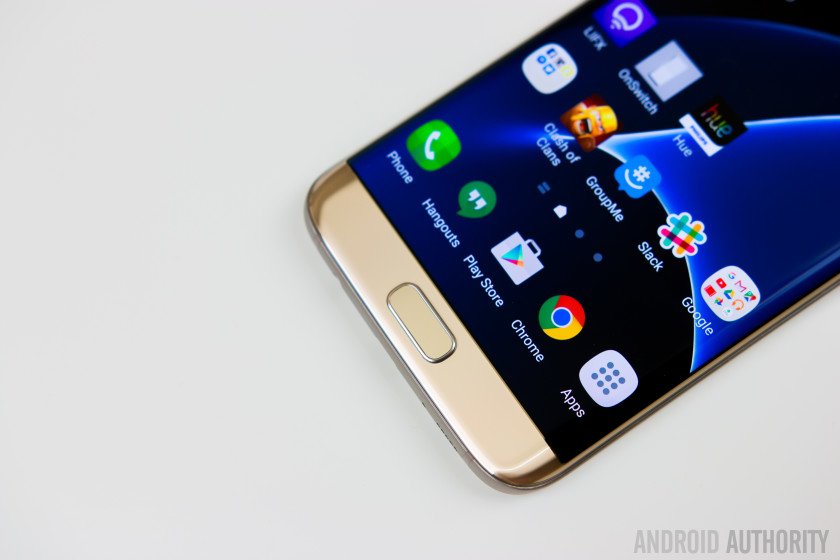
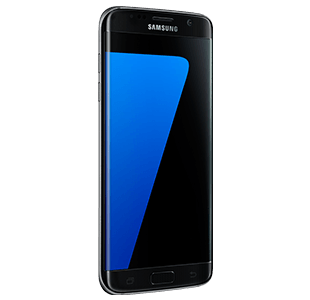
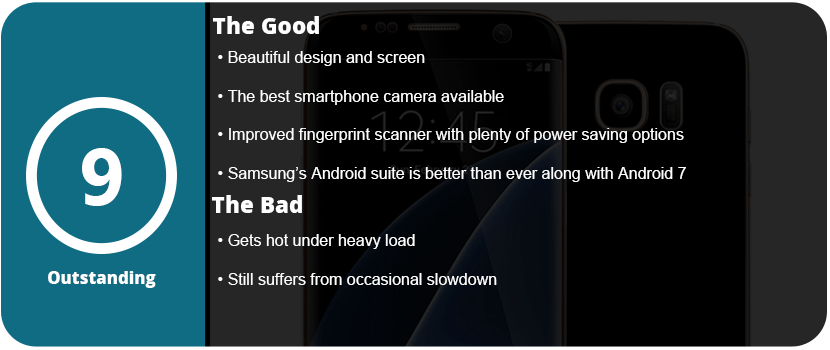
Thankfully, I picked up an S7 Edge after the 7.0 Nougat update, and I have to say it is just a beautiful update to the already great 6.0 that the Note7 shipped with. The S7 Edge has a 2K screen (2560×1440) with a 12MP rear camera and a 5MP front camera. The S7 camera is rated as the best phone camera around, and you can really see just how fantastic it is. The full glass body is sleek and gorgeous and feels great in your hand, and the much-improved fingerprint scanner works great.
The phone has a Snapdragon 820 SoC, which is currently the fastest available for a smartphone and is lightning fast. 4GB of RAM and 32GB of UFS 2.0 memory allow for speedy transfers and writes. The addition of a microSD slot is welcome, and the Adreno 520 GPU allows you to play the latest and greatest games. There’s nothing faster out there right now. However, this phone did tend to run very hot when I did the initial setup. It was so hot it made my hand sweat, but after this setup, I have yet to have the phone get that hot again.
The OS experience is wonderful, and Samsung has implemented so many features over the years that it can be overwhelming. From being able to transfer your files from your old phone via WiFi or USB to advanced security features, excellent power-saving technology, and features for gamers, there’s a lot packed into this tiny brick. Samsung’s Game Tools and Game Launcher are awesome to use, and I have been a fan since day one. Being able to launch a game from the Game Launcher allows you to keep your phone at maximum performance, or you can turn it all down for smaller games that aren’t graphics-heavy. Game Tools allows you to customize each game individually if you want as well.
Samsung’s themes and icons are nice to see on the S7 and make the phone feel unique and personable. Samsung is the only phone maker right now that has this feature, but LG is trying to catch up, but their theme updates are slow going. Samsung has other things packed in here, like Samsung Gear, VR, Pay, and many other proprietary apps that are robust and work well with their own products.
I really can’t pick this phone apart from the Note 7, as it’s exactly the same—same button placement and feel, same style, same screen, same everything. If you were screwed by the Note 7, this has all the exact same hardware but in a slightly smaller form factor. It still has some of the same issues that have plagued Samsung smartphones forever, such as the occasional slowdown if you don’t constantly keep up on optimizing your phone, and it does run hot if the CPU is pushed too hard. Hopefully, this eventually goes away with the next phone, and I don’t know if the OS can’t keep up with the CPU or the other way around, but as time goes on, this issue should not exist.
Adventure games are always hit or miss, as they have many classics to live up to. There are the occasional crazy and interesting adventure games like Neverending Nightmares that are quite fascinating. Bulb Boy is one such game where you play as a, well, bulb boy who must defeat a monster to save his grandfather. There’s not much of a story here, as it’s all about atmosphere and visuals. The game is rather short, and it’s not the most cerebral adventure game out there, but it’s worth a purchase.
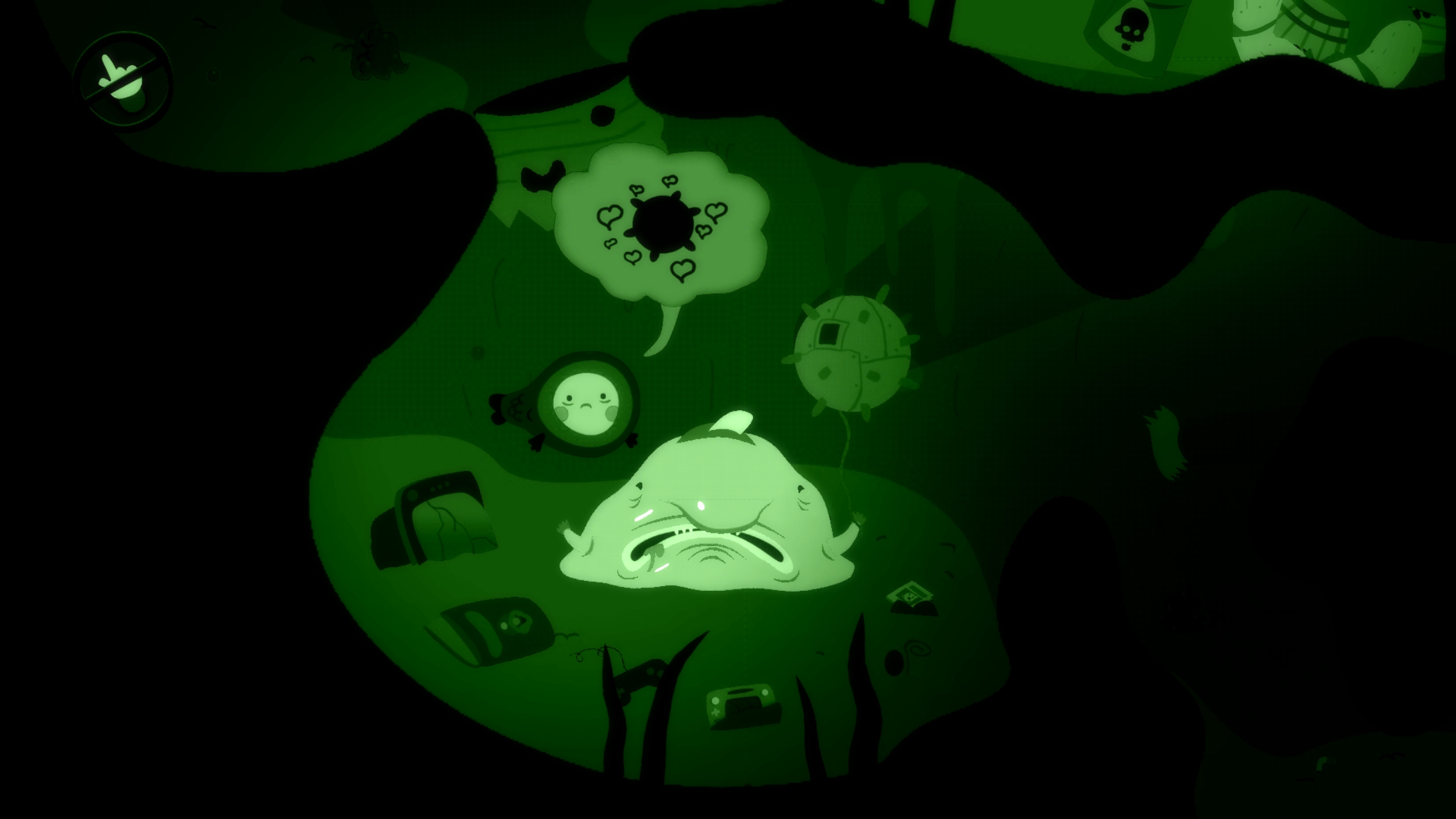
Like in a typical adventure game, you can tap on areas for the character to move to and examine items. Bulb Boy is very straight-to-the point so there’s not much exploring here. There’s only so much to click on and very little inventory. The game has bosses on each stage that you must defeat, but the puzzles are very easy and not really puzzles. You find an object, and it can only go in one direction, as there’s no backtracking or exploring involved. I would love to see this universe expand, as Bulb Boy is grotesque, beautiful, and full of atmosphere. It’s a horror adventure with a cartoon flair, guts, and everything disgusting all over the screen.
There’s a lot of green in this game, and the cut-out art style is just fantastic. I enjoyed playing through the whole game, despite only taking a couple of hours. Bulb Boy’s death animations are brutal, there’s a lot of variety, and the game has a nice, quick pace to it. Some of my favorite things about this game are the extreme closeups of areas, as they show the sickly detail of everything around this character. It’s nightmarish for sure and definitely one of the most artistic games this year.
It’s a crying shame that this is an indie game and won’t get much attention. I hope for a sequel that’s more expanded, but we’ll see. In the meantime, just feast your eyes on the beautiful art, despite how straightforward and simple the gameplay is.
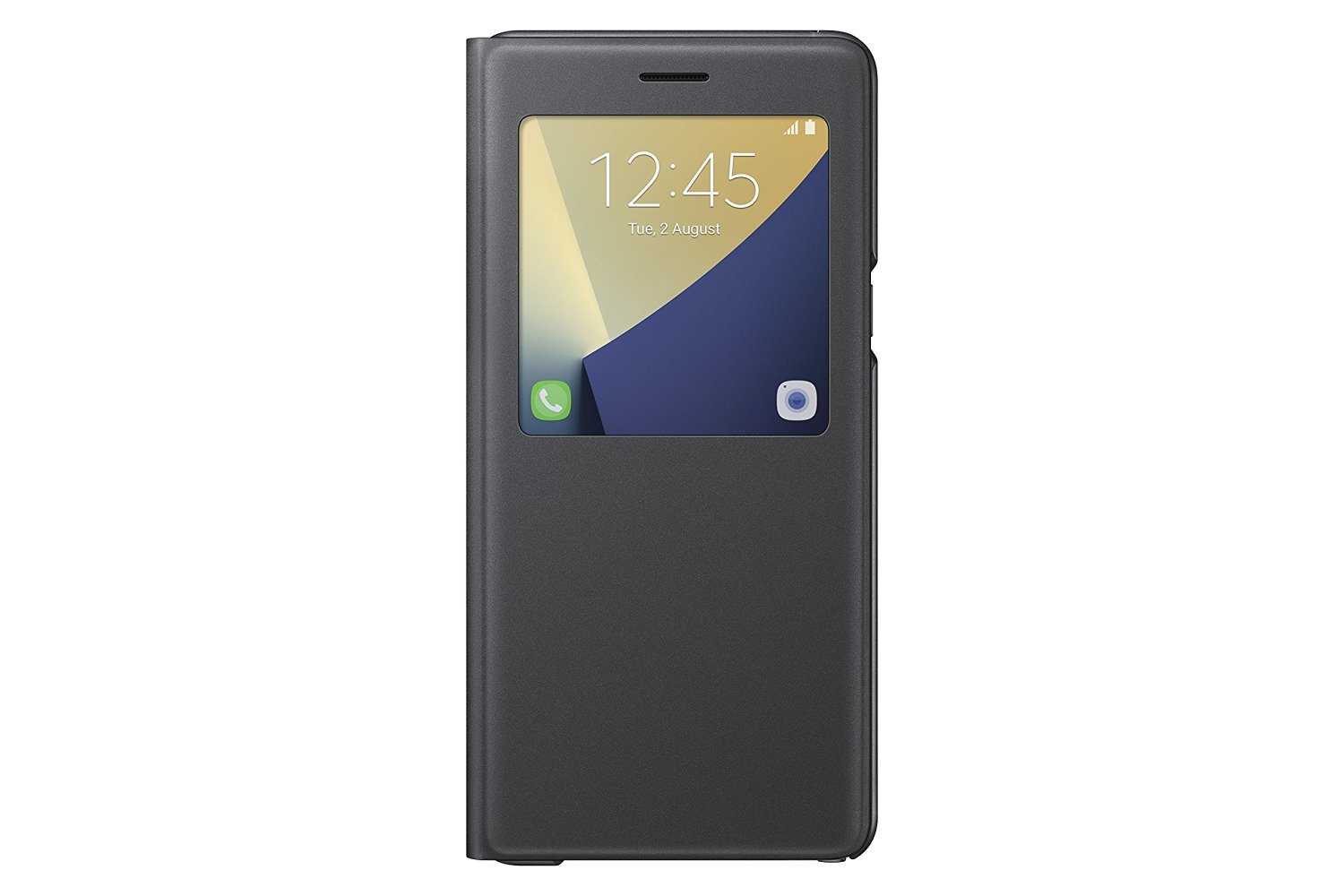
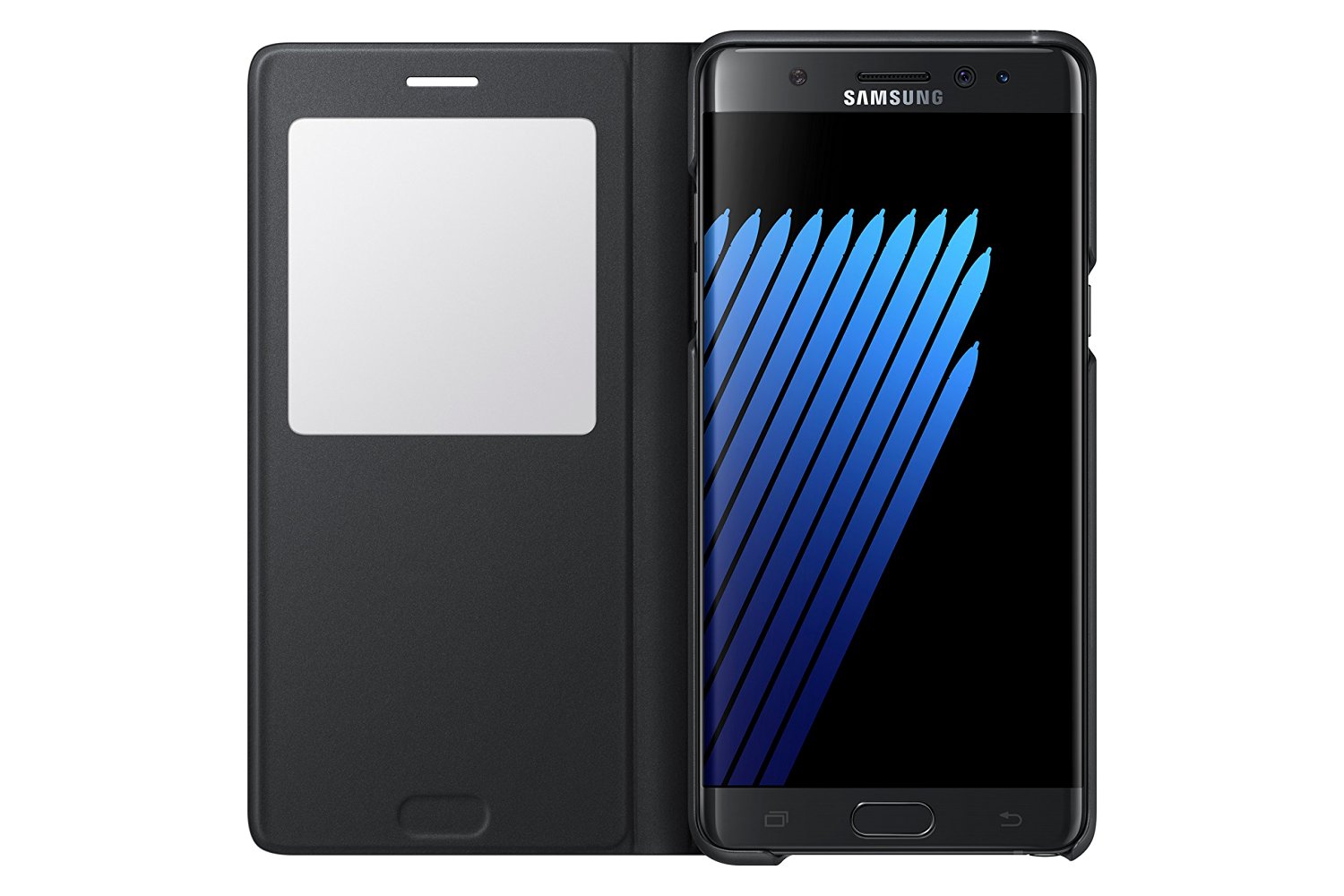
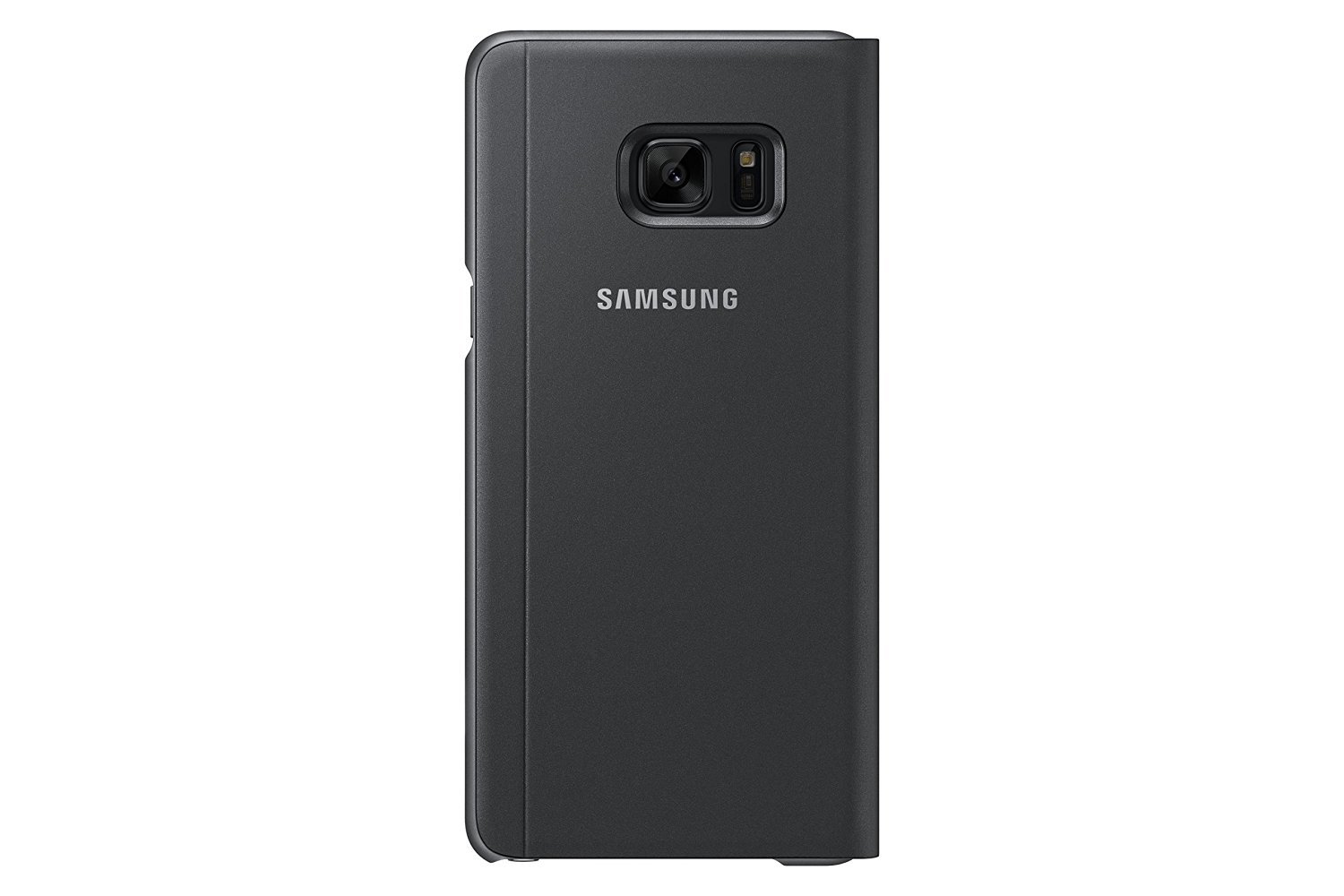
Official cases by phone manufacturers are sometimes the best bet, and Samsung always pushes the bar when it comes to accessories. They may be pricey, but they offer unique experiences you can’t get from third parties. Samsung has had a line of unique cases for some time, and the S-View cover makes a comeback with the Note 7. The case is new and improved over previous versions, but it’s still not quite the perfect case.
The case has a hardback that the phone snaps into and translucent edges that protect the aluminum sides of the phone. Right off the bat, I didn’t quite like this, as you can’t see the color of the phone inside as the edges are nearly black, blocking out the color. This won’t be a big deal to some, but I love the look of the rose gold edges on my coral blue Note 7, and it’s a must. The material is nice and feels good in your hand, but when you flip the cover over, that’s when things go downhill.
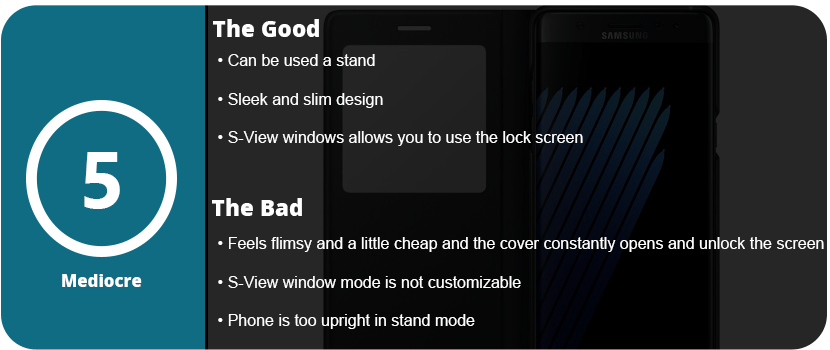
There isn’t a magnetic clasp or any way to keep the cover from flapping open constantly, and it feels cheap. The window is just a square piece of plastic, and after so many months, it could easily be scratched up to the point of not being able to see through it. The volume buttons were nicely labeled on the spine, and they pressed easily enough; however, the case just didn’t feel solid enough.
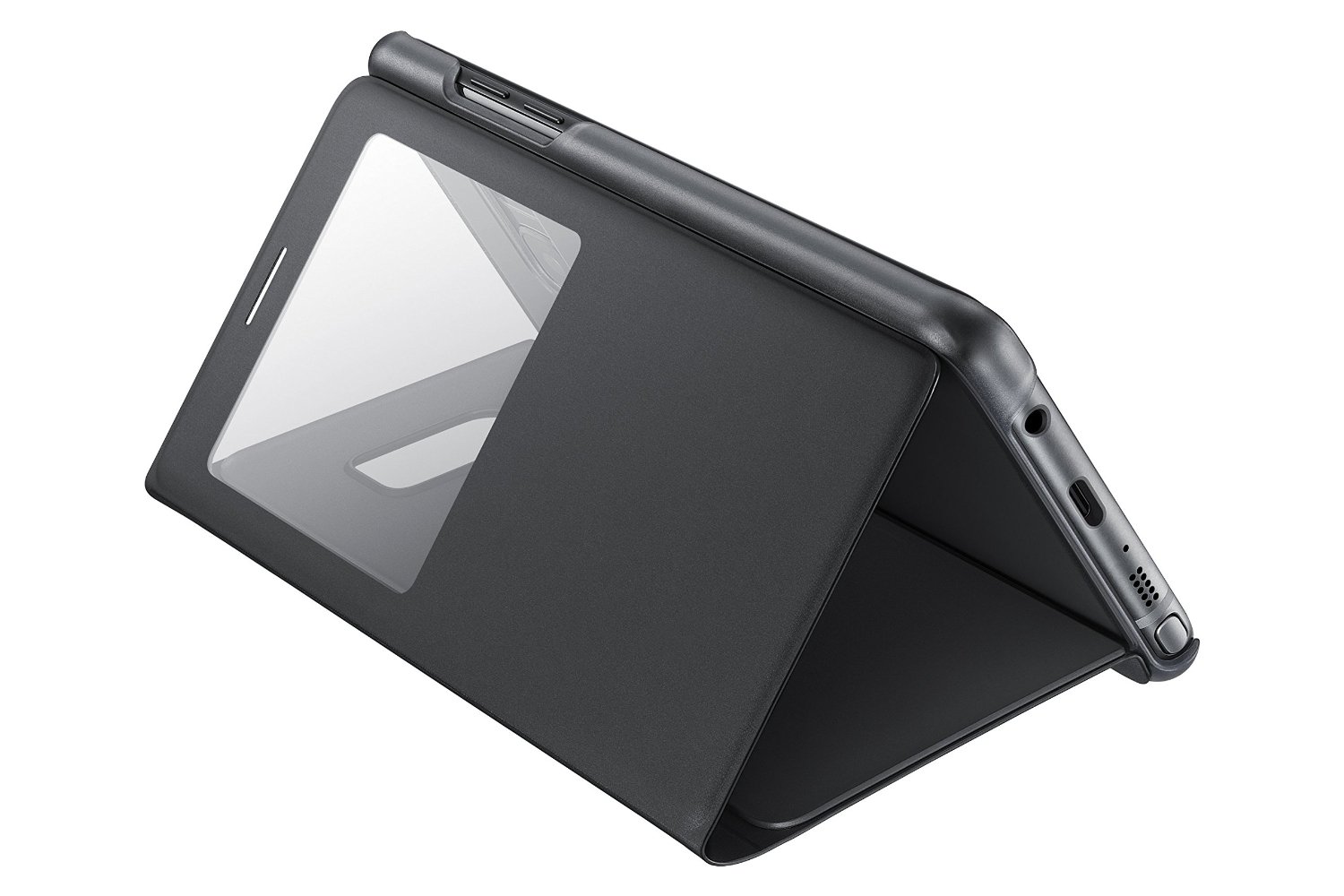
I did some drop tests on it, and it did protect the phone, but if it lands just right and that front flap opens, the screen is shattered. It felt like it wouldn’t protect the phone and was kind of flimsy. The actual use of the S-View window is nice, as you can access everything you normally would on your lock screen, but you must open the cover to actually see the apps, which was a bit annoying. You also can’t customize what’s seen on the window with just two icons you can switch out.
Overall, the S-View cover can’t only be recommended to people who don’t really worry about protecting their phone or already like the S-View cover. I returned this to T-Mobile and got the LED wallet cover instead, which is much better. If there was some way to keep that flap closed, I could see this being better. The only upside is that you can use the phone as a stand, but I felt the phone was too upright and was only ideal when laying down.
Lifeline was a fantastic text adventure game that delivered a memorable atmosphere, character, and story. It was the first of its kind—an actual texting adventure. Taylor, the main character, would describe his settings and actions, and you had two choices you could respond to. Some actually changed the course of the story for the better or worse. Silent Night is the sequel toLifeline 1, with Taylor being rescued by a mining ship, but more disasters with the Occupiers continue.
Silent Night is disappointing in the sense that it doesn’t bring about the loneliness and desolate atmosphere that made the first game so great and memorable. Silent Night has a cheesy sci-fi Alien-type feeling to it, with generic crew members and a claustrophobic ship. I also hate Taylor’s cheesy sense of humor, as it’s in the wrong place at the wrong time and is overdone. A tense scene is broken down by a stupid one-liner or pop culture reference, and I absolutely hate that. Humor has its place, but every other line? I don’t think so.
If the humor wasn’t badly written, the game is so short you can finish it within a couple of hours. What made the first game so awesome was actually waiting in real-time for Taylor to respond. I feel this is sped up too much, and the choices aren’t as varied or branching as in the first game. I got the perfect ending without even really trying, and that’s not a good thing. In the first game, I rewrote the story just to see the different outcomes.
With that said, this is the end of the line for Taylor, but there are spin-offs and prequels bound to come, which I will welcome. Silent Night is probably the worst game in the series so far, but it’s still worth a play for hardcore fans.
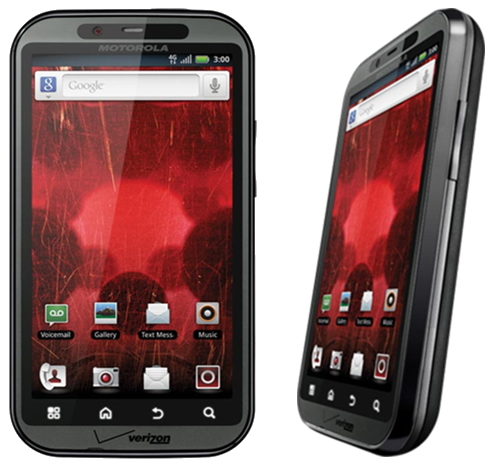
Well, here we are, six years after getting my first Android phone, and the Android environment has grown and changed faster than any other technology I can think of. In the early days of Android, it was obviously trumped by iOS, and rightly so. The operating system didn’t’ do much; it was extremely buggy, very ugly, and not streamlined at all. I remember the early days before Google Play was the Android Store, and it was full of awful apps that either crashed your phone or were spam, and there was no organization whatsoever. Not a single major developer wanted their app in this untrusted “iOS clone,” but I stuck by. It wasn’t just the operating system that was unable to keep up with user demands, but the hardware. Apple perfected its hardware and software with the iPhone 3S, and it hasn’t changed much since. Motorola was one of the best headliners for Android, but their phones were awful and slow, and the custom Android ROM was terribly designed. Trust me, I owned the original Droid and Bionic—the worst phones I have ever had.
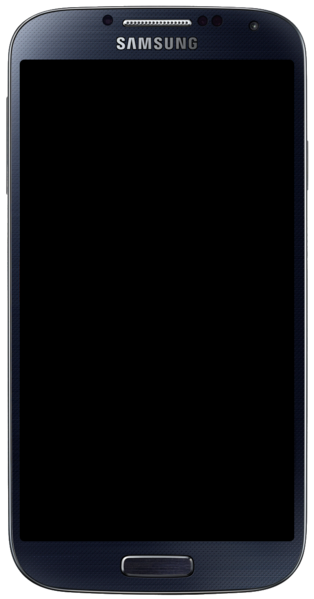
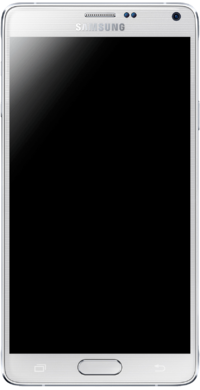
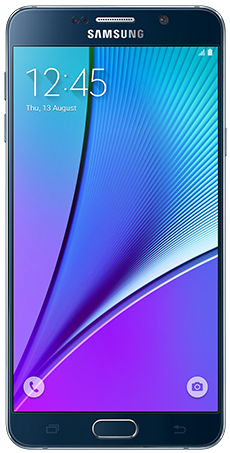
I then switched to Samsung with the release of the Galaxy S4. The issue with Android phones back then was that the manufacturers would master the current OS version and then create the phone around that. Once the new OS was released, the phones were slow, buggy, and unusable. My S4 turned into an overheating paperweight, and I hated it. With the Note 4, it was a little faster and more streamlined with KitKat, but once Lollipop was released, it ruined the entire phone. It became slow, buggy, and also unusable. It wasn’t until the Note5 that Samsung perfected its hardware and got a strong grasp on Android. Google even stopped adding features and released Lollipop as mostly a speed and battery upgrade, and it did wonders.
Motorola Droid Bionic. One of the first phones to have a dual-core CPU and 4G LTE. Hated it right out of the box.
Samsung Galaxy S4. The first step in getting Android phones right, but all the gimmicks drained the battery.
Samsung Galaxy Note 4. A great step in perfecting the phablet, but future Android versions ruined this phone.
Samsung Galaxy Note 5. Nearly perfected. Future updates just made the phone better.
The Looks
So, here we are in 2016 with a brand new set of Android phones. It’s no longer about being bigger and solely relying on who has the highest screen resolution and best camera. These things are all standard and easy to come by, even on budget devices. Samsung is pushing the envelope with its design. That’s right, we’re over new hardware features so much now that we can worry about how a phone looks. When you whip out a phone, you get judged as much as the car you drive these days. The Note5 was one of the sleekest phones ever released, and the Note7 trumps that. It takes the basic body design of the Note5, slims it down a tad, and adds a curved display. It may not seem like much, but it’s so much more enjoyable to view a curved screen. It creates a much more immersive experience, and it’s easier on the eyes. It’s a true edge-to-edge display and looks better than Samsung’s other flagship S series. The new glass and aluminum body that was carried over from the Note5 is perfected in every single way.
Hardware – External
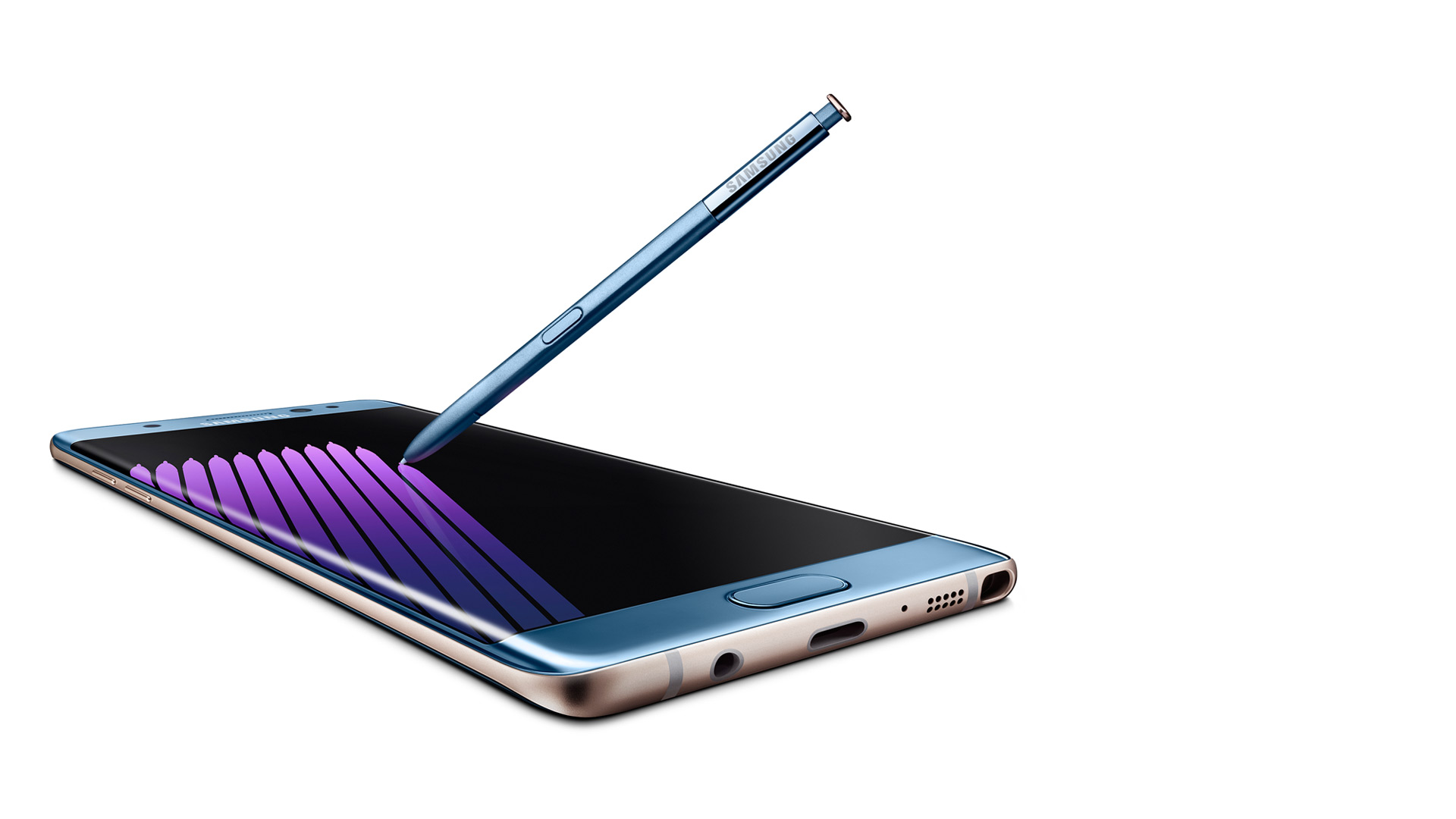
Outside of the sleek look and colors (which look gorgeous, especially Coral Blue), you will start to notice the actual hardware design features. There are additional round circles at the top, which are the new iris scanner and the physical home button, which have been perfected. Yes, I’m bragging about the home button, which has been a Samsung staple since the first Android smartphone. It’s not a solid piece that clicks down, but it’s softer and rocks with your finger. You can roll your thumb over it, and it forms on your thumb, so it’s a smooth press. It also no longer clicks but just presses and feels “mushy,” which is a good thing. So one thing has been perfected so far.
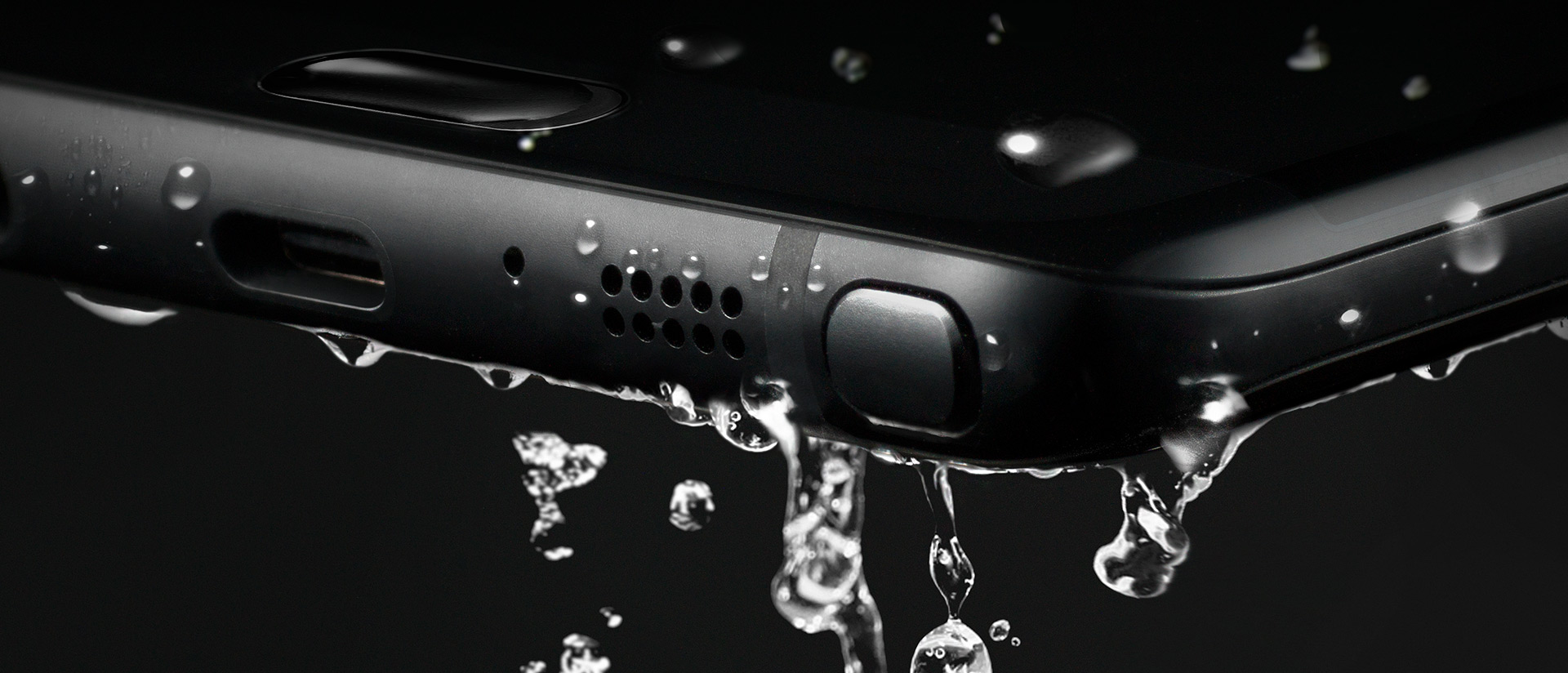
Next, you will notice the usual bottom stuff like the 3.5mm headphone jack, speaker, mic, and S-Pen. This is the same S-Pen used in the Note 5, but more on that later. On the top are your SIM card and microSD card carriage (yes, it’s returned!). and the side features the same power button and separated volume buttons (not a rocker) like the Note5. So, as for the outside of the phone, it’s perfect, and everything fits in your hand just right. Oh yeah, and this phone is water-resistant, meaning you can submerge the phone and it won’t get ruined. It’s not waterproof, as you can’t go a certain depth or have it wet for too long, but a quick dip in a toilet won’t hurt this baby a bit.
Getting Started
As for the setup experience, Samsung has gotten this down pat and it was even easier than with my Note5 last year. Samsung’s new Smart Switch app allows you to plug in a cable to each phone (an OTG adapter is included) and allows you to select what you want to transfer. Files, photos, documents, videos, and apps. You can also select each individual file if it’s to your liking. The downside is that it’s a slow transfer, and impatient people who are excited to mess around with their new phone may bypass this. I chose just a few apps, and it still took 15 minutes to transfer everything. It’s still a great feature and puts your mind at ease about whether you backed everything up or not.
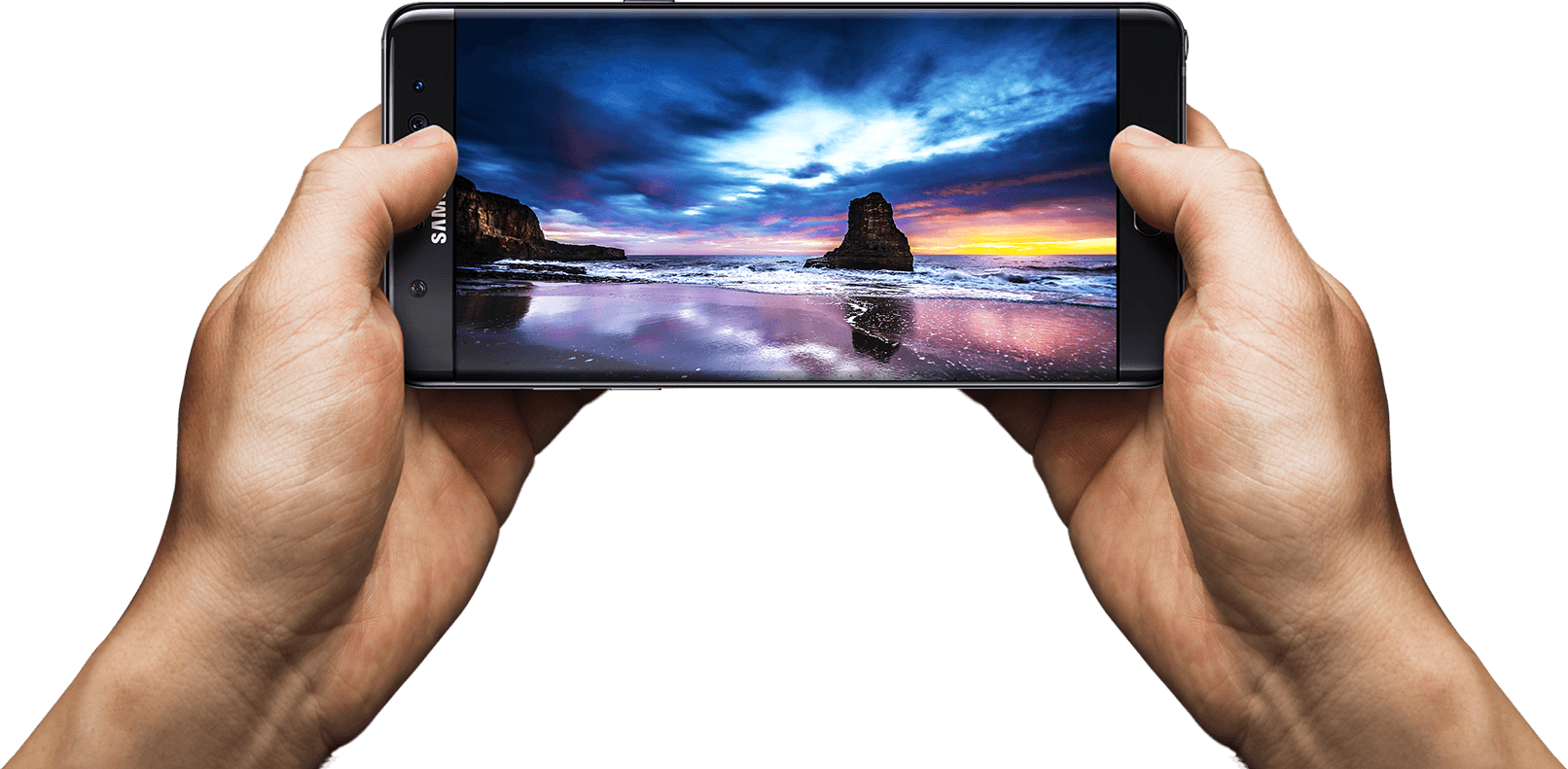
Once the phone was set up and everything transferred, I started to notice how beautiful this screen is. Being QHD (2560×1440) and curved is just mesmerizing. This is the most beautiful smartphone screen I have ever seen. Everything is bright, crisp, and just so true to its real colors. Before I talk about more software features, though, let’s see what’s under the hood.
Hardware — Internal
For the first time in a while, Samsung ditched their own Exonys chipset for a Snapdragon 820 (for North America anyway). It’s a huge difference, as Samsung’s chipsets aren’t really the best, and Snapdragon already has very fast and reliable chipsets. The CPU may have fewer cores and lower clock speeds, but it’s more streamlined, which makes it faster on the software side. The Snapdragon 820 sports 4 cores: 2 running at 2.15 GHz and 2 running at 1.59 GHz. Again, don’t let the low numbers make you think this phone is slow. The GPU is the Adreno 530, which is the latest and greatest for gaming. It sports a whopping 624 MHz clock speed for maximum gaming compared to the Note5’s Mali-T760, which ran at an even 600 MHz. I was able to notice games running at 60 fps, which were done through the software as it was streamlined enough to allow this. Samsung has a great gaming suite (discussed later).
The phone also has Bluetooth 4.1, the latest cellular bands and WiFi, 64GB of internal ROM across the board, and 4GB of LPDDR4 RAM, which is lightning fast and plenty for all your apps. The phone features a snapper from Sony again, which is the new Sony Exmor R IM260, but Samsung’s own front camera, which is their ISOCELL camera, This is the first phone that actually records video in 720p at 240 fps, which looks phenomenal on the screen. If you thought 60FPS at 1080p was amazing (which is standard now), 240FPS is something else.
Write Like a Pro
With that said, let’s get to the S-Pen. It’s not just a copied Note 5 pen with a new color. It looks slightly smaller, and the button is located higher on the pen, like the Note 5. It also has a much finer tip, and this is due to the pressure points being bumped up from 2,056 to 4,096, which is double the sensitivity rate. There’s a huge difference in the way it writes, as it feels like an actual pen on paper. There are also several new software features that make upgrading well worth it. For starters, the screen-off memo has been improved. The phone supports the always-on display, and the AMOLED screen allows the software to control each individual pixel to save battery power. The screen-off memo is now actually truly off, and the pixels turn on as you write, saving power. The Note5 just had a black screen that you wrote on, but the screen was always on.
There’s also a new GIF animation feature that is an upgrade for Smart Select. You can draw a square marquee around a video, record a short GIF, and then later edit it. This is exciting for people who want to send goofy things to their friends. The next brand new feature is the translate button, which allows you to hover over a word, and it will pop up with the translation and audio from Google. This works very fast, but I’d like to see the ability to do more than one word at a time.
Software
There are several other software features that make the Note 7 a perfected Android and Samsung phone. Samsung completely redid their TouchWiz custom ROM, and it looks fantastic. The new pull-down shade, menus, and overall look are gorgeous and complement the curved display and AMOLED screen. I personally don’t like any manufacturer home launchers, but those who hated TouchWiz should take another look. Second, the phone features several new settings, such as a blue light filter if your eyes hurt you when looking at the phone for too long, better WiFi calling, a fingerprint scanner (it’s more accurate), and more accurate smart screen features such as swiping for a screenshot, smart stay, and quick view. The new gaming suite is awesome, and I love it so much.
Gaming Taken Seriously
There are two new tools called Game Tools and Game Launcher. The Game Launcher is a streamlined app that shows all of your games, auto-detects everything (you haven’t had a game that it didn’t detect), and allows you to customize the power-saving features for that game. Already, most games run at 60FPS on the Note 7, but to save power, you can cut it down to 30FPS and even turn off various features of the phone. This is great for lower-end games like Clash of Clans that don’t need to run the phone at maximum capacity. The new Game Tools is a small little red icon (you can move it around) that opens up into a wheel that allows you to take a screenshot, record footage (with audio commentary), turn off notifications, lock the menu and back keys, and minimize the game into a small icon. All these features work smoothly and wonderfully, and I take full advantage of them all the time. I can now record my best hits in Golf Star or make some funny jokes while raiding a village in Clash of Clans and send them to my friends via a Dropbox link.
Biometrics of the Future
I’m saving the best for last; I haven’t forgotten about the iris scanner. Now, this thing works better than I originally thought. The fingerprint scanner in the Note 4 was awful, and I thought the first outing for a new biometric security feature would be the same. I’m dead wrong. The iris scanner works so well that I don’t quite understand how it works. I look at the top portion of the screen, and it just scans my eyes with some sort of night vision camera. Sometimes the iris scanner works faster than the phone can display what’s going on, which isn’t a bad thing. It’s neat, the first of its kind, and a whole new layer of technology. I had someone tell me that it just recognizes the shape of my eyes, but I used three people to unlock my phone, and they couldn’t do it. It can actually read your iris and won’t unlock it for anyone else. This is a wonderful technology, and I feel even more secure knowing that no one will be able to access my phone. Now we just need third-party apps to start implementing it into their software.
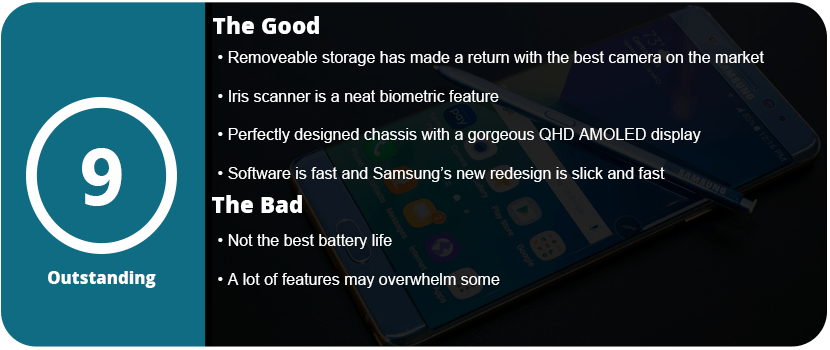
Overall, the Note 7 is a perfect phone. I mean, perfected to a T. I even had a hardcore Apple fanboy comment that Samsung has finally done it and created the perfect phone (he’s currently sweating out the long backorders). From the physical design to the software design, the Note 7 is the pinnacle of smartphone technology. With the return of the microSD card, water resistance, a larger battery, and overall better design, it’s just the perfect phone. It’s fast, powerful, secure, and gorgeous all at once. I know each phone iteration becomes more and more perfect, but the Note5 wasn’t quite perfect, but I can happily say the Note7 is.
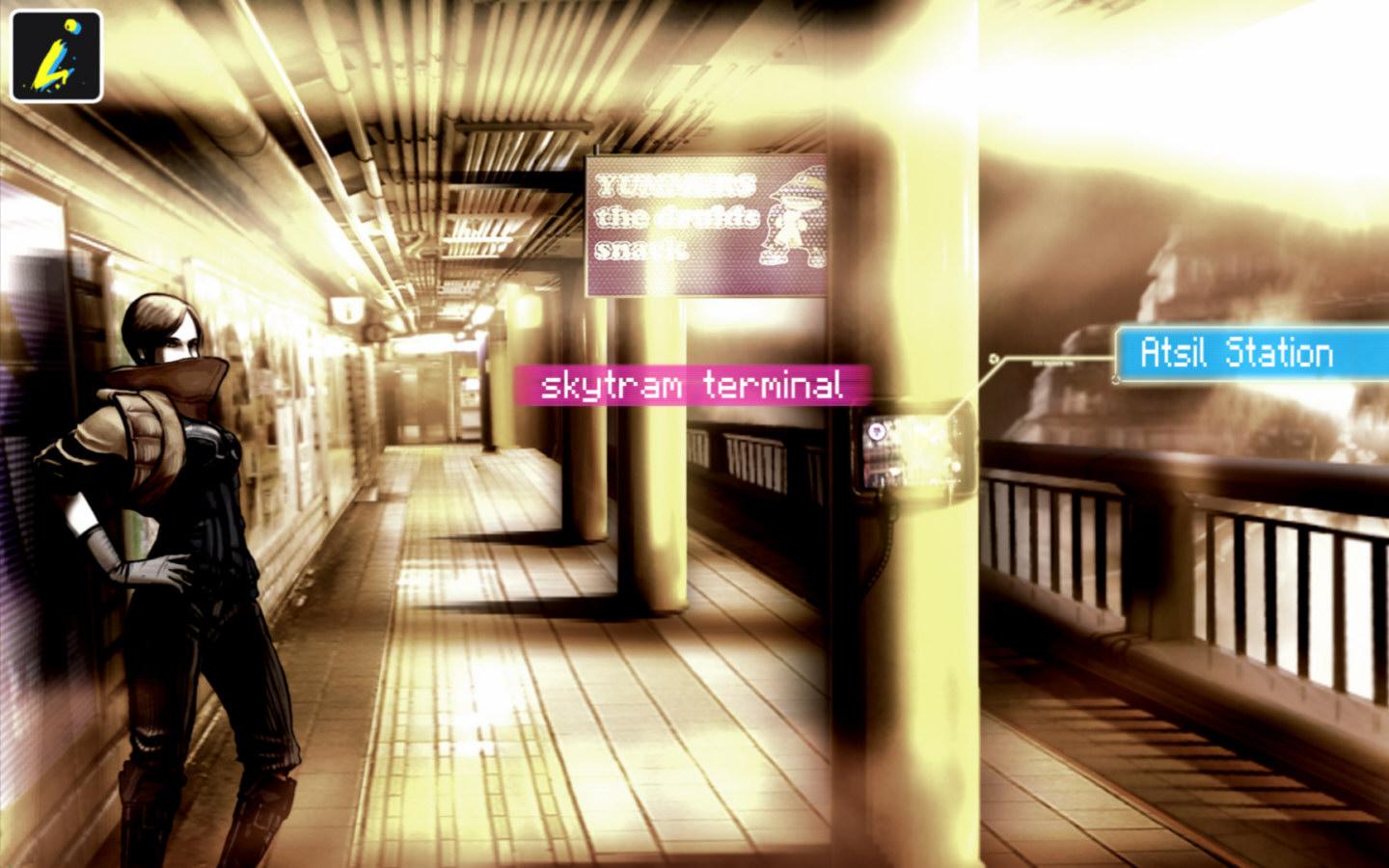
Point-and-click adventures are becoming big on mobile platforms, which is nice. Sitting down and relaxing with a great story and exercising your brain with puzzles is a perfect fit for mobiles. Sinless is a strange game, as it doesn’t make any sense, but it is still enjoyable.
You play in a cyber-dystopian world where everyone is controlled via computer chips called “progs,” which have pre-programmed attitudes and moods. You just so happen to be someone who is immune to this control, and the government wants to kill you. You travel through a strange city trying to find your girlfriend and realize you are part of some prophecy and are some sort of messiah for this desolate world.
The strangest thing about the game is the art style. While it’s great and very stylized, it’s muddy and washed out and almost doesn’t quite work for this game. It’s very hard to see things in these images and find objects to click on. I really love the art, but I feel it’s not right for this type of game. With that said, it really gets the mood and atmosphere of being tense, controlled, and lonely; everyone is living in constant fear. My issues didn’t set in until about an hour into the game, when I realized there were no clues on what to do or where to go next. I had to resort to a walkthrough.
This is usually common in adventure games, but this is a 3-hour game at most. Yes, only three short chapters. There is so much backtracking and obscure conditions you have to meet to finish the game; it was just too damn confusing for me. I was really into everything but the way the game was played. I also didn’t like that the clickable dots only appeared if you left the screen alone for a while. With the washed-out visuals, I wanted them on screen at all times.
At least this game has some pretty cool mini-games that make you smile and appreciate it a bit more. There are also some video game references, such as Mirror’s Edge, which was nice to see. Overall, Sinless is worth the purchase price, but don’t expect much out of it after a 3-hour sitting.




































 thebinarymessiah.com
Yeah, it's pretty damn awful. Notoriously one of the worst games on the PSP. A 4 was actually being generous.…