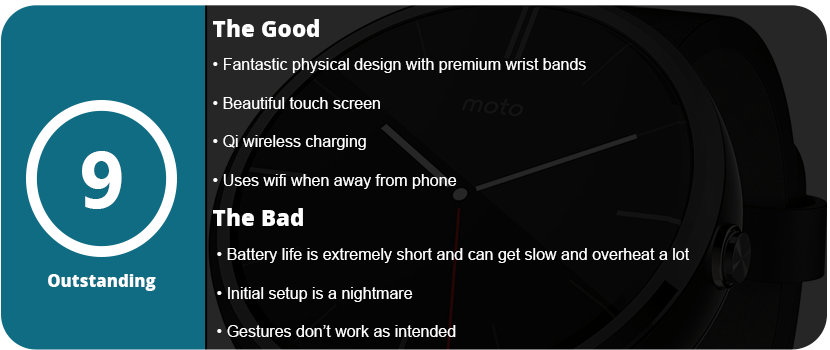
Usually, with the second generation of hardware, most manufacturers get everything right. The first-gen Moto 360 was great, but it had many issues that were addressed this time around. For starters, the first generation had major battery issues that weren’t resolved until the end of its support cycle with the Lollipop update; after that, the battery life was great if you didn’t use the ambient screen. The biggest issue of all was staying connected to your phone, and I had issues with this up until about 2 months ago, when I finally resolved them. With the Marshmallow update, the first-gen Moto 360 was pretty solid, but there were also issues with the hardware. The first generation of smartwatches had very slow hardware, equivalent to phones that came about five years ago. The second-generation Moto 360 is 10 times more powerful than the first. This reduces crashing, overheating, hangs, faster boots, and overall responsiveness. The first generation also had a mediocre body, as over time the glue would loosen up and the screen would come up, and the band was not easily changeable without a jeweler or voiding your warranty. The side button also got stuck a lot and didn’t have very good feedback.
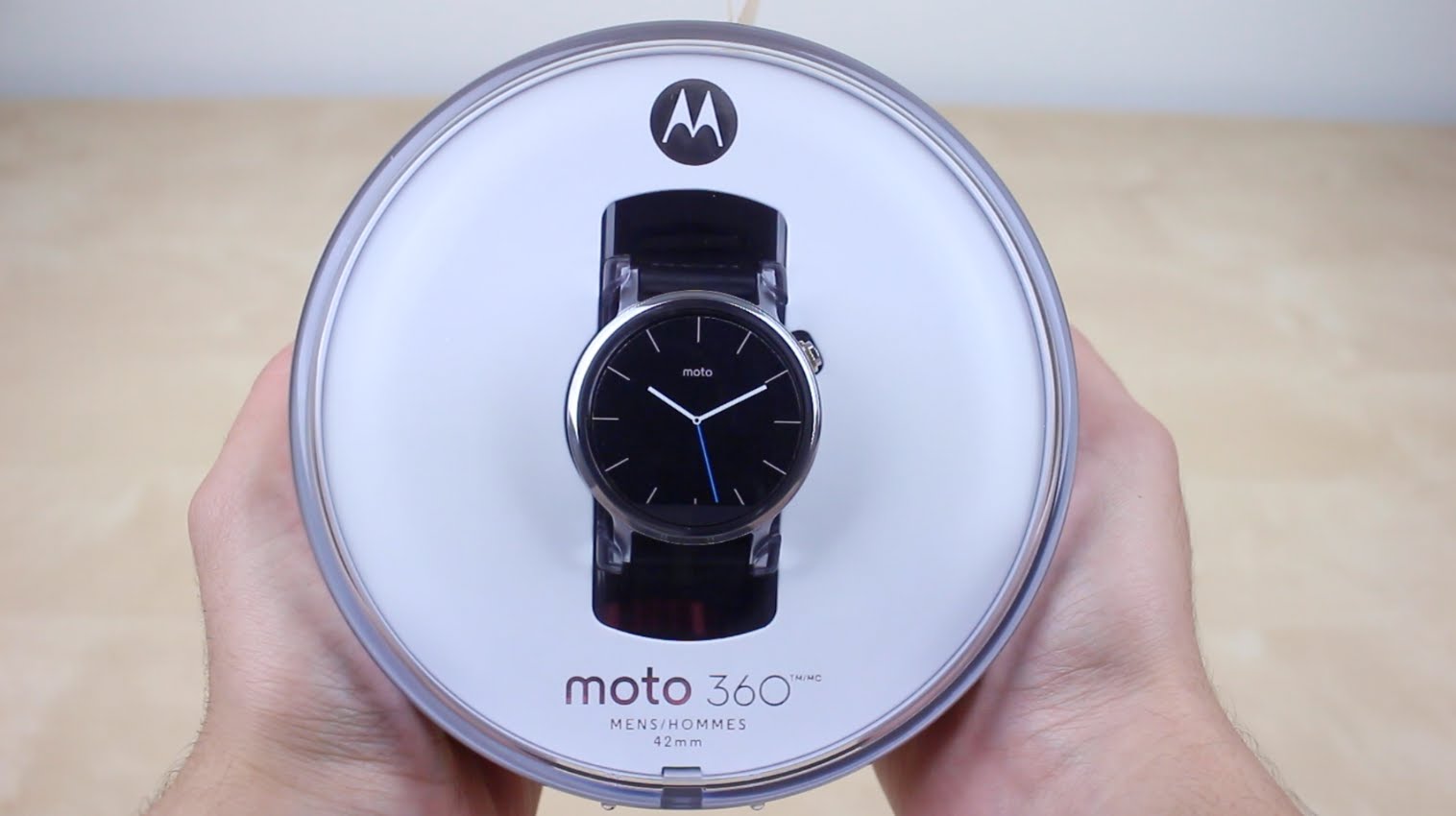
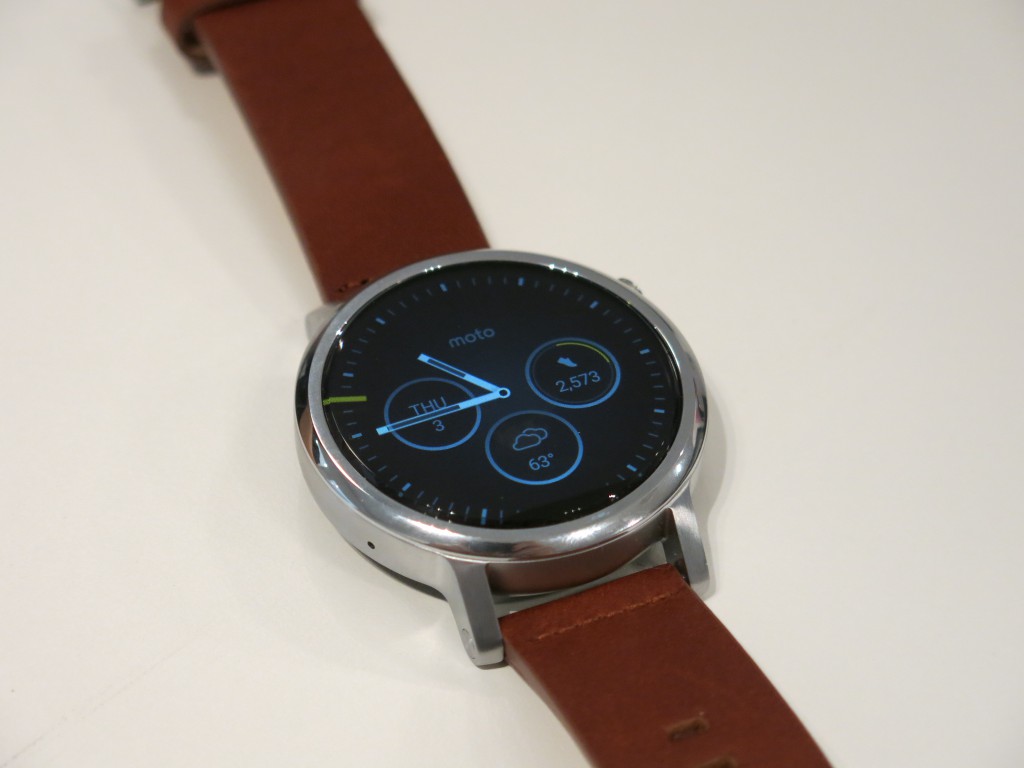
The second generation fixes all of this plus some. Let’s start with the hardware. The body itself is thicker, but the overall design makes it seem sleeker. The hardware button is bigger and located on the top right corner, and it clicks very nicely this time. The watchband is not inside the watch anymore and is now attached to the outer frame with quick-release buttons for easy changing. This is a huge update that I love so much, as I can now collect watch bands with ease. The material feels more sturdy and thicker, and the screen has double the resolution and better glass.
With that said, the watch also fits better. We get a three-way point of wrapping due to the “hinges” of the strap rather than one band that you wrap around your wrist. The watch sits flatter and no longer slides around, which is great. If you want to get under the hood, the Moto 360 second generation has the following hardware for the 46mm version, which I have:.
CPU: Snapdragon 400 Quad-Core @ 1.2Ghz GPU: Adreno 305 Display: Corning Glass 3 LCD at 233 dpi (360×330) Storage: 4GB ROM + 512MB RAM Bluetooth 4.0 Battery: 400 mAh
That’s a huge step up from the last watch. This is a fast beast, and the display is beautiful. The 46mm version is the way to go, and the $50–100 jump in price is well worth it if you factor in the extra day of battery life. I can actually use ambient mode with this watch, and it can last more than a day. I could not do that with the first-gen watch. While the watch is the same software-wise (there are no new features), just having it perfected is worth the price to me. I don’t really have any complaints with this one, as all my issues were resolved on the last watch.
With that said the biggest issue is the price. Starting at $300 this is a premium and high-end watch that is the only one that can beat Apple in terms of style (which the Apple Watch is ugly) and usability. If you hated the first-gen watch I suggest coming back as everything is fixed.
As kids, we all dreamed of being like James Bond or our favorite sci-fi character with cool watches that could show videos, talk, and do various other things, let alone surf the internet. Google made this all possible with the Android Wear OS, and many phone companies jumped on board and saw the profit. This isn’t just an over-glorified calculator app in 8-bit black-and-white text that you got out of a cereal box. This is a legit high-tech futuristic piece of hardware that will just keep growing and getting better over time.
While there are many smartwatches out there from LG, Huawei, Samsung, Sony, and Motorola, I personally think watches should be round; why square? While shopping around for smartwatches and watching them over the last year, I noticed that the square watches are rather ugly and cheap-looking. I got my hands on a Samsung Gear S2 and a Sony watch, and they just looked and felt cheap. The Moto 360 made me cautious as they make awful smartphones and have terrible software, but it looked great, and the recent price drop due to the Moto 360 2 coming out today helped. All I can say is that I didn’t expect this thing to be as useful or as good-looking as I originally thought.
However, there were issues right out of the box, and it wasn’t a fun start. I should rate this watch much lower due to the issues I had getting the thing up and running, but it was an easy fix once I figured out how to fix it. Three hours of searching around online and wishful thinking, and maybe some luck, did the trick. See, the Android Wear OS has been updated quite rapidly over the last year, going from 4.4W.1 to 5.1W.1 in less than a year. My Moto 360 shipped with the original buggy Android Wear OS on it, and I couldn’t get it to update. The Google servers no longer recognize the original Android Wear OS, so you get the Google Services have stopped working and various other crash notices on the watch.
Right out of the box, the watch’s battery was dead, so I had to charge the thing. After about 3 minutes, I got the charging symbol on the watch screen, and after about 30 minutes, I booted the watch up. I have to say that it’s really cool to see a watch boot up and show more than just time; it was quite the experience. After booting up, I set up the Android Wear app on my Galaxy Note 5 and linked the two via Bluetooth. The watch’s battery was at about 40%, so I figured I’d play with it. The first thing I did was check for a system update, and there was one, but it would crash when it got about 5% done. I reset the watch back to factory defaults because it was an endless loop of crashes and errors after each restart. This is where the three hours of research came in, as I could not update the watch to 5.1W.1, and it turns out the latest Android Wear app doesn’t work with that older version. I had to install an older version of Android Wear as the watch downloaded the update through the phone via the Android Wear app. The problem was that the watch was stuck, wouldn’t do a factory reset, had endless crashes, and would shut down. I thought I was going to have to call Motorola tech support when, for some unknown reason, it finally reset on its own. Everything seemed to work fine, so it was obvious that the newer Android Wear app was causing issues. I then downloaded the update, which took about an hour, and everything was fine. I updated the Android Wear app, and I was set.
This kind of stuff is what most common users won’t be able to figure out, and Motorola needs to fix this issue by either recalling their first shipments of the watch or getting together with Google to support older versions so they can update. Also, note that during this fiasco, the watch died about three times, as it’s not meant to be used constantly like a phone. The watch also charges wirelessly, so you can’t use it while it’s charging as the battery will drain faster than it can charge. Thankfully, the watch charges fully in about two hours but will last all day if you use it right. The initial fiddling and setting up will drain your battery a couple of times, but after that, I pulled it off the charger at 1 PM, and at around 8 PM, it was at 53% battery. I later spent about 90 minutes adjusting apps on my phone, which would push updates to the watch. I would also go into the watch to make sure the settings went through. It dropped down to 42% after the adjustments, which isn’t too bad for a 320 mAh battery.
Let’s talk about what a smartwatch actually is and does. This is supposed to be “Your life at a glance,” which is Android Wear’s official motto. This isn’t something you sit down and play around with all day like a phone; you just do simple, quick things like reply to texts, read emails, check the time, do weather updates, do fitness tracking, change tracks on your music, use Google Maps navigation, etc. Various apps will support Android Wear and install its app on your phone. Most major and popular apps support Android Wear already, and it all works better than you think. When you get a text, your watch will vibrate and show the text on the face. You can swipe right to ignore, left to reply with Google Now, or open the app on your phone. This is how every app works for the most part: just the essential information without pulling your phone out of your pocket every 2 minutes.
Using the actual watch was a bit confusing, I would say. The watch has a pull-down drawer that allows you to change your notification settings, swipe left for gestures, watch brightness, and even settings. There’s even a theater mode that will keep the screen off until you press the hardware button. I also used a custom mini launcher, which allowed me to swipe right for a custom launcher that put the apps in a circular grid rather than a scrolling list that the default launcher has. Honestly, the default launcher isn’t that great. After this, I can swipe up for my weather and once again for my Google Fit tracking stats. Now, this is the confusing part that most people don’t understand: most of the major settings are controlled by the apps on your phone. There’s no Google Play Store on your watch; everything is downloaded to your phone or tablet. The phone then beams the Android Wear app to your watch, and it installs.
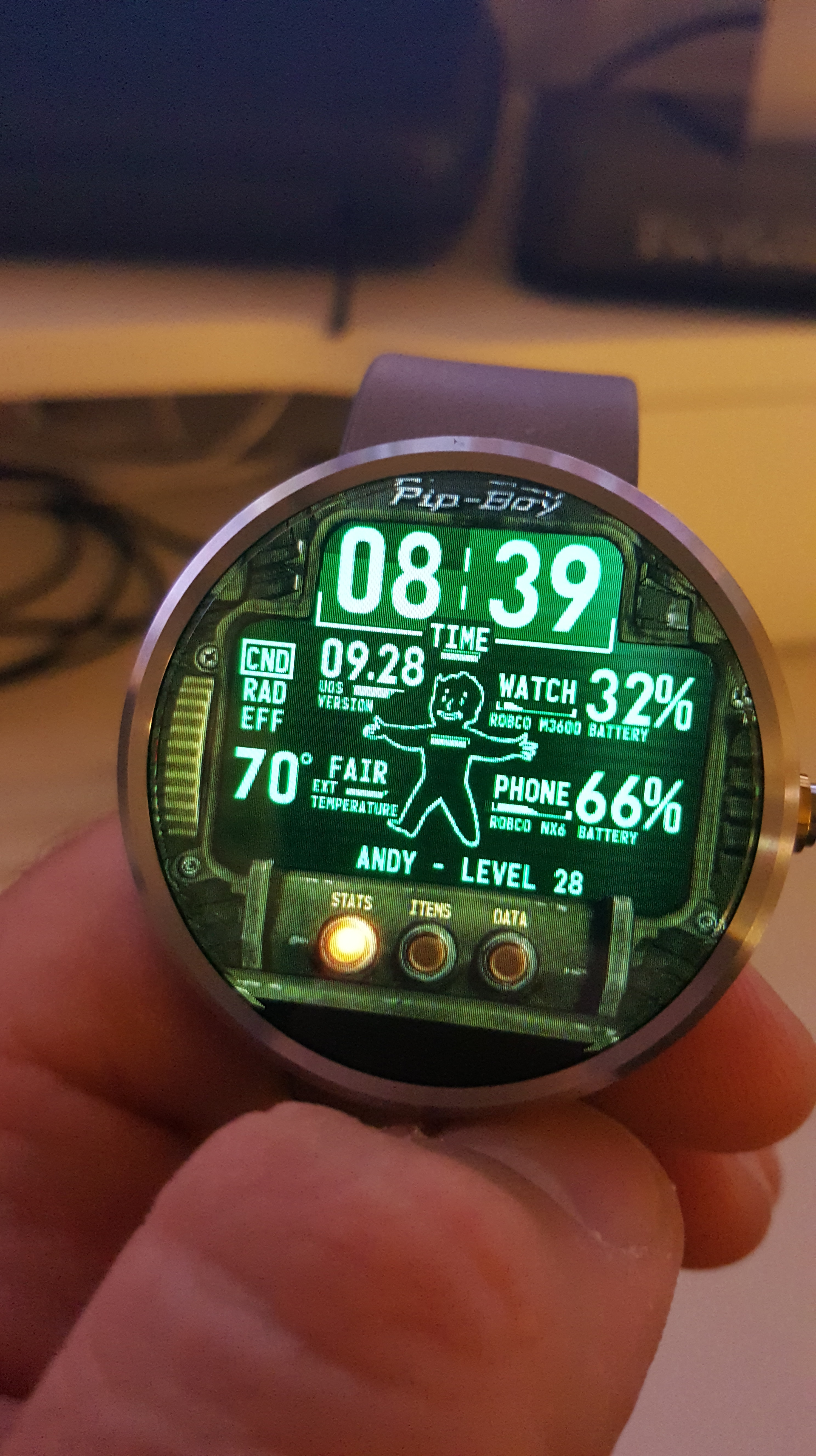
Another, and probably my favorite feature, that makes smartwatches so amazing are the custom watch faces you can use. I personally used the WatchMaker Faces app to download faces that users made that looked incredible. Anywhere from video game and anime faces to digital and analog faces that mimic real-life watches. This app allows each face to use various stats, such as the weather, stopwatch, timer, battery levels, etc. Standard watch faces from the Google Play Store are also just as great, but I’ve found WatchMaker Faces to be the best face app out there. The Moto 360 allows an ambient mode (which is shoddy) to detect when your face is near the watch, or you can use a gesture that will turn the face on when you raise your arm, which I also didn’t prefer as sudden movement kept turning on the screen, killing the battery. Sadly, there’s no way to adjust the sensitivity of the gyroscope, so just touching the screen to see the time worked fine for me.
Now let’s talk about the hardware a little bit. The Moto 360 comes in various colors and styles, such as metal and leather wristbands, and various body colors, from stainless steel to gold. The watch is actually a little thicker than your typical watch, but think of what’s inside this thing. While it looks fine on people with larger hands, it looks a little silly on people with smaller wrists and hands due to the thickness. It’s honestly very stylish and looks like a watch, but you will notice something different about it that makes people ask what it is, mainly wondering why the face is blank. The watch itself has some impressive hardware inside: a 1 GHz Cortex A8 CPU, 512 MB of LPDDR RAM, 4 GB of internal storage, Qi wireless charging, a 9-axis accelerometer, a heart rate sensor, dual microphones, Bluetooth 4.0, 2.4 GHz WiFi, an ambient light sensor, and a capacitive touchscreen. The resolution is 320×290 at 205 PPI, which is pretty standard for a display this size, but it has a great backlight and looks sharp.
When actually using the watch, it feels quite responsive; the touchscreen works like your phone would, is quite sensitive, and doesn’t require stabbing your finger to get things done. I’m not too impressed with the wrist gestures, as the screen wakes up constantly, killing the batter, and using gestures to swipe your cards seems pointless and looks quite silly, but it’s there if you want it. The battery life is also extremely sensitive, and any heavy use will drain it very quickly. If you use the watch as intended, with just a few quick glances, it will last all day.
Overall, the Android Wear suite is quite nice, there are a ton of customization options, and the Android Wear app is a great hub to control what your watch does and get all the information you need from it. The actual Android Wear OS is great, is surprisingly responsive, and does exactly as it’s intended, giving you information about your life at a quick glance. Obviously, going forward, the biggest challenge is battery life and faster hardware; I also would have liked a mic on the watch, but maybe next time.
The Android family is growing exponentially and feels like a train hurtling down the track at 200 MPH with no stop in sight. The whole platform has grown in just a couple of short years with a quality market (and market storefront), more quality apps, and games, and now the addition of books and movies just makes the Android market feel like something to compete with the App Store. The devices are also really utilizing the system, and thanks to Google allowing open resource development of the platform, we get some really great apps and features on the phone that the iPhone, Blackberry, and other phones just can’t do.
Out of the Box
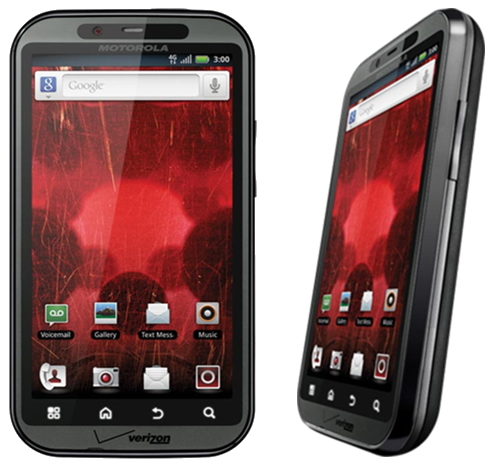
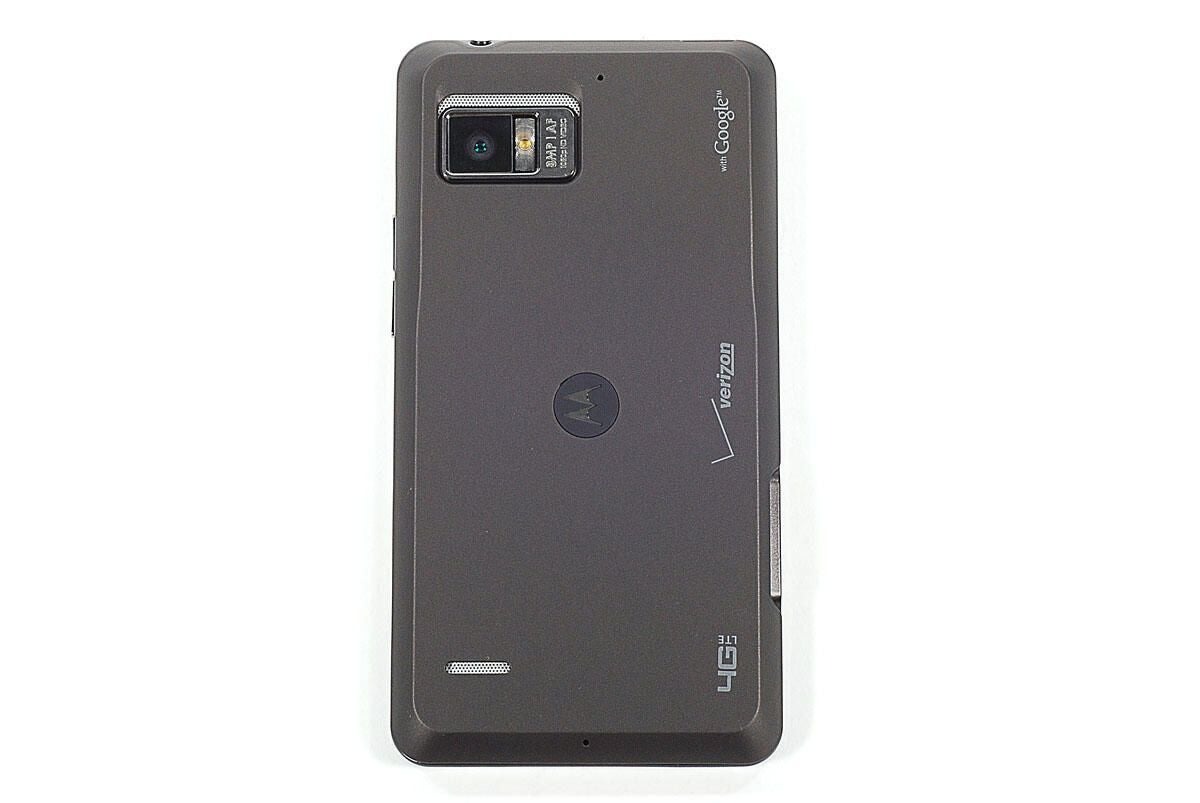
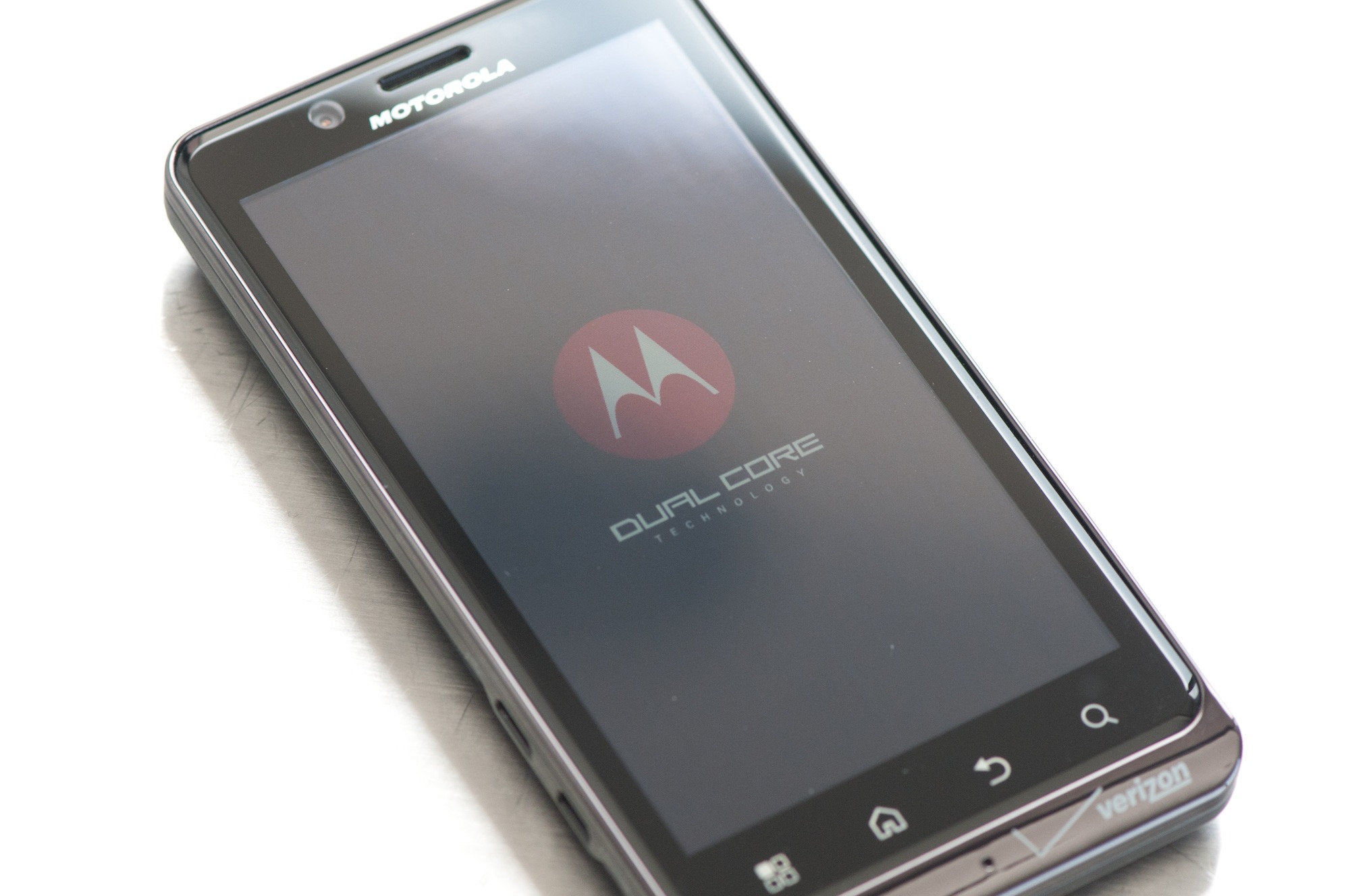
The Bionic has a great-looking box, but there’s not much beyond that. It comes with the standard battery, charger, USB cable, and 16GB micro SD card (cha-ching!) (I’ll cry if a phone comes with a car charger.) The phone came with a SIM card, which is new to Verizon and Droid phones. This is a 4G SIM card and is needed to activate 4G. When you boot it up, you can act like normal, but there’s one feature that was enabled on my phone that kept me on the phone with Verizon for over an hour until I scoured the internet myself. A certain little voice privacy feature was enabled that keeps your 3/4G off and, for some reason, was also enabled on my old Droid. Thankfully, disabling this turned my 3G back on, but that wasn’t really a problem with the phone itself. Once that’s all done, you’ll notice how fast the phone boots up (there’s even a neat Droid Bionic logo animation and sound!). Transformers anyone?) So let’s go over some of the hardware features.
Hardware Features
The first thing you’ll notice is that the speed of the phone is as fast as a computer. That’s the 1 GHz dual-core processor running everything for you at lightning speed. Why dual-core? Everything is just twice as fast and lets you multitask like never before without any type of slowdown or lag that you might even get on single-core 1Ghz phones. Compared to the iPhone 4S, it’s actually faster with an ARM Cortex-A9 processor. Yes, the iPhone 4S does have the same processor type, but it’s under-clocked at 800 MHz per core, so you’re losing about 25% speed over the Bionic unless you jailbreak your iPhone and overclock the processor.
The GPU is also slightly faster than both the iPhone 4 and 4S (they both have the same GPU) with a PowerVR SGX540 at 304 MHz, while the new iPhones both have an SGX535 model. The Bionic has faster and more memory with 1 GHz DDR2 memory, which is as fast as a computer, while both iPhones still use eDRAM and only have 512 MB. This means extra speed, faster app switching, and the ability to have more apps open without suffering from slowdown, lag, or crashes.
The Bionic also has 8GB of internal memory with the option of SD cards (up to 32GB), so with the standard model, you get 22GB of memory (maximum 40GB), while the iPhones are stuck with just the internal memory and you have to pay huge dollars for more space. The camera is about on par with the 4S with 8MP and 1080p support that lets you take panoramic photos, super high-quality video, and photos, and has an excellent flash. The front-facing camera is just 1.3 MP for video calling.
The only thing that the iPhone really trumps the Bionic on are the displays. The iPhones have 960×640 resolutions with 326 ppi, and the Bionic has 960×540 resolutions with 266 ppi. It’s not much, but it does make a difference when you compare the two. The Bionic does have a huge 4.3″ screen, which stomps on the iPhone’s 3.5″ screen, and is a true qHD screen (true 16:9 ratio), which is perfect for watching movies. The Bionic also has a mini-HDMI port for connecting to your TV, and even other high-end phones don’t have this yet. The Bionic has a higher contrast ratio of 800:1, while the iPhones have 800:1. This means it can display more colors and resemble more of an HDTV than a phone display.
Software Features
When you start using the phone, you will see it has so many great features over old Android phones, the iPhone, and Blackberry. First off, let’s talk about data management and sharing. The phone now comes with a file manager, so you can transfer files from your internal storage to your SD card as well as connect to your computer wirelessly and share files. The phone also supports DLNA, which can sync your media via Wi-Fi and upload media to your computer. The phone also gives a few options when you connect to your computer via USB. Instead of just the mass storage device option, you get a PC Mode that allows you to connect via a Motorola laptop or installs the MotoHelper driver on your PC and lets you access the SD card and internal storage. The software will also show any missed calls, texts, etc., which is a nice touch.
There are some nice pre-installed apps, such as the built-in camera apps, which give you a good range of options for video and photos; you now have a download manager; and MotoPrint, which allows you to connect to a wireless printer via W-Fi. There’s also a task manager, which is very useful to kill stubborn (read: poorly programmed) apps that won’t close. It also has an auto-kill list for when the screen goes out for 2 minutes. This helps preserve battery life (you’ll need it), but the phone does a good job of doing this on its own. You can turn the phone into a mobile hotspot (remember, it’s extra per month for this feature), plus all the standard apps like the task scheduler, calculator, and alarm are nice.
The market has a great storefront and has tons of quality games, apps, books, and movies now. The market just allows you to really make the phone your own, reflects your personality, and gives you so many options. The phone really has just so many great features built-in that make things so much easier for transferring data and media, as well as using the cameras and all the nifty hardware.
One thing I have to mention is that the games run smoothly on this phone. Using the PlayStation and SNES emulators, I can get games to run at 400 FPS with all the quality options enabled. All the high-end 3D games run without a hitch, and you will be unstoppable game-wise, especially if you can switch from a hardware-hungry emulator to the browser to check an FAQ, switch back, answer a call, or text someone, all without any slowdown and with all those running in the background.
When it comes to the basic phone features, it sounds great; the speakers sound sweet; calls are clear; and typing on the keyboard is easy with the huge screen. You won’t miss a pull-out keyboard with this phone.
It’s Not Perfect
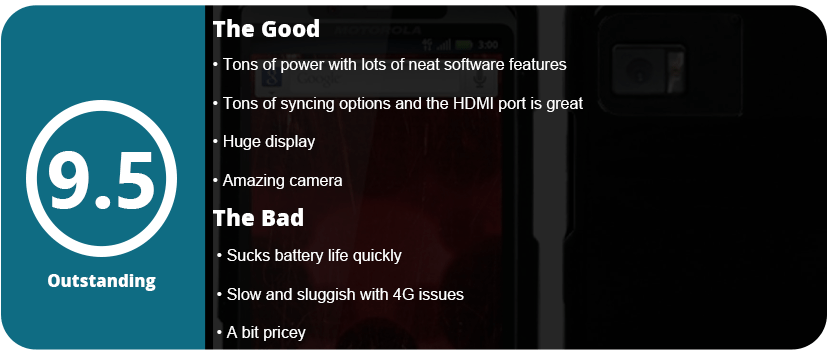
The phone isn’t perfect; however, the battery is probably the biggest issue with this monster sucking it dry within a few hours. Sure, you can use battery-saving apps, and the phone has a built-in battery saver, but if you surf the net a lot or play games all the time, have a charger with you at all times. There also seems to be an issue with mobile networking, because it fades in and out a lot. I’m not sure if that’s my area or the phone itself. While 4G LTE is lightning fast (there’s a world of difference in speed), it’s only available in a few areas (mainly big cities), so I don’t even get it in my area. By 2013, Verizon said the whole country would get it, so we’ll have to see. There also isn’t a camera button on the phone, and a lot of people are used to this. The volume and power buttons are also really small and sometimes hard to press when you’re not looking. Other than that, this is an amazing phone and should be bought by every Android lover!
Update (6/17/13)
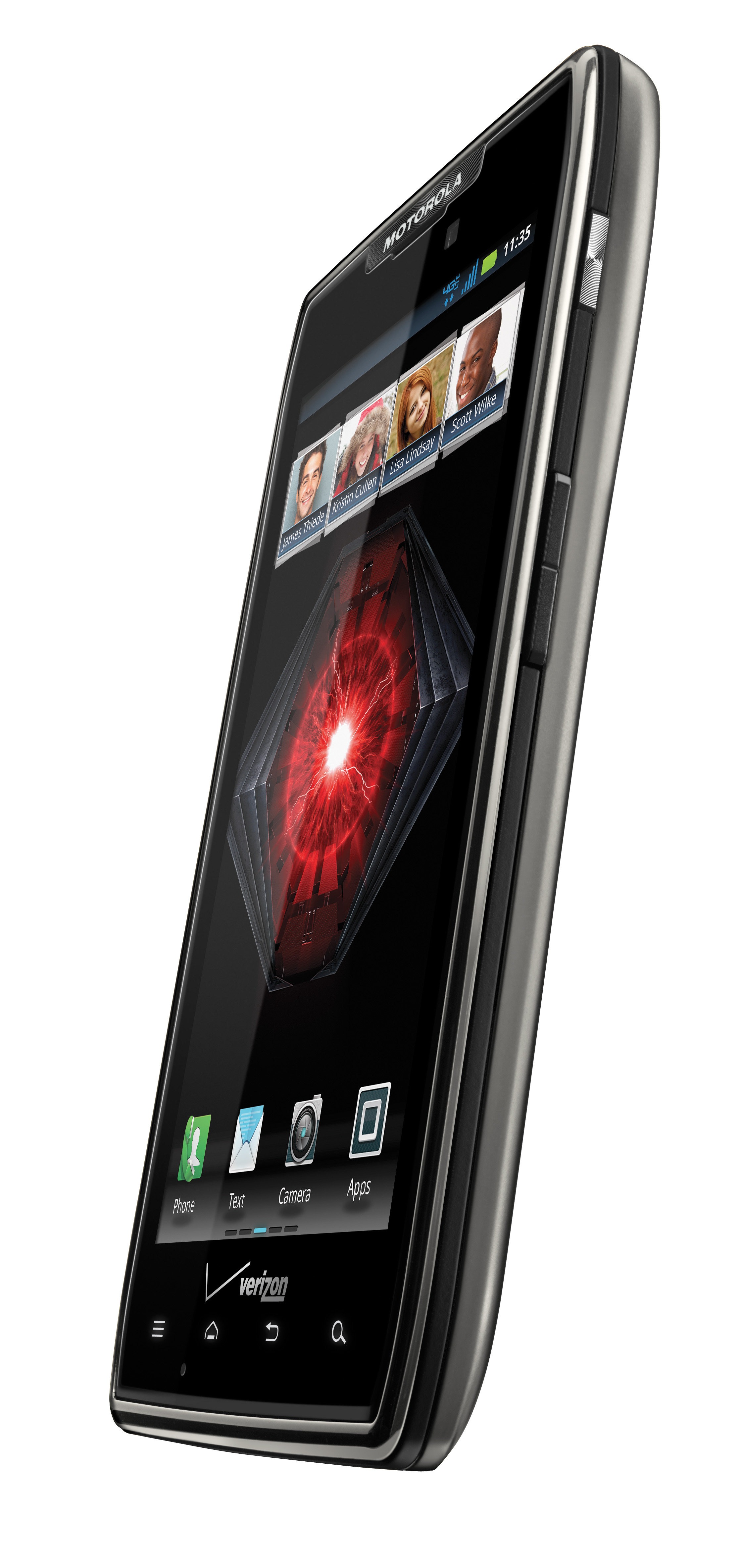
Now that I have had this phone for a full 2 years, I hate the thing. I have the same problem I did with the original Droid. I went through two years of crappy firmware updates, 4G constantly dropping out, sluggish, unresponsive everything, but at least the battery issue got fixed, but it took an entire year. I don’t know what happens with Motorola phones, but after 6 months, they just tank on you. I tried resetting the phone to factory defaults and replacing the phone, but neither worked. It would sometimes take minutes for a browser to load, and typing would be delayed up to 10 seconds, and it was frustrating and annoying. It also doesn’t help that the phone is huge and heavy compared to phones that are out now. It finally got the 4.2.2 Jellybean update about 3 months ago, but it runs worse on that OS than the 2.3 it came with. I will never buy a Motorola phone again. Sometimes the language would change randomly, but at least it didn’t reboot on its own like my last phone. While the Bionic is discontinued now and has been replaced by the Droid Razer and Razer Maxx, I feel mad about Motorola abandoning their Bionic users. The phone was the last to get the 4.0 ICS update, and even that had bugs of its own. Just don’t ever buy a Motorola phone; they are all the same.
Google has been known for revolutionizing the internet, and now they are with their Android phones. The Motorola DROID (A855) is the newest and most advanced phone on the market right now, and this bad boy does an awful lot. A lot of people are going to compare this phone to the iPhone, but the DROID trumps the iPhone in features and freedom. I will discuss, first, the tech specs and compare them to the iPhone head-to-head so you can see how powerful the DROID truly is.
Techno Babble
The DROID has a 550 MHz processor, specifically the Arm Cortex A8 processor that is also present in the iPhone 3GS by Samsung. The 3GS is clocked only 50 MHz higher and can be overclocked to 800 MHz. To compare, the original Xbox has a 733 MHz processor. So can the drug be overclocked to this as well? Most likely. With a monster processor, the DROID can multitask and has one of the first actual mobile OSs (besides Windows Mobile 7). This also means maintaining processes running in the background to gain battery life, uninstalling apps (not just deleting them), and a lot more, but we’ll get to that later. The iPhone, however, cannot multitask due to the OS running on it, and the processor is only used in games.
When it comes to graphics, the DROID still hasn’t been pushed to its limits. There are very few 3D games on the Android Market, but as of right now, the iPhone stomps the DROID in the graphics department. The DROID has a 200 MHz PowerVR SGX 530 GPU. The iPhone has the same, but due to its slightly better CPU, it can currently outperform the DROID. The iPhone has been on the market for quite some time, so there are bigger, better games available. The DROID should start getting the same quality soon. They both have 256MB of RAM, so under the hood, they are pretty much the same.
The DROID has a slightly bigger screen, sizing in at 3.7″ and the iPhone at 3.5″. Do 2 millimeters matter? Yes, it does. There are a good 2 millimeters on the top of the iPhone that could be a screen, but for some unknown reason, it’s not. The DROID has a higher resolution of 854 x 480 and 265 PPI (pixels per inch). The 3GS has a 320×480 resolution with only 163 PPI, so the DROID has double the resolution of the iPhone. That is great for people wanting to watch high-res movies on their devices.
Both devices have the same inputs, such as the 3-axis accelerometer (tilt sensor), digital compass, multi-touch display, proximity, ambient light sensors, etc. The DROID is a bit heavier than the 3GS, but only by 1.2 oz. The drone wipes the floor with the 3GS camera. The DROID camera is 5 MP compared to the 3GS’s 3 MP. The DROID has dual LED flash and geotagging, and it can even run higher than 30 FPS. The 3GS has all this except the dual-LED flash, which is a huge plus.
When it comes to storage, the DROID wins with its external memory option. You can insert up to a 32GB microSD card, but you’re stuck with the 3GS internal memory and have to pay a huge price for more. The DROID even comes with a 16GB microSD card when you buy the phone. So when it comes to comparing junk under the hood, they both have the same hardware, but the DROID has the extra tidbits that push it over the edge.
GUI: Graphical User Interface
The DROID has an excellent GUI, and the whole marketplace is run by the community. There are programs such as PandaHome, OpenHome, GDEHome, etc. that allow you to change “themes” for a small price or for free. These also change icons, clock widgets, etc. The DROID has a great interface that is more like a computer that gives you a desktop, then a slide-up menu where all your apps are stored. You can drag and drop as you see fit. The iPhone, however, is plagued with the mundane Apple OS that only shows apps in a grid format with a black background. Sure, you can change your “wallpaper,” but this is only when the phone comes out of sleep mode, so it’s rarely seen. This makes every iPhone look the same, so the DROID wins in customization by a long shot. There are four touch buttons located at the bottom of the screen: your back button, menu, home, and search. You will use these buttons a lot, so Motorola and Google were smart to put them here.
Apps: Who’s Better?
It all comes down to the apps. Who has more rights? Well, the iTunes marketplace has hundreds of thousands of apps that the DROID doesn’t have, so the iPhone wins there. However, the Android market is ever-growing, and thanks to the user-run community, a lot of great apps are showing up that the iPhone can’t run. These include a lot of customization apps and loads more. Apps are easier to run on the DROID since there is no iTunes-type program. The app store is run off the phone and downloaded from the phone as well. If you don’t want an app anymore, you go to your settings and uninstall it. Google also allows you to refund anything you buy within 24 hours, and Apple does not support this. While iTunes may have more stuff, Android has better customer service, a better community, and a better setup. There are really no “hardcore” games for the DROID like there are for the iPhone, but it’s getting there. You do not want to get a DROID for a gaming system just yet, for sure; stick with your iPod or phone.
Features: Welcome to Google Town
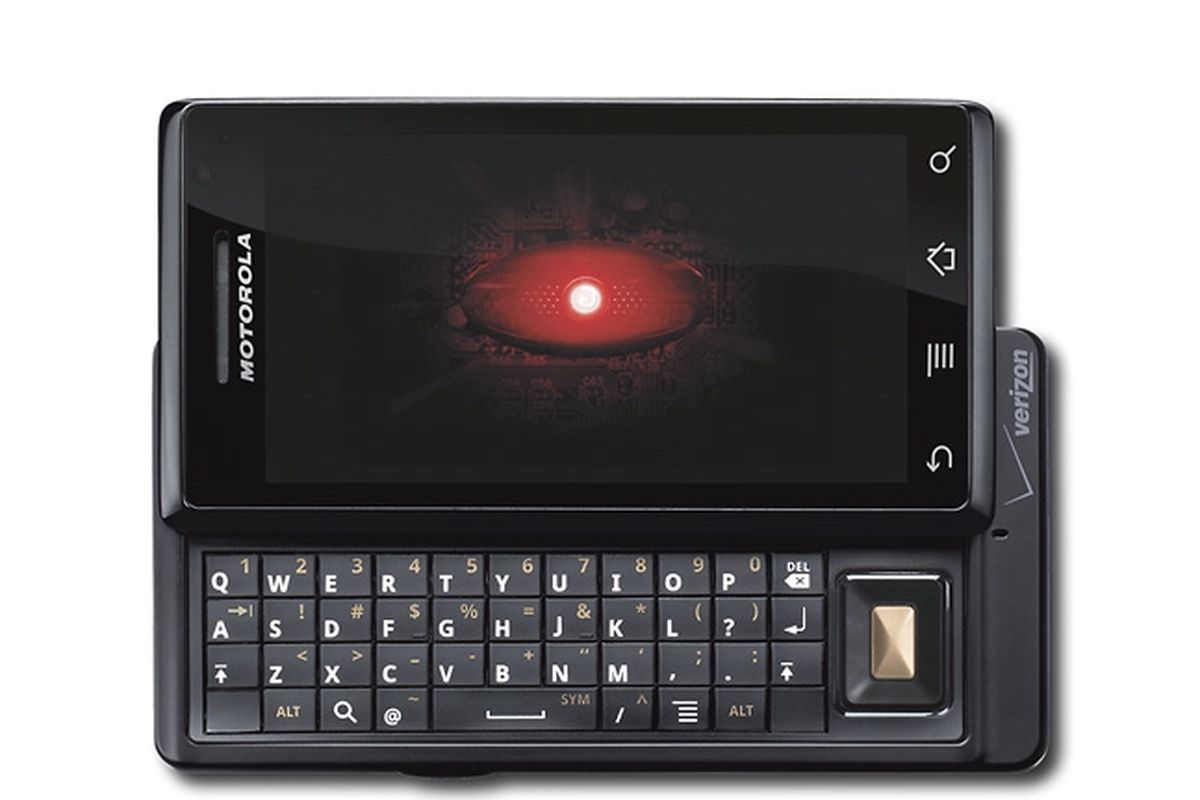
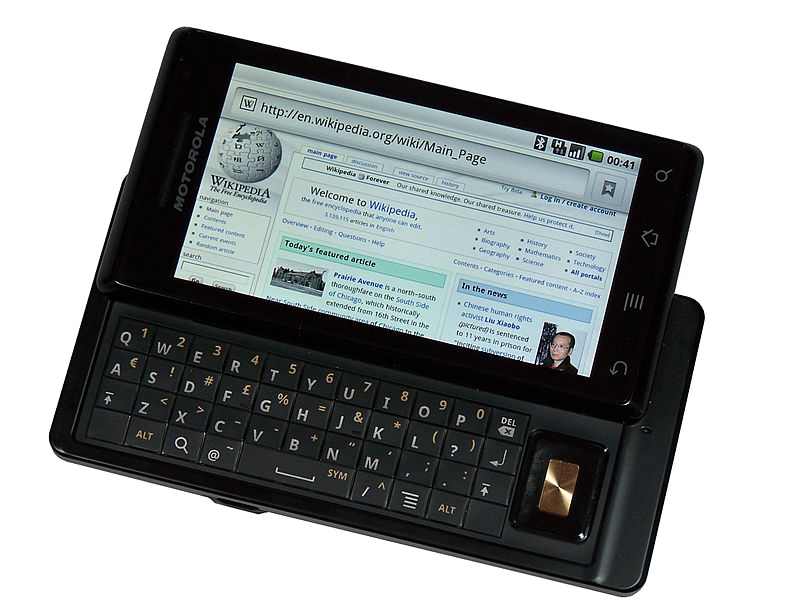
The DROID has a lot of little things going on in it. You can do everything a touch-screen phone can do, but it also has a slide-out QWERTY keyboard. The buttons were a little flat, and the top row is hard to get at if you have big fingers, but it works well. If you tilt the phone sideways, you can type with a landscape keyboard or use Google text-to-speech. I found this feature extremely useful when typing long messages or writing reviews for apps. Since this is a Google phone, you get all their awesome apps, such as Google Earth (yes, it’s in 3D and you can see every detail) and Google Maps. Switch to your “car app” and press navigation. Speak your selection (i.e., Phoenix, Arizona), and Google will give you directions for a car, bus, or walk (God forbid you to walk that far!). Press Get to Navigate, and the phone will give you the directions. It doesn’t update in real-time, but it does update as you drive down each block.
Google Sky is a fun app that lets you point your phone in the sky, and it will show you, in real-time, where each constellation and the planet are. You get plenty of excellent Google apps, such as Gmail, YouTube (yes, Google owns YouTube), and Google Goggles, which allow you to take pictures of products or objects, and the phone will scan and search them for you. There’s even a Google search bar on the desktop with a text-to-speech button next to it. Brilliant. There are plenty of other apps, such as the Amazon store, eBay, Bank of America, MLIA, FML, and even ShopSavvy. This app allows you to scan a barcode, and it will tell you where you can find it cheaper online or locally. Of course, you have all your social networking apps, like Twitter, Facebook, and MySpace, which run great.
When it comes to things like ringtones, pictures, and videos, the DROID delivers. You can store any MP3 or picture and set them as wallpapers, notifications, or just ringtones. Mount your SD card via USB and just create the folders. There is no need to sync with a program on the PC. Total freedom is what Google gives you, and this is what I love.
Problems: It’s Not Perfect
There are some issues with the drug, but not many, and they are minor. The biggest one is the running processes in the background that can kill your battery even in sleep mode. You have to get the Advanced App Killer app and every so often check everything you don’t want running and kill the apps. Another problem I ran into was that since most of the apps are user-made, they can be glitchy and screw up your phone, so watch out and read reviews before downloading anything. You could say that the major issue is the app store. There are a lot of apps, but some of them are junk. There aren’t any excellent games available, and the app store doesn’t have any sort of feature except Top Paid, Top Free, and Just In.
For a $550 phone (if you pay for it without a plan), the DROID delivers and trumps the iPhone in every direction except the apps. The DROID is a very advanced phone and is for people who love using their phones constantly and want to make them a part of their everyday lives. With a sleek design, excellent features, sturdy hardware, and monster processing power, the DROID should be the #1 phone in 2010.
Update: 10/15/2011
Now that I have had this phone for 18 months, I don’t like it as much. The phone started having issues with serious lag, slowing down, and just hardly responding anymore. The touch screen lost sensitivity after about a year, plus the hardware is ancient compared to what is out now. Due to that, all the apps are now optimized for higher-end phones, so the Droid is left in the dust.
Overall, the phone just doesn’t really work anymore internally. It won’t come out of sleep mode sometimes, won’t answer calls, turns off randomly, and the internet is just impossible to surf due to the now weak processor. Hardware-wise, it has stood the test of time with many drops, slides, fumbles, and kicks. Not a single crack or anything, but thankfully this phone is now discontinued. If you have the original Droid, you are probably finding the same problems even after a factory reset. The phone was great 22 months ago, but now I just absolutely hate this thing. If I were to amend my score, I would give it a 4/10 now, but of course, that’s unfair and should be remembered for how great it was at the time of release. Did I also mention that the appraisal price for the phone is about $20 nowadays?












 thebinarymessiah.com
Try multiplayer. A lot of fun !