Sound systems for TVs are pretty expensive, and when I was wandering the aisles of Fry’s Electronics, I honestly didn’t know what to look for. I’m more of a video guy, so the sound was new to me. I was tired of hearing everything from my plasma screen’s speakers and wanted something to bring my games and movies to life. After looking at the PC speakers, I found out that they aren’t really designed for digital audio, despite being much cheaper. The other route was to get a receiver box and then buy expensive speakers that go into that. What was I to do? These things caught my eye, and it was one of the best purchases I ever made.
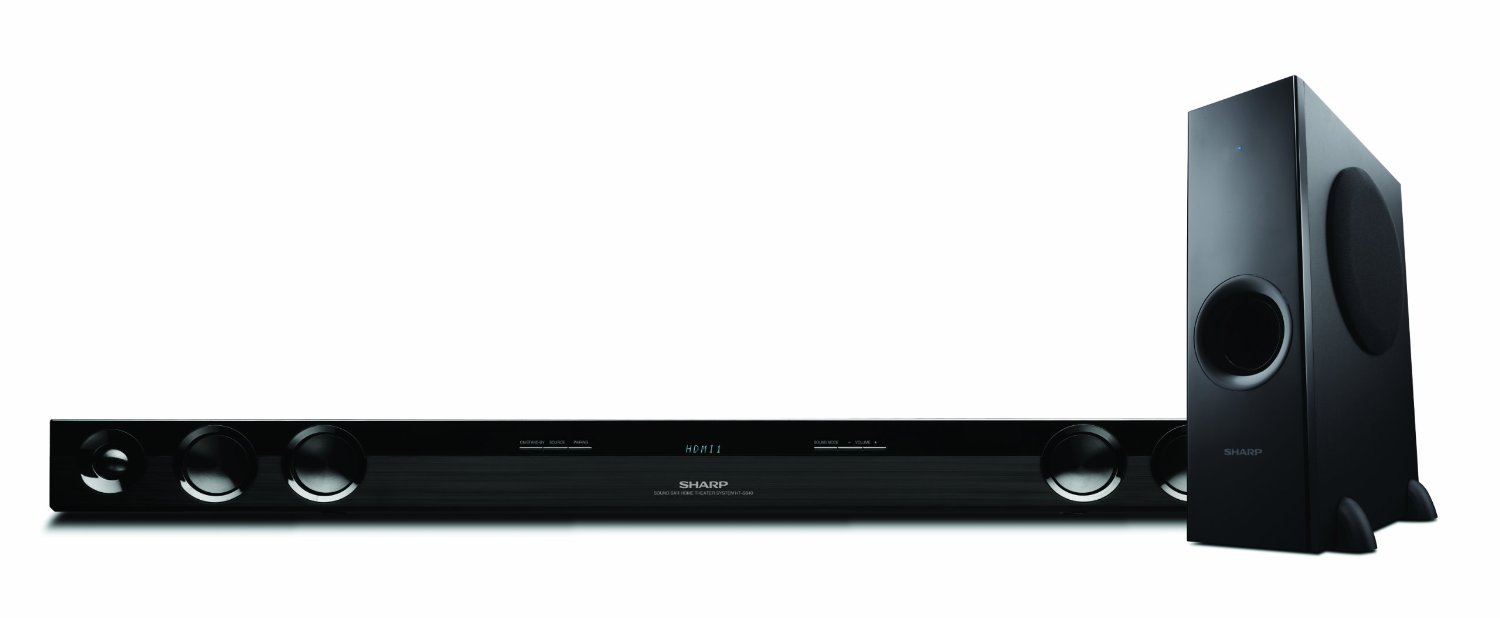
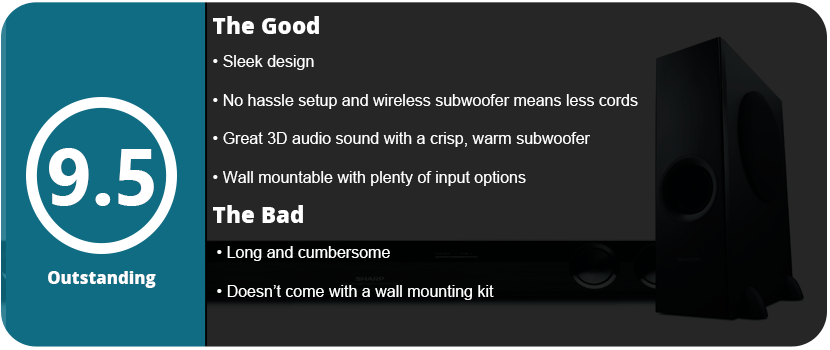
Soundbars emulate surround sound and 3D audio. It’s not as great as a 5.1 or 7.1 system, but the average person won’t notice a difference. First things first, don’t ever buy a soundbar with the subwoofer built-in. It distorts the sound and drops the quality of the audio significantly. These tend to be the lower-budget soundbars that are in the $150 range. The Sharp HT-SB40 has a separate subwoofer that’s made out of wood and not plastic. It gives the bass a rich and vibrant sound rather than being tinny. The 310-watt speaker is plenty and enough to blow anyone out of your house. Compared to the average TV speakers, which are about 20–25 watts, The sound is crystal clear, and there are some nice features here.
The whole system is easy to set up. If you don’t want to constantly swap cables, just buy a separate optical audio cable and plug it into the back of your TV. The power bar has 2 HDMI inputs and 1 HDMI output, which is actually quite a lot for a soundbar. There is an aux jack as well for plugging up MP3 players and other devices. Thankfully, the subwoofer is wireless, so there’s no hassling around with cables and keeping them close together. I didn’t even have to pair anything. I plugged everything up, and I was ready to go.
There’s not much to fiddle around with once you start using it. The bass is very loud and booming. Even with the subwoofer and bass turned all the way down, it was still pretty bassy. People who live with whiny neighbors in apartments need to watch out for this. The sound coming out of the bar itself was rich, and some of the best audio I heard made it sound just like you’re in a theater. Speaking of which, on the remote, there are many audio presets like cinema, gaming, night, sports, news, etc. Cinema really sounds the best because the others sound too tinny. I also love the 3D audio button. There are two presets, and the speakers don’t sound very good with them off.
There’s also an option for AV sync, which lower-budget soundbars don’t have. If you hear stuff before you see it (video delay), then you can turn it up to adjust the delay. You can even dim the display on the power bar and put it in standby mode.
With all that said, this was worth every penny. The power bar is even wall-mountable, which is nice. This thing is long, and you don’t want it on the floor. My only complaint would be that it doesn’t come with screws to mount it on the wall, and it’s very cumbersome and big. Other than that, I don’t think I’d want any other system.
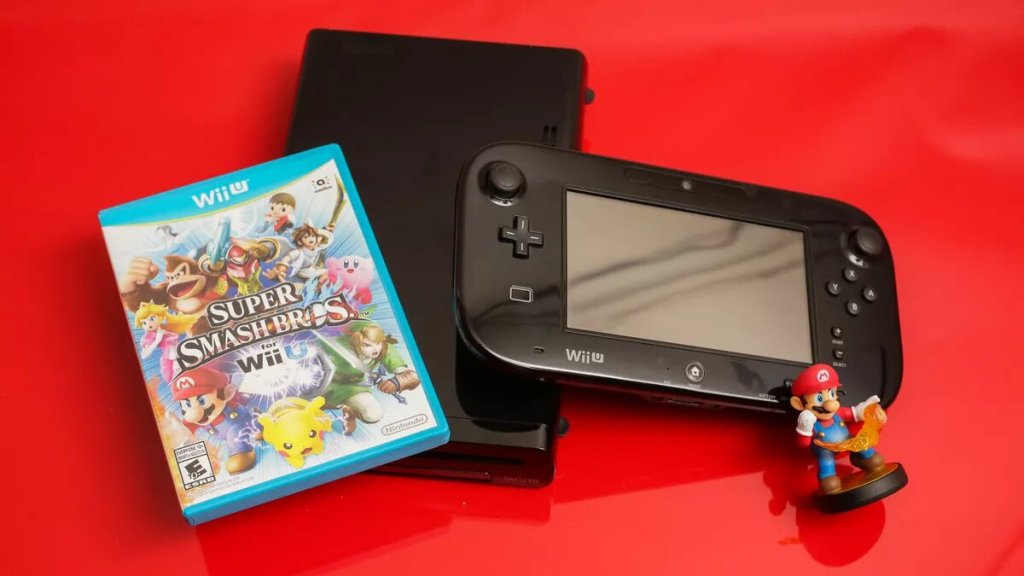
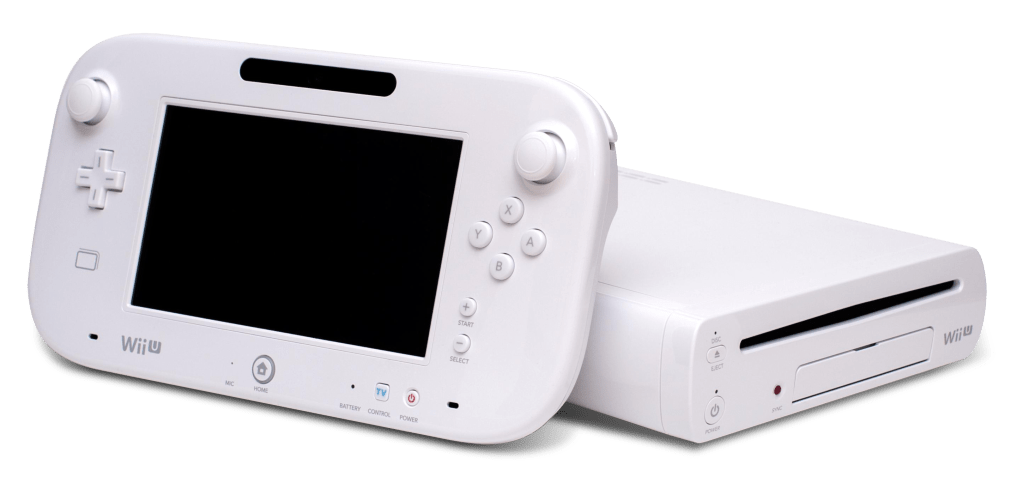
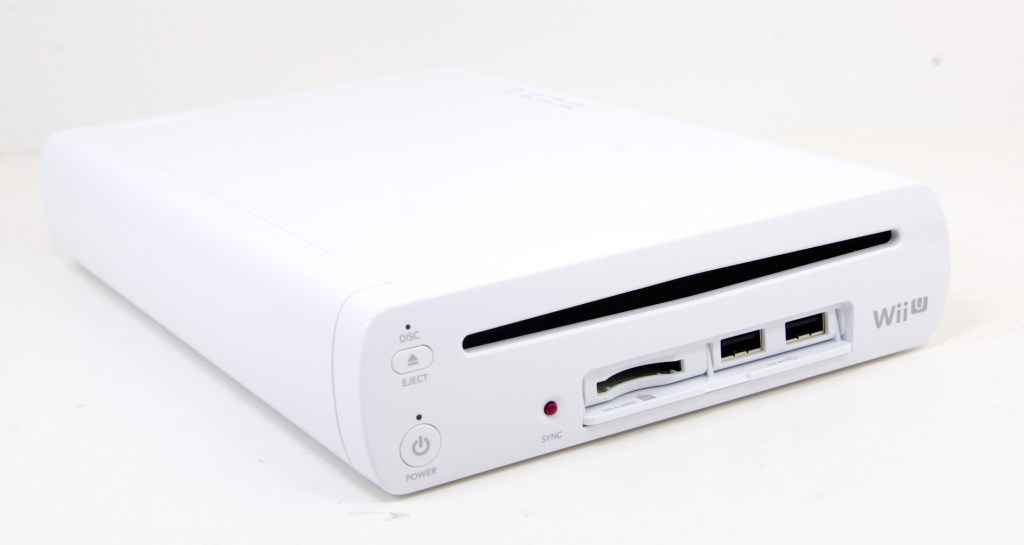
The Wii U is a system I swore up and down I would never get. My girlfriend brings one home, and I’m standing there looking at the thing, like after you had an awkward fight. There’s Injustice: Gods Among Us sitting there in its tantalizing glory, waiting for me to play it. I pull open the box and hook it up. Setting up systems is a nice feeling and doesn’t happen very often.
After setting it all up, I realized that the first feature that really got me to like the console was the TV remote feature. It’s really neat, and it’s not something that has ever been implemented into a console before. After I create my Nintendo account and pop in Injustice, I start liking the system. The gamepad is easy to hold and super light. This was key to making sure that long periods of playtime didn’t cramp your hands. The dual analog sticks are very nice, and the button layout is perfect. The ergonomics of the gamepad are just spot on. Anyone in doubt, even hardcore haters, just know that this is one of my favorite controllers. The DSi XL stylus comes out, and that even surprised me. The triggers and bumpers in the back are laid out perfectly. I applaud Nintendo for getting this right. It’s so useful! There are so many possibilities with this thing, but the system is only 6 months old.
I then notice that the game is playing on the screen. Even if you hate Nintendo, it will make you giddy. It’s a really cool thing to see. You can take the gamepad, plug in headphones, and play while someone’s doing something else on the TV. Why wasn’t this around 20 years ago?! This is only for games that don’t use the gamepad for much, though. My only major complaint is the battery life. Nintendo made this huge oversight, and it needs to be fixed.
The Wii U was designed for people who already own a Wii; that’s obvious. It comes with a Wii sensor bar, but no Wiimotes? Pretty stupid, actually. I do like that it emulates the Wii menu, and you can still use the Wii Shop channel. It’s nice to see Wii games upscaled into HD—not as crisp as the Wii U games, but still nice.
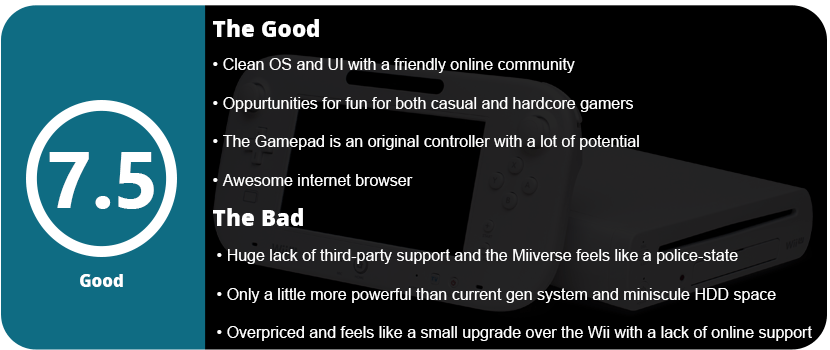
This is also Nintendo’s first HD console. They are behind at times (they always are), but the Wii U looks razor-sharp on my 50″ 1080p plasma. The colors are rich and vibrant, and some of the games look pretty good. The only issue is that the Wii U has weaker hardware than current-gen consoles when it comes to processing power. Nintendo fanboys can scream all they want that it’s a next-gen console, but in terms of power, it isn’t. This is what the Wii should have been.
The Wii U has a tri-core 1.24 GHz “Expresso” CPU. Sad. I think Nintendo was trying to keep costs down, but the gamepad seems to have cost them more than the unit itself because it seems like two systems in one. The Wii U has a 550 Mhz GPU “Latte” that is AMD-based and totally custom-made. Combined, the Wii U is about 4x as powerful as the PS3, but that’s not that big of a jump. The GPU has a slightly faster clock and BUS speeds. The Xbox 360 has a tri-core 3.2 GHz CPU, while the PS3 has an 8-core CPU (1 PPE, 7 SPEs), so right now the Wii U is only about 4x as powerful as the current-gen consoles. It’s not the big jump that everyone expects. It’s like going from the GameCube to the Wii (the Wii was only 4x as powerful as the GameCube). It isn’t nearly as powerful (about a fraction) as the top PC rigs, Xbox One, and PS4. The big disappointment is that the Wii U doesn’t support DirectX 11 architecture like the Xbox One and PS4 do. Don’t expect to see Crysis 3 or any other DX11 game on the Wii U. The Wii U has 4GB of DDR3 RAM at 1600Mhz which is about slightly above the average RAM speed that people use in PCs. 1GB is held off for system stuff so developers still only have 3GB to work with. Still better than the 256MB that’s on current-gen consoles, so this is the only leg up the Wii U has. It’s still 10x as powerful as the Wii, but that’s not saying much.
In the end, it comes down to games; right now, the Wii U is lacking. There are quite a few high-budget ports, but they’re ports. These games have been played on other consoles. Thankfully, there’s a huge Wii library out there you can play while you wait, but even the eShop is pretty much empty. I’m impressed with the hardware, but not so much with the software. All we can do is wait and see.
I used these, thinking they would be an amazing collection for my PC rig and add some pizzazz. I was half right. Sure, it looks great when the lights adjust to the game’s lighting, but at what cost? massive headache that took days to cure.
I’m talking about the lights’ god-awful software. It doesn’t even work; it’s broken. Why in the hell would Cyborg release broken drivers and software? You plug in the lights (one in each USB port) and plug up the power to the wall. Install the drivers and software like normal, and then things start going haywire. Every program stopped working and crashed when I restarted. I uninstalled the software, and it went away. This happened on two computers I installed it on. Why, in God’s name, would Cyborg do this? Not only is the software buggy, but the drivers require you to restart the actual service if the lights aren’t working. Sometimes the software will detect them, sometimes not. Sometimes just one light will work. If that isn’t bad enough, the GenFX detector will cause some games to not start up or crash. Skyrim won’t work with an ENB wrapper, and a few other games wouldn’t start up at all.
How do you use these lights, then? Download the beta drivers from AmBX’s site. Not quite, though. You have to download just the drivers from Cyborg, then the software from amBX. To get the beta drivers, you have to sign up for their forum. It also doesn’t help that these lights have been abandoned. There hasn’t been an update for a few years—yes, years. You can’t use these lights with music unless you get the third-party Aurora Synesthesia program, which is in beta and was also abandoned. Great, $100 lights that are abandoned. When the lights do work, they really immerse you in the music and games. Each light can be adjusted in intensity as well as its position in the room. Each light works separately and displays great colors. The hardware part is good, mostly. The left lens cap fell off for no reason after a few months, and one tab broke off when I tried to put it back on. They feel very cheap and are super light and flimsy.
This doesn’t sound attractive at all, but if you have the PC know-how, these lights are actually worth the trouble you go through to get them to work. I loved turning my lights off and being totally immersed in the game with the ambient lighting. What else can you do with it? The lights work with Windows popups and errors; you can also customize your own scheme; however, you can’t delete detected software from the list. Why? The engineers were idiots, that’s why. You will end up with an endless list of games that you don’t even have anymore. It will also detect dumb things like CCC, various browsers, and programs that use DirectX. The software is really buggy, and there are few games that directly support the lights in the game. Just as there are fewer official profiles for games because the lights were abandoned, recent games don’t have tailored lighting schemes. There are generic schemes, but whatever, it works fine.
Should you buy these? Unless you really want cool-looking lights, then go ahead. You will have to fiddle with the software and drivers until it works right. Two USB ports and a power port are pretty demanding. People with limited USB ports will be out of luck. I don’t recommend this to the average PC user, but enthusiasts who know what they are doing should go ahead.
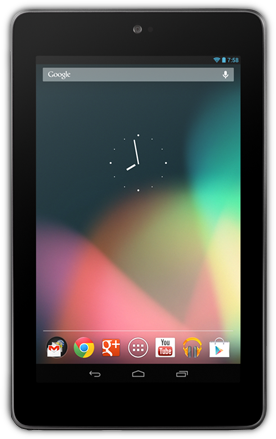
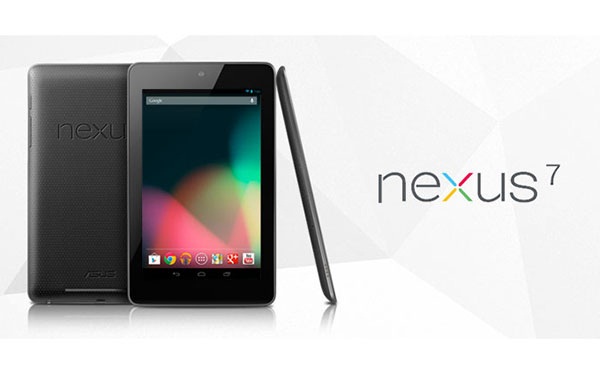
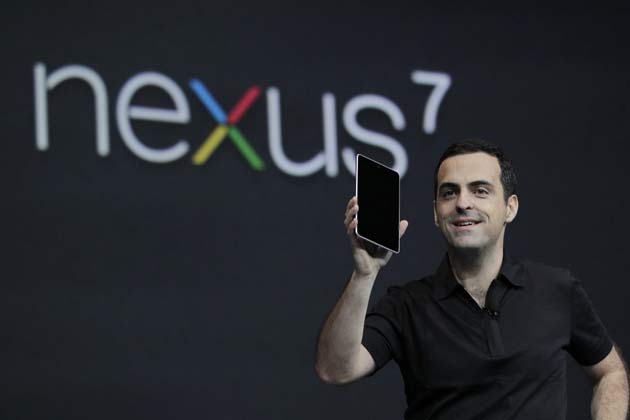
So here I am with my first tablet, I swore up and down that, I had no use for one because I have a laptop and a 4″ phone. Why would I need a tablet? Apparently for a lot and this is one of the best devices I have used in a long time. It’s sleek, powerful, and well designed. Why a Nexus 7? Well, the 7″ size is perfect where it isn’t too small or too big. I don’t like 10″ tablets because they just feel big and clunky. You are probably wondering what’s under the hood, why not an iPad Mini, and is the screen nice?
The Nexus 7 is powered by Nvidia’s Tegra 3 chipset which is one of the most powerful on the market. Directly competing with Apple’s A5x chipset in their iPad 3, the Nexus 7 is extremely powerful for a 7″ tablet. This tablet has a whopping 16 cores, a quad-core 1.3Ghz CPU, and a 12-core Geforce ULP GPU. The tablet CPU has a fifth core that is dedicated to running in a power-saving mode during times of low processing needs. That is one powerful tablet. The Tegra 3 chipset allows for some of the most advanced graphics seen on a tablet as well. Games like Dead Trigger, Dark Meadow, Zombie Driver, and a few others optimize their games for the Tegra chipset adding extra effects and higher FPS. The tablet has 1GB of DDR3L RAM rather than DDR2 RAM which is in both the iPad 3 and Mini and it is twice as fast. The Tegra 3 chipset is even more powerful than the iPad Mini and iPad 3 with the Mini having a single-core 1Ghz CPU and the iPad 3 having just a dual-core 1Ghz CPU. Even the ULP graphics chip is more powerful than the iPad 3’s with 416Mhz. If that doesn’t impress you…I don’t know what will.
Asus just stopped producing the 16GB models so only the 32 are available now, but that’s fine. 16GB really isn’t enough space anyway, but there are no expandable storage options. You can use an OTG cable and a USB stick, but most people won’t know to do that. 32GB is plenty for games, movies, music, and books. I have over 30 games on my tablet and still have plenty of room. I found the battery life is pretty decent for such a powerful device. Running high graphic games you get about 3 hours and everything else will last you most of the day, but that’s with Wifi on. With it off it is probably 30% less power-consuming.
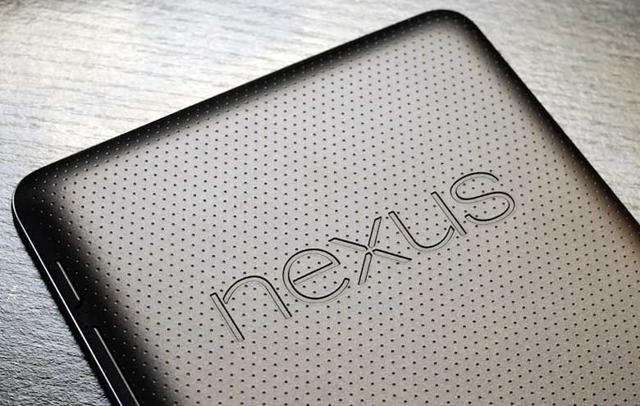
The screen is gorgeous. Being better than the iPad Mini with a 1280×800 resolution rather than 1024×768. It also has double the PPI at 216 rather than 163 for the Mini. It also is a 16:10 aspect ratio rather than the Mini’s 4:3 aspect ratio so it is a widescreen tablet. The text is crisp and-and the images are sharp and vibrant. You won’t be disappointed watching high-definition movies or games. I also found the screen to feel very nice to touch and my finger would just glide across. The tablet is also fitted with scratchproof Corning fitted glass, also known as Gorilla Glass to some. The glass is alkali-aluminosilicate sheet glass which is the best out there right now. On the back, the device has a bumpy, leathery texture which makes holding the device easier. I love this texture and feels so much nicer than the hard plastic of other tablets with their sharp edges. You also don’t have to worry about setting it down and scratching it up. The whole device just looks so sleek and smooth.
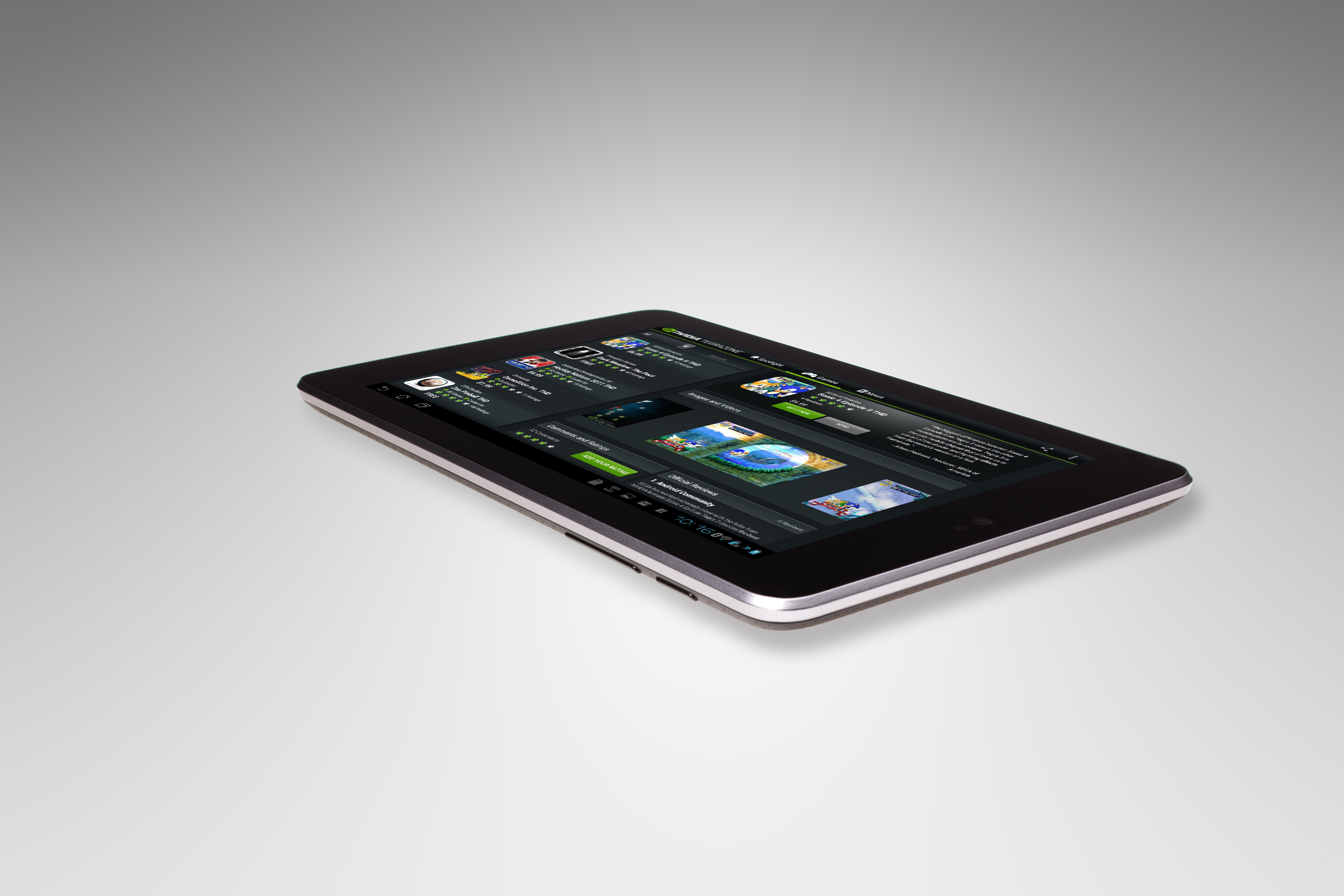
The tablet comes stock with android Jelly Bean 4.1, but as of a week ago the new 4.2.2 update is out. Nothing else to expect software-wise other than a great Google Android OS experience. However, if you’re a gamer check out Nvidia’s TegraZone app to get started on what games were specifically designed for the Tegra chipset. My only complaint is that there is no rear-facing camera. Just a front-facing 1.2MP camera for video chatting. However, most people don’t use their tablets for taking pictures (unless you are one of those iPad people)
Overall, the Nexus 7 is one of the most powerful tablets on the market and the most powerful 7″ tablet you can get your hands on. With the 16-core chipset, bright vivid screen, and sleek design, any hardware fan will want this tablet. For the low price of $250 for 32GB of storage…nothing beats it! Once you pick this up you will realize why it was chosen as 2012’s best tablet.
The Nexus 7 is powered by Nvidia’s Tegra 3 chipset which is one of the most powerful on the market. Directly competing with Apple’s A5x chipset in their iPad 3, the Nexus 7 is extremely powerful for a 7″ tablet. This tablet has a whopping 16 cores, a quad-core 1.3Ghz CPU, and a 12-core Geforce ULP GPU. The tablet CPU has a fifth core that is dedicated to running in a power-saving mode during times of low processing needs. That is one powerful tablet. The Tegra 3 chipset allows for some of the most advanced graphics seen on a tablet as well. Games like Dead Trigger, Dark Meadow, Zombie Driver, and a few others optimize their games for the Tegra chipset adding extra effects and higher FPS. The tablet has 1GB of DDR3L RAM rather than DDR2 RAM which is in both the iPad 3 and Mini and it is twice as fast. The Tegra 3 chipset is even more powerful than the iPad Mini and iPad 3 with the Mini having a single-core 1Ghz CPU and the iPad 3 having just a dual-core 1Ghz CPU. Even the ULP graphics chip is more powerful than the iPad 3’s with 416Mhz. If that doesn’t impress you…I don’t know what will.
Asus just stopped producing the 16GB models so only the 32 are available now, but that’s fine. 16GB really isn’t enough space anyway, but there are no expandable storage options. You can use an OTG cable and a USB stick, but most people won’t know to do that. 32GB is plenty for games, movies, music, and books. I have over 30 games on my tablet and still have plenty of room. I found the battery life is pretty decent for such a powerful device. Running high graphic games you get about 3 hours and everything else will last you most of the day, but that’s with Wifi on. With it off it is probably 30% less power-consuming.
The screen is gorgeous. Being better than the iPad Mini with a 1280×800 resolution rather than 1024×768. It also has double the PPI at 216 rather than 163 for the Mini. It also is a 16:10 aspect ratio rather than the Mini’s 4:3 aspect ratio so it is a widescreen tablet. The text is crisp and-and the images are sharp and vibrant. You won’t be disappointed watching high-definition movies or games. I also found the screen to feel very nice to touch and my finger would just glide across. The tablet is also fitted with scratchproof Corning fitted glass, also known as Gorilla Glass to some. The glass is alkali-aluminosilicate sheet glass which is the best out there right now. On the back, the device has a bumpy, leathery texture which makes holding the device easier. I love this texture and feels so much nicer than the hard plastic of other tablets with their sharp edges. You also don’t have to worry about setting it down and scratching it up. The whole device just looks so sleek and smooth.
The tablet comes stock with android Jelly Bean 4.1, but as of a week ago the new 4.2.2 update is out. Nothing else to expect software-wise other than a great Google Android OS experience. However, if you’re a gamer check out Nvidia’s TegraZone app to get started on what games were specifically designed for the Tegra chipset. My only complaint is that there is no rear-facing camera. Just a front-facing 1.2MP camera for video chatting. However, most people don’t use their tablets for taking pictures (unless you are one of those iPad people)
Overall, the Nexus 7 is one of the most powerful tablets on the market and the most powerful 7″ tablet you can get your hands on. With the 16-core chipset, bright vivid screen, and sleek design, any hardware fan will want this tablet. For the low price of $250 for 32GB of storage…nothing beats it! Once you pick this up you will realize why it was chosen as 2012’s best tablet.
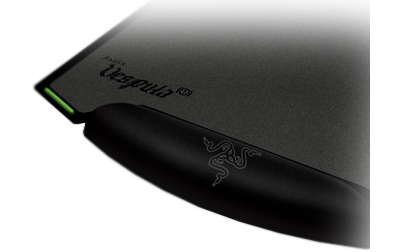
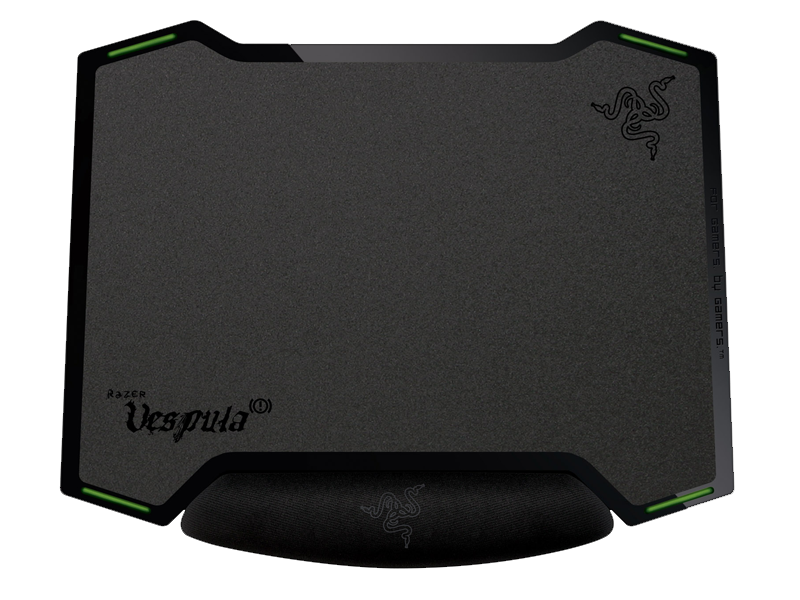
Razer is one of the best gaming peripheral manufacturers out there, and their mousepads are unmatched. They have a large line of them for different types of gamers, whether you want speed, control, portability, or a large area. The Vespula is a mix of control and speed and is so well designed. The mat itself is double-sided, with one side for speed and one for control. The side for control is a little more gritty than the reverse side, but they are both a solid gray color, so it doesn’t interfere with high-end laser mice. I actually like both and will change the side depending on what mouse I am using.
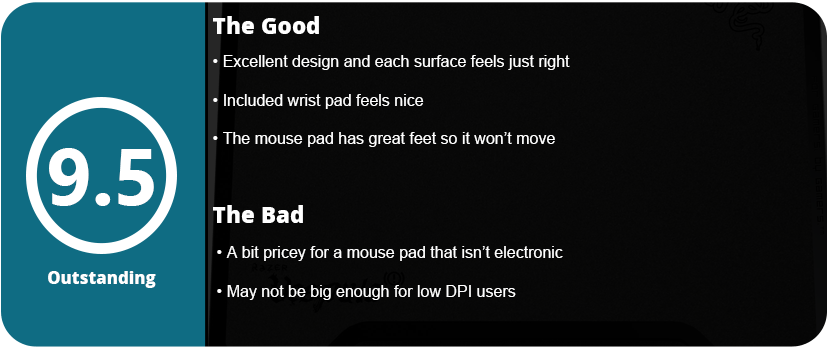
The pad comes with a rubber mat that has a wrist pad attached to it. This is so ingenious because the wrist pad feels just right. Some gamers scoff at the use of a mouse pad, but it keeps your hand steady for players who aren’t waving their arms around like crazy people. The wrist pad isn’t too soft or too hard, and it isn’t too big. I found it very hard to get this mouse pad to move at all, which is a good thing; it will stay put. You also don’t have to use the wrist pad because the mat has four rubber feet that are neon green to make the company’s art style. Yes, the mouse pad does look very cool and has some neat cutouts.
When you open the package, you get a thank-you card from Razer and two sticker decals, like with all their other products. This mouse pad may be a bit pricey for most gamers, but I thought it was well worth it. You’re essentially getting two mouse pads and a wrist pad for one price. I really love this pad, and it works so well with my Razer Mamba and R.A.T. 9 that I can’t help but recommend it to everyone.
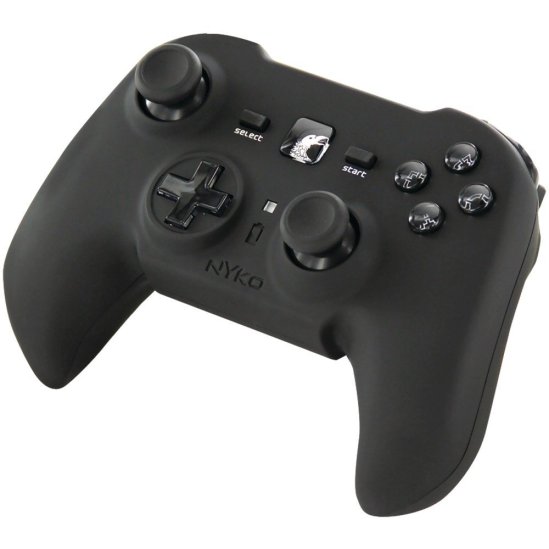
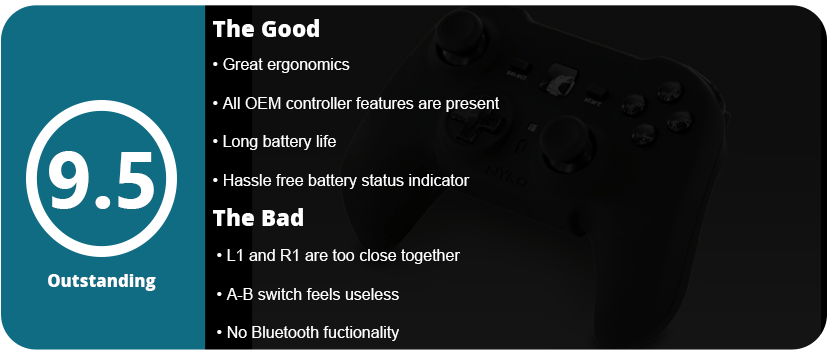
I saw this little guy on a shelf at Fry’s one day, and it looked very sleek and ergonomic. I was surprised at seeing something so well made from a third-party peripheral company like Nyko, which is notorious for making crappy products. I love collecting controllers, so I kept this guy on my radar. I finally got it as a Christmas gift, and I am very pleased. It has become my favorite PS3 controller thus far. When you put the thing in your hands, your fingers just mold to the controller. It is more square in shape than a rectangle like the OEM controller. The texture of the controller feels great and is made of very smooth, silky rubber. The triggers are designed more like the Xbox 360 controllers and are much better than the OEM controller, which I found my fingers slipping on a lot. The controller is slightly heavier than the OEM one, but it just feels so much nicer. The analog stick orientation is set up like the Xbox 360, so your thumbs don’t bump into each other during frantic movement. The sticks are much smaller, and the tops have a pretty deep dip, so your thumbs stay nice and snug. I love how tight the sticks are—not too tight, but not as loose as the OEM controller. They click very nicely, and the D-pad is small and gives a great response when using it.
The overall look of the controller is great. It is all black and sleek, with the PS Home button being a large square in the middle with a picture of a raven. The face buttons are clear, with nice designs set inside. However, there is one useless feature that this controller has that I have no idea why anyone would use. On the back, there is an A-B switch that will swap the functionality of the shoulder buttons. I have no idea why this would be used, but it’s there if anyone needs to use it, I guess. The controller has a nice USB dongle (no Bluetooth, unfortunately) and comes with a USB charging cable, which is rather short. There is a square LED right below the home button that will stay solid when charging, flash fast when charged, and slowly flash when low. This is a great, hassle-free way of telling what status your battery is in. The controller lasts quite a while, with a whopping 25 hours of battery life per charge. The larger battery may be why the controller is slightly heavier.
My only real issue is that the L1 and R1 buttons are a little too close together because of the controller’s square shape. It takes a while to get used to this, and you have to force your fingers into the right position, but after about 4-5 hours of playing, it starts to feel natural. Other than that, this is a very nice, well-made controller that doesn’t feel like cheap plastic. For the low price, I was surprised at how well made this was, especially being wireless, having rumble, and having SixAxis control built-in. This is probably one of the best wireless controllers I have ever used and will be one I recommend to everyone.
Colors: Tan (Uncharted: Golden Abyss Edition), Black
Release Date: 2/27/2012
MSRP: $29.99
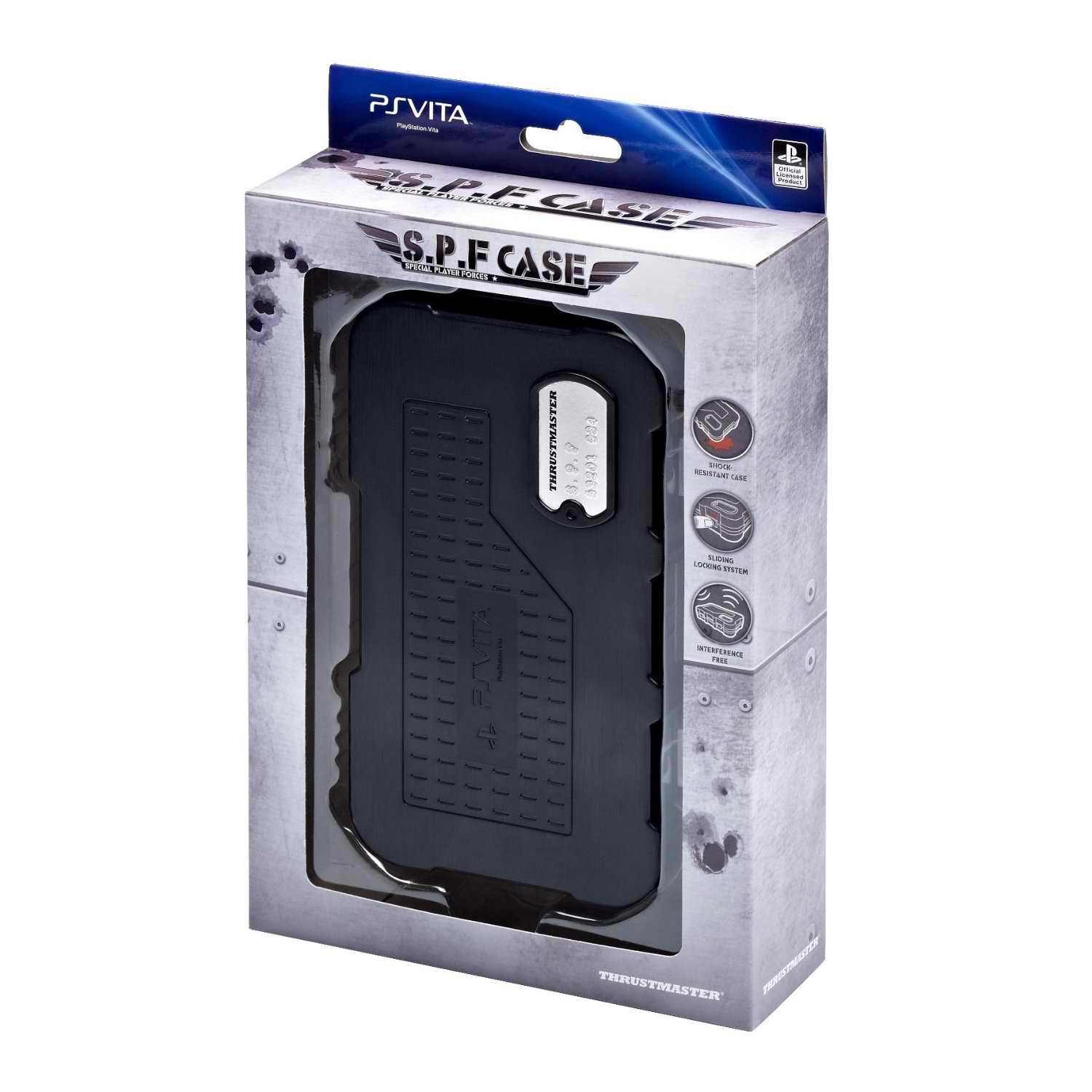
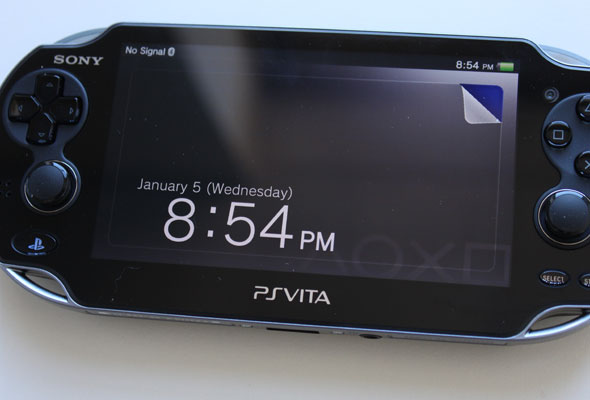
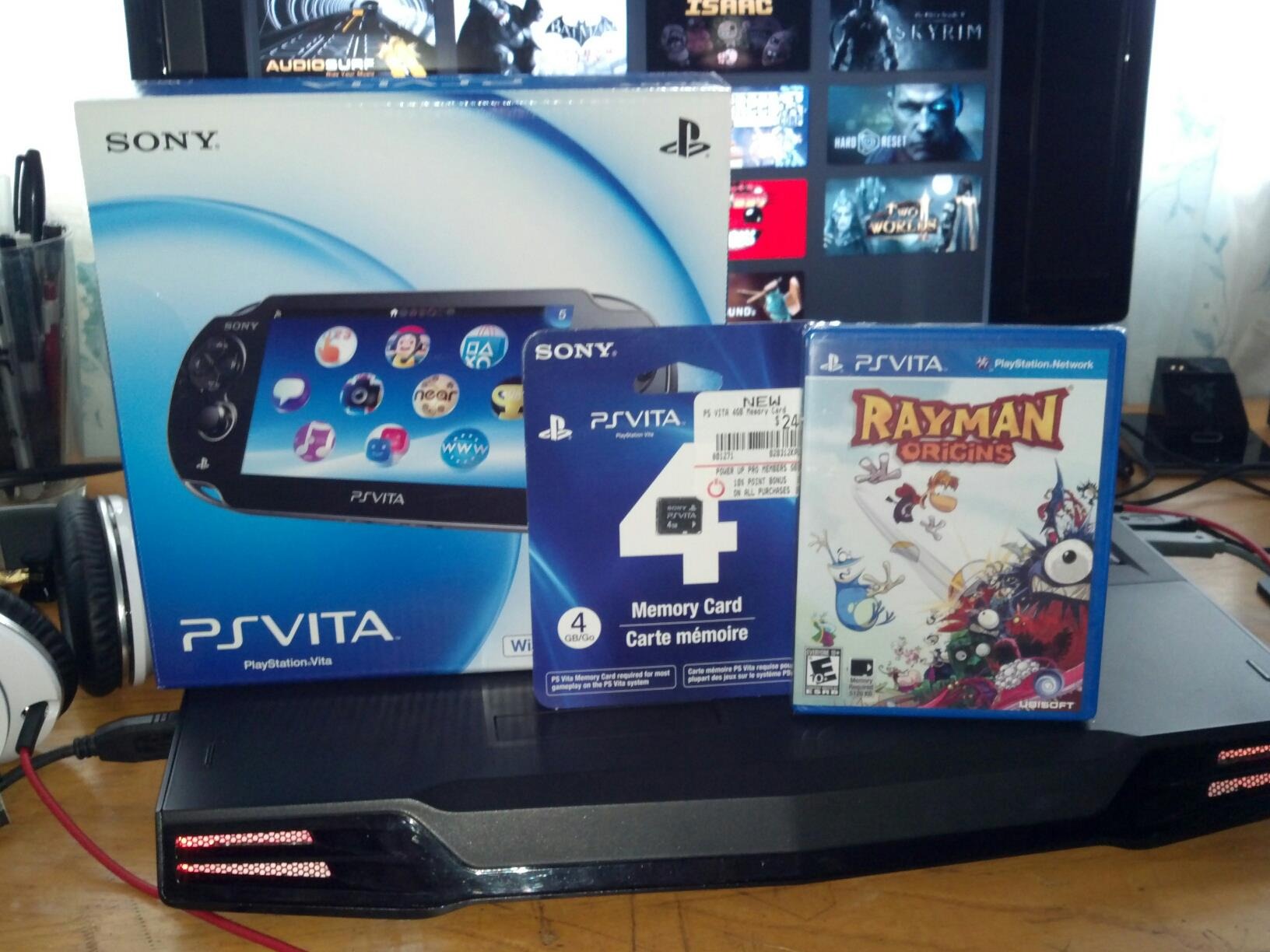
While the Vita is only a couple of months old, there is a nice trickle of accessories coming out. The first thing you should do is protect your investment with screen protectors and cases. Soft cases are usually useless against drops, but hard cases aren’t. Thrustmaster has come out with a series of hard cases for the Vita, and it works just fine.
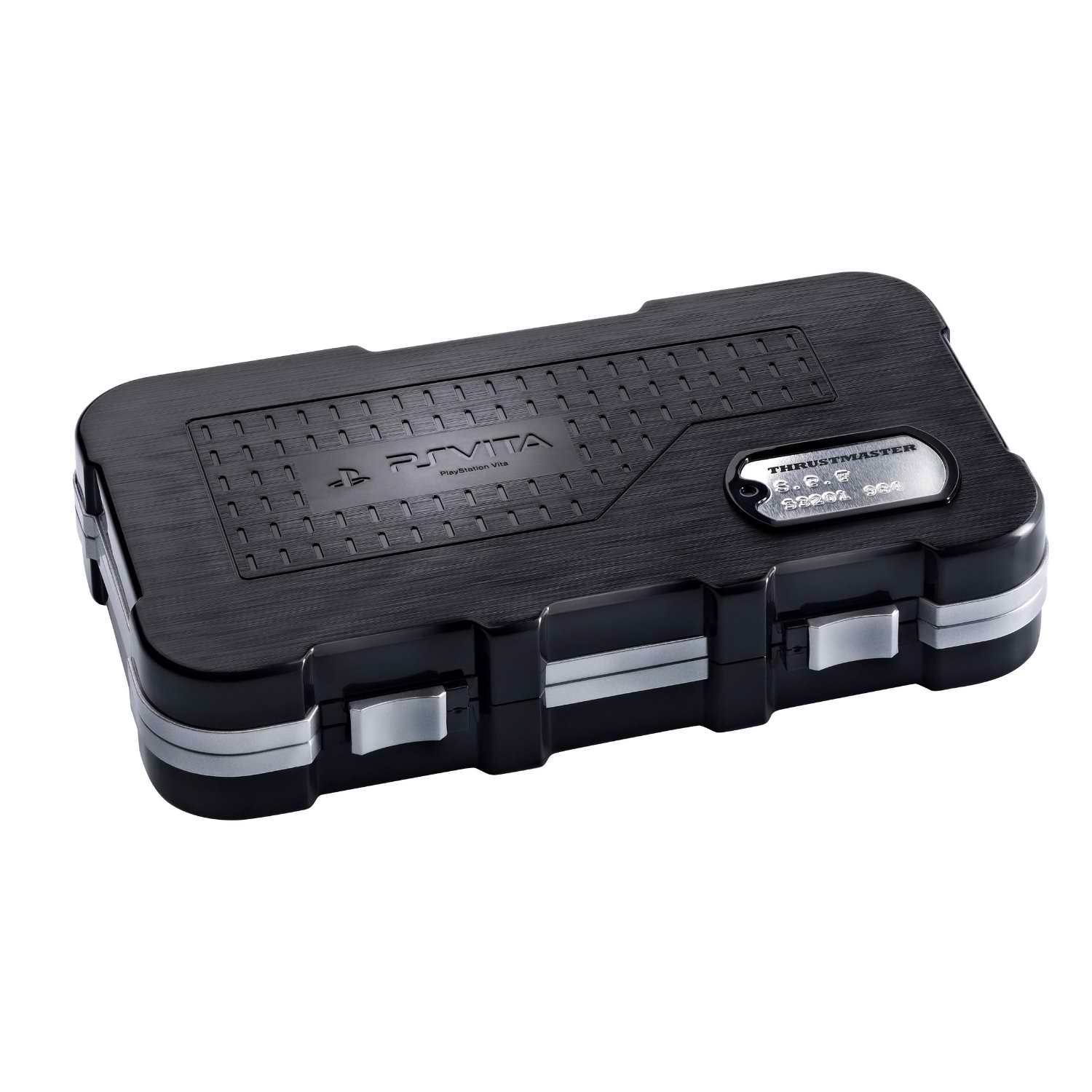
The case is made of hard black plastic with soft foam inside. The Vita sits perfectly inside, with two little areas at the bottom to lift it out. There are six slots on the foam in the top portion. These slots hold Vita games, but I found that they fell out if the case was jarred too hard. I also thought that maybe you could lift up the foam and store stuff underneath, but instead, the foam is glued in. There are two locking mechanisms on the front of the case that you slide in to lock and slide out to open. These didn’t seem to open up during test drops, but they may end up getting loose over time.
I found that the case wasn’t very attractive, and the whole Special Forces thing is pretty stupid. There is a fake plastic dog tag on the front to make you feel like this is an ammo case. It really feels like some sort of cheap toy you would hold your action figures in. The case doesn’t even look like an ammo case and needs some more aesthetics.
Overall, you buy this stuff to protect your Vita, and this does the job just fine. If you can look past the cheap looks and lack of compartments, you will have one of the best Vita hard cases on the market.
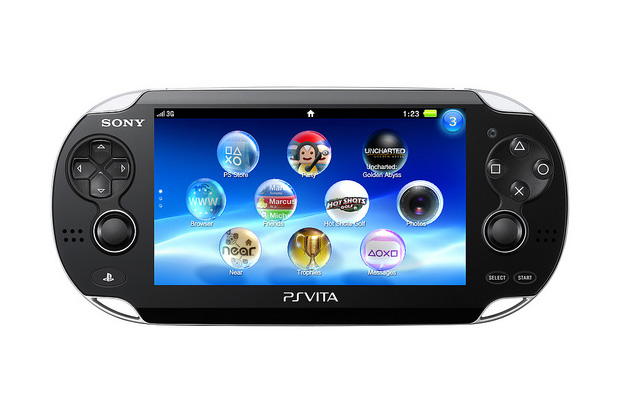
It’s hard to believe that it has been 8 long years since the PSP came out, but it’s true. Those long years gave us some of the best portable games ever made and were the first true attempt at a portable console experience. Unfortunately, the system was doomed from the start with proprietary disc media, no second analog nub, and a slew of other things, but the system was a powerhouse at the time and had a lot of potential. The Vita is Sony’s second phone, and it fixed all the issues of the PSP plus some, and one of those is noticeable as soon as you pull the shiny new device out of the box.
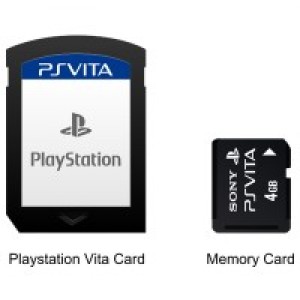
A second analog stick. An honest-to-God stick and not a nub or pad. These things feel like they moved straight from the DualShock controller and just shrank a little. They feel great, even in-game, and I couldn’t believe that the second stick was there; it was like a wish coming true from God himself! This opens up the Vita to a whole slew of games that couldn’t be done on the PSP just because of this one little piece of hardware. While playing Uncharted: Golden Abyss, I actually forgot the second stick was there a few times because I’m so used to the single nub on the PSP. It may take some PSP vets some getting used to before truly adapting to it. The next big thing that Sony fixed was no disc media! Thank you very much! Those UMDs were irritating and sucked up precious battery life, as well as limiting the memory size. Now we get nice little carts, like the DS, or you can download the game digitally via the PlayStation Store.
Sony made one fatal flaw with the Vita, and that is the proprietary memory cards. What in God’s name was Sony thinking? Everyone thought the memory stick pro-duos were bad for the PSP, but at least those were regular memory sticks. These tiny little things only work on the Vita and cost a fortune. A 32GB will cost you $100, which is a complete rip-off, but guess what? You don’t have a choice! Thanks a lot, jerks!
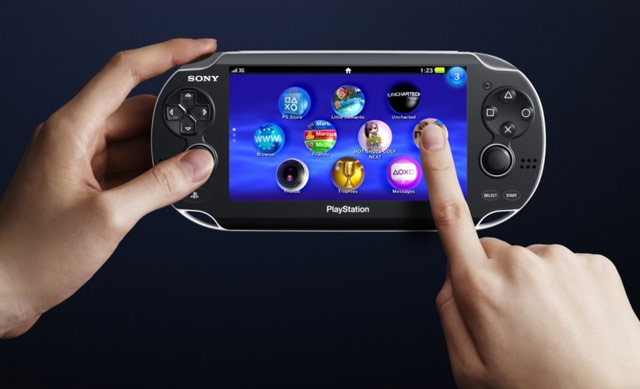
The next big thing Sony did was add a touchscreen. Copied the DS, you say? Not exactly; it’s more like it copied smartphones, but flip this guy over and you have a touchpad on the back, which is Sony’s little way of saying, “Hey, we’re trying to be original too.” It’s an odd thing to have, and not many games use it yet, but it adds a whole new dimension to touchscreen gaming, and it’s just as responsive as the touchscreen, so it doesn’t feel like a dead limb. However, it’s up to game developers to use this odd mechanic, but only time will tell.
The screen is one of the best things about the device because it’s an OLED (Organic Light Emitting Display), so you’re looking at some of the best display technology out there. Now you don’t have to worry about dead pixels! Yeah, remember that launch fiasco, Sony? The screen is 5″, which is the biggest portable gaming screen ever made and even tops the PSP’s 4.3″ screen. This allows for lots of detail in your face and tons of room for touching things on the screen.
Once you get over how gorgeous the screen is (I can’t stop staring at it!), you will start hitting those buttons on the device. Sure, they don’t do anything unless you are in-game (the Live Area is all touchscreen-based, but more on that later), but the button layout here could have been a disaster. Sony had to be really careful because of those new sticks, so the D-pad and face buttons shrank about half their size and got moved up. Blasphemy! Actually no. Despite the higher placement and smaller size, I still hit them accurately, like the PSP, even with my really big thumbs. The D-pad is way better than the PSPs and works well with fighting games (yes, relax! ), so no worries there. But there is one problem with these buttons. The start and select buttons are way too small and are level with the system instead of sticking out. What! Did Sony fall asleep at the drawing board here? They are also placed all the way at the bottom of the right side, so you have to move your hand down. C’mon, what happened there? Other than that, the L and R buttons are nice and huge, and you get a nice big PlayStation Home button the size of Venus on the left side, but hey, it glows!
Anyway, the buttons are just fine, so how about everything else visually? Sony made the little “compartments” more subtle this time around, so the memory slot is hidden at the bottom as well as the game card slot on top, so the whole system just looks like a big oval. Don’t be worried about the size of the thing, either. Sure, it’s big and not exactly pocket-sized, but for what is under the hood, this thing is compact and pretty light.
Now that the visual stuff is out of the way, let’s talk about it under the hood. This thing is the most powerful handheld on the market, only being rivaled by devices powered by the Tegra 3 processor. The thing has a quad-core Arm-9 Cortex CPU, which is freaking powerful. This allows for PS3-quality visuals that no other portable device on the market has. It also has a quad-core GPU, which is over four times as powerful as the iPhone 4S’s GPU. The system also packs 512 MB of system memory and 128 MB of VRAM (video memory), which is astounding (the Xbox 360 has 512 MB of memory for comparison). We also get two cameras that are front and back-facing, which can track head movement, a six-axis gyroscope, Bluetooth, a microphone, and a 3G wireless card. Holy crap, that’s a lot of stuff. This is one powerful device, but we have yet to see what it is fully capable of.
Now let’s get down to the software and how the thing plays. Every PlayStation fan by now is used to the XMB (Cross Media Bar), thanks to the PSP and PS3. Get ready for change because the new live area is made of bubbles. You like bubbles, right? This is to make use of the touchscreen, which takes a while to get used to. You can rearrange these bubbles to your liking, kind of like on a smartphone, and even change the background for each “page.” The Vita can multitask, which is something the PS3 can’t even do. You can play a game, hit the home button, go online and look up an FAQ, then flip back to your game without having to quit. Why can’t you do that on the PS3? Someone at Sony was dropped on their head as a baby one too many times, but it’s nice to have it here.
Once you start playing with the Welcome Park, which gets you used to Vita’s new features, play around with Near, which is like the 3DS’s StreetPass, but worse and more confusing, and you will really start liking this guy. The browser works like the PS3 but has fewer features for some reason, but we get trophies! Oh my God, trophies! These are also great for games that are cross-platform, so you can start working on a trophy on Marvel vs. Capcom 3, then pick it right up on the Vita and finish unlocking that trophy.
The Vita uses a remote to play a lot better than the PSP, mainly because it’s more powerful and can do what the PS3 can do. Right now, the remote play is still pretty weak, but the potential is there. Right now, only 3 games support cross-play (MvC3, MLB 2K12, and Hustle Kings), but I’m excited about what this can bring. Overall, the Vita has a lot of software potential but is lacking a lot and feels kind of thin. Sony’s attempt at augmented reality comes to life with the Vita with AR cards (yes, they ripped off the 3DS), and it works really well thanks to the system’s more powerful hardware and gyroscope.
Overall, is the system worth $250? Yes, it is if you are a hardcore portable fan or console fan. This is the first real console experience in portable form, and Sony nailed it perfectly. The other big issue I forgot to mention is battery life. You get about 3–4 hours on a powerful game, 9 hours for music, and 4-5 hours for video, so don’t expect huge play sessions like on the DS. The battery lasts forever in sleep mode, though! Sure, what good does that do you? For what this system does, the battery life is actually pretty long because you’re running a mini-supercomputer off of it. Cut it some slack! The games for the system right now are OK, but not as awesome as the PSP launch (considered the best launch ever), but the games are reviewed separately. I would pick one up if you love portable consoles, because this thing has so much potential. It just has a few major flaws and is quite lacking software-wise, but Sony will probably pick up the pace over the next year.
Over the next 5 years, I see the Vita as the model for portable games. We’ll start seeing games push the system graphically, like God of War did for the PSP. I think we’ll see games that give us more than just touchscreen smartphone games, thanks to the rear touchpad. In 5 years, I expect the library to grow beyond ports, and we’ll probably see the Vita’s first killer app by the end of this year that redefines portable gaming, kind of like Syphon Filter and God of War did for the PSP. Those games showed that even with major flaws, the system can be something incredible and helped people look past them all. Something like that will pop up for the Vita in the next year or two, and then we can start talking about moving forward in the portable market.
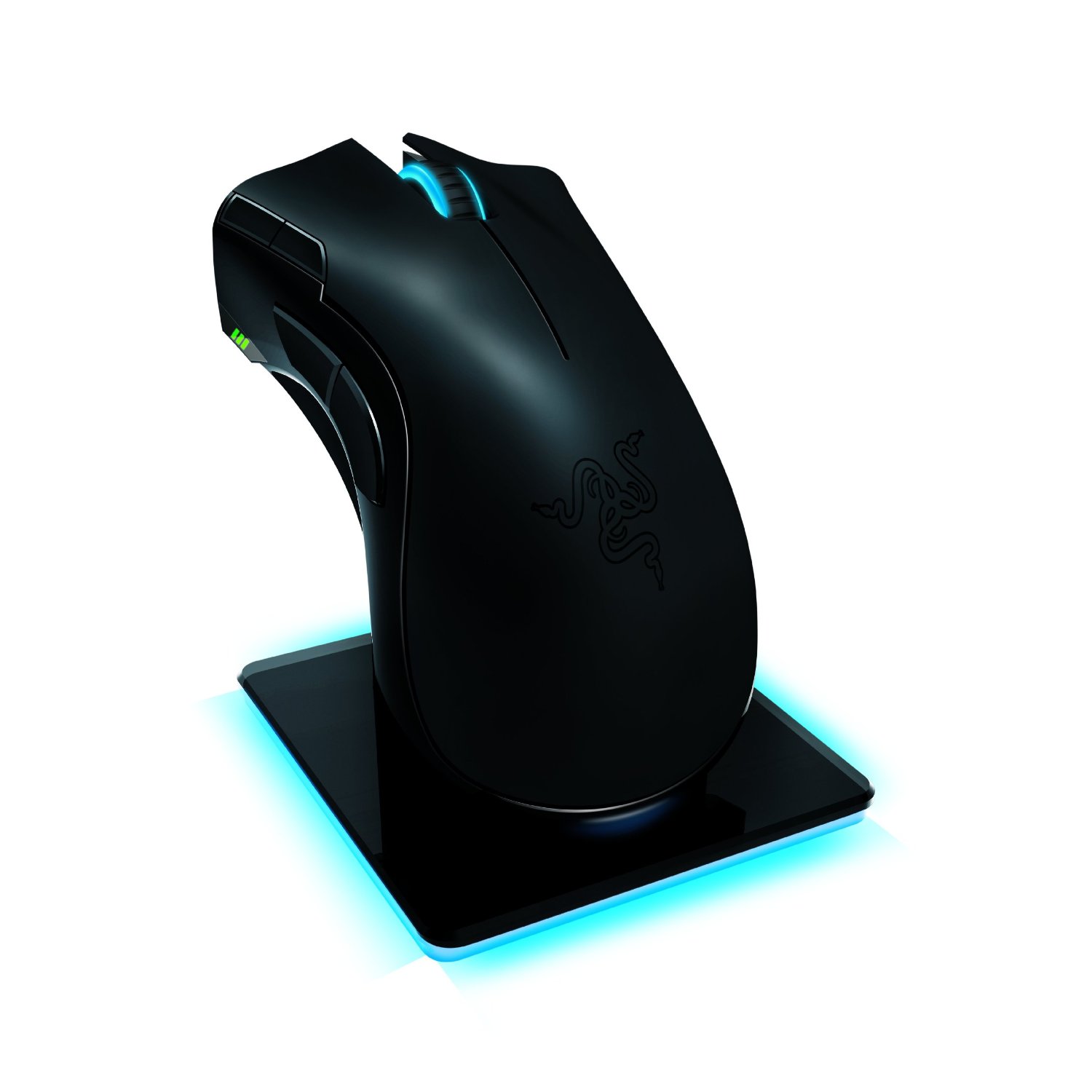
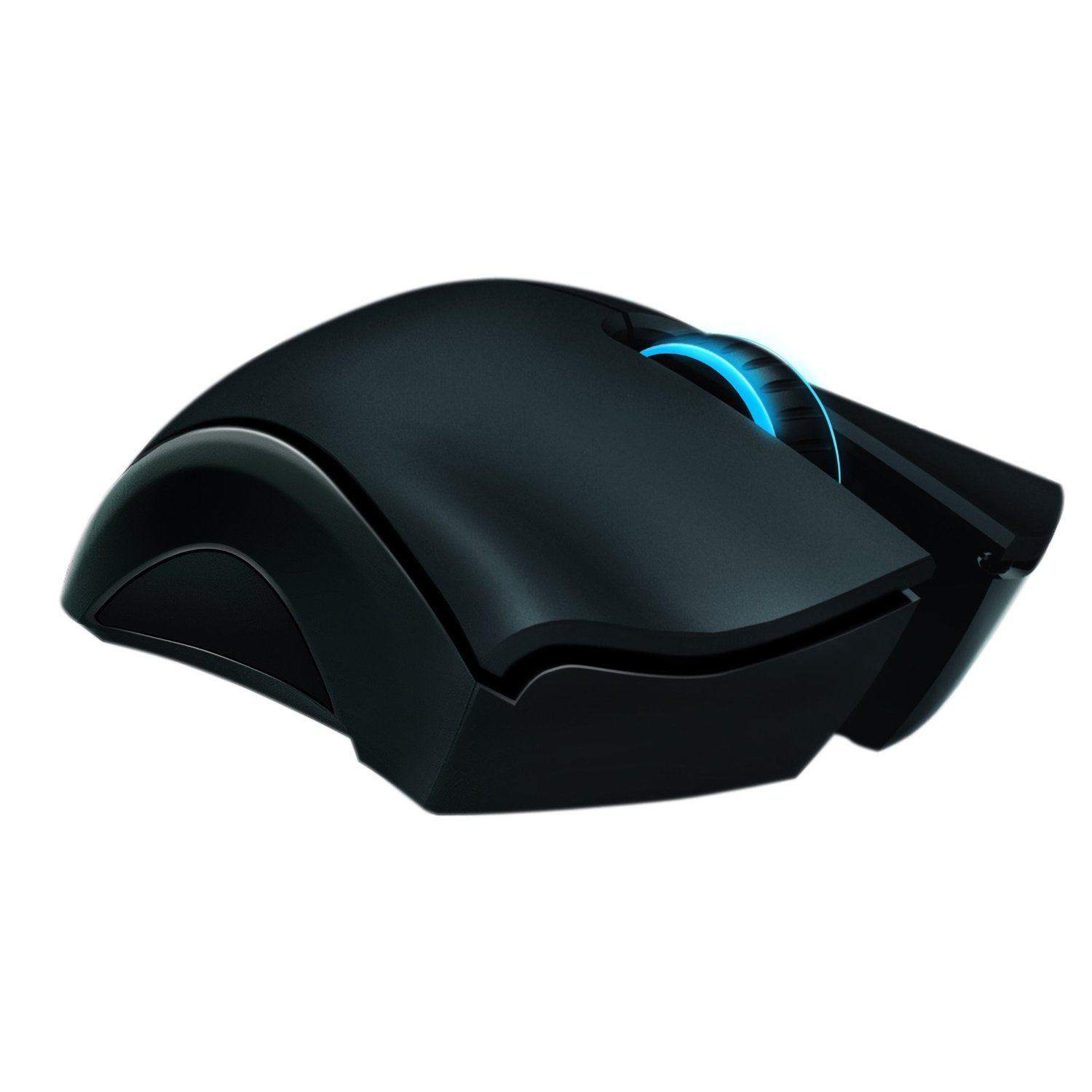
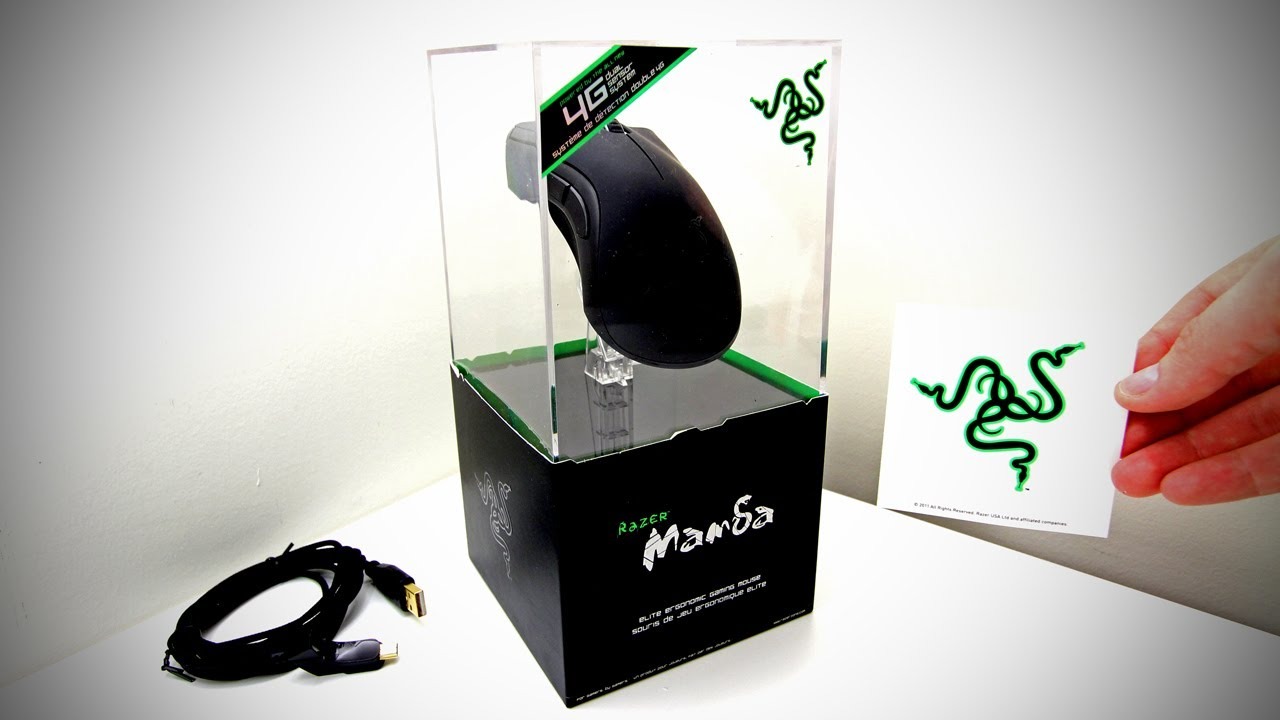
I loved my Razer Naga MMO mouse, and it has lasted almost two years without a hitch. I also love my Cyborg R.A.T. 9 mouse, but I am getting bored with it and want to move on. The Razer Mamba is the other high-performance, high-tech gaming mouse out there. Bottom line: This is the best money you can buy. While being cheaper than the R.A.T. 9 by $20, it does more hardware-wise but less software-wise in a way. I don’t want to turn this into a Razer Mamba vs. Cyborg R.A.T. 9 review, but I can’t help but compare two of the best gaming mice out right now.
The first thing you will notice is the epic box the mouse comes in. It’s on a stand like a holy relic, and inside are drawers with your cord, charger base, manuals, battery, and cover. It’s a slick-looking box and is just asking you to buy it, and hey! You get a free sticker. When you plug it in, you need to download the firmware updater and software, which is easy. Once your firmware is updated on both the base and the mouse, you can check out the beefy software. But first, let’s see what this mouse does hardware-wise.
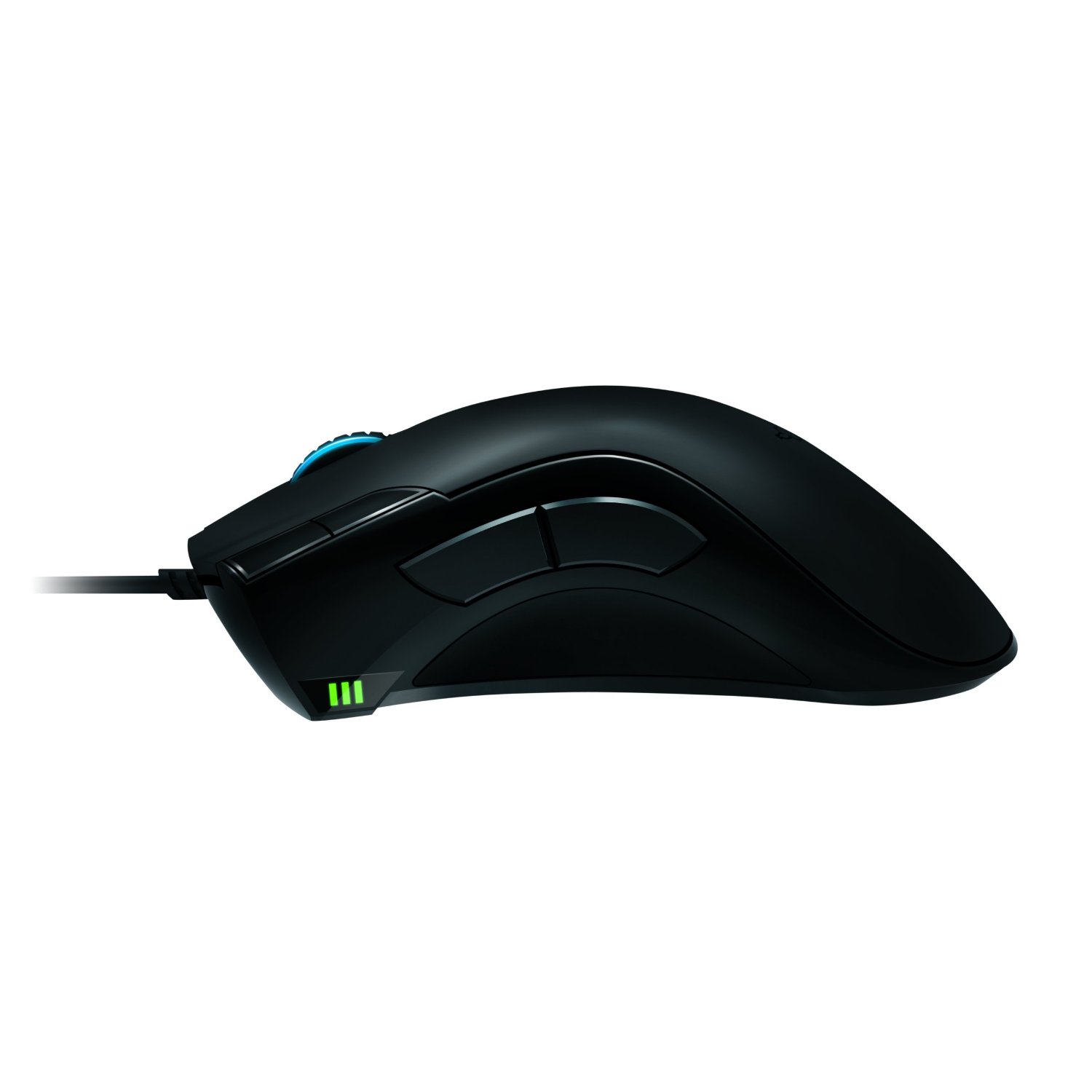
The mouse has the usual Razer ergonomics that you’re used to with the Naga or the DeathAdder, but it feels concave just right on the thumb side. There are two big buttons just above your thumb for easy access, as well as two others near your left-click button. Below that, you have a battery indicator as well as a sensitivity indicator (they are the same), which wireless mice do not have. Underneath, there is a lot going on with a battery, wireless switch, connectivity button, and USB release button. Thankfully, none of this interferes with the smooth glide of the mouse.
This mouse has a 4G dual sensor that detects the type of surface you are on and can adjust on the fly. It also has lift detection for gamers that use low DPI and like to lift their mouse constantly (which is annoying to watch, by the way). You will also notice the wheel lights up, which is nice, but sadly, the Razer logo does not light up. What makes up for it is the awesome charging base that does light up, and this mouse uses a full-color spectrum that you can rotate or just use one color. In the dark, the base looks amazing and has a nice ambient effect.
My favorite feature of the mouse is that it can go from wired to wireless by just unplugging the cable from the dock to the front of the mouse. The 6′ braided cable is sturdy and gives you great length, but you can also charge while in wired mode. There isn’t an easily swappable battery, so once it dies in wireless, you have to stop and plug it in, which I find pretty annoying, but you get used to it. The battery lasts 16 hours when all the performance features are off, like the mouse light, polling, and the calibration sensor. With everything on, you get about 7-9 hours, which isn’t too bad.
The software is a great suite that allows you to use macros, profiles, adjust performance, and fine-tune your mouse. This mouse has a whopping 6400 DPI, which is ultra-sensitive, but you can change this on the fly in several ways. Press a button and use the mouse wheel to adjust, or use buttons for preset DPI. Acceleration and a 1000 Mhz polling rate give you ultimate silky smooth precision for both low DPI gamers and high DPI gamers.
Overall, the mouse performs like silk, and I played a shooter with ease and was a lot better using this mouse. I do have a few complaints about not being able to use Windows functions like volume control and media playback via macros. The software is slow and unresponsive in wireless mode and will sometimes freeze and crash. This can probably be fixed with a patch, but it shouldn’t happen at all. I couldn’t even get On-the-Fly Sensitivity to work in wireless mode. Like I stated earlier, the battery life is low unless you turn most features off and only have one battery. The charging base is huge and not very portable, so if you need something on the go, you will probably choose wired. Other than that, this is an excellent mouse, and gamers, as well as Razer fans, should own it.
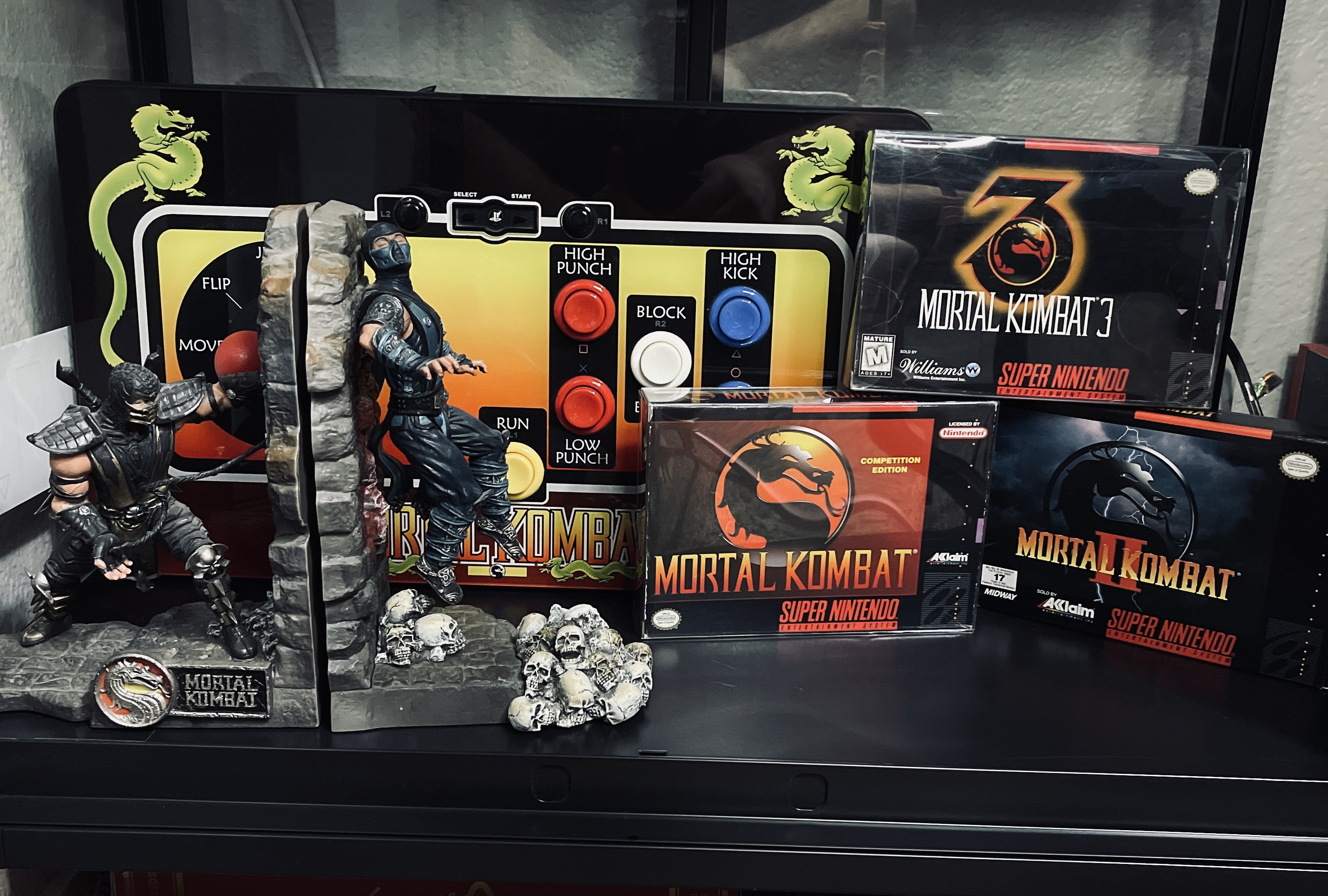
Fight sticks are usually the only way to go when it comes to 2D fighting games. Mortal Kombat has finally started creating its own, and this bad boy is almost flawless. The components are Suzo-Happ, which are top-notch, and the thing feels like a piece of an arcade cabinet. The buttons have that lightning-fast spring, and the joystick snaps around like you would expect. The layout is just like that of Mortal Kombat cabinets, with the 5 buttons (think of a 5 on a die) and the Run button, which you can tap with your thumb. The buttons are big, and you can hit each one by just rocking your hand around and quickly slapping the buttons.
The Home button, Start, and Select are up top, along with L2 and R1. The stick is designed for the Mortal Kombat Arcade Kollection and needed some re-mapping for Mortal Kombat (2011). I did feel like I was ten times better at the game in MK (2011), and I could pull off moves a lot faster on this thing than I could on any controller. My win/loss ratio was boosted after using this thing.
The cabinet’s cosmetics are gorgeous, with the classic MK1 design on the front and soft velvet padding on the bottom for your lap. You can connect any mini-B USB cable to it, but I just wish it were wireless. Nothing can really beat this, and it is probably the best home console stick I have ever used. This also works for other fighting games but may need some re-mapping. I also had trouble pulling off X-ray moves in MK (2011) because the L2 button is up top, so I had to take my hand off the stick to do this. Other than that, the stick is perfect, and everyone should get one. Be warned, though, because these are limited, with only 6,000 produced (I have #1,069). The stick is very expensive, running at over $200 at most places, so this is probably for hardcore MK fans only.















 thebinarymessiah.com
Try multiplayer. A lot of fun !