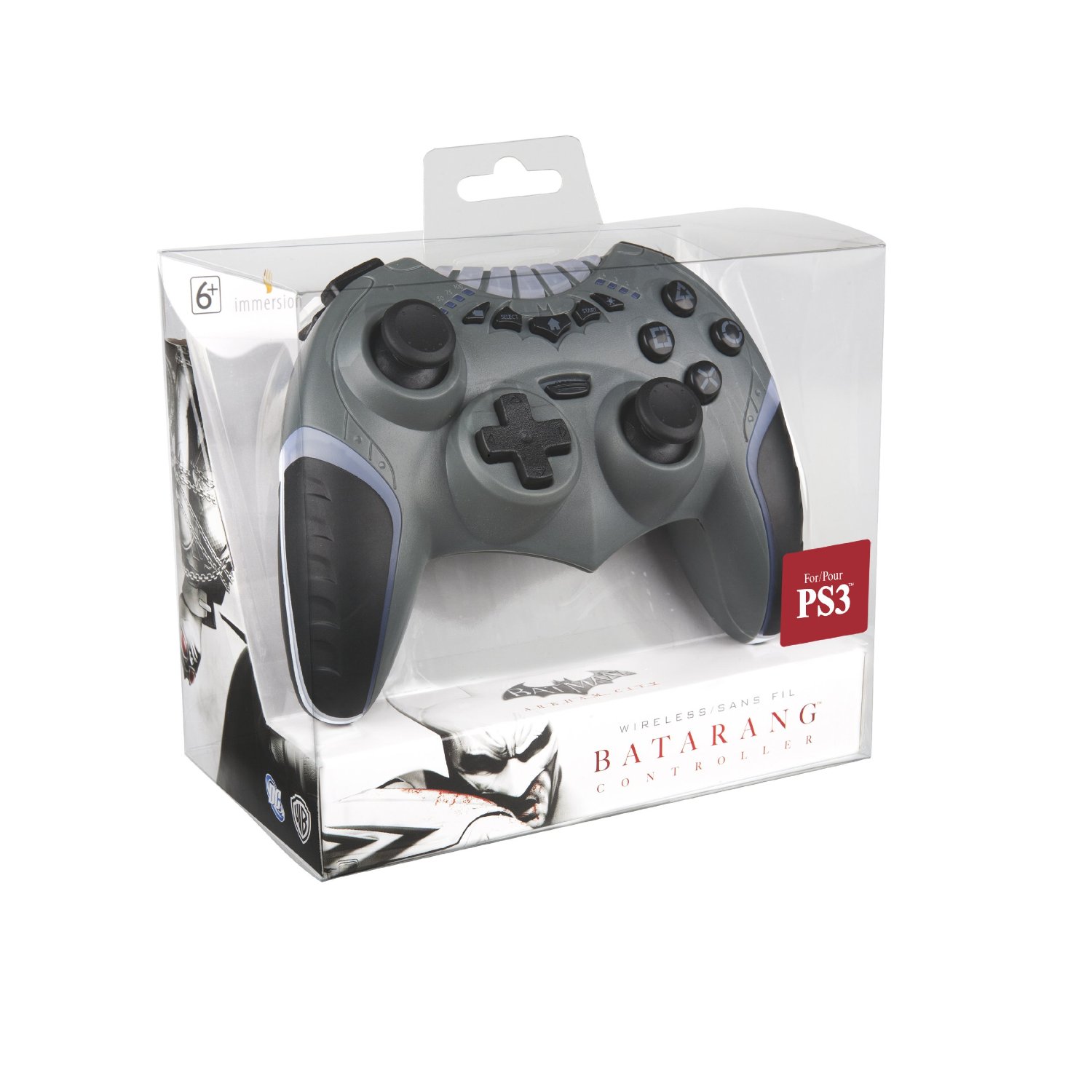
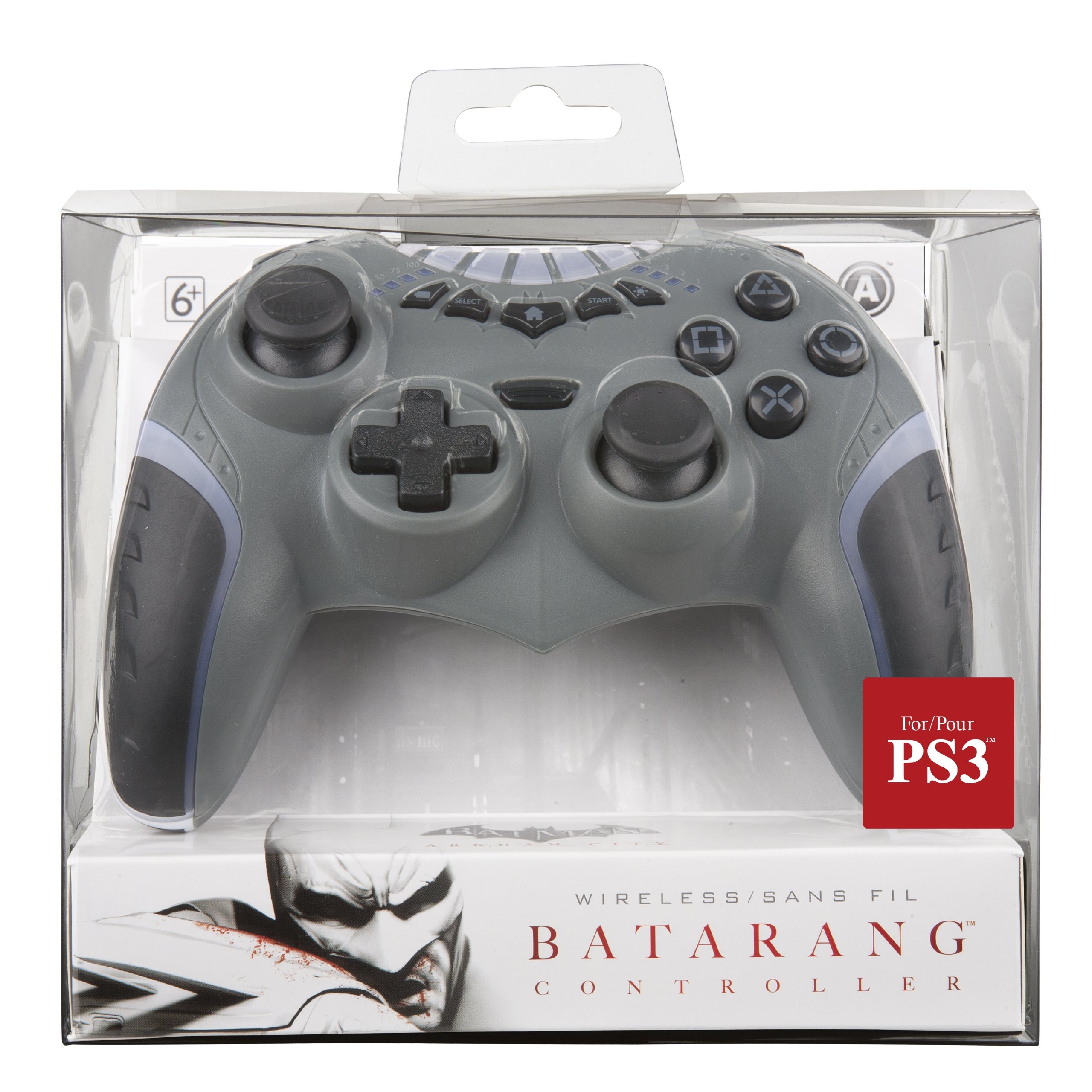
Most third-party controllers are usually never good. Power A did a great job with this officially licensed (by DC anyways) PS3 controller. While it looks a bit cheap, with some areas not coming together smoothly and seeing a few uneven gaps, the controller feels good and has a few nice features. For one, the thing lights up with seven different colors that you can change with a push of the button. All the regular PS3 buttons are here, including the Home button, plus there is a battery indicator button that lights up the quadrants to the left of the top row of buttons.
The overall feeling in your hands is great, except that the shoulder buttons are a bit closer together. People with huge hands will not like this. It has kind of a triangle shape, and the ergonomics are great when wrapping your fingers behind the controller to grip it. The sticks are laid out like the Xbox 360, which I prefer, and they are just tight enough for the perfect sensitivity range (which is really important for shooters).
Overall, there are a few problems, such as the top buttons being too close to each other, so you have to look down to press Start and Select. Several times I didn’t look and hit the color change button instead of starting. I also like how it’s wireless, but it doesn’t use Bluetooth, so you have to use a dongle in the PS3 USB slot. That also means no turning on the console with the controller, but it does have an on/off switch to kind of make up for it. The battery lasts a long time, so no issue there, but if the controller didn’t look as cheap as it does, the top buttons were spread out more, and this thing used Bluetooth, I would say it was perfect. For what you get, this is a great controller for Batman fans.
Colors: Cosmo Black, Aqua Blue, Flame Red, Pearl Pink, Red
MSRP: $169.99
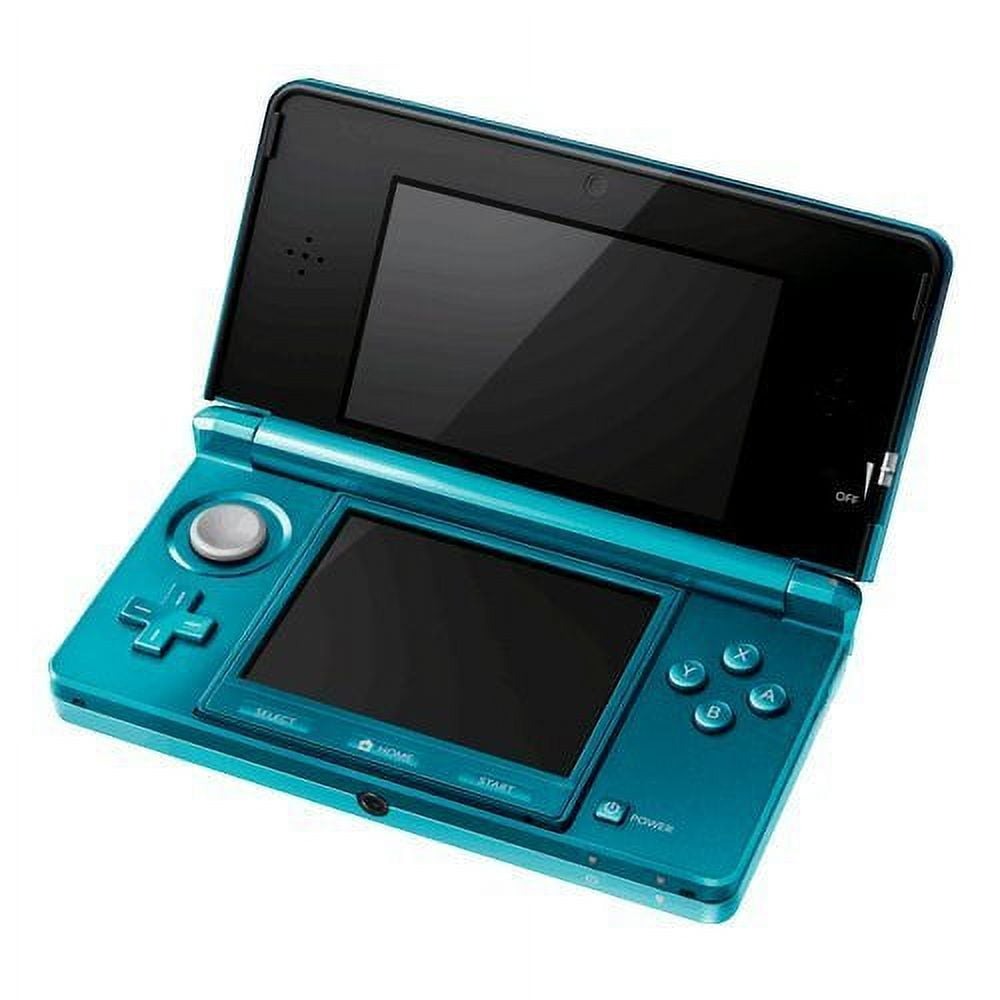
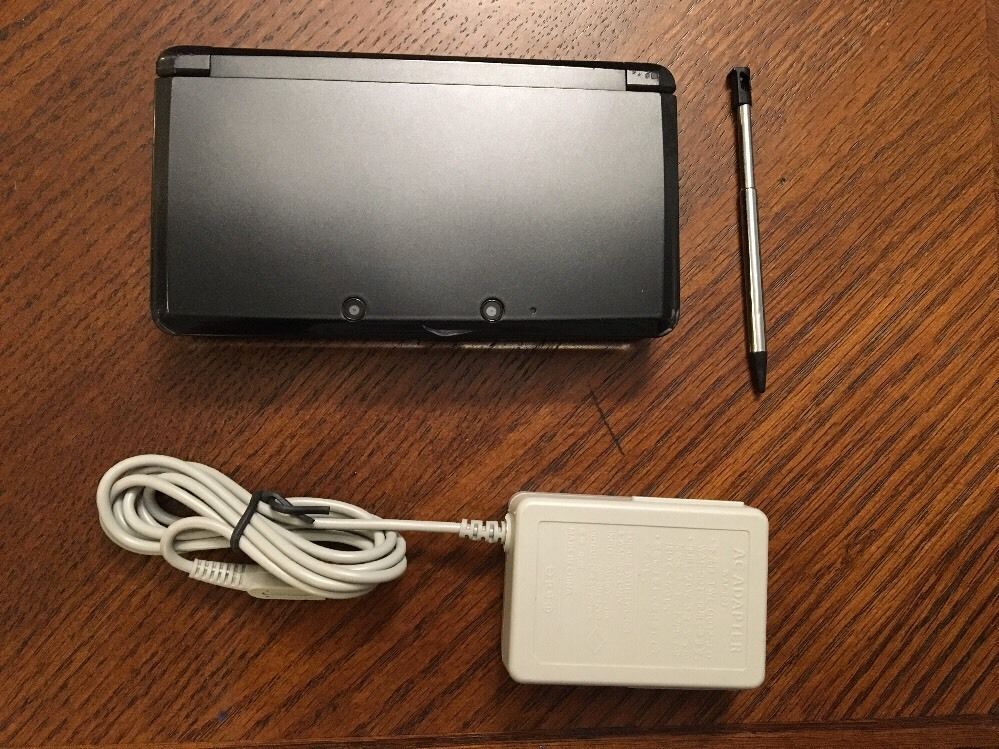
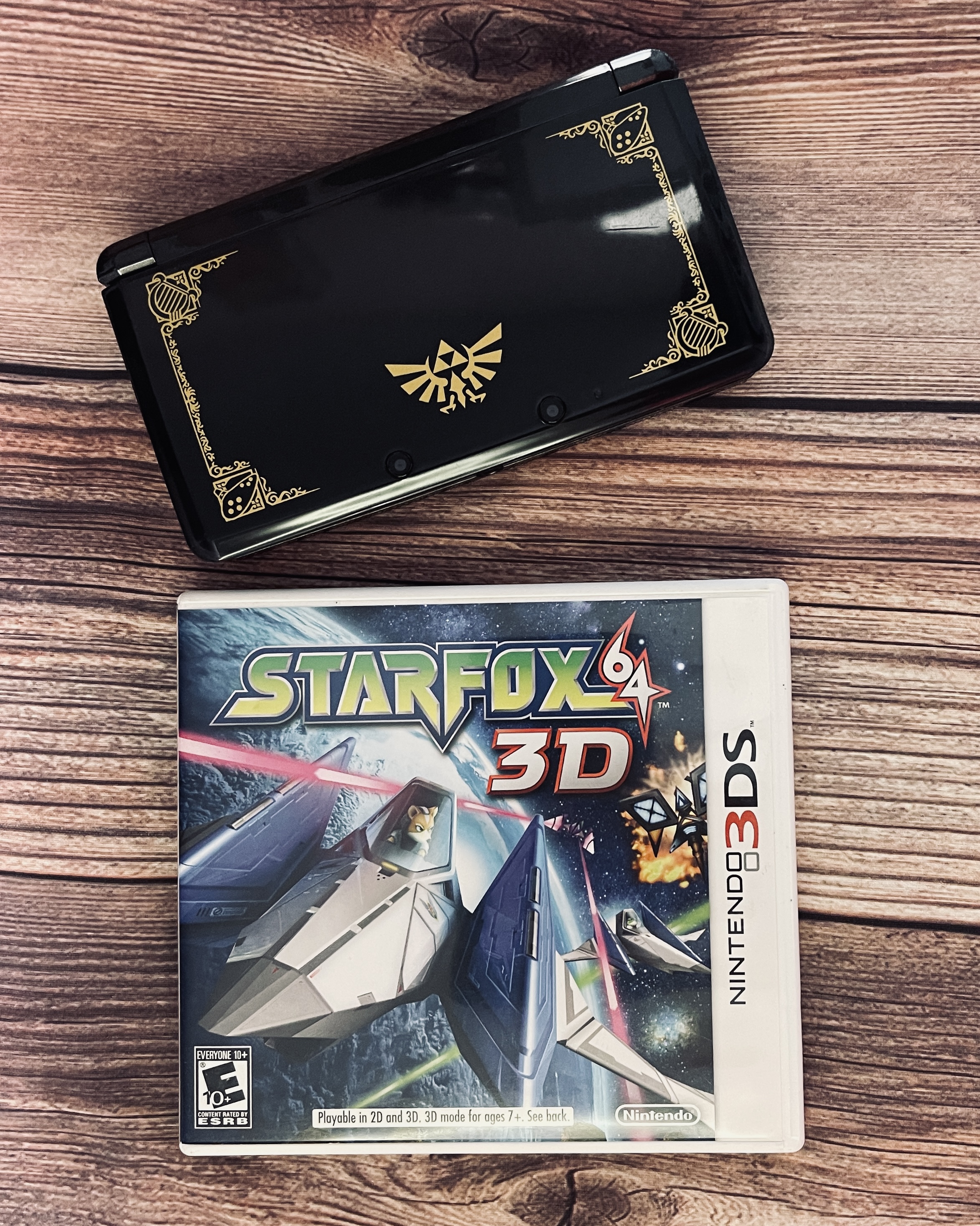
Nintendo is well-known for making hardware that takes huge risks. While they usually fail software-wise, they tend to soar in hardware sales. The 3DS started out pretty poorly, with crappy launch titles and a steep retail price of $250. About 6 months later, Nintendo dropped the price to $170 (the same price as the Wii and DSi XL), and suddenly sales rose, and third-party developers jumped on board. I wonder why… Now that the 3DS is in full swing, I finally got one for Christmas this year and have several games to tinker around with with this bad boy. I actually have to say the hardware is well-built and very impressive, despite my early speculation that the hardware would be a complete failure.
The whole system is just completely new because not only is it capable of 3D, but it also has more powerful hardware, so they like GameCube/PS2 quality. The main menu is designed more like the DSi, but leans more toward what the Wii looks like. You can now use the Mii Plaza, plus a bevy of built-in apps that are pretty neat. When you start the thing up, you will notice some hardware changes, like an analog stick, which completely changes the way DS games are played. The top screen is only capable of 3D, but it’s slightly bigger (3.53″), kind of like the DSi XL (4.2″). The bottom screen is the same size, which I found disappointing, but there was something about technical issues that kept the touchscreen from being 3D.
The system has a 1 GHz processor, which is about 10x what the other DS systems are capable of (133 MHz), and the GPU is also more powerful. To show this power off, the system comes with AR (augmented reality) cards of famous Nintendo characters that you use in the built-in game AR Games. Setting the question mark box down in front of the camera acts as a menu with different games like shooting targets, billiards, being able to pose the characters to take 3D pictures, and other crazy games. This is actually very impressive, and it’s so neat to just see these guys pop out of real life onto the 3DS. My only complaint is that you can’t do anything with the characters other than pose them.
The second game is Face Raiders, which takes your face and puts on flying helmets that you shoot down. This is kind of freaky and fun at the same time, but it helps show off the great AR abilities of the system. Other than this, the menu is in 3D, as is most of the eShop, but I can’t explain how much it just pops and makes playing games that much more fun. It didn’t hurt my eyes at all even with the 3D depth slider all the way up, but you have to view it almost straight on, or the view shifts and the 3D goes away, so the whole idea isn’t flawless. The 3DS is capable of downloading some apps that are pretty fun, but overall, the eShop is lacking in good games. The majority are remade original Game Boy games that no one really misses, but over time they will expand, I hope. The 3DS also features StreetPass, which will exchange information on games you own when you pass people in the car or while walking, which is lots of fun. The system also has a pedometer that awards coins that can be used in certain games to unlock stuff. SpotPass allows you to download and unlock items in games when near a center or outside. This is so much fun and adds some unique qualities to games.
Even when playing games for an hour or more, my eyes didn’t even hurt, and yes, even when I was tired. Some games work better than others, but overall, the 3D effects really add to the experience and make most 3DS games unique from regular DS games. Of course, you can play regular DS games, but the top screen puts black bars on the side to compensate for the larger screen, but I found this was kind of stupid and should be full screen. The battery life is also shorter because of the more powerful hardware, but it has some pretty good power-saving features to extend this. One other advantage is that the 3DS takes SD cards and has internal storage, plus it has a 2.4 GHz wi-fi card for super-fast internet speeds. 3DS games also (finally!) save to the SD card instead of on the cartridge due to the size capacity of the 3DS cards (plus price hikes).
When it’s all said and done, the 3DS is well worth the money, and there are enough great games to consider a purchase. The 3D is revolutionary and actually works with the games, but just make sure you try an in-store demo before buying because the 3D will not work for some people or it may hurt your eyes. For the low price and great features, I would go pick one up right now!
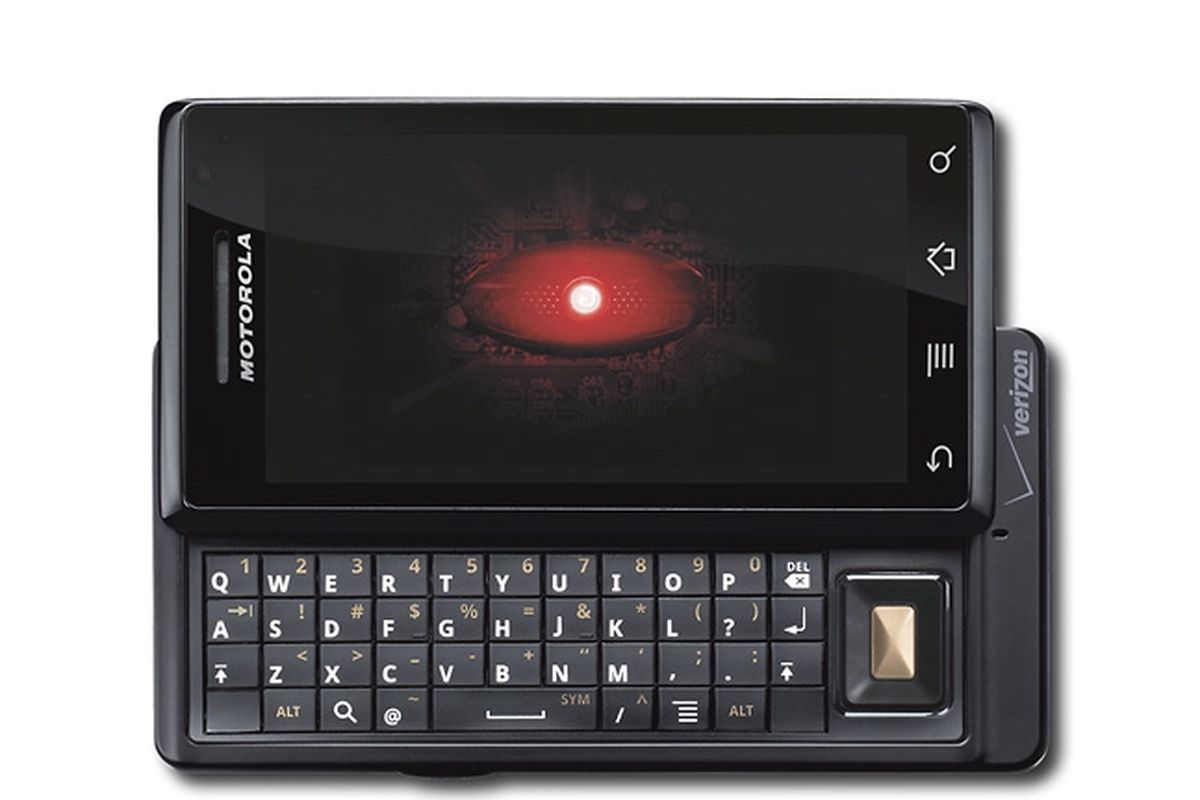
Google has been known for revolutionizing the internet, and now they are with their Android phones. The Motorola DROID (A855) is the newest and most advanced phone on the market right now, and this bad boy does an awful lot. A lot of people are going to compare this phone to the iPhone, but the DROID trumps the iPhone in features and freedom. I will discuss, first, the tech specs and compare them to the iPhone head-to-head so you can see how powerful the DROID truly is.
Techno Babble
The DROID has a 550 MHz processor, specifically the Arm Cortex A8 processor that is also present in the iPhone 3GS by Samsung. The 3GS is clocked only 50 MHz higher and can be overclocked to 800 MHz. To compare, the original Xbox has a 733 MHz processor. So can the drug be overclocked to this as well? Most likely. With a monster processor, the DROID can multitask and has one of the first actual mobile OSs (besides Windows Mobile 7). This also means maintaining processes running in the background to gain battery life, uninstalling apps (not just deleting them), and a lot more, but we’ll get to that later. The iPhone, however, cannot multitask due to the OS running on it, and the processor is only used in games.
When it comes to graphics, the DROID still hasn’t been pushed to its limits. There are very few 3D games on the Android Market, but as of right now, the iPhone stomps the DROID in the graphics department. The DROID has a 200 MHz PowerVR SGX 530 GPU. The iPhone has the same, but due to its slightly better CPU, it can currently outperform the DROID. The iPhone has been on the market for quite some time, so there are bigger, better games available. The DROID should start getting the same quality soon. They both have 256MB of RAM, so under the hood, they are pretty much the same.
The DROID has a slightly bigger screen, sizing in at 3.7″ and the iPhone at 3.5″. Do 2 millimeters matter? Yes, it does. There are a good 2 millimeters on the top of the iPhone that could be a screen, but for some unknown reason, it’s not. The DROID has a higher resolution of 854 x 480 and 265 PPI (pixels per inch). The 3GS has a 320×480 resolution with only 163 PPI, so the DROID has double the resolution of the iPhone. That is great for people wanting to watch high-res movies on their devices.
Both devices have the same inputs, such as the 3-axis accelerometer (tilt sensor), digital compass, multi-touch display, proximity, ambient light sensors, etc. The DROID is a bit heavier than the 3GS, but only by 1.2 oz. The drone wipes the floor with the 3GS camera. The DROID camera is 5 MP compared to the 3GS’s 3 MP. The DROID has dual LED flash and geotagging, and it can even run higher than 30 FPS. The 3GS has all this except the dual-LED flash, which is a huge plus.
When it comes to storage, the DROID wins with its external memory option. You can insert up to a 32GB microSD card, but you’re stuck with the 3GS internal memory and have to pay a huge price for more. The DROID even comes with a 16GB microSD card when you buy the phone. So when it comes to comparing junk under the hood, they both have the same hardware, but the DROID has the extra tidbits that push it over the edge.
GUI: Graphical User Interface
The DROID has an excellent GUI, and the whole marketplace is run by the community. There are programs such as PandaHome, OpenHome, GDEHome, etc. that allow you to change “themes” for a small price or for free. These also change icons, clock widgets, etc. The DROID has a great interface that is more like a computer that gives you a desktop, then a slide-up menu where all your apps are stored. You can drag and drop as you see fit. The iPhone, however, is plagued with the mundane Apple OS that only shows apps in a grid format with a black background. Sure, you can change your “wallpaper,” but this is only when the phone comes out of sleep mode, so it’s rarely seen. This makes every iPhone look the same, so the DROID wins in customization by a long shot. There are four touch buttons located at the bottom of the screen: your back button, menu, home, and search. You will use these buttons a lot, so Motorola and Google were smart to put them here.
Apps: Who’s Better?
It all comes down to the apps. Who has more rights? Well, the iTunes marketplace has hundreds of thousands of apps that the DROID doesn’t have, so the iPhone wins there. However, the Android market is ever-growing, and thanks to the user-run community, a lot of great apps are showing up that the iPhone can’t run. These include a lot of customization apps and loads more. Apps are easier to run on the DROID since there is no iTunes-type program. The app store is run off the phone and downloaded from the phone as well. If you don’t want an app anymore, you go to your settings and uninstall it. Google also allows you to refund anything you buy within 24 hours, and Apple does not support this. While iTunes may have more stuff, Android has better customer service, a better community, and a better setup. There are really no “hardcore” games for the DROID like there are for the iPhone, but it’s getting there. You do not want to get a DROID for a gaming system just yet, for sure; stick with your iPod or phone.
Features: Welcome to Google Town
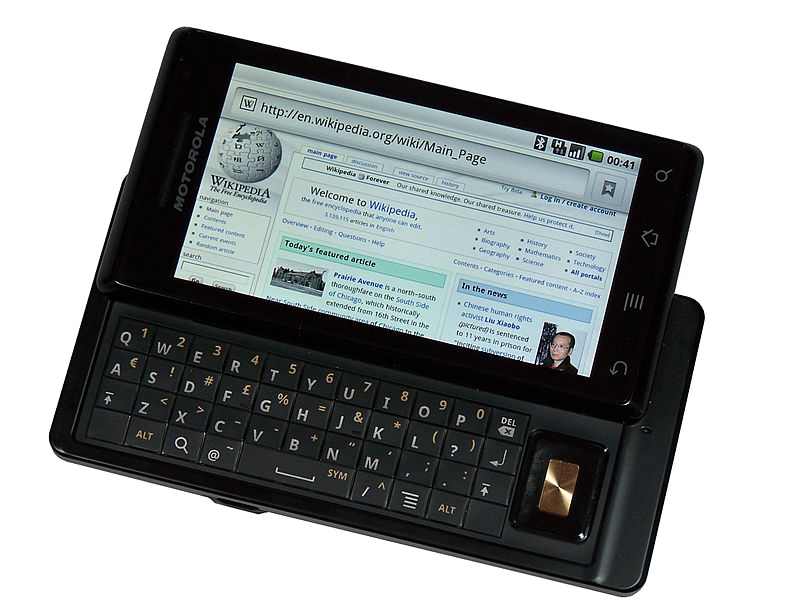
The DROID has a lot of little things going on in it. You can do everything a touch-screen phone can do, but it also has a slide-out QWERTY keyboard. The buttons were a little flat, and the top row is hard to get at if you have big fingers, but it works well. If you tilt the phone sideways, you can type with a landscape keyboard or use Google text-to-speech. I found this feature extremely useful when typing long messages or writing reviews for apps. Since this is a Google phone, you get all their awesome apps, such as Google Earth (yes, it’s in 3D and you can see every detail) and Google Maps. Switch to your “car app” and press navigation. Speak your selection (i.e., Phoenix, Arizona), and Google will give you directions for a car, bus, or walk (God forbid you to walk that far!). Press Get to Navigate, and the phone will give you the directions. It doesn’t update in real-time, but it does update as you drive down each block.
Google Sky is a fun app that lets you point your phone in the sky, and it will show you, in real-time, where each constellation and the planet are. You get plenty of excellent Google apps, such as Gmail, YouTube (yes, Google owns YouTube), and Google Goggles, which allow you to take pictures of products or objects, and the phone will scan and search them for you. There’s even a Google search bar on the desktop with a text-to-speech button next to it. Brilliant. There are plenty of other apps, such as the Amazon store, eBay, Bank of America, MLIA, FML, and even ShopSavvy. This app allows you to scan a barcode, and it will tell you where you can find it cheaper online or locally. Of course, you have all your social networking apps, like Twitter, Facebook, and MySpace, which run great.
When it comes to things like ringtones, pictures, and videos, the DROID delivers. You can store any MP3 or picture and set them as wallpapers, notifications, or just ringtones. Mount your SD card via USB and just create the folders. There is no need to sync with a program on the PC. Total freedom is what Google gives you, and this is what I love.
Problems: It’s Not Perfect
There are some issues with the drug, but not many, and they are minor. The biggest one is the running processes in the background that can kill your battery even in sleep mode. You have to get the Advanced App Killer app and every so often check everything you don’t want running and kill the apps. Another problem I ran into was that since most of the apps are user-made, they can be glitchy and screw up your phone, so watch out and read reviews before downloading anything. You could say that the major issue is the app store. There are a lot of apps, but some of them are junk. There aren’t any excellent games available, and the app store doesn’t have any sort of feature except Top Paid, Top Free, and Just In.
For a $550 phone (if you pay for it without a plan), the DROID delivers and trumps the iPhone in every direction except the apps. The DROID is a very advanced phone and is for people who love using their phones constantly and want to make them a part of their everyday lives. With a sleek design, excellent features, sturdy hardware, and monster processing power, the DROID should be the #1 phone in 2010.
Update: 10/15/2011
Now that I have had this phone for 18 months, I don’t like it as much. The phone started having issues with serious lag, slowing down, and just hardly responding anymore. The touch screen lost sensitivity after about a year, plus the hardware is ancient compared to what is out now. Due to that, all the apps are now optimized for higher-end phones, so the Droid is left in the dust.
Overall, the phone just doesn’t really work anymore internally. It won’t come out of sleep mode sometimes, won’t answer calls, turns off randomly, and the internet is just impossible to surf due to the now weak processor. Hardware-wise, it has stood the test of time with many drops, slides, fumbles, and kicks. Not a single crack or anything, but thankfully this phone is now discontinued. If you have the original Droid, you are probably finding the same problems even after a factory reset. The phone was great 22 months ago, but now I just absolutely hate this thing. If I were to amend my score, I would give it a 4/10 now, but of course, that’s unfair and should be remembered for how great it was at the time of release. Did I also mention that the appraisal price for the phone is about $20 nowadays?
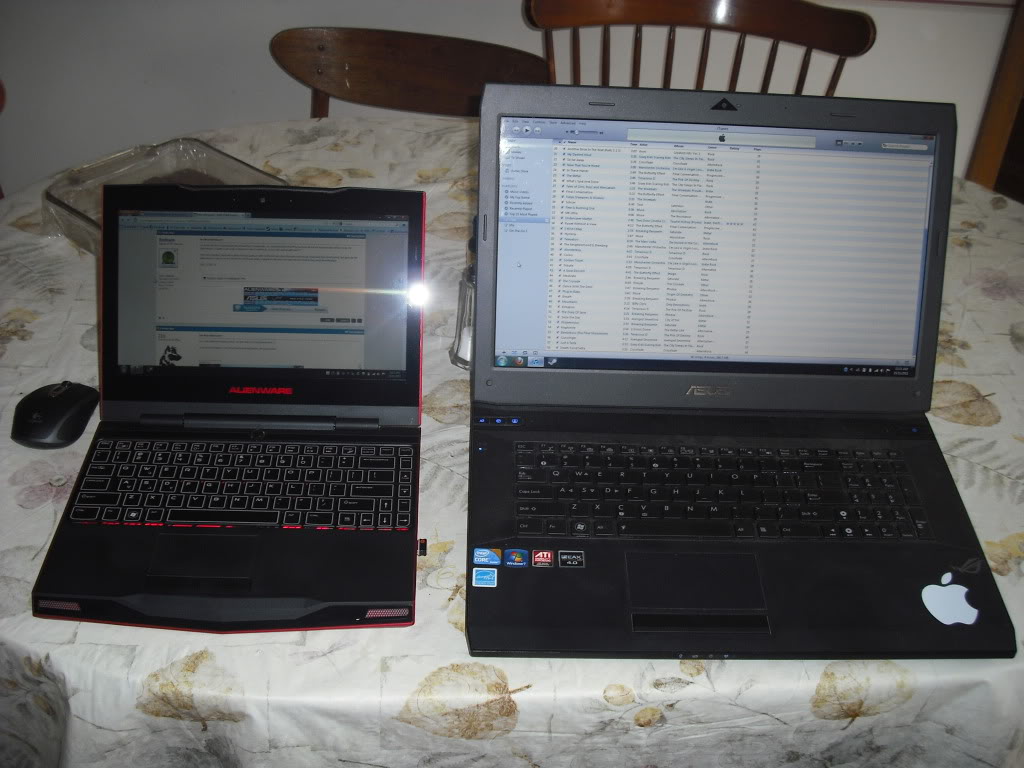
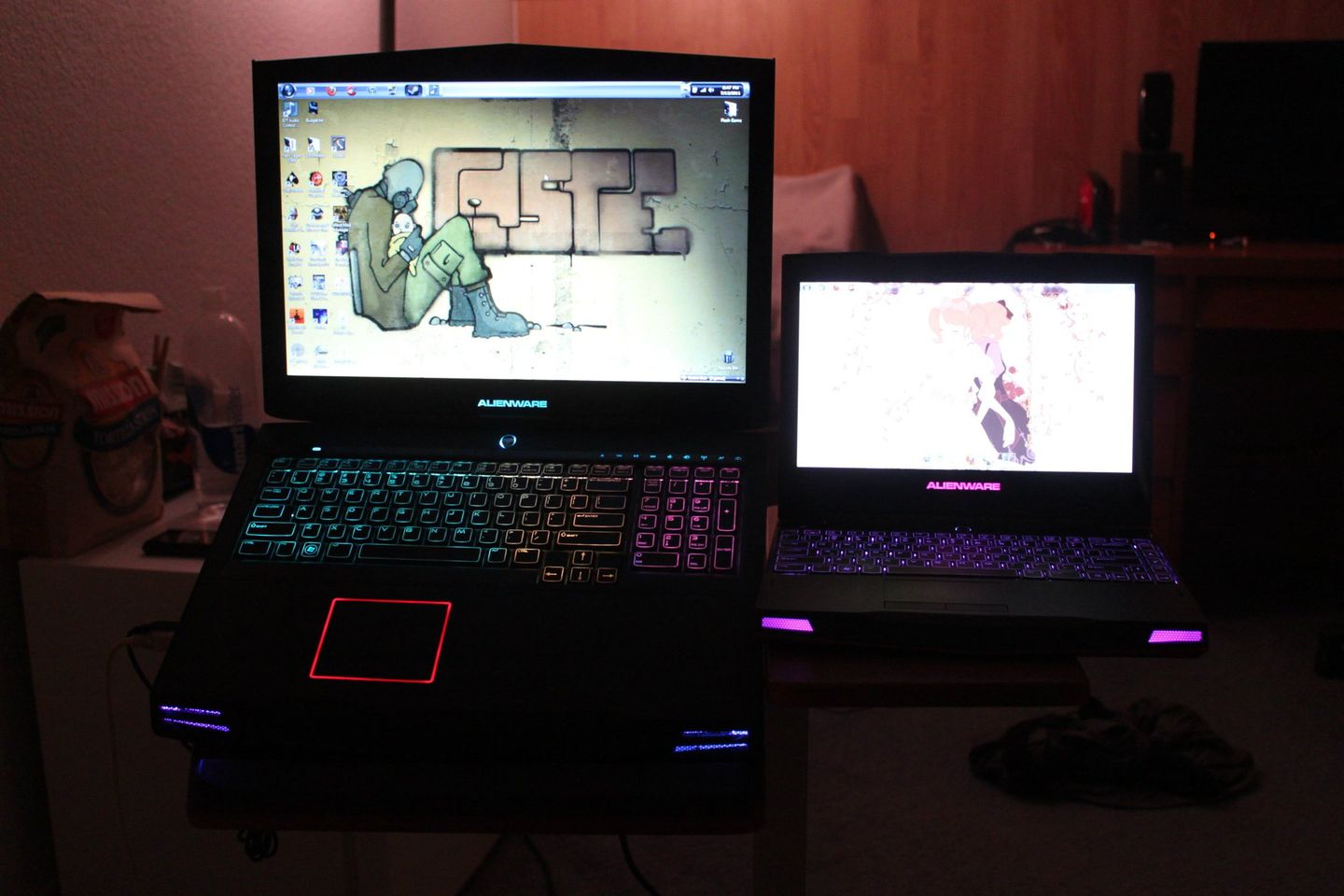
Alienware continues to dominate as the top gaming computer brand in the world, with the fastest hardware on the planet. If you can afford the hefty price tag, you are in for a treat. If you already own a larger Alienware (M17 or 18x), then maybe it’s time for something more portable, but with almost as much power as the M11x. The M11 is Alienware’s answer to a netbook, done right with the speed of a gaming computer but the portability of a netbook. The R3 models have the second-generation I series processors as well as the new generation of graphics cards. The model I got had the i5 2537m, which runs at 1.4 GHz. Now you’re probably thinking that is slow, but it can run Crysis with almost maxed-out settings (high, not very high) at around 20–25 FPS. That is impressive. With the help of an Nvidia GT 540m, you are going to be smoking the competition on the go.
With 3D enabled, your portable experience just got a whole lot better with games, movies, and even on the desktop. The netbook can run everything in 3D without any horrible slowdown like older netbooks would. If you are used to the bigger laptops, a lot of the features have been stripped for portability, but this took a hit for me. There is no media bar, but everything is teamed up with the F keys using FN. I didn’t really like this, but they probably couldn’t fit a full-size USB media bar in there. There is no DVD drive, and there are only 3 USB slots. However, one is USB 3.0, and the netbook also comes with a firewire. If you really want more features, you have to think portability or more of a desktop, so this is for people truly on the go.
The screen is crystal clear with new LCD technology and a nice resolution of 1386×768. The speakers sound amazing with true surround sound built-in, and during testing, I could really hear a difference in sound with it on. The netbook also has a full touchpad, AlienFX, but unfortunately, a lot of the FX for bigger laptops were stripped from this one, such as the lid, alien head, and touchpad, and there are no individual settings for sections of the keyboard. However, the netbook does have a built-in graphics processor, so it can save battery life and not use a bigger GPU during regular use. While you can save tons of battery life this way, there is no way to remove the battery easily without unscrewing stuff.
If you come into the purchase thinking about portability, you will be amazed at what this thing can do. It strips away the desktop stuff of the bigger models while still packing in power under the hood. With great power-saving technology, long battery life, and a lightweight design (only 5 pounds!), you will really get your money’s worth.
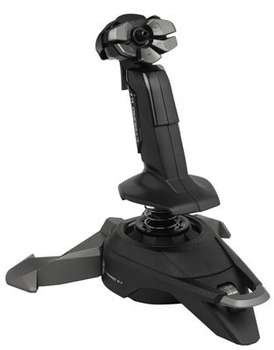
For this being my first flight stick, I like it. I decided to enter the flight sim genre, but you can’t without an introductory flight stick. This base model by Saitek feels great and works with most flight games. Most important, the stick has rudder control (Z-axis), which you use by twisting the stick. The buttons are all laid out around your thumb, as is the hat switch in the middle. I found this to be very comfortable, but people who like buttons on their bases may not like this.
The stick has a trigger and pinky button, but I found that I hit the pinky button too easily because of how small it was. During intense fights, I would squeeze the stick too hard and press. The stick also has a throttle control switch, which feels nice and smooth. Overall, when it comes to buttons, there aren’t a lot, so if you want to use every control on your game on your stick, look somewhere else. The stick feels good in your hand but will make your hand sweat and chafe if you aren’t used to using them and don’t have the nice rubber of other sticks.
The stick feels like it’s made of cheap plastic, but it’s surprisingly durable. The spring is sturdy but makes the stick feel a little stiff, so precise control is a bit of an issue compared to higher-end sticks. The stick also has removable feet, but I preferred them for more stability. The software is great and allows you to calibrate and assign buttons to the keyboard for games that may not support sticks directly (most don’t, but you can assign buttons to most games). Overall, the V1 is a great entry stick for a beginner, but more hardcore flight sim gamers should look elsewhere.
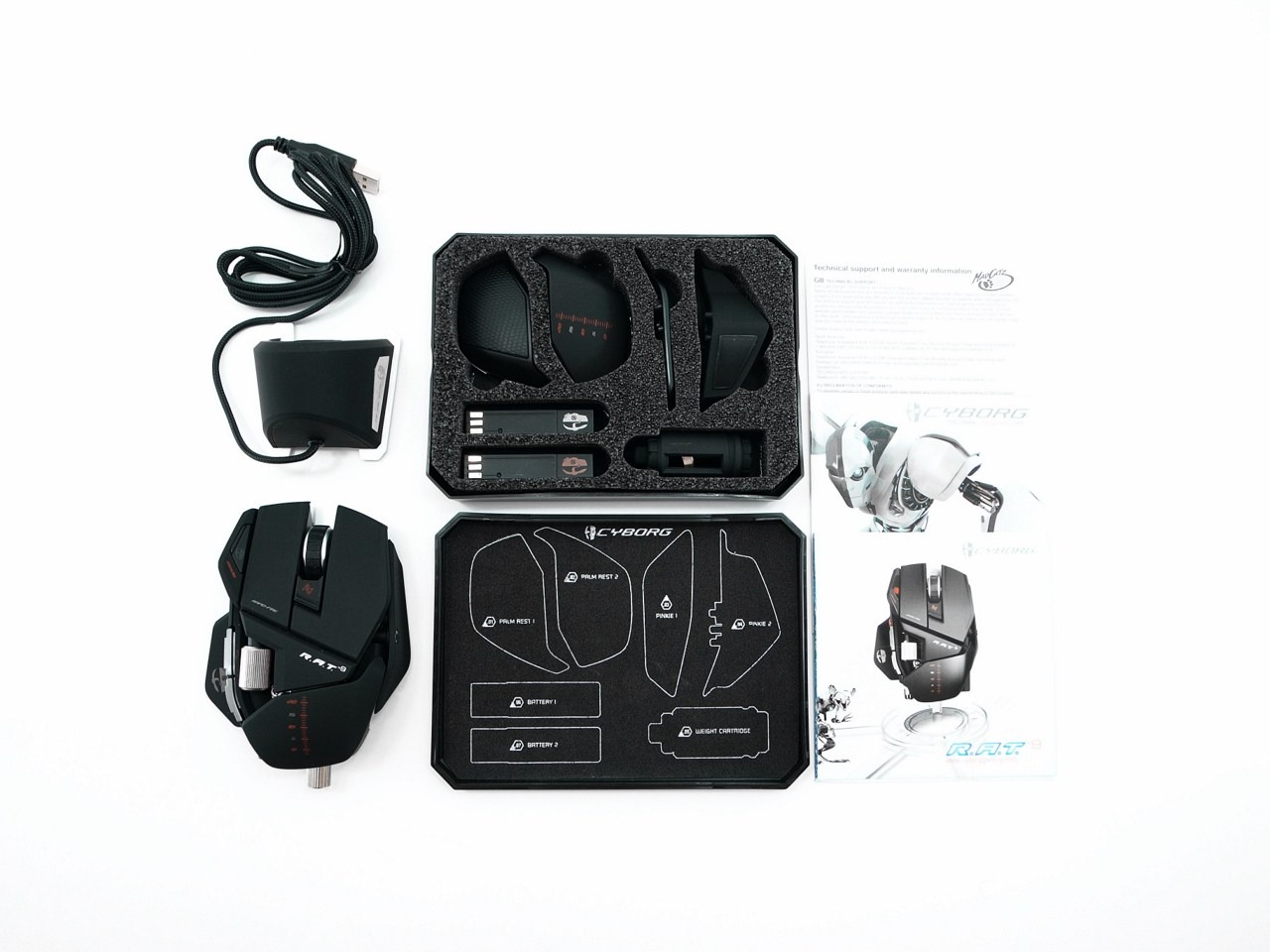
Gamers are probably the pickiest people on the planet, especially PC gamers, who want everything contorted and shaped to their needs and comfortability. Cyborg got the message and said, “Hey, how about you build your own mouse?” That’s kind of what we got here with the R.A.T. series of gaming mice, and although you may not actually build it, you can customize everything on it.
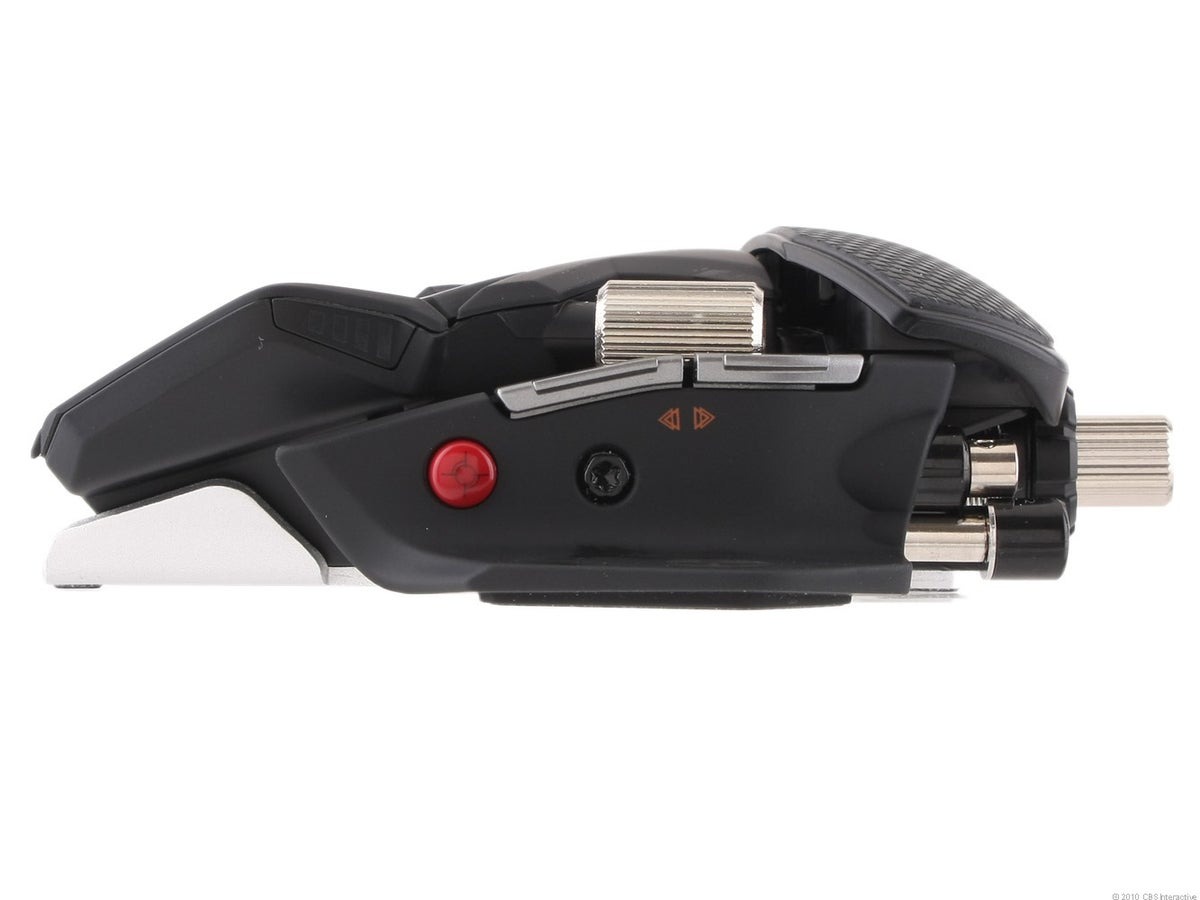
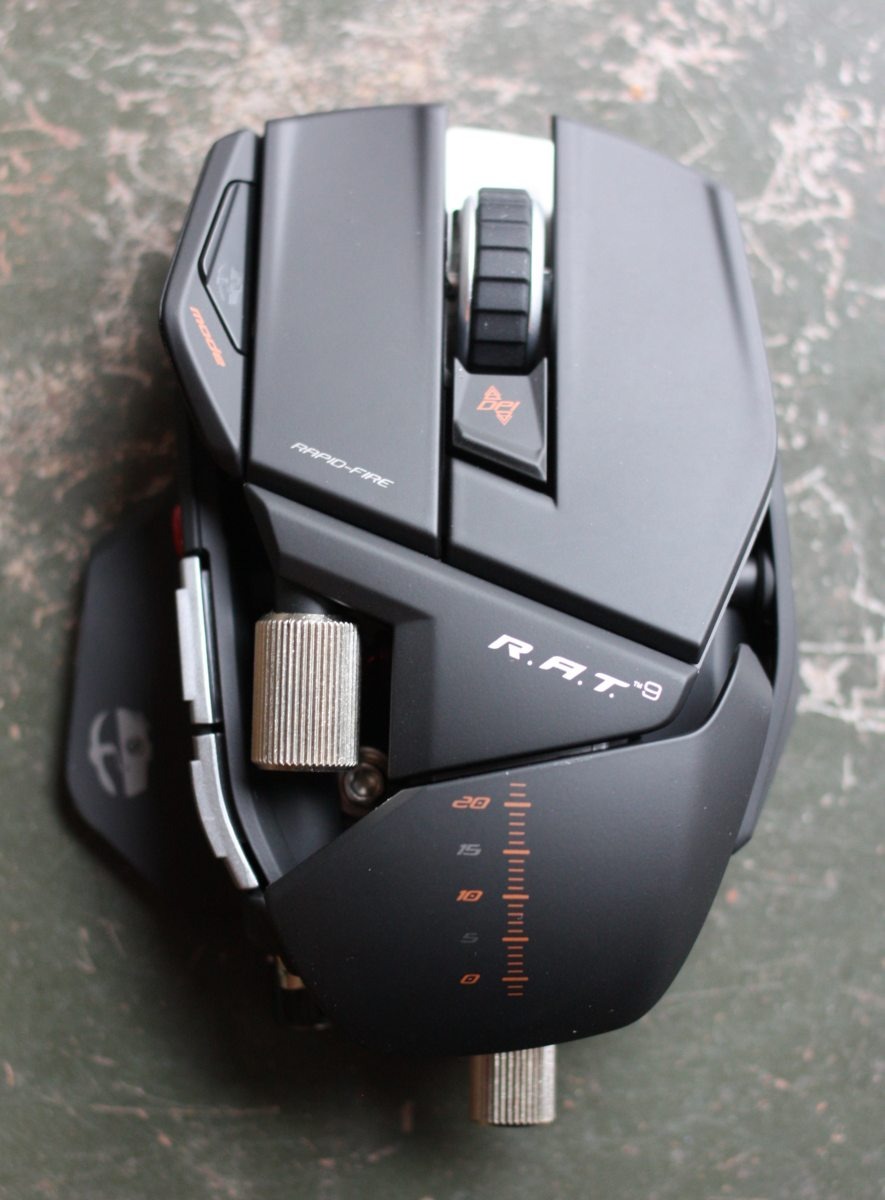
The mouse may look ugly to some and slick to others. It has a lot of sharp angles and exposed metal, so it looks kind of like a robot. There are a lot of buttons on this thing, but what’s most interesting is how well the mouse is designed despite having a tool, weights, and a lot of other things in it. You adjust everything via a tool that screws out of the back, and this lets you adjust two things. First is the thumb rest, which is where most things happen. There’s the sniper button (more on that later), a back and forward button, and a side scroll wheel (that doesn’t work in browsers, unfortunately). You can move this piece from side to side and up and down for maximum comfort. Second, you can change out the pinky rest for a textured grip one or a pinky “scoop.” This reduces pinky drag and lifts it off the table.
They could have stopped here, and those are huge issues gamers have with mice. But how about the palm rest? Sure, with an easy button press, you can adjust the length of the palm rest or swap it out for a textured one. Is the mouse too light or too heavy? Add some weights to the bottom via 1-gram discs that sit right behind the tool. The mouse is already heavy enough for most people without weights, but people who don’t like their mice flying everywhere or getting lift-off during frantic shootouts can add up to 8 grams, so it makes it pretty heavy. While the adjustability stops there, it pretty much solves every problem that PC gamers scream about.
The mouse itself is super sturdy, with nice, hard plastic that feels smooth. The bottom is an aluminum track with Teflon feet, so this baby glides like butter across any surface. It also just fits so nicely in your hand after fine-tuning that you don’t even notice it’s there half the time. Both the left and right buttons are very wide and long, so people with different lengths of fingers won’t have to contort their fingers. The middle scroll wheel is very big with thick grips, so it never slips. I found the wheel a tad too far forward compared to most mice, but after a few hours, you won’t notice.
Now for features on the mouse, there is a mode button. You can switch between three different button configuration profiles (from the software), and the LED changes colors. There is also a button to change DPI on the fly from four levels. Each level can be adjusted in the software, but there is an LED light on the side that shows which level you have selected. My favorite feature is the sniper button. Hold it down, and it slows down the DPI so you can get awesome headshots or increase accuracy for whatever reason you need. You can adjust the sensitivity in the software, but I use this all the time in games.
The mouse also comes with not one but two rechargeable batteries. They are about 3 inches long and are tiny little cartridges that slide in right next to the pinky rest, and you never even notice it. It is a bit of a pain to pull out, so some people may need to remove the pinky rest or palm rest every time to get to it. The other battery charges in the receiver, and your weighted cartridge holder sits in there as well. The battery takes about three hours to charge and lasts for about nine hours. I also noticed no lag in the mouse at all, and it is extremely responsive, so wireless mouse naysayers don’t have to worry about this.
The software is pretty standard, and it lets you program macros, shortcuts, etc. I have very few complaints about the mouse, such as not being able to move the pinky rest forward or back. I also don’t like that the side scroll wheel doesn’t work in browsers, and you can’t program it to work like that. This mouse may also be too heavy (even without weights) for people with weaker or smaller hands. The receiver is also very light; anyone with a movable laptop tray may have to tape it down. Like I mentioned above, the battery is a bit hard to get out, and I wish it would last longer than only 9 hours, but thanks to the second battery, this alleviates that otherwise major problem. The mouse also has a steep price point of $150. It’s more expensive than even some other top-tier wireless mice, but it’s worth every penny once you get it in your hand.
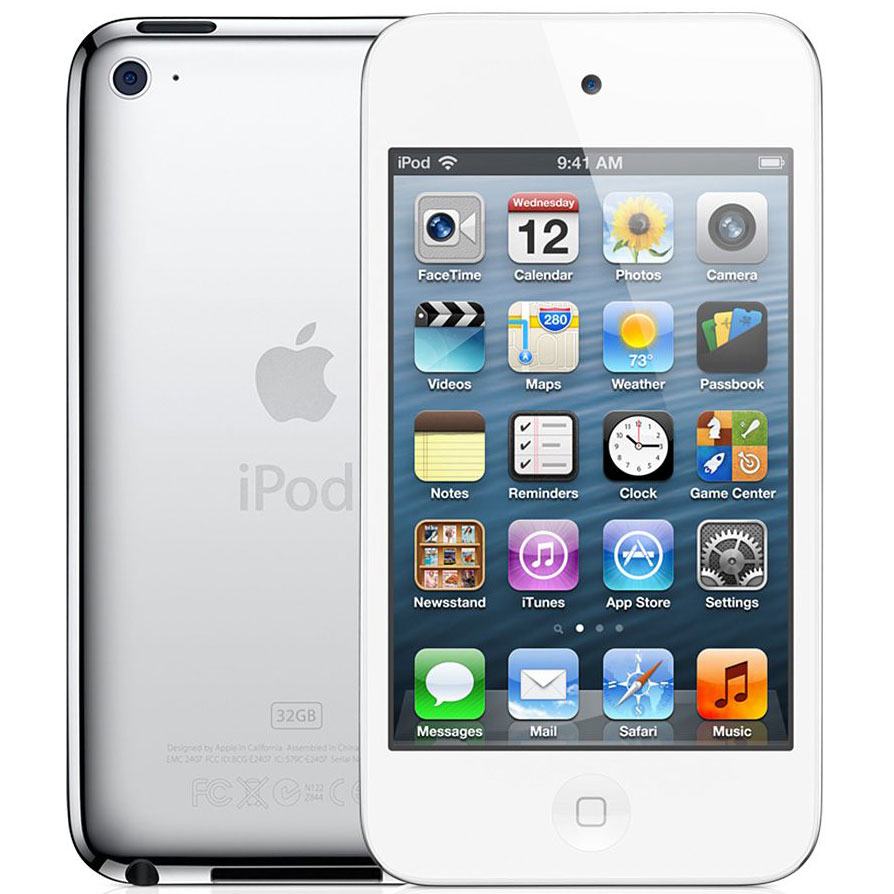
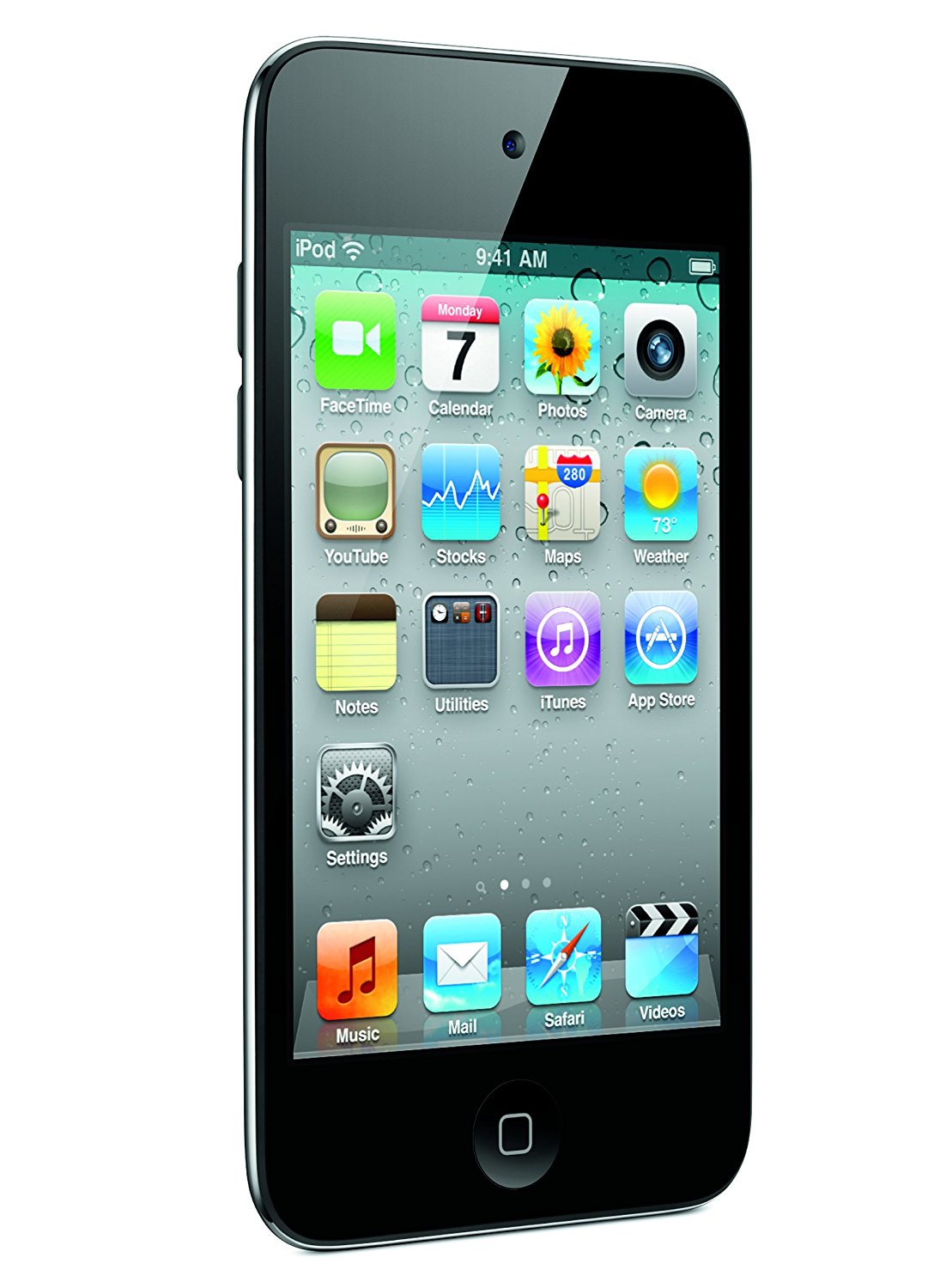
Didn’t the 3G Touch just come out last year? It did, but this new iPod reflects the next-generation hardware of the iPhone 4. With the Retina Display (more on that later) and a new 1GHz processor, it trumps the 3G in every way. The addition of two cameras and a mic brings the iPod to a whole new level for Apple.
The new model is actually a bit smaller than the 3G, but just slightly lighter despite having more parts inside. There is one camera at the front and one at the back. The touch screen also feels smoother and sleeker and seems a bit more responsive. Also, thanks to iOS 4, you can now multi-task, so pulling up a walkthrough for your game in Safari won’t require you to completely shut down your game, so this alleviates having to save constantly. You can also just hit the home button, pull up your music, watch a video, or even jump into FaceTime, then go back into another app. Multi-tasking has come quite a bit late for Apple, but at least they’re catching on.
Under the hood, the device has the same GPU as the 3G, but the processor is a whopping 1 GHz, which is unseen on a phone, let alone an MP3 player. If you just listen to music, you won’t care, but this is what allows you to multitask and swap between apps without much slowdown. It makes surfing Safari faster, and game loads are quicker. It also shares the same amount of RAM, which is a huge 256 MB. The resolution has also been doubled to 960×480, which is still lower than most high-end phone models, but for an MP3 player, this is amazing. It allows for 720p video, so HD video watching has finally come to your iPod. The Retina Display is actually how the screen displays its graphics to you. Apple’s research showed that 300 PPI is the maximum amount the retina in the eye can see from about 12 inches away, and bumping the resolution up any higher wouldn’t make a difference to your retina.
The camera is pretty decent, but you have to have a lot of light or you will get grainy pictures. The video looks great, though, so this is perfect for people who don’t have high-quality phones or cameras. Despite these features, the iPod can also play next-generation iPhone games that have higher texture resolutions, better lighting, and just overall look really close to current-generation consoles.
There aren’t too many complaints about the device except for the power button. It used to be nestled right on top of the edge of the device on the left side, so it was just an index finger away. Now it’s on the right side and nestled on the curve, so it’s a pain to get to, and you have to kind of contort your hand to get to it. Was it because the camera is on the other side? Probably, but this was a poor design choice. Overall, the 4G is an amazing device and adds a ton of new options, making it well worth a new purchase.
The Xbox 360 has probably struggled the most hardware-wise since its launch in November of 2005. With extreme overheating issues, loud disc trays, and high-pitched disc spin-ups, it’s been rough. After the new Xbox Elite came out, we fixed some issues with a smaller 45-nanometer processor for slightly faster load times and less heat. It featured a bigger 250GB HDD and more solid hardware, but it was still having overheating and RROD (Red Ring of Death) issues. Now that the Xbox 360 S is out, it fixes all these issues with grace.
The console has a new slick gloss finish design with stylish air vents, and the whole concave thing is out the window. All the buttons are touch panel buttons and release an awesome “ding” tone when touched. The tray is quieter, the HDD is now built inside, and there is a much smaller power supply and brick. This is all noticed right out of the box, which makes it worth another purchase. The biggest addition is probably the built-in Wi-Fi as well as a Kinect port. The Xbox memory unit slot has been removed since you can now back up saves on a flash drive, but people who have items saved on one will be out of luck here.
The console also has built-in HDMI and can support up to 1080p, but other than these new features, nothing else is really new. The console also can’t technically RROD anymore due to there being no red LEDs. The console’s plastic casing does feel a bit cheaper and less sturdy than the other consoles, but being 10x lighter really makes up for it. I highly recommend upgrading to the 360 S if you really hate your old console or if it’s about to bite the dust. Trading in your old console could make up the difference and make it well worth the purchase.
Handhelds these days have the remake curse, with Nintendo being the worst. Really three different GBA’s? Four (and soon to be five) DS models? Once the latest and last iteration comes out, you tend to think that model should have been the first. The same goes with the PSP, since the 3000 is amazing and should have been the 1000 model. The first thing you’ll notice when you take it out of the box is the weight. This thing feels light as a feather, and I almost thought it was a fake piece of plastic. This is also a benefit when playing games and reduces hand cramps.
Another thing you’ll notice is that it’s slimmer, and all the fat has been trimmed off. The D-pad is built better and is concaved on the inside instead of just flat like the original model. The speakers are located at the top front instead of the bottom; thus, they are also more clear and less tinny. The addition of a built-in mic is great too for online play. The memory stick slot also has a major change, with it up near the top left side instead of the bottom. The slot is also a piece of plastic that comes out instead of the black corner piece. The slot is well hidden and blends in nicely with the unit.
Finally, the UMD slot has been replaced with a pull-out slot instead of a switch that makes it pop out. You just lay the UMD in instead of sliding it in like a cassette tape. It’s quieter, seems to be slightly faster as well, and uses less battery power. Another good change is that the WLAN switch is on top of the unit next to the USB port, which keeps you from accidentally switching it on. The console feels better when held due to its glossy back, and there are no contours for your hands, but this makes holding the unit better for some odd reason.
Other than that, everything is the same. The screen is crisper and brighter, and the new PlayStation home button looks great too. The Wi-Fi is slightly faster and supports newer security, and this unit is just solid and brilliantly designed. I really went back to my old UMD collection just to play the unit more, because games look nicer, and they just feel great being played on a solid piece of hardware.
Ever since I was young, I always wanted a PC that could run the latest games. Who would have known that today would be that day? The M17x is one of the most powerful gaming laptops (or laptops) available on the market. Alienware has always strived to provide the highest-tech and smoothest-running systems to date. This is well worth the $1800, so let’s get started from the beginning.
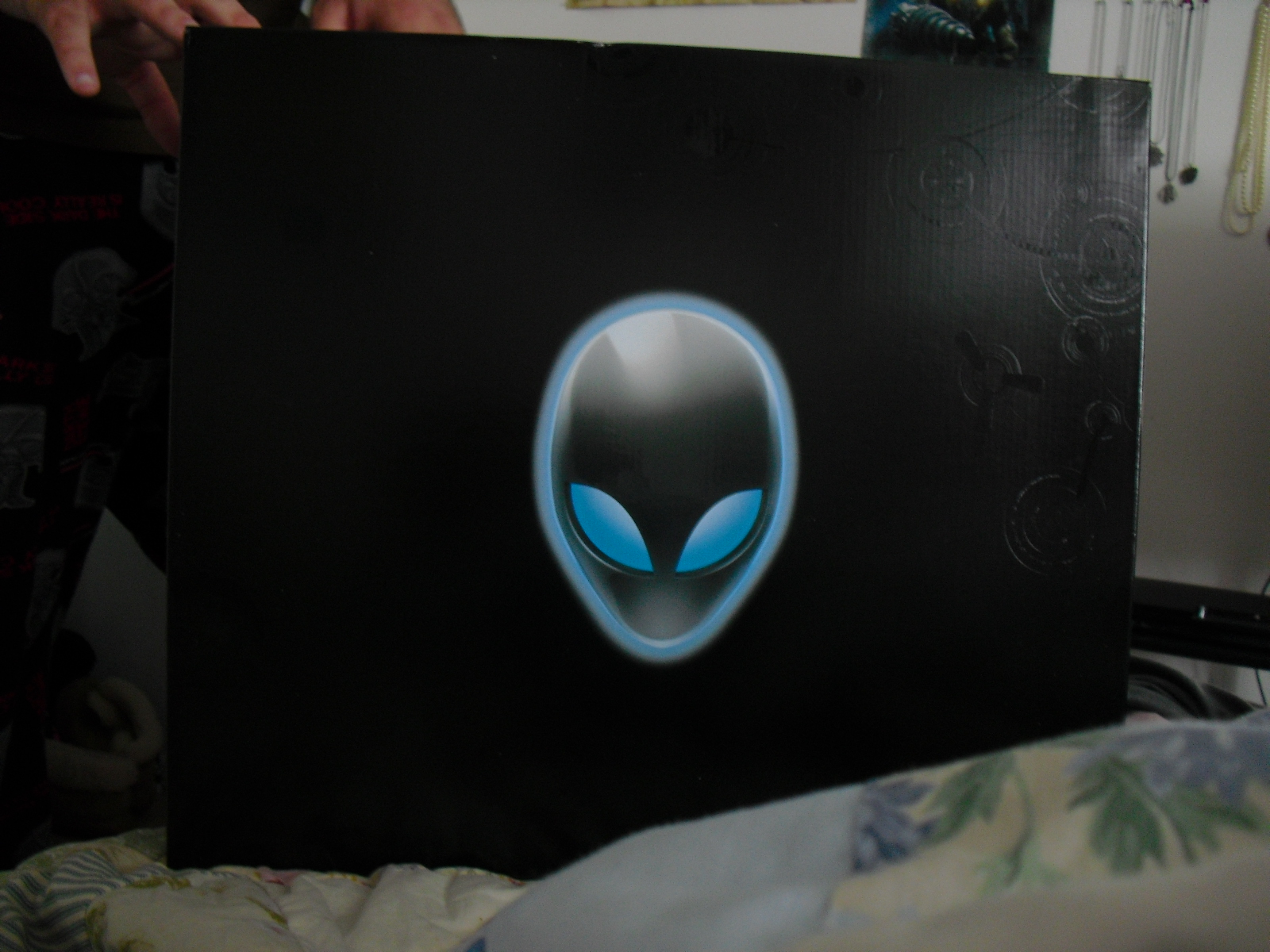
When you get the box, it’s about the size of a desktop PC. This sucker isn’t light. Inside the box is another box with some collectibles such as a baseball cap, sticker, a leather-bound manual, the restore CD, and a resource CD, as well as a mousepad and the charger. The mousepad is very sturdy and wonderful to use, and the leather-bound manual is a nice touch.
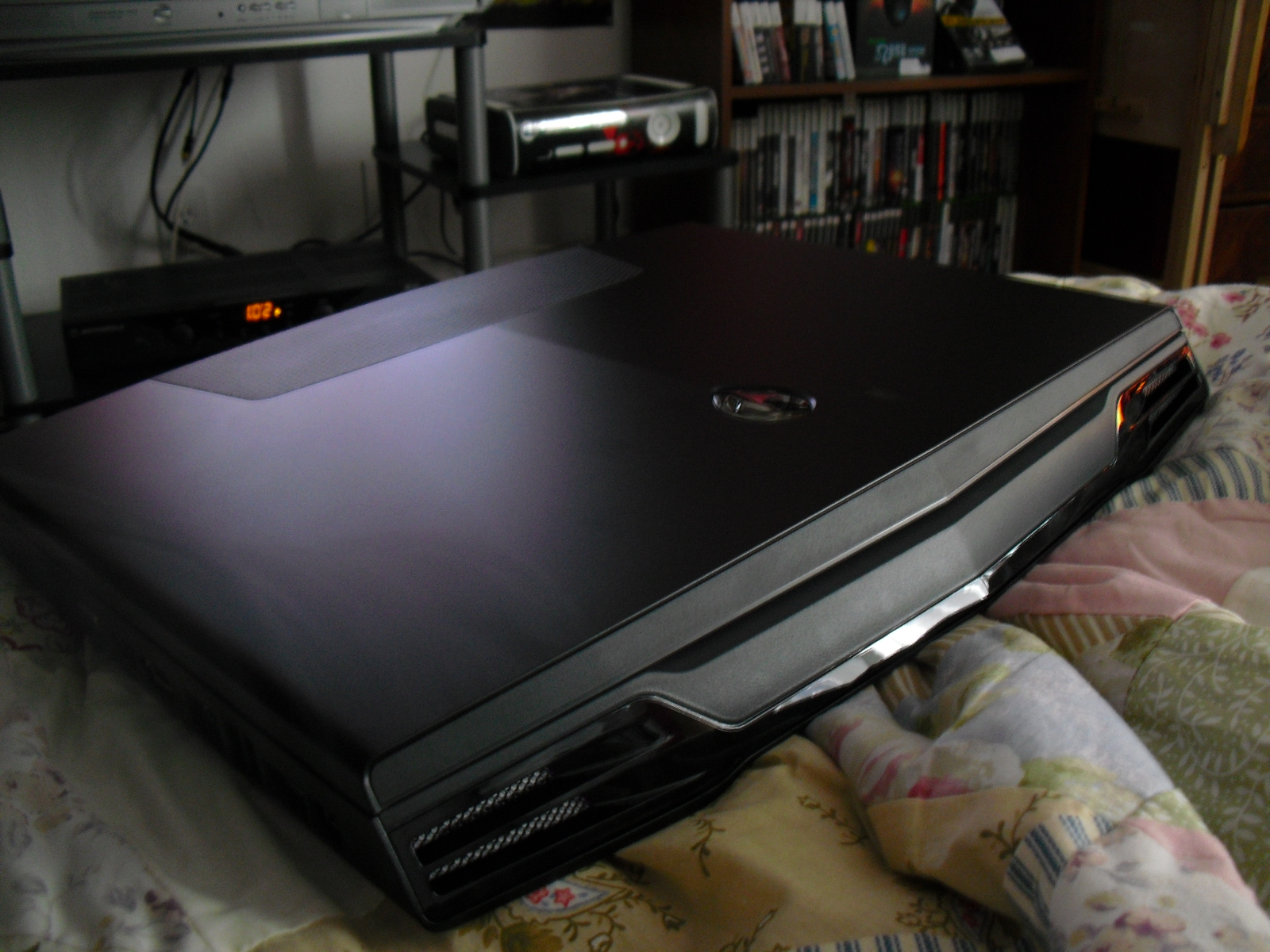
Once you get that out of the way, the laptop has a nice soft cloth over the monitor, and when you pick it up, you almost drop it. This sucker is by no means portable, and you almost need a wagon to tow it behind you. Is it worth it? Yes, by all means, yes.
The laptop has a ton of ports, such as USB 2.0, Firewire, HDMI, VGA, ExpressCard, SD, and a ton more. There is something here for everyone, so you have tons of options for display purposes and peripherals.
Starting Up
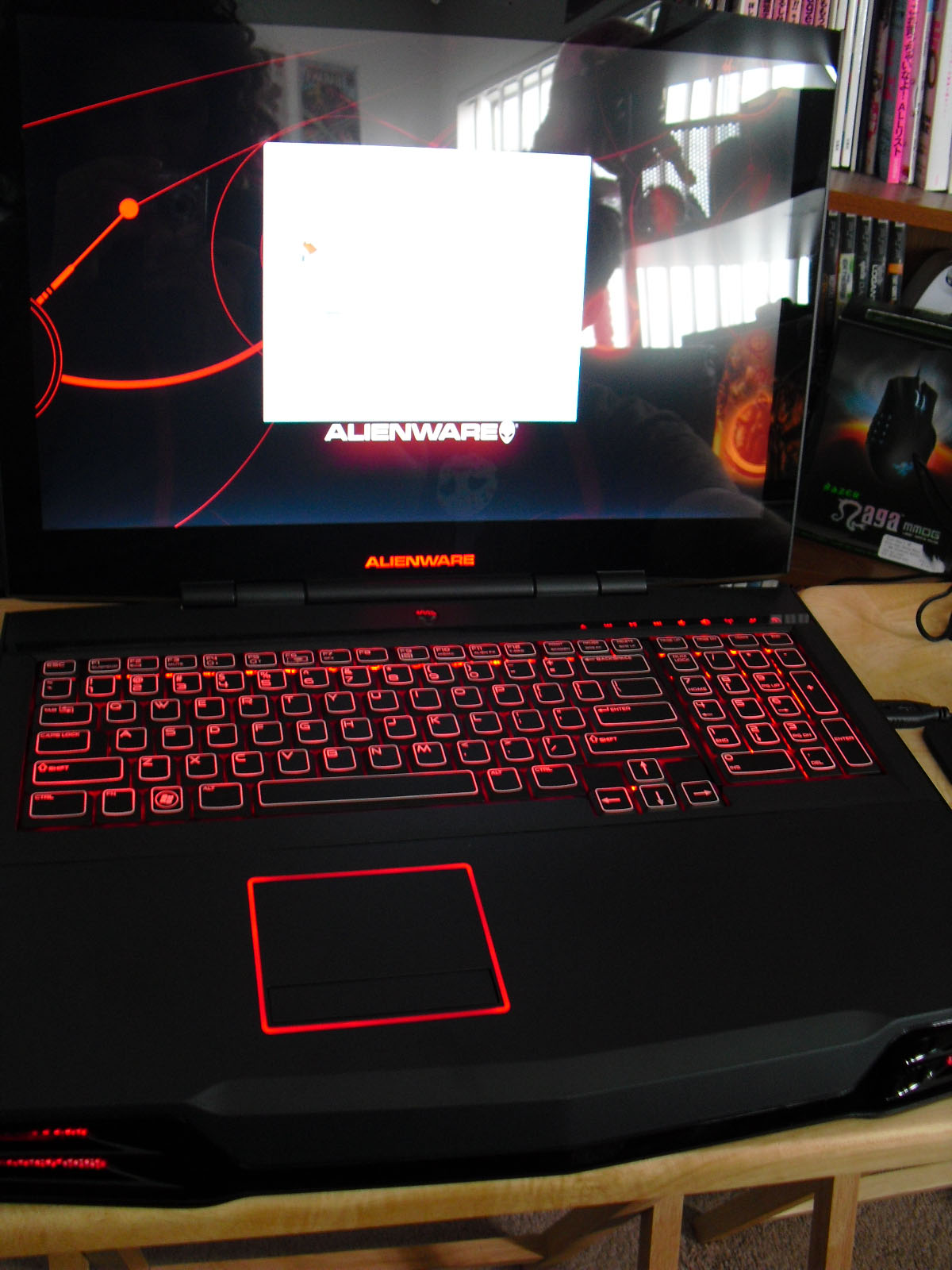
Once you flip up the lid and look at the 17″ crystal-clear LCD display, you will notice the brilliant lights. Everything on the keyboard lights up, as well as the alien emblem on the top lid and above the keyboard. The whole thing feels sturdy, and the touchpad even feels nice to use. The keys feel great, and they are nice and big as well as quiet. There is a media panel at the touch to eject the disc, volume control, internet connection, Alienware control center, etc. The alien head emblem above the keyboard is actually the power button, and the eyes blink as the HDD light. The emblem on the lid will glow when the computer is in sleep mode, so you know what’s up. The emblem above the keyboard will glow in different colors to indicate that the laptop is charging as well. These are the slickest laptops I have ever seen.
Windows 7
I liked Vista, but 7 tops it all. With a faster GUI and a slicker design, Windows 7 is the ultimate gamers’ OS. You can now switch everything on the fly, such as taskbar management, theme switching, and pretty much everything. There are a lot of bugs and kinks worked out in Vista, and so far I’m happy with it.
The Alienware Control Center is very slick, with the coolest of all being the Alien FX. This allows you to change anything that lights up to the color you want. You can even have the keyboard cascade in different colors! There is an advanced editor that allows you to customize what the LED lights do, such as morphing into different colors (adding actions and looping is infinite), and there’s even an option to have the theme change when you open a certain program! Of course, the editor could have been more robust, but it’s exclusive to Alienware and will make all your friends cringe with envy. Alien Fusion allows you to deeply customize your power settings, and Alien Touch lets you customize your touchpad. Alien Sense is the facial recognition technology when logging in, and this can make you feel like a spy!
64-bit has a few issues, such as running some games, but it’s usually the game’s fault and not the OS. Coupled with the amazing processor speed, 7 runs like butter (or diarrhea?) without any slowdowns or hitches. I can have a game installed, play a game, then decide to minimize the game and check my email without much slowdown. Windows 7 Home Premium is amazing and the best Microsoft OS to date.
Games
Let’s get down to it. How do the games run? This laptop can trump any game you throw at it, even Crysis on Ultra settings. Every high-tech game out there can be played on the highest settings and range from 20 to 80 FPS, and that’s a triumph. The laptop runs really well under such stress and doesn’t really get too hot. The fans can be a bit loud, but it’s expected with this kind of setup.
The game sounds amazing with 5.1 capabilities, and even the laptop speakers will blow your hair off. I just wish there were some located near the monitor as well, since your arms can block the sound sometimes. The games also look super crisp with the HD monitor, so you’re in for one hell of a time.
There are a few games out there that just don’t support ATI hardware very well, like Batman: Arkham Asylum. It’s handcrafted for NVidia cards, so it didn’t run the smoothest on my machine. Dreamkiller just didn’t want to work at all, thanks to some sort of bug that kept me from playing. The first installation gave me white textures, and the second gave me frame rate pauses. A lot of other games run smoothly, and it just feels great to have a computer that can run these high-tech games.
The whole point of this beast is for gaming, and it does it well and goes above and beyond the call of duty to bring you a perfect gaming experience. Are there any flaws? Sure, as of right now, there is a nasty display driver glitch that makes you have to hard boot your computer every so often. The laptop should have come with a mouse, and there’s a lot of room below the keyboard, but this can be utilized for a mouse area and arm room. There is some fuzziness on the screen during certain games. The computer is great to look at and use, and it’s just so sleek and silky smooth. Is it worth $1,850? It’s worth more to me. I would probably pay over $3,000 for this baby.




















 thebinarymessiah.com
Try multiplayer. A lot of fun !