MSRP: $54.99 (3 pack, no software), $89.99 (3 pack with software, $24.99 (single pack)
RGB fans are the big thing right now, and Thermaltake is taking on Corsair for the best out there. I purchased these with my Thermaltake View 31 case, and I’m incredibly impressed with them. If you buy the three-pack, you get a control box that can be mounted in the chassis, so you can link all the fans together so they can sync with each other. There is a more expensive pack that allows you to control them through software, but the hardware box was fine for me.
Installing them is easy, as you can either use them as case fans or radiator fans, and screws for either choice are included. You can mount the control box with the included velcro tape, but a magnetic bottom would have been better. I had to actually cut up the velcro and place it in a way that would work for my case, which was annoying.
The fans come with sleeved cables and are quite long, which makes them easy to work with. You can stretch them across a full-size tower, so they can plug in wherever you want. Once you plug them into the box, you can start or stop the fans in your favorite color, change the fan speed to full or quiet mode, and also change the mode from solid colors to 256 color mode. The fans look amazing and show bright, vivid colors, and the 256-color mode looks fantastic.
Overall, the fans are amazing. At full speed, they produce very little noise and have great airflow, and the RGB effects are the biggest seller. For half the price of Corsair’s fan, you can’t go wrong here.
MSRP: $99.99 ( 2 Blue LED fans), $129.99 (3 RGB fans)
PC gaming isn’t just about having the best GPU, fastest CPU, or 64GB of RAM (which is stupid, honestly), but also how good your PC looks. When you invest a large amount of money in a machine, you want to put your own stamp on it, and it starts with the case itself. I moved on from the Raidmax Viper GX case, which was a good case for beginner PC builders. I actually had an accident in which my son knocked me off balance, and I spilled soda on top of the tower and had a major disaster. This led me to need a new case, and tempered glass is the way to go.
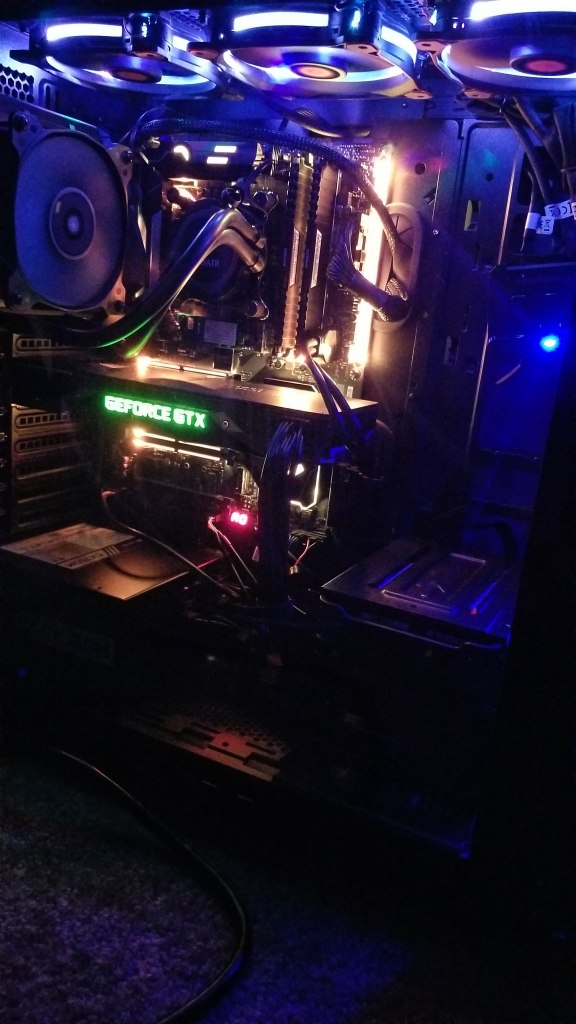
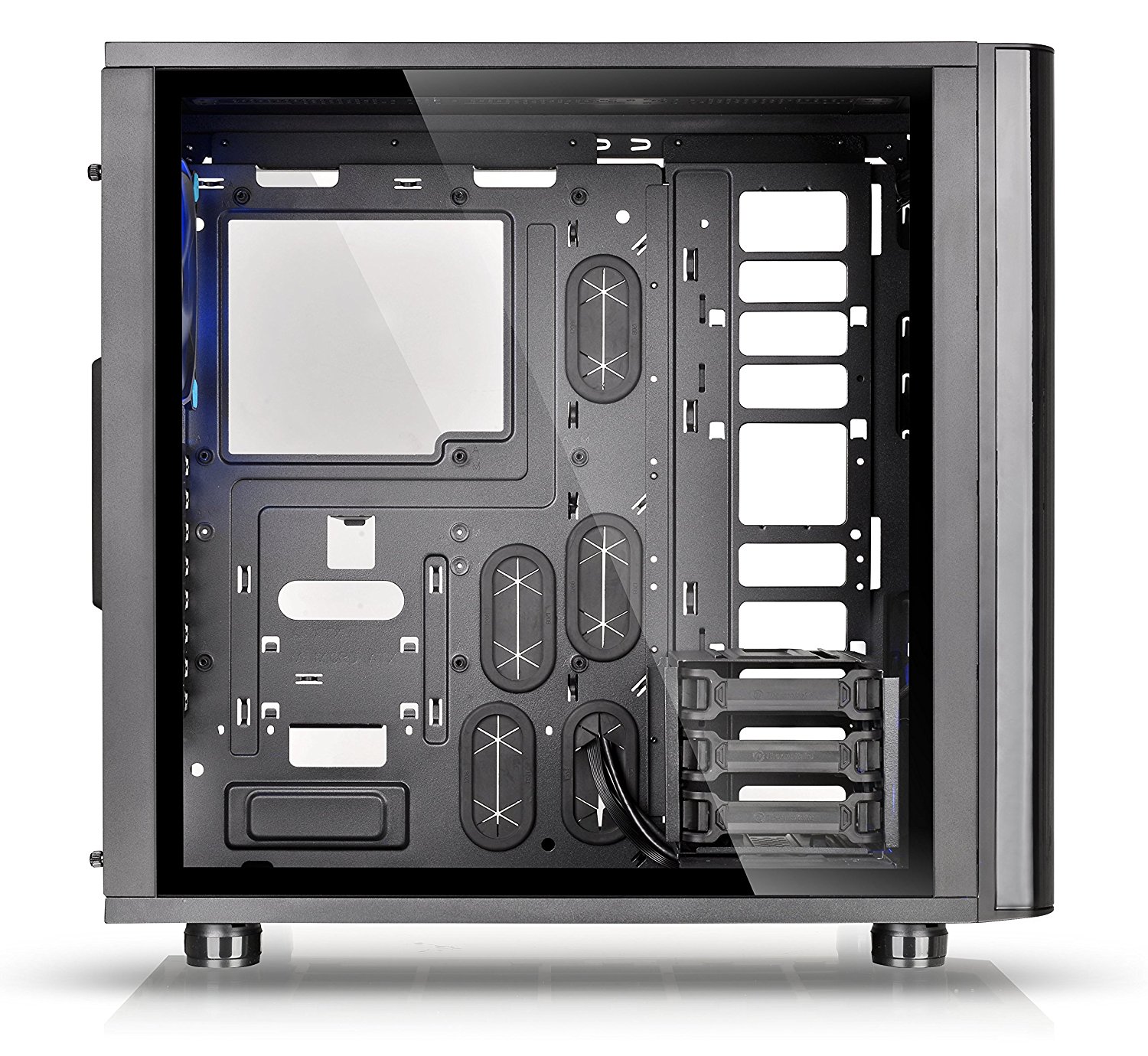
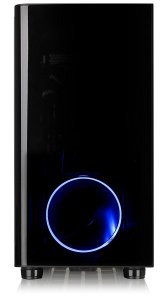
Now if you aren’t really into showmanship, lights, colored radiator fluid, and cool hardware, then don’t get one of these. However, with some good cable management and patience, you can get a simple setup to look top-notch. The Thermaltake View 31 comes pre-installed with two Riing 14 Blue LED fans (the one I have) or three Riing 12 RGB fans (which cost extra). The case itself looks sleek, is lightweight, and is easy to use and set up. The tempered glass sides just have two screws on each side, and they pop right off, allowing full access to the inside. This tower is void of 5.25″ bay drives, and everything inside is customizable.
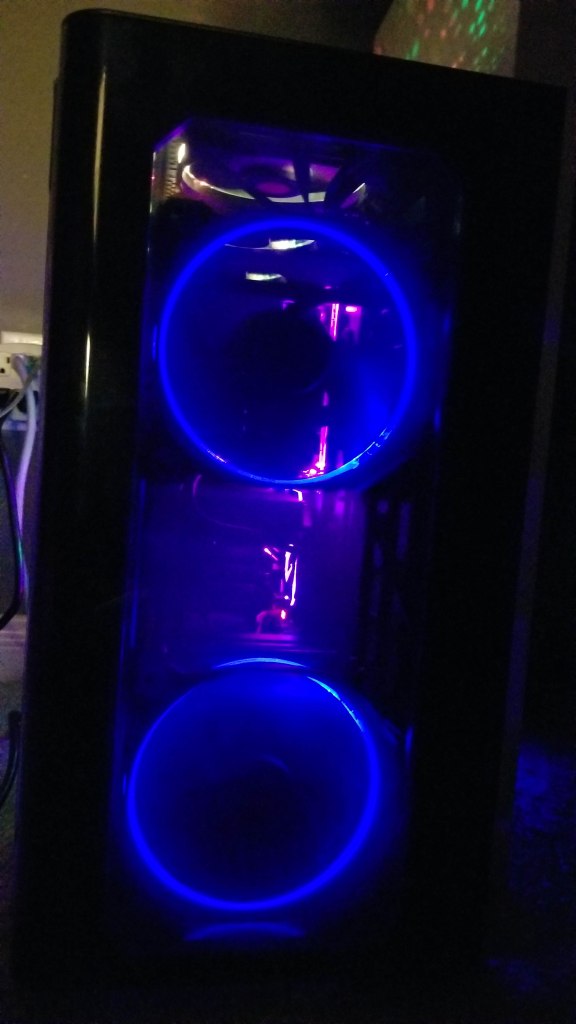
There are 3 HDD trays with an amount that is moveable, or you can install them on the back of the PC if you want them out of the way or need to install a large coolant reservoir. There are plenty of options for fans and radiators, as they can go on all sides. I opted for the two Riing 14 Blue LED fans to go in the front, and I purchased an additional 3 packs of Riing 12 RGB fans for the top. I don’t have any fans on the bottom yet, and I have a Corsair H75 AIO radiator with a dual fan setup for the CPU in the rear. It looks fantastic, and just a little effort goes a long way.
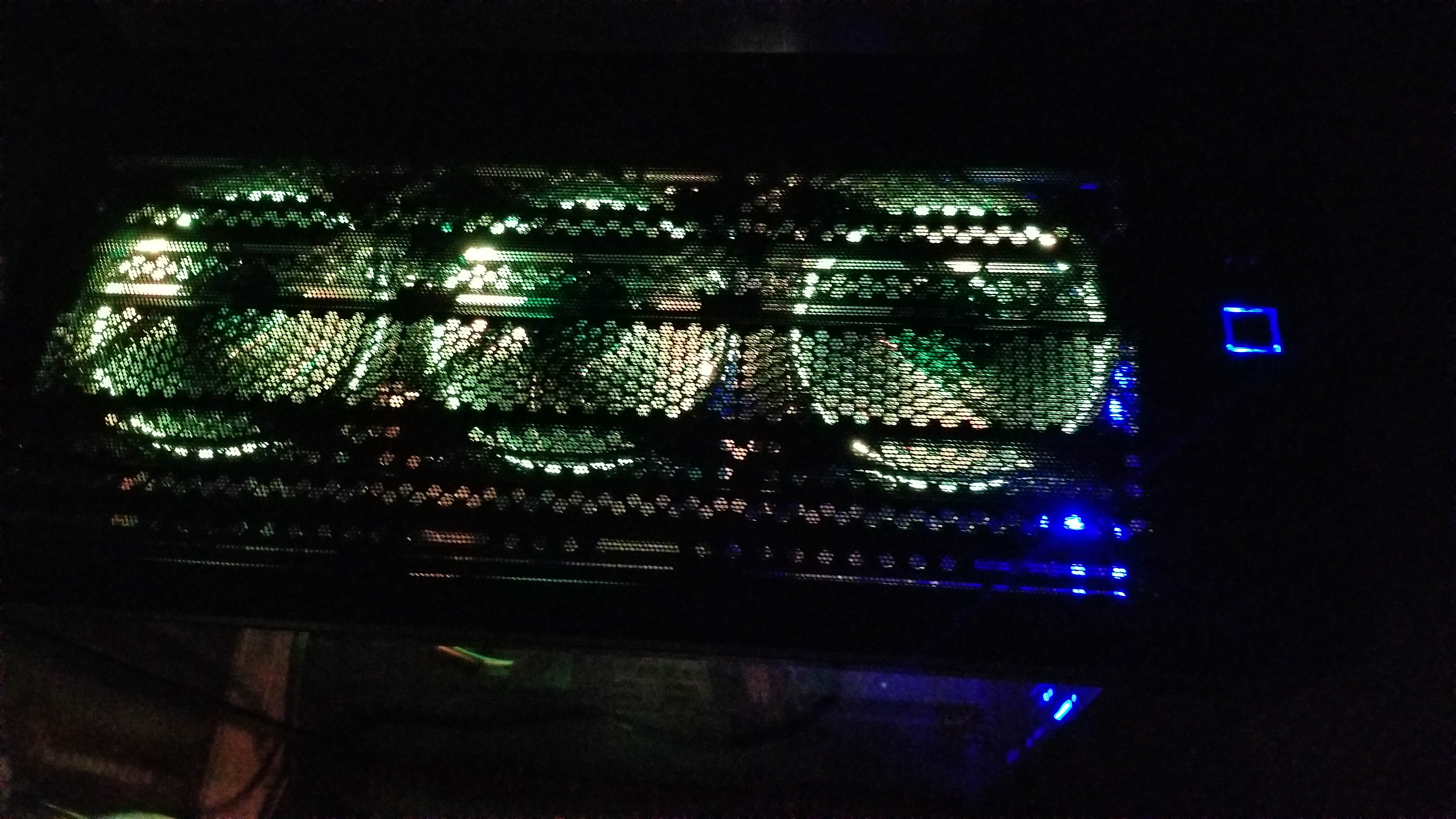
One major feature I love is the magnetic dust screen that lays right on top of the top fans, as this allows you to see the lights from the top. The front panel has vents on the sides to allow air in and is darkened so only the lights show and you don’t see the blades spinning. When I actually started placing things inside, it was nice to see the motherboard stand-offs were pre-installed for an ATX motherboard, and the front panel cables were already tied down and managed. There were plenty of holes and places to put cables and loop things through. Even with a crowded system and every port filled, you should be able to find plenty of areas to manage cables neatly. There is also an option to have your CPU face towards the case for those with custom GPU coolers.
The front panel features a clean and sleek blue-lit square power button, a smaller reset button, an HDD LED, two USB 3.0 ports, and two USB 2.0 ports, as well as a microphone and headphone jack. This was a huge plus over my last case, which only had two USB 3.0 ports up front.
Overall, the case is just slick, clean, and tidy, and it looks high-end and professional for a reasonable price. I do have a few minor issues, such as the fact that there are not six HDD trays, so you can have three up front and three in the back. I’m actually contacting Thermaltake right now to see if I can have more sent to me. Some additional trays would have been nice. People who don’t use AIO liquid cooling systems will find the big empty area on the right to be an eyesore (I don’t mind it). It does not come with a PCI-E ribbon cable for the GPU stand-off. It also lacks more fans, pre-installed RGB or not. What do you get? However, the case is fantastic, and I don’t think I’ll be swapping it anytime soon.
I love adventure games as they tell incredible stories with such detail that most other games can’t put out. They put action and gameplay on the back burner to bring the story upfront and into your face. They are typically slow-paced and keep you hooked with interesting characters, settings, and atmosphere. Night in the Woods is about a cat named Mae who drops out of college and comes back to her hole-in-the-wall town to hang with friends and discover a mystery plaguing her town.
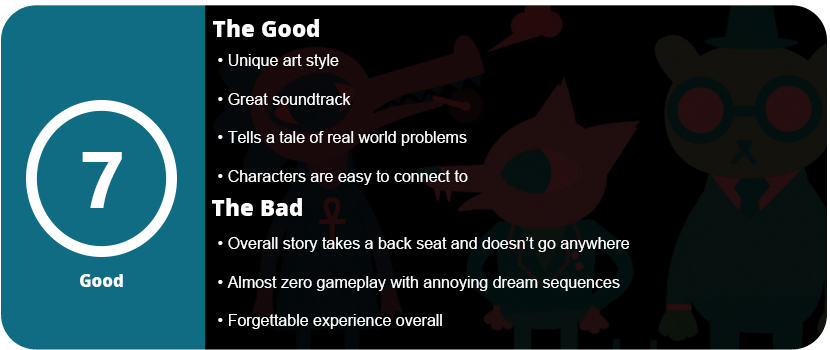
The game starts out fine with several scenes of character introductions and plot setting. Mae meets up with her four friends, and each day goes by with several activities such as talking to people, attending band practice (complete with a rhythm mini-game), and checking your laptop. This is fine and all, but this dragged on for way too long. Several days went by, and almost nothing happened outside of character development. The game talks about the real-life struggle of today’s younger generation (Millenials) and the day-to-day lives of lower-middle-class Americans. The game is set in a cartoony paper cut-out style but set in real-world problems that are very unique and interesting. I really connected with the characters, and their problems were genuine and real, but I wasn’t sure if I was playing a game sometimes.
Each night you go to sleep (after several days go by), you are presented with the only real gameplay here, which is annoying platforming on confusing “maps” to find four band members to complete the dream sequence. You go through five of these maps, and they are boring, a chore to navigate, and feel like forced gameplay. Outside of these sequences, there’s nothing but text and story. I really think this should have been a visual novel or just an animated cartoon rather than a game.
The actual relevancy of the title only comes into play during the last half-hour of the game, and it’s forgettable and almost feels forced compared to the day-to-day struggles of the characters, which are more interesting. I like how the game is written and the characters it portrays, but if you’re going to make this a game, actually give me a game to play. I started getting bored towards the end and just wanted the entire game to end.
That’s not to say I didn’t enjoy this game, but the praise it is given is a little ridiculous. It doesn’t do anything special in its own genre, and as a game itself, it’s barely that. I can only recommend this game to hardcore adventure game or visual novel fans who are okay going through hours of text and dialog with almost zero gameplay. It’s a great time killer and a fun way to burn away a lazy weekend afternoon, but nothing more than that, and there is no memorable story to care about from this.
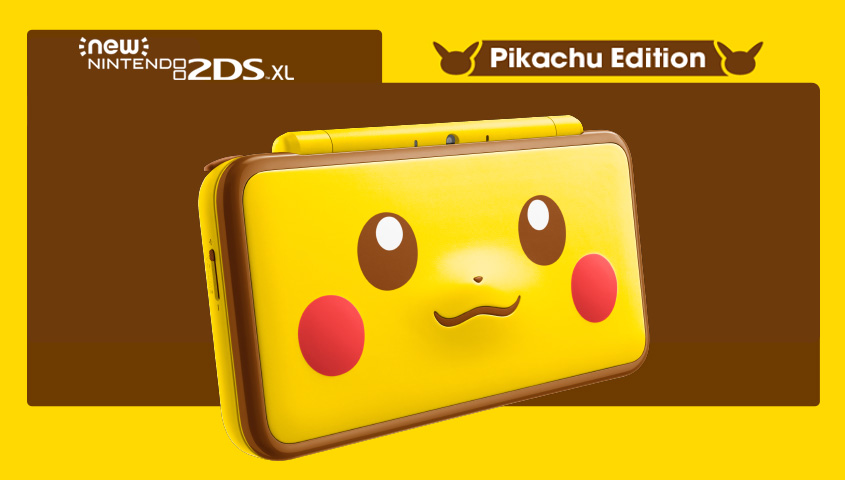
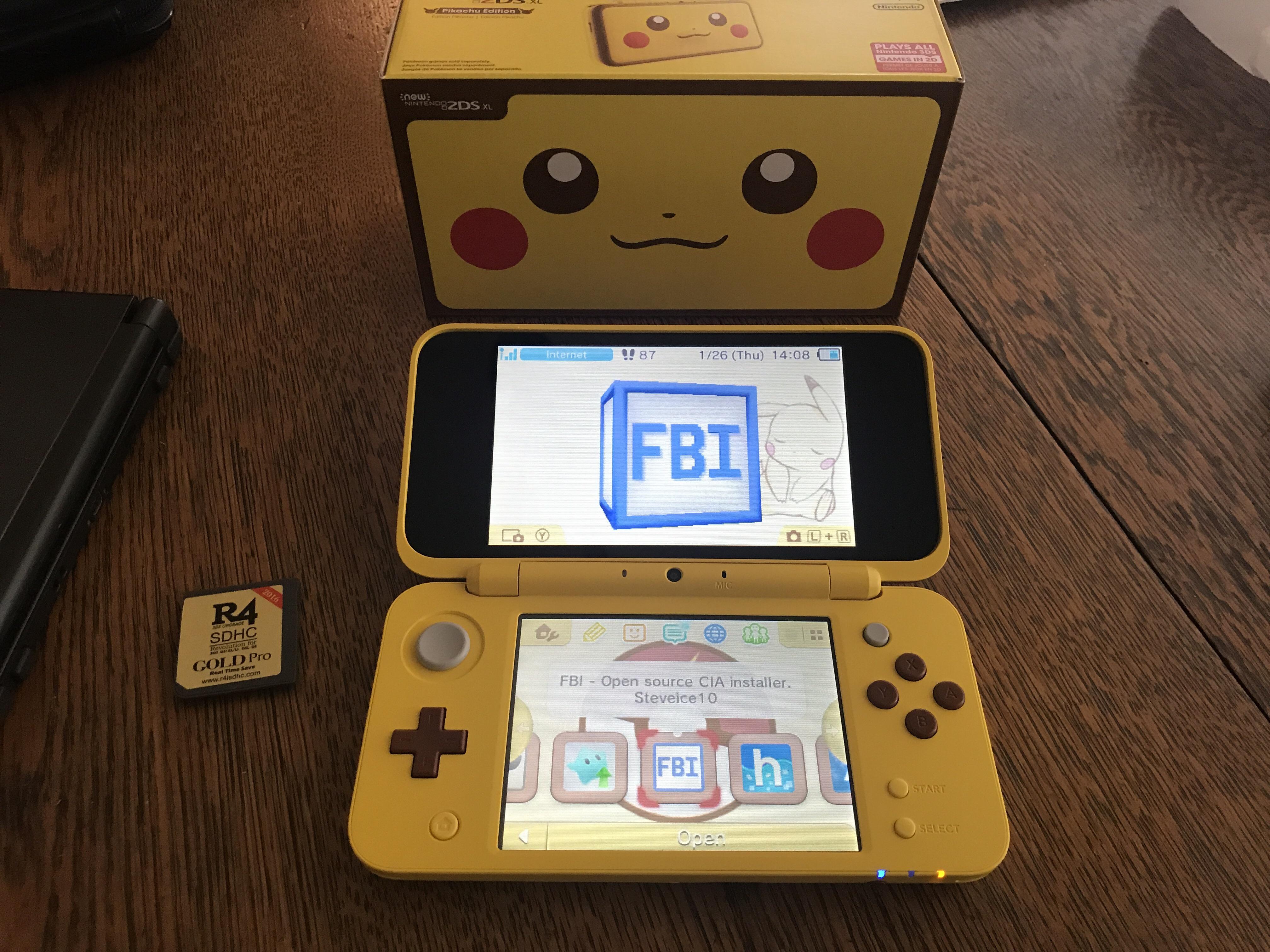
Oh, Pikachu, you’re so cute and cuddly and one of the most recognized characters in entertainment history. Nintendo sure does plaster your cute yellow face all over their consoles, and the 2DS XL version is the best yet. Nintendo went all out and went simple: just stick to Pikachu’s. With a raised 3D nose and cheeks on the top lid and lightning yellow all around, the system gives it a simple, minimal design and isn’t so over the top that it looks like a child’s toy. This is a nice, elegant way to show your love for Pikachu and Pokemon in general.
As for the system itself, this is Nintendo’s latest iteration of its 3DS hardware, which has undergone some drastic changes. Just like its DS cousin, the 3DS went from small to big to new over the last several years. We saw the original 3DS turn into the 3DS XL, which was expected as the DSi XL was a huge deal back in the day. Then we got a weird 2DS system that stripped away the foldable efficiency and the 3D model. So people were left wondering if it was an all-new system and if there were 2DS games just for the system. Then came the New Nintendo 3DS and XL, which was the best version yet as it included a C stick for camera control, better screens, sound, and overall design. So, here we are at the end with the New 2DS XL, which is a much lighter and slimmer version of the New 3DS XL, just without the 3D effect.
Honestly, I hesitated on the 2DS XL as I love my 3D effects, but as I play more and more games, I realize there are very few that utilize this feature well, and it just turned into a huge gimmick. The 2DS XL also has better-looking screens, a more comfortable form factor, and the weight was cut down. The New 3DS XL was a heavy beast and would leave hand cramps just for the sheer weight pulling on your wrist. The 2DS XL just feels so good in the hands and feels more sturdy. The 3DS XL had issues with loose hinges, weird-feeling buttons that kind of felt loose, and an overall clunky design despite looking nice. The 2DS XL has great-feeling buttons, with the shoulder buttons having nice soft clicks and the face buttons having small hard clicks, and it’s just a good system to play for long periods of time.
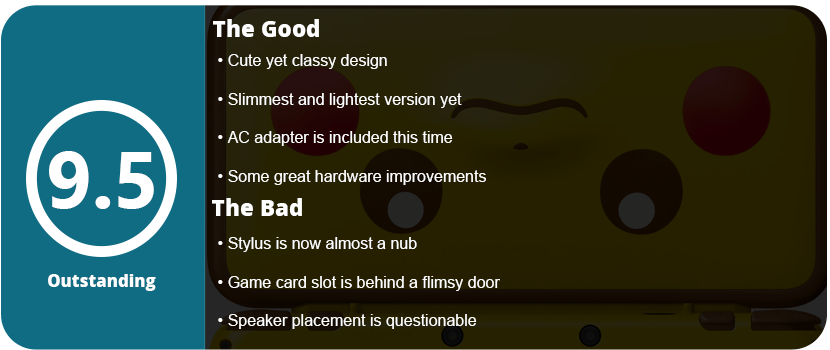
There were some things moved around, and not all of them were good. The stylus was shortened by half and has a weird tab that allows you to prop it up next to the headphone jack. The top of the stylus is curved in the same shape as the DS, almost like it was an afterthought. The game card access is now behind a door, which worries me as these things break over time. At least the SD card is here too, instead of behind a panel you have to unscrew like the New 3DS XL. The speakers were moved to the outer bottom edge, where the card slot has little slits, rather than on the top screen. It seems to sound better and a little clearer, but the location means it will get muffled when playing if you aren’t careful. The volume slider is now on the left side on the bottom half rather than on the top screen like before, and obviously, the 3D slider is absent.
Software-wise, nothing is new here. It’s just the same as the new 3DS XL, and that’s perfectly fine. There are no new additions to the firmware or anything special for this system except the exclusion of any 3D stuff. The system also includes the AC adapter, which is strangely missing from the new 3DS XL systems, so that’s a plus. Overall, the New 2DS XL is the definitive version of the system and cuts out all the experimentation and issues that were found in the earlier versions. If you like your 3D effects, then the New 3DS XL is your system, but if you don’t care, this is definitely it, Pikachu or not.
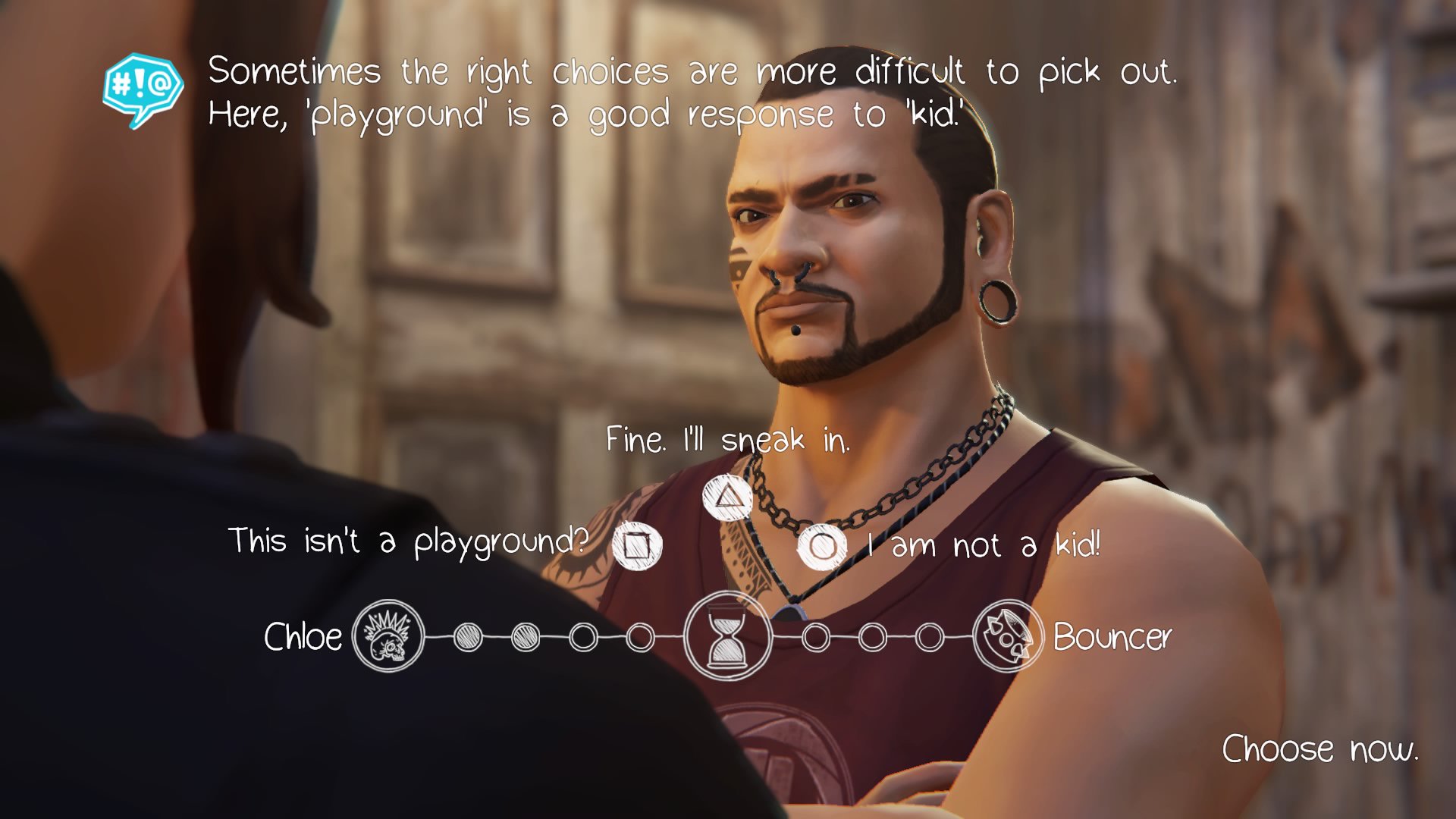
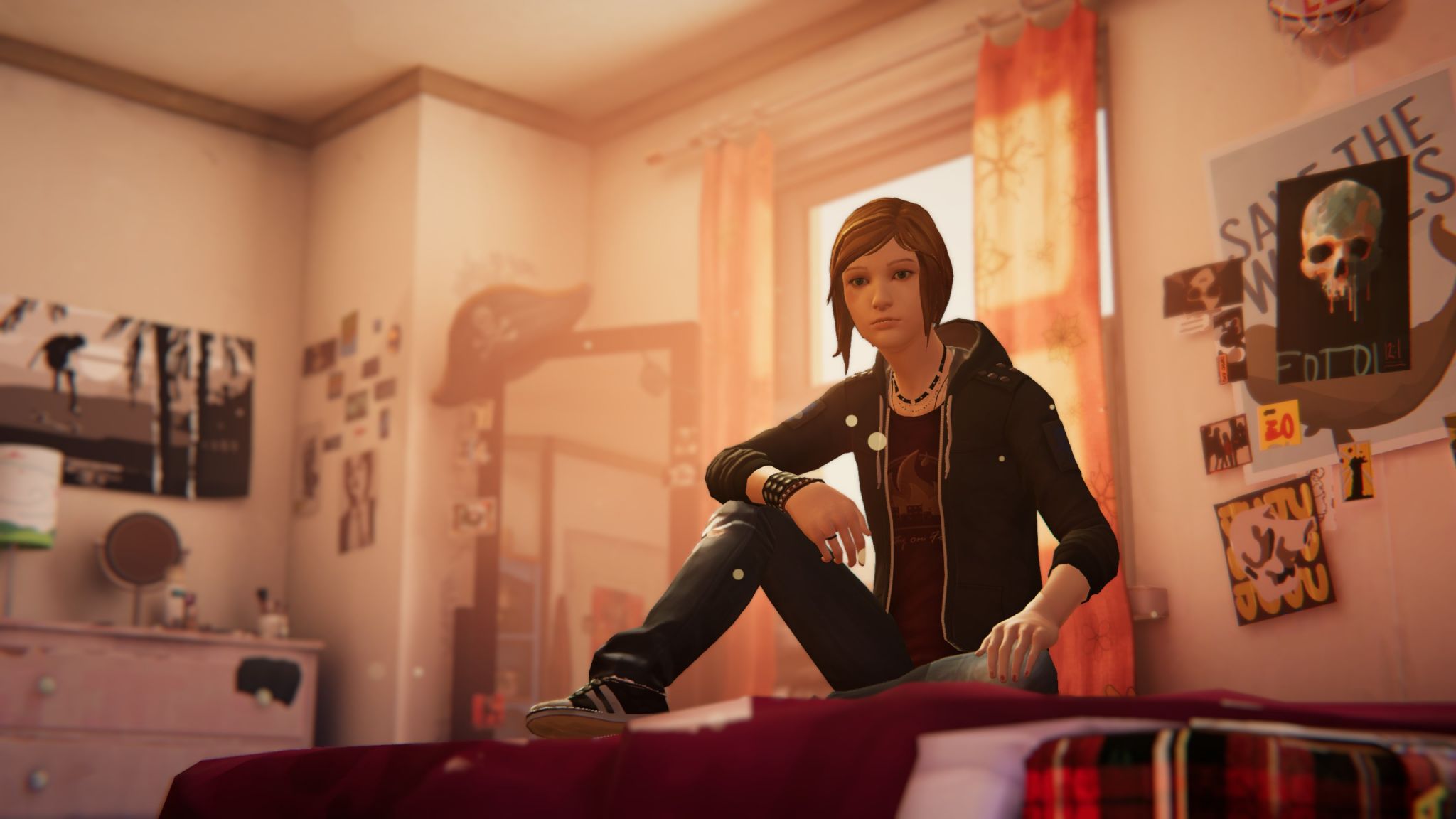
Life is Strange is one of my favorite games of all time and one of my top adventure games. The atmosphere, music, characters, writing, and story all made me feel nostalgic to be a rebellious teenager again, and it seriously sparked my imagination long after I finished playing it. Before the Storm pulls us back to Arcadia Bay as Chloe Price and helps us see who Chloe really was before the events of the first game.
We also get to see who Rachel Amber really was to Chloe, as this was a huge mystery in the first game that wasn’t fully explored. Rachel helped shape who Chloe was in the first game, and she had a huge impact on her life, albeit a short-lived one. We also get to see the formation of the people around Chloe in the first game, such as her parents and some schoolmates. Before the Storm still captures that teenage nostalgia of being free and not having to worry about the stresses of adult life such as bills, cars, a job, and food. All we had to worry about was our feelings and friendships, which are probably the most cherished parts of our lives.
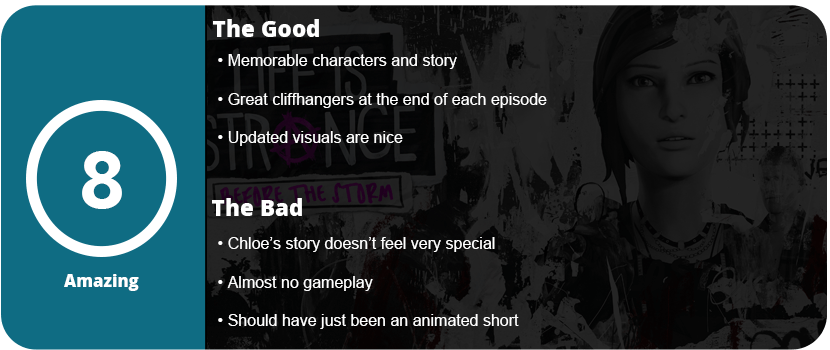
What the game fails to capture, however, is the great pace and actual gameplay of the first game. Before the Storm is very slow to start and to pick up and was almost boring for the first hour, and without the gameplay quirks of the first game, all you have is an adventure game with very few decisions to make. Most of BtS is just watching events unfold and clicking on objects. So gameplay takes a backseat, and the story kind of did too. The characters are still as strong as ever, but there’s just not much to build here, as Chloe’s life before the first game was fairly generic and not much different from most teens’ troubles.
Each episode did tend to leave a cliffhanger somehow, and I wanted to know what was going to happen next, but there was a lot of filler content, and most of the actual events that involve the first game are far and few between. If you never played the first game, this would actually be quite a boring and generic adventure game with no meaning. I could have easily settled on this game being just a one-hour animated movie to fill us in on Chloe’s earlier years.
At least the visuals were slightly upgraded with some better lighting, but overall, it’s a seriously dated game that all adventure games have seemingly been doing. I can only recommend this game to anyone who finished the first game, but don’t expect a tear-jerking and emotional roller coaster like it provided. You’ll sit through a few heartfelt moments and some laughs, and that’s about it.
The Galaxy Tab S2 was the best tablet I have ever owned. It’s sleek, powerful, includes a familiar Samsung Android OS, has a beautiful screen, and I never had a single issue with the tablet. That was three years ago, and I felt it was time to upgrade. While I understand that the Tab S3 isn’t the dramatic change that the S2 was from the original Tab S, to me at least, it’s a marginal difference to justify an upgrade, especially if you are growing tired of your S2 or realize, like I did, that Samsung is no longer supporting it.
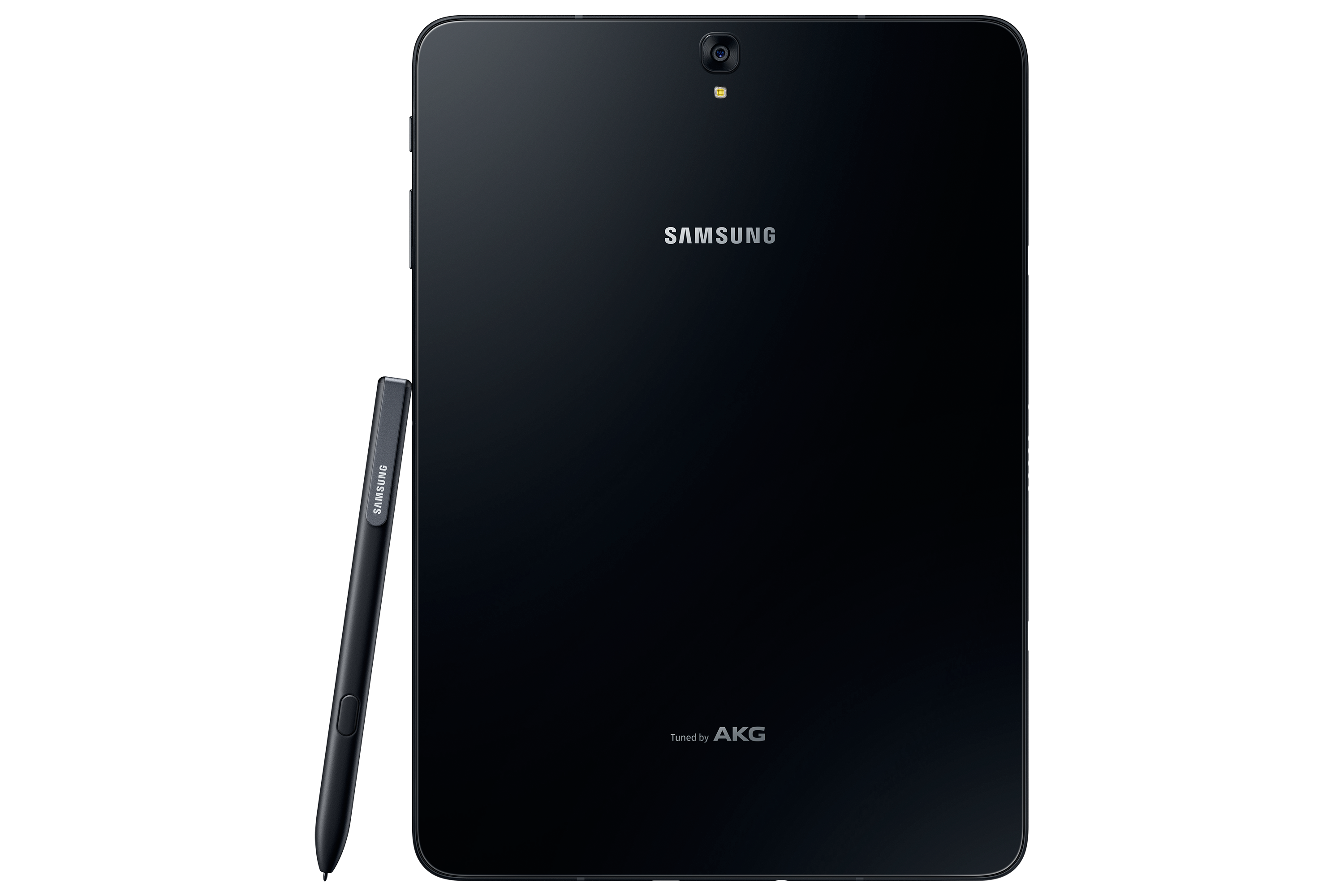
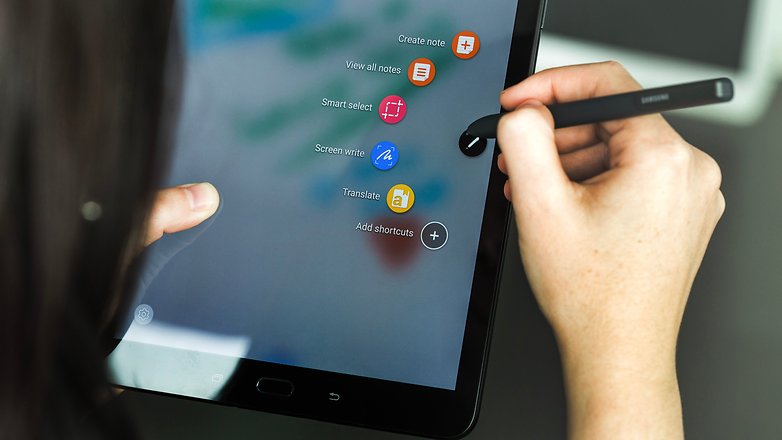
When I took the tablet out of the box, the differences were noticeable right away. While it’s shaped the same way, is the same size, and looks familiar, it’s made completely out of glass, so that plastic feeling is gone. It’s also half the weight and thickness of the S2, which is insane as the S2 was the thinnest tablet around for the longest time. The Tab S3 also includes the S Pen for the first time since the Note 10.1 tablet. The S Pen is large and full-sized, unlike the pens for the Note phone series, and it doesn’t go into the tablet. This is a bit of an issue because you always have a loose pen floating around unless you buy a case for the tablet that can hold the pen.
Once I turned on the tablet, it was a familiar experience. The Nougat OS is exactly like the S2, with a few added features. Sadly, I noticed that Samsung themes are absent from this tablet as well and seem to be exclusive to the newer Samsung phones. I did notice that everything ran a bit smoother and was more responsive overall.
The biggest change of all would be the sound and screen. The S3 features four speakers for surround sound by AKG, which sounds fantastic. As I was playing games or watching videos, I could hear the sound differential change with each speaker, which was a huge change from the S2’s stereo speakers. The screen features HDR, which was the first tablet to do so. Watching HDR videos on Netflix or just high-res videos, in general, look fantastic on this screen and almost look better than on Samsung’s high-end phones. I can’t stress enough how great everything looks on this tablet; these two features alone are worth the upgrade.
Let’s get under the hood of this beast. While there are more powerful tablets on the market, the Tab S3 is one of them. The S3 boasts the Snapdragon 820 SOC with a quad-core CPU running at 2.15 GHz. We get 4GB of LPDDR4 RAM and an Adreno 530 GPU. It’s not the biggest leap over the S2, and it disappointed a lot of people, but as a whole, it’s a worthy upgrade and still more powerful than the S2. It has a 13 MP rear camera and a 5 MP front-facing camera, which is just fine. Who really takes photos with their tablet? I took maybe a dozen with my S2 over the last 2 and a half years, and it never got used. Thankfully, the S3 has a flash on the back this time, so your photos will turn out a bit better.
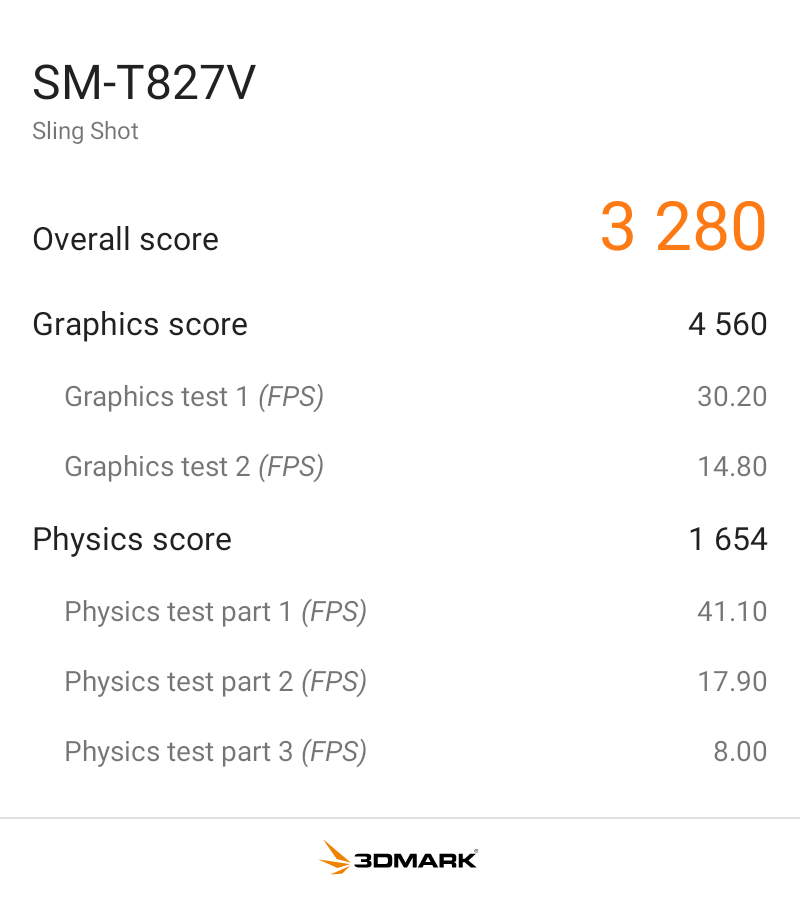
I benchmarked the S3 with 3DMark Sling Shot Extreme, and it did fairly well with the Vulkan and OpenGLES 3.1 APIs. As you can see, when the system is pushed fairly hard, it can maintain a solid 30FPS, so it’s ready for games for the next few years.
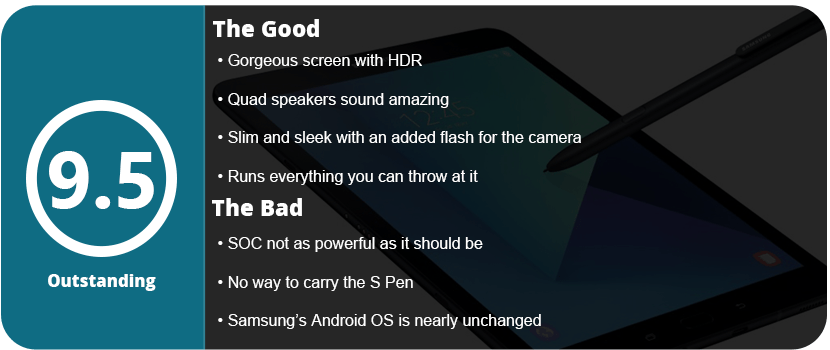
Overall, the Tab S3 is a fantastically powerful and feature-packed tablet. It’s a worthy upgrade from the S2, or if you want an all-new tablet, this is a great one to jump into. With a gorgeous screen, HDR support, a versatile S Pen, quad speakers, and a slim design, there’s nothing wrong here at all. While the SOC isn’t as powerful as I’d have hoped, it’s not enough to deter me from recommending it.
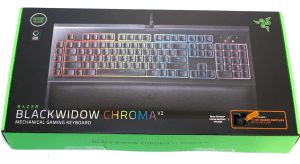
Razer has been the spokesperson for PC gaming hardware for years now, and there seems to be a divide in their products. Some live and die under Razer, and some can’t stand them. I personally have mixed feelings. I’ve only ever used their wireless mice, and I had bad experiences with both. The Razer Mamba cut out constantly, and the material it was made out of slowly fell apart. The Ouroboros was a better-designed mouse, but the laser and software were just plain awful. I then acquired a Razer Firefly mousepad, only to have it die on me in a month. I also owned the Razer Kabuto and Vespula mousepads, only to have both of them slowly disintegrate over the course of a few months. I eventually gave in and bought a Man O’ War headset to be pleasantly surprised by the quality and durability of the product. So, it was time to buy another keyboard, and I realized I had never bought a Razer keyboard before. What could go wrong?
I felt a little lost choosing a Razer keyboard, as there are so many of them. There are the smaller Tournament Editions of the standard keyboards, membrane keyboards, and keyboards with their own version of Cherry keys. I saw mobile keyboards, Chroma keyboards, and licensed keyboards. I started off by knowing I wanted a Chroma keyboard that supported the latest Synapse 3, as I hate Synapse 2 as it is. I had a choice between Blackwidow X and Chroma V2. The Chroma V2 just seemed like a better keyboard all-around, had a wrist rest, and felt better ergonomically.
Once I plugged the keyboard up, I noticed it had three plugs. One for USB passthrough, and then a 3.5mm jack. I didn’t bother with the jack as I have a headset and a speaker and never used standard headphones, but the passthrough was nice. What I do like about Razer products is that you don’t have to go download drivers and firmware updates. Once you plug in your device, Synapse will recognize it and download everything for you. This is one thing Razer has above most other hardware companies.
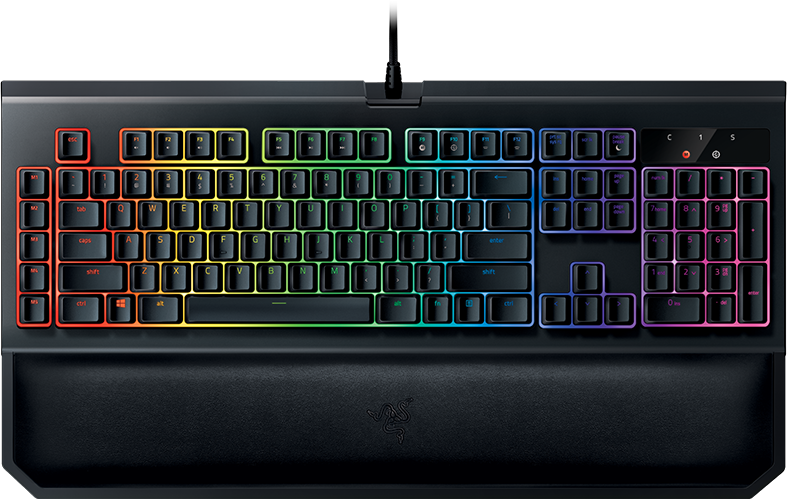
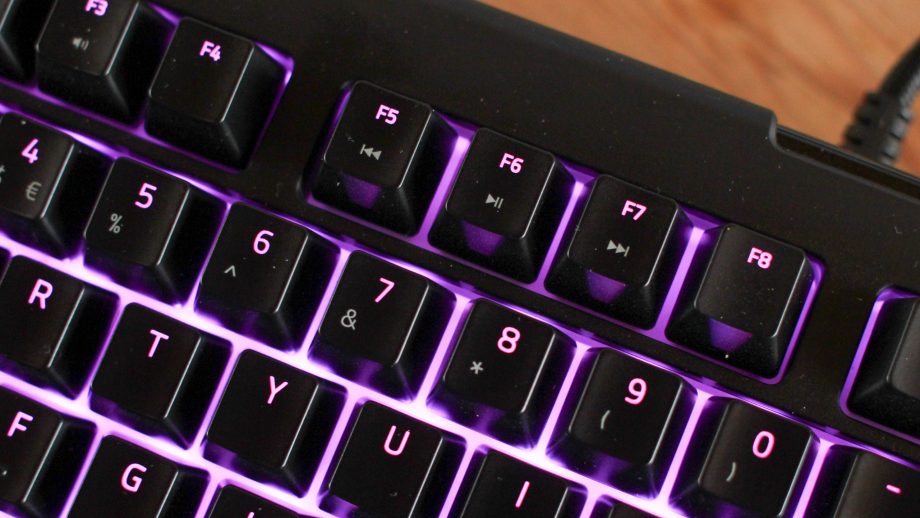
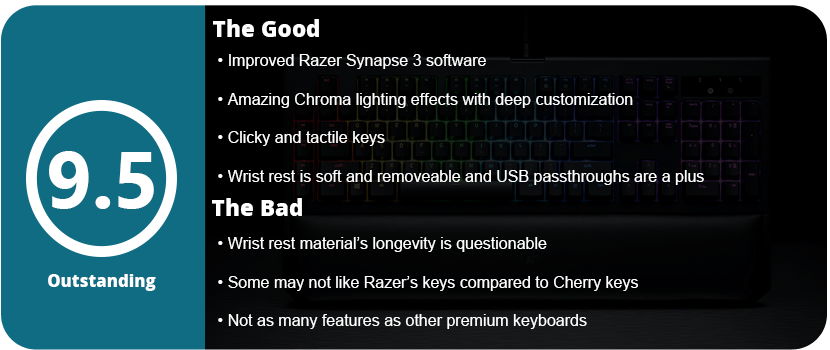
Once I plugged it in and started fiddling with Synapse 3, I was surprised at how much customization the Chroma lights have. You can literally change every key individually, which is amazing and something I have never seen before. Razer really has a leg up in the lighting department over all other keyboards. The standard effects were really nice, with fire being my favorite. Sadly, Synapse 3 is still in beta as of this review, and chromosome profiles cannot be imported. So, for now, you have to make your own. The Chroma V2 doesn’t have insane customization button-wise like other keyboards, but I bought this as I have learned my lesson, and gimmicks on keyboards are mostly useless and just drive up the price. There are 5 macro keys on the side, media controls, an on-the-fly macro recording feature, and a gaming mode that disables the Windows key.
These features are all fine and all I will ever really use. I prefer lighting on keyboards over other features, and this keyboard has all that. Now, as for actually using it, the keys are a little different than what I’m used to. While they are clicky, they don’t require as much force as Cherry keys, and the clearance is higher than standard membrane keys. They are clicky but feel a little soft, which is weird at first. The wrist rest feels nice and soft and is magnetic, so you can just remove it from the keyboard whenever you want. I am going to question the material of the pad, as it feels soft but seems like cheap vinyl that will crack and fade over time.
Overall, the Blackwidow Chroma V2 is a fantastic keyboard and the best one I have owned. It may not have as many gimmicks or features as other keyboards, but its quality and overall usefulness are at the top. From the amazing Chroma lighting to the magnetic wrist rest and great-feeling keys, as well as the USB and 3.5mm passthrough, the Chroma V2 has a few tricks, and I doubt anyone would be disappointed.
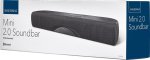
I never knew that mini soundbars existed, and I only came across this as my current PC setup required me to have a low-profile speaker as my monitors take up my entire desk space. I searched around and found this little gem, but I knew it was a risky purchase as, for one, it’s from Insignia, which is known for sub-par products, and the price was surprisingly low. I already knew that without a dedicated subwoofer, this probably wouldn’t sound the best.
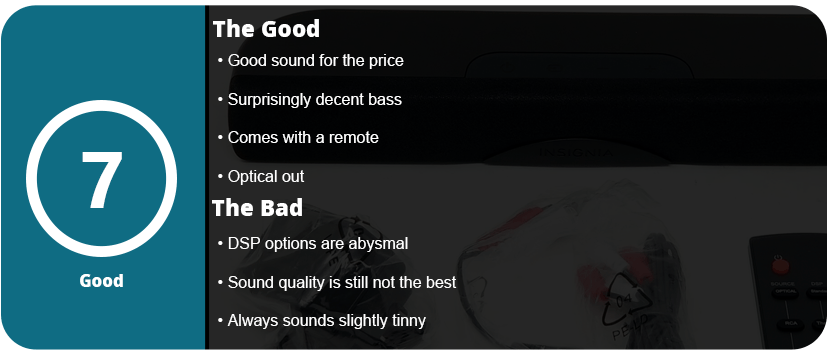
I was actually quite surprised when I plugged everything in. This little guy has both analog and digital output, as well as Bluetooth and even a remote. For starters, stick with digital optical out if you have the ability, as it sounds much better. Second, the DSP installed is awful. Standard is the best, but Theater and News make the soundbar sound like a tinny $5 pair of headphones; it’s just garbage. The soundbar is quite loud and has surprisingly decent bass. I can feel the bass as I type on my keyboard, which is cool.
While the pre-built DSP is awful, any software DSP you use will make this thing sound the same. It’s just not meant to be anything but standard. The quality overall is decent for $40, but it still sounds slightly tinny, and there is no way to adjust the bass or treble. It does its job well, and the games sound fine as well as the music, but if you aren’t short on space, get a full-size PC speaker setup. This would also make a great soundbar for a kid’s room or just for music.
Overall, and for $40, this isn’t that bad of a soundbar. Yes, the DSP stinks, and any form of equalization makes this thing hurt your ears, but it has a remote, does BlueTooth, and has decent bass. I can’t really complain.
For the first time ever, I finally had a chance to build my own gaming PC the way I wanted. Building gaming PCs isn’t cheap, and I don’t just go for budget builds. I get the latest and greatest, or not at all, because I want to future-proof my system and I want quality products. Searching for a motherboard started with the first priority of having a wireless LAN, as nothing in my house is connected through a wired LAN to save on cable space. I also wanted to acquire everything at my local Fry’s Electronics, and this was the only 300 series motherboard with wifi. The price was a little more than I wanted to spend, coming in at $200, but this motherboard boasts a plethora of features, some of which I will probably never use.
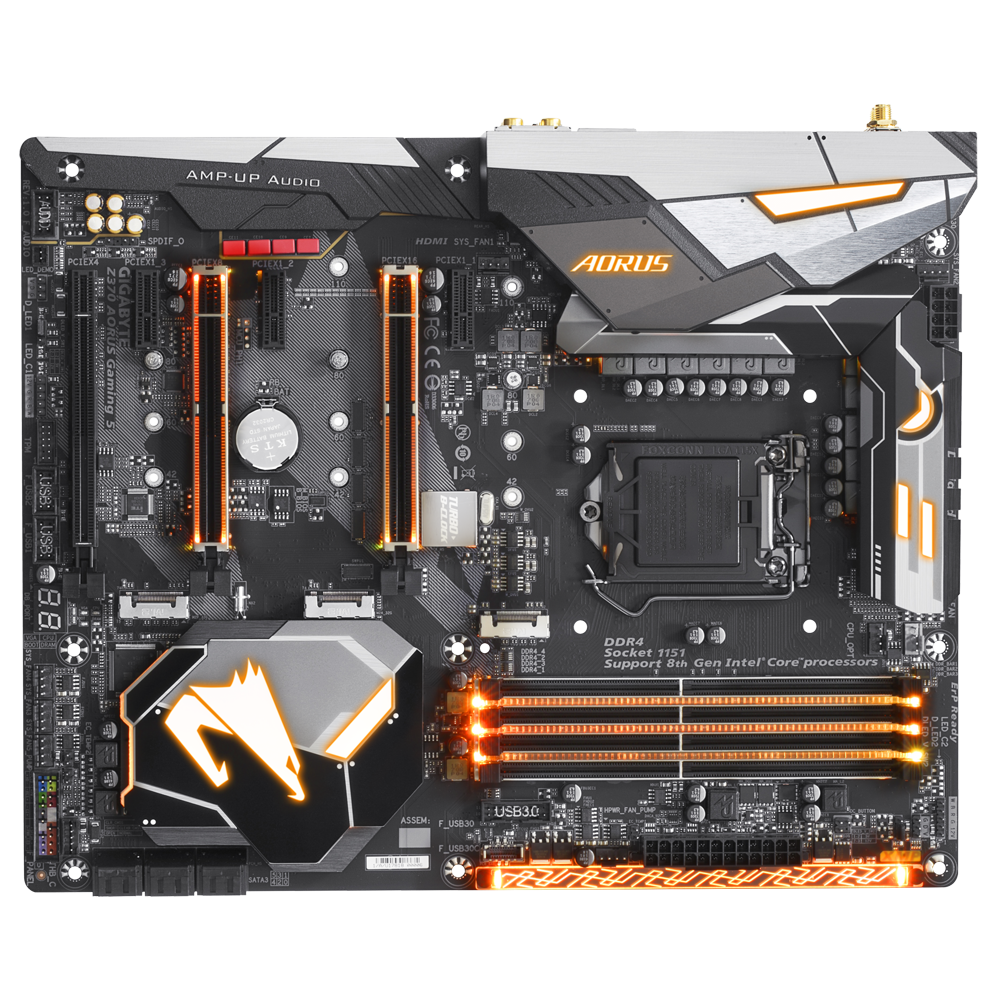
Let’s start out with just how it looks. This is a sexy motherboard with raised accents, gorgeous lighting, and a sleek layout of all ports and plugs. As I started slapping in my parts, the first of which is the CPU, and then bolting it to the tower, I started noticing just how much was on this thing. From the top of my head, there are 6 SATA ports, 3 M2 PCI-E ports, several fan ports, temperature, USB headers, RGB ports, 2 16x PCI-E 3.0 ports, and 3 PCI-E x4 ports. There’s enough here for a powerhouse of a system, and I loved putting this thing together.
All of my fans were able to plug into the same row, which was nice, but the SATA ports being right on top of each other caused retention clamps to get in the way, and it was a bit of a struggle. When I installed my Intel Optane M2 card, I noticed the M2 lanes disabled two whole SATA ports each. With this installed, I’m limited to only 4 SATA ports, and if I wanted to put an M2 SSD in here, it would drop me down to 2 SATA ports. This is an unfortunate thing, but most people won’t be using M2 ports anyway.
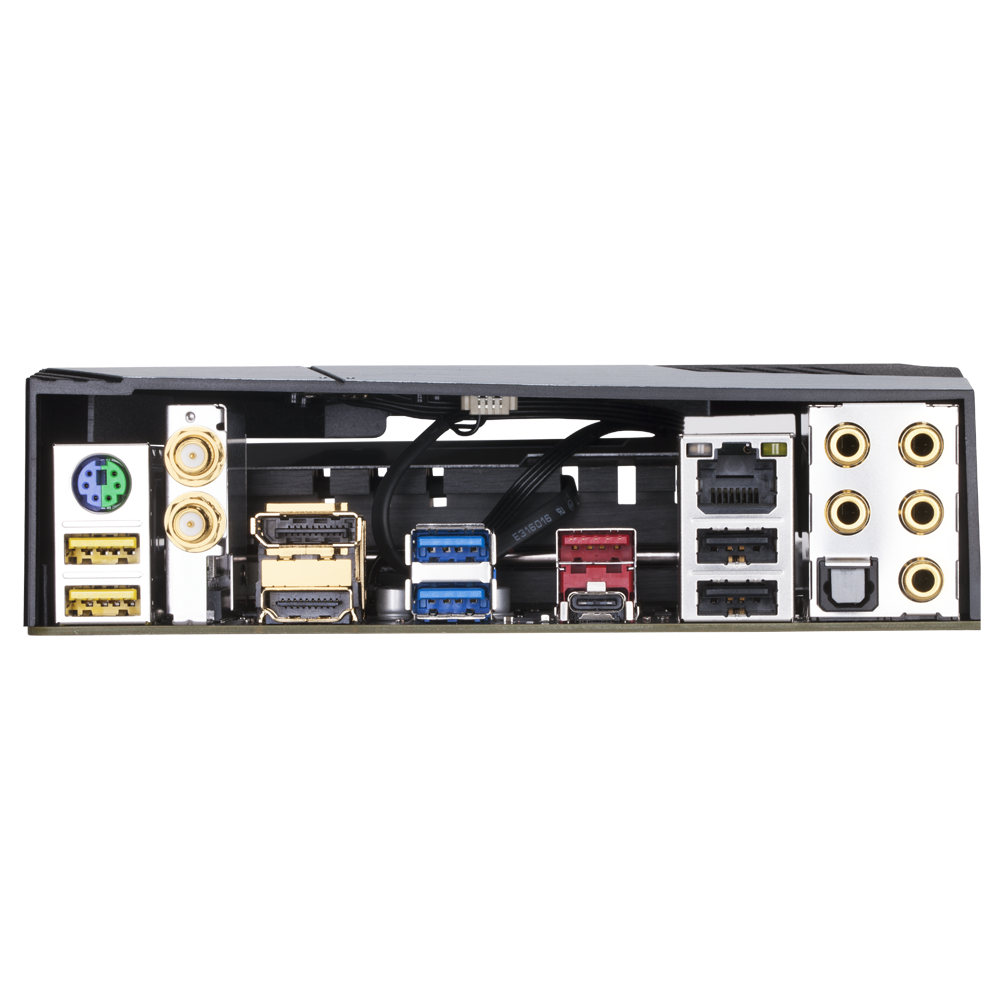
The back of the motherboard features a decent array of ports, such as USB 3.1, which I honestly don’t know what supports that, HDMI, a display port, USB-C, 7.1 audio jacks, 2 wifi antenna coaxial ports, 2 USB 3.0, 2 USB 2.0, and LAN. It’s not the largest motherboard input setup, but it’s enough to get the job done. If you need more USB ports, most cases come with front USB headers, or you can buy a 5.25″ USB bay drive or even a PCI-E USB card. I could also go on about the black caps, audio capacitors, and all that boring stuff, and to be honest, it means nothing to me. I know it means the board will last longer and won’t be subject to power issues, but most newer motherboards have all these features.
There’s also a dual BIOS feature for overclockers and various fail-safes in the software. There’s a quick flash feature, and you can even restore the BIOS to default settings if an OC goes belly up. Once you get into Bios itself, there are so many options that I don’t know where to start. The M.I.T. is your first screen, and unless you have a K-series CPU, there’s nothing much for you to do here as it’s all for overclocking. You can change the BLCK clock, startup speed, change the integrated graphics speed and splice it, and various other features. I have the non-K 8700, so I couldn’t use most of this.
There are sections to overclock your RAM, which is actually quite complicated, plus various other settings that allow you to change the basic RGB lights, wake devices, and other little minor settings. What’s nice is that there is an easy mode that displays just the basics and what most people will use. You can even access Speed Fan 5 and change all your fan settings right in the BIOS. It’s rather robust, but it’s very basic-looking and rather bland.
Gigabyte boards come with loads of software, and to be honest, they aren’t that great. They feel outdated and basic, and some don’t even work. There’s a Gigabyte App Center, which I actually like as it detects updates for all of your drivers, but there are so many apps, and most of them I found useless. I wanted to be able to use the 3D OSD, which is a customizable OSD for various information that you can select, but I couldn’t get it to appear on screen in any game. There are various cloud storage apps that I found pointless, power management, and EZ Tune, which allows you to OC your CPU and RAM from within Windows, which was pretty handy, but it’s very basic and doesn’t have the details that the BIOS had. You can flash the BIOS and even export and import straight from the app; you can change the USB DAC, EZ RAID setup, GPU tuner, which is basic, and Smart HUD, which I couldn’t even figure out how to use.
There are a couple of neat apps, such as TimeLock, which allows you to set timers to lock down your computer or shut it down. There’s an app that allows you to backup files and recover them, which is pretty cool and useful; however, there are better-dedicated programs out there for that. SIV is the System Information Viewer, which allows you to control your fans with Smart Fan 5. I just set this to performance and let it go, as it did its job well. You can click on each fan in your system and set it to auto-stop or change its various speeds. There is a game boost app and an app that allows you to upload files from your phone, control your computer from your phone, and even OC remotely. The app is awful, feels like it was made 7 years ago, and seems pretty useless. There’s a BIOS fast boot feature and a blue light killer that would completely mess with your picture setup, and that’s about it. I kept maybe five of the dozen or so apps. This is an overly bloated software suite that needs serious updating and trimming.
This motherboard has a plethora of features and so many options for overclockers and anyone wanting to fine-tune their BIOS and control all of their hardware. The bloated and dated software is a huge disappointment, but there are a few gems in there, for sure. Having the M.2 slots take up 2 SATA lanes each is disappointing, and there aren’t as many rear ports as most people would like, but the addition of wifi and built-in lighting make up for it in the long run.
Specs:
Support for 8th Generation Intel® Core™ i7 processors/Intel® Core™ i5 processors/ Intel® Core™ i3 processors in the LGA1151 package
L3 cache varies with CPU
(Please refer “CPU Support List” for more information.)
Chipset
Intel® Z370 Express Chipset
Memory
4 x DDR4 DIMM sockets supporting up to 64 GB of system memory
Support for 11ac wireless standard and up to 433 Mbps data rate * Actual data rate may vary depending on environment and equipment.
Expansion Slots
1 x PCI Express x16 slot, running at x16 (PCIEX16) * For optimum performance, if only one PCI Express graphics card is to be installed, be sure to install it in the PCIEX16 slot.
1 x PCI Express x16 slot, running at x8 (PCIEX8) * The PCIEX8 slot shares bandwidth with the PCIEX16 slot. When the PCIEX8 slot is populated, the PCIEX16 slot operates at up to x8 mode.
1 x PCI Express x16 slot, running at x4 (PCIEX4) * The PCIEX4 slot shares bandwidth with the M2P_32G connector. The PCIEX4 slot operates at up to x2 mode when a PCIe SSD is installed in the M2P_32G connector.
3 x PCI Express x1 slots * The PCIEX1_3 slot shares bandwidth with the SATA3 1 connector. When the PCIEX1_3 slot is populated, the SATA 3 1 connector becomes unavailable. (All of the PCI Express slots conform to PCI Express 3.0 standard.)
Storage Interface
Chipset:
2 x M.2 connectors (Socket 3, M key, type 2242/2260/2280/22110 SATA and PCIe x4/x2 SSD support) (M2M_32G, M2A_32G)
1 x M.2 connector (Socket 3, M key, type 2242/2260/2280 PCIe x4/x2 SSD support) (M2P_32G)
6 x SATA 6Gb/s connectors
Support for RAID 0, RAID 1, RAID 5, and RAID 10 * Refer to “1-8 Internal Connectors,” for the installation notices for the M.2 and SATA connectors.
Intel® Optane™ Memory Ready
Multi-Graphics Technology
Support for NVIDIA® Quad-GPU SLI™ and 2-Way NVIDIA® SLI™ technologies
Support for AMD Quad-GPU CrossFire™ and 3-Way/2-Way AMD CrossFire™ technologies
USB
Chipset+ASMedia® USB 3.1 Gen 2 Controller:
1 x USB Type-C™ port on the back panel, with USB 3.1 Gen 2 support
1 x USB 3.1 Gen 2 Type-A port (red) on the back panel
Chipset:
1 x USB Type-C™ port with USB 3.1 Gen 1 support, available through the internal USB header
6 x USB 3.1 Gen 1 ports (4 ports on the back panel, 2 ports available through the internal USB header)
6 x USB 2.0/1.1 ports (2 ports on the back panel, 4 ports available through the internal USB headers)
Internal I/O Connectors
1 x 24-pin ATX main power connector
1 x 8-pin ATX 12V power connector
1 x CPU fan header
1 x water cooling CPU fan header
4 x system fan headers
1 x 3 Amp fan/water cooling pump header
1 x system fan/water cooling pump header
2 x digital LED strip headers
2 x digital LED strip power select jumpers
2 x RGB (RGBW) LED strip headers
3 x M.2 Socket 3 connectors
6 x SATA 6Gb/s connectors
1 x front panel header
1 x front panel audio header
1 x S/PDIF Out header
1 x USB Type-C™ port, with USB 3.1 Gen 1 support
1 x USB 3.1 Gen 1 header
2 x USB 2.0/1.1 headers
1 x Trusted Platform Module (TPM) header (2×6 pin, for the GC-TPM2.0_S module only)
1 x Thunderbolt™ add-in card connector
1 x Clear CMOS jumper
2 x temperature sensor headers
Back Panel Connectors
1 x PS/2 keyboard/mouse port
2 x SMA antenna connectors (2T2R)
1 x DisplayPort
1 x HDMI port
1 x USB Type-C™ port, with USB 3.1 Gen 2 support
1 x USB 3.1 Gen 2 Type-A port (red)
4 x USB 3.1 Gen 1 ports
2 x USB 2.0/1.1 ports
1 x RJ-45 port
1 x optical S/PDIF Out connector
5 x audio jacks (Center/Subwoofer Speaker Out, Rear Speaker Out, Line In, Line Out, Mic In)
I/O Controller
iTE® I/O Controller Chip
H/W Monitoring
Voltage detection
Temperature detection
Fan speed detection
Water cooling flow rate detection
Overheating warning
Fan fail warning
Fan speed control * Whether the fan (pump) speed control function is supported will depend on the fan (pump) you install.















































































































 thebinarymessiah.com
Try multiplayer. A lot of fun !