• About
    • BinaryMessiah
    • Game Collection -BinaryMessiah-
  • Guides
  • Blogs
    • FAQs/Walkthroughs
      • Mortal Kombat (Vita)
      • Mortal Kombat: Deception/Unchained
      • Syphon Filter: Dark Mirror
      • Syphon Filter: Logan’s Shadow
  • Games
    • PC Reviews
      • Mac
      • Steam Deck Verification
        • Steam Deck Verified
        • Steam Deck Playable
        • Steam Deck Unsupported
        • Steam Deck Unknown
    • Microsoft Consoles
      • Xbox One
      • Xbox Series X|S
    • Nintendo Consoles
      • Switch
    • Sony Consoles
      • PlayStation 5
      • PlayStation 4
    • Mobile Reviews
      • Android
      • iOS
    • Retro Consoles
      • Nintendo
        • Game Boy
        • Game Boy Color
        • Nintendo 64
        • Game Boy Advance
        • DS
        • 3DS
        • Super Nintendo
        • Gamecube
        • Wii
        • Wii U
      • Sony
        • PlayStation (PS1)
        • PlayStation 2
        • PlayStation 3
        • PSP
        • PlayStation Vita
      • Sega
        • Sega Master System
        • Sega Genesis
        • Sega 32X
        • Sega CD
        • Sega Saturn
        • Sega Dreamcast
        • Game Gear
      • Microsoft
        • Xbox
        • Xbox 360
      • SNK
        • Neo Geo Pocket
        • Neo Geo Pocket Color
      • NEC
        • TurboGrafx-16/PC Engine
        • TurboGrafx-CD/PC Engine CD
      • Nokia
        • N-Gage
      • Bandai
        • WonderSwan
        • WonderSwan Color
  • Game of the Year Awards
    • 2025
    • 2024
    • 2023
    • 2022
    • 2021
    • 2020
    • 2019
    • 2018
    • 2017
    • 2016
    • 2015
    • 2014
    • 2013
    • 2012
    • 2011
    • 2010
    • Retrospective Round-Up
      • Retrospective: 2009
      • Retrospective: 2008
      • Retrospective: 2007
  • Gadgets
    • Reviews
  • Comics
    • Avatar Press
    • Boom! Studios
    • Dark Horse
    • DC
    • Dynamite
    • IDW Publishing
    • Image
    • Markosia Publishing
    • Marvel
  • Book Reviews
  • Interviews

Batman: Arkham Knight

Posted by BinaryMessiah on 08/03/2015
Posted in: Microsoft Consoles, Nintendo Consoles, PC Reviews, PlayStation 4, Sony Consoles, Steam Deck Verification, Steam Deck Verified, Switch, Xbox One. Tagged: arkham knight, batman, comic, dark knight, DC, directx 11, interactive, issues, nvidia, pc, performance, rainworks, rocksteady, smoke and fog, super hero, warner bros. Leave a comment

Publisher: Warner Bros Interactive

Developer Rocksteady

Release Date: 6/23/2015


Available On


The Batman Arkham games are some of the greatest things to grace the video game industry in the past decade. With the most advanced combat system since God of War, and not to mention the best superhero video game series ever made, Arkham Knight continues this trend. While Origins was a bit of a snag, I don’t count it as part of the Arkham trilogy. Arkham Knight is another masterpiece that any Batman fan will love.

Scarecrow and the new Arkham Knight are the main villains in this game, but don’t worry, there’s plenty of Joker as well, despite being dead. Joker is a manifestation in Bruce’s mind, and he constantly appears everywhere, putting his two senses into everything Batman does. It’s great to hear him again. Arkham Knight is also probably the best-structured Arkham game yet. Instead of a hodgepodge of little repetitive missions everywhere, the game has a Most Wanted mission wheel. Known Batman villains are to be stopped and captured through mission branches that are a blast. Firefly, Penguin, Two-Face, and various other villains have their own little subplot. This brings Arkham Knight to a meaty and well-balanced mission structure that the game desperately needed. The only other side things you can perform are AR missions that include fight and batmobile challenges and Riddler trophies. Oh yeah, I said Batmobile.

1280x720-cnm

It’s finally here! The one and only Batmobile. It plays just like you think, controls like you think, and is as badass as you think. The batmobile can transform into a tank, allowing you to engage in battles with enemy tanks, but the best use of the batmobile is puzzles. Sadly, the tank battles are probably the worst thing in the game. While they work, they are the same thing over and over and over again; nothing changes. Enemy tanks will have a white line go across the screen, showing the trajectory of their shot. This allows you to dodge enemy missiles and shots. That’s great and all, but why does combat have to be this slow? Towards the end, the battles just get bigger with 50+ tanks in one area; that’s not exactly fun in my book. While the tank battles aren’t very frequent, they are happening often enough for you to sigh and wish it was over. As for the puzzle-solving, the Batmobile fits better here. Using the power wrench to crawl the downsides of buildings, using the wrench to power things up, ejecting out of the Batmobile to glide into a tunnel. All of this feels just like in the movies and comics; there is no disappointment there.

Combat has been perfected in Arkham Knight with added moves to make an extremely complex fight system that is so simple to learn. Outside of the counter system that we are all used to, new knock-out moves are introduced. Using your gadgets is much easier, as the button combos for them are easier to remember. LT for Batarang, LT+B for an electric shock to enemies with taser sticks, LT+Y for Batclaw, and RT+RT for Freeze Blast. It is very easy to remember, and the controls pop up on the screen to help you out when the option is available. The same goes for the knock-out moves, as well as fighting heavy enemies. These guys have their own system all to themselves. Do a fast punch combo, parry a guy behind you, a red exclamation pops up at a guy with a taser stick, LT+B, he’s down, continue pummeling the heavy, three more counters, then knock the heavy out. All of this is one big combo, and it’s so fluid and fast and one of my favorite fighting systems I have ever used.

The second combat system in Arkham is the stealth part. This has been expanded exponentially in Arkham Knight. There are more gadgets introduced that allow for more ways to take down opponents. The stealth areas are much larger and allow for multiple ways of taking people down. We’re used to stealth takedowns in various ways, including hanging, grating, and gliding behind people. Multi-level grate combat is introduced, as well as enemies being able to destroy grates so you can no longer use them. Using a voice synthesizer allows you to give commands to enemies and set up traps with your electric gun or disruptor. The disruptor allows you to sabotage weapons and drones to knock out enemies (yeah, I can’t say kill since Batman doesn’t do that). The stealth combat is fantastic and so much fun, and it allows for strategy over beating everyone up.
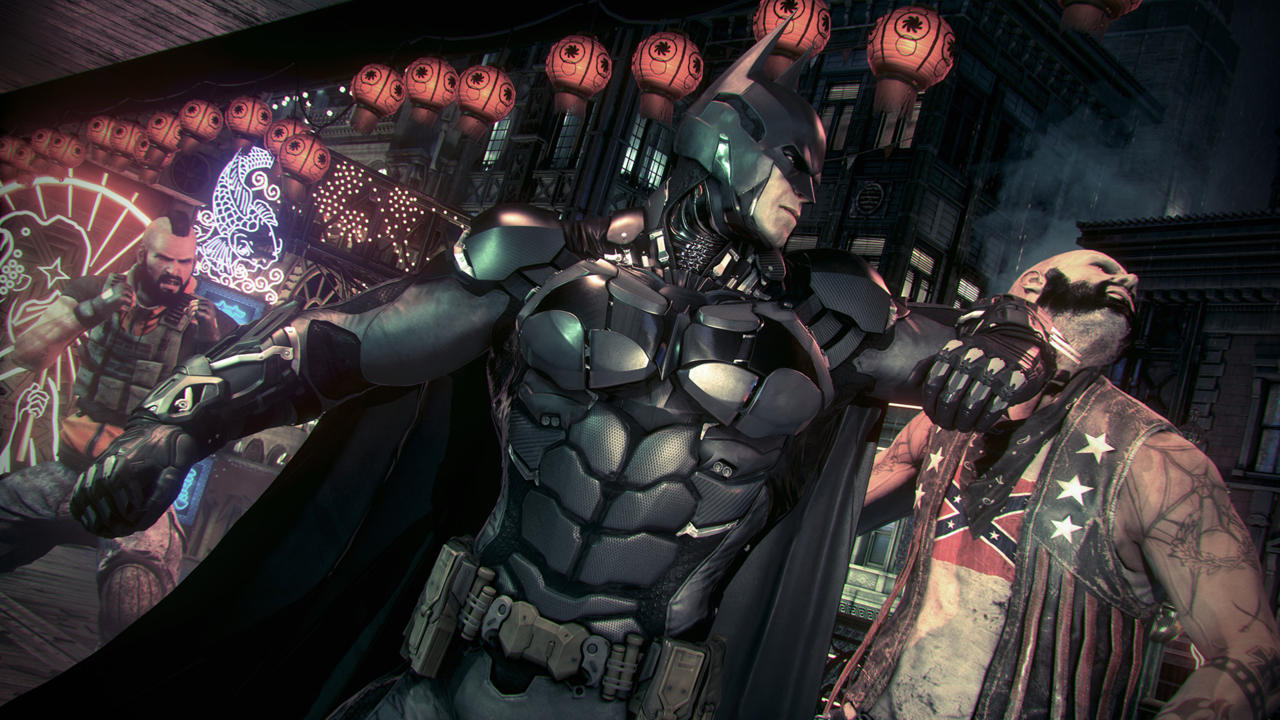
2559751-bak_sshot029+(2)

Outside of these new gameplay elements is the story. Arkham Knight has a long and well-told story that you actually care about. There are some great moments in the game that really get you hooked, and the ending is satisfying. I really felt the strengths and weaknesses of Batman come out through the story several times, as well as the other characters. My favorite part of the game is the ending with Scarecrow, but I can’t give it away except that it’s a first-person shooter sequence. WHAT?! Play it to find out!

Let’s talk about visuals. I know that the entire world knows how terribly optimized the game was for PC; however, if you have a powerful rig, it is very playable. Not perfect, but enough to not be really noticeable. This requires tweaks (there is a tool available on the Steam forums) to the game settings to get it to work. Out of the box, the game won’t run very well at all. There are some nice new effects, like RainWorks, Interactive Smoke and Fog, and various other effects. They look amazing, and Arkham Knight is one of the most detailed and good-looking games in a long time. However, a game should ship working, and this is just unacceptable. Most people don’t know how to tweak a PC game and will get frustrated and demand their money back (which happened and suspended the sales on Steam). The other issue is that you need a very new and powerful system to get the game to run well. I tried a GTX 670, and while I got 60 FPS when I was above the city, it dropped below 30 on the ground. Interactive Smoke and Fog dropped the game to 5 FPS; however, on a GTX 970, there were a few issues. The frame rate will vary constantly. You will jump between 60 and 30 a lot, but the tweaks available make it less noticeable. Anyone running a GPU older than a year will have issues for sure and should play the game on a console for now.
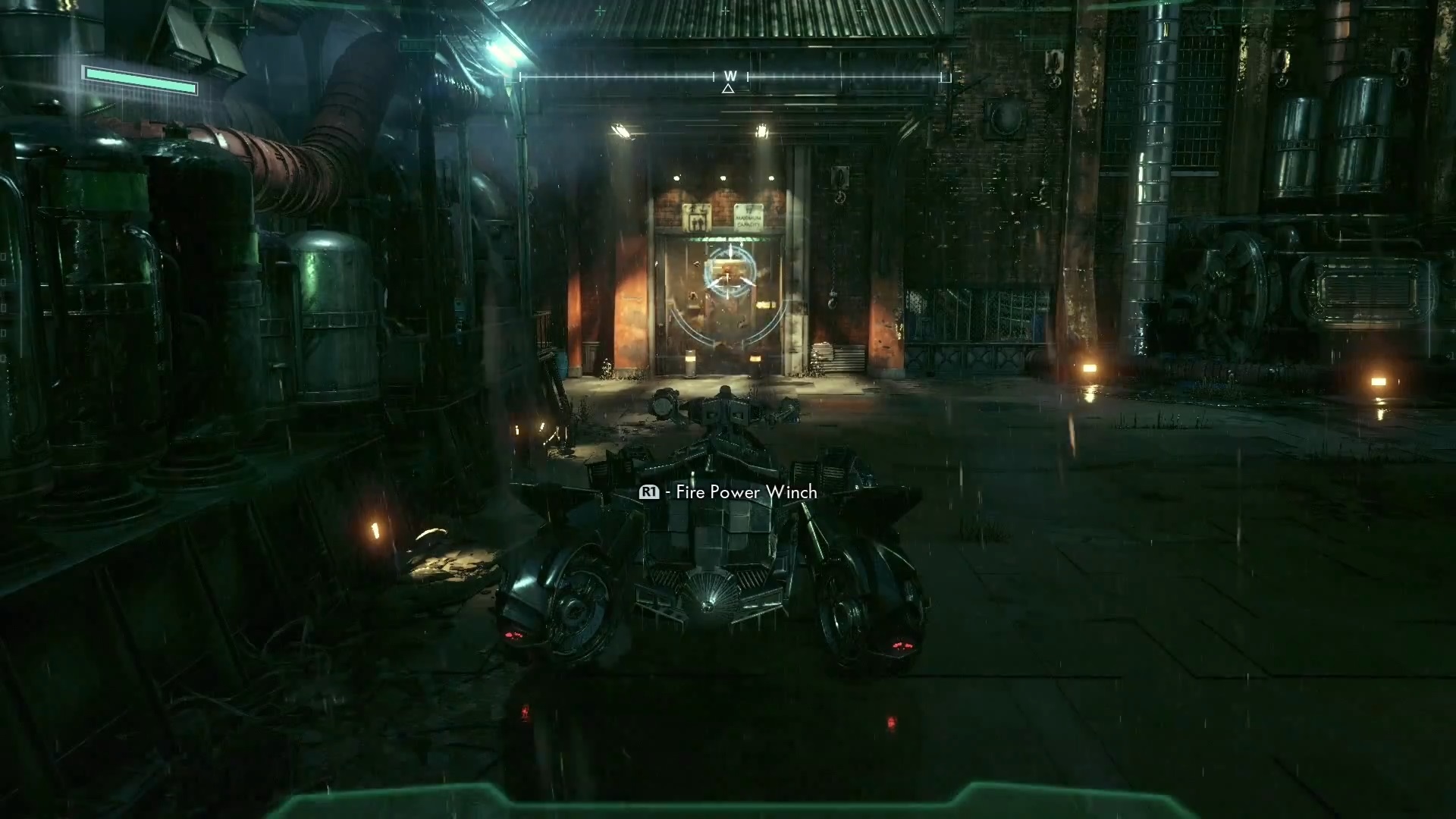
Here’s-the-concluding-video-of-Batman-Arkham-Knight’s-ACE-Chemicals-Infiltration-gameplay-trilogy

As it stands, Arkham Knight is a fantastic game and the pinnacle of the Batman video game franchise and superhero games in general. Taking all of what made the series great and optimizing and compiling the best of what everyone loves. More villains, more stories, more Batman. That’s what we came to see, and we got what we wanted.

Reviewed On
Xbox One Controller


Share this:

  • Email a link to a friend (Opens in new window) Email
  • Share on Tumblr
  • Tweet
  • Share on Reddit (Opens in new window) Reddit
Like Loading...

Windows 10

Posted by BinaryMessiah on 08/01/2015
Posted in: Blogs, PC Reviews. Tagged: Microsoft, operating system, os, pc, windows 10. Leave a comment

After all these years and growing up with Windows 3.1, I have seen an entire evolution of computers and software. Touch screens and large resolutions were a pipe dream just 15 years ago. Now it’s the norm. Going from a Packard Bell (yes, before HP) that couldn’t run 3D Ultra Mini Golf and saving Paint pictures on floppies to Windows 98 and creating embarrassing songs on the Midi Keyboard, and finally getting 300kbp/s DSL so I can watch Backstreet Boys music videos in “300K”—yeah,  the K meant something else back then. Going from that to Windows 2000 and XP and playing Half-Life 2 for the first time using a weird piece of shitty software called Steam. Something that pissed people off when they had to install it and just wanted to play Half-Life. From using an ATI (before AMD bought them) Xpress 200 onboard chip and struggling to play HL2. Going from Windows 7 and the first DirectX 11 GPUs and dual-core CPUs rolling into games like Crysis and Microsoft Flight Simulator X to quad-core CPUs and GPUs that are thousands of times more powerful than that first computer I had. Now we’re at Windows 10. What a journey!

Windows_3.11_workspace
My childhood in a nutshell
456x300px-LL-23c08074_index
Thank you for updating Steam…ing pile of shit!

Windows has had its ups and downs, but Windows 10 is finally another up for Microsoft. With a monster of a new strategy (and a risky one) as well as lessons learned from Windows 8 and Vista, Microsoft has released the next best OS around. Taking the fundamentals from Windows 7 and fusing them with the cutting-edge technology of Windows 8 allowed Microsoft to create the ultimate operating system that will finally kick-start an entirely new generation of OS from here on out. There are millions of people on the fence with Windows 10, but I jumped in on day one like 15 million other people, and here’s why.

More Automated Installation…for Dummies

Windows 10 now reassures you that you can be lazy and not touch a goddamn thing, and it will do everything for you. How freaking convenient! Now, with most people having the attention span of a goat, Microsoft has realized no one will wait around 90 minutes to check for new installation progress and click through menus. It will tell you things like “Sit back and relax,” “Just a few more things,” “Almost Done,” and “Wrapping Things Up.” All things that impatient people love hearing. I’m not one to complain. If I can install Windows from here on out without touching a damn thing, I’m fine with it. Just watch a big white circle fill up, and your PC will restart a few times. Pretty painless and simple. The initial setup is as easy as setting up your phone. Want to know why Windows 10 is a lot like a phone? Because everyone has one! Why not make it look like something 5 billion people already use every day? Or we can act like neanderthals and demand something that was practical 20 years ago. Your choice.

Screenshot__10_.0

Windows 10 Leaves the Keepsies Game

Hate Windows 10 with a passion? Is the simplicity too much for you to adjust to, and do you want to go back to dozens of windows and menus? Just go into settings and roll back to your previous OS. No keepsies, Microsoft promises. Want to go back to Windows 8 and torture yourself? Go back to tablet mode. Microsoft won’t keep it from you. They promise.

Underneath it All, It’s Still Windows 7

Don’t be scared; it’s okay. Come out and play. Underneath the shiny new exterior is Windows 7, almost exactly as you left it. Power users can still find their tweaking options where they want them in the control panel. All Windows operations from Windows XP onward are still here. I promise, right where you left them, Of course, they are under a shiny new skin, but it’s just one button click away from seeing that all-too-familiar panel or list of settings you are used to. Don’t want to use apps from the App Store? Fine, go ahead and install your programs like normal. Want just a basic, boring start menu? Go ahead; just right-click on the taskbar like you have for the past 12 years and customize your start menu. Want to change your default apps? And what starts with Windows? Go ahead and do it the long, boring way, as Microsoft now knows what was a pain in the ass to change and what wasn’t. You can do it the long way, but Windows 10 makes things easier for you unless you’re a martyr. Do it the old way.

Windows 8 Without the Windows 8

While Windows 10 looks like an overhauled Windows 8, it’s not Windows 8 at all and never will be. The start menu and taskbar are a shiny new black, and the start menu now acts as normal plus Live Tiles. Honestly, these are great, and they are customizable. Like tiles but not alive? Kill them dead and turn it off. Want them to be smaller? Go ahead, or you can supersize them. Want to know what the weather is like? Pin it as a live tile, and every time you open your start menu, you can see the weather. Want a picture of a giant boob on your start menu? Go ahead, why not? Don’t you like going outside and forgetting what hemisphere you live in? It’s just a click away! Why does this matter, and why should you care? Because you can do that now, that’s the beauty of harnessing more advanced UIs. Did you want the Windows 8 taskbar but the Windows 7 desktop? That’s the default now. If you love Windows 8 for some unknown reason, turn on tablet mode, and you can join the other 10 people who also enjoy it.

Win10-Start

Apps Make Life Easier…Seriously

While some people may call them “lazy,” apps on your smartphone are wonderful. Can you imagine your phone only having a web browser and having to go to every single website through that? Well, it’s more practical on a PC, but why can’t we use apps too? I just want to surf YouTube for a few hours. Get one of the non-official YouTube apps, and it’s its own thing. How about just shopping on eBay or Amazon for a while? Download the apps. It’s just like on your phone, naysayer, just like that. Click install, and it installs just like on a phone. No pop-ups, no pre-requirements to install, no.NET Framework, no runtime files either. Don’t you want it anymore? Just click uninstall in the start menu or Apps & Features (the new program features), and you’re done. Want to use just the browser and not be hip and cool? Do it.

All the Tweaks Under Fewer Clicks

Do you know the settings on your phone? Windows 10’s most basic functions and settings are now condensed under a settings window, just like a phone. Stop whining; once you use it, it becomes a pacifier, and you’re fine. Click Settings in the start menu, and you are introduced to all those pesky things that took hours to do and multiple windows to click through. System Settings has all your Windows Updates, Windows Defender, Add/Remove Programs, Notifications, and Power Settings. Holy sh*t, yeah, it’s all there now under one roof. I thought that would never happen, did you? It’s amazing! How about all your device crap? Bluetooth, printers, scanners, webcams, typing, and autoplay are all under one tab. Just click on the device and choose what you want to do with it. Wait. AutoPlay?! Wasn’t that something you had to go through eight different windows to get to? It’s right here in this devices tab. Wow! Personalization, accounts, ease of access, privacy. All these settings that took multiple windows to open are now in one single window. It’s a freaking miracle! Oh, yeah, and you sign in to your Microsoft account to sync all this stuff if you ever re-format. Yeah, that happened too.

windows-10-modern-settings-17

Action Center is Back Like a Crappy Ex That Turned Around

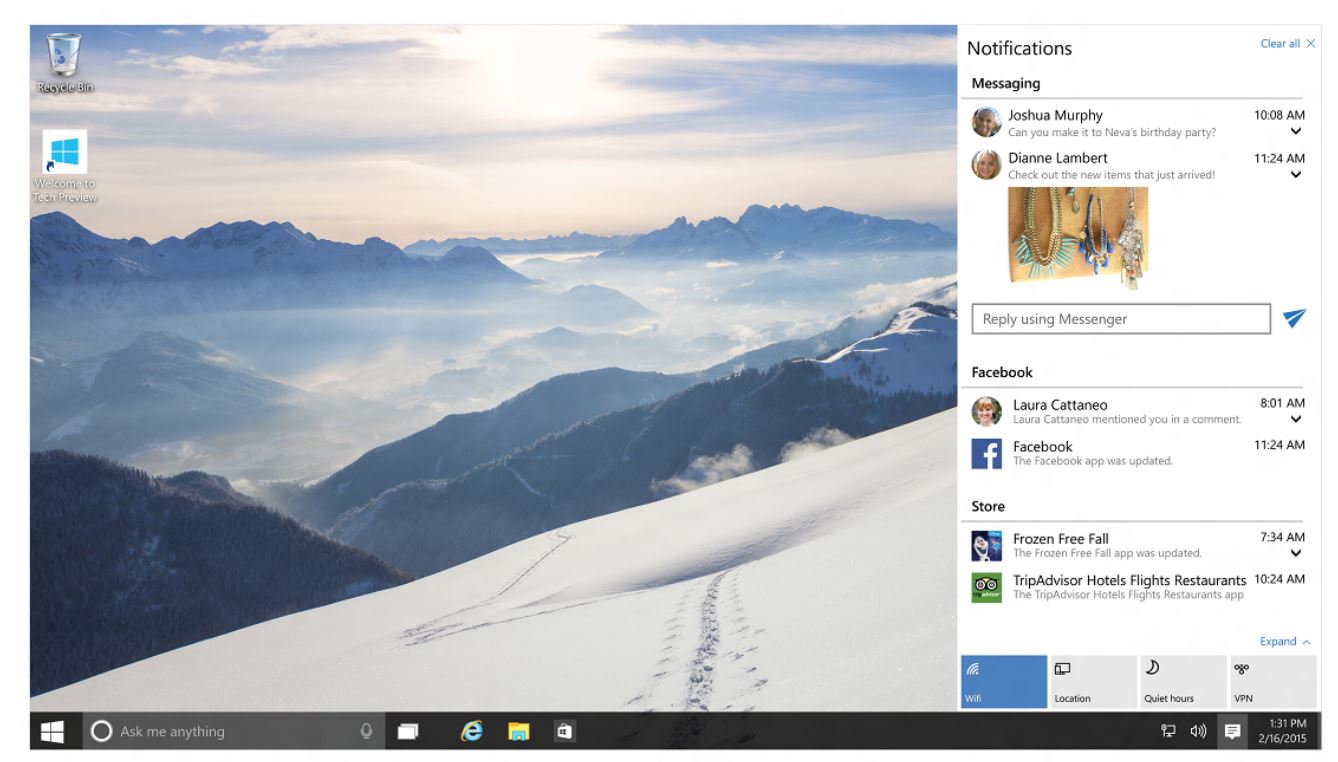
Remember the Action Center? That annoying flag that wouldn’t stop telling you things you don’t care about? Now it tells you things you need to know and comes in handy. Do you remember all those apps I was talking about? Action Center is now your notification hub, like on your phone. Think of this as your pull-down menu. Email alerts from the new email app, Windows Updates, notes, reminders—it’s all here. The new Action Center notification pop-up is also overhauled and is now a nice little square box that blends in with the OS and is not annoying at all. Think of it as a pop-up notification on your phone. Simple and elegant, yet very useful. I’m also talking about every single pop-up that used to appear in that damn corner. New devices being installed, errors, Windows update notifications, everything.

Windows-10-Action-Center1

Windows Explorer is Now and Adventure…and Includes All Gear

Windows Explorer finally has all those options that required right clicks and scrolling through the settings menus, all at the very top of the window. It’s a brand new menu bar that includes things like delete, rename, move to, copy to, properties, select all, invert selection (!), pin to quick access (!), and… sharing! Holy freaking hell, no more uploading to PhotoBucket and then linking to your social media. Oh yeah, and the view tab has all your viewing needs. Columns, size all columns to fit screen, file name extensions check box. What?! That was hidden in the Explorer settings and required an online tutorial to figure out. Is there a checkbox now at the top? Man, did they think of everything? Apparently, they did.

windows-10-file-explorer-view-options

More Desktops, Less Monitors

Or more desktops with more monitors. Why not, right? Have 18 projects going at once and don’t want to close anything out? Microsoft decided to actually use RAM for something useful, and the old Show Desktop button has transformed and evolved. Working in Photoshop with 25 reference windows open in your browser? Want to go back to editing videos and ripping YouTube videos to make a “Top 10” list? Create a new desktop so you don’t have to close your Photoshop crap. Have two monitors? Now you can have four desktops and three monitors. Learn algebra.

windows-10-multiple-desktops

Keyboard Shortcut Fetishists Are Now Welcome

One of those one handed guys who doesn’t
One of those one-handed guys who doesn’t like clicking? There are dozens of new keyboard shortcuts, from Windows Key+This to Shift+Alt+That. For virtual desktops, selecting text and opening apps. Enjoy…I guess.

Xbox is Now a Parasite

Just kidding, but not really. Xbox is now an integrated part of Windows 10, which is cool, but for the millions of Xbox not-owners, it’s only good for one thing: video capturing. For the first time, Windows now includes video-capturing software, so you can stop pirating Fraps now. For Xbox owners, you can do a lot of cool things, like do Xbox things on Windows. Right on.

Windows Media Player Still Sucks

That’s about it, moving on.

That about sums it up

Cortana. Like a Kitana But More Corn.

More like Siri with less Apple. Or more Google with less Now. It’s really a personal assistant right on your desktop. No more moving your hand 2 feet to your phone. You can now search for restaurants, get told to get your ass to work, and find drive times. You can even save maps offline! Great for when you have a laptop and no wifi and get lost on treadmills. Voice recognition works with a simple “Hey, Cortana!” I’m sure Halo players have wanted to say that for years! It’s a great new way to get all your travel needs in one spot.

Microsoft Just Got Edgier

Gone is the Internet Exploder! Wooo! Party! Kind of… Microsoft Edge is an honorable change from such a terrible piece of software. It’s well…edgier. In more than one way. The UI has sharp edges, and the boxes have edges. You can open new tabs, write notes right on the web page, and send them to your phone via Cortana. I hope the Master Chief knows this is going on. Eh, it’s good for people who love IE or don’t have a preference. If you’re an old guy who just watches porn or a hipster, this is perfect for you. It doesn’t have the options that Chrome and Firefox have, which is what Microsoft really needs to wake up to, but the mobile integration and cleaner design are a much welcome change.

EdgeNewTab

Bottom Line…It’s Freaking Free

Yeah, it’s a free Microsoft product. Who would have thought? It’s a revolutionary strategy that Microsoft is taking a serious risk with. Free for a whole year? Damn. Where’s the money coming from? Bill Gates, but that’s besides the point. If you have Windows 7 or 8, you get this great piece of software for free forever. Your current key just converts over to Windows 10. Hell, even pirates get it for free. You’re welcome.

Share this:

  • Email a link to a friend (Opens in new window) Email
  • Share on Tumblr
  • Tweet
  • Share on Reddit (Opens in new window) Reddit
Like Loading...

Wolfenstein: The Old Blood

Posted by BinaryMessiah on 07/06/2015
Posted in: Microsoft Consoles, PC Reviews, PlayStation 4, Sony Consoles, Steam Deck Verification, Steam Deck Verified, Xbox One. Tagged: directx 11, Microsoft, pc, playstation, ps4, Sony, the old blood, wolfentstein. Leave a comment

Publisher: Bethesda

Developer: Machine Games

Release Date: 5/5/2015


Available On


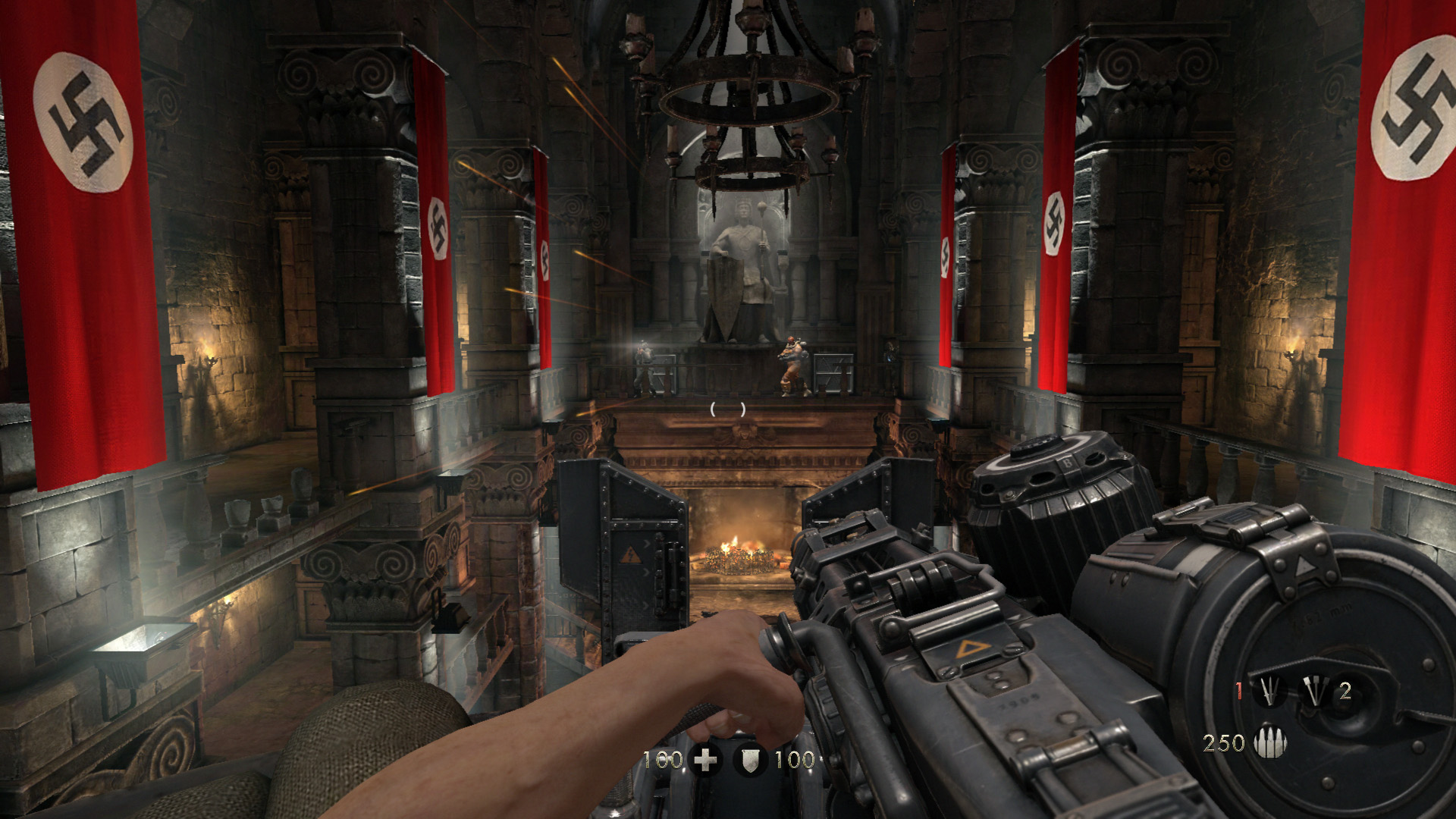
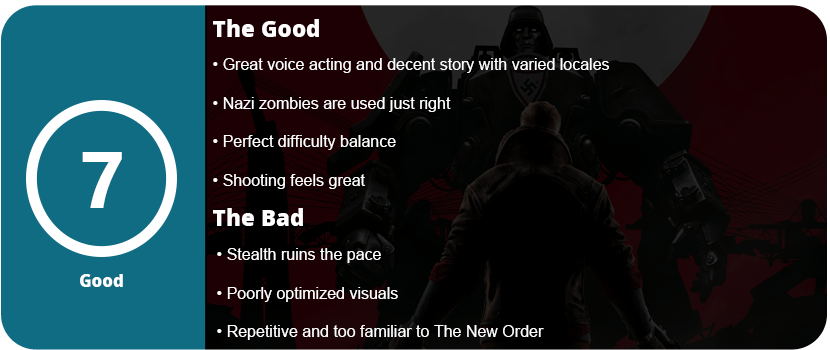
The New Order was a fantastic game. It oozed atmosphere, excellent action, weighty guns, and a decent story. It was the best Wolfenstein since Return to Castle Wolfenstein on PC, which was released over 10 years ago. The Old Blood returns to give us a little extra snack with a nice prequel leading up to the beginning cutscene of The New Order. The Old Blood is all about finding the documents to Death Head’s compound while also fighting one of Nazi Germany’s many paranormal agendas—zombies. Yes, thankfully, they don’t overstay their welcome. They only appear in the final chapter, but it is a nice pace from the broken stealth and gunfights.

0f3o8arp

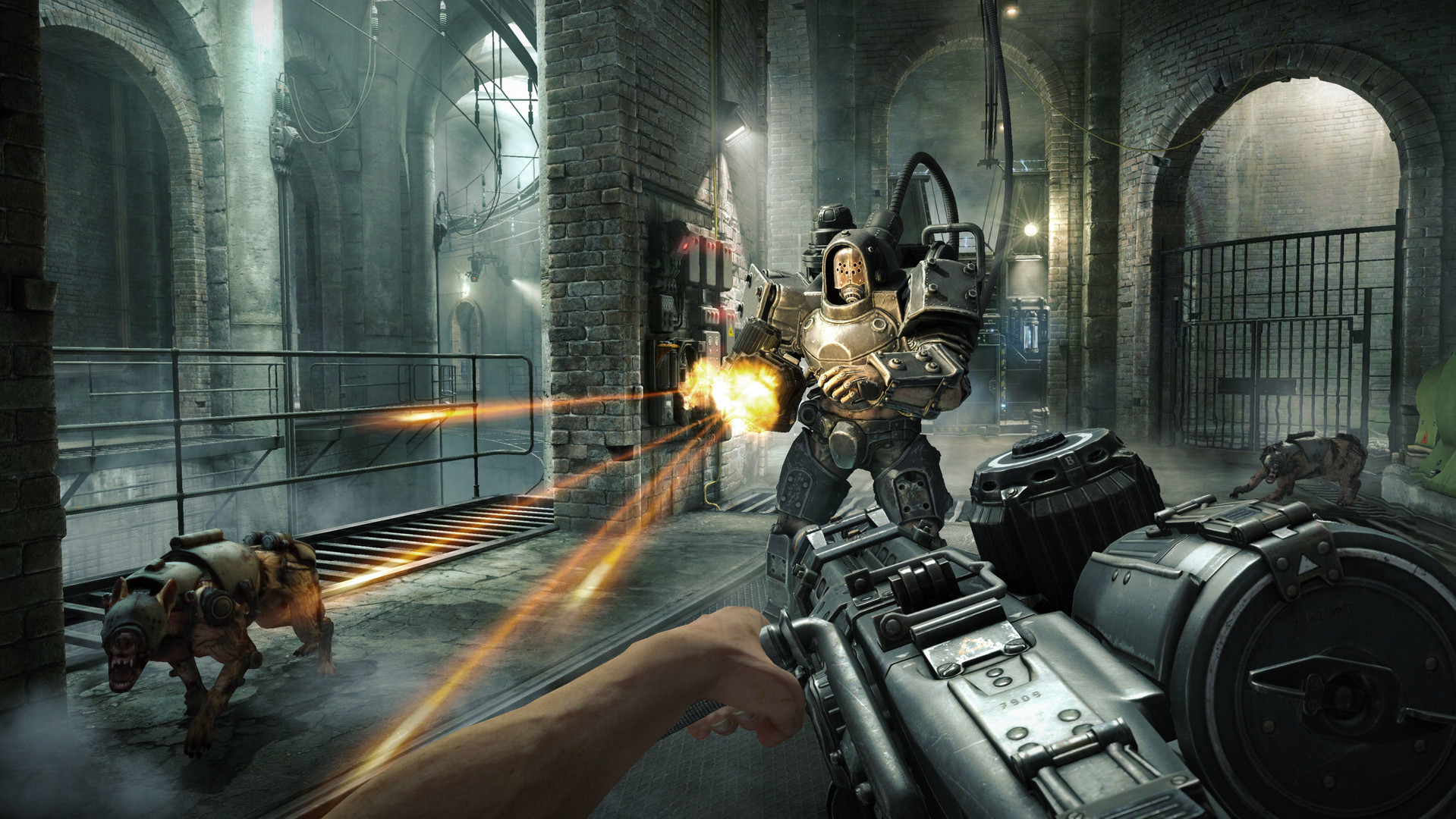
While The Old Blood’s story isn’t as fleshed out as The New Order, it’s not bad or awful, at least. The same storytelling mechanics are used here, such as BJ’s narration in his head and some excellent voice acting all around. The game is literally the same outside of a couple of new guns. All the action from the previous game is here, and it just feels great. It shows why Wolfenstein is one of the better shooters in recent times. It’s satisfying to shoot everything, and it’s also extremely challenging, which most shooters don’t offer. You have to use strategy and actually use cover, or you will die quickly.

www.gamesena.com_3

There are a few boss fights in the game, some of which are the hardest I have fought as a shooter in ages. The challenge alone is enough to bring hardcore shooter fans smiles, even if they don’t like Wolfenstein. Despite the game’s short length (about 4-5 hours), there are a lot of different locales, so things change constantly. My biggest gripe about the game is the stealth. It never really worked in the last game, either. You know you are in a stealth area when the commander’s location shows up on the screen. You are supposed to sneak around to silence them, or waves of enemies will keep coming until you kill them. Most of the time, the areas are set up in a way that you just can’t sneak around. This drove me nuts in The New Order, and I’m saddened to see it return here. I don’t know why stealth would be put into such an action-heavy game; it ruins the flow and pace of the game.

wolfenstein_the_old_blood-2767005

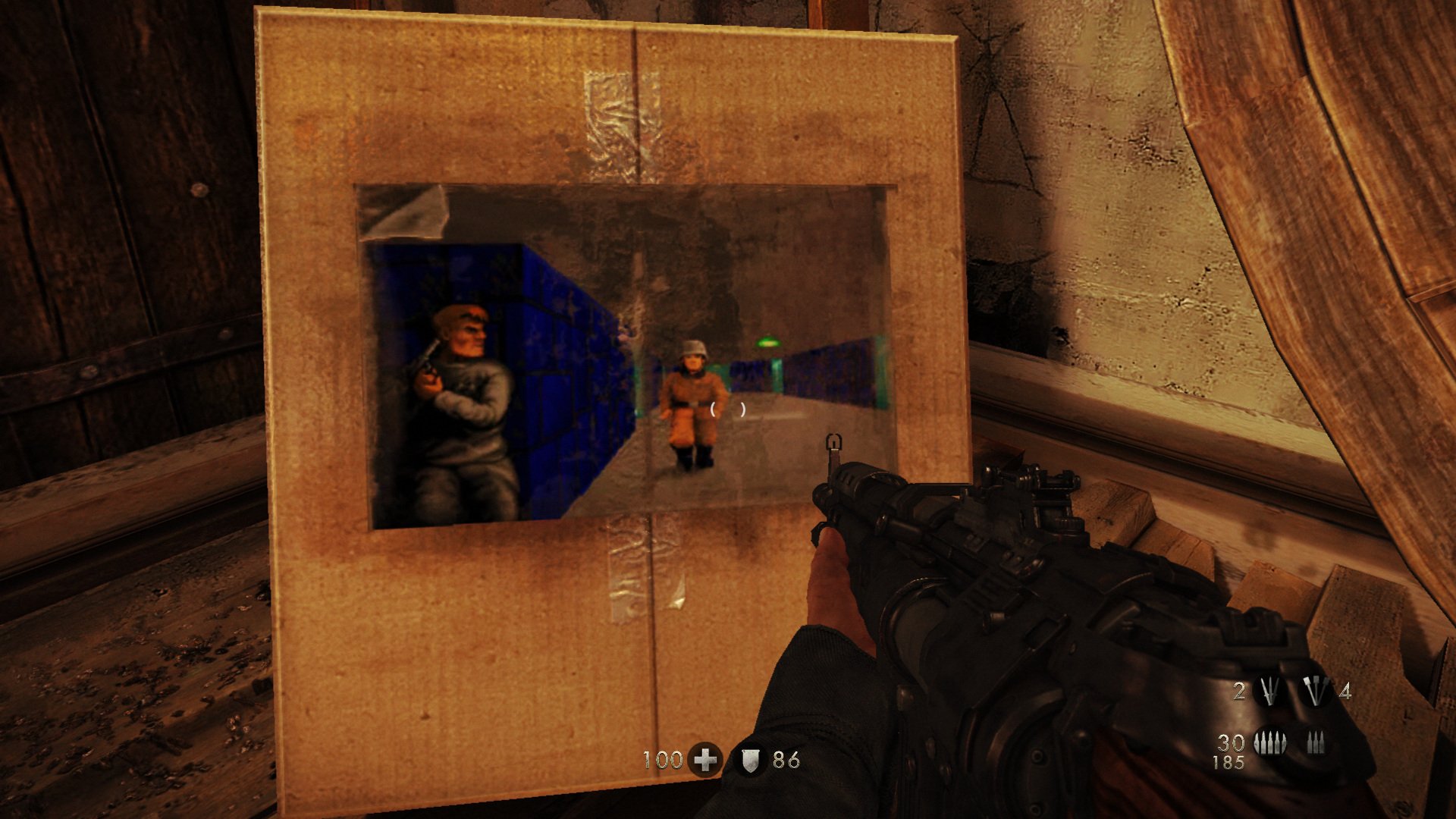
Outside of the gameplay, the graphics are pretty good, except for the textures. Even on PC, with all the bells and whistles of DirectX 11 graphics, the textures look muddy and ugly up close. I don’t know if this was to squeeze them onto consoles, but I don’t like it. This game requires a monster rig to run at full settings, some of which are questionable. 32x anti-aliasing, really? It makes the game run at 8 FPS and under 30 FPS even with a Titan X. Some other settings, such as the 8196 shadow map, just slow things down with no noticeable upgrade. I honestly think this is just crap to make PC gamers feel happy and to shut them up. The game isn’t optimized too well with texture pop-in either. Yes, I know there’s a setting for texture to fade in, but it doesn’t work. Outside of that, the game looks decent, but with all these options available, it should look better.

The Old Blood is well worth the $20 price tag. We get a lot of quality games for that, and hopefully this isn’t the end of Wolfenstein.

Reviewed On

Keyboard & Mouse


Share this:

  • Email a link to a friend (Opens in new window) Email
  • Share on Tumblr
  • Tweet
  • Share on Reddit (Opens in new window) Reddit
Like Loading...

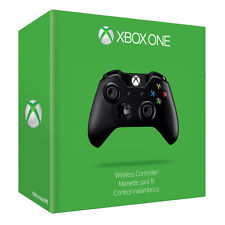
Microsoft Xbox One Controller

Posted by BinaryMessiah on 06/29/2015
Posted in: Hardware, Microsoft Consoles, PC Reviews, Xbox One. Tagged: controller, hardware, Microsoft, pc, xbox one. Leave a comment
maksdHsFX8FOThTxP8c6oMw

Manufacturer: Microsoft

Release Date: 11/22/2013

MSRP: $59.99

Colors: Black


NOTE: Controller was tested for 6 hours with Ryse: Son of Rome, Project Cars, and Resident Evil 6

I had my Xbox 360 controller for Windows for about 4 years, and I felt it was time to finally upgrade. I won’t lie, the Xbox 360 controller is fantastic and was the best controller of the last generation; it was sturdy and extremely ergonomic. My 360-degree controller for PC has been through absolute hell. It has traveled with me for nearly 5 years on my gaming laptop, and I have played dozens of games with it, from Batman: Arkham City to Need for Speed: The Run to Saints Row: The Third. It’s scratched up, the four bumps on each analog stick are completely worn down, and the left trigger squeaks like a mouse. The cable is split in one area; I have taken it apart to clean it; goop got stuck down in the buttons; you name it. However, the controller hasn’t failed on me and works just fine for nearly any game that supports a controller. Any game that has supported a controller since 2006 supports the controller. I have never had to use a third-party button mapper for this thing. It’s fantastic and just awesome. Again, it’s time to move on and upgrade to the next biggest thing.

Xbox-One-controller

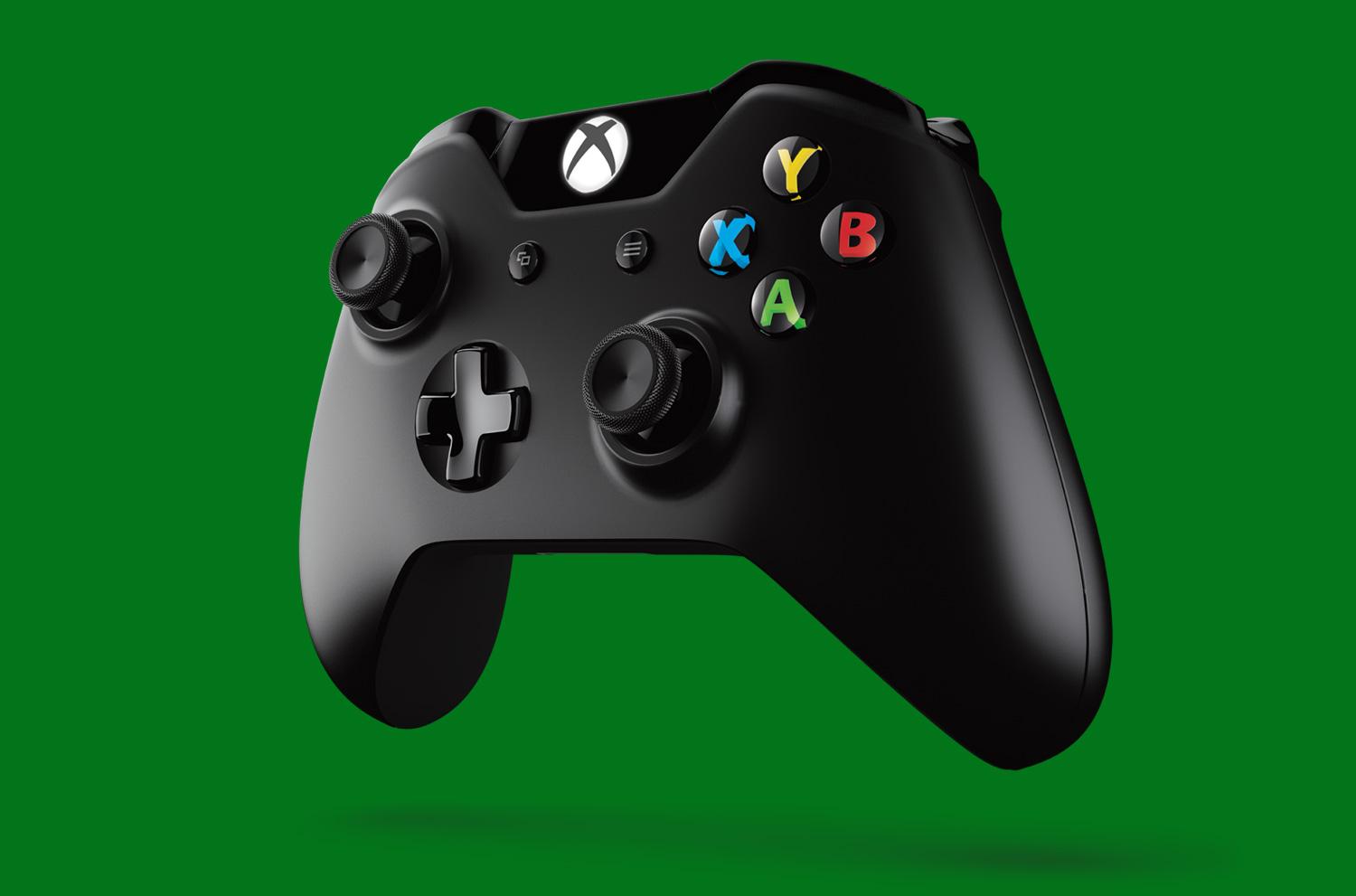
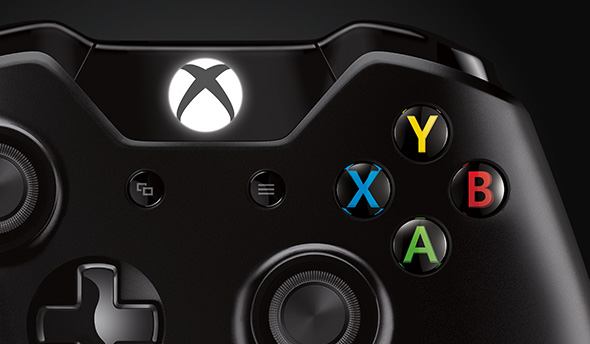
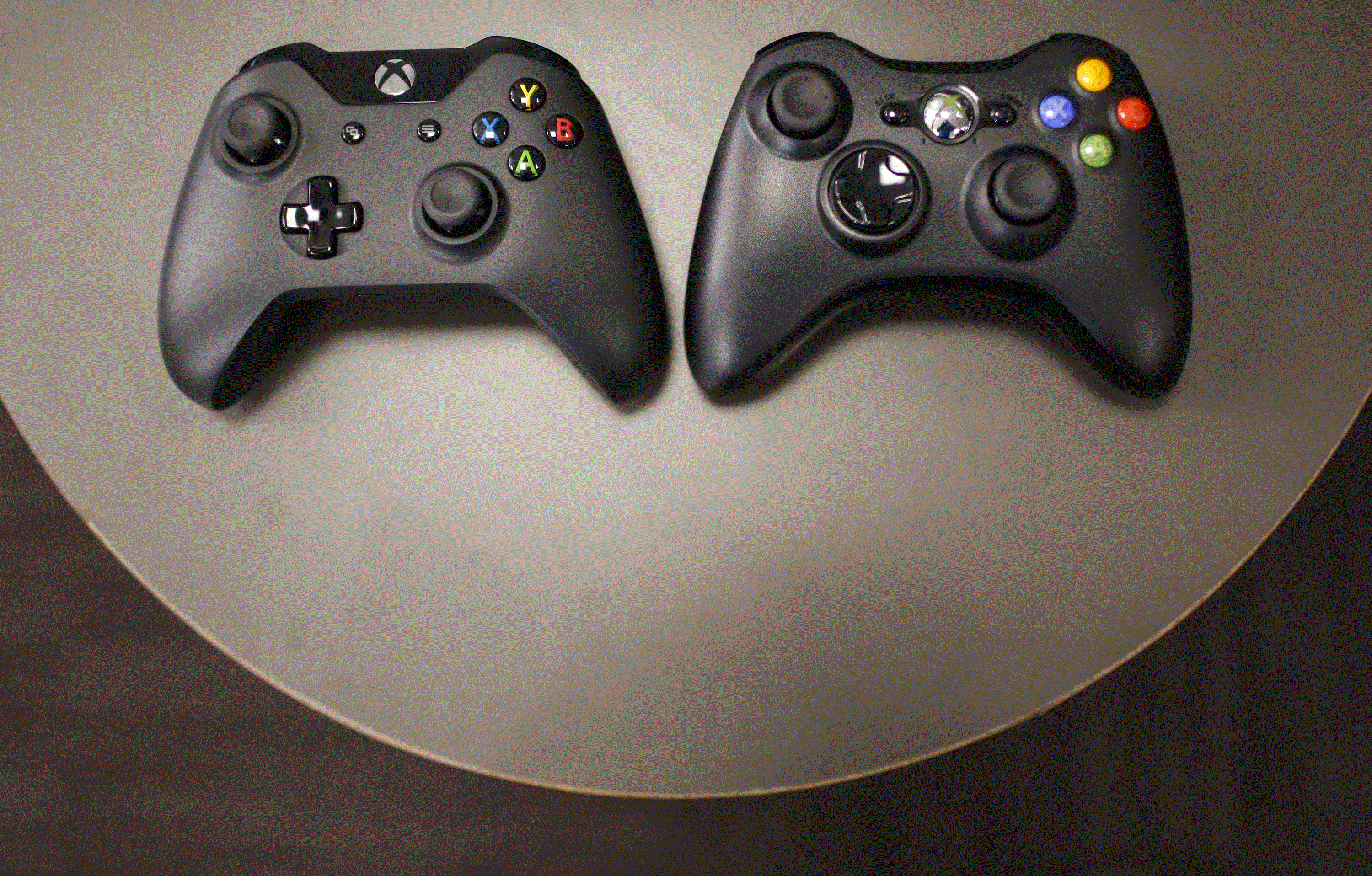
The Xbox One controller is actually better than the 360 one out of the box since you don’t need a specific controller for a PC. Just grab any Xbox One controller and plug it up via standard micro USB, install the drivers off Microsoft’s website, and you’re golden. Of course, these are $20 more than 360 controllers, but you’re getting a more advanced and better-feeling device. The XBONE controller is black, which is better than the 360’s off-white theme. The glowing white Xbox One logo helps the aesthetics compared to the glowing green one on 360. There’s a little glossy black piece that sticks out above the new menu buttons that hold the Xbox One logo. This is a great new design choice, as it makes the controller look sleeker. Of course, the button doesn’t do crap on PC, but it’s nice to press when you’re bored, I guess.

en-INTL_PDP_Xbox_One_Wrlss_Controller_S2V_00001_Large

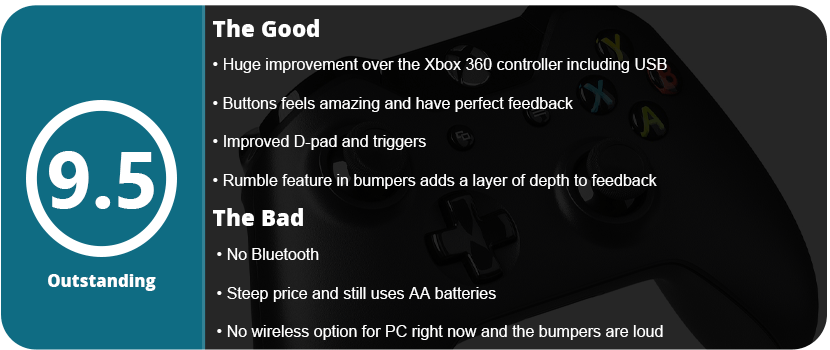
Holding the controller itself feels better than 360. The handles are tapered smaller at the bottom and are angular rather than round. This makes gripping the controller easier for people with smaller hands, and it just feels better. The triggers have been completely redesigned. They are softer yet glide much smoother and feel more responsive. They have a soft stop, so you’re not slamming the triggers into the controller. It just feels so much better. The LB and RB buttons are a little disappointing. They are much louder and are a little harder to press. However, the bumpers vibrate for minute sensations, and this is brand new for controllers. PS4 has the touchpad and speaker, and Xbox One has this new rumble feature. Honestly, I’ll take the speaker and touchpad over this any day, but it’s nice knowing Microsoft at least tried. Outside of that, the face buttons are much larger and flatter, which is awesome. They don’t look so cartoony and aren’t colored like the 360. They are clear black, but the letters are colored. So much better looking. Now, here’s the make-or-break part. The analog sticks and D-pad. The analog stick is actually wonderful. They are looser than the 360 sticks, but you have more controllers. Everything on the Xbox One controller is looser but much smoother, with a “glade” feeling that just feels natural and buttery in your hands. The D-pad is something I really like. It clicks with feedback, but not like your thing. This is a raised D-pad, like the horrible one on the 360. It’s an in-set D-pad that feels responsive and fast.

images

Here’s the dumbest part of the controller: It still needs AA batteries. 2015, and Microsoft is still making controllers like it’s 1995. Their theory is that you won’t run into half-life issues and have to buy a new controller. I call bullshit on that. My PS3 controller from 2009 has been charged who knows how many times, and I still get 15+ hours with it. This is just a money-making scam from MS to buy the $25 play-and-charge kit for the controller. The way around this is rechargeable AA batteries, which MS surprisingly doesn’t suggest. Gee, I wonder why. With rechargeables, you can keep two spares for a quick swap.

xbox-one-controller

Here’s another downer: the controller can’t be used wirelessly on a PC, at least not yet. The wireless dongle is yet to be released and will only work with Windows 10. Another stupid roadblock. Thankfully, you can use any USB cable, so the 360’s extremely long and thick cable isn’t an issue here. All in all, the Xbox One controller is fantastic and the best one you can get for a PC. Just some stupid design choices get in the way of making it perfect.

Share this:

  • Email a link to a friend (Opens in new window) Email
  • Share on Tumblr
  • Tweet
  • Share on Reddit (Opens in new window) Reddit
Like Loading...

Ryse: Son of Rome

Posted by BinaryMessiah on 06/29/2015
Posted in: Microsoft Consoles, PC Reviews, Steam Deck Verification, Steam Deck Verified, Xbox One. Tagged: cryengine 3, crysis 3, directx 11, Microsoft, pc, ryse, son of rome, xbox one. Leave a comment

Publisher: Crytek

Developer: Crytek

Release Date: 11/22/2013 (XBONE) 10/13/2014 (PC)


Available On


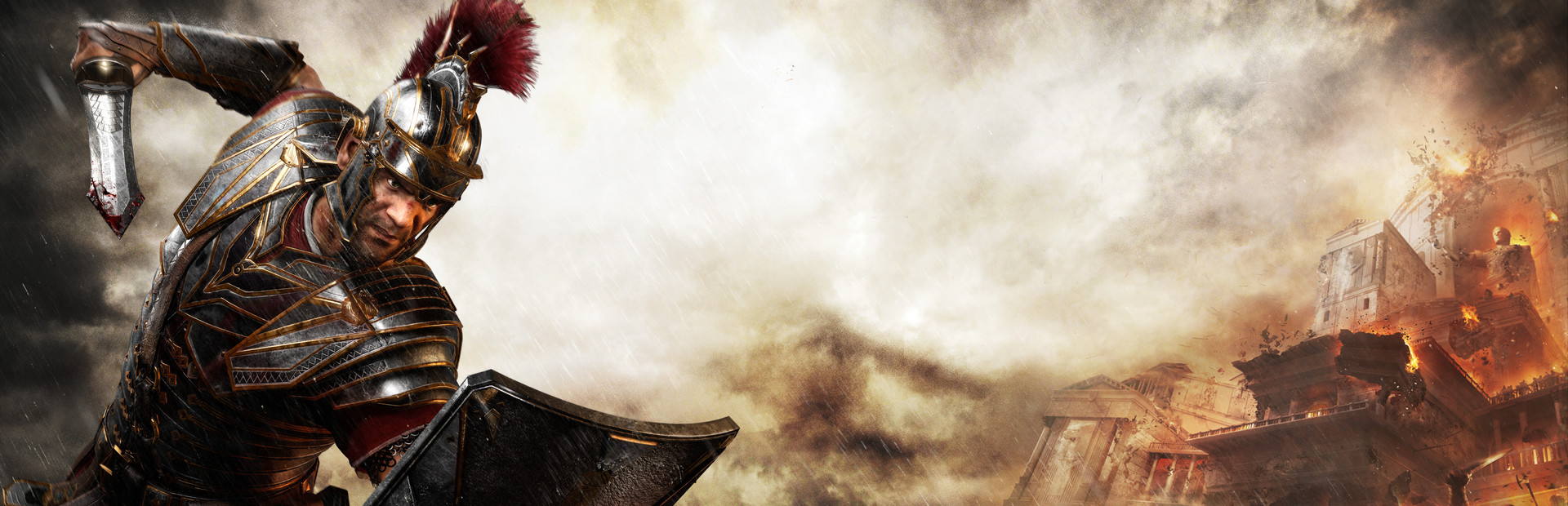
I first want to say that Ryse isn’t as bad as critics made the game out to be. However, I can see why it was bashed so much. It was the most anticipated Xbox One launch title. When you throw down $500 on a new console plus $60 for a game, you expect to get your money’s worth. Ryse would have pissed me off if that was the only game I picked up for the console. Is the game awful? No, it is just very repetitive and feels like a typical rushed console launch game.

The story and characters in Ryse are fantastic. You follow a Roman centurion named Marius Titus who is fighting the barbarian tribe known as Britain’s. Marius’ family gets murdered by the barbarians; however, there are quite a few plot twists that left me wanting more of the story. I actually love how the story and characters play out. It felt very authentic to the Roman Empire era; I felt like I was playing a piece of history, and you can’t say that often about games. The architecture and the way the characters dressed just sucked me in. Even the fighting styles are brutal and authentic to Roman culture. The excellent facial animations and voice acting help drive the story even further, but it’s just so sad that the story was taken down by the repetitive and bland gameplay.

maxresdefault

The game actually seems really awesome in the first chapter. You get to order soldiers to fire volleys at enemies and control a Scorpio, but you don’t get that much control. You literally pick where your soldiers go to make the scenario easier or harder for you. There are several instances where this happens, and I felt like it wasted potential. Swordplay is just so boring by the end of the game. I actually avoided execution moves because they made me nauseous just looking at them (from repetition, not the gore). When you execute an enemy, the camera sweeps around in a cinematic frenzy. This is just so cool at first, but then you realize the quick-time events don’t do shit. The enemies will glow yellow, blue, red, or green, corresponding to the face buttons on the controller. This quick-time event concept is actually great because it’s non-intrusive, but if you miss the quick-time event, there are zero penalties. The animations don’t stop, the enemy doesn’t get the upper hand, there is no loss of health, nothing. It doesn’t even interrupt your combo, which is pretty much blasphemy in the action/adventure genre. Imagine playing God of War and failing a quick-time event; after that, the kill continues and nothing happens. What’s the point of the QTE, then, right?

There is one interesting mechanic that forces you to do QTE’s, which isn’t too bad. There are four different things you can acquire from these QTEs: health, XP, strength, and focus. I used the health drain and XP the most. I never even used my focus except for a couple of fights in the entire game. That’s not a good sign. To top it all off, the boss fights are just boring and awful. Each boss uses the same two move sets throughout the whole fight, and it becomes just a yawn-inducing repetitive hit-and-dodge game. What makes the combat the worst of all, out of everything, is that the same 10 execution animations are used on top of the same 5 enemy types that are just reskinned. It’s a lazy move that cost the game its legs and character that it got from the story and characters.

Ryse_2014_10_09_22_09_27_878

Don’t get me wrong, the game is worth a weekend rental, and it’s quite enjoyable thanks to the frequent locale changes and fast-moving story. Thankfully, the game doesn’t overstay its welcome by clocking in at about 4–5 completion times. I was able to get nearly all the upgrades before the end of the game, but this game is not worth a second playthrough, not one bit.

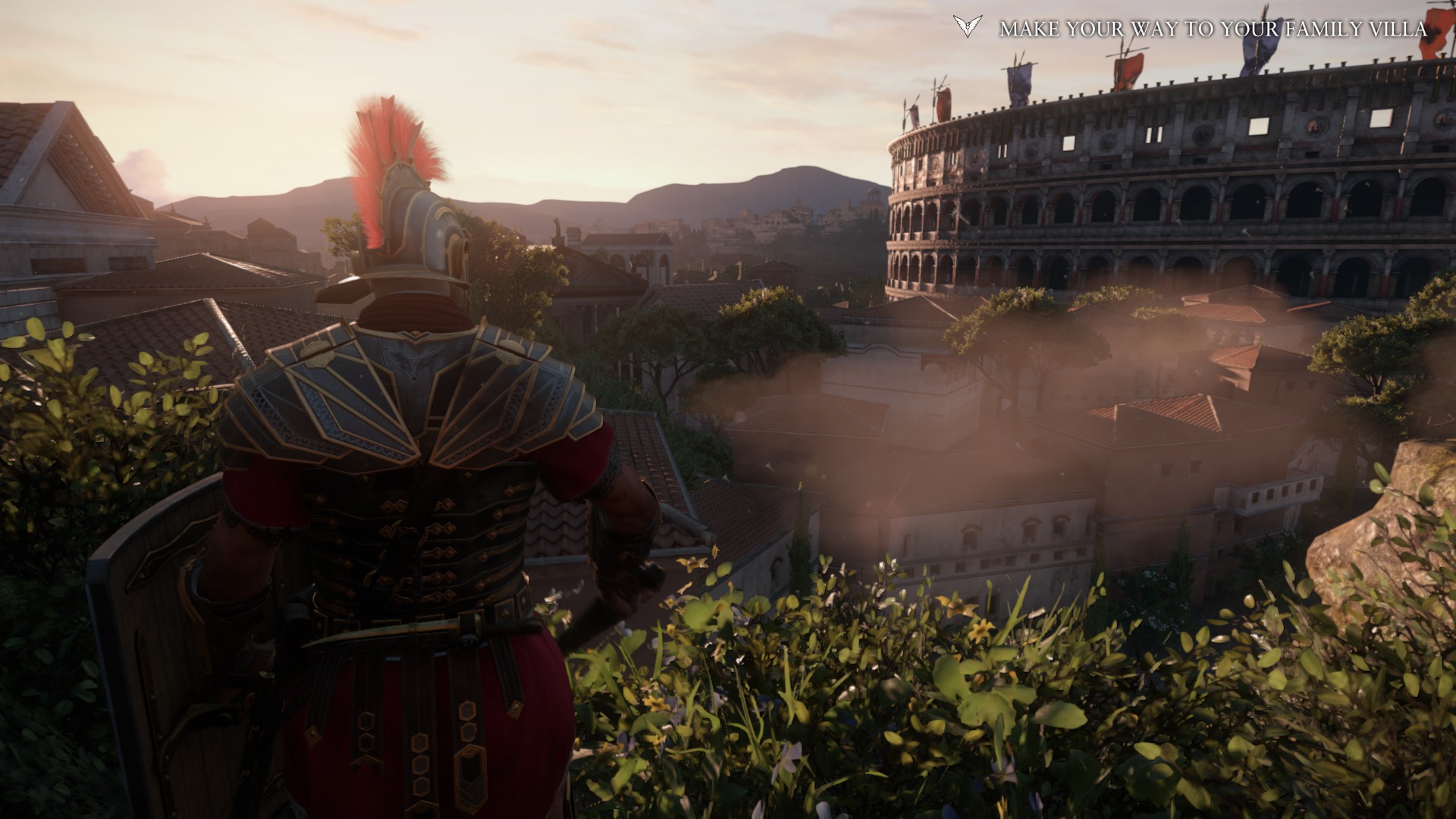
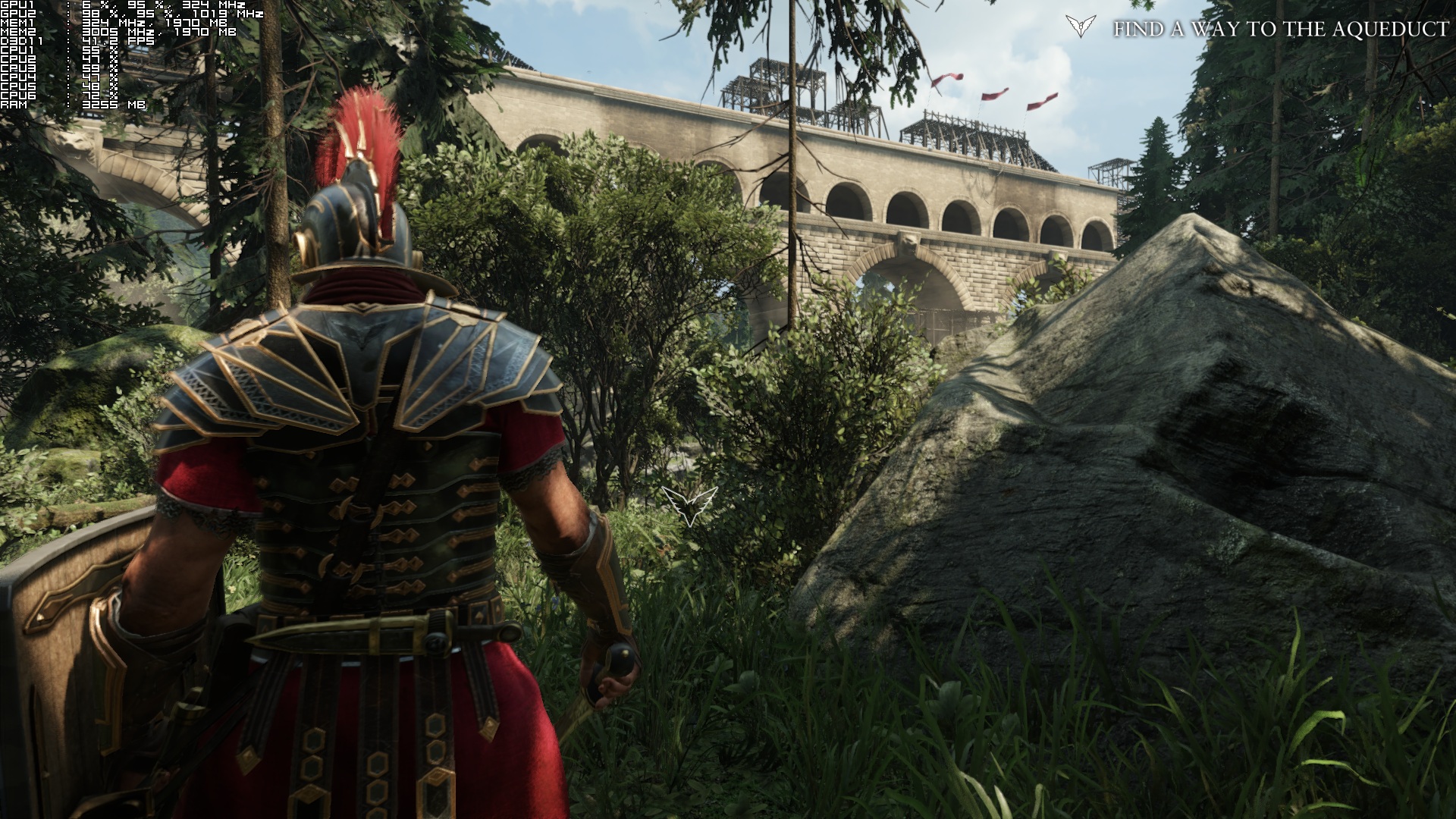
Let’s talk about visuals. Ryse is actually one of the best next-gen console games to be released, looks-wise. On PC, there are some enhancements like AA and SSAA, as well as better shadows and higher-resolution textures. However, this game requires a monster rig (GTX Titan) or SLI 8xx-9xx cards to run at 60 FPS maxed out. My i7 4770 and GTX 670 dropped down to the teens in some areas. Ryse uses the CryEngine 3, which looks freaking amazing, and next-gen consoles finally have the power to use it. If you don’t have a rig that was built in the last 18 months, you should probably play it on Xbox One. There’s even an option to use insane textures for 4GB VRAM GPUs. Ryse is one of the few games out that really pushes new rigs to their limits, so this is a good thing for PC gamers.

Screenshot taken directly from my game
The screenshot was taken directly from my game

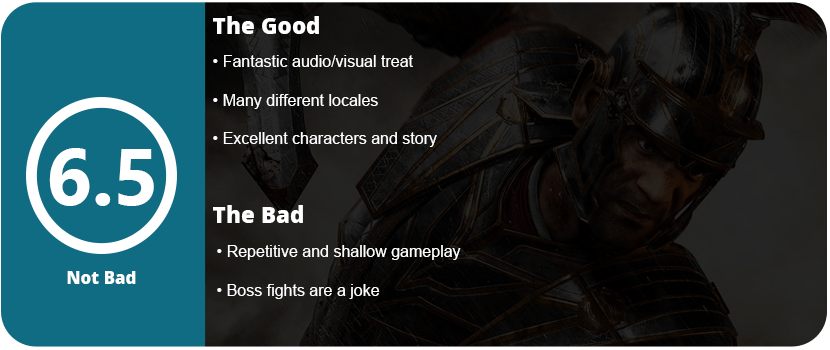
To top it all off, Ryse isn’t an awful game. It’s a game that has strong legs that are weakened by repetitive combat and awful boss fights. Many of the locales are just awesome, like the Colosseum, but they don’t overstay their welcome, which can balance this out a bit. If the game was pushed back another year, we could have had the best gladiator-type game ever made (Shadow of Rome and Spartan: Total Warrior still remain at the top). It’s a great weekend rental or bargain bin purchase, but nothing more.

Reviewed On

Xbox One Controller


Share this:

  • Email a link to a friend (Opens in new window) Email
  • Share on Tumblr
  • Tweet
  • Share on Reddit (Opens in new window) Reddit
Like Loading...

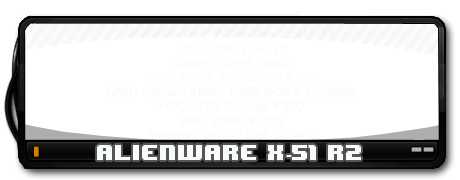
Killer N1202 Half-Mini Wifi Card

Posted by BinaryMessiah on 06/28/2015
Posted in: Hardware, PC Reviews. Tagged: 1202, half-mini wifi card, hardware, killer n, parts, pc, wifi. Leave a comment
FcLljkveX__N.878x0.Z-Z96KYq (1)

Manufacturer: Rivet Networks

Release Date: 5/2012

MSRP: $39.99


Capturezcz

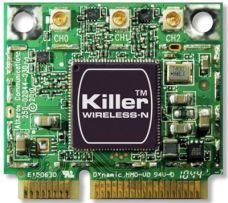
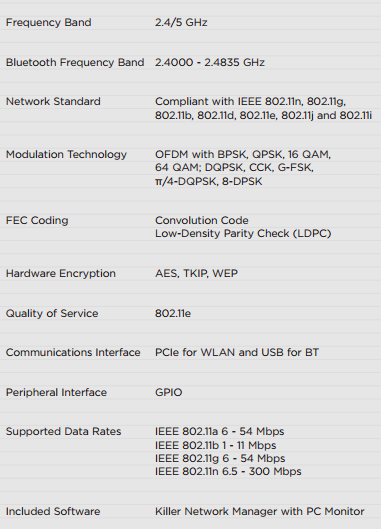
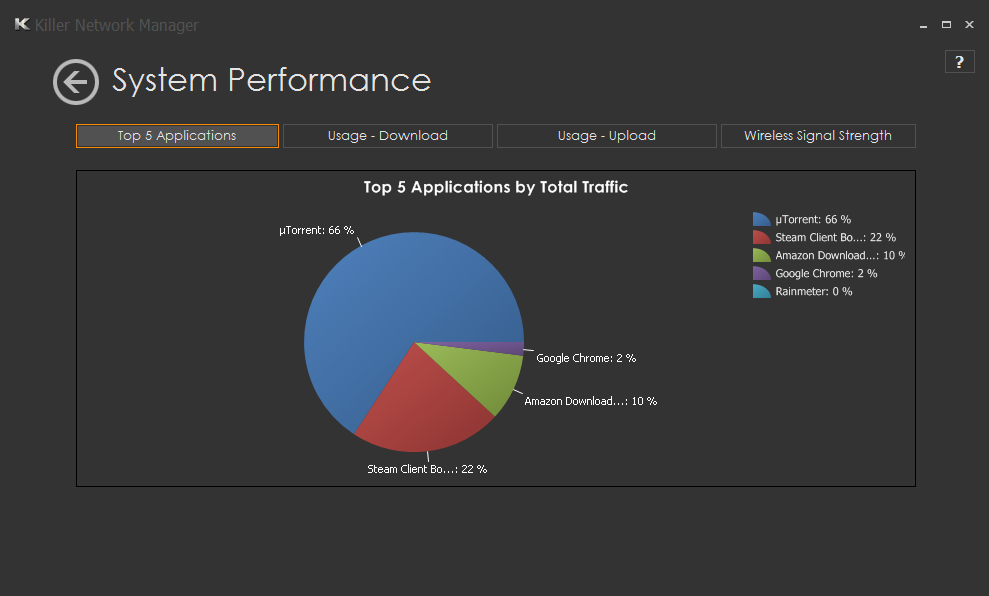
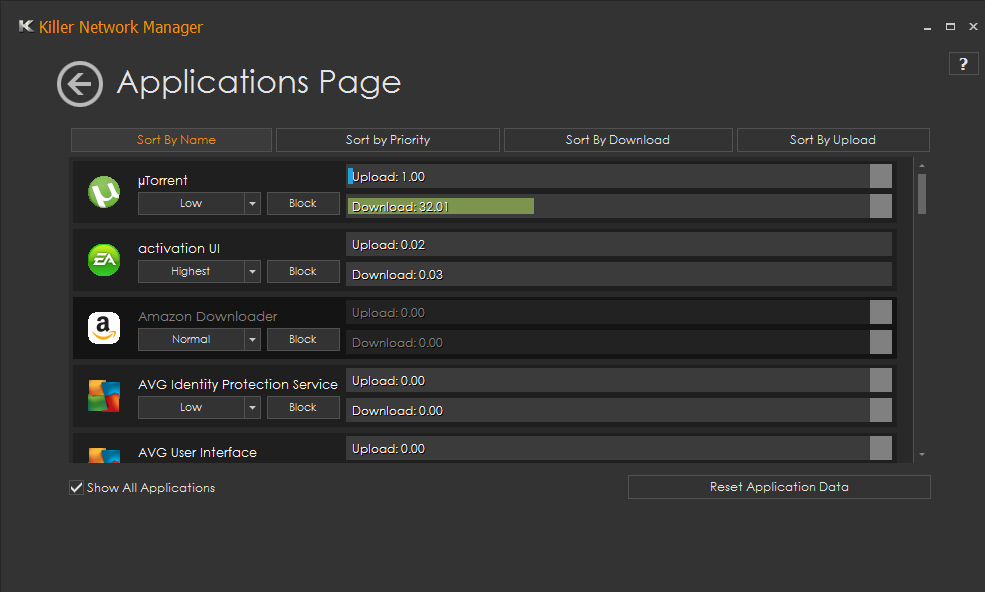
Killer Series wifi cards have been elite gaming cards for a long time. With the new Killer N series, smaller-sized WiFi cards are now powerful beasts. The Killer N1202 also packs in Bluetooth 4.0 and 2.4Ghz/5Ghz speeds. Killer Series cards are known for low jitter and smart data streaming. N1202 has a feature that will prioritize speeds for applications that need it the most, such as game clients, Chrome, torrent clients, and various other speed-hungry applications. You can manually set speed priority for other programs, such as Windows Update, anti-virus updates, or various other programs that don’t require much speed. This is an amazing tool that you notice within the first few hours of use. I can download a game on Steam and surf Chrome without slowing down my download. I tested the card on a 100 Mbps/s connection, and I rarely ever dipped below 10MB download speeds.

Captureasdf


Various other tools in the software allow you to see other wifi connections that are nearby compared to yours. This can help you pick a more vacant channel. There’s also a pie chart available to let you know what apps are using the most data, and this can be reflected in the app control manager. The software even lets you put in your internet connection speed according to your ISP to help regulate and get the most speed out of your connection. Outside of the software, the drivers were extremely easy to download and install with zero problems or hiccups. Windows recognized the card as soon as it was installed and booted up. However, there is a separate driver for Bluetooth that I was unaware of and didn’t get until I needed to connect a device.

Capturewser
Capture

This is the best wifi card I have ever had. With the low $40 price point, it’s hard to pass up for people who don’t want to be wired. With the data control and smart streaming software, gamers, movie streamers, and heavy downloaders will love this card. If you have a rig that uses a half-mini card, I highly suggest ditching whatever is in your system and picking this guy up.

Share this:

  • Email a link to a friend (Opens in new window) Email
  • Share on Tumblr
  • Tweet
  • Share on Reddit (Opens in new window) Reddit
Like Loading...

Metal Gear Solid V: Ground Zeroes

Posted by BinaryMessiah on 06/08/2015
Posted in: Microsoft, Microsoft Consoles, PC Reviews, PlayStation 3, PlayStation 4, Retro Consoles, Sony, Sony Consoles, Steam Deck Verification, Steam Deck Verified, Xbox 360, Xbox One. Tagged: ground zeroes, hideo kojima, konami, metal gear solid v, mgs. Leave a comment

Publisher: Konami

Developer: Kojima Productions

Release Date: 3/18/2014


Available On


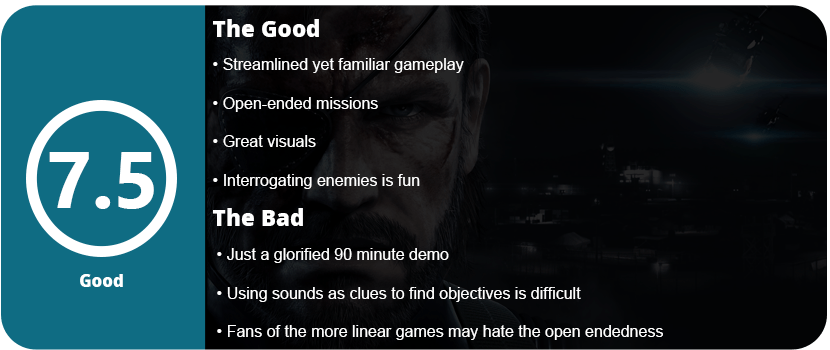
When I first heard about Ground Zeroes being released, I thought of one other game: Gran Turismo 5 Prologue. A glorified demo that showcased the tech behind the game. This usually happens when games take way too long to release and the developers need some feedback. So they release a chunk of the game for about $30 and get the world’s reaction. Ground Zeroes is actually a glorified demo of the upcoming Metal Gear Solid V: The Phantom Pain. If you aren’t a Metal Gear fan, well, what the hell are you reading this for?!

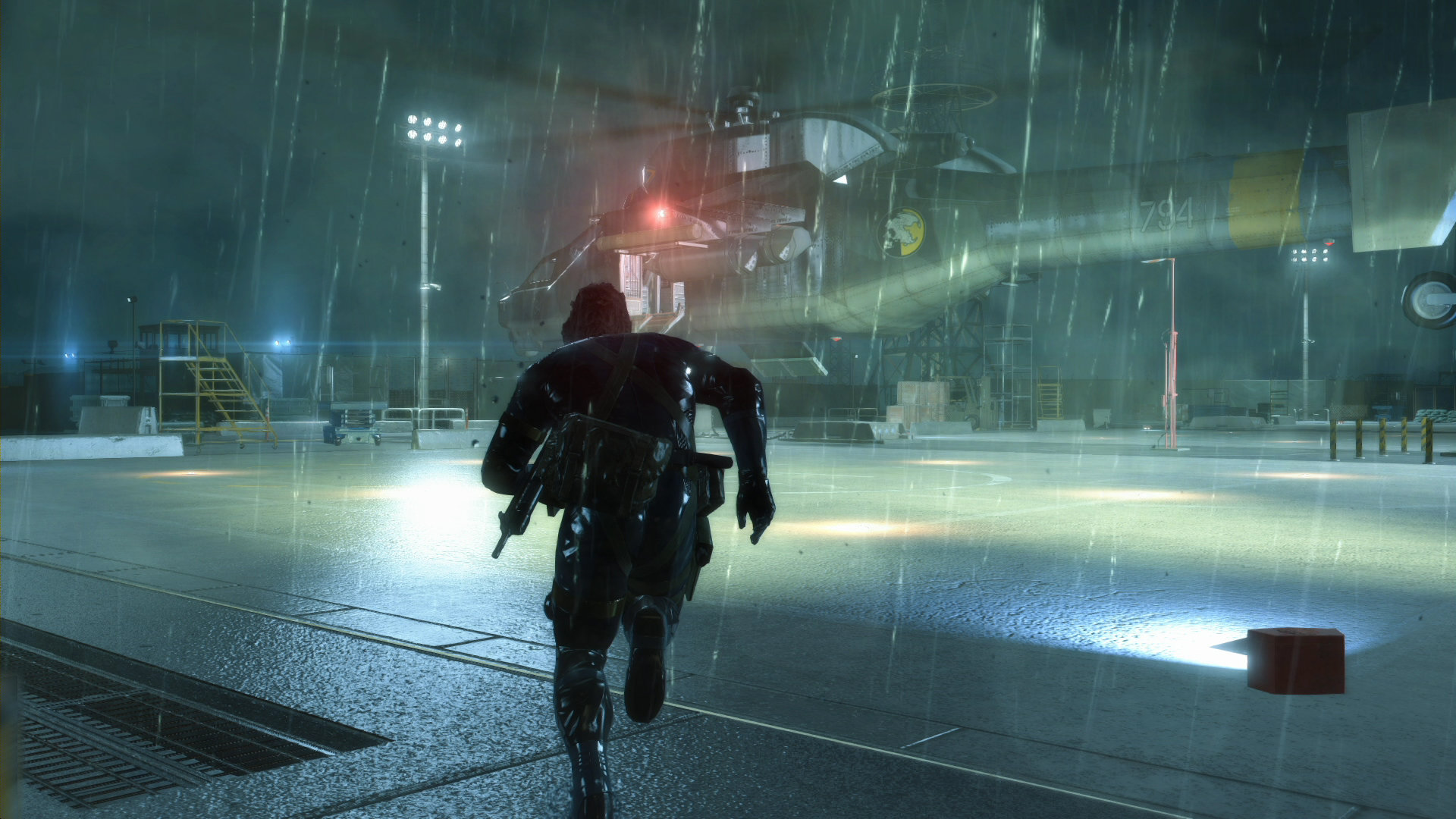
2740707-pc

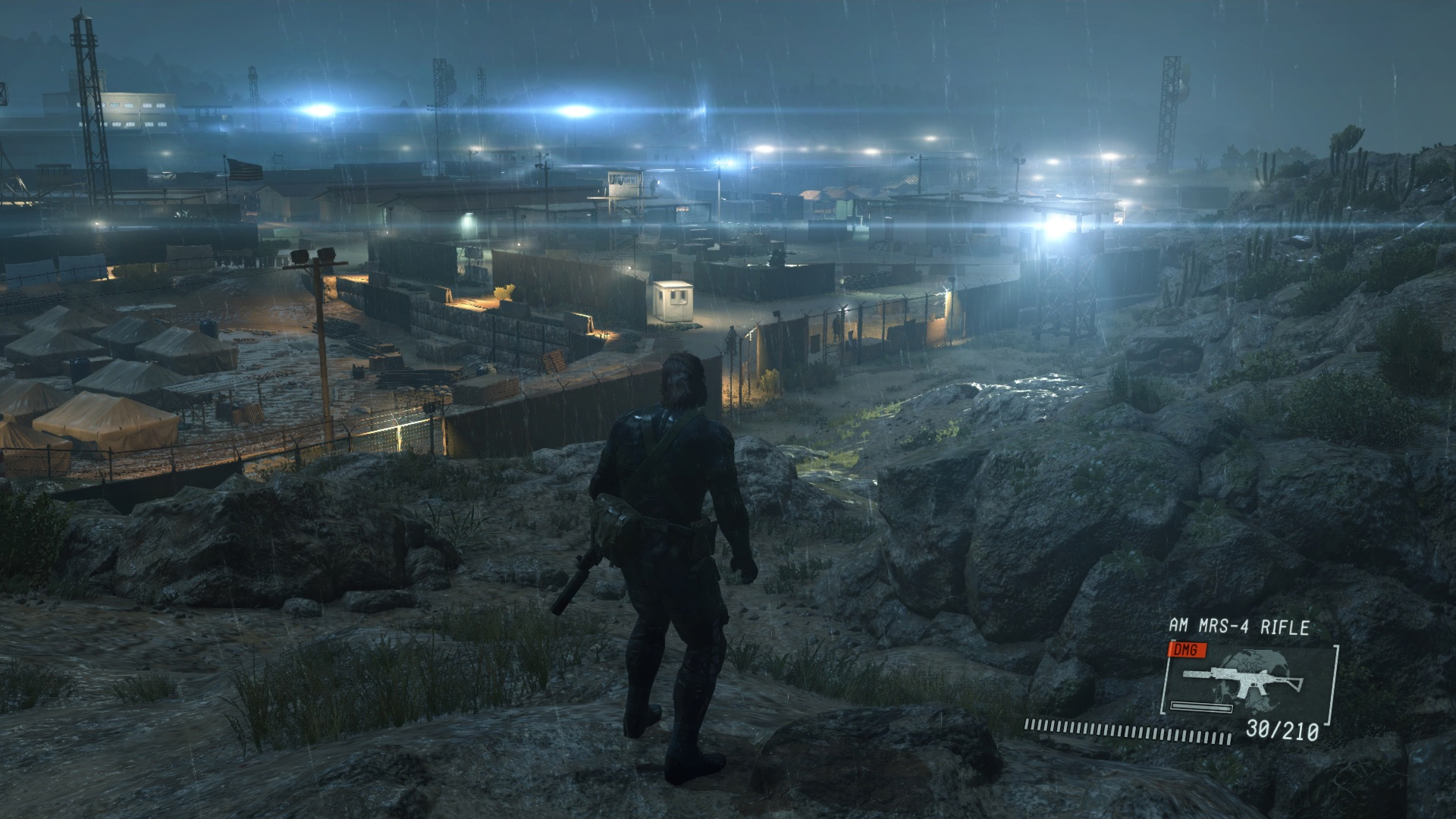
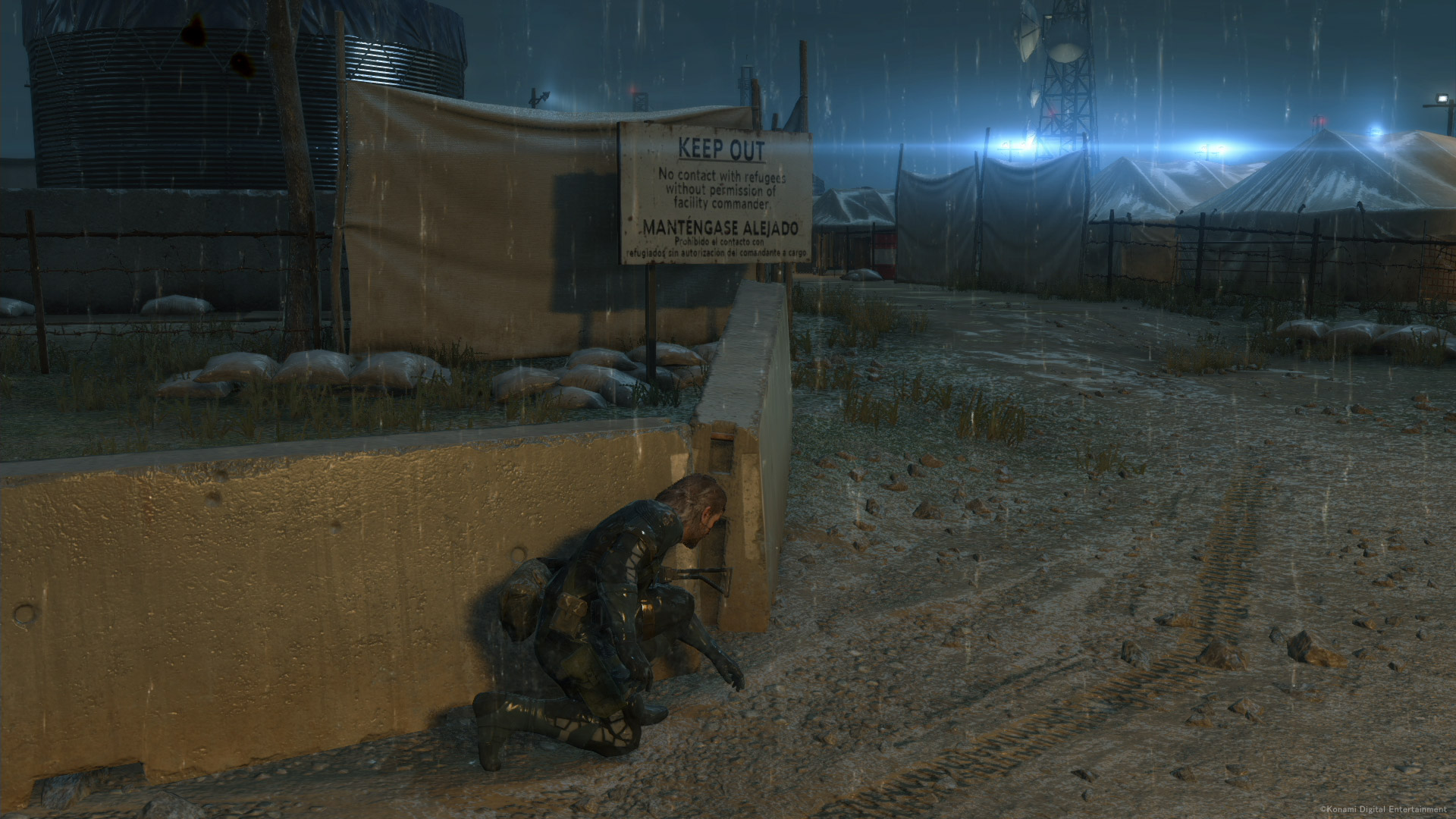
Ground Zeroes is actually taking place after the PSP game Peace Walker, which really surprised me. The game is made up of one giant mission in a large military compound. You must rescue two children, Chico and Paz, who were the main characters in Peace Walker. The first thing I noticed about GZ was how much everything has improved, from visuals to controls and animations. The entire familiar gameplay is streamlined, like it should have been years ago. No longer do you have the radio menu where you dial in and talk to people with long dialogue sequences. Just press a button to get hints on what to do, genius. The aiming is also a lot better this time around, as is inventory swapping and interacting with objects. Again, it’s all very familiar but just more streamlined. My favorite combat feature is that when you alert a guard, the game will slow down and turn towards the guard you alerted. You get about 10 seconds to put the guy down before he raises the alarm. Thanks to the more open environments, it’s much easier to see where everyone is. Climbing up a watchtower and using your binoculars to tag enemies is just what the series has needed for a while.

pic_night_ps_ps4

That’s another thing some MGS fans will not like: the open-endedness of the levels. The compound is huge, with many rooms, areas, and buildings. A new feature in MGSV is to interrogate an enemy while sneaking up on them and grabbing them. They will tell you where something valuable in the area is, like armor, a weapon, or enemy placement. You can choose to kill enemies or knock them out with your tranq pistol (like the good ‘Ol days). Figuring out where to go wasn’t too difficult. My first objective was to get Chico from a prison camp not too far from where I started. The second objective, finding Paz, was a real pain, as I had to use sound clues from a cassette recording to find out where she was. I finally figured out what area, but getting to the right building was tough. Silencers in this game eventually break, so I was stuck with just a tranq dart and couldn’t disable cameras. I had to run around finding armor that had another silenced weapon to continue, and I died many times doing so.

metal-gear-solid-v-ground-zeroes-screen-10-ps4-us-15apr14

Once I got Paz, I called in a chopper to pick her up. I jumped on an AA gun since her being missing was discovered and the whole base was on alert. Thankfully, no one took the chopper down, and I was able to squirrel away to the starting point to end the one-hour mission. After the final cutscene, the game ended, and I thought that if I had paid for this game, I would have been really pissed off.

With that said, Ground Zeroes shows us just what Phantom Pain will be like, and I also have to mention that Kiefer Sutherland pulls off a better Snake than David Hayter. Yes, I said it; bite me.

Reviewed On


Share this:

  • Email a link to a friend (Opens in new window) Email
  • Share on Tumblr
  • Tweet
  • Share on Reddit (Opens in new window) Reddit
Like Loading...

Sorcery 2

Posted by BinaryMessiah on 06/07/2015
Posted in: Android, iOS, Mac, Mobile Reviews, PC Reviews, Steam Deck Playable, Steam Deck Verification. Tagged: android, apple, google, iOS, sorcery 2, steve jackson. Leave a comment
Icon_ipad7@2x

Developer: inkle

Release Date: 11/7/2013


AlsoAvailable On


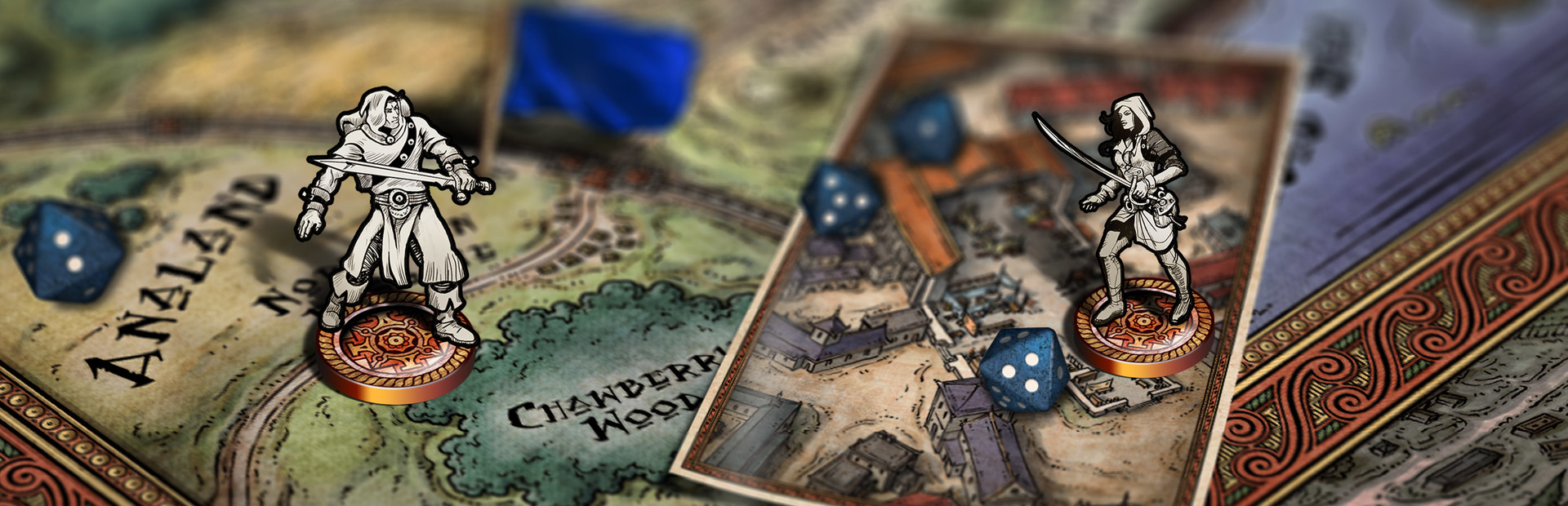
Fighting Fantasy novels are some of the best fiction I have ever read. Being translated into a game is even better, thanks to all the perks that come with a game. Not having to keep track of stats, inventory, or where to turn the page. Sorcery is a series created by Steve Jackson and is wonderfully crafted. It’s not so much the characters in the game as the world itself and how it’s portrayed.

images6and2together

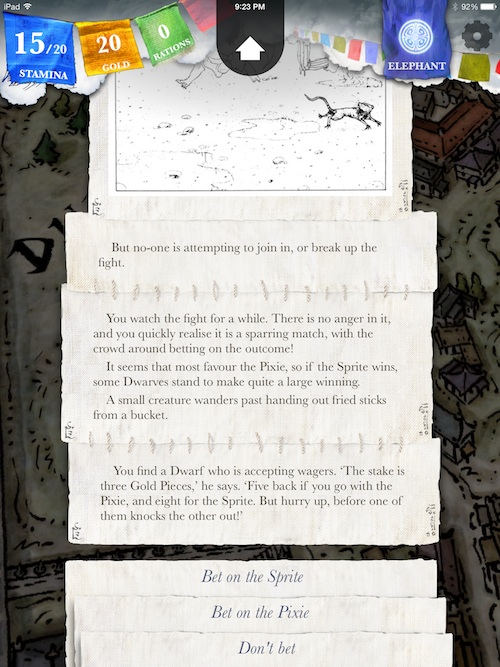
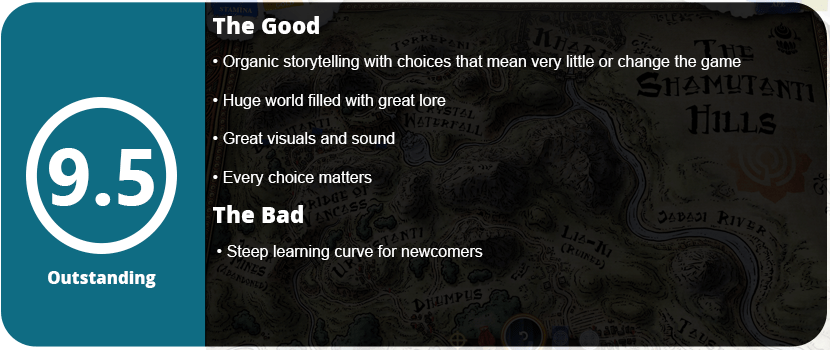
When the game starts out, the player comes across a beggar and has complete freedom to kill him, greet him, or just ignore him. In fact, this is a completely open game; every choice matters until the very end. I was just surprised at how much detail went into each choice and each move. Every step of the way, a choice can be made that can kill you, help you, or show consequences later in the game. Just greeting or ignoring someone can be optional, or that is the person you need to talk to to make your path easier. It’s so organic, though, and that’s the magic of this game.

The goal of the game is to find four magic lines that you must recite at the north gate of the city, which has been locked for thousands of years. Of course, you can leave the city and leave it to be burned down by the raiding orcs and goblins; however, this is the cheap way out. If you missed one of the four nobles, you must find them so you can go back to a point in the city and try the area again. Another thing I really loved is that your character remembers going through these areas, so the game is adjusted accordingly. You can avoid traps, being captured, and fights to make going to areas you missed easier. You can also rewind any encounter at any time without any penalties, which is a blessing for these adventure games.

Sorcery-2-Review-398119-16

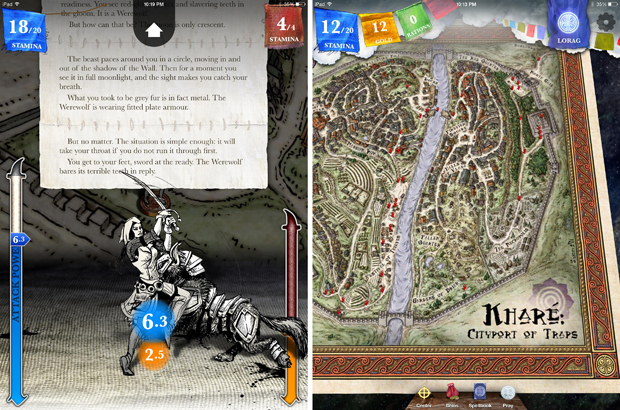
The visuals are rather charming and feel like something that has come right out of a book. The sound design is a little lacking, but when it does kick in, along with the music, it’s fantastic. The other two elements of the game, besides adventuring, are magic and combat. Magic is used throughout the entire game, whether for predicting traps, weakening enemies, creating shields, or making yourself bigger. Magic can be used to help or harm people. Combat is strategic in a way that you must read what’s going on with the enemy and then watch their stamina bar to predict how hard your next attack should be or to defend.

Sorcery-2-3

In the end, I had one problem: I couldn’t figure out where the last two nobles were. I almost gave up on the game, but some of the clues finally made sense, and I was able to find both nobles in one try before going back to the north gate. The story flowing organically allowed me to remember where I heard about the nobles and that I had visited those areas, and it finally clicked. Once I opened the game, I finished the ending and couldn’t wait to jump into Sorcery 3. This game is highly recommended for RPG fans and adventure fans.

Reviewed On


Share this:

  • Email a link to a friend (Opens in new window) Email
  • Share on Tumblr
  • Tweet
  • Share on Reddit (Opens in new window) Reddit
Like Loading...

Toren

Posted by BinaryMessiah on 06/05/2015
Posted in: Mac, PC Reviews, PlayStation 4, Sony Consoles, Steam Deck Verification, Steam Deck Verified. Tagged: mac, pc, playstation, ps4, Sony, toren. Leave a comment

Publisher: Versus Evil

Developer: Swordtales

Release Date: 5/11/2015


Available On


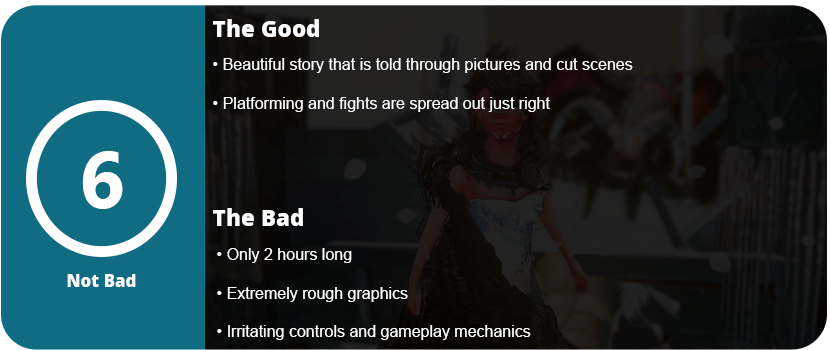
I absolutely love short games that tell beautiful stories. A game that really doesn’t have much gameplay but just enough to get the story across and help you feel for the characters. Toren is one of those games; it has so much potential but is extremely rough around the edges. There’s actually more negative than positive in this game, but for some reason, it’s worth a playthrough, simply for how the game is told and unfolds.

2863522-0008

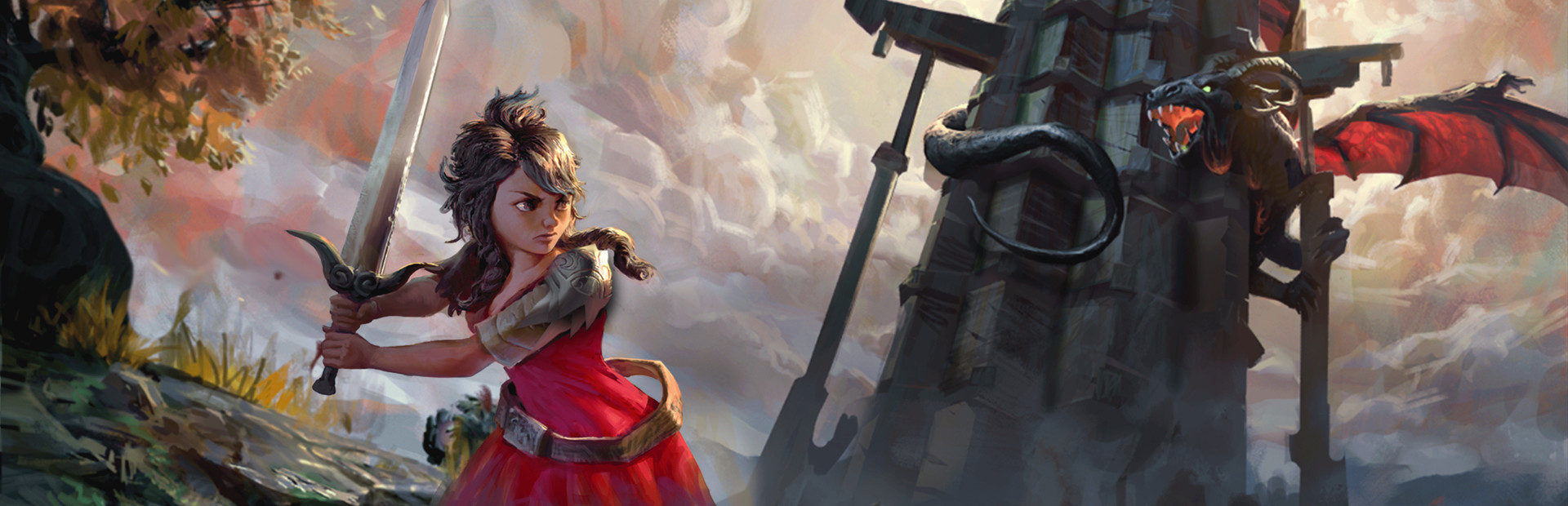
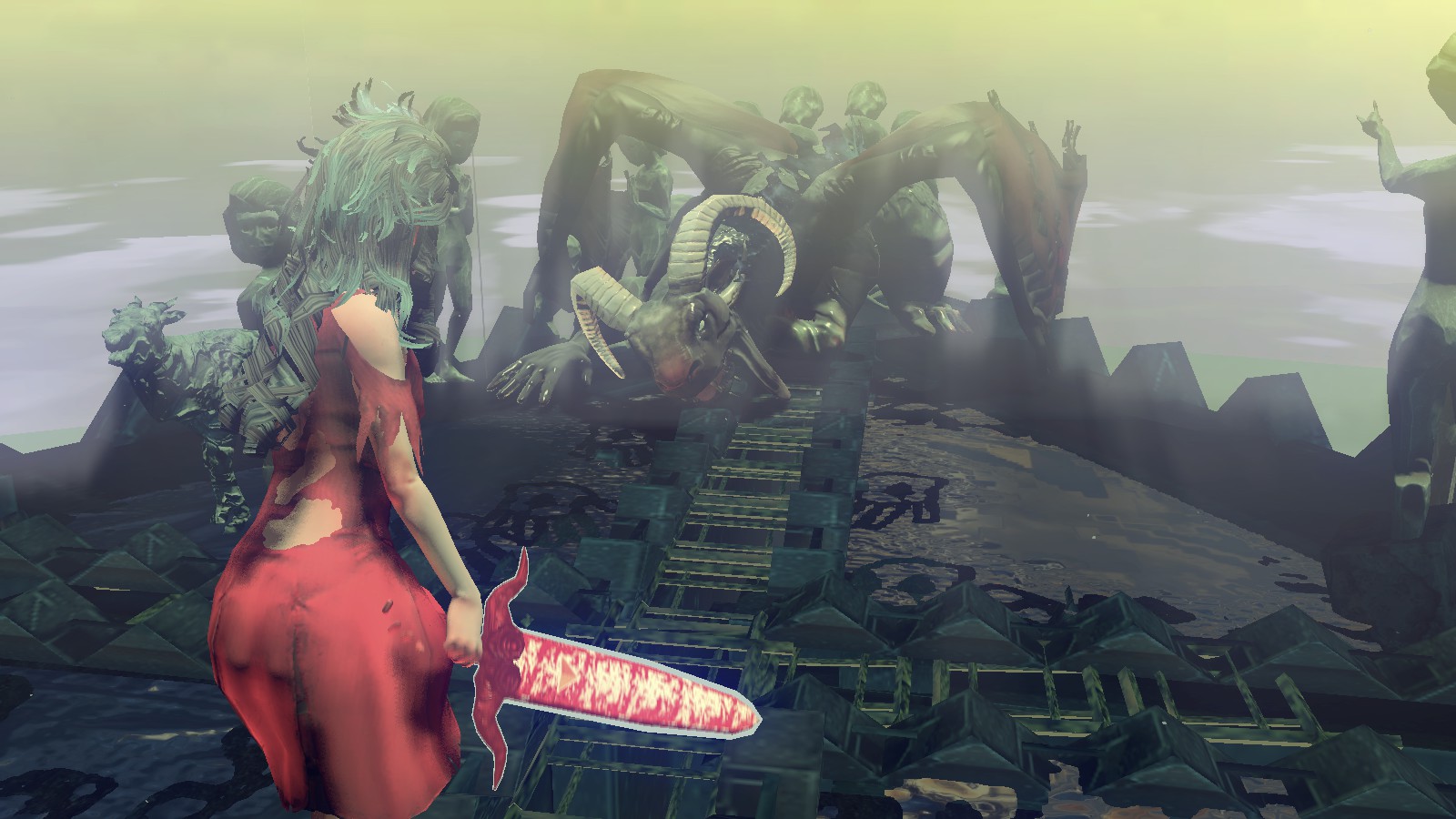
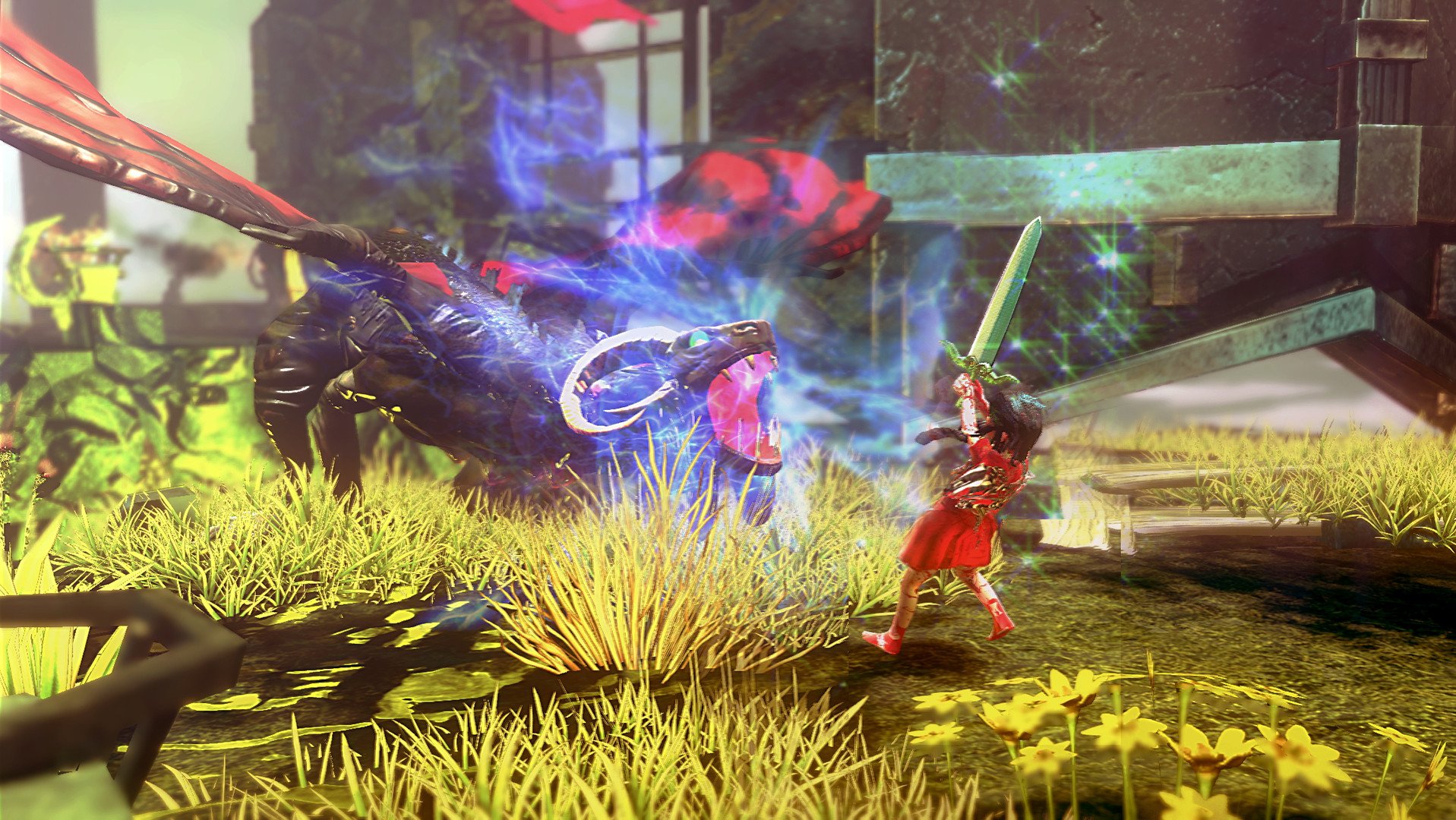
The game starts out pretty simple. You start as a baby girl who is waddling toward a sword. I had a pretty strong image of gaming when I was a baby. It tends to be a sensitive subject, but Toren pulls it off just fine. After grabbing your sword, you get segments of jumping puzzles and are faced with a dragon. This dragon sits in one spot and will shoot out waves of black that will freeze you. See, the game is a little bit like Infinity Blade in a way. Failing is the only way to go forward (of course, the failing bits are scripted). The girl will try to reach for something or solve something, and the dragon will get her. She is reborn and thus can use her frozen body as a stepping stone or something to climb.

toren-three-A3

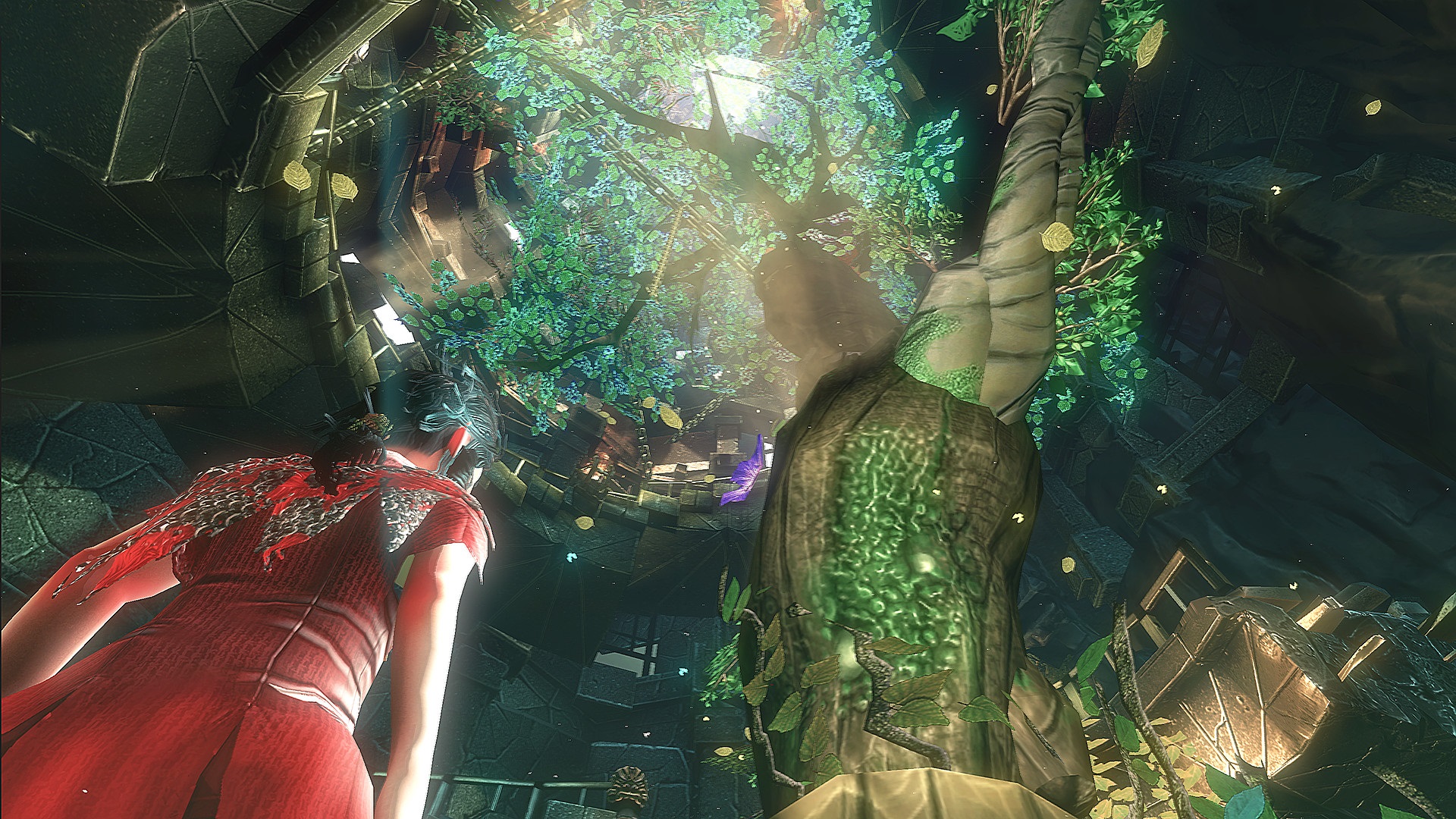
The whole point of the game is to climb this large tower called Toren to bring back the night. A dead man tells a story about a man named Solidor who tried the same thing and failed. It’s a little confusing in words and makes more sense in pictures and cutscenes. Between trying to fight off the dragon during weak puzzles, there are platforming segments that are set in strange dream-like areas that are just really great to look at. They aren’t tough, but this is where the flaws come in. The jumping mechanic is very floaty, there are a lot of collision detection issues, the sword fighting is barely waving your sword around aimlessly, and even controlling the girl can be a bit difficult as she feels like an ice cube walking around a frozen lake.

toren-2654988

The visuals are even rough, and while there are some nice lighting effects, the game has texture quality that is all over the place. The framerate is also everywhere, but anyone who enjoys the subtly of indie games will look past all this. The game can also be finished in one sitting—about 2 hours. While it lasted, I enjoyed the game. It broke up the dragon fights with the platforming segments well, but the issues with the game make it more difficult than it needs to be.

With all that said, Toren is an interesting game with a beautiful story, but it is encased in a sloppy game with rough graphics and slippery controls.

Reviewed On

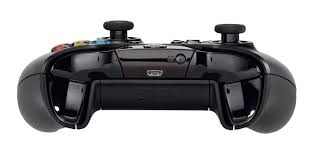
Xbox 360 Controller for Windows

Share this:

  • Email a link to a friend (Opens in new window) Email
  • Share on Tumblr
  • Tweet
  • Share on Reddit (Opens in new window) Reddit
Like Loading...

Far Cry 4

Posted by BinaryMessiah on 05/24/2015
Posted in: Microsoft, Microsoft Consoles, PC Reviews, PlayStation 3, PlayStation 4, Retro Consoles, Sony, Sony Consoles, Steam Deck Playable, Steam Deck Verification, Xbox 360, Xbox One. Tagged: far cry 4, Microsoft, open world, playstation, ps3, ps4, Sony, ubisoft, xbone, Xbox 360, xbox one. 2 Comments

Publisher: Ubisoft

Developer: Ubisoft Montreal

Release Date: 11/18/2014


Available On


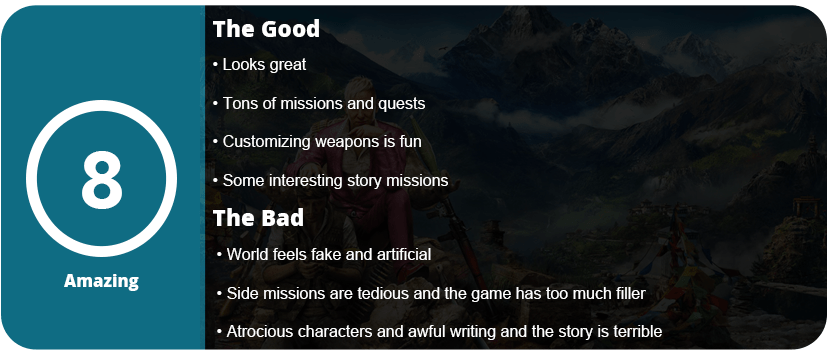
An open jungle, a rebel war, a tyrant, a guy who ends up in the wrong place at the wrong time, lots of guns…sound familiar? Yes, another Far Cry run of a giant open world that might be too large for its own good. Far Cry 3’s mediocre missions were made up for by an excellent story with fantastic characters; however, Far Cry 4 seems to be doing the opposite. You play Ajay Ghale, a man trying to bury his mother’s ashes but is captured by a tyrant known as Pagin Min. Min is a man who is bringing the people of Kyrat down, and you are here to help the rebel army rise against him. It sounds cliche and boring, and it is. The story and characters are Far Cry 4’s downfall, as they are either just really badly written or uninteresting. Pagan Min isn’t so bad, but the rest of the characters just don’t hit home like FC3 did.

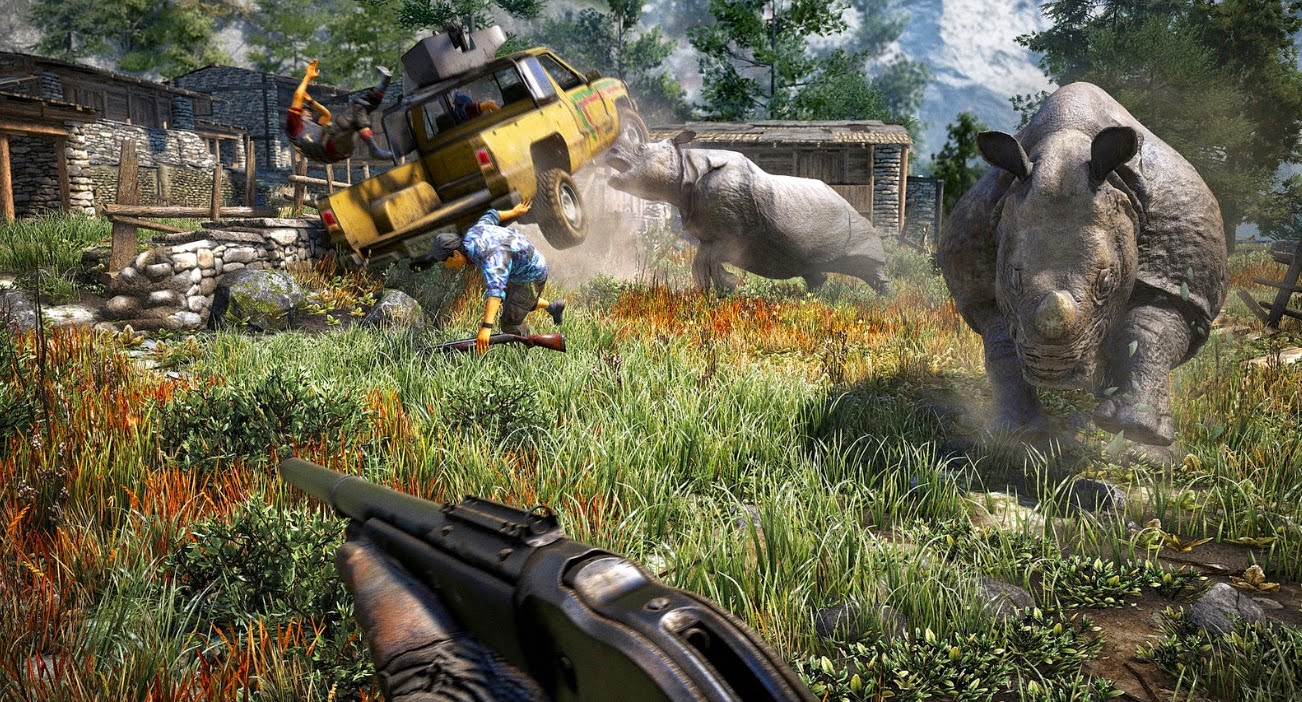
Far-Cry-PS4-7-Copy

There are honestly more side missions than story quests, but to the point in which it’s overwhelming. Far Cry 4 is huge. Five times the size of Far Cry 3. Despite the story being bland, let’s talk about the gameplay. It’s nearly identical to FC3 in terms of gunplay and the choice of stealth or guns blazing. However, the choice of stealth, I feel, is stilted, and guns blazing tends to be the forced choice. There are multiple side quests, including destroying propaganda towers, intercepting couriers, taking over camps, storming fortresses, hunting, races, and several others. While all these are fun for a bit, they all wear thin, as there are just so many of them. There were missions that required me to sneak into an enemy base, but no matter how quiet I was, someone always saw me. The enemies have had this problem since the first game.

Outside of the side missions, you can buy weapons and maps, hunt for treasures (which is probably the most tedious), and skin animals to increase carrying capacity. Gathering plants for syringes is back as well, but all of these things are second-hand from FC3, and there’s just not enough here that’s new to make it feel like FC4. Thankfully, the gunplay is rather solid, and customizing weapons was one of my favorite things to do. I’m not saying any of this stuff was bad, but it was tedious and felt too similar to past games. Nothing really stands out on its own.

far_cry_4-2657380

FC4 is also heavily reliant on co-op play, as some camps and fortresses are nearly impossible to take over by yourself. I died multiple times and had to exploit strategies to beat some of them. I would give up and wander around collecting treasure, taking over a tower, and completing some side quests, only to continue getting distracted from the main story. This is usually a good thing, but FC4’s world feels sterile, empty, and too artificial for its own good. Most people would love all these things to do, but it’s all just kind of dull and only good in short bursts.

farcry4 2

The graphics are actually quite fantastic and show off the power of next-gen consoles; however, they’re not much different-looking than FC3. In the end, after completing the story, I felt overwhelmed by the vast amount of things needed to complete the game and just told myself I would come back to it later, when I’m really bored. In the future, Ubisoft needs to work on Far Cry, which feels more important with less filler content. Honestly, this series needs a reboot or a complete overhaul to justify its existence.
Reviewed On


Share this:

  • Email a link to a friend (Opens in new window) Email
  • Share on Tumblr
  • Tweet
  • Share on Reddit (Opens in new window) Reddit
Like Loading...

Posts navigation

← Older Entries
Newer Entries →
    • Reddit
    • Instagram
    • Bluesky
  • Follow on WordPress.com
    1. Unknown's avatar
      Anonymous on Red Faction – 22 Years Later03/10/2026

      Try multiplayer. A lot of fun !

    2. BinaryMessiah's avatar
      BinaryMessiah on Rengoku II: The Stairway to H.E.A.V.E.N. – 19 Years Later01/25/2026

      Yeah, it's pretty damn awful. Notoriously one of the worst games on the PSP. A 4 was actually being generous.…

    3. Unknown's avatar
      Anonymous on Rengoku II: The Stairway to H.E.A.V.E.N. – 19 Years Later01/24/2026

      No idea about this game, its not that bad its a 6.5 not a 4....

    4. BinaryMessiah's avatar
      BinaryMessiah on Lonewolf12/10/2025

      Yep! The fact that I forgot about this game until you made a comment proves that.

    5. Unknown's avatar
      Anonymous on Lonewolf12/10/2025

      completely forgetable?

  • https://www.heavensgate.com/
Blog at WordPress.com.
  • Subscribe Subscribed
    • thebinarymessiah.com
    • Join 204 other subscribers
    • Already have a WordPress.com account? Log in now.
    • thebinarymessiah.com
    • Subscribe Subscribed
    • Sign up
    • Log in
    • Report this content
    • View site in Reader
    • Manage subscriptions
    • Collapse this bar
 

Loading Comments...
 

    %d