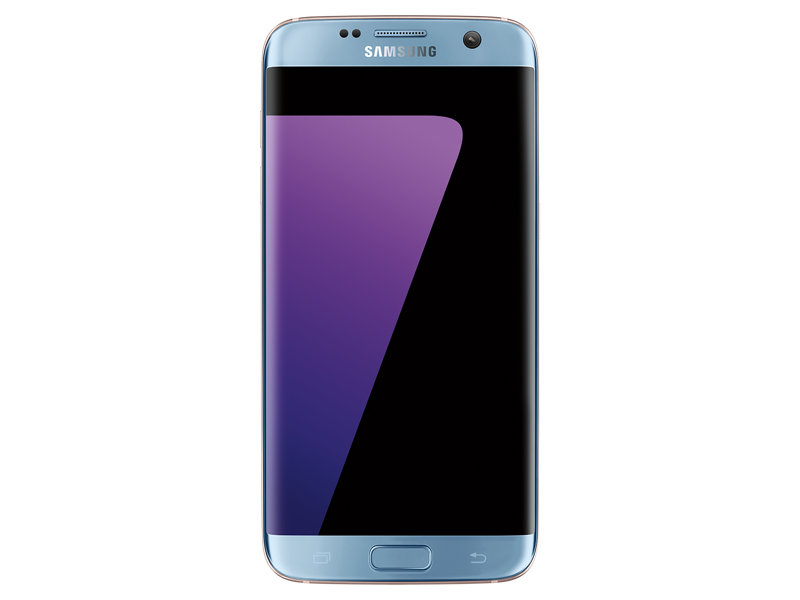
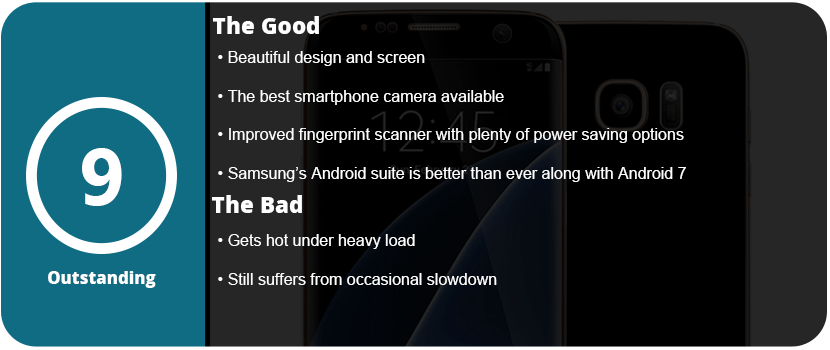
So, this is my fourth Samsung phone, and this company has come a long way. After dealing with the Note 7 disaster, I switched to the LG V20 while awaiting the next Samsung phone, thinking the S7 wasn’t worth it. I recently decided to switch back as the Galaxy S8 is around the corner and the S7 Edge is pretty much the same as the Note7 without the S-Pen and a smidge smaller. The OS is identical, and I really missed the fantastic screen and OS experience from Samsung.
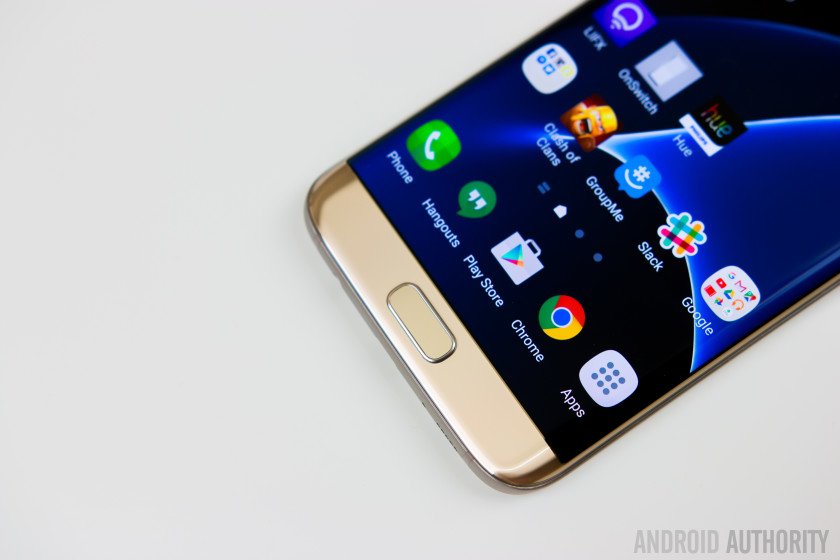
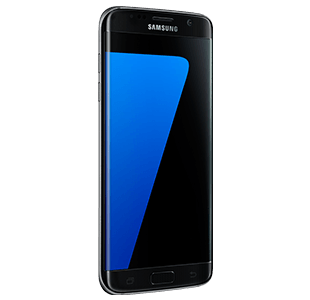
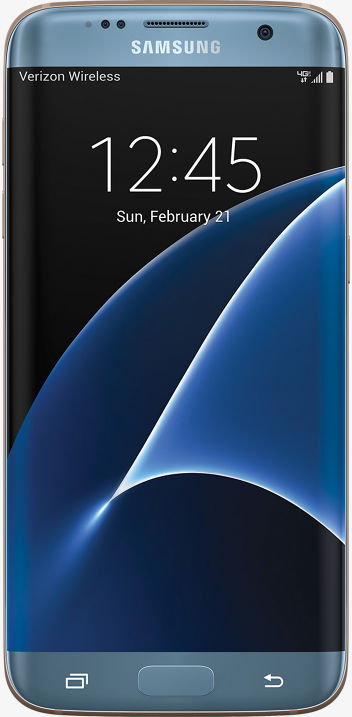
Thankfully, I picked up an S7 Edge after the 7.0 Nougat update, and I have to say it is just a beautiful update to the already great 6.0 that the Note7 shipped with. The S7 Edge has a 2K screen (2560×1440) with a 12MP rear camera and a 5MP front camera. The S7 camera is rated as the best phone camera around, and you can really see just how fantastic it is. The full glass body is sleek and gorgeous and feels great in your hand, and the much-improved fingerprint scanner works great.
The phone has a Snapdragon 820 SoC, which is currently the fastest available for a smartphone and is lightning fast. 4GB of RAM and 32GB of UFS 2.0 memory allow for speedy transfers and writes. The addition of a microSD slot is welcome, and the Adreno 520 GPU allows you to play the latest and greatest games. There’s nothing faster out there right now. However, this phone did tend to run very hot when I did the initial setup. It was so hot it made my hand sweat, but after this setup, I have yet to have the phone get that hot again.
The OS experience is wonderful, and Samsung has implemented so many features over the years that it can be overwhelming. From being able to transfer your files from your old phone via WiFi or USB to advanced security features, excellent power-saving technology, and features for gamers, there’s a lot packed into this tiny brick. Samsung’s Game Tools and Game Launcher are awesome to use, and I have been a fan since day one. Being able to launch a game from the Game Launcher allows you to keep your phone at maximum performance, or you can turn it all down for smaller games that aren’t graphics-heavy. Game Tools allows you to customize each game individually if you want as well.
Samsung’s themes and icons are nice to see on the S7 and make the phone feel unique and personable. Samsung is the only phone maker right now that has this feature, but LG is trying to catch up, but their theme updates are slow going. Samsung has other things packed in here, like Samsung Gear, VR, Pay, and many other proprietary apps that are robust and work well with their own products.
I really can’t pick this phone apart from the Note 7, as it’s exactly the same—same button placement and feel, same style, same screen, same everything. If you were screwed by the Note 7, this has all the exact same hardware but in a slightly smaller form factor. It still has some of the same issues that have plagued Samsung smartphones forever, such as the occasional slowdown if you don’t constantly keep up on optimizing your phone, and it does run hot if the CPU is pushed too hard. Hopefully, this eventually goes away with the next phone, and I don’t know if the OS can’t keep up with the CPU or the other way around, but as time goes on, this issue should not exist.
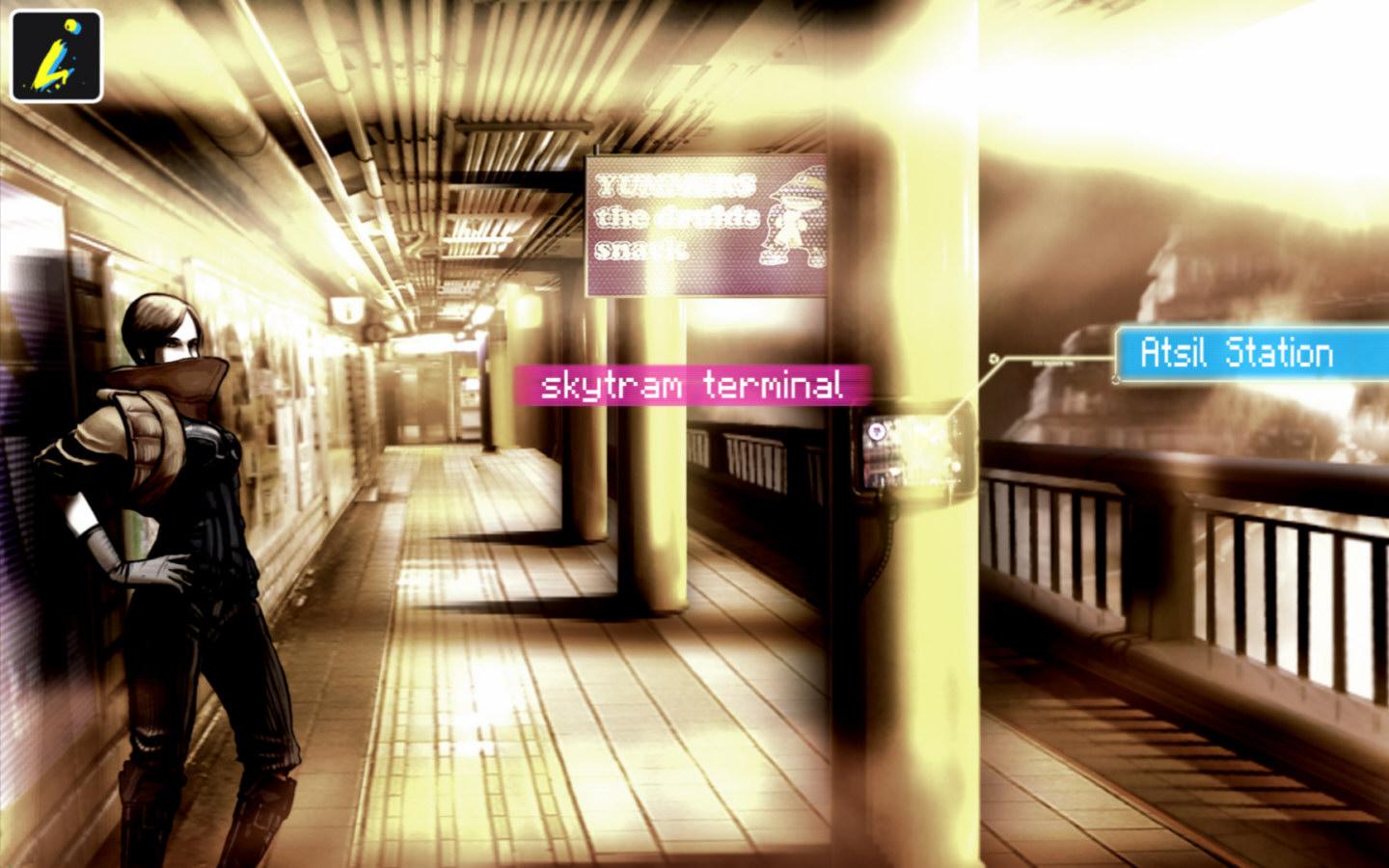
Point-and-click adventures are becoming big on mobile platforms, which is nice. Sitting down and relaxing with a great story and exercising your brain with puzzles is a perfect fit for mobiles. Sinless is a strange game, as it doesn’t make any sense, but it is still enjoyable.
You play in a cyber-dystopian world where everyone is controlled via computer chips called “progs,” which have pre-programmed attitudes and moods. You just so happen to be someone who is immune to this control, and the government wants to kill you. You travel through a strange city trying to find your girlfriend and realize you are part of some prophecy and are some sort of messiah for this desolate world.
The strangest thing about the game is the art style. While it’s great and very stylized, it’s muddy and washed out and almost doesn’t quite work for this game. It’s very hard to see things in these images and find objects to click on. I really love the art, but I feel it’s not right for this type of game. With that said, it really gets the mood and atmosphere of being tense, controlled, and lonely; everyone is living in constant fear. My issues didn’t set in until about an hour into the game, when I realized there were no clues on what to do or where to go next. I had to resort to a walkthrough.
This is usually common in adventure games, but this is a 3-hour game at most. Yes, only three short chapters. There is so much backtracking and obscure conditions you have to meet to finish the game; it was just too damn confusing for me. I was really into everything but the way the game was played. I also didn’t like that the clickable dots only appeared if you left the screen alone for a while. With the washed-out visuals, I wanted them on screen at all times.
At least this game has some pretty cool mini-games that make you smile and appreciate it a bit more. There are also some video game references, such as Mirror’s Edge, which was nice to see. Overall, Sinless is worth the purchase price, but don’t expect much out of it after a 3-hour sitting.
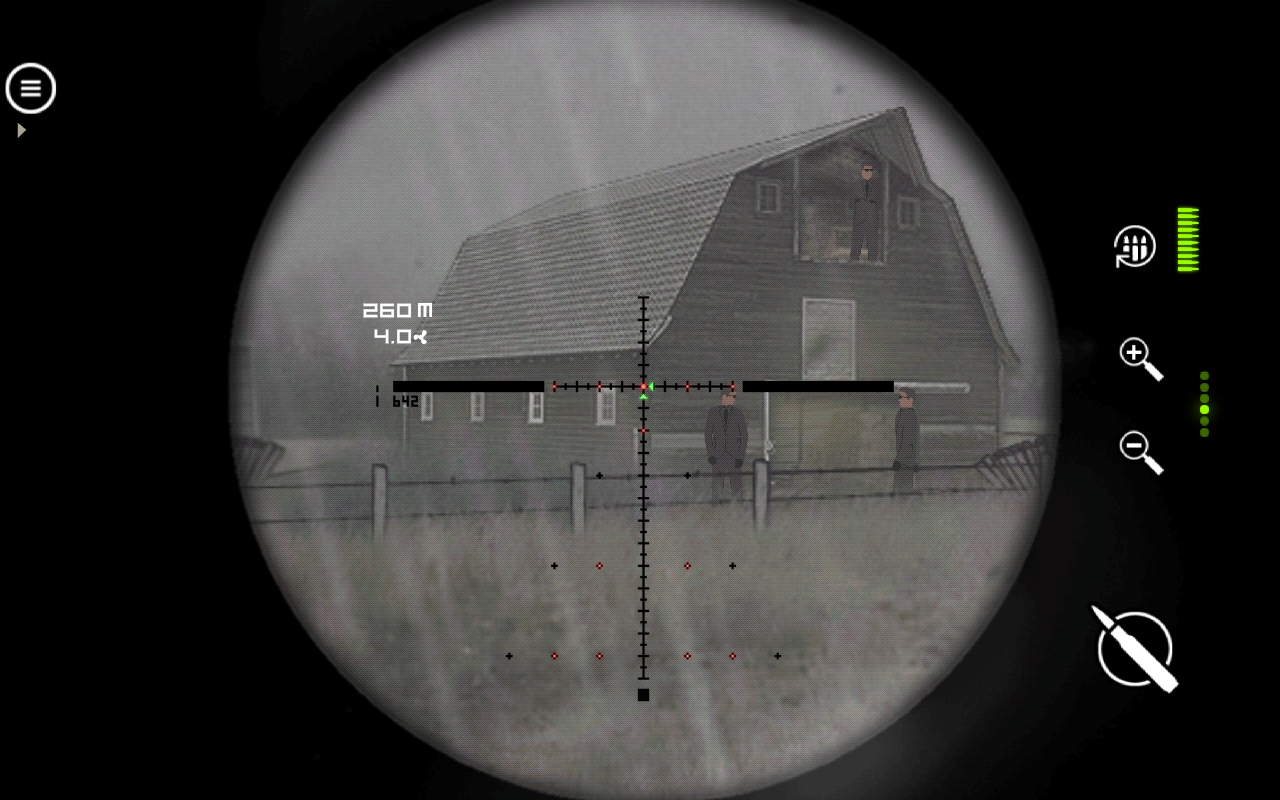
I’m not really a fan of these mobile sniper games, but Lonewolf caught my eye due to the art style and mature content. The game has a noir/mob gang comic vibe to it, and it is actually quite entertaining, albeit formulaic. You play as a military veteran who used to be a sniper and loves killing. You pick up work for a mob boss and stay neutral through the whole thing. Nothing to write home about, but enough to keep you pumping through levels.
The game is seen through the scope of a sniper rifle. There are plenty of rifles to pick from in the game that are real-world models. You can upgrade them and buy new parts for them, which is quite fun. There’s a zoom button, reload, and shoot—the only three you need in a game like this. Each mission is completely different, which is why I kept playing the game and didn’t want to put it down. After a while, there’s a wind aspect, and you need to lead your shots, which is a huge challenge and actually requires skill rather than luck. Each mission just has a few guys set up to kill, and it’s the order and precision that count. If you shoot the wrong one, someone might see it and blow the mission. There’s a lot of trial and error later on, and it got quite frustrating, especially during the few shoot-out scenes where your aim is really important as you die quickly.
This is also a freemium game, but you have the choice of buying it without ads. With ads, you have to watch videos to reload your retries, or you have to wait. With how hard the game is later on, it felt like this was done more for money than the player’s entertainment value, which is something that’s consistent in the mobile realm.
Overall, Lonewolf is well worth your time as it provides varied missions and relies on your skills to proceed rather than luck or something else. It’s well worth the purchase to remove ads, but if you have the patience, it’s also free.
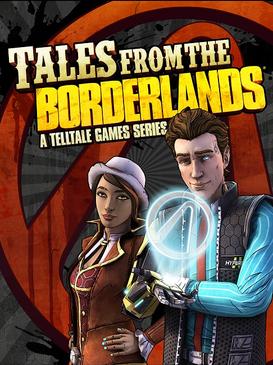
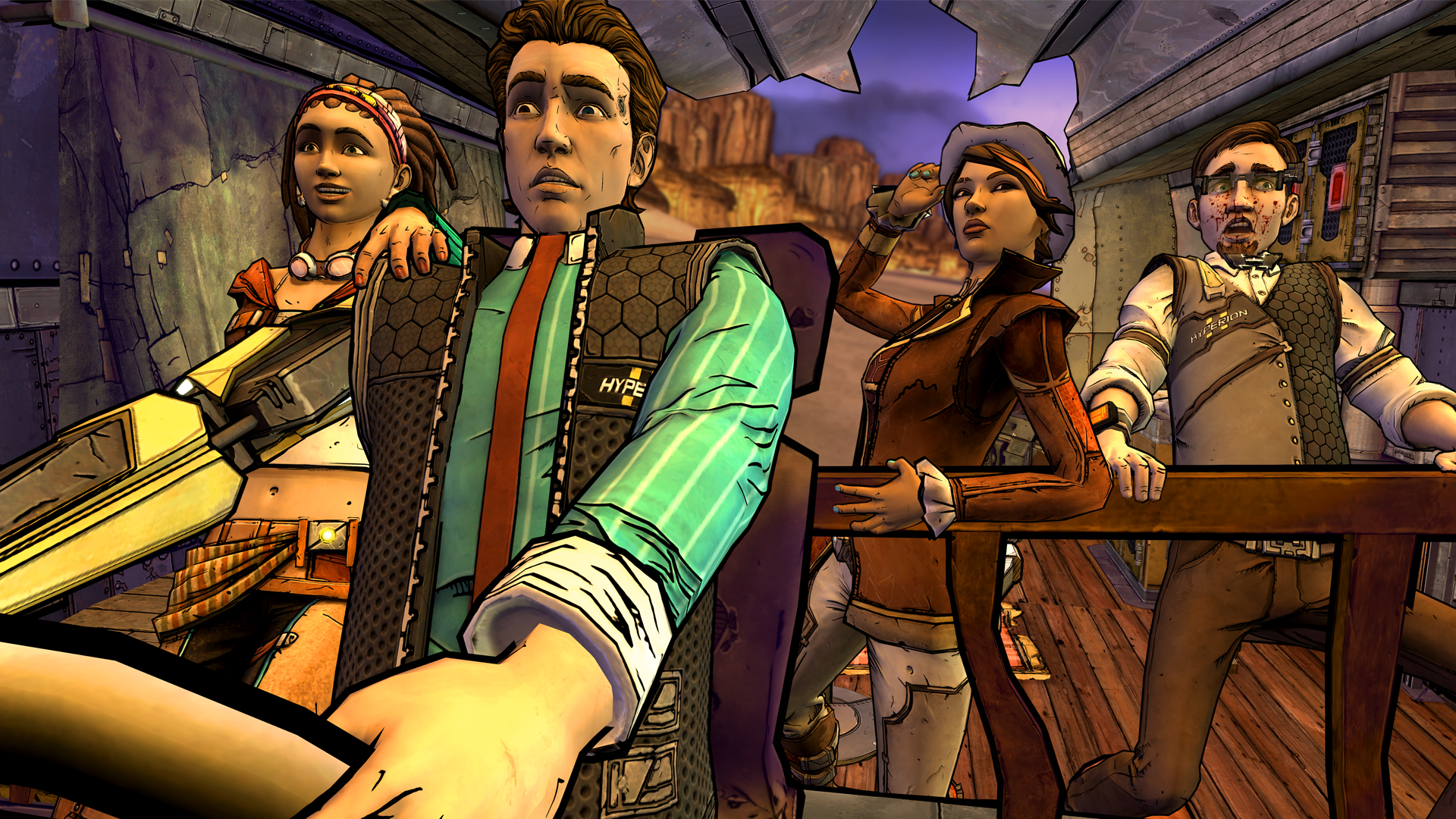
Borderlands is well known as a shooter-RPG hybrid, but with little to no story. There’s a lot of potential in a great Borderlands story, and Telltale Games finally delivered that. TftB is a fantastic story-driven game with memorable characters and enough Borderlands lore and quips to make a fan faint. The visuals are great, and there’s a lot to walk away from after completing it.
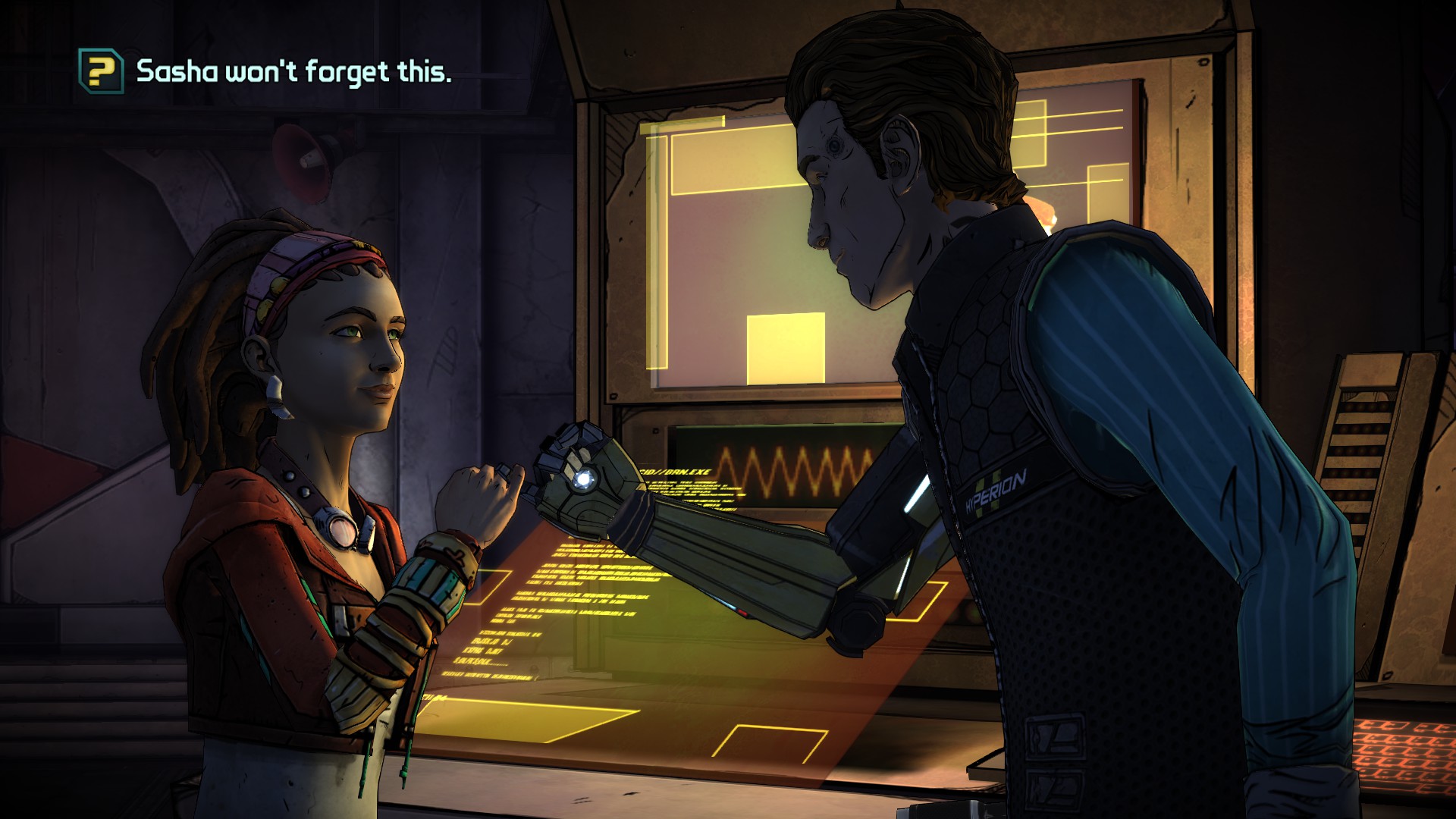
You start out by playing as two characters in this game, Rhys and Fiona. Rhys is a Hyperion corporate employee, and Fiona is a Pandorian con artist. The whole goal of the game is to open the Vault of the Traveler and find its hidden treasures. The entire point of any Borderlands game is to open a mysterious vault. The game is mostly comprised of flashbacks, as a man is dragging you two through the desert and having you retell your story leading up to the point of capture. This mysterious figure is well hidden, and I couldn’t guess who it was for the life of me. The unveiling was so surprising. Telltales are masters of surprise and plot twists, and TftB has plenty of them.
Like most Telltale games, there’s not much gameplay involved, just enough to make you feel like it’s a game. However, the stories are so fantastic that you won’t care much. There are a lot of quick-time events and moral choices in the game. These choices are the key components of any Telltale adventure and are what make them memorable. Some choices don’t matter so much, and some can change the course of the entire game. TftB doesn’t have as many story-changing choices as, say, The Walking Dead, but they do make a difference and can be tough to decide on. Putting your own moral compass in the game is what makes these games so memorable, and I love it.
Each episode usually switches back and forth between Rhys and Fiona, from Pandora to Hyperion and back. The game truly felt like a long adventure and was very satisfying and fulfilling all the way to the very end. The game has a large scope, and there is plenty of Borderlands stuff in here for fans. Opening loot crates can give you cash to use in-game; there are various jokes and even cameos of Vault Hunters from previous games. I also felt that the story was told at a decent clip and never got slow and boring or felt rushed. Each episode probably doesn’t stand on its own, but as a whole, the game is wonderful.
I want to complain about the exclusive quick-time events being the only thing that consists of gameplay, but I won’t because it works for the game. There’s action, drama, and plenty of comedy thrown in that any Borderlands fan will love. The visuals aren’t technically impressive, but the meld of Telltale’s art style and Borderlands is a perfect match here, and it feels like an actual Borderlands game, which is what counts.
In the end, no matter what console you play it on, TftB impresses on every level and tells a story that any fan will love and approve of. Even non-Borderlands fans will like the game. TftB is a perfect formula for how you do a franchise spin-off and do it right.
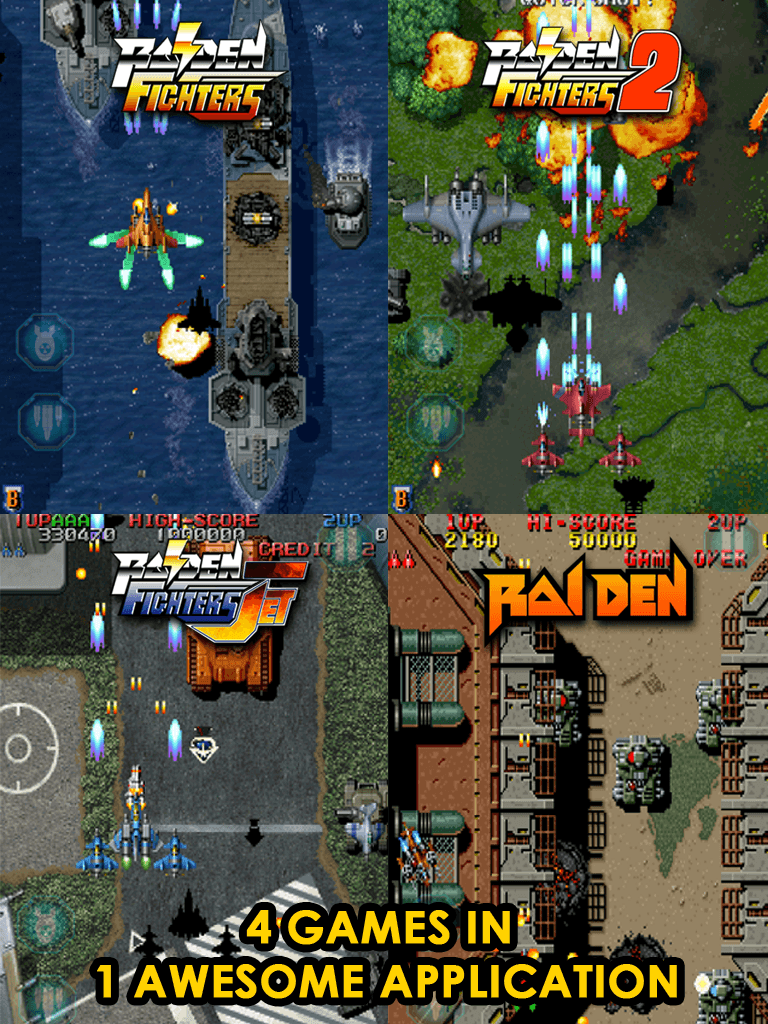
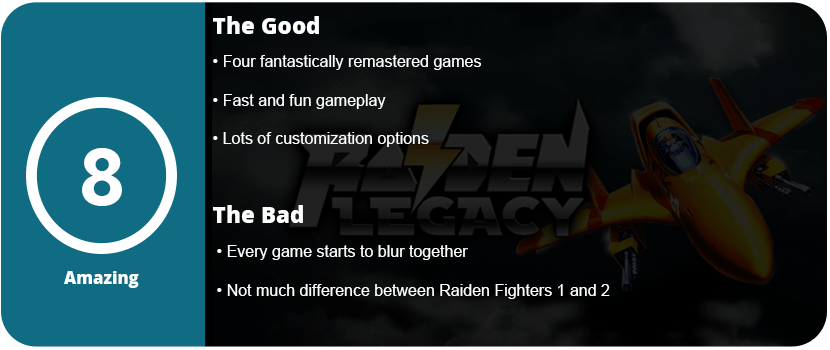
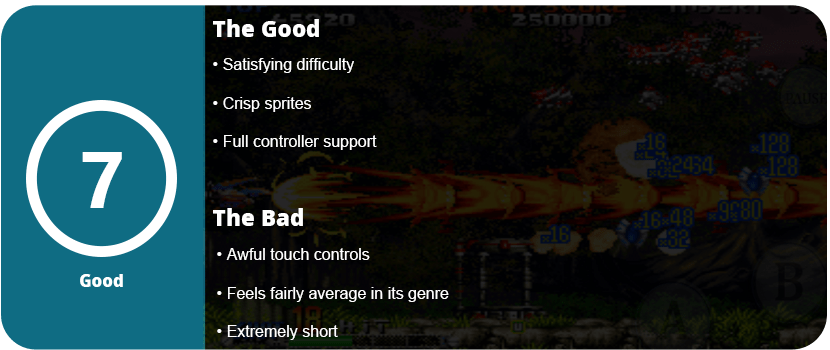
Raiden is one of the original popular shmups that delved away from fantasy settings and more towards a realistic military setting. Raiden is fast-paced, controls smoothly, and has some great enemy layout and level design. To top this all off, Raiden Legacy has four Raiden games that are all a complete blast to play.
The first game is the original Raiden. Using 16-bit graphics and sound, it may look dated, but it plays wonderfully. The sprites are crisp and clear, and the sound is great. It starts off slower than the newer games, with power-ups and faster-paced enemies taking a while to appear. This may seem familiar with some of the recent free-to-play or freemium bullet hell games today. The bosses are fun, there are plenty of jets to choose from, and I found it had a personality over the newer Raidens that made it stand out and unique.
Next up is Raiden Fighters. This is a more updated, newer-looking Raiden that you would see in arcades. The game looks crisp and clean, and there are plenty of power-ups to go after. It is definitely different than the first Raiden and feels different as well. Just like all the other games in this collection, there are plenty of control options, and each game has arcade, mission, and practice modes. It’s always a good idea to get a handle on each level, enemy placement, and power-up management before mastering a level.
The third game in the collection is Raiden Fighters 2. It feels quite similar to the first Fighters game and honestly could have been excluded, and the package would have been fine. The graphics and sound are nearly the same, but there are different jets to use, enemies, and levels, so it is kind of a new game. Still just as solid as the other two and worth a playthrough.
The last game is Raiden Fighter Jet. Fighter Jet is more, well, jets, I guess. You fight a lot more air enemies than ground enemies, and it looks and sounds the best out of the four. After you get to the fourth game, it will start to feel a bit the same, and it will start to become a blur in the end. However, these are fun shmup experiences, and they work great on mobile phones. The control settings are customizable (I preferred Touch 200), and the game just looks awesome in portrait mode on high-res screens.
Overall, if you’re a shmup fan, this is a must-have. Keep in mind that this is a more realistic military-style shooter and less fantasy, but still a great game.
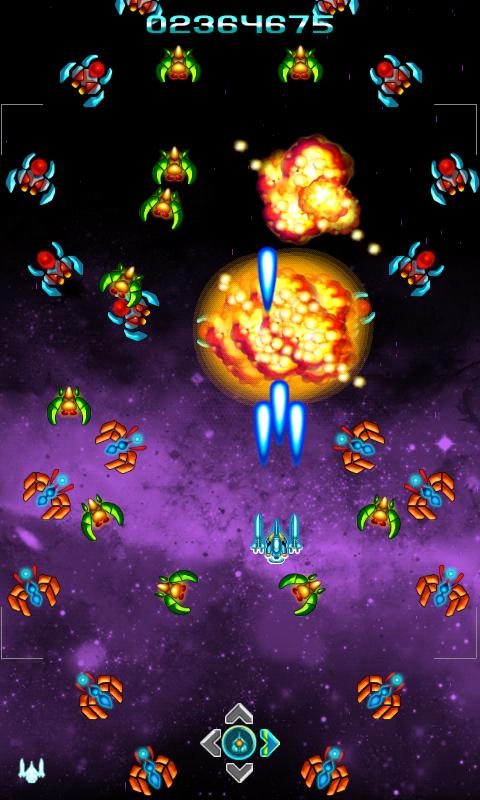
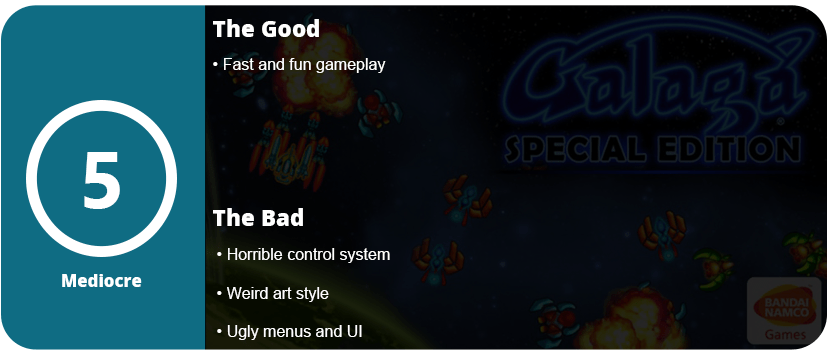
Galaga is one of the original shmups and hasn’t really done much since its incarnation. I had fond memories of playing Galaga on my original Game Boy and remembering how hard it was. Now I’m back with Galaga: Special Edition, and I’m quite disappointed. I wasn’t expecting HD graphics or tons of different modes. I just wanted an honest, updated Galaga experience. What we have here is a messy and not quite up-to-par version that I would have any fan of the series or genre pass up.
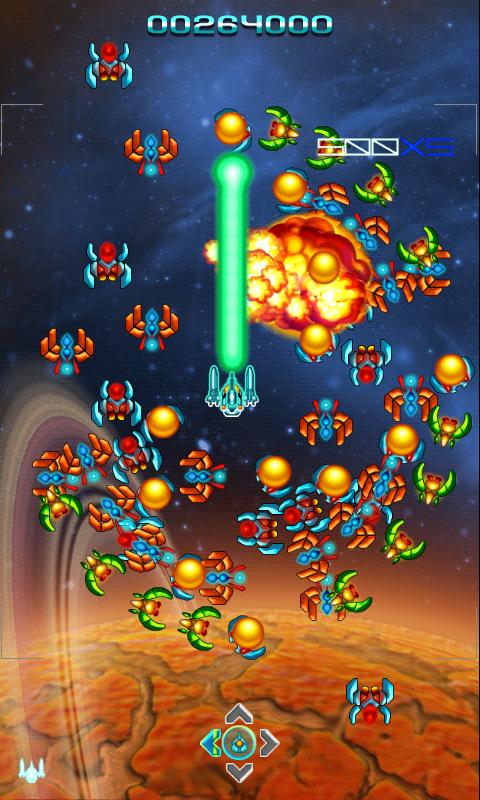
For starters, the game just isn’t fun to control, the animations are awful, and the game just doesn’t feel right. Your ship stays on one screen, and you just move around the area, trying to kill the enemies. It’s a stationary shooter ’em up, but one that used to be really fun. The special effects are awful, and honestly, even the menus feel old and not quite up to speed. I honestly feel like this was a crappy Flash game that was just ported to mobile devices.
If you really need a Galaga to fix on the go, this game will get you by, but it can’t hold a candle to the original game. I also felt the game just didn’t control very well and seemed to “skip” around on the screen. There’s really not much to say here other than keep playing and build up a high score. If you don’t like staying stationary or want a lot of on-screen action, this game isn’t for you.
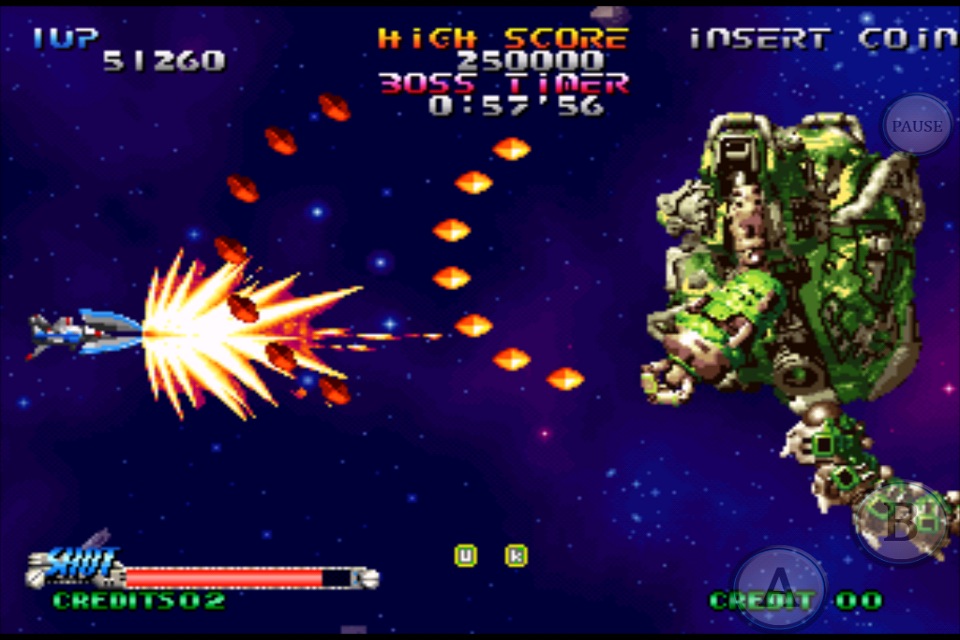
Shoot-em-ups, shmups, and side-scrolling shooters, however you want to call them, had a grand place in the video game industry. While they may seem like a dying breed, they dominated the arcades and consoles leading up to the PlayStation 2. R-Type, Raiden, 1943, Cotton, Ikaruga, Defender, and even Space Invaders and various other shooters were household names. They are also some of the toughest games ever made. Only consisting of a few levels, these difficult pieces of art were what made you a hardcore gamer. Blazing Star was one of many, and it is now playable on mobile phones.
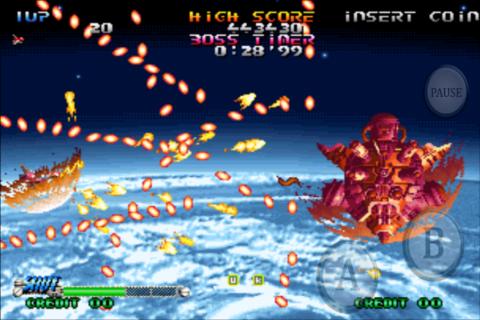
Blazing Star has only seven levels, but they are extremely brutal, and most people won’t make it past the first one. The controls are simple enough: use your thumb to move the ship around while you fire your bullets, and use another button to cause your bullets to scatter around. It’s fairly simple—sometimes too simple—but it works. The game is as hectic as you would expect and is actually one of the harder bullet hell games I have played. As you move along the 3–4 minute levels, you acquire points and also power-ups along the way. If you die, you get a chance to recover your power-ups, but there’s so much going on on the screen that you will have a hard time gathering them all back up without dying again. Honestly, there’s more going on than I could keep track of, but it was a lot of fun.
The final level is actually just a really tough boss, but beating the game is quite satisfying, and I have to say it looks good too. The screens are bright and crisp on high-res phones, and the only problem I had were the controls. They felt strange somehow, but I preferred a controller. I had to constantly lift my thumb and move it back because the ship didn’t follow my thumb where I wanted. The delay caused me to underperform, but this was fixed using an actual analog stick. I honestly can only recommend this game to hardcore shooter fans; casual lookers will immediately hate this game. There’s also nothing particularly memorable about Blazing Star that really sticks out; it feels average, but average enough to be better than a bad shmup.
Horror games that are truly scary are far and few these days. Neverending Nightmares actually helps change that idea with an extremely intense atmosphere, which is what horror games are all about. Neverending Nightmares has you playing as a boy (or man?) named Thomas who roams the pencil-sketched hallways in his checkered pajamas trying to find his sister (or wife?) that had been murdered (or she killed herself?). There’s a lot of open interpretation of the game’s story, but that’s kind of the fun part.
The game’s pace is at a crawl; let me just say that right away. Thomas trods along the hallways with a limited—and I mean limited—sprint button. The slow pace is supposed to add to the tension, but sometimes I wish he moved just a tad faster as the game got repetitive towards the end. The point of the game is to continue moving left (or right) through the hallways, opening doors, and interacting with anything that’s colored and stands out from the black and white background. These give hints at what may have happened to the girl that Thomas is looking for. While there’s no inventory system or even a combat system, there’s really no other goal than to head downward. Sure, there are enemies in the game, but your goal is to avoid them or hide from them. The toughest of them all are the big ogre-like monsters that require you to hide in closets, or worse, run from them. I found these segments frustrating as Thomas’ sprint is limited to about three seconds, and I had to exploit this to escape from these ogres and make it to the next door. I had to tap rapidly to stretch out the sprint or time when I started perfectly. This isn’t fun, and it doesn’t add anything but frustration.
The game has three possible endings, but there are no clues as to how to get them. At the end of each level, you are approached by this girl in different ways, but it all kind of blurs together. When you die, you start off in bed again, leading to the fact that Thomas might be asleep and can’t wake up. Is he insane? Is he a ghost? Who knows, but the endless hallways are probably the worst part of the game. Sometimes I thought the game was glitching because I would go through 5–6 hallways that I swore I went through earlier, but somehow I was progressing.
Thankfully, the game is actually scary; use headphones, and you will be in for a scary night. The music is haunting, and so are the sound effects. I applaud the game for the atmosphere, but the gameplay is really something that’s lacking and needs more polish. I’m fine with just wandering around places, but give me something to do while I’m doing that.
As it stands, Neverending Nightmares is a great horror experience, but as an actual game, it’s lacking mechanics, and the story and progression need work. I shouldn’t be playing a game thinking I’m not going anywhere or giving clues as to how to get a different ending.
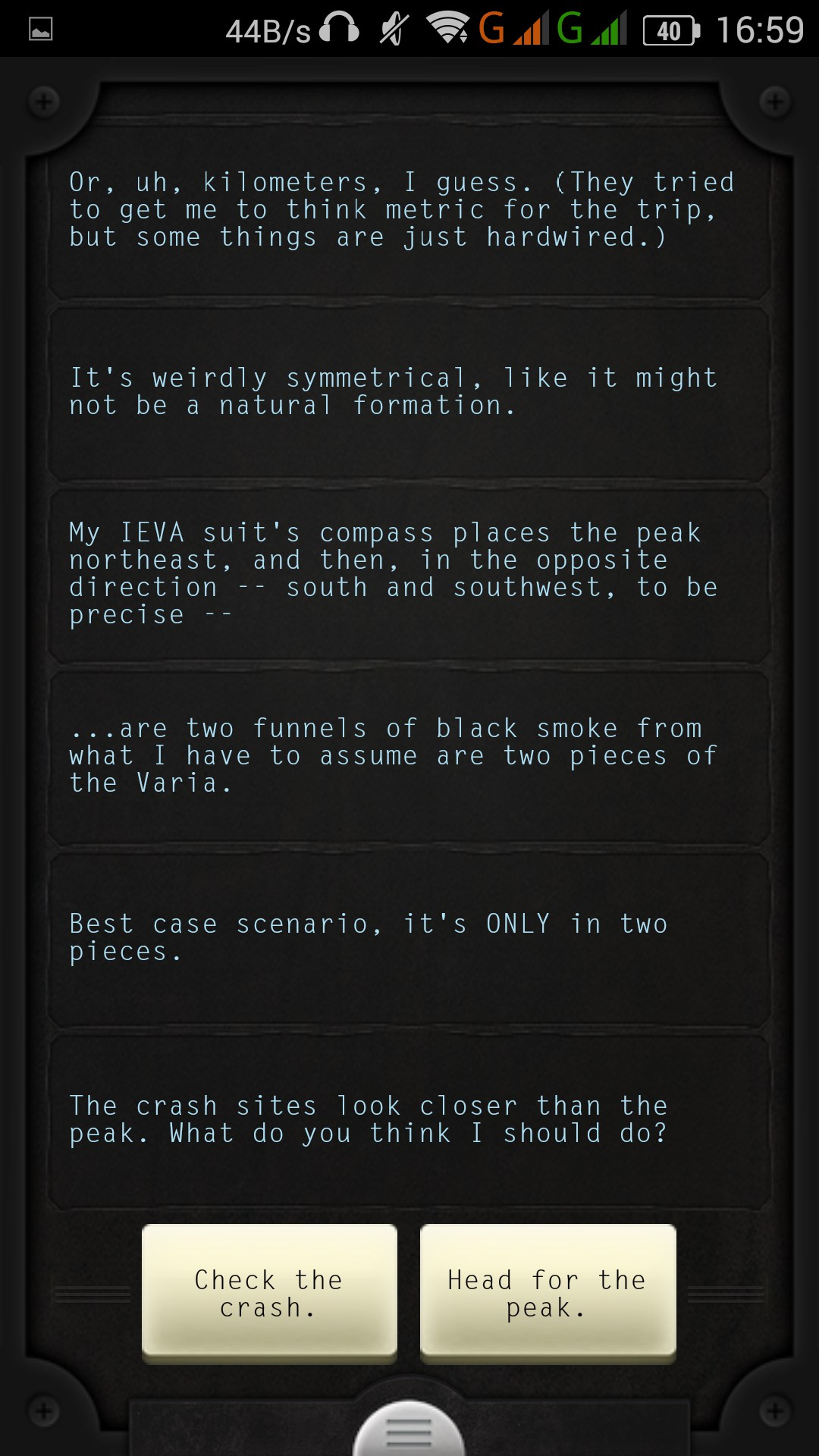
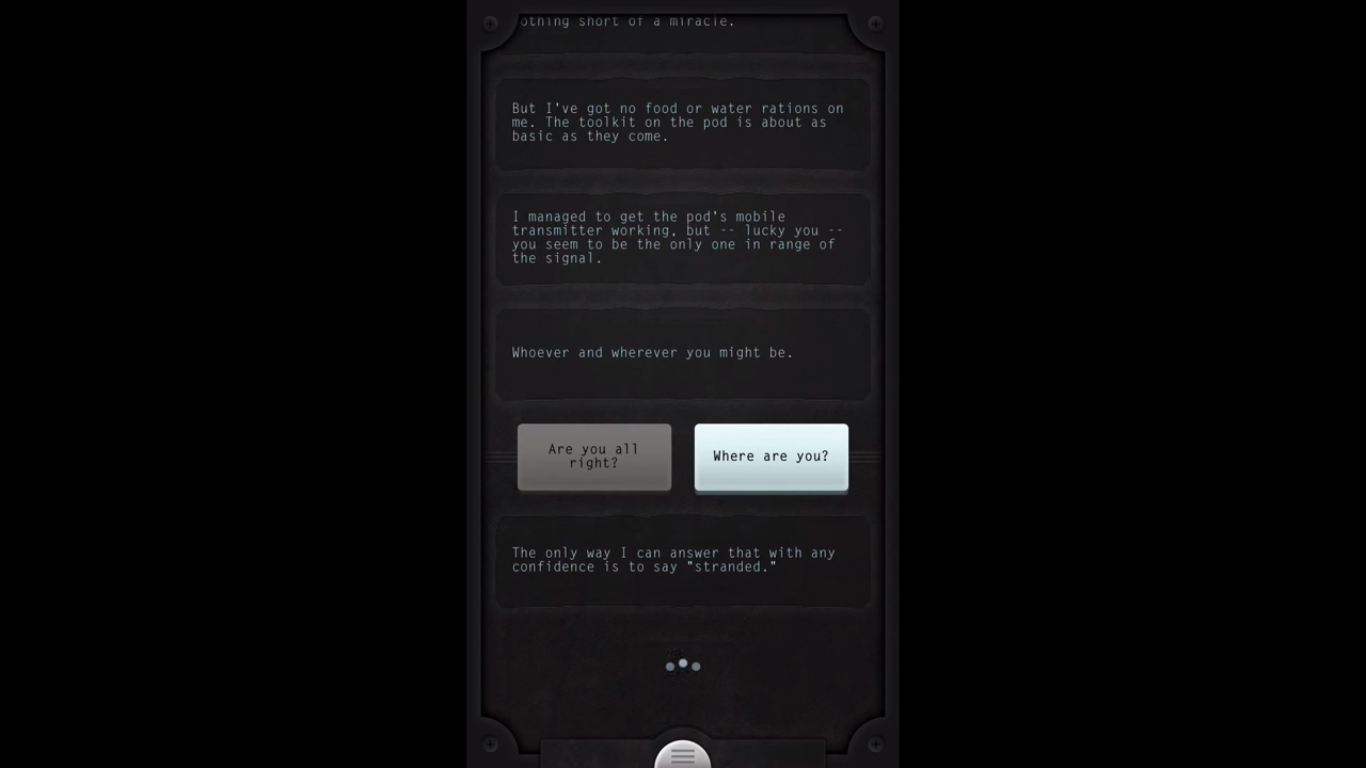
Texting with an astronaut. That’s not something you can say you do every day. Lifeline is a text adventure game like no other and actually is an evolution thanks to, well, cell phones. You receive an incoming message from a stranded astronaut named Taylor on an unknown moon. Your job is to give him the advice he needs to survive and find a way off the moon. It sounds boring and stupid, but it isn’t. Lifeline is one of the most unique mobile games I have ever played.
The best part about Lifeline is that you actually have to wait for Taylor to reply in real-time. If Taylor is going down to bed, you may have to wait 4-5 hours; if he’s eating, maybe 30 minutes. This sounds boring, but it’s actually quite engaging and thrilling; it leaves you wanting more. Of course, there’s a fast mode, but what’s the fun in that? My journey with Taylor was quite memorable, and the pace picked up towards the end of the story, which took me about two days to actually get there. Several times I wound up giving poor Taylor some bad advice, and our plucky, sarcastic astronaut died a few times. During my adventure, Taylor ran across two spaceships. The way Taylor describes everything paints a perfect picture in our heads of what the moon could look like. It’s a sci-fi horror mystery with no pictures or spoken dialog, which is what makes it that much more thrilling.
Several times Taylor would stop midway through sentences and cut off, and I wanted to know what happened. I would get a lot of “OH MY GOD” or “YOU WILL NEVER BELIEVE WHAT JUST HAPPENED.” You get a choice of two short responses, and while some may be similar, a few will decide Taylor’s fate. I was able to get Taylor to calm down after seeing strange creatures; we got some glow rods, a generator, and then a long and rough journey to a large crater with a tower in the middle that kept disappearing. Without spoiling anything, after you reach the tower, this is where the climax begins, and the wait times are non-existent. I really felt Taylor’s psyche start to deteriorate and felt his suffering. I actually felt like I was texting a stranded astronaut, and that’s the beauty of this game.
The best part about Lifeline is that you can go back to any point and rewind the story to that point or to the beginning of the day. This allows for zero frustration and complete fluidity through the story—something that other text adventures need to take note of. I just wish the story was longer and we could have explored nearly the entire moon. I wouldn’t mind a game like this lasting days or even weeks with dozens of hours of gameplay; it’s just so satisfying and engaging. With that said, Lifeline is a phenomenal idea, and hopefully more people will pick it up. The writing is believable, and the fact that you’re just staring at a gray screen with scrolling text and some haunting music makes it that much better and more engaging. The game forces you to use your imagination; it uses the unknown and lacks sensory input to make you want more and to really care about Taylor. On top of this, you can tell everyone you have texted an astronaut.
Here we are, the fifth and sixth generations of long-running phones, showing just how far technology has come. Phones are probably some of the most advanced pieces of technology on the planet, and each generation shows it. The Samsung Galaxy Note series has been one of the most popular smartphones ever created. The S Pen—its staple feature—and the large, gorgeous screens are what people come to the Note series for. The Note 5 doesn’t disappoint, and it improves immensely on the Note 4 in many ways. What exactly has a year done for the Note series? From the outside, it may not seem like much, but the Note 5 proves that the little things matter the most for a better long-term experience.
Face Lift
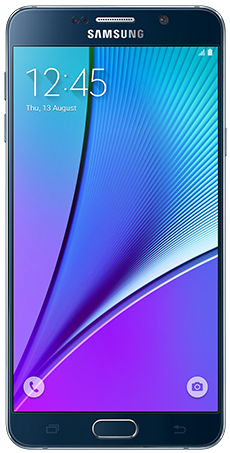
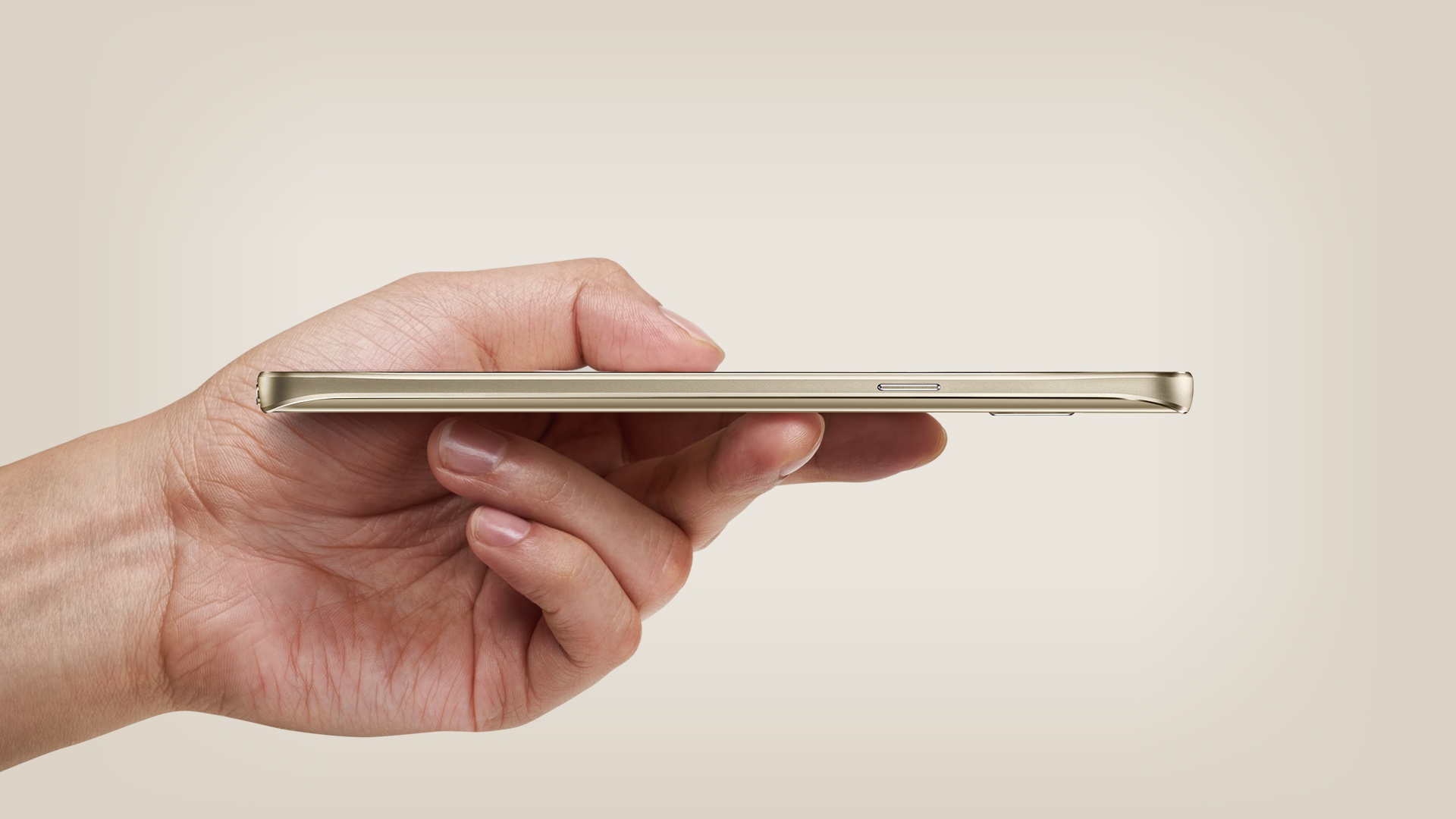
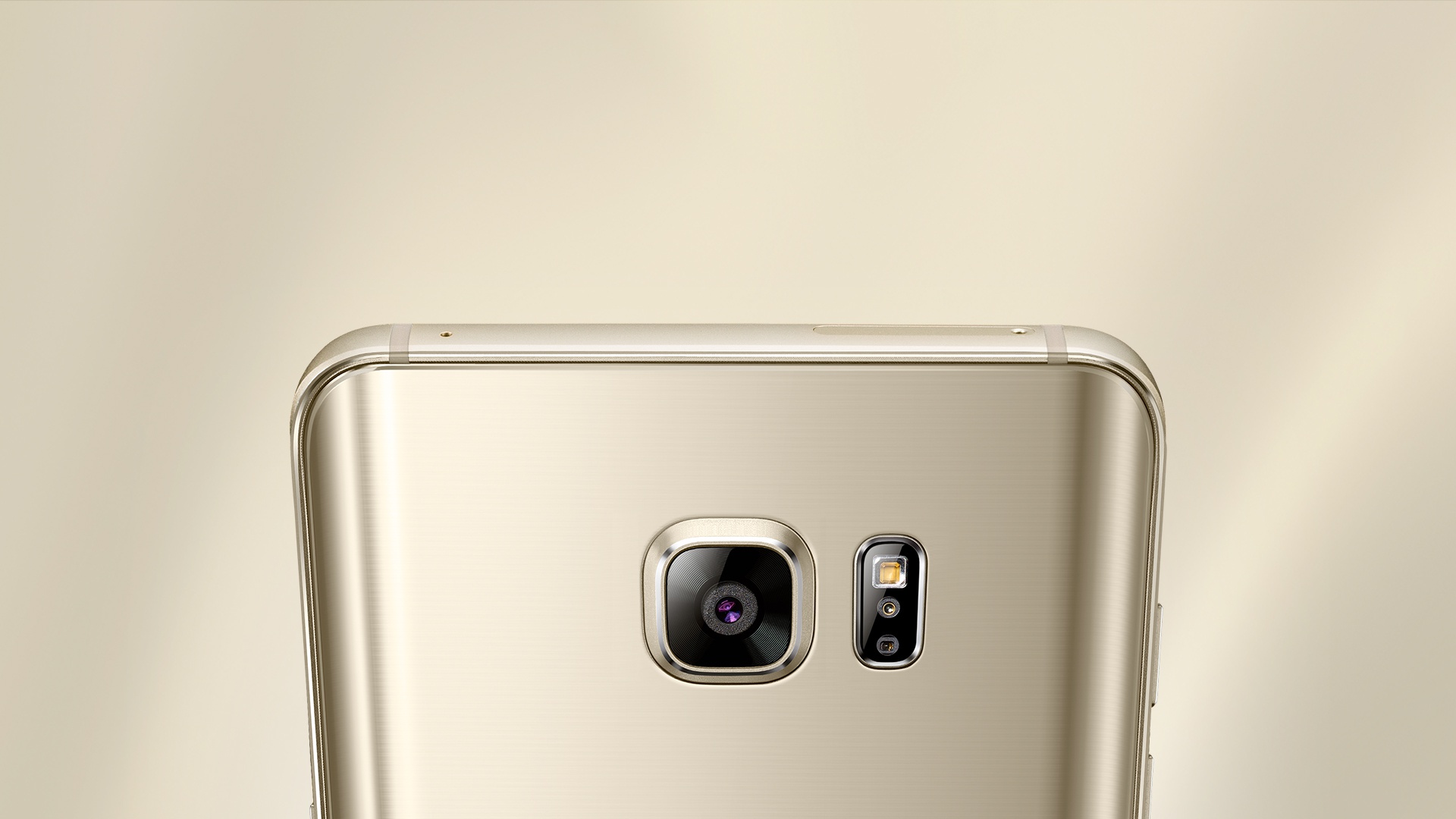
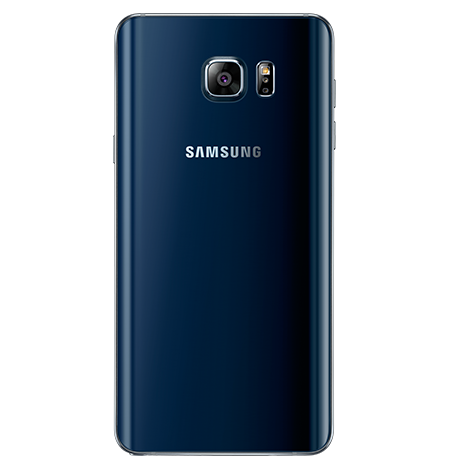
The Note 5 may look nearly the same from the front. The iconic physical home button, the Samsung logo at the top, the round edges, and the chrome speaker at the top all look familiar. The silhouette of the Note series has never changed; one good look at the phone, and you know what it is. However, turn the phone around and on its side, and you will notice a stark difference. No longer does the phone look like cheap plastic and aluminum. The Note 5 now has a glass back with rounded edges and brushed aluminum sides. This makes it one of the sleekest smartphones to ever be created. The top comes out a little and is a tad thicker than the rest of the body. This is so the phone fits better in your hand and looks prettier. The Note 5 is a looker, with the Sapphire Black looking almost navy blue in certain light and being quite eye-catching.
The bottom of Note 5 is also a new change. The speaker is now located next to the S-Pen (with improved quality), and the S-Pen is now completely surrounded by the inside of the phone and clicks out. The power button is smaller and has a more satisfying click to it; the same goes for the volume buttons. For the first time, the volume buttons are no longer rockers. Each button is the size of the power button and is separated. This allows you to easily feel which button you are on. It helps the phone feel less cheap with smaller, more subtle buttons that have a better clicking feeling to them. The Note 5’s screen is also made of Gorilla Glass 4, so it feels sleeker than ever and is less prone to having fingerprints stick to it, which is a first for any smartphone I have used.
Fast Just Got Faster
The Note 4 was an extremely fast phone—the fastest of its generation. The Note 5 is now one of the first octa-core smartphones. What does this mean? Two sets of four cores running at two different speeds for various multi-tasking purposes. While the Note 4 was a quad-core device running at 2.7 GHz, the Note 5 uses Samsung’s own Exynos chipset rather than Qualcomm’s Snapdragon chipset. The 7420 set has a 2.1 GHz quad-core set running alongside a 1.5 GHz quad-core set. The Exynos chipset is also more battery-efficient than the Snapdragon chipsets Samsung has been using for the longest time.
The Note 5 is also the first smartphone to have a whopping 4GB of RAM. This is one of the phone’s secret weapons, as it allows a massive amount of apps to stay loaded into the RAM for ultrafast speeds. The RAM is also LPDDR4, which is the fastest available right now, running at 1600 MHz. Want to put this into perspective? The iPhone 6 Plus has only 1GB of RAM. The Note 5 also switches over from Adreno GPUs to Mali GPUs. The Mali T760 MP8 performs much faster than the Adreno 430 that was in the Note 4. With double the frame rate during benchmark tests and higher clock speeds, the Note 5 is the best choice for gamers who want to run the latest and greatest.
One of the biggest decisions for phone buyers is the camera. Don’t worry. The Note 5 has one of the best cameras on the market. While it’s still 16 MP, it has better technology inside to allow more control and speed. With an exposure of f/1.9, 4K video at 30FPS, 1080p video at 60FPS, and 720p video at 120FPS, video stabilization, auto HDR, manual focus, tracking focus, and various other features, the Note 5 becomes an extremely powerful camera. The Note 5 is also one of the first phones to save in RAW format for complete manual editing in Adobe Lightroom or Photoshop. The Note 5 also has various other features, like video collages and faster editing, thanks to the more powerful hardware. It can’t be said how beautiful the pictures turn out. Even low-light images are pretty impressive for a phone camera.
What about installing apps, downloading, and writing to the internal memory? The Note 5 uses UFS 2.0 flash memory, so read/write speeds are nearly double those of the Note 4. Games load faster, apps install quicker, and everything is just lightning quick. This is honestly the fastest phone I have ever used. Never have I used a phone before where everything just happened instantly or near-instantly. No slowdown, no loading, no freezing. From swiping up on the camera app from the lock screen to taking a photo, it took all of two seconds. Yes, just two.
Benchmarks
Just like PCs, high-end phones are benchmarked for their performance, from CPU and GPU load to physics tests. 3DMark has extensive benchmarking software just for these reasons and allows you to compare your phone to pretty much every device in existence. The Note 5 stands as the most powerful phone available, with only tablets beating it (which is expected). Below are the various benchmarks, including the brand new Open ES 3.1 and 3.0 graphics tests, which are the most demanding in the world (for phones). Remember, the Slingshot tests are meant to be too powerful for phones to run at a high frame rate. FutureMark benchmarks are designed to be too much for devices to handle to truly push them to their limits.
Open ES 3.1 Slingshot
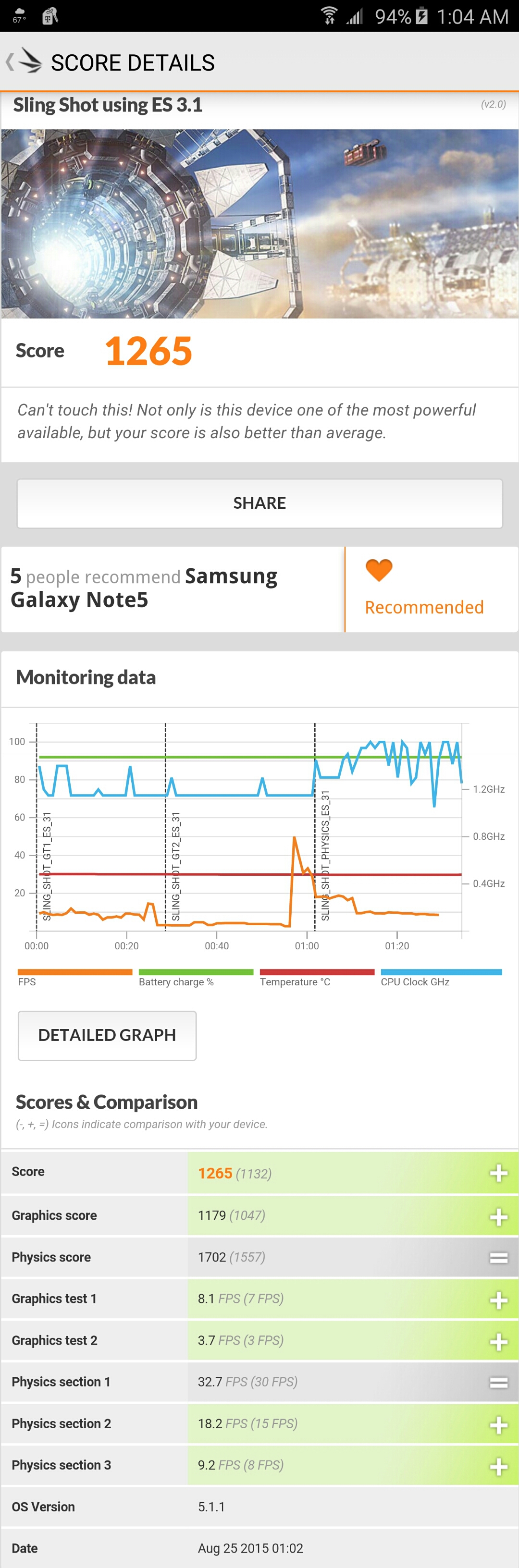
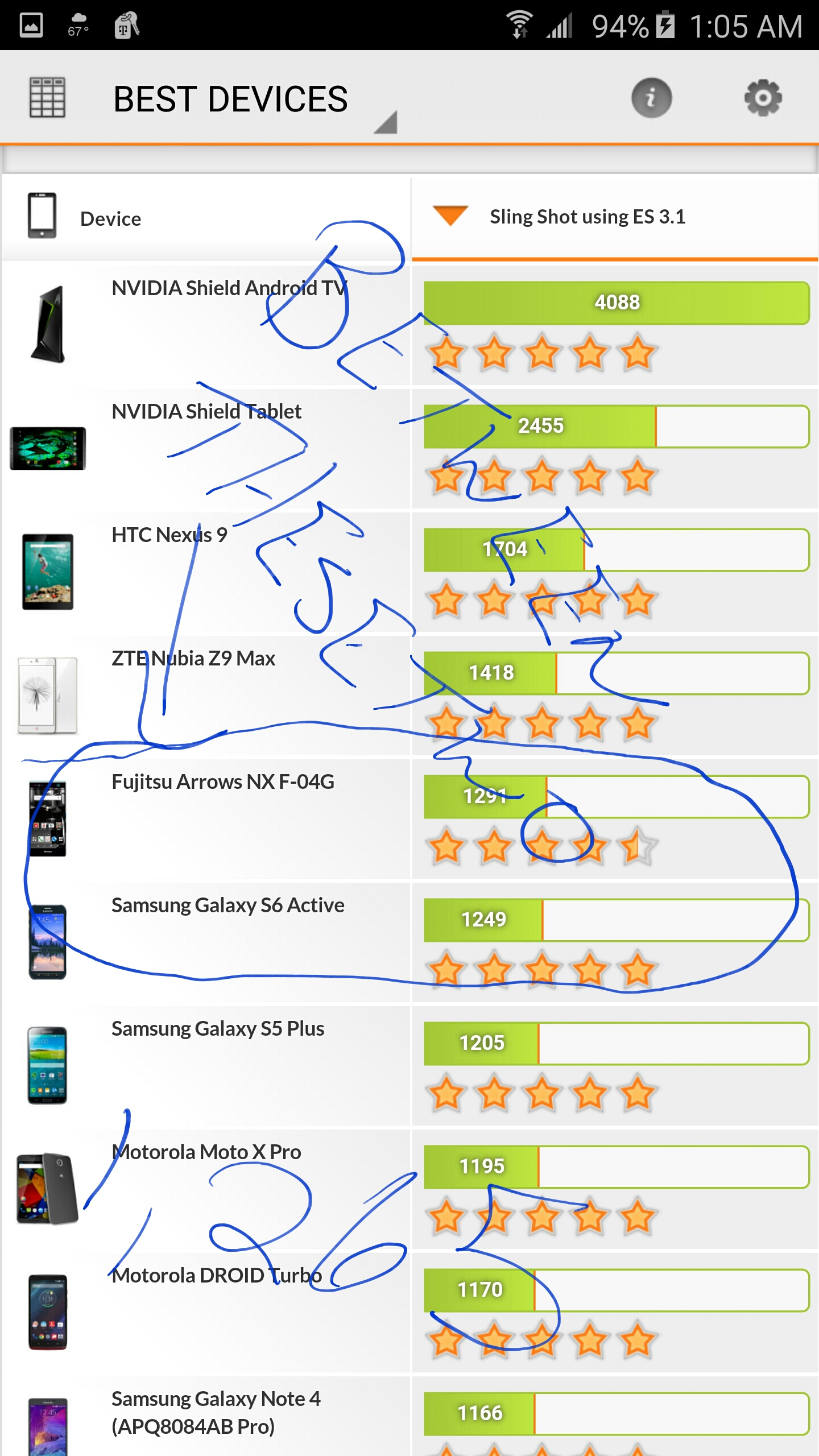
The Slingshot 3.1 benchmark shows that the Galaxy Note 5 is one of the most powerful devices available, with only four tablets outperforming it (the Nvidia Shield TV is at the top of the list). This is extremely impressive and shows that the Note 5 is ready for the latest and greatest in gaming.
The Slingshot 3.1 test includes three: Test 1 uses particles and post-processing effects that are very GPU-intensive. Test 2 consists of volumetric illumination, and then Test 3 is a physics test for the CPU. All of this is rendered in 1440p, which is higher than your standard 1080p, which is quite impressive. The iPhone 6 Plus, in comparison, is about 70 down the list with a score below 1,000.
IceStorm Unlimited
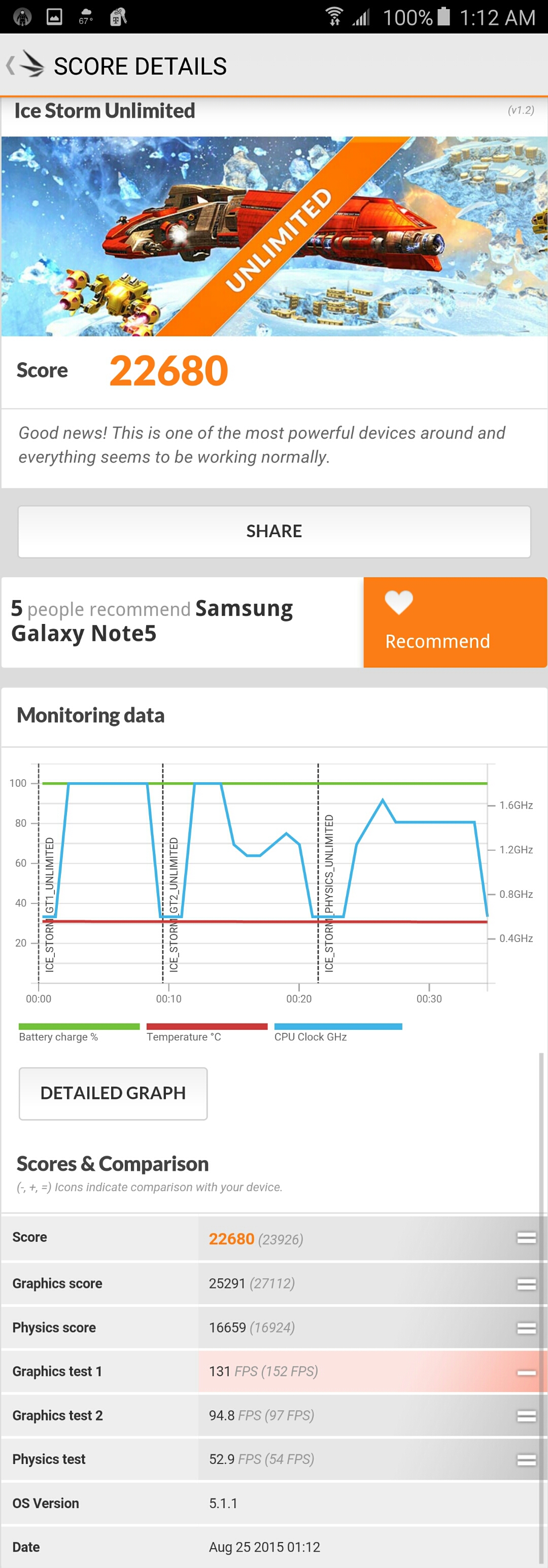
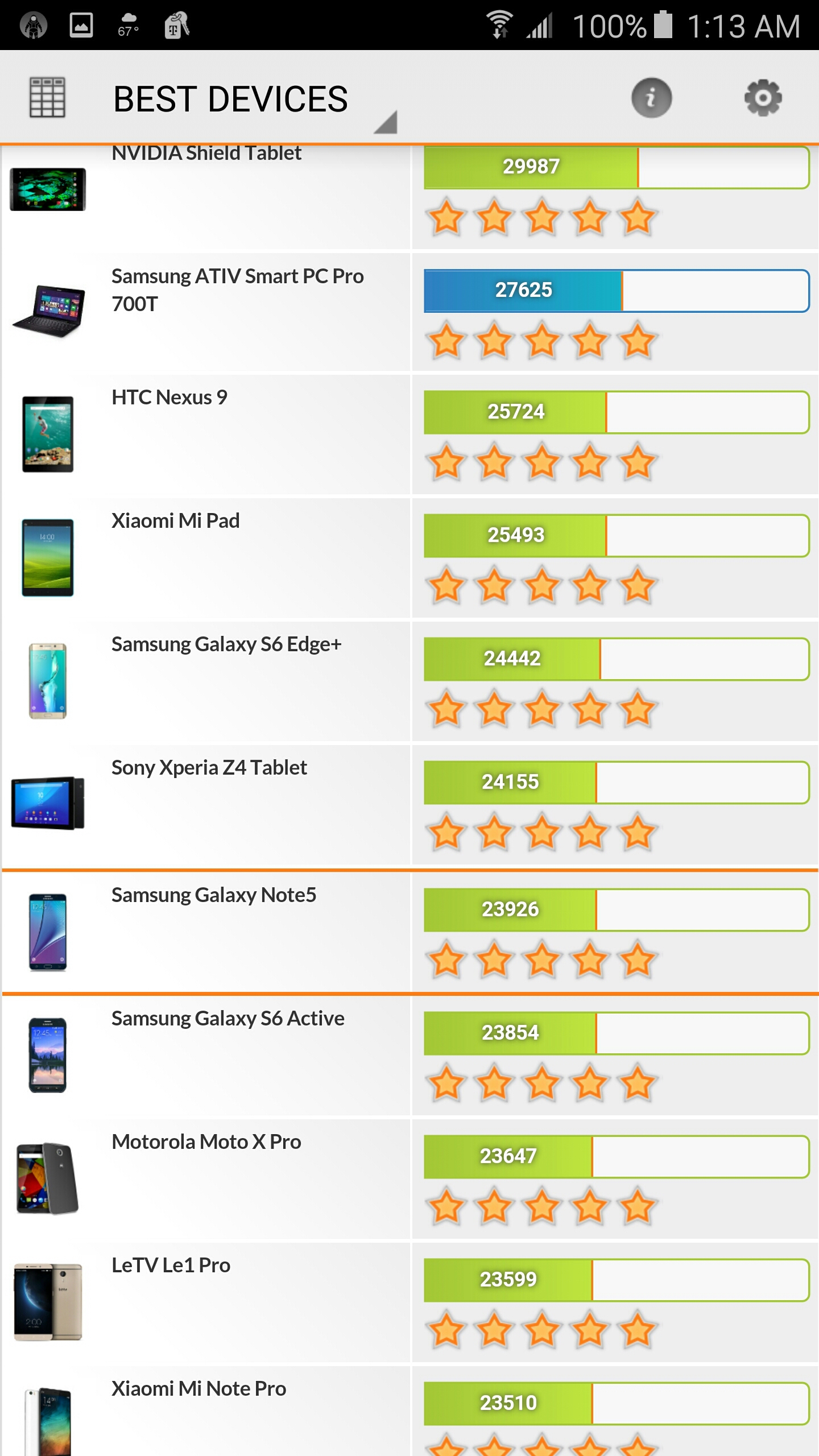
IceStorm Unlimited shows the Note 5 is extremely powerful when it comes to Open ES 2.0 rendering at 720p. IceStorm is a benchmark that can give a more even and balanced test over nearly every device that has been released in the past 3 years. The Note 5 actually outperforms some tablets and laptops, which is extremely impressive. The IceStorm Unlimited test consists of three: Test 1 stresses the GPU with vertices, while Test 2 uses a lot of pixels on the screen. Test 3 is a physics test to stress the CPU. The iPhone 6 Plus is about 100 down the list, with a score of around 17,000.
PCMark
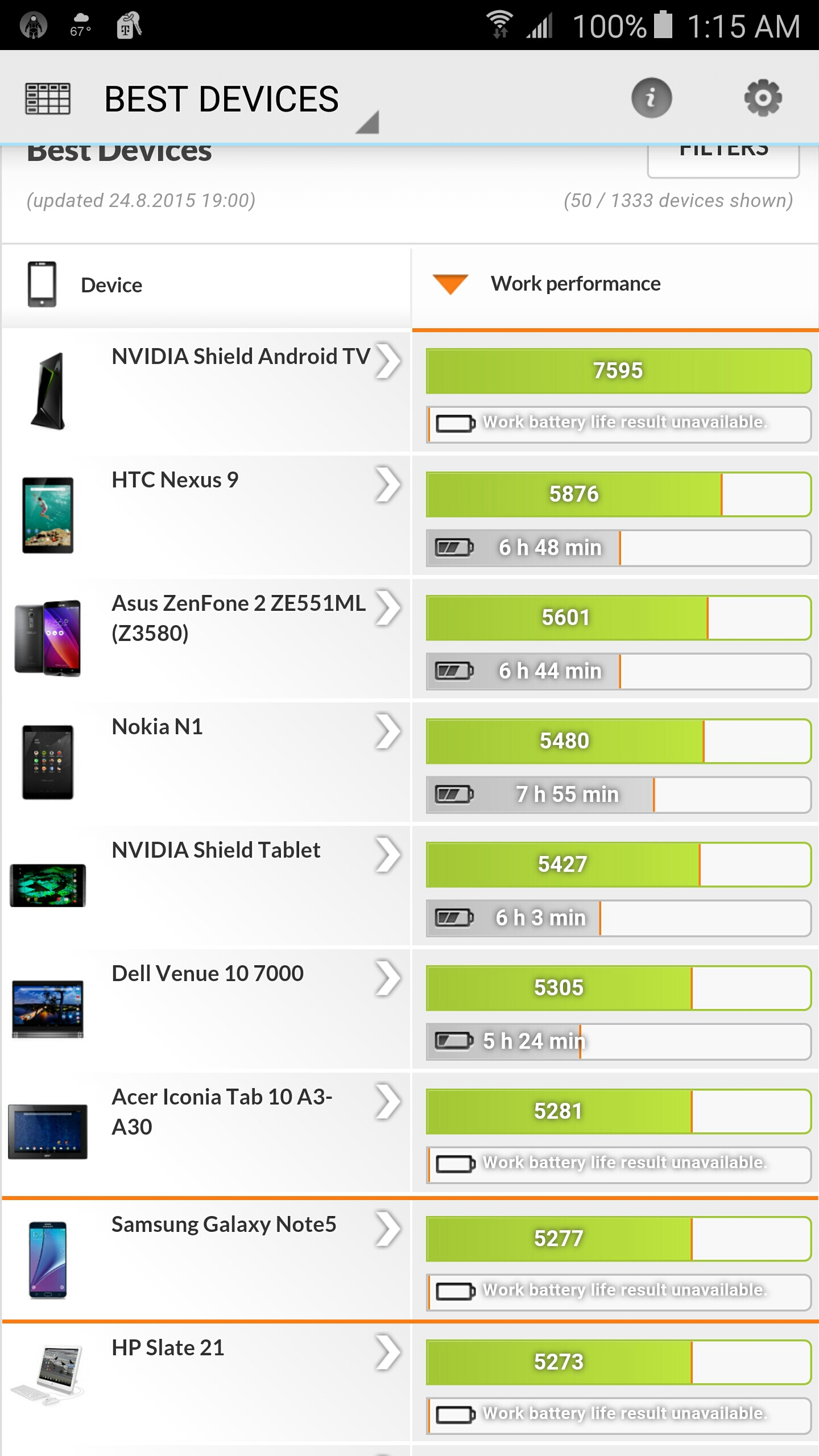
PCMark is actually a benchmark for everyday use of the phone, including video streaming, read/write access speed, web browsing, photo editing, and typing. This benchmark shows that the Galaxy Note 5 outperforms tablets and laptops, which is once again very impressive. The buttery smooth operation of the Note 5 just can’t be stressed enough. This is the fastest and smoothest phone I have ever used, and that’s not just because the phone is new. The PCMark app is not available for the iPhone, so a comparison can’t be done.
The S-Pen
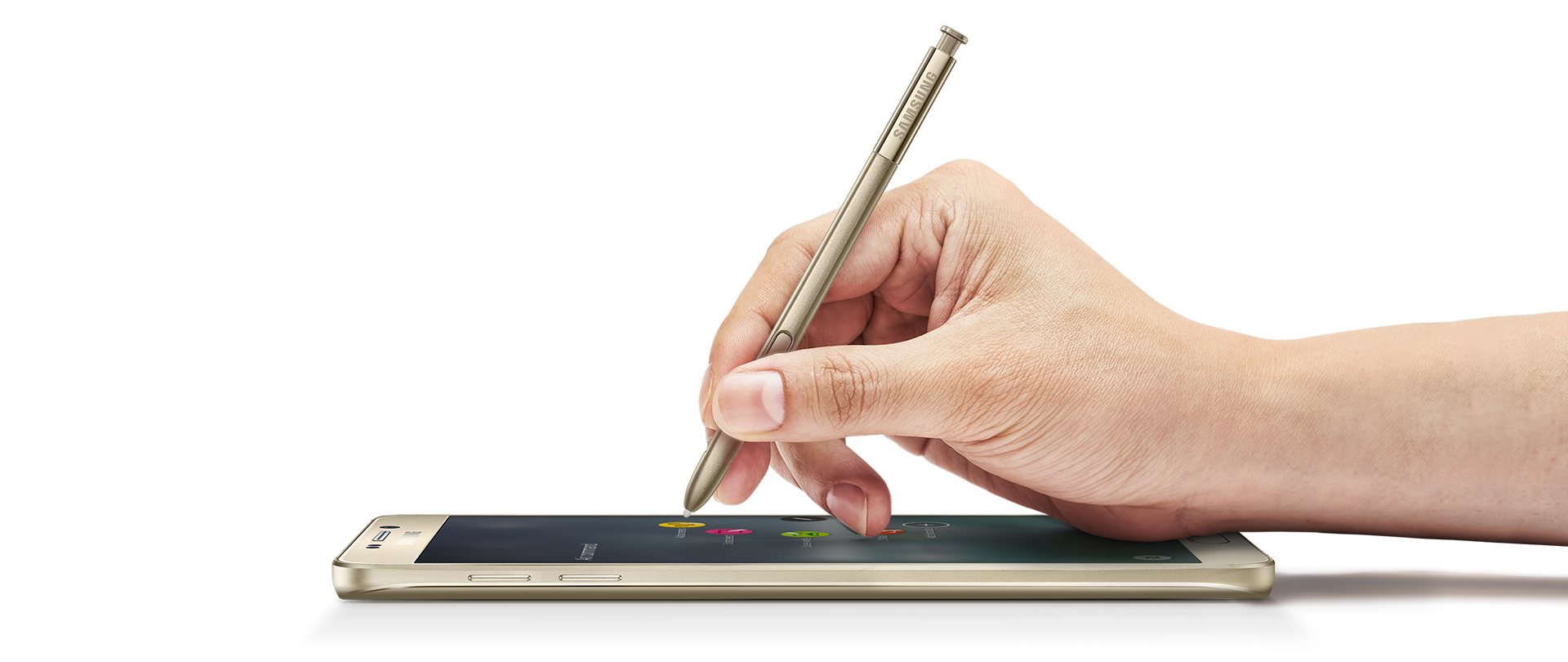
Samsung continues to improve on the iconic S-Pen that the Note series is famous for. How could they improve on the excellent Note 4 S-Pen? Well, they found a way by making the S-Pen more sturdy using thicker plastic, making it less like a toothpick. The button is much smaller but more responsive, and the pen also has a new metallic look. Ideally, the best thing would be to make it out of metal, but maybe another time. For now, we have a fantastic new pen that is more responsive and sensitive than ever before. The bottom of the pen clicks in (think a clicky pen), so it lays flush with the phone.
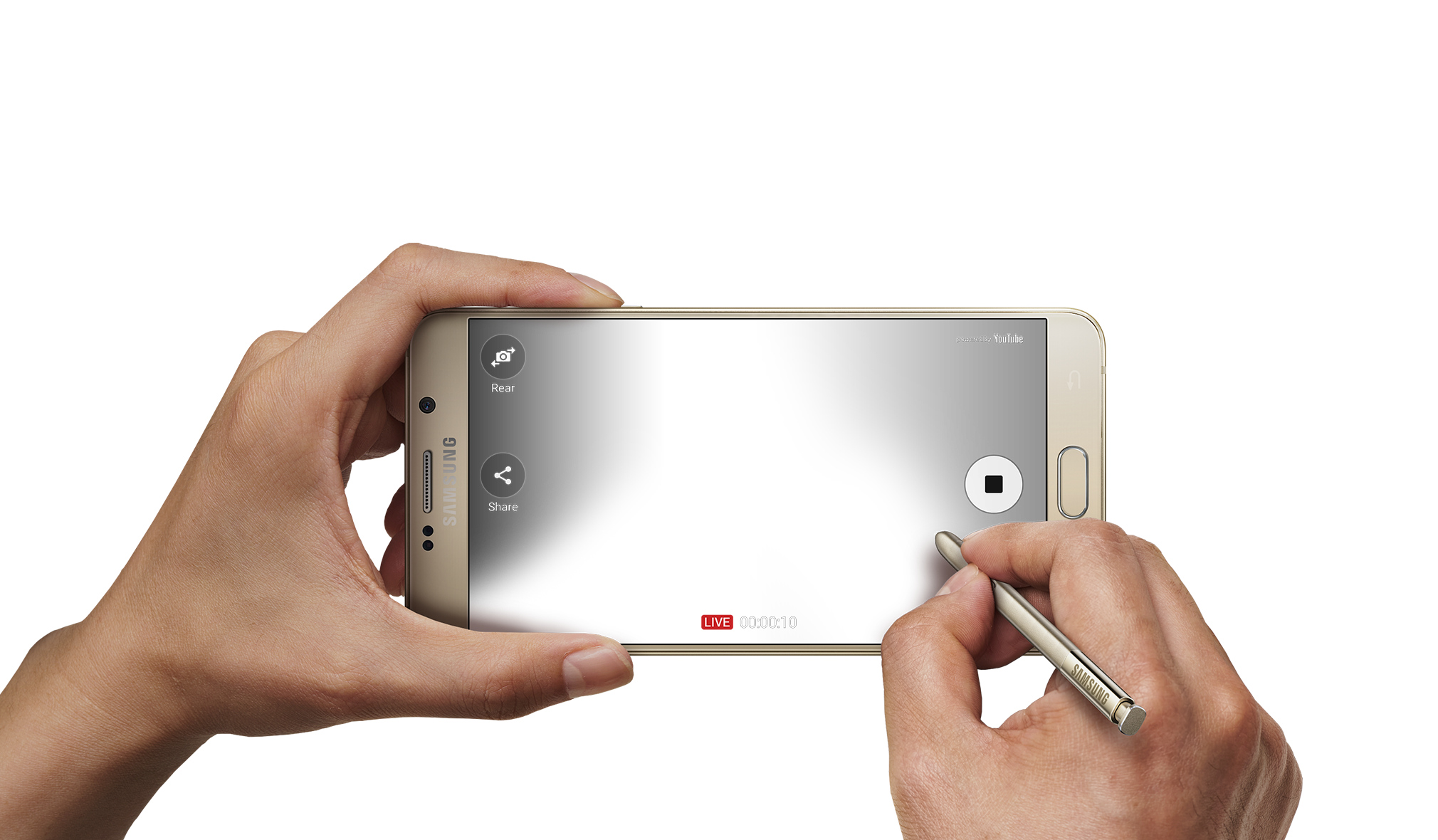
What’s a stylus without good software? The S-Pen software suite has actually been improved in many ways I didn’t think would happen. My favorite new feature is the lock screen writing. Just eject the pen and start writing on the black screen with white ink. You can save your note or delete it to go straight to the standard lock screen. This is great for taking quick notes when launching the suite isn’t an option.
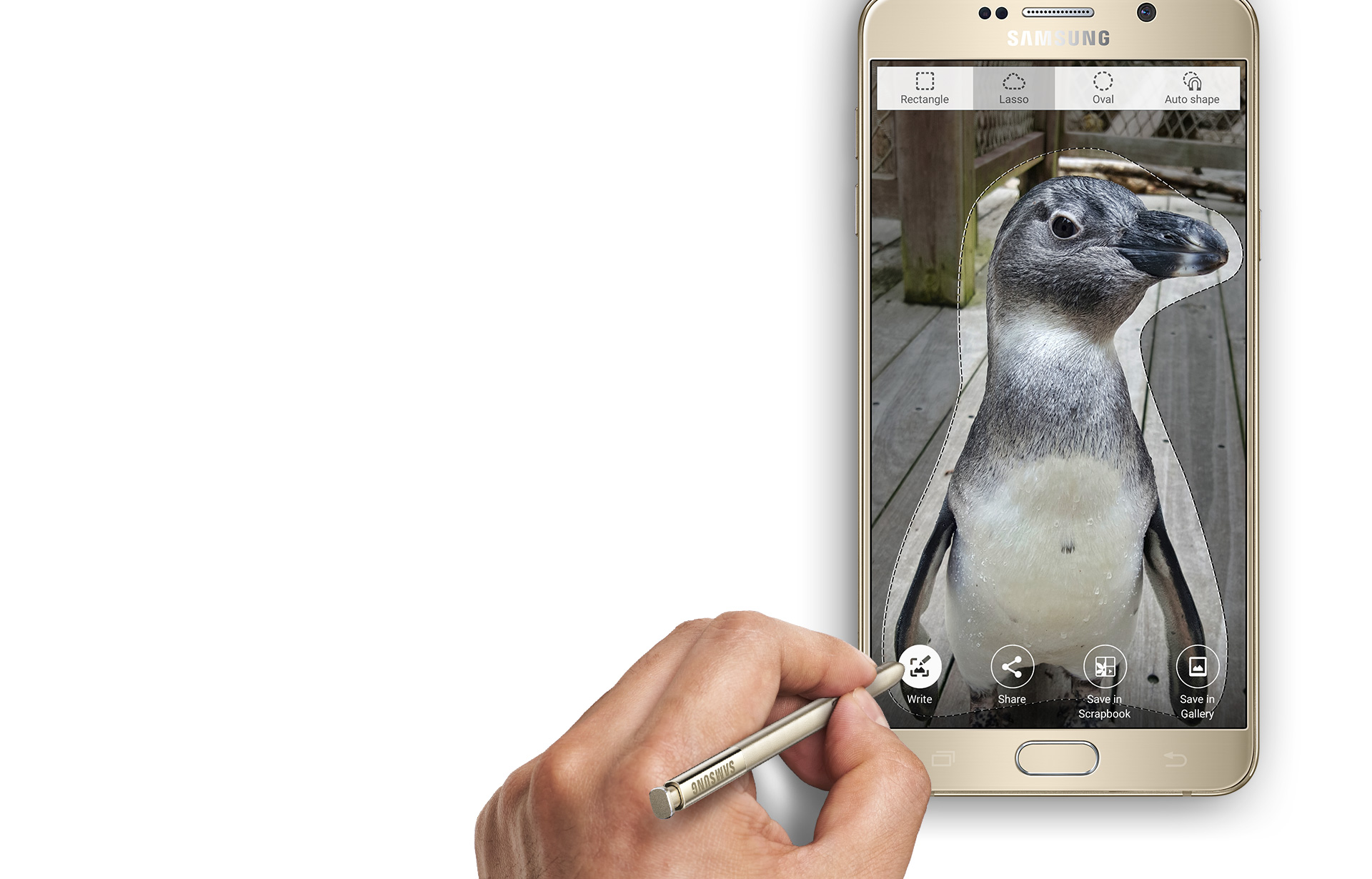
Outside of the lock screenwriting is a more advanced and much faster suite of options. The usual four apps are back that we are familiar with, but with new features. The most notable is the scrolling capture in the screen capture app. This allows you to save large sections of text or an entire webpage. However, a huge feature has been removed, and I don’t understand why. The smart select does not detect what kind of content you are selecting anymore and rather just lets you save the content as an image. Why this was taken out is unknown, but it’s a slight setback that may annoy some people.
Air Command now lets you add two of your own shortcuts to the list of four, which is a nice touch. The air command icon is also always on screen, so you don’t always have to click the pen button. Thanks to the buttery smooth operation speeds, everything comes up instantly with no lag, and my S-Pen experience has never been better. I would have liked to see more features or a new Air Command app, but don’t fix it if it ain’t broke.
A Bigger Bite of Lollipop
Android 5.0 Lollipop has been around for a while, but 5.01 broke the Note 4. The Note 5 uses 5.1.1, and I couldn’t be happier. Lollipop is just a fantastically streamlined OS and is Google’s best yet. The Samsung skin on top of Lollipop is actually better as well, with their awful TouchWiz home launcher being redone and improved. Samsung now offers themes that change everything on the phone and can be quite fun. Even if you use a third-party home launcher, anything system-wise will be changed via the theme. This is a nice step up and makes it that much easier to customize your phone, which has always been a pain up until now.
One of my favorite additions to Lollipop was the lock screen notifications. No longer do you have to unlock your phone or swipe your drawer down. Just swipe away on the lock screen or double tap to open the notification in the app. The same goes for when you are using your phone; you now get a nice pop-up at the top of your screen instead of the entire notification scrolling in the home bar at the top. Outside of this, Samsung toned down the various hand-waving gestures you can do. They are no longer the front-running features like when the Galaxy S4 was released. Using your hand to hang up, put someone on hold, and various other features using the Smart Stay are now on the back burner, and that’s a good thing. These features no longer drain your battery, but if you don’t mind pressing one extra button, you can just turn them off.
One major addition to the Note series that is built-in is the Samsung SideSync app. This allows you to mirror your phone on your computer and easily transfer files back and forth. I used it a lot on my Note 4, and it works great with the Note 5. Samsung is one of the first phone makers to have good-working proprietary software to use your phone on your computer.
Thanks to the faster-running software, tapping to pay has never been easier. I could never get it to really work on the Note 4 due to the Lollipop update slowing the phone down. However, Samsung Pay and Google Wallet are both available to use for tap-to-pay. It’s never been easier; just link your bank accounts or cards, set a pin, tap your phone to the card reader, and you’re done. Naysayers and paranoid users aside, tap-to-pay is the future of electronic payments. However, I still suggest carrying your cards with you in case it somehow doesn’t work.
Sacrifices Must Be Made
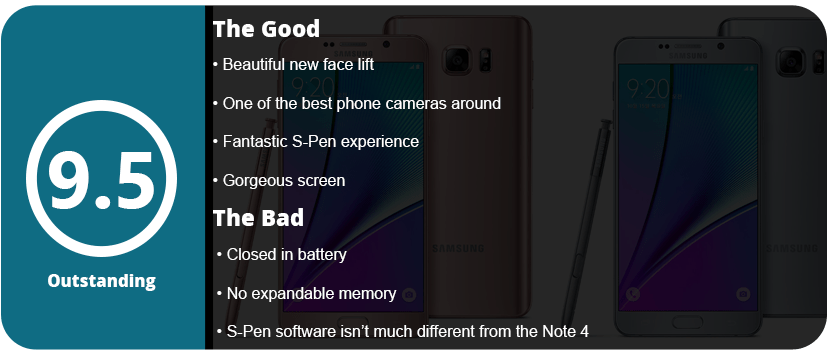
The Note 5 isn’t perfect; there were a few key design choices that Samsung had to sacrifice. One of those is the battery and expandable memory. To make the Note 5 look as sleek as it does, it had to enclose the battery, which means expandable memory as well. The Note 5 also has a slightly smaller battery over the Note 4, at 3000 mAh, despite being a little thicker. However, Samsung has its power management down pretty well, so the battery won’t drain as fast as you think if you optimize your phone correctly. The Note 5 comes in 32GB and 64GB variants, and I highly recommend the 64GB. This has been the biggest gripe over the phone, but honestly, you can transfer your files to a computer or use cloud storage. These are probably the biggest hits to the phone, but after using it for some time, it feels less of a deal.
The Little Things Matter
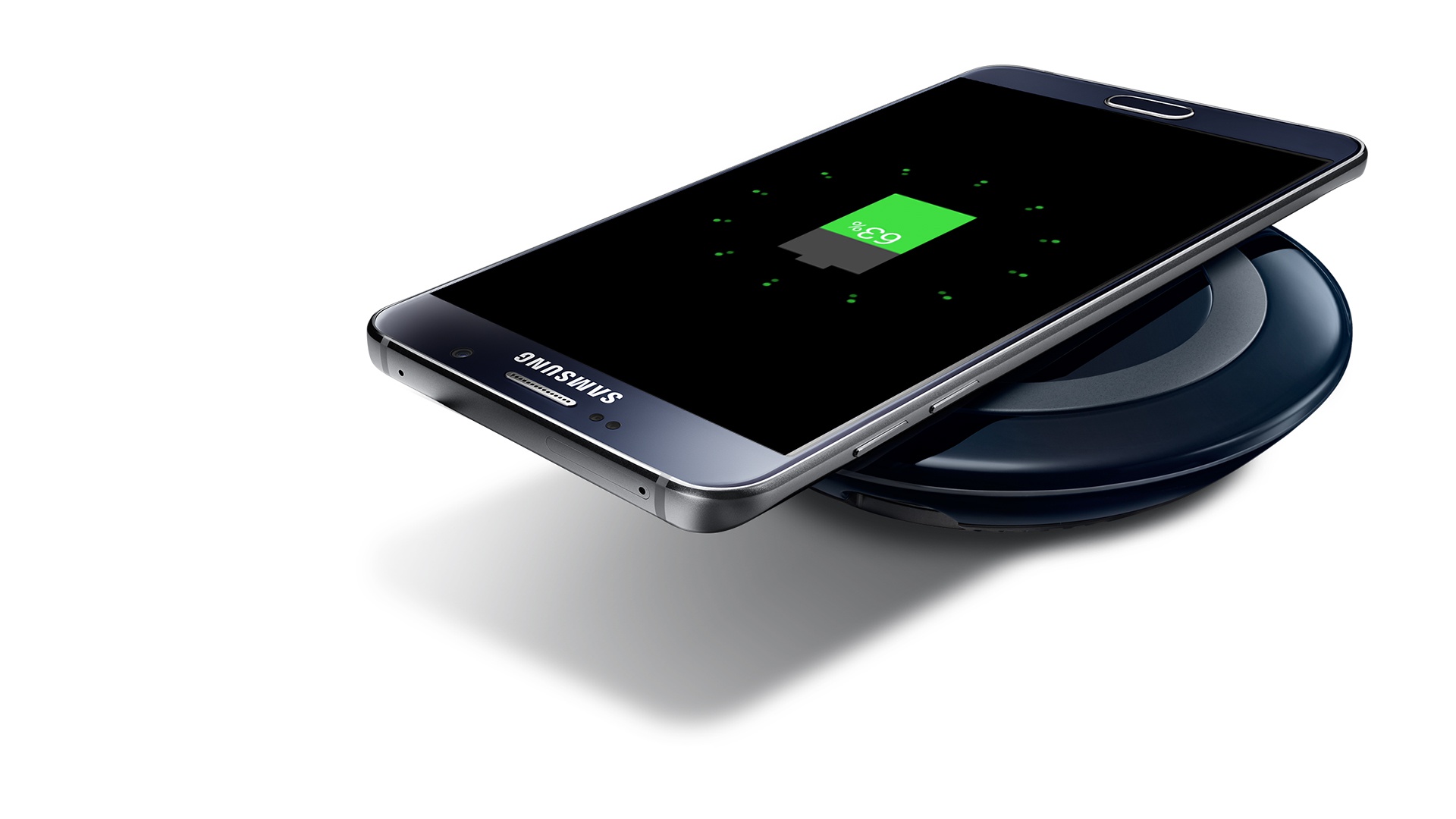
Wireless charging is another huge addition to the Note series. Using a Qi wireless charger allows you to charge your phone without the cables, and it charges just as fast. While wireless chargers are a little expensive right now, they’re worth the investment.
I can’t stress enough how much these little changes make the phone feel better. The new buttons, glass back, better S-Pen, and overall design tweaks really mean a lot once you have the phone in your hand. The Note 5 represents subtly and elegance and proves that you don’t need a rebooted design to make a phone have a huge impact on the market. Sometimes a minor adjustment can make that much of a difference. However, the question comes to mind: were there so many little adjustments that Samsung really felt the smaller battery and lack of expandable storage were worth it? Only the sales will tell. I, for one, think they are, and maybe the Note 6 will have expandable memory again. Could this be a field test to see just how much people care about expandable memory? Who knows, but there are other solutions available that are easy, from cloud storage to portable hard drives and even your computer.
As it stands, the Galaxy Note 5 is truly a beautiful piece of hardware and proves that the evolution of phones is heading in an all-new direction. With phones becoming and replacing computers more and more, a fast OS and operating speeds are becoming paramount—maybe even the most important thing a phone can have.













































 thebinarymessiah.com
Try multiplayer. A lot of fun !