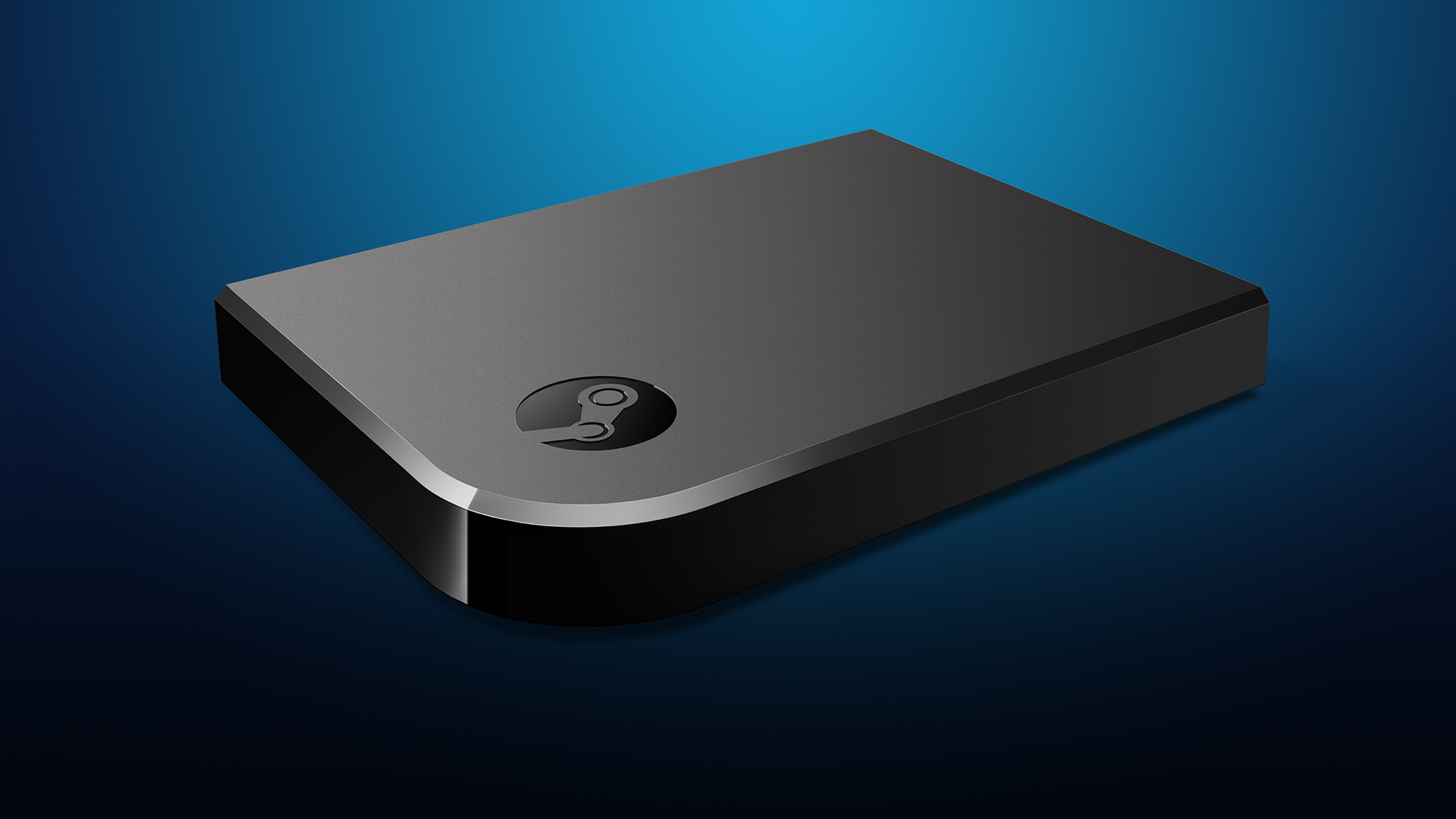
Video game streaming hasn’t really been a big option until the last couple of years, thanks to Steam. In-home streaming was possible for other computers, as this allowed computers or laptops that weren’t all that powerful to stream from a computer that was. This was great for families but didn’t have much practical use for anyone else. Now, thanks to Steam Link, anyone can stream their PC games right to their TV, but it isn’t without issues.
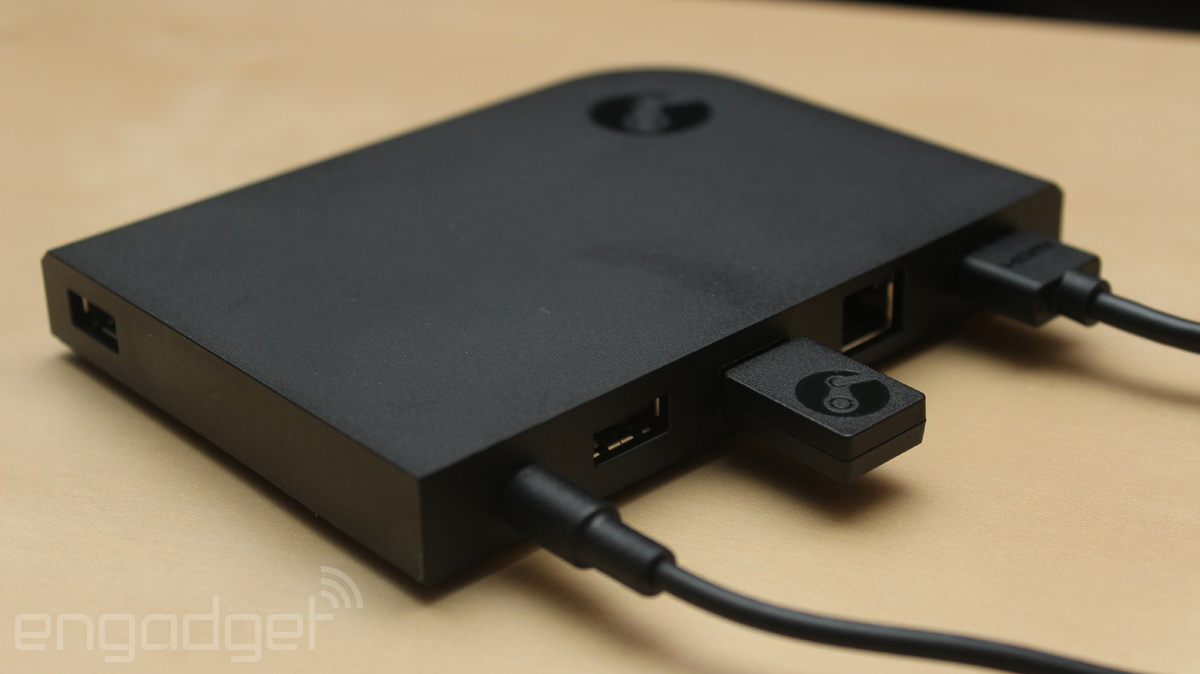
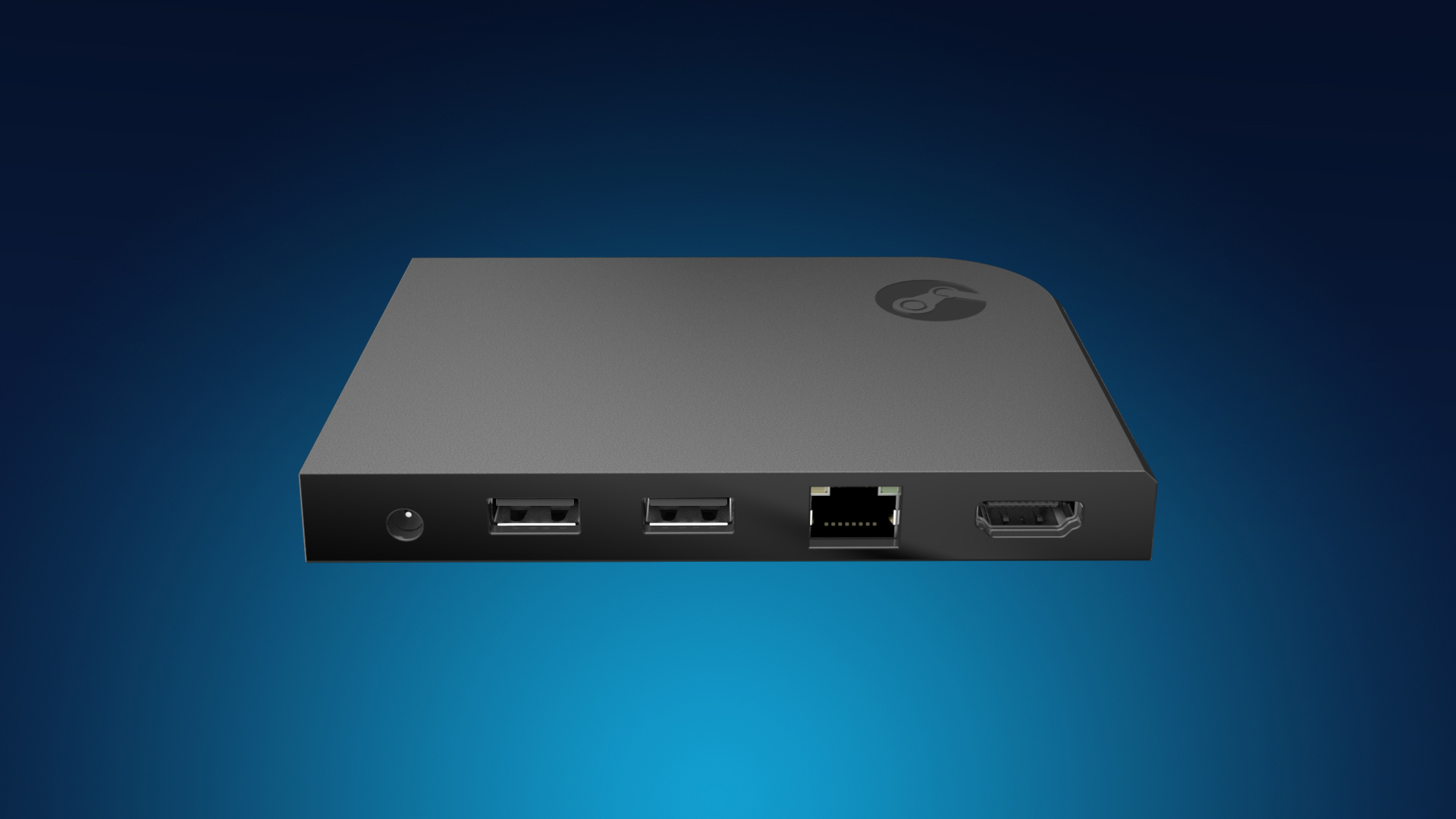
The Steam Link is a little confusing to set up at first. There’s a wired and wireless option, but the quick guide (the only instructions in the box) says that the PC should be connected through Ethernet to the router and then through Ethernet to the Link box. You don’t HAVE to have everything set up wired, but it can all be wireless as well. This requires an extremely fast internet speed, a 5GHz router, and a modern modem/router setup. Even then, you will experience latency issues. The box includes power adapters for different parts of the world, which is, I guess, good if you travel a lot; otherwise, it won’t matter. A 6′ Ethernet and HDMI cable are also included, which is a nice plus. Once I had everything set up, the Steam Link just kind of turned on; there’s no on or off switch. I then realized I needed a controller, so I used a wired Xbox One controller, but I realized I needed a longer USB cable, so I had to use a USB extension cord. Finally, I was ready to play.
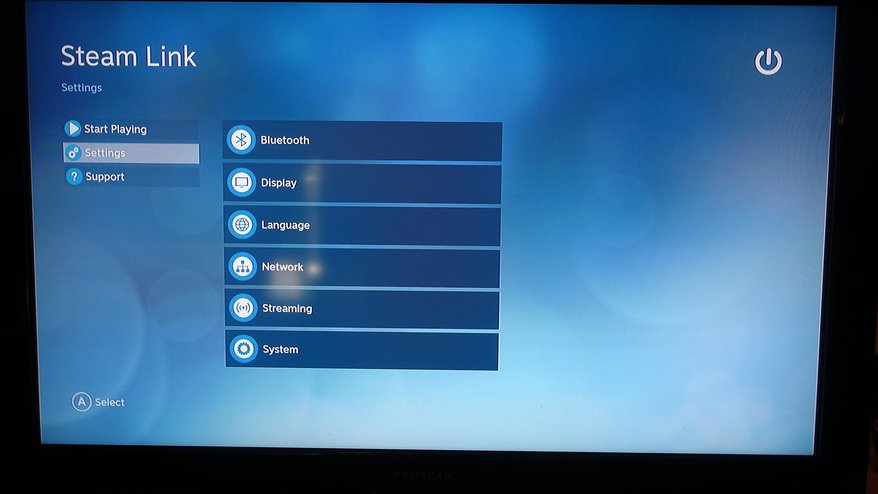
The software setup was pretty quick; the Steam Link had a software update, and after about 5 minutes, I was ready to go. I set up the Steam Link through WiFi via a 5 GHz connection and 100 mbit/s. Steam on my computer launched in Big Picture Mode, and I set the streaming quality to “Beautiful.” I then launched Fallout 4 and had my first issue. Unless you have a Bluetooth keyboard and mouse and/or a Steam Controller, there is no mouse emulation. I had to walk over to my computer and press play from the game launcher before it would boot. That was really annoying.
After playing the game for about 10 minutes, I noticed there wasn’t any video latency but only audio latency. There were pops and crackles in the audio, and it would cut in and out a lot. Every so often, the picture would compress a bit, and the whole picture would look pixelated. This wasn’t going to be feasible, so I ran an Ethernet cable from my router, under my rug, and up to the entertainment center, and then the audio cutouts stopped. However, the stream from my PC to the router was still wireless, but that didn’t seem to be an issue. I’m sure a software update could fix the latency for wireless streaming on the actual Link box.
Using Steam itself was a breeze in Big Picture Mode; it felt like a highly streamlined console UI (in fact, better than Sony, Nintendo, and Microsoft have ever come up with), and I could easily access the store, friends chat, and my library without a fuss. Another plus is being able to access your own music and various other Steam features. This is actually the best way to get a Steam machine experience without actually having to buy one.
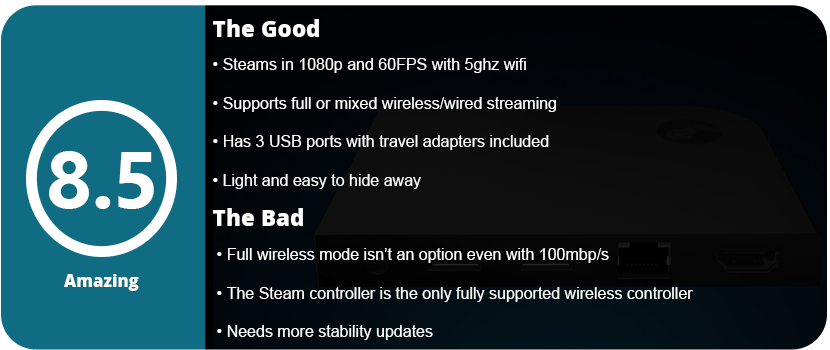
In the end, the Steam Link is a great buy, but you must have the right setup before bothering. Have a wired setup, or make sure you have a 5 GHz router and at least a 100 Mbit/s connection before even thinking about wireless streaming. A Steam Controller is the best way to go here, as it will connect to the actual Steam Link box directly; otherwise, your only other wireless controller option is the Xbox 360 controller with the wireless adapter. Once the Xbox One wireless adapter releases, it will be much easier, and we need some more stability updates from Valve before this is seen in everyone’s living room. For $50, you don’t really have much to lose here.
Have you ever wondered what would happen if humanity was on the brink of extinction? I really mean it too, not just in a cheesy sci-fi movie way. Soma makes you truly and honestly think about this, and it scares the crap out of me. Right up front, I want to say that Soma is one of the most original stories I have seen in a game in a very long time. The story takes a while to understand what’s going on, but once you do understand, you’re in for quite a ride.
You play as a man named Simon who is fighting brain cancer. You go to a doctor’s visit and sit inside a chair. One moment you think you’re getting scanned, and then you wake up in a mysterious lab wondering what’s going on. Immediately, the plot and timeline continue on around you while you’re catching up. It really makes you feel like you’re being dropped into the middle of a shitstorm. The premise of the story is that a meteor wiped out nearly all of humanity (which is a real and possible reality), and there is a system called the ARK that is to preserve humanity digitally. Now the story makes you think the ARK is several different things and works in different ways. The story is so well told that you actually organically understand everything exactly as Simon is understanding it; it’s quite unique and ingenious.
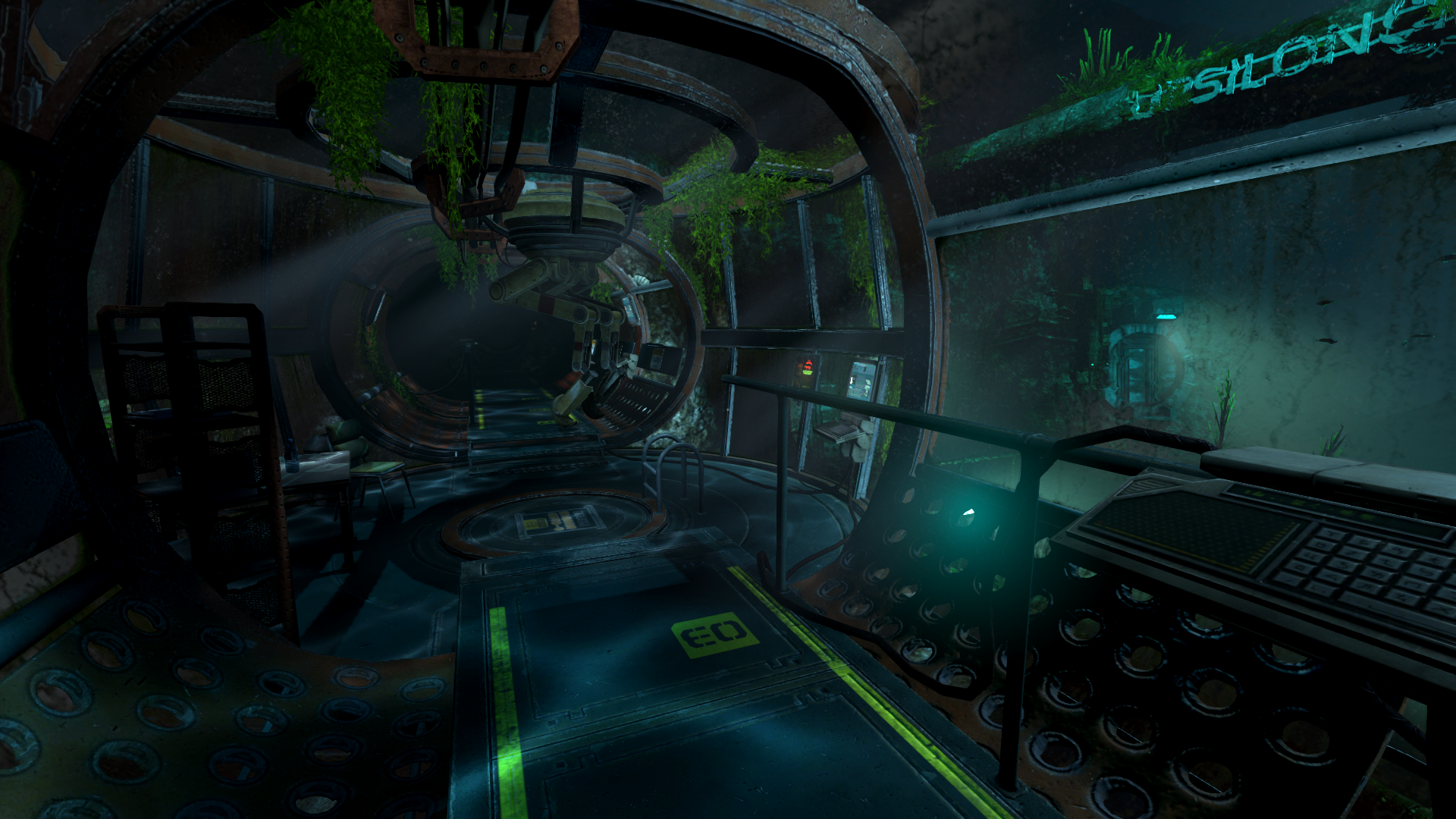
The game is made by Frictional Games, which made Penumbra and Amnesia: The Dark Descent, so you know what you’re in for: a very scary game. Soma is actually much more intense than those games, and it is scarier. The graphics engine has been pumped up quite a bit; while not state-of-the art it looks way better than Frictional’s previous games, and it is still quite beautiful artistically. Your goal is to solve simple puzzles in some areas while also discovering more of the story through audio and text files while you explore rooms. The most intense part of the game is when these WAU creatures are wandering and shuffling around. You have to hide and sneak around them, which is some of the scariest things I have done in gaming in quite a while. The sounds help sell the scare factor, and I really felt claustrophobic through the whole game. Running around in derelict underwater labs isn’t a walk in the park.
The game is broken up into areas or lab sites, and the whole thing takes place underwater. As you go further and further into the ocean floor, things get crazier and crazier. The WAU is an organic computer system that we built to help sustain life underwater, but it’s now taking over and has killed off nearly every remaining human left on the research site. The way this place is built is awe-inspiring and really makes you feel puny, thanks to the way the story is told. You literally go through every step to launch this ARK into space, and you have a computer AI companion that makes you feel even more alone. The various story pieces that come together in the game are fantastic and very memorable; I can’t say much more without major spoilers. I will say that you get moral choices in the game, but in the end, they mean nothing, and that’s actually the way you want it. The way the story is told, there is no way to find out what happened with your choices, and it makes it feel that much more real and scary.
I did run into a few issues in the game, like some of the sneaking areas were really difficult without a walkthrough because you need to keep your flashlight off and you’re basically feeling around in the dark. This made certain areas extremely frustrating and caused multiple deaths. I also found a few puzzles very vague. If those issues had been fixed, this would be the perfect adventure game, as it has already revolutionized several tired elements. You will look past these issues, thankfully, due to the story being so incredibly amazing that you will want to go on.
The atmosphere itself is just very foreboding; all you want to do is find another living person, but Simon’s luck is just really bad. Frictional Games forgoes the cheesy, predictable quirks of gaming stories and makes you press on and feel alone and hopeless, which is fantastic. Walking around in labs and then stepping outside into the vast ocean is a great experience and makes you realize just how screwed you are. You can still be attacked outside, and you must follow the procedures and safety measures set up throughout the underwater city, or you will die. The fact that Simon relies so much on his AI companion just reminds you how fragile this whole mission could be and that humanity could be lost forever so easily.
With that said, Soma is one of the greatest gaming stories ever told, and I seriously mean that. It’s just too bad this is an indie game and won’t get the attention it deserves. The game has a few flaws, like slightly dated visuals, difficulty spikes, and some vague puzzles, but you won’t care and will want to press on thanks to the amazing atmosphere that nearly makes you feel like it’s happening to you.
Gaming keyboards are just as important as mice; the buttons are probably the most important thing of all, and the gimmicks and extra stuff come last. The second most important thing in a gaming keyboard is ergonomics and how it’s designed physically. Some keyboards have large desktop footprints with giant wristpads, strange key shapes, and proprietary key layouts. I spent over a week shopping around for the right keyboard to replace my Alienware TactX keyboard. Not that it broke or I hated it; I absolutely love the TactX keyboard; I just wanted something new and different. First on my list was the key type. Did I want Cherry MX keys or a membrane? The TactX keyboard is an excellent Cherry MX keyboard, but it’s very loud and “clacky,” and the key height is very high. I loved how far apart each key was, but I was ready for something new.
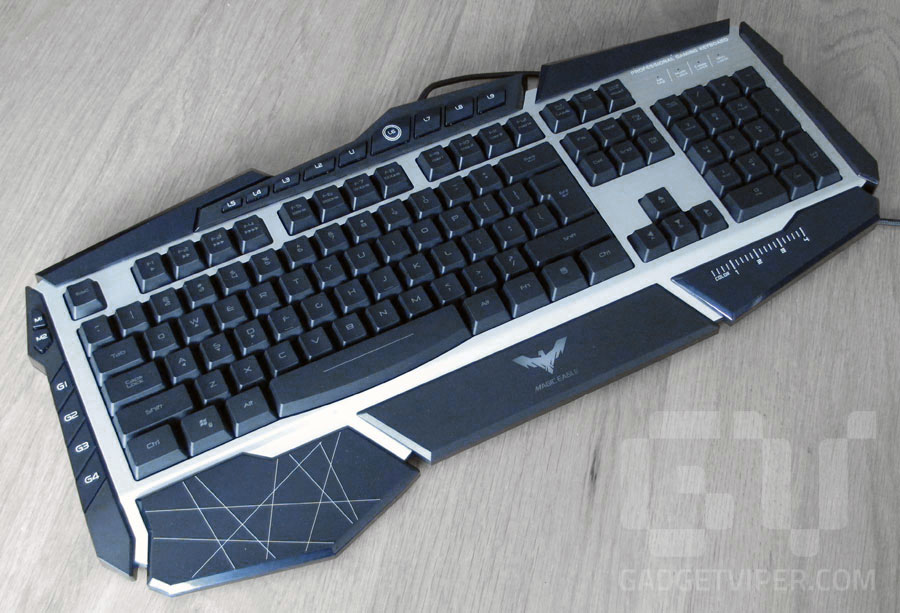
Havit Lammergeier: My first choice but only available online
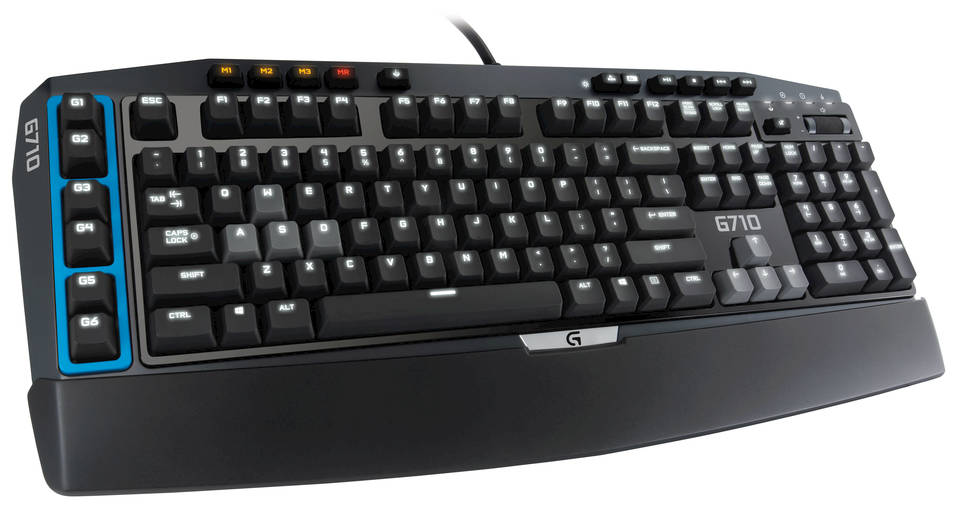
Logitech G710: A solid Cherry MX keyboard, but I didn’t like the design of the buttons
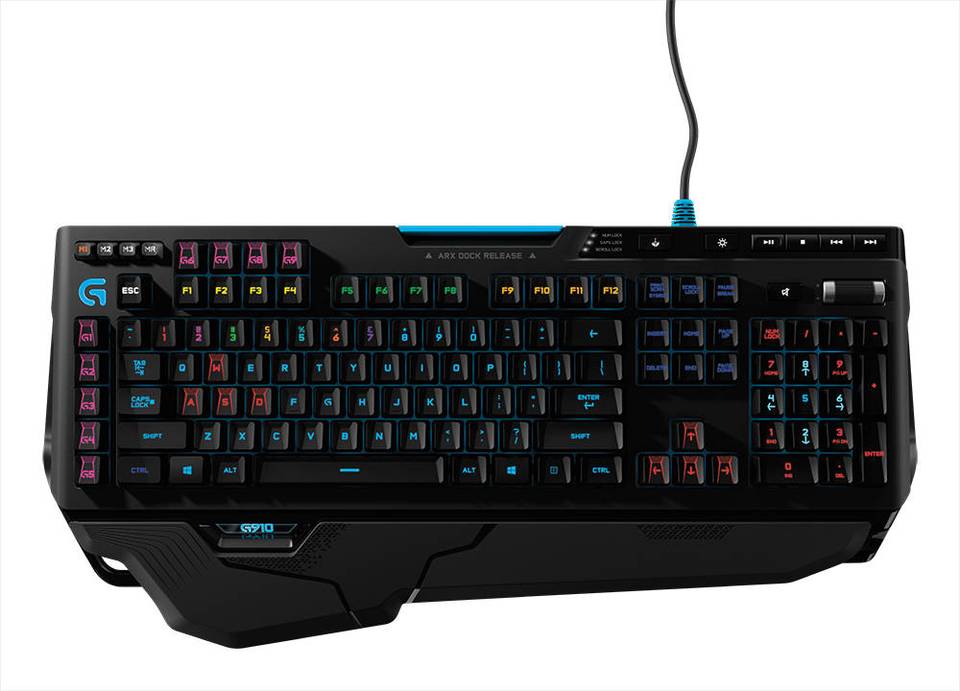
Logitech G910: A beast of a keyboard, but I still didn’t quite like the design.
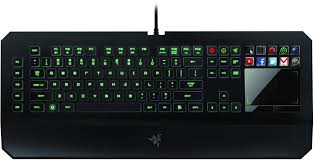
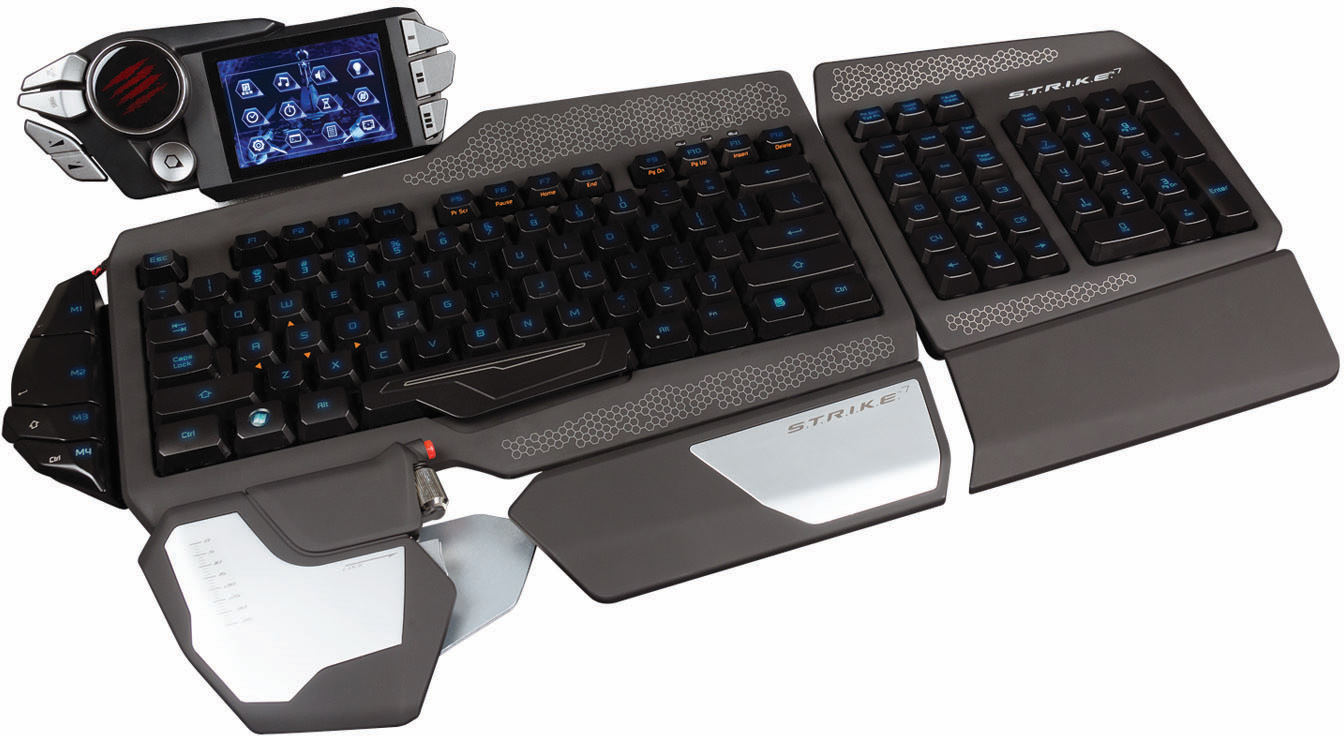
My first pick was the Havit Lammergeier, which had a wonderful design and Cherry MX keys, but it’s only available online. Remember, any decent gaming keyboard is going to start at around $100. I also thought about the Razer Deathstalker Ultimate, but at $250, it was ridiculously expensive, had a laptop-style keyboard setup, and the Razer touchscreen has been abandoned and hasn’t been updated in a while. My next thought was the Corsair Chroma series with its nice LED lighting, simple design, and Cherry MX keys. However, it was just too simple for me. I wanted something a little more flashy, something with a unique layout. I also looked at Logitech keyboards, but they were also very simple in design and seemed overpriced for what they didn’t offer. After this, I looked at Cyborg keyboards, as the S.T.R.I.K.E. 7 was nearly $300 and had a lot of amazing features. After testing it and looking up extensive reviews, I found that the software is shoddy and the hardware is cheap. I personally fiddled around with one, and it didn’t seem like it was made of $300 material.
Razer Deathstalker Ultimate: One of the most expensive keyboards on the market, but has cheap feeling mechanical laptop keys and the touch screen has been abandoned.
Cyborg S.T.R.I.K.E. 7: The most expensive and elaborate keyboard on the market. It feels cheap, the keys aren’t great, and the software is shoddy.
Corsair K70: A great feeling Cherry MX keyboard, but with a very simplistic design and a giant wristpad
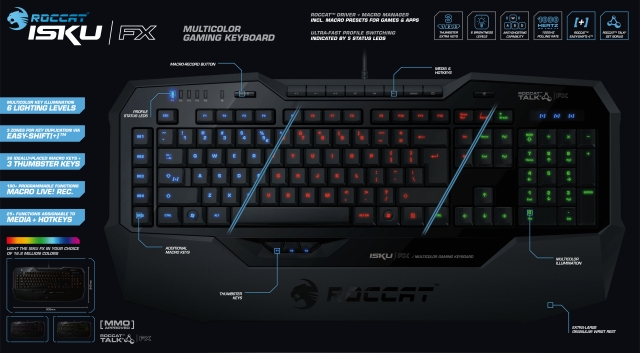
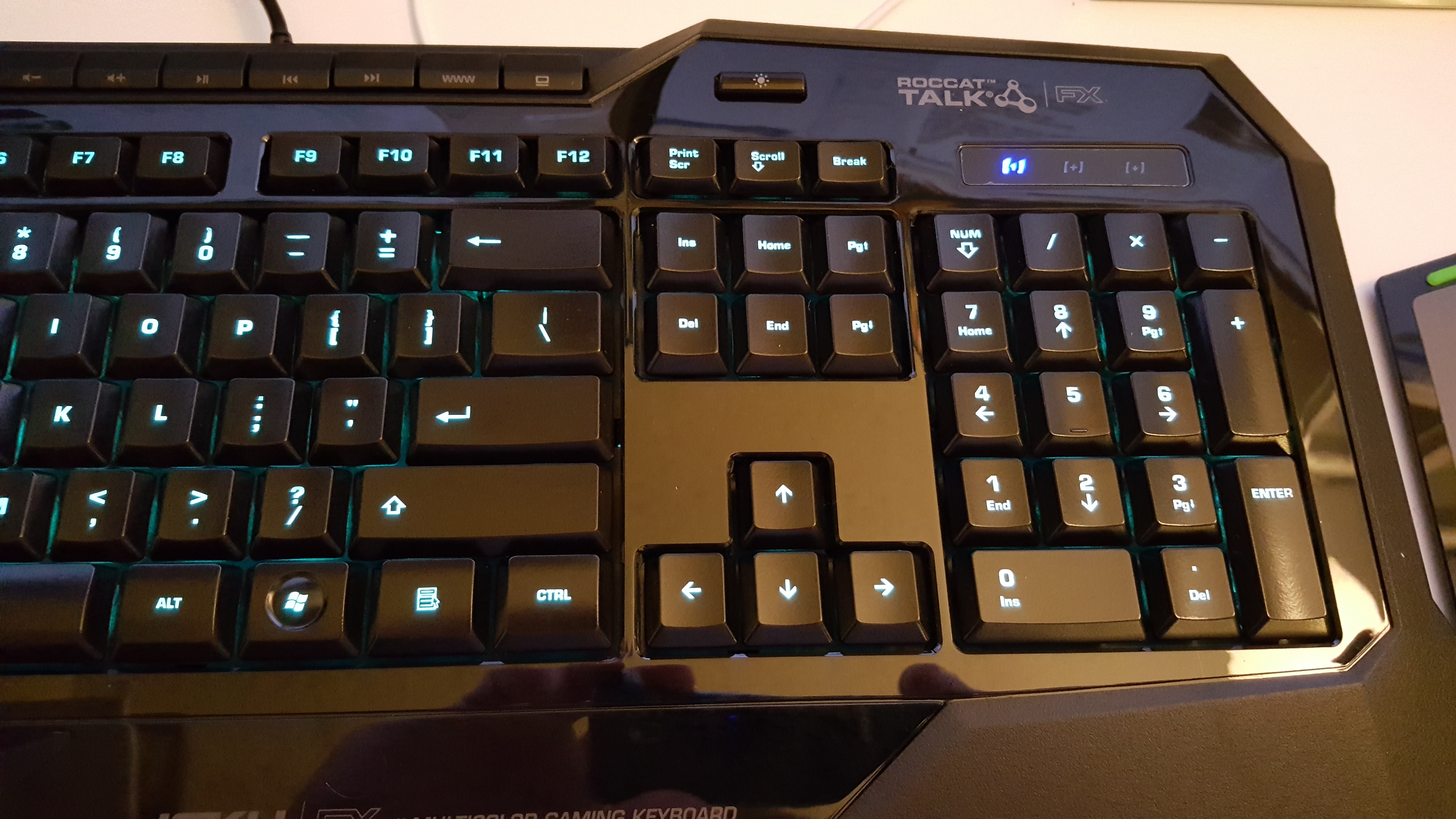
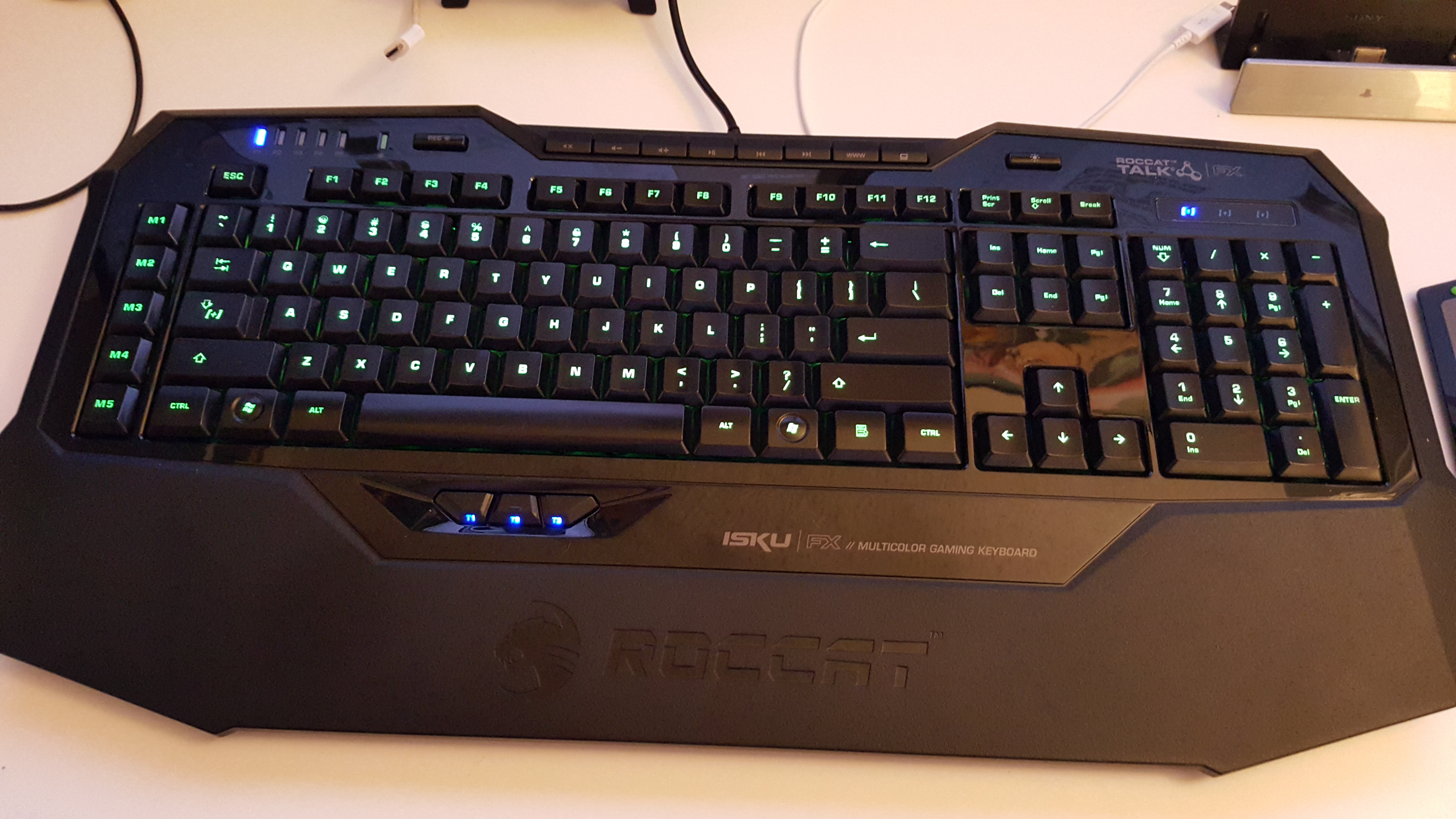
With the S.T.R.I.K.E. 7 being the most expensive keyboard on the market right now, I went and looked at some lesser-known brands such as Roccat, Gearhead, Mionix, Thermaltake, Azio, and TTe Sports. While these brands don’t make terrible products, they just aren’t the #1 brand that everyone knows, such as Razer, Logitech, Corsair, or Mad Catz/Cyborg. Several of these brands offered Cherry MX keyboards, but they just didn’t feel right; something about them felt cheap, loose, or just awkward. I then went over to the Roccat Isku keyboards, but they only offer membrane keyboards, and I was hesitant. I tapped away on a few keys and noticed how soft yet responsive they were. I continued tapping away at an Azio Levertron Mech5 keyboard right next to it with Cherry MX keys and realized how much better the Isku keyboard felt. The design was simple yet somehow unique and sleek, but all these Cherry MX keyboards looked crazy, futuristic, and had so many buttons, switches, and gizmos that it could make your head spin. With the $100 price tag, I grabbed the Isku FX keyboard specifically since it was compatible with AlienFX and had customizable LEDs.
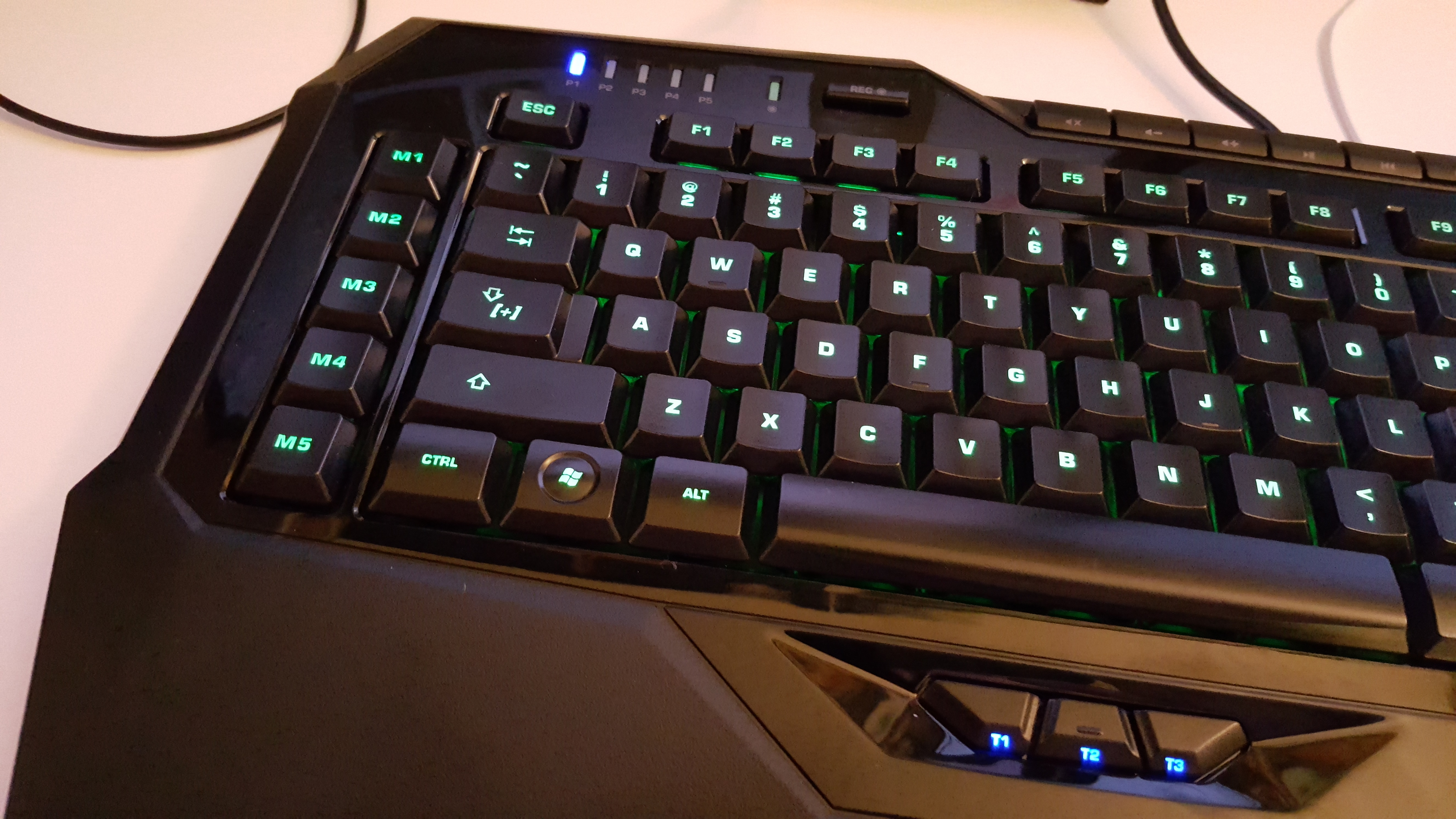
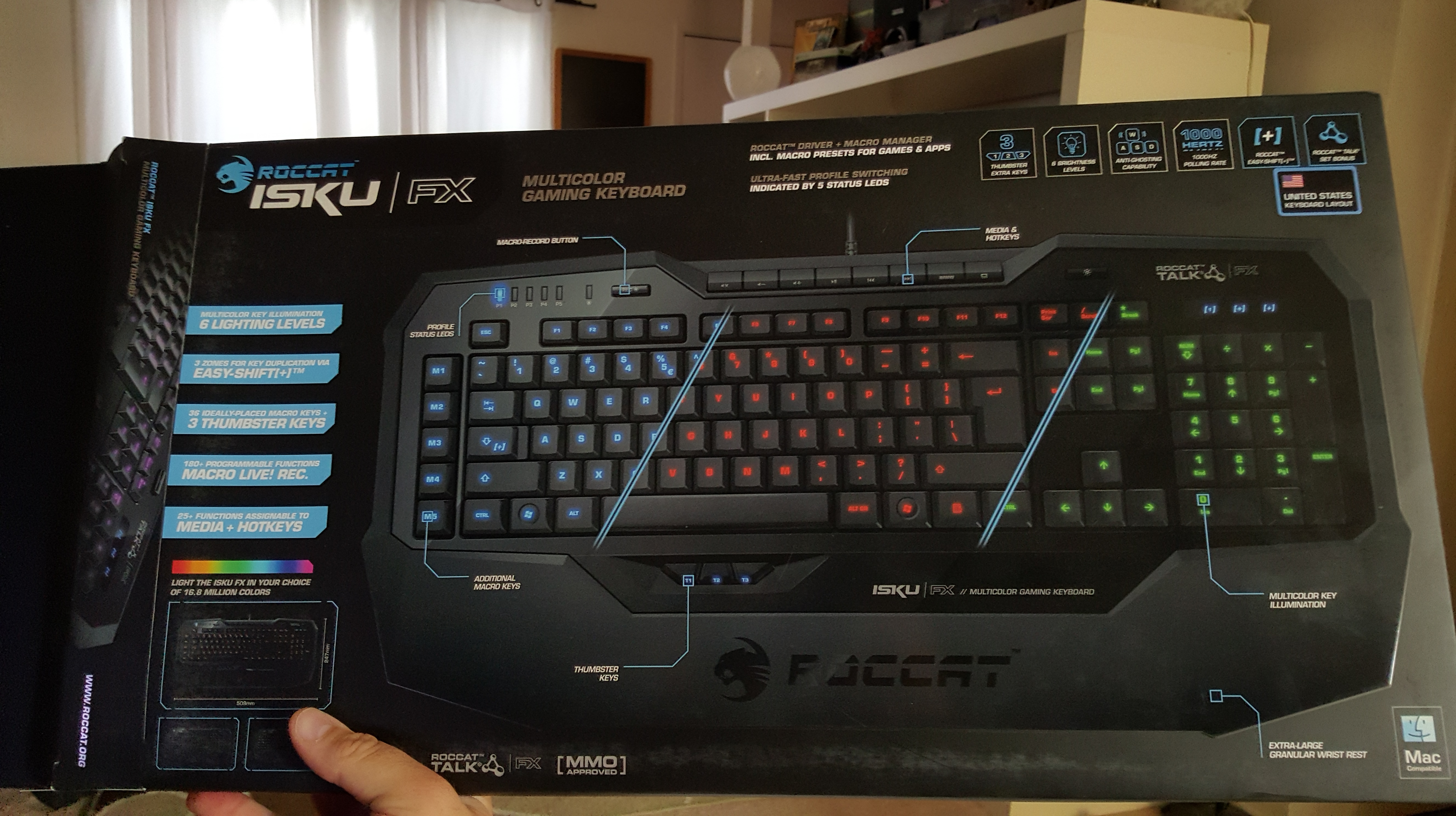
Right out of the box, the software was extremely easy to install. No CDs were included (who needs them these days?). So just a quick driver download was needed on the website. The software was installed on Windows 10 64-bit with no hitches at all; after I opened the software, it prompted me to do a firmware update on the keyboard, which went smoothly. This was probably the easiest hardware driver I have ever had to install; even Razer’s software can have problems from time to time. Once the software was opened, it looked overwhelming. The Isku is designed for people who love macros and keyboard shortcuts. There is a dedicated row of shortcuts on the far left, but the Isku has a special Easy Shift+ key function that can double all your shortcuts. On the bottom of the keyboard, there are three “Thumbster” keys that allow you to do whatever you want with them. These are great for reloading in games, crouching, or switching to your favorite weapons. They are located just right, but I feel you will need to have larger hands to reach them.
The Isku FX allows up to five profiles to be switched on the fly; this is for people who may have a lot of shortcuts for different games. Blue LEDs are at the top left to tell you which profile you are on, and no, there is no dedicated profile switch key; that’s what all these macro buttons are for. Next to the profile LEDs is a live recording button. Press the button, and a guy with a gravelly voice will walk you through the macro recording process. This is great and takes away those confusing menu screens to record macros; however, that option is still here. At the very top are your media keys, a browser button, and a button for My Computer, but again, you can change these if you want. Next to these is a button to turn the LED lights on and off, which is a nice feature. The rest of the keyboard is a pretty standard affair.
As for the rest of the software, the macro options are insane, and it even lets you program buttons by milliseconds of when they activate. It’s crazy. Another tab allows you to use the F keys as more macros if the 16 before weren’t enough. Another tab allows you to alter the “Easy Zone” keys, which are around WASD, to completely change what they do normally or add a secondary macro via the Easy Shift+ key. This is great if you are playing an MMO with a mouse and don’t want to use the top number keys or switch to the keypad. This is also useful if you are using a program that has a lot of shortcuts; now you can have them all right next to each other. The Advanced Control tab allows you to change the lighting effects, enable AlienFX, and select various other options. The Roccat software also comes with an achievement system, which is odd, but it’s here. There are 16 achievements in total; I have yet to unlock any, but it’s very interesting and kind of strange.
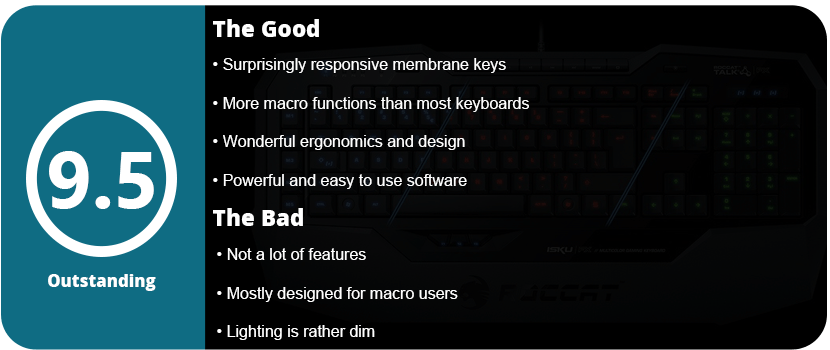
The keys feel fantastic, and I can’t stress this enough. Membrane keys are usually shoddy, but these click very quietly, have a lot of response, and don’t feel mushy. I felt the keys were a little closer together than most Cherry MX keys, but not by much, and I quickly got used to this and forgot all about it. I also like how I don’t have to press the keys down so far, as people with smaller hands tend to cramp up on Cherry MX keys.
Overall, the Roccat Isku FX keyboard is amazing, and surprisingly so for a membrane keyboard. If you are on the fence about membrane keyboards or are a hardcore Cherry MX fan, I suggest giving this keyboard a shot. Out of several membrane keyboards I tried, this was the only one that felt decent, so I understand the hate behind those kinds of boards. The software is some of the best out there for hardware, and there are so many customization options it will make you dizzy. Even if you don’t use macros, this is a wonderful keyboard, has great lighting effects, and is well worth the price.
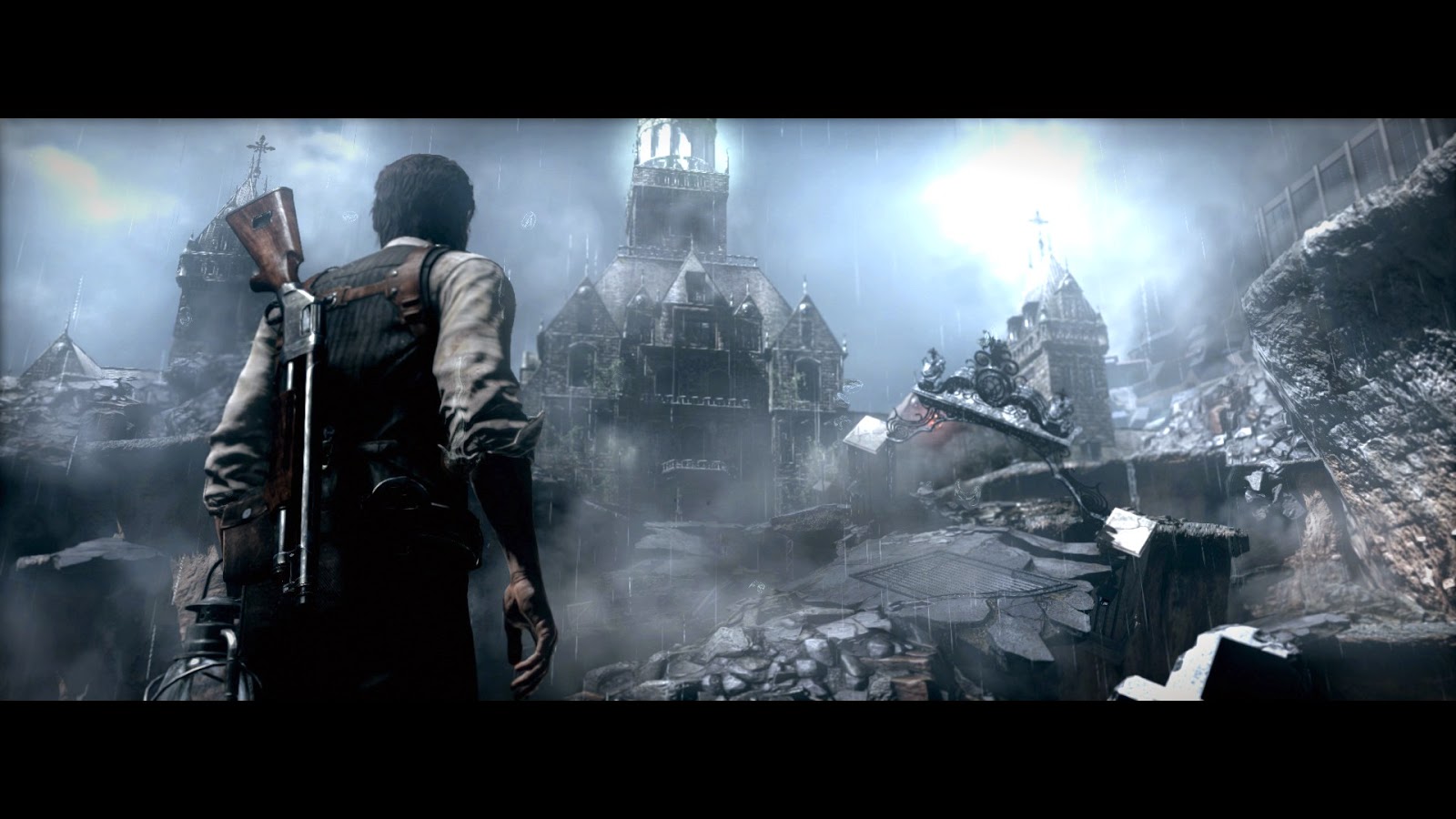
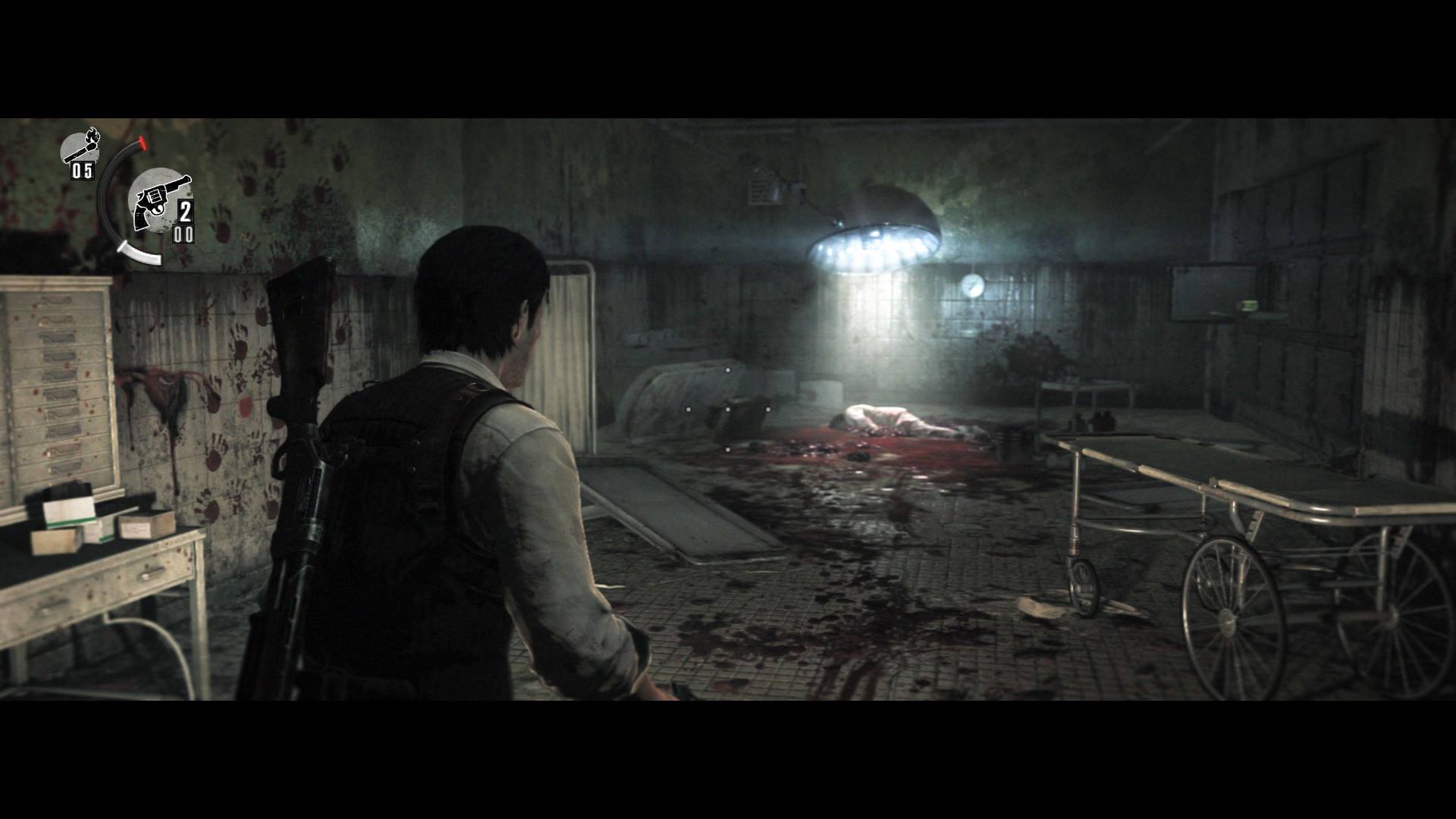
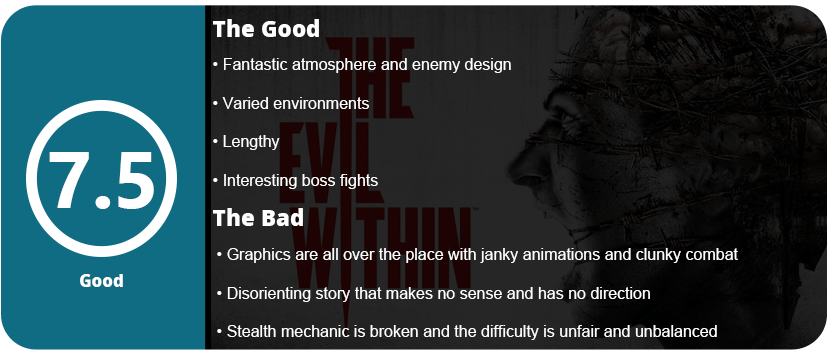
Right out of the gate, I have to say that this game is extremely difficult. It took me nearly a year to get through this game because of just how exhausting the game is to play through. Fifteen grueling chapters clock in at about 15 hours. You play a man named Sebastian who enters an asylum with two other detectives to find out why a massacre broke out there. You are then stuck in a bunch of nightmares; you’re chasing a boy named Leslie and running from a man named Ruvik. That’s it. Have a good night. The story makes zero sense; there’s no comprehension, and it’s very disorienting. You go from crazy room to crazy room, down hallways and arenas, with no sense of why you’re doing this.
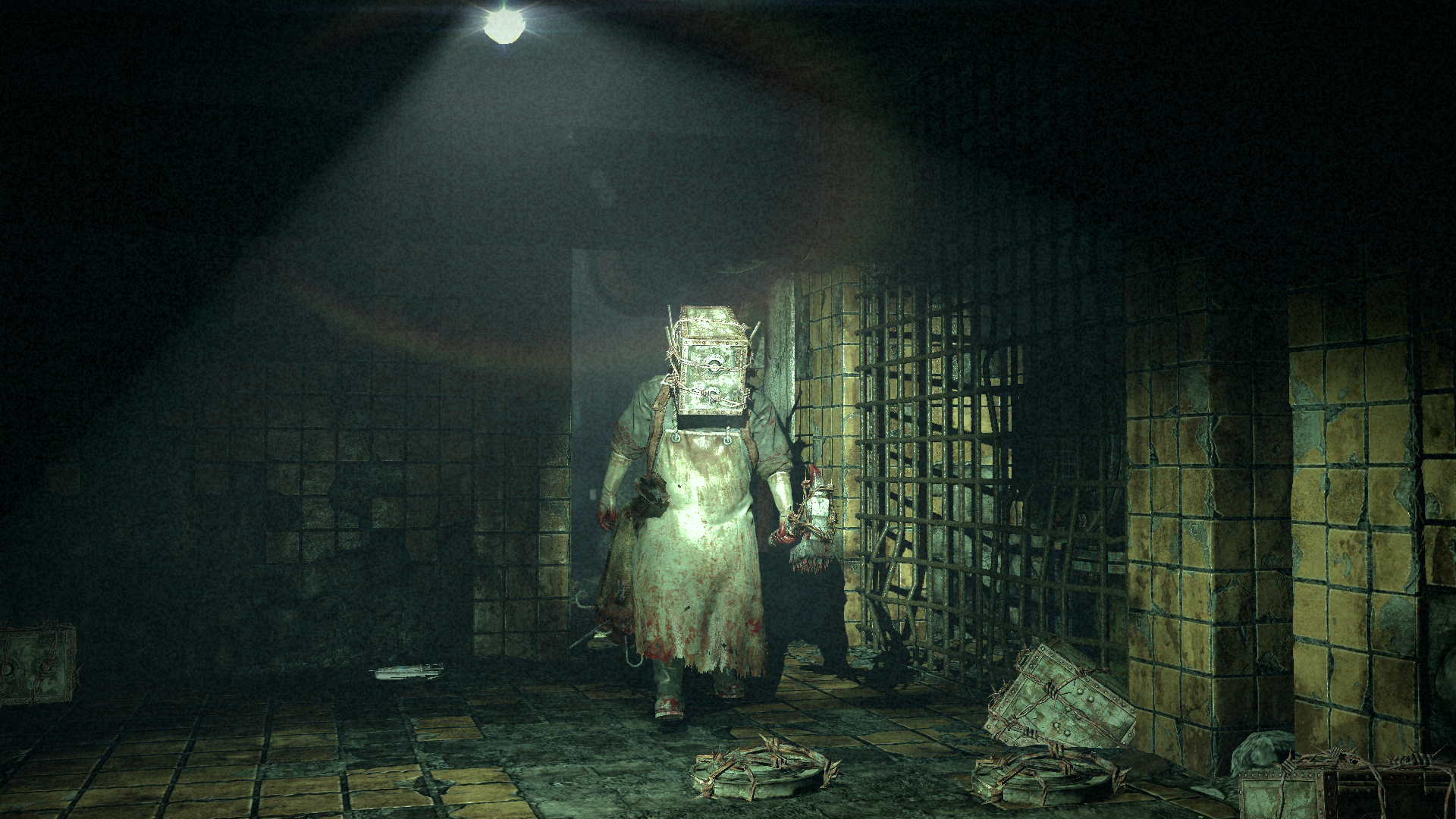
Apart from the insanely vague story, the game does give off an amazing sense of atmosphere. Creepy intestines hang from the walls, eyeballs float around on ceilings, and enemies are some of the scariest stuff since Dead Space, but I have to say, the atmosphere is awesome. Unfortunately, that’s about all that The Evil Within has going for it, despite trying to bring back the old-school survival horror vibe, which it fails to do. This is done with a lot of stop-and-go cut scenes and endless hallways, and then you’re slammed with a bunch of action and no ammo—yeah, it’s one of those.
This game wants to bring survival horror ammo scrounging to a game that has a lot of action, and this is very bad. It just doesn’t work. Even if you are smart with your ammo, conserve, and use melee when the option is available, it just doesn’t always work. The game is highly unbalanced, with long stretches of nothing and then several arenas full of bad guys. Now there is a stealth element added in, but it fails most of the time. Enemy paths are random, they are placed poorly, it’s hard to get to them because the sneak animation is aggravatingly slow, and it doesn’t end there. The game is devoid of puzzles, meaning there is no challenge outside of combat. On top of all this, gunplay itself isn’t very fun, as the camera zooms too close to Sebastian’s shoulder, making quick aim disorienting and difficult, the animations are janky and can’t be interrupted, and it takes forever to level up your abilities and weapons—it actually requires a second playthrough.
I feel sometimes I’m too hard on the game, as it isn’t terrible, just extremely difficult and unpolished. The graphics are also something to be desired; they feel very dated but have some nice lighting effects. However, the textures and models are all over the place, but nothing in here looks truly next-gen, even on PC. I feel that this game is a little hard to explain as there’s so much going on and each area is completely different. That may be the only thing saving this game outside of the gruesome horror scenes and interesting boss fights. With no way to understand the story, players will try to latch on to other elements, but at the end of the day, you sit back and wonder if it was worth it.
Weapons in the game are your standard affair: a shotgun, revolver, sniper rifle (bolt action, of course), rocket launcher, magnum, and crossbow. The crossbow is probably the most interesting gun in the game, as you can create bolts from scraps you find by disarming traps. These become vital during boss fights and when you’re surrounded by bad guys. One interesting, yet unnecessary, element in the game is burning bodies with matches. If you have some, you can do an instant kill by burning the body. This is useful against tougher enemies to save on ammo. There are also your typical secrets to find—hidden keys, map pieces, etc.—stuff that most people don’t care to collect.
Some players may appreciate the hardcore challenge, but most will balk. But the game is worth a playthrough for the atmosphere and roller coaster ride of gore, guts, and weirdness. Be prepared for a nonsensical story and extremely unbalanced difficulty. If you can stomach the unpolished gameplay, then you could have a pretty entertaining experience.
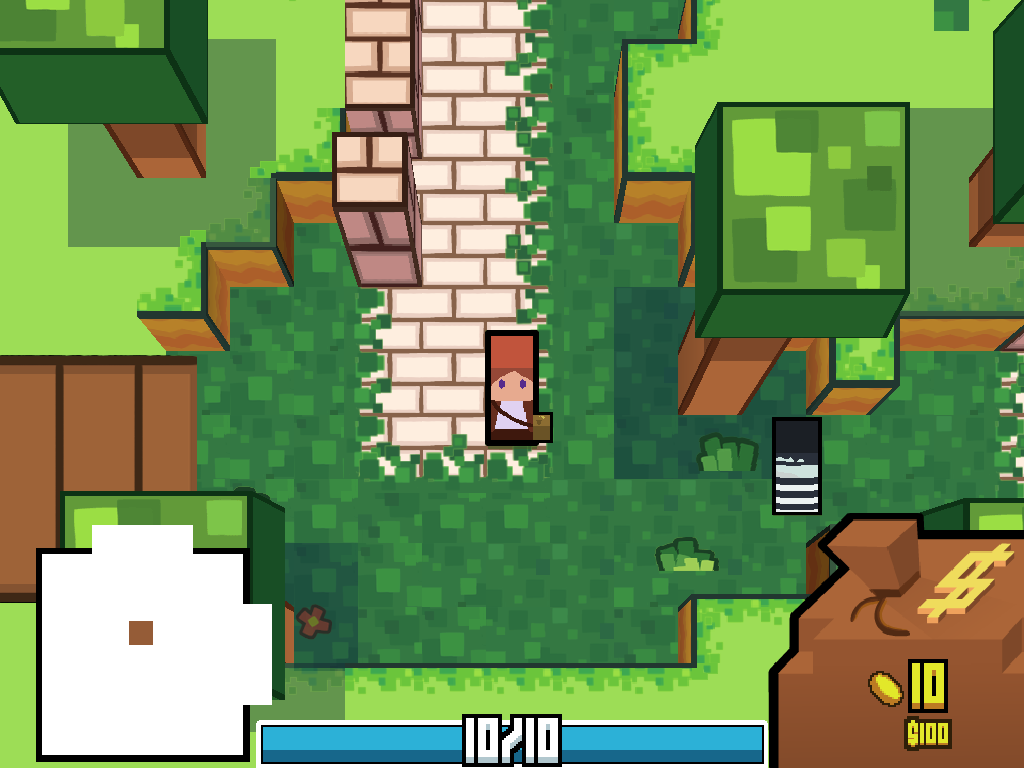
Rogue-likes are becoming very popular these days. They are simple and quick challenges with lots of replay value, almost like back in the day. You usually have a simple RPG system, combat, and a basic level design. Once you die in the game, you start all over again, usually in randomly generated dungeons. Rogue-likes are extremely addictive due to their fast-paced nature, but they also have a niche fan base due to their brutal difficulty. Coin Crypt takes this concept with a simple UI, 8-bit block graphics similar to Minecraft, as well as an interesting currency system.
In my first playthrough, I didn’t know what to do; there’s no tutorial—you just go. I ran into a baddie and fought him. Your character is holding out a giant hand, and in it is a coin that represents a combat move: attack, defend, magic, heal, etc. Holding down the button the coin represents while pressing RT to execute is quite satisfying. After I beat my first baddie, I ran around buying coins from coin banks to continue my journey. I then ran into a boss right away and lost due to his higher HP and attack strength.
My second play-through was a little more successful; I wound up filling my bag full of coins and got out of the dungeon with 220 coins richer. These coins can be applied to buying new characters, and then it’s back at it again. While Coin Crypt is fun to burn away an evening of gaming, I found it tiresome and too simple in the end. It didn’t have a unique style to it like Rogue Legacy or even mobile games like Tallowmere and Mage Gauntlet. The Minecraft art style has been done so many times that it’s there now just to attract fans of that game.
Overall, Coin Crypt is a fun rogue-like for people who love quick yet challenging games but don’t expect much more than a neat idea that will burn out in an afternoon.
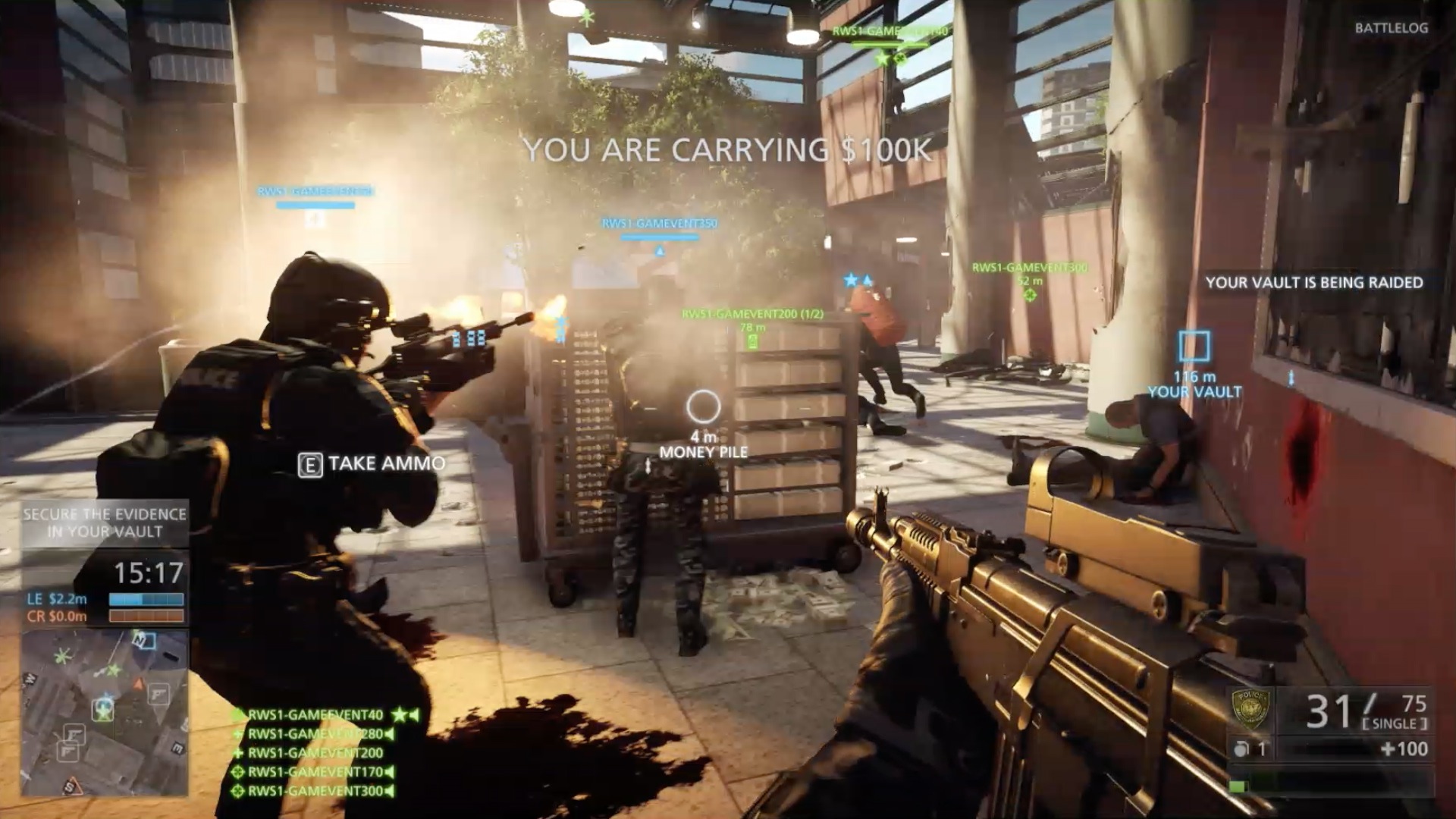
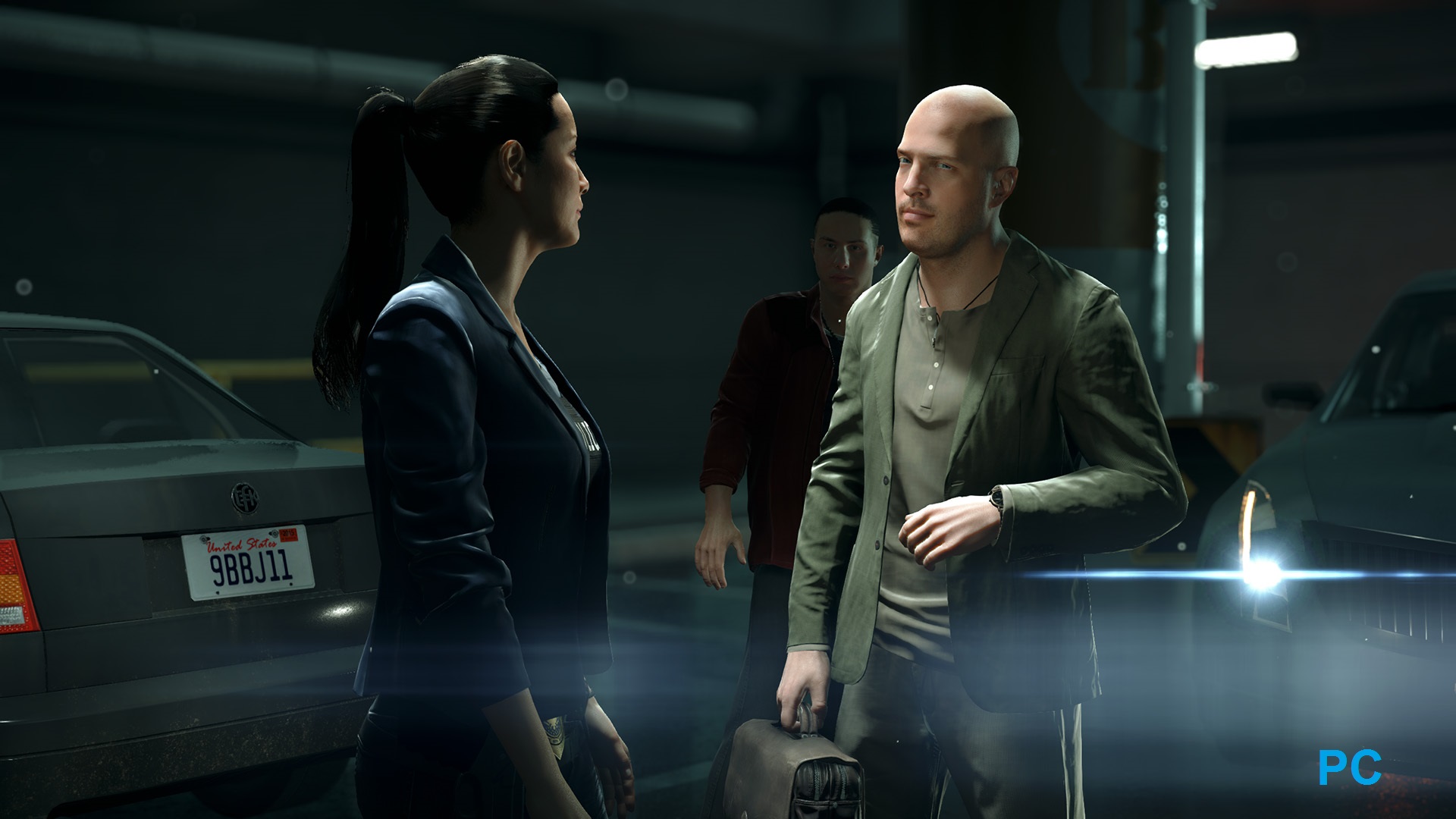
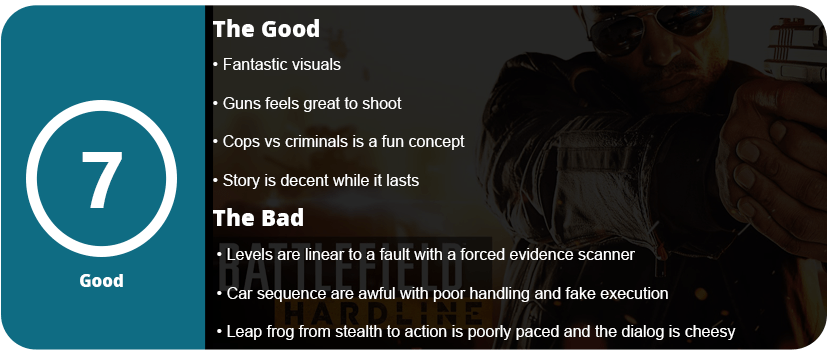
The first-person shooter genre hasn’t really advanced over the years. I feel this is one genre that is de-evolving over time. No longer do we have the clever and memorable shooters from the mid- to late-90s and early 2000s. Every shooter these days is all about killing as much stuff as you can as fast as you can, and Hardline is no exception. The game tries to take a more cerebral approach with the addition of stealth. Remember, half the time you are a cop and the other half a criminal. You play a man named Nick Mendoza, who is a good cop who gets framed while taking down a drug cartel in Miami. Your partner is a female cop; there are few plot twists; a lot of unrealistic stuff happens; there’s some cheesy dialog; blah blah, you get the rest. While I was interested in the story enough to keep playing, I forgot about the whole thing once I shut the game off.
Hardline’s stealth gameplay actually isn’t half bad, but it feels pointless in some ways. Sure, you’re rewarded for using stealth and arresting criminals, but I feel this could have been done in a different way. As you sneak around levels, you can make people freeze, up to three, and take them down. This rewards weapon and attachment unlocks, obviously; what else? It’s fun at first, but after the first level, I just wanted to shoot stuff up, but I couldn’t because of the unlocks. Each level pretty much plays out exactly the same: navigate the extremely linear level, get lost a few times, use the annoying scanner to find evidence for more unlocks, and kill more bad guys. Hardline is literally a leapfrog game from stealth to action, and it gets a little tiring after a while. Thankfully, the game only lasts about 5 hours, and then it’s on to multiplayer. On some levels, I was able to take down all the bad guys, and that felt satisfying, but in some areas, you had to enter the right area or take them down in a certain order to not get spotted, and this was so irritating. One level had me trying to sneak out of a prison ground while trying to hide from cops, but for some reason, they constantly spotted me no matter where I hid, and it was all about reloading the game 500 times to exploit the mechanics—not fun.
One thing I do like a lot about Hardline and Battlefield in general is the overall handling and feel of weapons. They have weight, they feel real, and there’s a lot of feedback and skill required to aim the gun, and with this, you will find your favorites. Hardline is more urban cops vs. robbers, so you won’t see the military weapons you’re used to. Most missions I went through with a pistol as my main weapon and then a shotgun or SMG as a backup, that’s it. No grenades, no rocket launchers—nothing like that. It’s an interesting change-up for the series, but it just wasn’t done right.
Multiplayer is interesting, but it still doesn’t top Battlefield 3. Most modes consist of variations of capturing the flag with small maps, but the most interesting is hotwiring. This is a car heist mission where you drive around on maps, but the vehicle handling is some of the worst. Even during the campaign, the car chases felt fake, ridiculous, and completely unbelievable. The janky and over-exaggerated handling doesn’t help either. While multiplayer is a nice change from urban maps over large military fields, it’s not something to write home about. I got bored after getting to around level 15 and just kind of stopped and went on to better games.
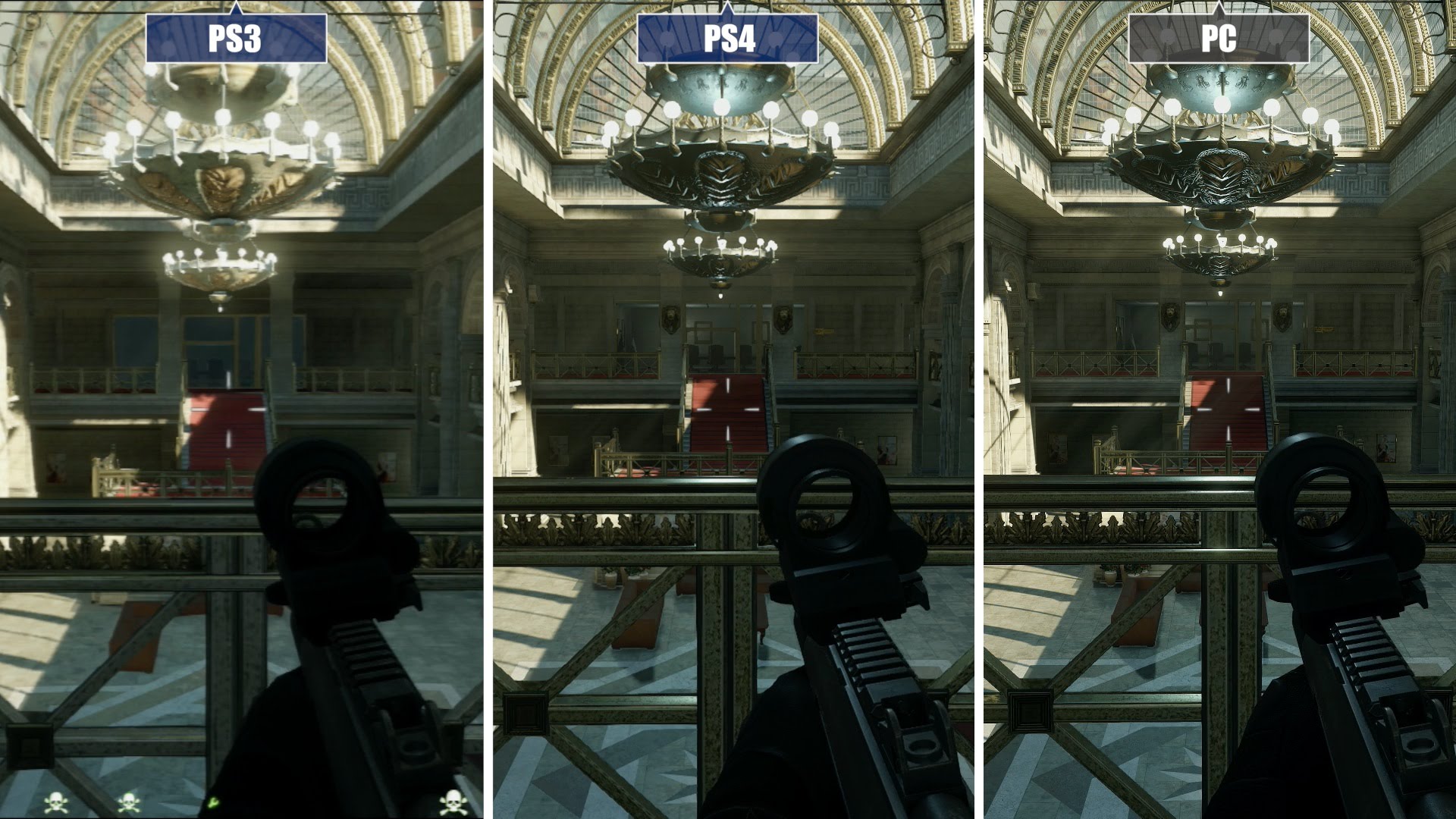
The visuals are quite impressive, some of the best out there right now, with fantastic lighting and extremely high-res textures. While the PC version does look the best, the PS4 and Xbox One versions are nothing to scoff at. However, you will need a fairly new system to run this on a PC—nothing over 18 months old.
With that said, Hardline is a nice change of pace for the series, but it just wasn’t executed right. The story is decent, albeit cheesy and fake; the levels are more linear than you can imagine; and the leapfrog from stealth to action is just a little nauseating and causes poor pacing issues. The car chases are terribly done, completely fake, and unbelievable. The multiplayer, while interesting, feels too similar to other shooters and doesn’t top Battlefield 3’s excellent maps and balancing; the visuals are also stunning, but this won’t help the game much. What we have here is a slightly above-average shooter and a below-average Battlefield game. I really felt this was the series’ low point, but that doesn’t mean I wouldn’t want a sequel that’s more fine-tuned.
Horror games that are truly scary are far and few these days. Neverending Nightmares actually helps change that idea with an extremely intense atmosphere, which is what horror games are all about. Neverending Nightmares has you playing as a boy (or man?) named Thomas who roams the pencil-sketched hallways in his checkered pajamas trying to find his sister (or wife?) that had been murdered (or she killed herself?). There’s a lot of open interpretation of the game’s story, but that’s kind of the fun part.
The game’s pace is at a crawl; let me just say that right away. Thomas trods along the hallways with a limited—and I mean limited—sprint button. The slow pace is supposed to add to the tension, but sometimes I wish he moved just a tad faster as the game got repetitive towards the end. The point of the game is to continue moving left (or right) through the hallways, opening doors, and interacting with anything that’s colored and stands out from the black and white background. These give hints at what may have happened to the girl that Thomas is looking for. While there’s no inventory system or even a combat system, there’s really no other goal than to head downward. Sure, there are enemies in the game, but your goal is to avoid them or hide from them. The toughest of them all are the big ogre-like monsters that require you to hide in closets, or worse, run from them. I found these segments frustrating as Thomas’ sprint is limited to about three seconds, and I had to exploit this to escape from these ogres and make it to the next door. I had to tap rapidly to stretch out the sprint or time when I started perfectly. This isn’t fun, and it doesn’t add anything but frustration.
The game has three possible endings, but there are no clues as to how to get them. At the end of each level, you are approached by this girl in different ways, but it all kind of blurs together. When you die, you start off in bed again, leading to the fact that Thomas might be asleep and can’t wake up. Is he insane? Is he a ghost? Who knows, but the endless hallways are probably the worst part of the game. Sometimes I thought the game was glitching because I would go through 5–6 hallways that I swore I went through earlier, but somehow I was progressing.
Thankfully, the game is actually scary; use headphones, and you will be in for a scary night. The music is haunting, and so are the sound effects. I applaud the game for the atmosphere, but the gameplay is really something that’s lacking and needs more polish. I’m fine with just wandering around places, but give me something to do while I’m doing that.
As it stands, Neverending Nightmares is a great horror experience, but as an actual game, it’s lacking mechanics, and the story and progression need work. I shouldn’t be playing a game thinking I’m not going anywhere or giving clues as to how to get a different ending.
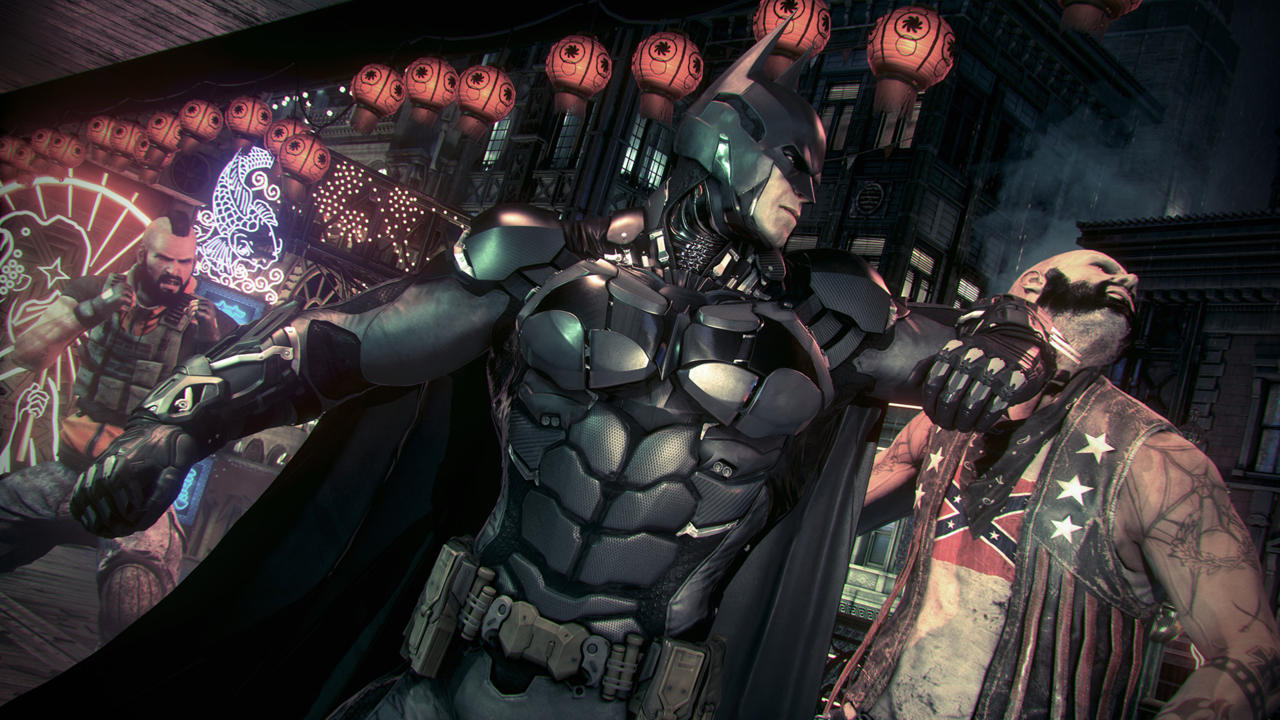
The Batman Arkham games are some of the greatest things to grace the video game industry in the past decade. With the most advanced combat system since God of War, and not to mention the best superhero video game series ever made, Arkham Knight continues this trend. While Origins was a bit of a snag, I don’t count it as part of the Arkham trilogy. Arkham Knight is another masterpiece that any Batman fan will love.
Scarecrow and the new Arkham Knight are the main villains in this game, but don’t worry, there’s plenty of Joker as well, despite being dead. Joker is a manifestation in Bruce’s mind, and he constantly appears everywhere, putting his two senses into everything Batman does. It’s great to hear him again. Arkham Knight is also probably the best-structured Arkham game yet. Instead of a hodgepodge of little repetitive missions everywhere, the game has a Most Wanted mission wheel. Known Batman villains are to be stopped and captured through mission branches that are a blast. Firefly, Penguin, Two-Face, and various other villains have their own little subplot. This brings Arkham Knight to a meaty and well-balanced mission structure that the game desperately needed. The only other side things you can perform are AR missions that include fight and batmobile challenges and Riddler trophies. Oh yeah, I said Batmobile.
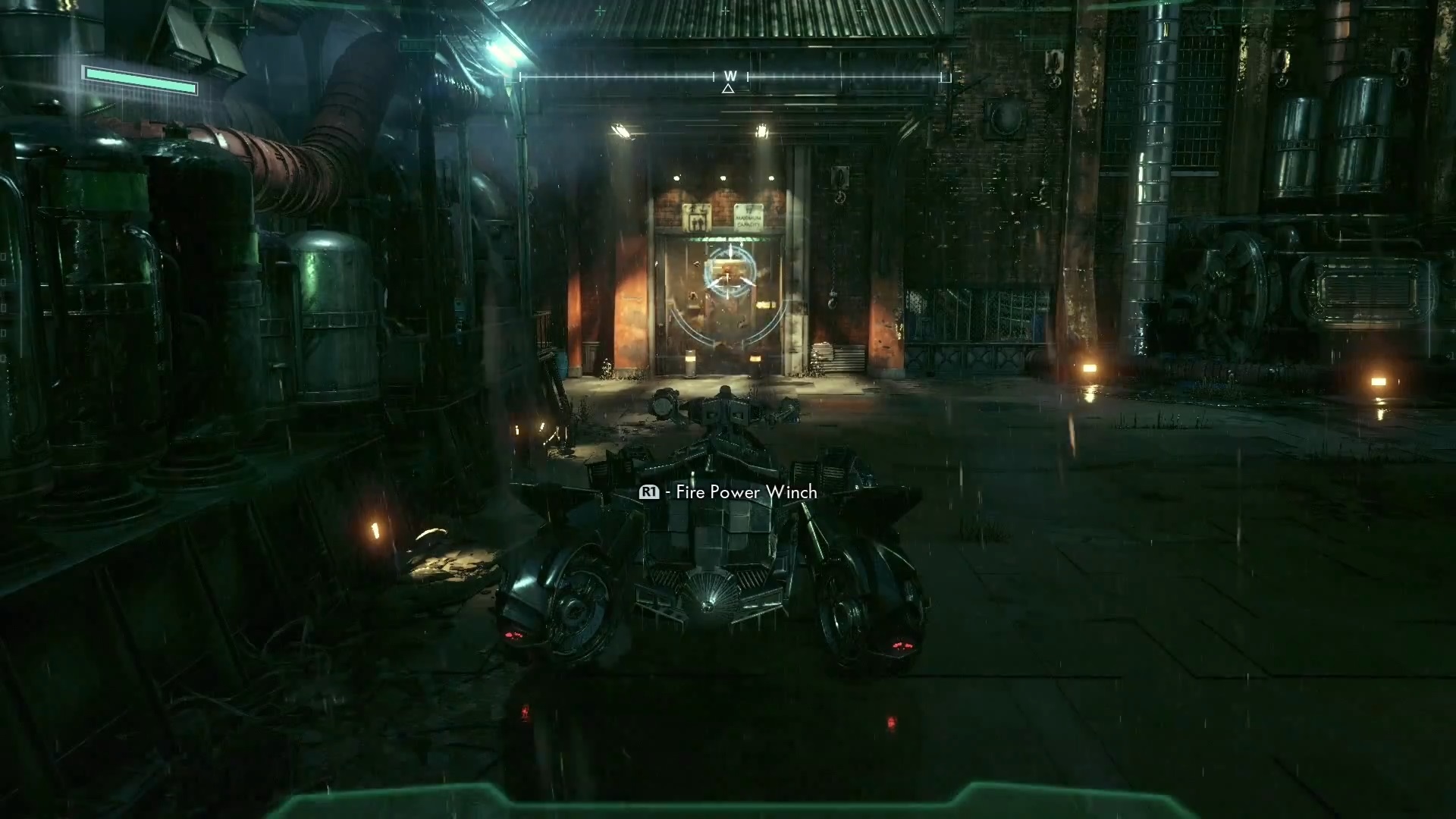
It’s finally here! The one and only Batmobile. It plays just like you think, controls like you think, and is as badass as you think. The batmobile can transform into a tank, allowing you to engage in battles with enemy tanks, but the best use of the batmobile is puzzles. Sadly, the tank battles are probably the worst thing in the game. While they work, they are the same thing over and over and over again; nothing changes. Enemy tanks will have a white line go across the screen, showing the trajectory of their shot. This allows you to dodge enemy missiles and shots. That’s great and all, but why does combat have to be this slow? Towards the end, the battles just get bigger with 50+ tanks in one area; that’s not exactly fun in my book. While the tank battles aren’t very frequent, they are happening often enough for you to sigh and wish it was over. As for the puzzle-solving, the Batmobile fits better here. Using the power wrench to crawl the downsides of buildings, using the wrench to power things up, ejecting out of the Batmobile to glide into a tunnel. All of this feels just like in the movies and comics; there is no disappointment there.
Combat has been perfected in Arkham Knight with added moves to make an extremely complex fight system that is so simple to learn. Outside of the counter system that we are all used to, new knock-out moves are introduced. Using your gadgets is much easier, as the button combos for them are easier to remember. LT for Batarang, LT+B for an electric shock to enemies with taser sticks, LT+Y for Batclaw, and RT+RT for Freeze Blast. It is very easy to remember, and the controls pop up on the screen to help you out when the option is available. The same goes for the knock-out moves, as well as fighting heavy enemies. These guys have their own system all to themselves. Do a fast punch combo, parry a guy behind you, a red exclamation pops up at a guy with a taser stick, LT+B, he’s down, continue pummeling the heavy, three more counters, then knock the heavy out. All of this is one big combo, and it’s so fluid and fast and one of my favorite fighting systems I have ever used.
The second combat system in Arkham is the stealth part. This has been expanded exponentially in Arkham Knight. There are more gadgets introduced that allow for more ways to take down opponents. The stealth areas are much larger and allow for multiple ways of taking people down. We’re used to stealth takedowns in various ways, including hanging, grating, and gliding behind people. Multi-level grate combat is introduced, as well as enemies being able to destroy grates so you can no longer use them. Using a voice synthesizer allows you to give commands to enemies and set up traps with your electric gun or disruptor. The disruptor allows you to sabotage weapons and drones to knock out enemies (yeah, I can’t say kill since Batman doesn’t do that). The stealth combat is fantastic and so much fun, and it allows for strategy over beating everyone up.
Outside of these new gameplay elements is the story. Arkham Knight has a long and well-told story that you actually care about. There are some great moments in the game that really get you hooked, and the ending is satisfying. I really felt the strengths and weaknesses of Batman come out through the story several times, as well as the other characters. My favorite part of the game is the ending with Scarecrow, but I can’t give it away except that it’s a first-person shooter sequence. WHAT?! Play it to find out!
Let’s talk about visuals. I know that the entire world knows how terribly optimized the game was for PC; however, if you have a powerful rig, it is very playable. Not perfect, but enough to not be really noticeable. This requires tweaks (there is a tool available on the Steam forums) to the game settings to get it to work. Out of the box, the game won’t run very well at all. There are some nice new effects, like RainWorks, Interactive Smoke and Fog, and various other effects. They look amazing, and Arkham Knight is one of the most detailed and good-looking games in a long time. However, a game should ship working, and this is just unacceptable. Most people don’t know how to tweak a PC game and will get frustrated and demand their money back (which happened and suspended the sales on Steam). The other issue is that you need a very new and powerful system to get the game to run well. I tried a GTX 670, and while I got 60 FPS when I was above the city, it dropped below 30 on the ground. Interactive Smoke and Fog dropped the game to 5 FPS; however, on a GTX 970, there were a few issues. The frame rate will vary constantly. You will jump between 60 and 30 a lot, but the tweaks available make it less noticeable. Anyone running a GPU older than a year will have issues for sure and should play the game on a console for now.
As it stands, Arkham Knight is a fantastic game and the pinnacle of the Batman video game franchise and superhero games in general. Taking all of what made the series great and optimizing and compiling the best of what everyone loves. More villains, more stories, more Batman. That’s what we came to see, and we got what we wanted.
After all these years and growing up with Windows 3.1, I have seen an entire evolution of computers and software. Touch screens and large resolutions were a pipe dream just 15 years ago. Now it’s the norm. Going from a Packard Bell (yes, before HP) that couldn’t run 3D Ultra Mini Golf and saving Paint pictures on floppies to Windows 98 and creating embarrassing songs on the Midi Keyboard, and finally getting 300kbp/s DSL so I can watch Backstreet Boys music videos in “300K”—yeah, the K meant something else back then. Going from that to Windows 2000 and XP and playing Half-Life 2 for the first time using a weird piece of shitty software called Steam. Something that pissed people off when they had to install it and just wanted to play Half-Life. From using an ATI (before AMD bought them) Xpress 200 onboard chip and struggling to play HL2. Going from Windows 7 and the first DirectX 11 GPUs and dual-core CPUs rolling into games like Crysis and Microsoft Flight Simulator X to quad-core CPUs and GPUs that are thousands of times more powerful than that first computer I had. Now we’re at Windows 10. What a journey!
My childhood in a nutshell
Thank you for updating Steam…ing pile of shit!
Windows has had its ups and downs, but Windows 10 is finally another up for Microsoft. With a monster of a new strategy (and a risky one) as well as lessons learned from Windows 8 and Vista, Microsoft has released the next best OS around. Taking the fundamentals from Windows 7 and fusing them with the cutting-edge technology of Windows 8 allowed Microsoft to create the ultimate operating system that will finally kick-start an entirely new generation of OS from here on out. There are millions of people on the fence with Windows 10, but I jumped in on day one like 15 million other people, and here’s why.
More Automated Installation…for Dummies
Windows 10 now reassures you that you can be lazy and not touch a goddamn thing, and it will do everything for you. How freaking convenient! Now, with most people having the attention span of a goat, Microsoft has realized no one will wait around 90 minutes to check for new installation progress and click through menus. It will tell you things like “Sit back and relax,” “Just a few more things,” “Almost Done,” and “Wrapping Things Up.” All things that impatient people love hearing. I’m not one to complain. If I can install Windows from here on out without touching a damn thing, I’m fine with it. Just watch a big white circle fill up, and your PC will restart a few times. Pretty painless and simple. The initial setup is as easy as setting up your phone. Want to know why Windows 10 is a lot like a phone? Because everyone has one! Why not make it look like something 5 billion people already use every day? Or we can act like neanderthals and demand something that was practical 20 years ago. Your choice.
Windows 10 Leaves the Keepsies Game
Hate Windows 10 with a passion? Is the simplicity too much for you to adjust to, and do you want to go back to dozens of windows and menus? Just go into settings and roll back to your previous OS. No keepsies, Microsoft promises. Want to go back to Windows 8 and torture yourself? Go back to tablet mode. Microsoft won’t keep it from you. They promise.
Underneath it All, It’s Still Windows 7
Don’t be scared; it’s okay. Come out and play. Underneath the shiny new exterior is Windows 7, almost exactly as you left it. Power users can still find their tweaking options where they want them in the control panel. All Windows operations from Windows XP onward are still here. I promise, right where you left them, Of course, they are under a shiny new skin, but it’s just one button click away from seeing that all-too-familiar panel or list of settings you are used to. Don’t want to use apps from the App Store? Fine, go ahead and install your programs like normal. Want just a basic, boring start menu? Go ahead; just right-click on the taskbar like you have for the past 12 years and customize your start menu. Want to change your default apps? And what starts with Windows? Go ahead and do it the long, boring way, as Microsoft now knows what was a pain in the ass to change and what wasn’t. You can do it the long way, but Windows 10 makes things easier for you unless you’re a martyr. Do it the old way.
Windows 8 Without the Windows 8
While Windows 10 looks like an overhauled Windows 8, it’s not Windows 8 at all and never will be. The start menu and taskbar are a shiny new black, and the start menu now acts as normal plus Live Tiles. Honestly, these are great, and they are customizable. Like tiles but not alive? Kill them dead and turn it off. Want them to be smaller? Go ahead, or you can supersize them. Want to know what the weather is like? Pin it as a live tile, and every time you open your start menu, you can see the weather. Want a picture of a giant boob on your start menu? Go ahead, why not? Don’t you like going outside and forgetting what hemisphere you live in? It’s just a click away! Why does this matter, and why should you care? Because you can do that now, that’s the beauty of harnessing more advanced UIs. Did you want the Windows 8 taskbar but the Windows 7 desktop? That’s the default now. If you love Windows 8 for some unknown reason, turn on tablet mode, and you can join the other 10 people who also enjoy it.
Apps Make Life Easier…Seriously
While some people may call them “lazy,” apps on your smartphone are wonderful. Can you imagine your phone only having a web browser and having to go to every single website through that? Well, it’s more practical on a PC, but why can’t we use apps too? I just want to surf YouTube for a few hours. Get one of the non-official YouTube apps, and it’s its own thing. How about just shopping on eBay or Amazon for a while? Download the apps. It’s just like on your phone, naysayer, just like that. Click install, and it installs just like on a phone. No pop-ups, no pre-requirements to install, no.NET Framework, no runtime files either. Don’t you want it anymore? Just click uninstall in the start menu or Apps & Features (the new program features), and you’re done. Want to use just the browser and not be hip and cool? Do it.
All the Tweaks Under Fewer Clicks
Do you know the settings on your phone? Windows 10’s most basic functions and settings are now condensed under a settings window, just like a phone. Stop whining; once you use it, it becomes a pacifier, and you’re fine. Click Settings in the start menu, and you are introduced to all those pesky things that took hours to do and multiple windows to click through. System Settings has all your Windows Updates, Windows Defender, Add/Remove Programs, Notifications, and Power Settings. Holy sh*t, yeah, it’s all there now under one roof. I thought that would never happen, did you? It’s amazing! How about all your device crap? Bluetooth, printers, scanners, webcams, typing, and autoplay are all under one tab. Just click on the device and choose what you want to do with it. Wait. AutoPlay?! Wasn’t that something you had to go through eight different windows to get to? It’s right here in this devices tab. Wow! Personalization, accounts, ease of access, privacy. All these settings that took multiple windows to open are now in one single window. It’s a freaking miracle! Oh, yeah, and you sign in to your Microsoft account to sync all this stuff if you ever re-format. Yeah, that happened too.
Action Center is Back Like a Crappy Ex That Turned Around
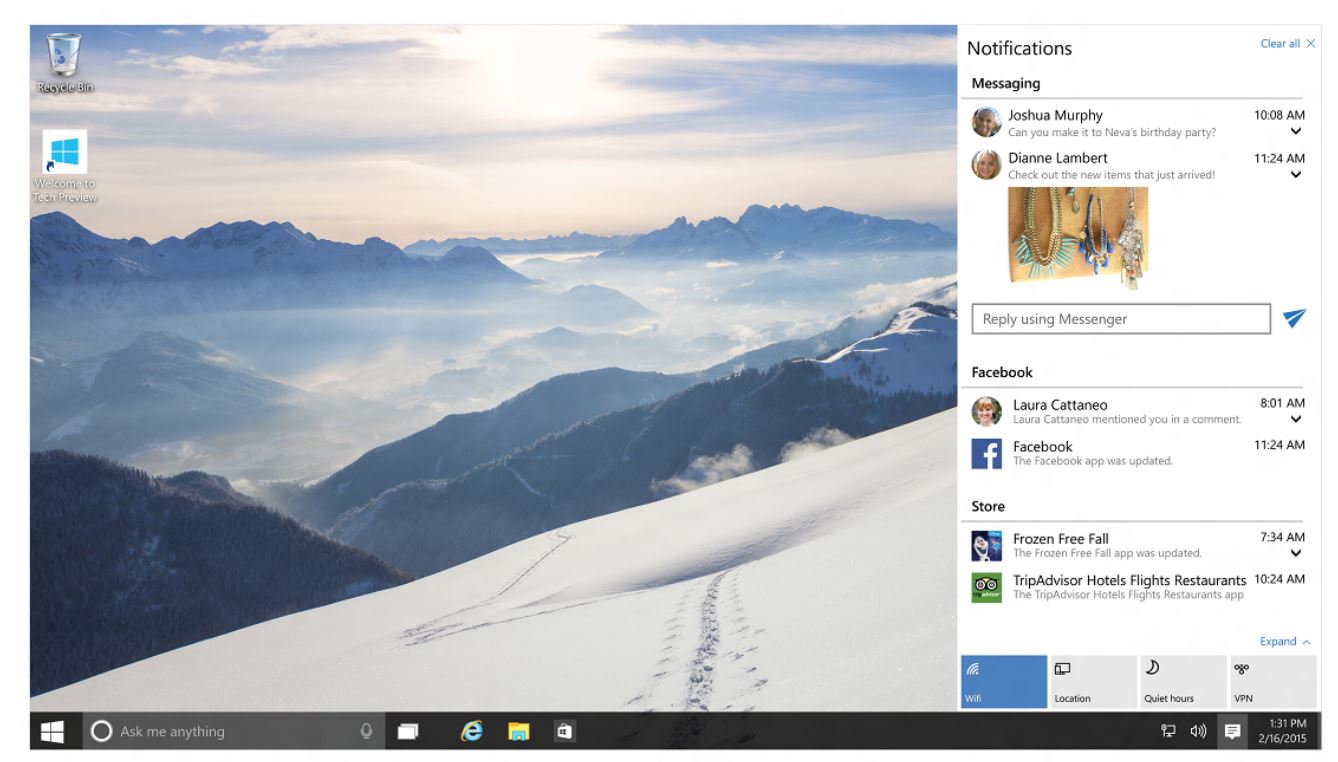
Remember the Action Center? That annoying flag that wouldn’t stop telling you things you don’t care about? Now it tells you things you need to know and comes in handy. Do you remember all those apps I was talking about? Action Center is now your notification hub, like on your phone. Think of this as your pull-down menu. Email alerts from the new email app, Windows Updates, notes, reminders—it’s all here. The new Action Center notification pop-up is also overhauled and is now a nice little square box that blends in with the OS and is not annoying at all. Think of it as a pop-up notification on your phone. Simple and elegant, yet very useful. I’m also talking about every single pop-up that used to appear in that damn corner. New devices being installed, errors, Windows update notifications, everything.
Windows Explorer is Now and Adventure…and Includes All Gear
Windows Explorer finally has all those options that required right clicks and scrolling through the settings menus, all at the very top of the window. It’s a brand new menu bar that includes things like delete, rename, move to, copy to, properties, select all, invert selection (!), pin to quick access (!), and… sharing! Holy freaking hell, no more uploading to PhotoBucket and then linking to your social media. Oh yeah, and the view tab has all your viewing needs. Columns, size all columns to fit screen, file name extensions check box. What?! That was hidden in the Explorer settings and required an online tutorial to figure out. Is there a checkbox now at the top? Man, did they think of everything? Apparently, they did.
More Desktops, Less Monitors
Or more desktops with more monitors. Why not, right? Have 18 projects going at once and don’t want to close anything out? Microsoft decided to actually use RAM for something useful, and the old Show Desktop button has transformed and evolved. Working in Photoshop with 25 reference windows open in your browser? Want to go back to editing videos and ripping YouTube videos to make a “Top 10” list? Create a new desktop so you don’t have to close your Photoshop crap. Have two monitors? Now you can have four desktops and three monitors. Learn algebra.
Keyboard Shortcut Fetishists Are Now Welcome
One of those one handed guys who doesn’t One of those one-handed guys who doesn’t like clicking? There are dozens of new keyboard shortcuts, from Windows Key+This to Shift+Alt+That. For virtual desktops, selecting text and opening apps. Enjoy…I guess.
Xbox is Now a Parasite
Just kidding, but not really. Xbox is now an integrated part of Windows 10, which is cool, but for the millions of Xbox not-owners, it’s only good for one thing: video capturing. For the first time, Windows now includes video-capturing software, so you can stop pirating Fraps now. For Xbox owners, you can do a lot of cool things, like do Xbox things on Windows. Right on.
Windows Media Player Still Sucks
That’s about it, moving on.
That about sums it up
Cortana. Like a Kitana But More Corn.
More like Siri with less Apple. Or more Google with less Now. It’s really a personal assistant right on your desktop. No more moving your hand 2 feet to your phone. You can now search for restaurants, get told to get your ass to work, and find drive times. You can even save maps offline! Great for when you have a laptop and no wifi and get lost on treadmills. Voice recognition works with a simple “Hey, Cortana!” I’m sure Halo players have wanted to say that for years! It’s a great new way to get all your travel needs in one spot.
Microsoft Just Got Edgier
Gone is the Internet Exploder! Wooo! Party! Kind of… Microsoft Edge is an honorable change from such a terrible piece of software. It’s well…edgier. In more than one way. The UI has sharp edges, and the boxes have edges. You can open new tabs, write notes right on the web page, and send them to your phone via Cortana. I hope the Master Chief knows this is going on. Eh, it’s good for people who love IE or don’t have a preference. If you’re an old guy who just watches porn or a hipster, this is perfect for you. It doesn’t have the options that Chrome and Firefox have, which is what Microsoft really needs to wake up to, but the mobile integration and cleaner design are a much welcome change.
Bottom Line…It’s Freaking Free
Yeah, it’s a free Microsoft product. Who would have thought? It’s a revolutionary strategy that Microsoft is taking a serious risk with. Free for a whole year? Damn. Where’s the money coming from? Bill Gates, but that’s besides the point. If you have Windows 7 or 8, you get this great piece of software for free forever. Your current key just converts over to Windows 10. Hell, even pirates get it for free. You’re welcome.
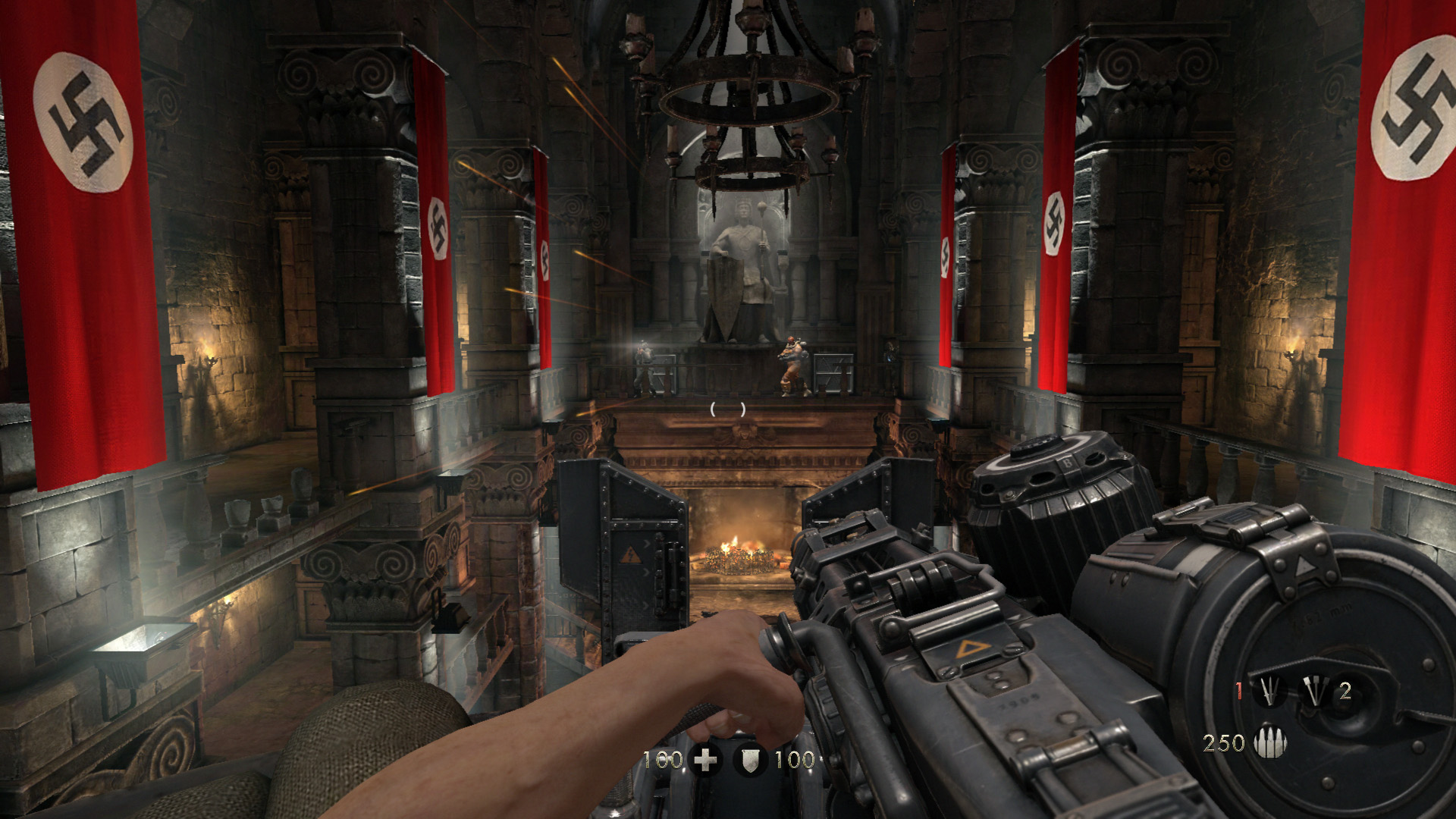
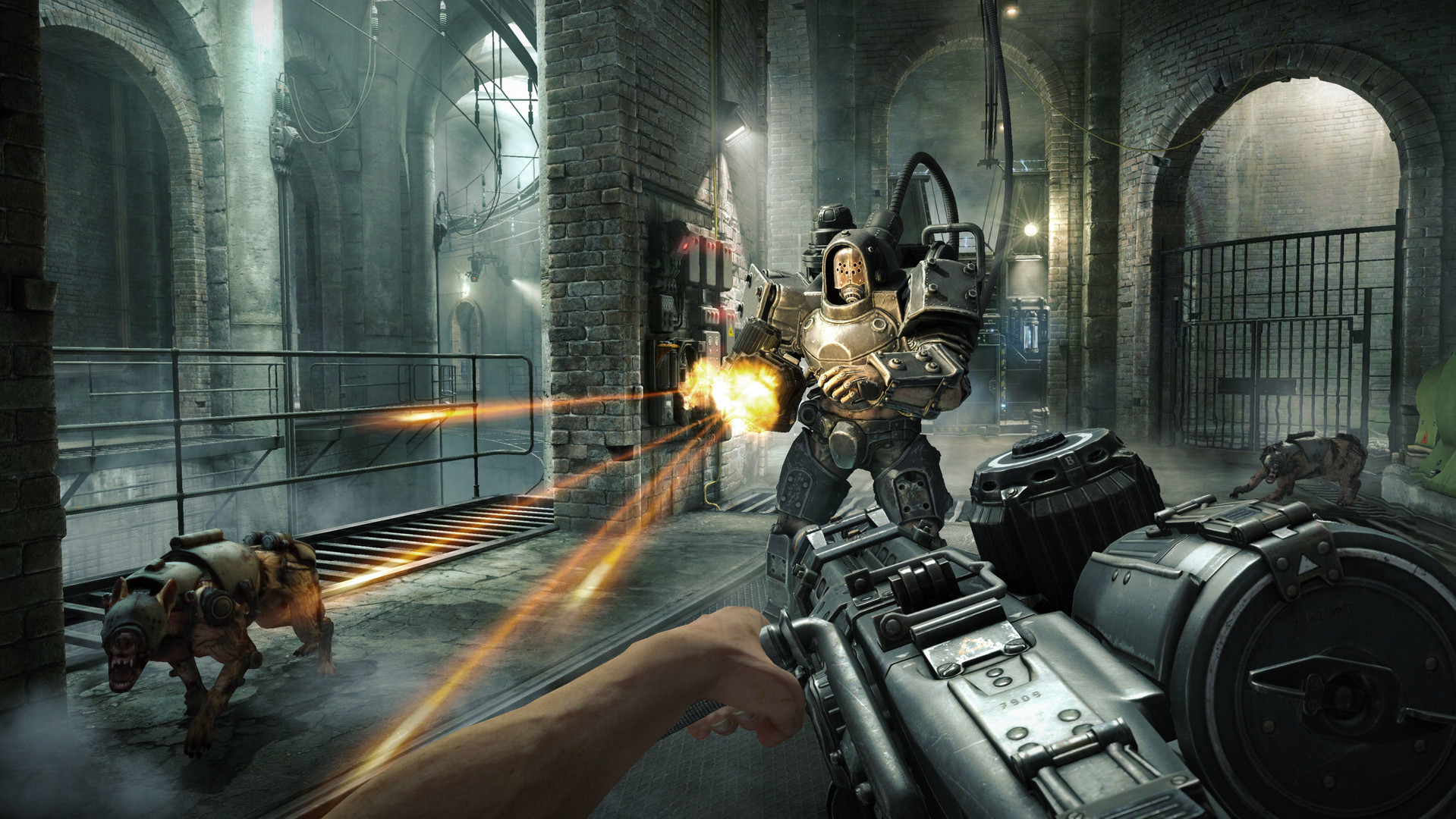
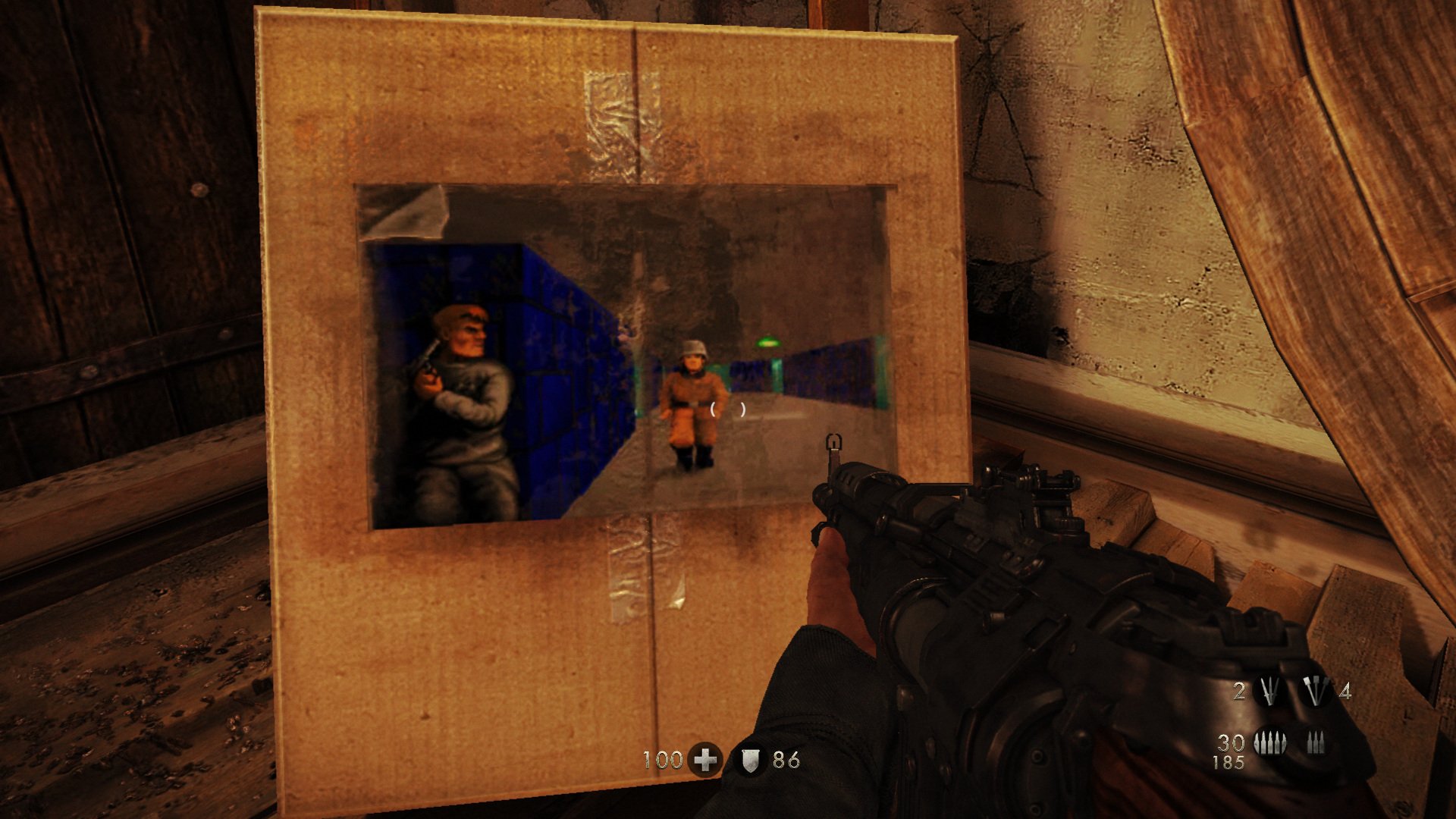
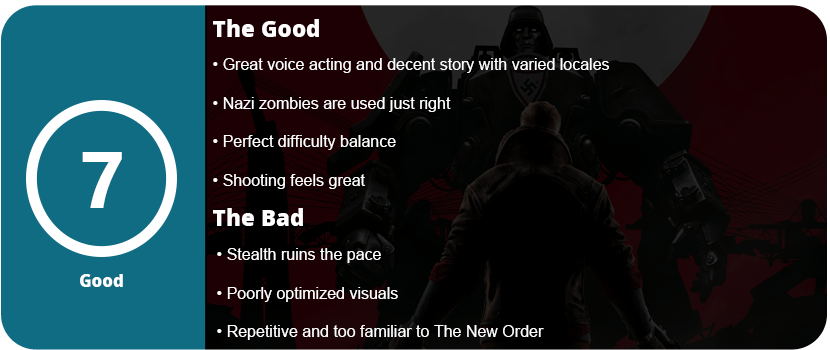
The New Order was a fantastic game. It oozed atmosphere, excellent action, weighty guns, and a decent story. It was the best Wolfenstein since Return to Castle Wolfenstein on PC, which was released over 10 years ago. The Old Blood returns to give us a little extra snack with a nice prequel leading up to the beginning cutscene of The New Order. The Old Blood is all about finding the documents to Death Head’s compound while also fighting one of Nazi Germany’s many paranormal agendas—zombies. Yes, thankfully, they don’t overstay their welcome. They only appear in the final chapter, but it is a nice pace from the broken stealth and gunfights.
While The Old Blood’s story isn’t as fleshed out as The New Order, it’s not bad or awful, at least. The same storytelling mechanics are used here, such as BJ’s narration in his head and some excellent voice acting all around. The game is literally the same outside of a couple of new guns. All the action from the previous game is here, and it just feels great. It shows why Wolfenstein is one of the better shooters in recent times. It’s satisfying to shoot everything, and it’s also extremely challenging, which most shooters don’t offer. You have to use strategy and actually use cover, or you will die quickly.
There are a few boss fights in the game, some of which are the hardest I have fought as a shooter in ages. The challenge alone is enough to bring hardcore shooter fans smiles, even if they don’t like Wolfenstein. Despite the game’s short length (about 4-5 hours), there are a lot of different locales, so things change constantly. My biggest gripe about the game is the stealth. It never really worked in the last game, either. You know you are in a stealth area when the commander’s location shows up on the screen. You are supposed to sneak around to silence them, or waves of enemies will keep coming until you kill them. Most of the time, the areas are set up in a way that you just can’t sneak around. This drove me nuts in The New Order, and I’m saddened to see it return here. I don’t know why stealth would be put into such an action-heavy game; it ruins the flow and pace of the game.
Outside of the gameplay, the graphics are pretty good, except for the textures. Even on PC, with all the bells and whistles of DirectX 11 graphics, the textures look muddy and ugly up close. I don’t know if this was to squeeze them onto consoles, but I don’t like it. This game requires a monster rig to run at full settings, some of which are questionable. 32x anti-aliasing, really? It makes the game run at 8 FPS and under 30 FPS even with a Titan X. Some other settings, such as the 8196 shadow map, just slow things down with no noticeable upgrade. I honestly think this is just crap to make PC gamers feel happy and to shut them up. The game isn’t optimized too well with texture pop-in either. Yes, I know there’s a setting for texture to fade in, but it doesn’t work. Outside of that, the game looks decent, but with all these options available, it should look better.
The Old Blood is well worth the $20 price tag. We get a lot of quality games for that, and hopefully this isn’t the end of Wolfenstein.





















































 thebinarymessiah.com
Try multiplayer. A lot of fun !