
• About
    • BinaryMessiah
    • Game Collection -BinaryMessiah-
  • Guides
  • Blogs
    • FAQs/Walkthroughs
      • Mortal Kombat (Vita)
      • Mortal Kombat: Deception/Unchained
      • Syphon Filter: Dark Mirror
      • Syphon Filter: Logan’s Shadow
  • Games
    • PC Reviews
      • Mac
      • Steam Deck Verification
        • Steam Deck Verified
        • Steam Deck Playable
        • Steam Deck Unsupported
        • Steam Deck Unknown
    • Microsoft Consoles
      • Xbox One
      • Xbox Series X|S
    • Nintendo Consoles
      • Switch
    • Sony Consoles
      • PlayStation 5
      • PlayStation 4
    • Mobile Reviews
      • Android
      • iOS
    • Retro Consoles
      • Nintendo
        • Game Boy
        • Game Boy Color
        • Nintendo 64
        • Game Boy Advance
        • DS
        • 3DS
        • Super Nintendo
        • Gamecube
        • Wii
        • Wii U
      • Sony
        • PlayStation (PS1)
        • PlayStation 2
        • PlayStation 3
        • PSP
        • PlayStation Vita
      • Sega
        • Sega Master System
        • Sega Genesis
        • Sega 32X
        • Sega CD
        • Sega Saturn
        • Sega Dreamcast
        • Game Gear
      • Microsoft
        • Xbox
        • Xbox 360
      • SNK
        • Neo Geo Pocket
        • Neo Geo Pocket Color
      • NEC
        • TurboGrafx-16/PC Engine
        • TurboGrafx-CD/PC Engine CD
      • Nokia
        • N-Gage
      • Bandai
        • WonderSwan
        • WonderSwan Color
  • Game of the Year Awards
    • 2025
    • 2024
    • 2023
    • 2022
    • 2021
    • 2020
    • 2019
    • 2018
    • 2017
    • 2016
    • 2015
    • 2014
    • 2013
    • 2012
    • 2011
    • 2010
    • Retrospective Round-Up
      • Retrospective: 2009
      • Retrospective: 2008
      • Retrospective: 2007
  • Gadgets
    • Reviews
  • Comics
    • Avatar Press
    • Boom! Studios
    • Dark Horse
    • DC
    • Dynamite
    • IDW Publishing
    • Image
    • Markosia Publishing
    • Marvel
  • Book Reviews
  • Interviews

Cursed Mountain – 10 Years Later

Posted by BinaryMessiah on 04/11/2019
Posted in: Nintendo, PC Reviews, Retro Consoles, Wii. Tagged: adventure, cursed mountain, deep silver, horror, koch media, Nintendo, scary, wii. Leave a comment

Publisher: Deep Silver

Developer: Koch Media

Release Date: 08/25/2009


Available On


Climbing a mountain can be tough, but climbing one of the highest and most remote is even tougher. You play as a man named Eric, who is destined to find his brother after he went missing during a mountain climb to find a secret Tibetan treasure. What he finds along his journey is a dark past and strange company, but he mainly finds the strength within himself to complete his journey.
maxresdefault

The story is decent at best but has many plot holes, awful storyboard cut scenes, and terrible voice acting, but still enough to keep you trucking along. The game plays a lot with the supernatural and Tibetan history and lore, which is nice, but it’s easily forgettable. You never know what the secret treasure is ultimately for, who the expedition company is that’s involved, and many other questions that are never answered.

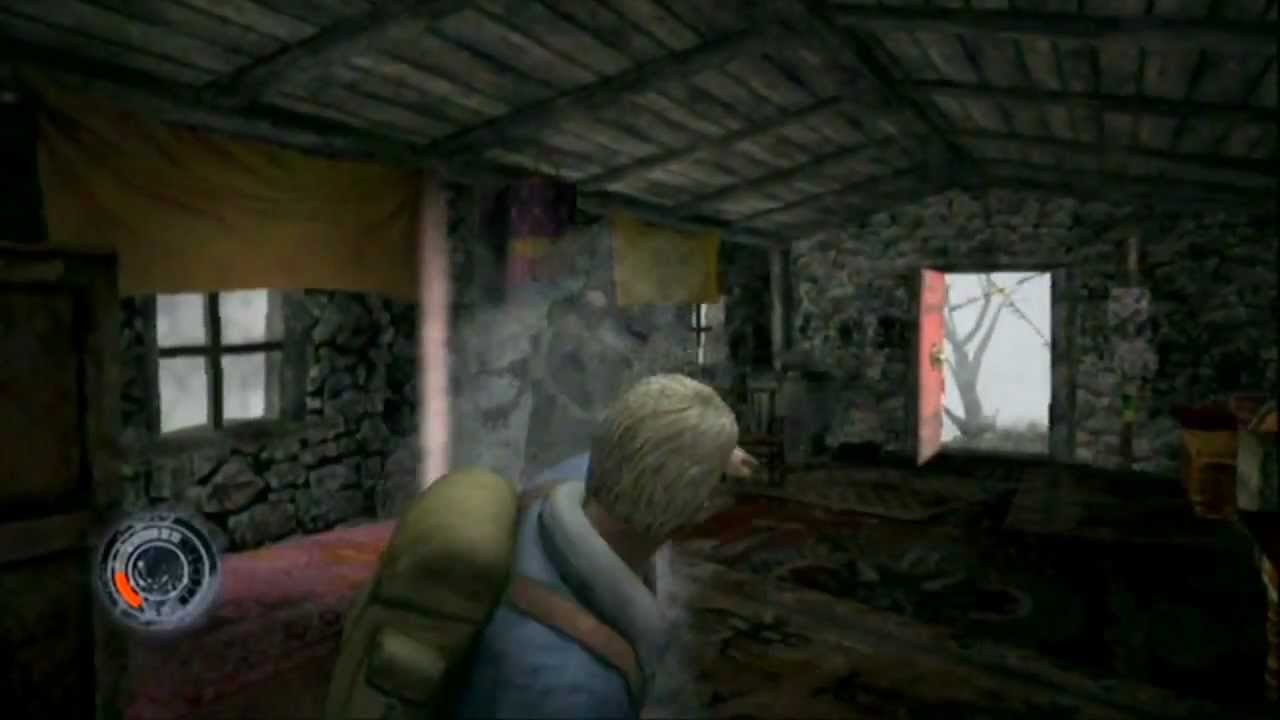
Nevertheless, you basically walk around various buildings and ruins as you slowly climb this giant mountain. The game changes slowly as you reach the peak with different gameplay elements tossed in, and I have to give the game some credit for mixing things up, but it doesn’t do any of these things very well. Let’s start with simply moving. Eric moves like he’s constipated, and the controls are pretty bad. If you bump into a wall and he sticks to it, the camera will get stuck behind objects as you can’t control it, and combat is pretty bad as well.

random-hut

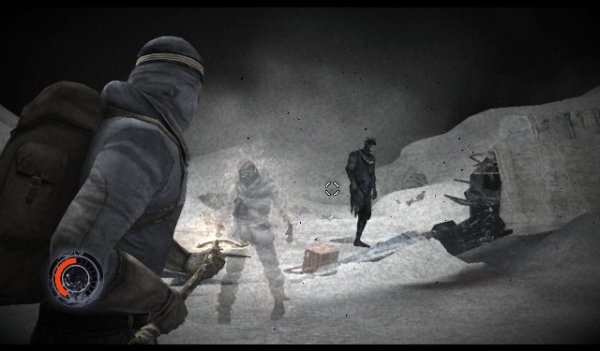
You have a pickaxe that has ancient items attached to it with powers that allow you to access your “third eye” and see ghosts so you can kill them. Each encounter is arena-based, so you’re stuck in a small room with these things. Holding down C allows you to enter this mode, but you can’t move, and Eric’s shoulder blocks the entire left half of the screen as the FOV is too low and it’s hard to see. You can see the reticle through Eric, but not the enemies. The ghosts have various attacks and powers, but overall they mainly mob you and attack you the same. The goal is to shoot the projectiles from the pick to weaken the enemies enough to enter a quick-time event of aimlessly flailing the Wii Remote around to kill them. Miss the event, and you have to attack them one more time to make the prompt appear. This is by far some of the worst Wii controls I’ve experienced, as the prompts require punching and swinging action, but no matter how well I did them—either fast or slow—it would only register half the time. To make matters worse, this is the reason why I died half the time. Then there’s the fact that you can’t move while aiming, so these are 1997 tank controls in a modern game. There isn’t even a quick-turn button, so I can quickly run away and swing back around. I have to aim and fully turn all the way around, and then the enemy is back on me again. It’s the worst.

Let’s also mention the two areas where you have to meditate and swing the Wii Remote around. I spent 10 minutes just trying to find the spot where the game wanted me to be, then holding that position and keeping swinging until the screen faded. I’ve never experienced such unresponsiveness and inaccuracy in the controls. Were these even tested? As you progress further into the game, the enemies get harder, and there are more of them. You fight probably 100 ghosts just in the second half of the game. That’s a lot of unresponsive Wii flinging.
289032.cursed-mountain-per-wii.zgtoi_jpg_800x0_crop_upscale_q85

With all of that aside, the game is poorly paced, with minutes of endless walking and climbing that are slow and tedious, and the checkpoints are placed poorly. I would die during a boss fight just to fight the ghosts leading up to the boss again instead of the checkpoint right before the boss. Dying isn’t really an issue if you’re quick, as killing an enemy gives you health, but there is incense you can pick up to use at healing stations if you need it.

Outside of this, the visuals are pretty decent, but while pushing the Wii way too hard with the slowdown that is frequent and runs in the single digits, it still looks decent. The audio sounds like a PS2 game, with the same footstep sound throughout the whole game and low-quality audio bites. I honestly feel like this was developed for the GameCube and was pushed to the Wii at the last minute.

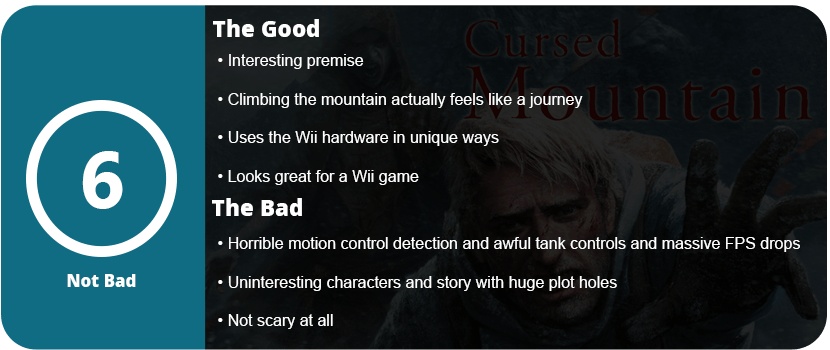
Overall, is Cursed Mountain worth playing? Yes and no, for many reasons. If you are running out of games to play on your Wii, then go for it, or if you’re just getting into the Wii, then it’s a good pick-up, but what experience do you get out of it? Just to kill time, really. The story isn’t memorable, it’s not scary, and the controls stink, so mainly get it just because you need another Wii game to play.
Reviewed On


Share this:

  • Email a link to a friend (Opens in new window) Email
  • Share on Tumblr
  • Tweet
  • Share on Reddit (Opens in new window) Reddit
Like Loading...

Corsair ST100 Headset Stand

Posted by BinaryMessiah on 04/06/2019
Posted in: Hardware, PC Reviews. Tagged: corsair, headset stand, rgb, st100. Leave a comment
6080702cv12d

Manufacturer: Corsair

Release Date: 09/27/2017

MSRP: $59.99


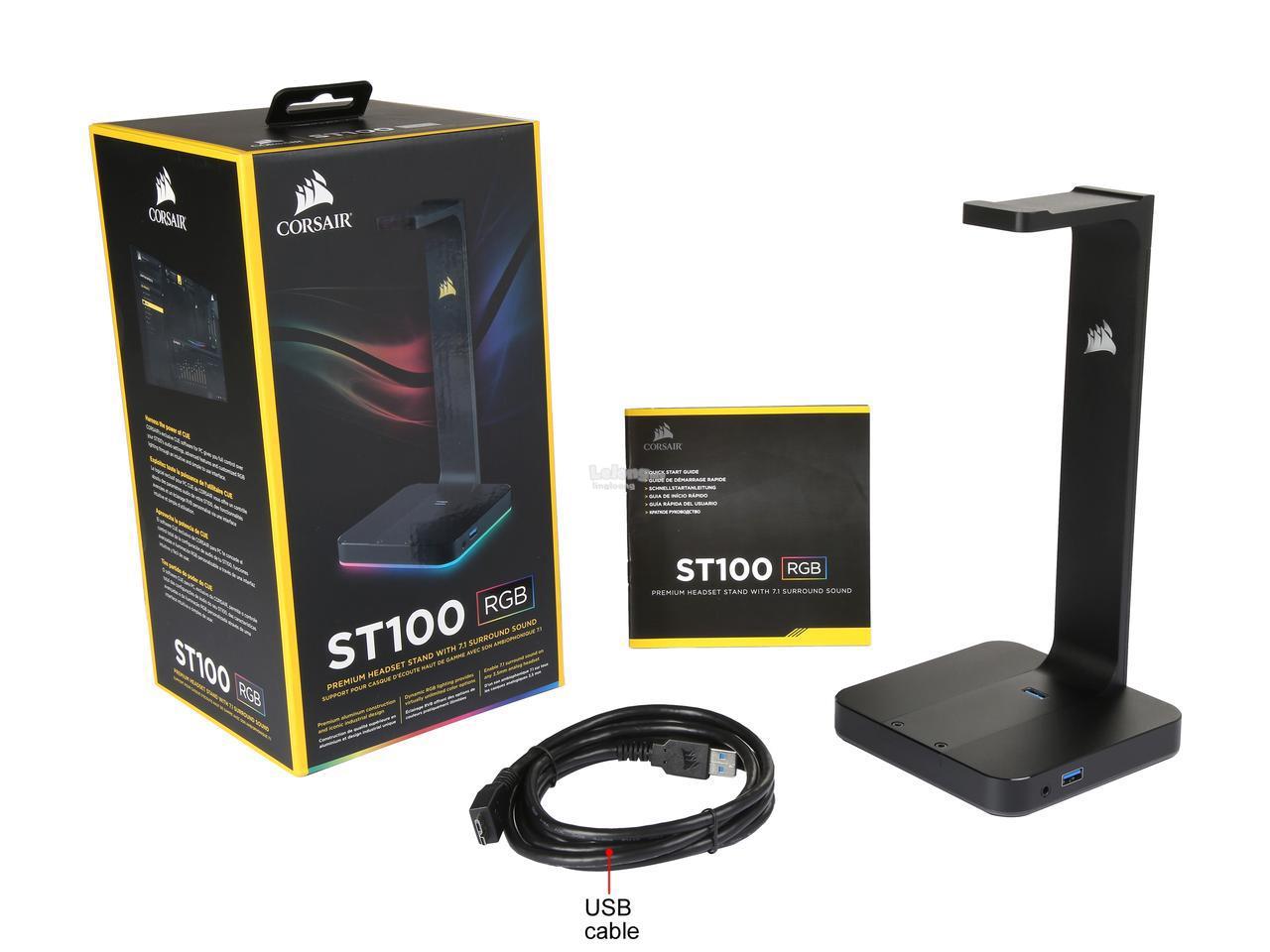
Headset stands are usually not something most people run out of, but they are useful, so your expensive headset isn’t just sitting around getting tossed and knocked around. Corsair’s headset stand goes a little farther than most by providing USB pass-through and RGB effects, which look amazing.

IMG_20190313_204623

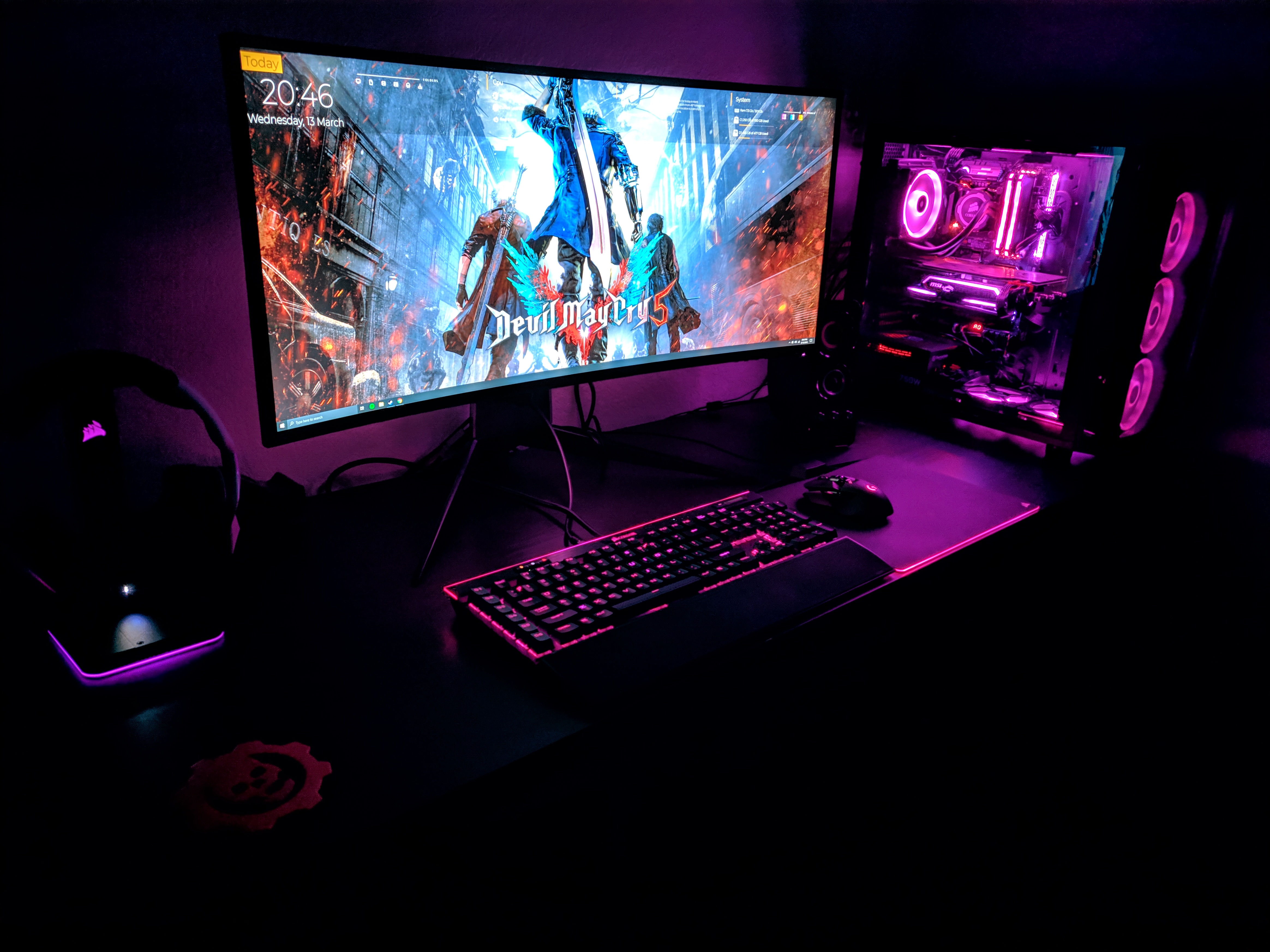
Setup is pretty simple, as iCue will automatically recognize and install the drivers. Once you have everything plugged in, you will notice a USB port on top of the base and on the side, as well as an audio pass-through. This is a fully-featured headset stand and is great for the Void Pro wireless headset, as the dongle can be plugged into the USB slot on top of the base and the charger cable can plug into the side. For a non-wireless headset, the audio pass-through does a good job if your PC is too far away.

corsair-st100-premium-rgb-headset-stand-built-7-1-surround-lingloong-1710-11-lingloong@20

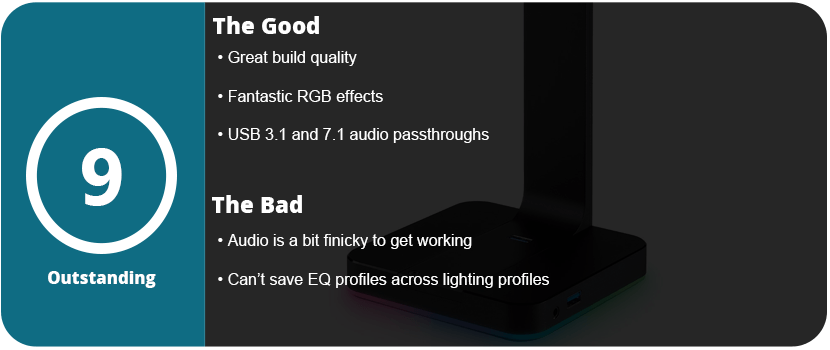
In iCue, you can customize the lights around the base and the Corsair logo on the arm itself. Syncing with your other Corsair products just adds another level of cool factor to your setup, and I couldn’t be happier. My only gripe about the stand is the software, in which you can’t save EQ profiles across other lighting profiles. You have to screenshot your settings and recreate them in the sliders with each profile. It’s really irritating, and I hope Corsair changes this soon. At least the pass-through offers 7.1-channel audio for devices that are 7.1 enabled, and the USB slots are 3.1, which most hardware USB pass-throughs are not.

st100-rgb-headset-stand-Content-12

The RGB effects aren’t as advanced as the keyboard or other Corsair RGB products, but Corsair does have the best RGB suite of any PC company thus far, and it’s just one more product that adds a dynamic to your RGB setup. Overall, the ST100 stand is a must-have and is at a decent price as well.

Share this:

  • Email a link to a friend (Opens in new window) Email
  • Share on Tumblr
  • Tweet
  • Share on Reddit (Opens in new window) Reddit
Like Loading...

Killzone – 15 Years Later

Posted by BinaryMessiah on 04/06/2019
Posted in: PlayStation 2, PlayStation 3, Retro Consoles, Sony. Tagged: guerilla games, halo killer, hd, killzone, playstation, PlayStation 2, playstation 3, ps2, ps3, remaster, Sony. Leave a comment

Publisher: SCEA/SIE

Developer: Guerilla

Release Date: 11/02/2004 (PS2), 10/23/2012 (PS3)


Available On


If you ignored the original Killzone back in 2004, I can’t blame you. It was a rough road for Guerilla as they tried to make an exclusive first-person shooter for Sony’s underpowered console to out-beat Halo and Metroid Prime. Sony never had an FPS that was exclusive to their system, so it was Guerilla’s time to shine. It was dubbed “The Halo Killer” by fanboys, and it sadly received lukewarm reviews upon release. I actually got this for Christmas 2004 and ate it up like candy. I was a serious fanboy over this game. Fast forward 14 years, and I can see the game’s many flaws but also appreciate what it did for the PS2.

maxresdefault

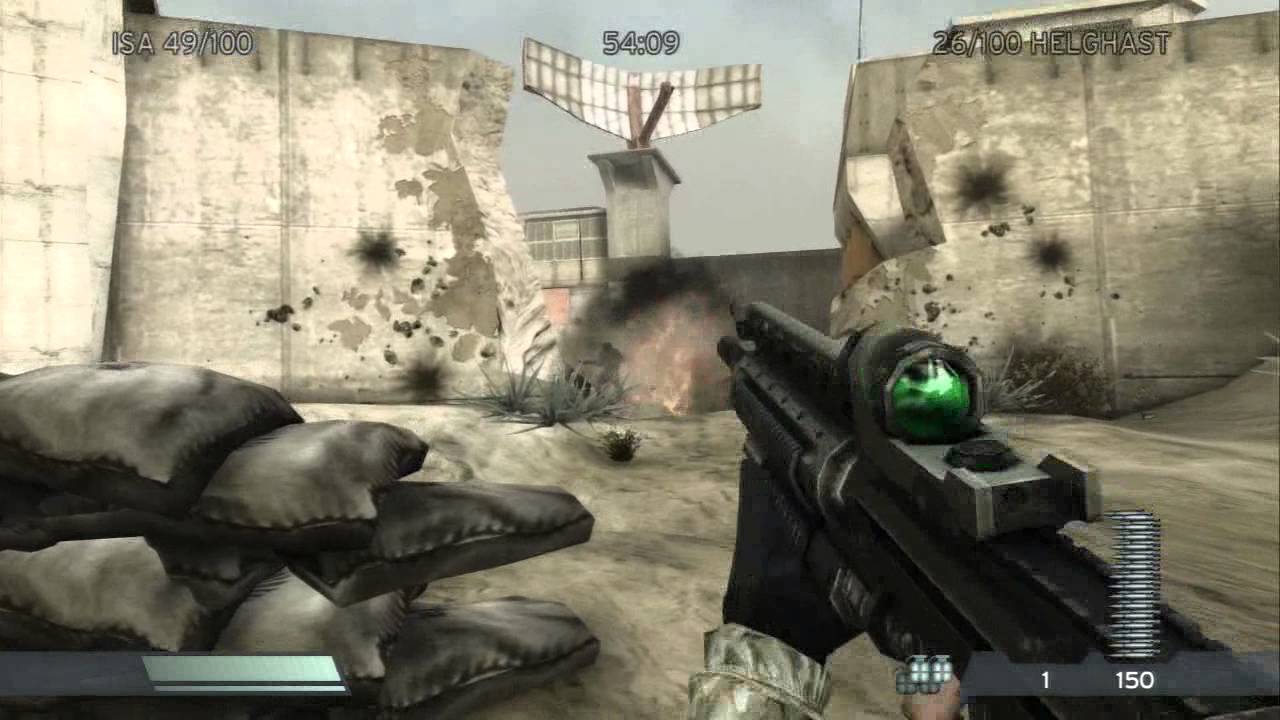
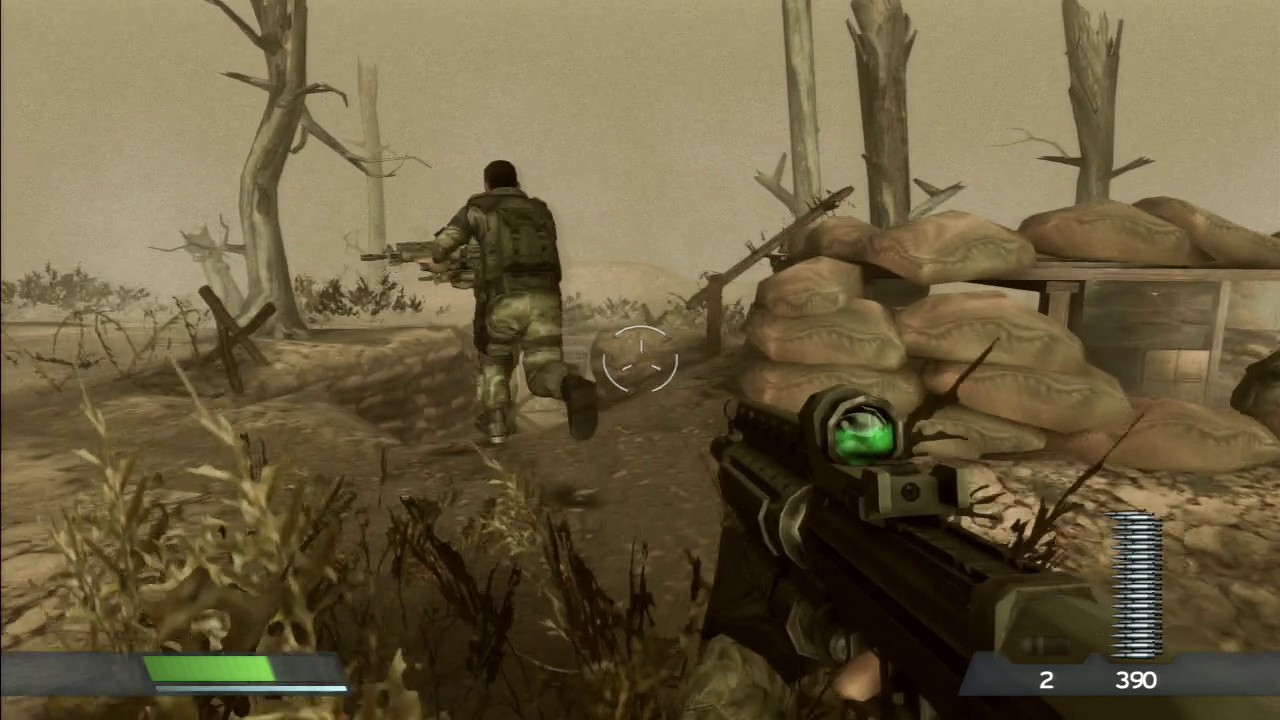
You play as a squad of four who are tasked with stopping an evil Nazi-like empire known as the Helghast that is trying to destroy all of humanity on the planet Vekta. The story is bare-bones, but there’s a lot of potential here with interesting art assets and great voice acting, but it just falls flat. There’s no background on the main characters of the war you’re fighting in. You’re literally just dropped in with no background or reasoning behind it. This was never done with Halo or Metroid Prime, as you were pulled right into the war or battles and understood exactly why you were there. It’s just a bunch of cutscenes with the squad going after various generals and moving from Helghan base to Helghan base.

The shooting is very interesting, as it’s part of why Killzone was loved by those who did like it. There’s a lot of weight behind the weapons, and they are actually quite unique and shoot well. It’s your standard array of military weapons, but with a twist and some personality behind them. Honestly, the weapons are the only thing front and center in Killzone and dominate the entire game. From the ISA and Helghast standard assault rifles to rocket launchers, grenade launchers, pistols, and heavy machine guns, Most weapons have a secondary fire that helps balance their weaknesses, such as the Helghan’s rifle, which has a shotgun attachment, and the ISA rifle, which has a grenade launcher. I personally stuck with the Helghast assault rifle through the first fourth of the game, as you can only play as Templar, but once the other characters were unlocked, I played as Rico since he has a chain gun with 800 rounds and a missile launcher. It’s seriously overpowered, but it feels so good to mow everyone down around you. The only weapon I really disliked was the shotgun, as it’s so slow to pump and shoot that unless you are one-on-one with a single enemy, you’ll get killed because you can’t fire fast enough. It’s practically useless, even in tight corridors.

71cWu6SjMCL._AC_SL1280_

The downside to the weapons having a lot of weight behind them is the animation. They are so long that they make the game more difficult than it needs to be. Every time you switch weapons, there’s a long animation of pumping the shotgun, fiddling with a rocket launcher scope, and flipping up the lid on the scope to the sniper rifle. Rico’s chain gun takes at least 2-3 seconds to swing out, then there’s a weird pump animation after, so you have to hide behind walls every time you switch weapons because of these animations. The same goes for reloading. Some weapons take over 5 seconds to reload, with the shotgun taking nearly 10 to load every single round. It’s fun to see and was never done up to that point in time, but it needed to be sped up or changed.

Outside of the weapons, the enemy AI is as dumb as a doorknob, with the Helghast literally standing around, not shooting at all, or they won’t move to cover. Part of this is the underpowered CPU in the PS2 and the game engine that pushed it way too far. There’s so much pop-in with fog of war to make up for the lack of a draw distance that enemies pop in and most of the time all at once, so an entire room or corner will be full of Helghasts that are easy pickings with a single grenade or kill you really quickly if you don’t notice them. The game engine just chokes the PS2 like no other game, with framerates dipping into single digits. I also played the remastered version for PS3, and while the 720p resolution looks sharper, there are still framerate drops because the engine just couldn’t handle the load. Sadly, because of the limitations, environments are bland and boring, with claustrophobic corridors and almost no draw distance. The game is gray, dull, and colorless, and while this could have worked, the weak PS2 brings the art backward because not enough can be rendered on the screen to make it look nice.

maxresdefault (1)

The entire game pretty much plays the same way and takes about 5 hours to finish. There are no vehicle scenes, no scripted events; it’s all just running and gunning, which gets old towards the end. For the PS2, this game is quite impressive and has a decent multiplayer mode, but there are more flaws than there are perfections. I would rather have had an ugly game that played better, but PS2 fanboys were clamoring for something that pushed the system like Halo did the Xbox. Is Killzone a Halo killer? Absolutely not, and it doesn’t even come close.

Reviewed On

Share this:

  • Email a link to a friend (Opens in new window) Email
  • Share on Tumblr
  • Tweet
  • Share on Reddit (Opens in new window) Reddit
Like Loading...

Metro: Exodus

Posted by BinaryMessiah on 03/29/2019
Posted in: Mac, Microsoft Consoles, PC Reviews, PlayStation 4, Sony Consoles, Steam Deck Verification, Steam Deck Verified, Xbox One. Tagged: 4a games, deep silver, exodus, first person shooter, fps, horror, metro, ray tracing, scary, shooter. Leave a comment

Publisher: Deep Silver

Developer: 4A Games

Release Date: 02/15/2019


Available On


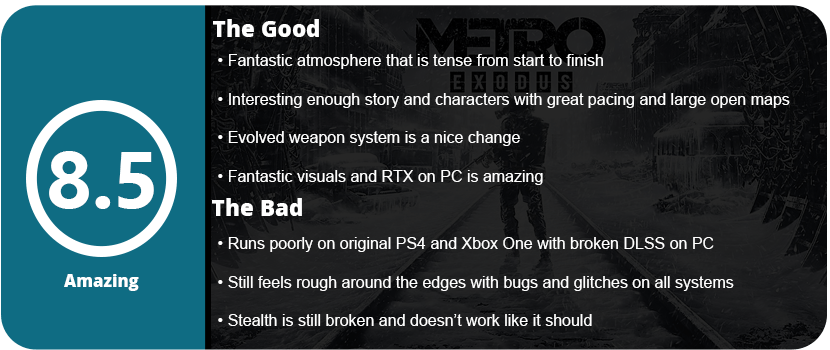
The Metro series is one of my favorites and is on my top 10 first-person shooter lists. It has a lot of flaws, but there’s a lot of heart and love that went into this series, and it showed with each game and even the Redux games. Exodus has been in development for about 5 years now, and I expected a lot from this game. What we got was a lot, but not how I really imagined it would be.

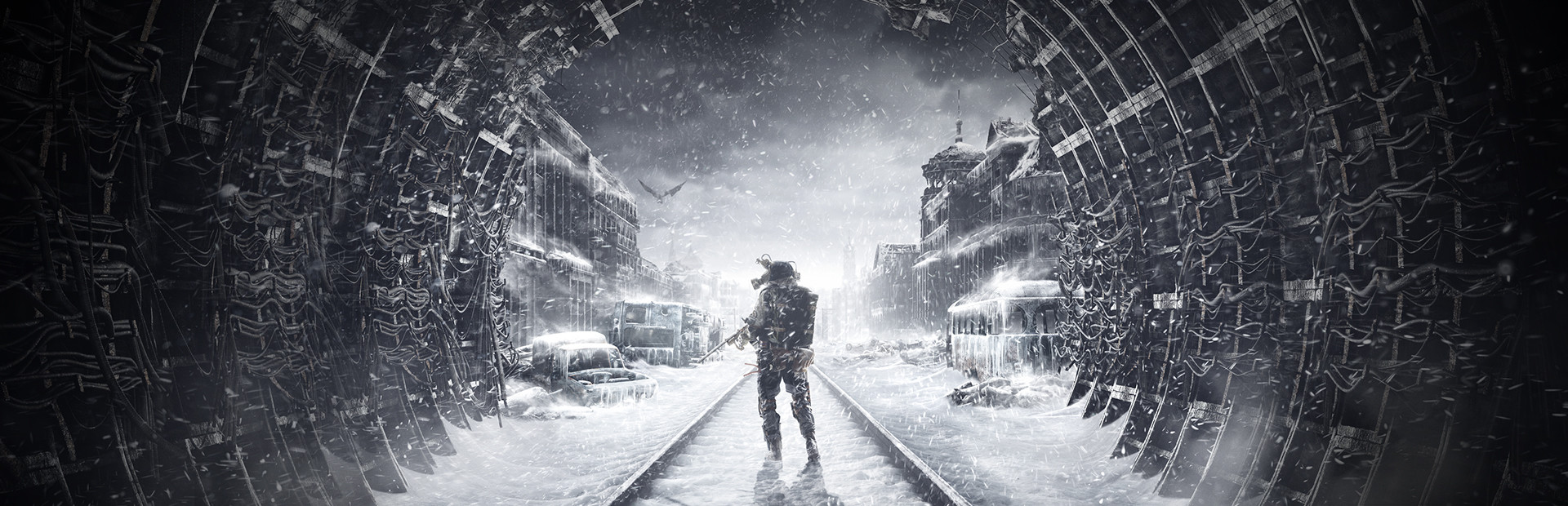
Exodus takes off right after the end of Last Light, with Artyom and Miller and the gang setting out from the metropolis of Moscow to find a clean place to live free of radiation and monsters. The main hub in this game is a train called the Aurora, and instead of being confined to a small linear metro tunnel, there are a few large maps you can freely explore, and the game is much longer than previous ones. The story itself is actually quite good, and the atmosphere plays a big role here, just like in previous entries. The funny thing is that the game almost feels like three parts put into one. The first two large maps are fully explorable with hidden items and side objectives, while the third map seems large and open, but there are no side objectives or things to really find. The last map ends up being a linear tunnel that harkens back to the first two games, with mostly atmospheric storytelling during the last 30 minutes. It’s got great pacing, and this constant change of gameplay kept me interested.

best_of_2019_6_winter

One of the major changes in the crafting system is that it allows you to collect chemicals and scrap metal to craft anything from medicine syringes to filters to certain ammo types. When you finally get a workbench, you can use it to clean your weapons, masks, and craft ammo, as well as equip new pack items such as a compass, motion detector, and even a better charger. Metro is all about survival, so the only thing you can do with your pack on the field is craft medicines, filters, smaller ammo, and throwables, as well as change out your weapon parts. The crafting system is decent enough, and I stuck with one loadout through most of the game, as once you get better parts, there’s no reason to equip weaker ones. There is a large variety of weapon types, and the more you use them, the more they jam up and misfire, just like in previous games.

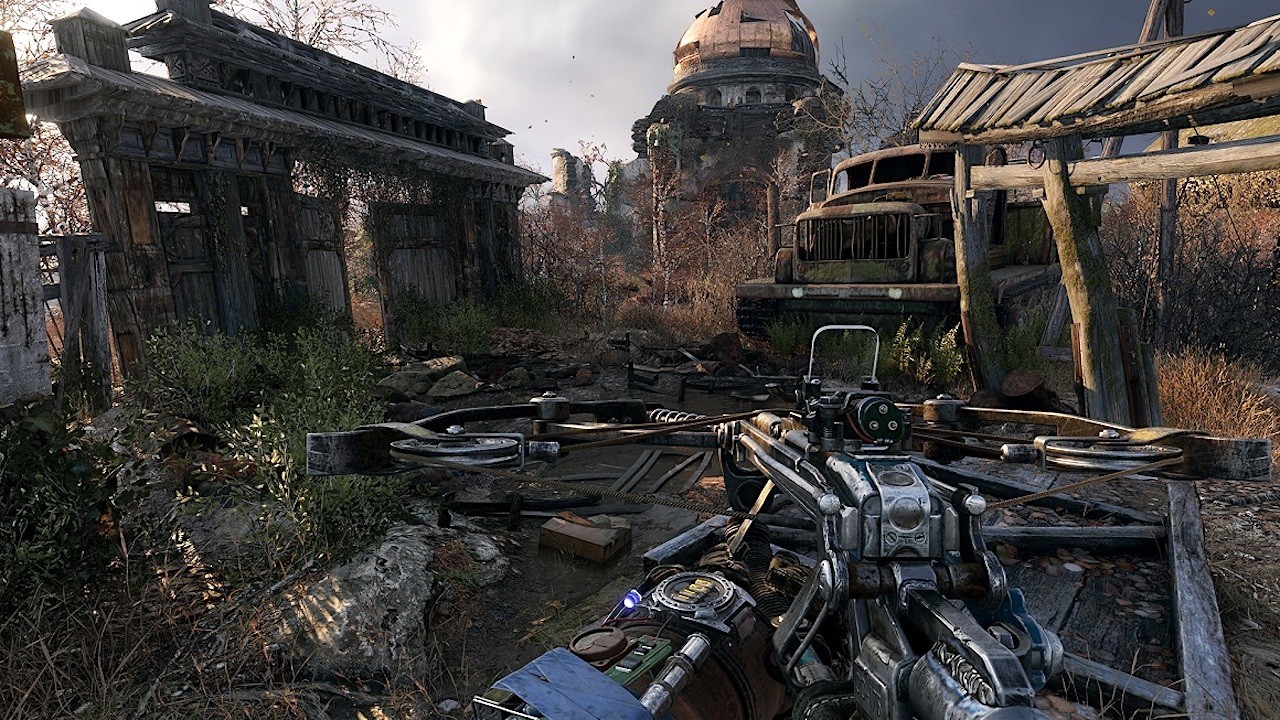
The shooting is spot on here, and the weapons feel heavy and cumbersome like any junked-together gun would. From pistols to Gatling guns, the weapons are rather unique for the series, and I’m glad the weapon system got a lot of attention here. My first issue occurred with the stealth, though. Just like in previous games, nothing was really fixed. Sometimes I could sneak through an entire compound and kill everyone, and other times the enemies were placed in such odd positions that I got spotted no matter what. I also don’t like how silent weapons and stealth kills can be heard if you’re too close to another enemy. There were several dozen checkpoint restarts made throughout the game to get it right, but thankfully you can quicksave anywhere. Most of the time, sneaking missions turn into shootouts, and dying is quite easy here. A few bullets, and you’re pretty much dead, so keep medicine syringes handy at all times.

XOX_000

I do want to talk about the atmosphere a little. The game is incredibly foreboding, from the empty tundra to the dry desert and lush forests. The game feels empty and alone, and you’re always feeling afraid. Of course, the tensest moments are towards the end when you’re in the tunnels, and when you finally get back on the train or even a safe house, the respite is so relieving. I never played a game where a single light, a rest spot, or another person would feel so nice. You’re constantly on the edge of your seat, whether it’s hiding from monsters, tense shootouts, or sneaking around a bandit camp.

The visuals in Exodus are absolutely fantastic. Some of the best graphics this generation has seen. While I don’t recommend playing this on the original Xbox One or PS4 hardware it looks amazing on my Xbox One X I gave it a whirl on PC with Ray-Tracing enabled and it looks out of this world good. Of course, you need a 2080 or higher to get good frames with RTX on, and sadly, the DLSS is completely broken in this game. The entire game looks blurry and slightly out of focus, which is sad because I got a good 15-20 FPS just from DLSS alone. On Xbox One X, the game looks amazing, and there are only slight differences between it and the PC outside of RTX and some draw distance settings. Of course, the game never reached 60FPS on the One X or PS4 Pro (which the game runs slightly rougher on), but it all plays well. There were some glitches with the game crashing my Xbox and scripted events not activating, causing me to restart at a checkpoint as well.

metro-exodus

Overall, Exodus is a fantastic game that is somehow still rough around the edges but still evolves the series with large open maps, varied environments, and mixed-up gameplay ideas, as well as the best story in the series with good characters, but sadly, they aren’t exactly memorable but good enough to push you through it.

Reviewed On


Share this:

  • Email a link to a friend (Opens in new window) Email
  • Share on Tumblr
  • Tweet
  • Share on Reddit (Opens in new window) Reddit
Like Loading...

Anthem

Posted by BinaryMessiah on 03/18/2019
Posted in: Microsoft Consoles, PC Reviews, PlayStation 4, Sony Consoles, Xbox One. Tagged: anthem, bioware, ea game, games as service, online multiplayer, shooter, third person shooter, tps. Leave a comment

Publisher: EA

Developer: BioWare

Release Date: 02/15/2019


Available On


Anthem has been a long time coming, debuting six years ago at E3 and exciting BioWare fans with the teaser. It looked amazing and was said to be as rich and detailed as Mass Effect, but as the years went on, BioWare was very choosy about what was shown, and the final product didn’t look anything like the original teaser. I, for one, had no idea what Anthem was about or what kind of game it was due to BioWare’s cryptic information up until its release. I started to play the game and didn’t understand all the hate, as the first 2 hours are pretty fun as the core mechanics are introduced to you, but after those 2 hours, the game turns into a sluggish, repetitive mess that feels like a chore to get through.

maxresdefault

When you start out, you are introduced to pre-rendered 1080p videos that try to explain the story. There’s something called the Anthem, which is a religion, and you’re a javelin, which was used to stop some sort of storm that wiped everyone out. Yeah, it really doesn’t make much sense and isn’t explained very well. The story is more of an afterthought than a front to keep the player engaged. Once you get through the tutorial mission and into the main city, you start understanding how the game plays and just how repetitive everything really gets.

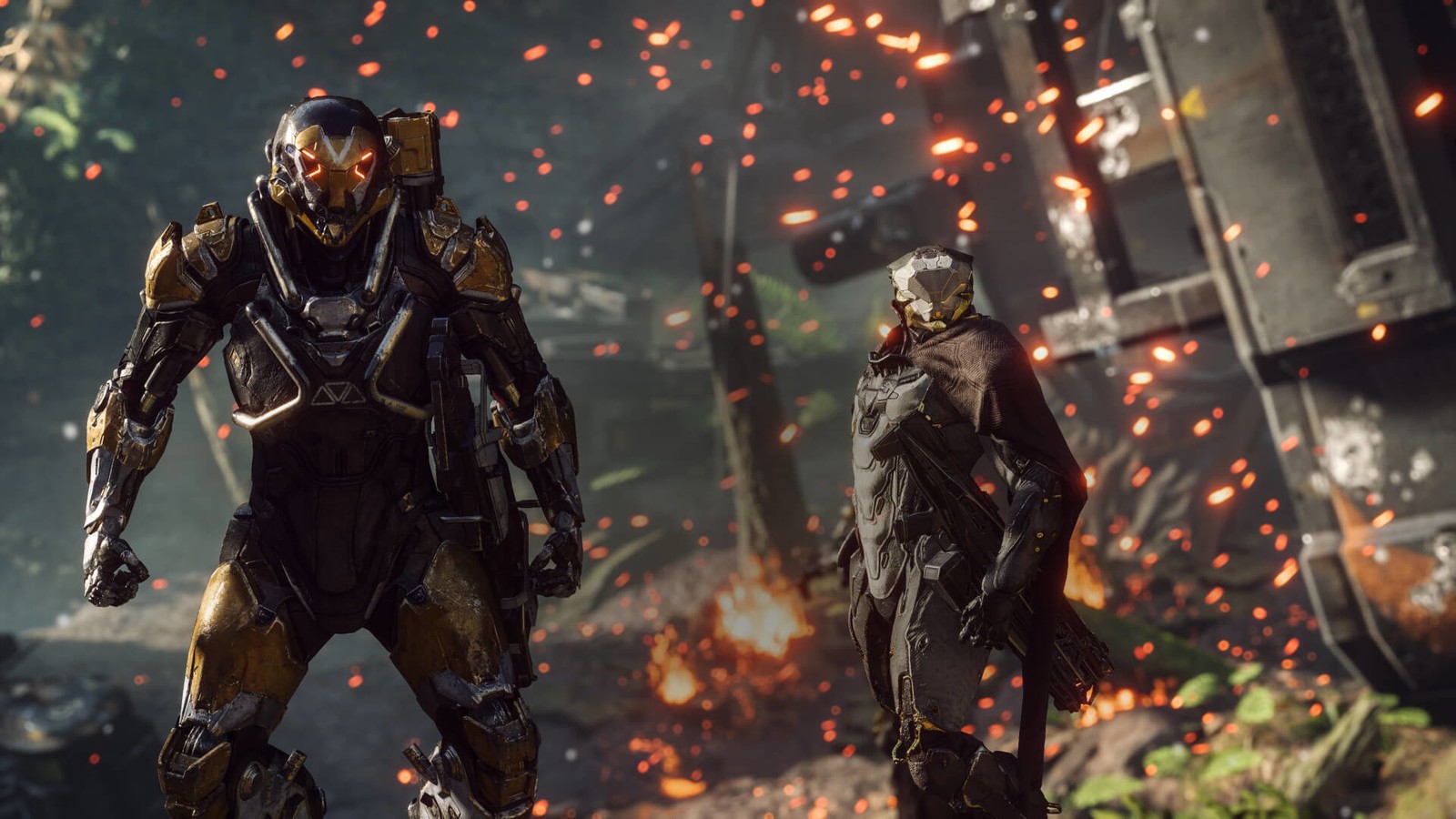
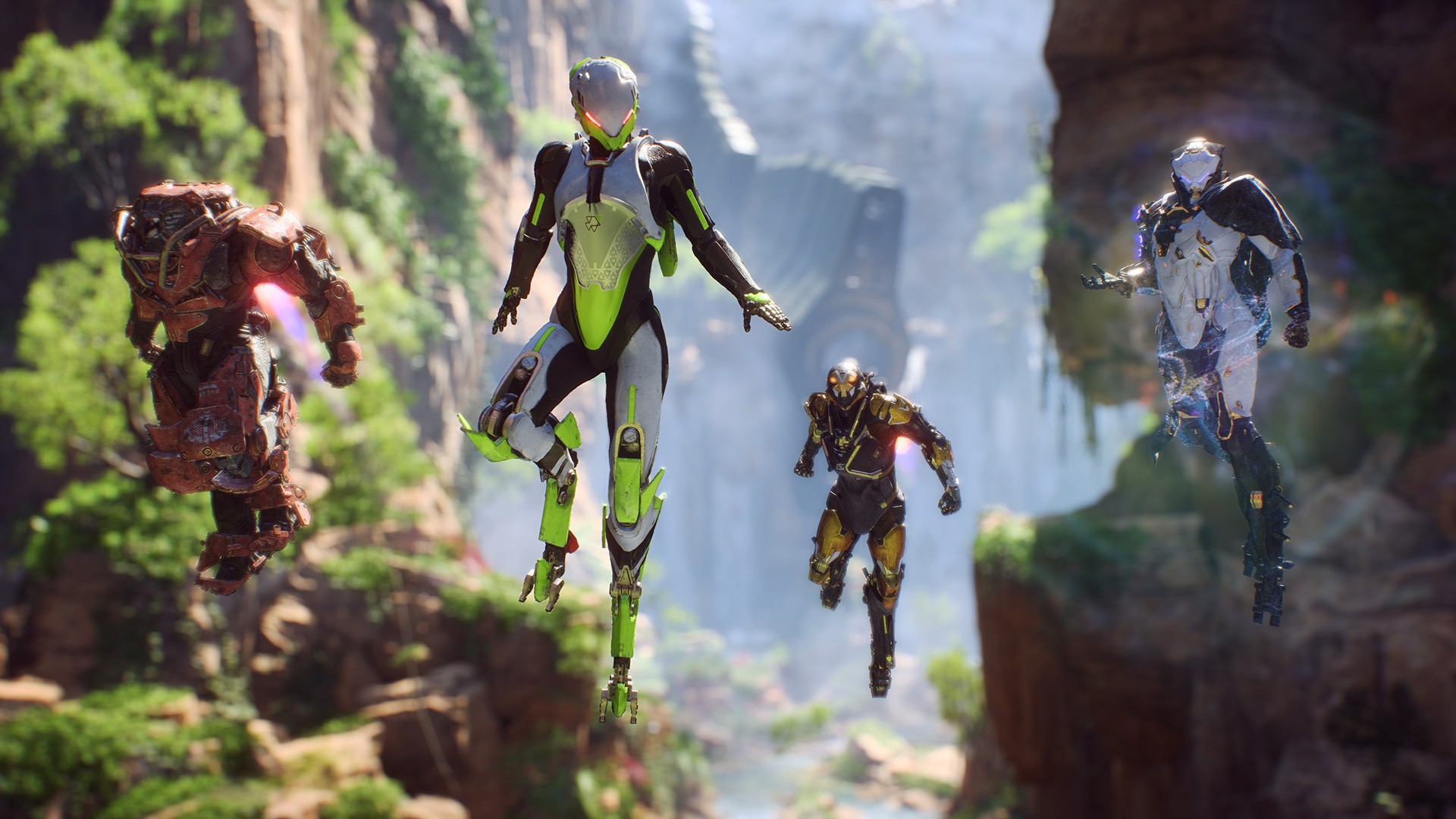
The core mechanics are fine, as the shooting is solid, and the movement is quick and zippy by being able to fly through the air on a dime and maneuver quickly around enemies. The game also looks absolutely fantastic, with beautiful vistas and amazing lighting effects, but that eye candy and flair kind of die off quickly around the 3–4 hour mark. When you fly around in your jet pack, you have a heat meter, and either diving steeply or flying near water will cool it down. Honestly, it’s just really annoying, and there’s almost no point to having this cool-down meter since missions have you flying around an entire map. Second, there aren’t many objectives to actually complete during this loot and shoot cycle; just defend a point, defeat all the enemies, stick smaller stones into bigger stones, and gather smaller orbs to deactivate a storm. It’s fine at first, and the first few missions have an illusion of mission variety, but you witness everything in the first 2 hours.

ANTHEM_reveal_screenshot_2

Let’s take into effect that once you start unlocking all the menus and things you can do, upgrading becomes a grind as most upgrades are locked behind a paywall. Secondly, unless you do a mission with at least one other person online, your chances of surviving get really slim, as most missions are designed for multiple players. There’s also the issue of only exploring one large map that’s cut into smaller pieces. You’re either in an outdoor forest or a cave, and that’s about it. I rarely came across guns or anything that was better than what I already had, and I forgot about purchasing stuff as everything was such a grind and was literally locked away.

Outside of the main missions, you can free roam, but this is dull and boring, and finding X amount of chests or Y amount of items to get this stupid gun you don’t need isn’t my idea of fun. You can also do tomb raids, which literally amount to nothing except a memo to read after acquiring all these items for hours. It’s the most disappointing looter shooter I have ever played. I’m talking about something worse than vanilla Destiny. There are also issues where matchmaking is practically broken where you can quickly play to the end of the game missions and either they are halfway through the mission or just finished and you miss that entire mission. There are also long load times that are quite frequent and ridiculous.

anthem-e3-2018-4

Is there any redeeming quality to Anthem then? Maybe if you play with friends, as I would rather play with AI partners that have personality and add to the story. The game looks amazing but requires a high-end rig to get good FPS. If you’re into boring mindless loot grinding, then this game probably is for you, but even with boring mindless loot grinders, there’s a reward at the end somewhere, and this game just feels like it’s tricking you to the end of its rainbow only to have a turd there instead of treasure. I honestly doubt this game will get better over time like Destiny or The Division did. There’s so much wrong with this game outside of the bugs (I actually had a DirectX crash that said my GPU was magically removed mid-game, by the way).

customram

Keyboard & Mouse


Share this:

  • Email a link to a friend (Opens in new window) Email
  • Share on Tumblr
  • Tweet
  • Share on Reddit (Opens in new window) Reddit
Like Loading...

Thrustmaster TH8A Shifter Add-On

Posted by BinaryMessiah on 03/18/2019
Posted in: Hardware, Microsoft Consoles, PC Reviews, PlayStation 3, PlayStation 4, Sony Consoles, Xbox 360, Xbox One. Tagged: 7 gear shifter, add-on, gear shifter, h pattern, shifter, th8a, thrustmaster, wheel shifter. Leave a comment
81RlBGmAQGL._AC_

Manufacturer: Thrustmaster

Release Date: 04/22/2016

MSRP: $169.99


If you’re going to have a racing wheel, especially one as expensive as the T300 RS-GT Edition, then you need a shifter add-on. For people who really don’t care about shifting, it’s fine, but enthusiasts are really missing out on half of the experience. Shifting adds a whole new layer of challenge and control to racing games like nothing I’ve ever experienced before.

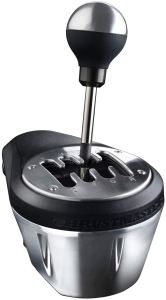
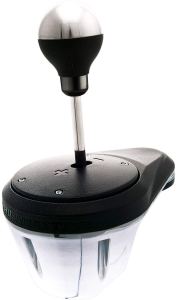
The shifter is much bigger than I thought and heavier, being made of 90% metal and using something called the H.E.A.R.T. system, so it feels and acts like a real car shifter. The box comes with a DIN to DIN and DIN to USB cable. This is actually really important, as PCs require DIN to USB, as most games won’t recognize the shifter plugged into the back of the wheel. That’s mainly reserved for consoles. You also get an optional sequential plate for those who want to shift but do not use the H pattern. You can also change the plate by rotating it 180 degrees and even tightening the stick itself to make it looser or tighter based on your preference. There’s so much more to this shifter than I anticipated, and it impressed me every step of the way.

61B0YjctcUL._AC_

I opted to make the shifter as tight as it could go, as it felt more like a newer car and gave me better feedback as to where I was at. After installing the drivers and making sure everything worked, I booted up Forza Motorsport 7, and the shifter was recognized right away. Even without using the clutch, the shifter added a new dimension to my racing that I had never experienced before. It took a while to get the timing down, but I noticed a new depth of difficulty to these games that weren’t present before, and that’s learning the shift timing of your vehicles and where to shift correctly on the track. This may scare some people away, but it actually improved my lap times, and my first-place wins went way up because the shifter forced me to learn the track rather than just memorize where all the turns were.

61Er4ArUVgL._AC_

Having it clamped to my desk next to my wheel sure made this already bulky setup pretty monstrous, but it feels so good to play, and I can’t go back to racing with a controller on simulators anymore. I spent hours racing, and it sucked me into the game even more when I would get bored after a half dozen races or so. This is the way these games are meant to be played, and thankfully, this shifter is compatible with any wheel because it’s USB and connects separately from the wheel. The DIN-to-DIN connections make it compatible with other wheels that have add-on DIN ports, so it’s widely universal.

My only gripe is that adjusting the tension on the stick isn’t easy, and I nearly stripped the screw while doing it. The manual says you can do two full turns, but in reality, it was half a turn from completely loose to tight. The screw is pretty deep and at an angle, so it’s very hard to get to, and damaging the screw the way I did means after so long it won’t be adjustable anymore, so make sure you get it to a setting you like and leave it.

61PwE8pht7L._AC_

Overall, the TH8A shifter add-on is a must-have, and while it costs more than most cheaper wheels alone, it adds a layer of experience and enjoyment that you can’t get with just the wheel itself. If you ever wanted to dive into a more enthusiast experience and you have either a cheap or expensive wheel, consider this add-on, and you won’t regret it.

Share this:

  • Email a link to a friend (Opens in new window) Email
  • Share on Tumblr
  • Tweet
  • Share on Reddit (Opens in new window) Reddit
Like Loading...

Thrustmaster T300 RS-GT Edition

Posted by BinaryMessiah on 03/18/2019
Posted in: Hardware, PC Reviews, PlayStation 3, PlayStation 4, Sony Consoles. Tagged: gaming wheel, gt edition, racing wheel, steering wheel, t300 rs, thrustmaster. Leave a comment
4c6150a0-e659-48b2-ac6a-b0ce30177af3._SL300__

Manufacturer: Thrustmaster

Release Date: 10/16/2016

MSRP: $399.99


The last time I had a steering wheel was when I was 15. I had a Logitech racing wheel branded for Gran Turismo 4 at the time, and it was cheap but worked decently enough. My late father even welded together a steering wheel cockpit that everything attached to, as I didn’t know that you had to mount them to a table to use them. There were lap wedges you could buy, but we couldn’t really afford that, so he used scrap metal from his work to make the stand. It was a short-lived experience, as, sadly, I didn’t really get many games back then, and the following year I got an Xbox 360, so the wheel just collected dust. I was just learning to drive a real car at the time, so there was a disconnect between myself and the wheel. It felt more like something on an arcade machine than truly appreciating not having to use a controller.

5c52c934-996b-4d5d-bbfb-14498fcaed53._SL300__

Fast forward 14 years, and things have really changed, and surprisingly, wheels really haven’t. Logitech doesn’t really make the best wheels on the planet anymore, and Thrustmaster has stepped into the niche peripheral market with fantastic wheels, flight sticks, and other weird controllers. When unboxing the T300 wheel, I really noticed the build quality right off the bat. The servo unit is nice and heavy, and you can feel the weight of the metal parts inside the clamp it comes with. It is really sturdy and does its job of keeping the wheel locked onto a table. The pedals feel great, and while the base has weight to it, it’s still not enough to keep it from sliding around a bit during furious gaming. The pedals themselves are metal, and you can swap them out physically or even swap them in the software with a mode button on the wheel. It’s rather customizable with a brake stop mod, being able to raise and lower the pedal pads and even flip the wedges to make the pedals more flush or have them angled.

8c599333-4286-430f-a295-c6c506743728

Connecting the wheel and setting up the drivers were a little easier than I thought. Once you start the driver installation, it tells you to connect the wheel to the PC via USB, and everything is pretty much done. The calibration software lets you change various settings and lets you test all the buttons. I was also surprised that all the recent racing games recognize this wheel and how well it just works. Playing with a wheel and a controller is like night and day, and I can never really go back unless it’s an arcade racer. I tried this wheel out with Forza Motorsport 7, DiRT Rally 2.0, Project Cars, and Forza Horizon 3. Each game felt great playing with the wheel, and I noticed my lap time improving, and being able to play just felt more natural.

The wheel’s force feedback capabilities are fantastic, as I felt every bump in the road, and when I hit grass, spun out, or hit another car, the wheel would act accordingly. The 1080 degrees of turning make the cars feel even more realistic when turning, and every slight move was registered in-game 1:1. The pedals felt nice, and with the brake mod installed, it felt more like a real brake pedal and less like an arcade set. Sadly, this wheel does not come with a shifter and must be purchased separately; however, there are paddle shifters on the wheel, which makes up for it a little. The buttons all click well, and despite being made for the PS4 and PS3, they seem to be mapped like the Xbox One controller on a PC for most games.

f5549876-c506-4161-a895-417fc0c31939

The fans inside the servo unit keep it from getting hot, and it’s not all that loud. The servo itself is really quiet while gaming, and the only time it was loud was when the wheel would spin back around really fast on its own, but that was usually only after a crash. The rubber grips feel great, and it almost feels like a full-size steering wheel. It’s just incredible how well made this wheel is and how much it makes driving the car feel real.

Overall, due to the price point, this is not an entry-level wheel, being almost $400. This is a mid-range wheel for serious enthusiasts, and the quality really shows compared to a $100 wheel. I just wish it came with a shifter, but you can’t knock the build quality at all and the overall feeling of this wheel.

Share this:

  • Email a link to a friend (Opens in new window) Email
  • Share on Tumblr
  • Tweet
  • Share on Reddit (Opens in new window) Reddit
Like Loading...

Alienware AW3418DW 34″ Ultrawide Monitor w/Gsync

Posted by BinaryMessiah on 03/14/2019
Posted in: Hardware, PC Reviews. Tagged: 34", alienware, aw3418dw, dell, g sync, gaming, gaming monitor, monitor, pc monitor, rgb, ultrawide. Leave a comment
24-260-555-V01

Manufacturer: Dell

Release Date: 10/01/2017

MSRP: $1,499.99


I used to love Alienware as it was my first gaming laptop back in 2010, but now that it’s long gone and obsolete, I went for their desktops and have since parted ways with that. Alienware makes slick-looking hardware, but their build quality and prices have been questionable over the last decade. I never thought I’d have them back in my gaming life with a monitor of all things. I wanted a 34″ ultrawide monitor with Gsync, and Alienware just so happens to have the best on the market right now. I sacrificed HDR for Gsync because I felt it was a little more important for PC gaming.

Alienware-AW3418DW-release-date

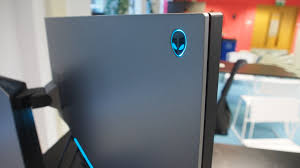
When I received the box in the mail, I didn’t realize you could park a car in it. Seriously, the thing barely fit into an SUV with the back seats folded down, and I was surprised to see most of it was foam to support this massively bulky and heavy monitor. Because of the Gsync chip and the vents on top, this monitor is the largest I have ever seen, and it weighs nearly 30 lbs. After assembling this beast, I plugged it in via DisplayPort (you can’t get a higher refresh rate without it). I immediately noticed the lighting zones, which are freaking beautiful. Alienware has always been known for its sleek lighting effects, and there are zones on the bottom and rear of the panel. It looks fantastic, but I noticed that they aren’t bright enough on the back to really see unless you stare at them, and the bottom one is more of a glow. It looks awesome, but you won’t really notice them if your monitor is up against a wall. The stand is designed for cable management, and I loved this as you can hide your cables behind the monitor thanks to the nifty design. The 3 USB 3.0 ports came in real handy and expanded my USB slots, so I didn’t have to run everything to the tower.

This monitor comes stock-clocked at 100 Hz, and you have to go into the monitor settings and overclock it to 120 yourself. It’s as simple as an OSD setting on the monitor and changing it in your display control panel. There are some other settings in the OSD, such as setting the lighting zones (which is painful here), displaying an FPS counter, various picture settings, response time, dark stabilization, and power saving. I didn’t really need to mess with anything, as it comes very well calibrated out of the box.

images

Once I started gaming, I noticed right away that Gsync was working. With Vsync turned off in games, you will notice how smooth turning the camera is, and for games that can reach 120FPS, it’s the silkiest gaming experience I have ever had. Of course, for games these days, you need a 2070 or higher to get anything FPS over 60 to notice the 120Hz kicking in, but the Gsync is well worth the price alone. With the monitor being curved the way it is, it kind of sucks your visuals in and keeps you focused. After looking at a flat monitor again, I noticed the difference right away and realized that curves aren’t just gimmicks.

IMG_20190313_204623

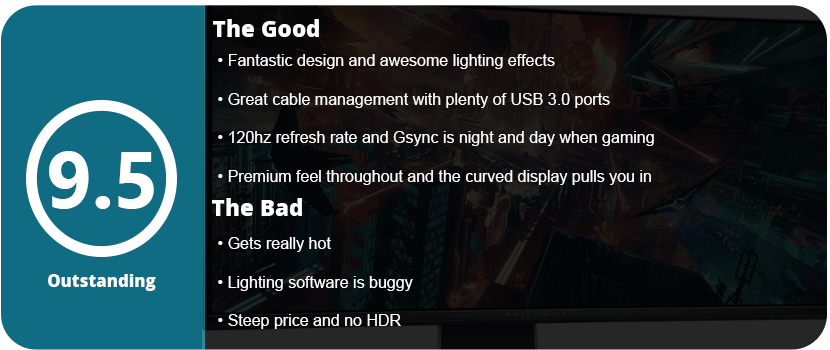
While games look fantastic on this monitor, there are some issues that are serious gripes but not deal-breakers. The rear IO panel is thin plastic and doesn’t slide on correctly. I have never been able to make it flush with the monitor, and the tabs started breaking off. I also absolutely despise Alienware’s software, as they rarely update it and the AlienFX doesn’t work correctly. Every time I set a color scheme, it resets when the monitor wakes up or the PC restarts, and the presets do not work and save your settings. I have to constantly go in and reset the colors, so it’s too much effort, and I just left it in color spectrum mode. I then later found out that the Monitor Control Center is heavily outdated and you actually need Alienware Command Center to probably set the lights correctly. Because of the Gsync chip, the monitor gets really hot, and there’s a lot of heat coming out of the top of the vent. This is what is supposed to happen, of course, but you will notice a small room heat up a bit from it.

Overall, the Alienware AW3418DW is the best monitor I’ve ever laid eyes on, and there are so many reasons to spend the money on this thing. Sure, it’s a dream-level price for a monitor, but it’s a dream-level price for a reason. Gsync alone is well worth the money and helps free up frames that your GPU doesn’t have to worry about. Great cable management, cool lighting, a wide, crisp display, a 120 Hz refresh rate, 3 USB ports, and plenty of OSD options are nothing to sneeze at.

Share this:

  • Email a link to a friend (Opens in new window) Email
  • Share on Tumblr
  • Tweet
  • Share on Reddit (Opens in new window) Reddit
Like Loading...

Corsair LL120 Case Fans

Posted by BinaryMessiah on 03/09/2019
Posted in: Hardware, PC Reviews. Tagged: case fans, corsair, ll120, rgb. Leave a comment
7126OyS80PL._SL1484_

Manufacturer: Corsair

Release Date: 10/12/2017

MSRP: $119.99 (x3 fans)


After having awful experiences with the Thermaltake Riing fans I had purchased almost 2 years ago, I decided to finally drop the premium cash on premium fans. The biggest draw for the LL fans is that the fans themselves light up, not just the rings around them. Corsair is the best RGB suite in existence right now, so this was my starting point to move exclusively toward Corsair for my RGB needs. They are expensive, but well worth the purchase.

85534c5c-4487-4941-9302-23707e40e882

Sadly, the installation process is a huge nightmare, especially if you install nine fans like I did. You need a fan port for each fan plus a spare USB port on the motherboard for the Node Pro that controls the lighting and syncs everything. You also need SATA to power the control box (yes, there are two things in here, not just one), and then plug the fans you want in the correct lighting order you prefer into the control box. For multiple fans, you have to link these control boxes up to the single Node Pro, as it allows two control boxes for a total of 12 fans to be controlled by one Node. It took me 5 hours to install all these fans and figure out what to do with the fans I didn’t have fan ports for. You can buy a Commander Pro that allows more internal fan ports or connect them directly to the PSU, which I had to do for my bottom fans.

IMG_20190225_031603

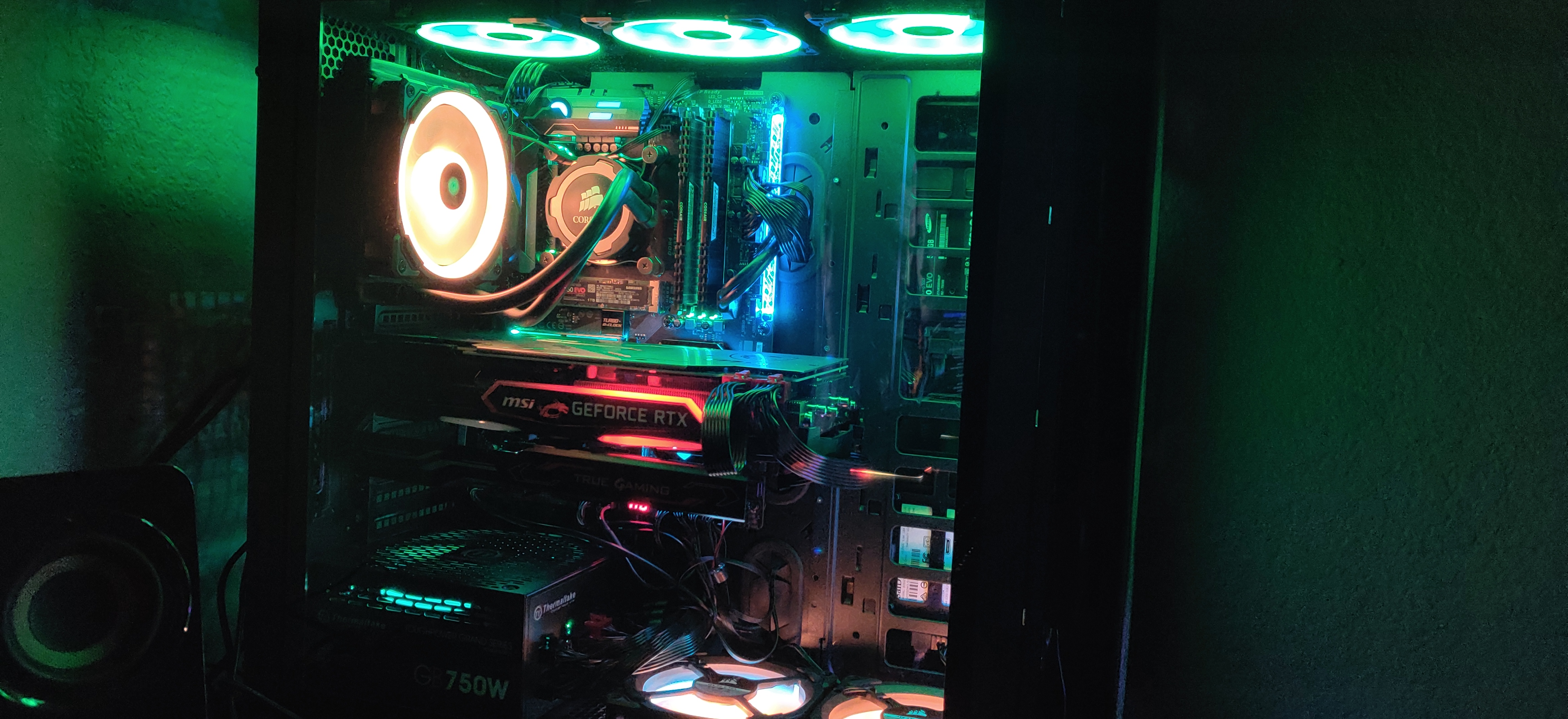
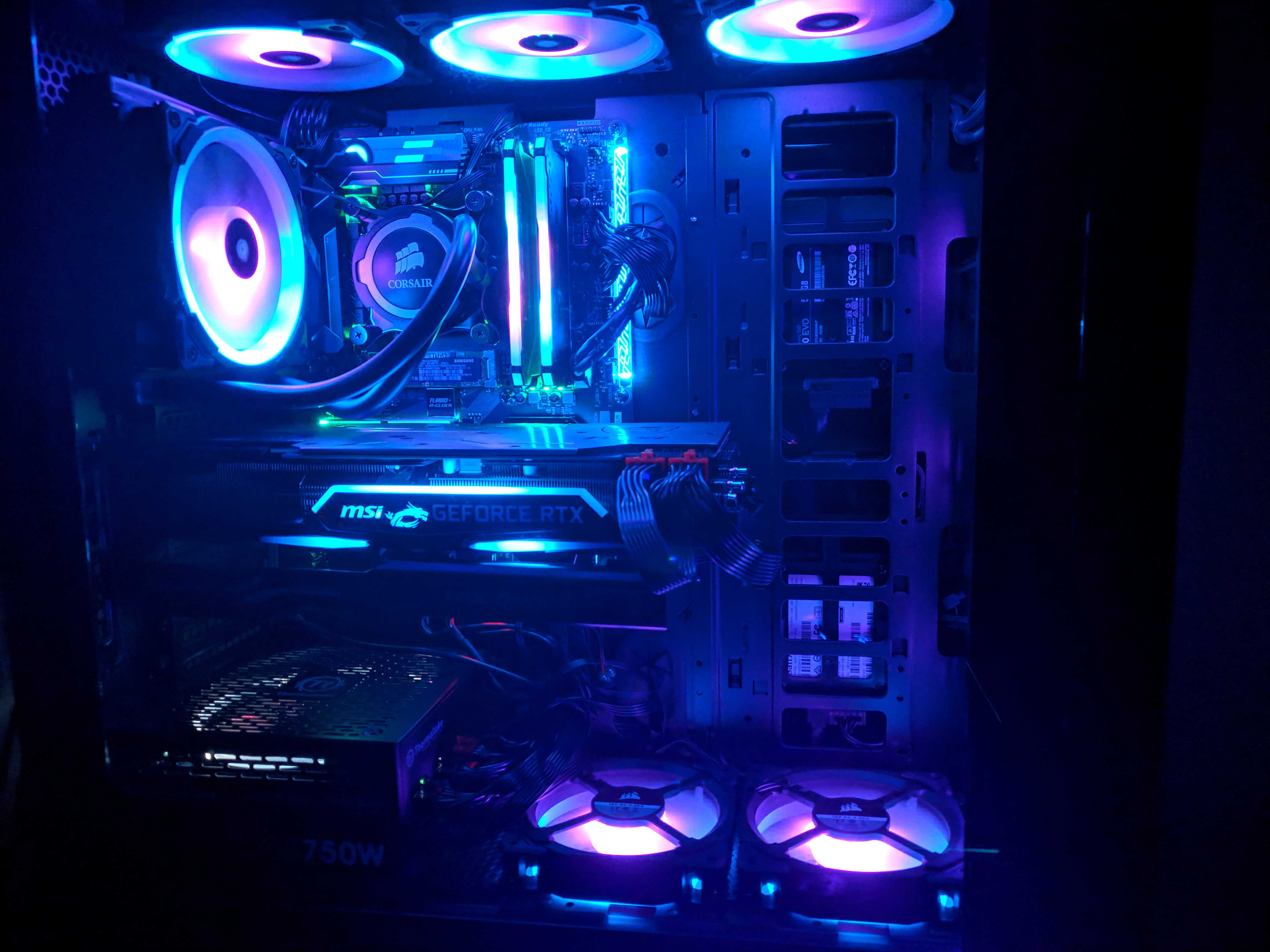
Once you get past the awful installation process, the software side is extremely easy. The iCUE software recognizes everything right away, and you just have to assign lighting profiles as the lights kick on. This is by far the most beautiful RGB fan setup I have ever seen, and the depth of the LED’s capabilities and software is astounding. You can individually color the ring and different parts of the fan itself, which is mind-blowing. The profiles available online show amazingly detailed and well-made orchestrated effects that will make your PC the center of attention in any room.

MVIMG_20190307_211504

After having the fans for nearly a week, I can’t get enough of them. From solid color to spiraling rainbows and flashing light shows, the LL fans are incredibly impressive, and they keep my case cooler than my Thermaltakes did. They do have style and substance, and Corsair seriously made some great fans. They are whisper quiet even at full speed, which is around 1600 RPMs, and I barely notice it in a quiet office and not at all with games blaring.

IMG_20190307_211249

If you have the cash to drop, try to get at least a full set of these. Combined with Corsair’s other RGB items, an entire PC suite with the same color profile is just out of this world, and the fans just pull an entire rig together to make it look sharp and insanely beautiful.

Share this:

  • Email a link to a friend (Opens in new window) Email
  • Share on Tumblr
  • Tweet
  • Share on Reddit (Opens in new window) Reddit
Like Loading...

Hyperkin Duke Xbox One Controller

Posted by BinaryMessiah on 03/05/2019
Posted in: Hardware, Microsoft Consoles, PC Reviews, Xbox One. Tagged: controller, duke, hyperkin, og xbox, original xbox, xbox, xbox 1, xbox one. Leave a comment
61JhBzW9-3L._AC_

Manufacturer: Hyperkin

Release Date: 10/22/2018

MSRP: $69.99

Colors: Black, Green, Red


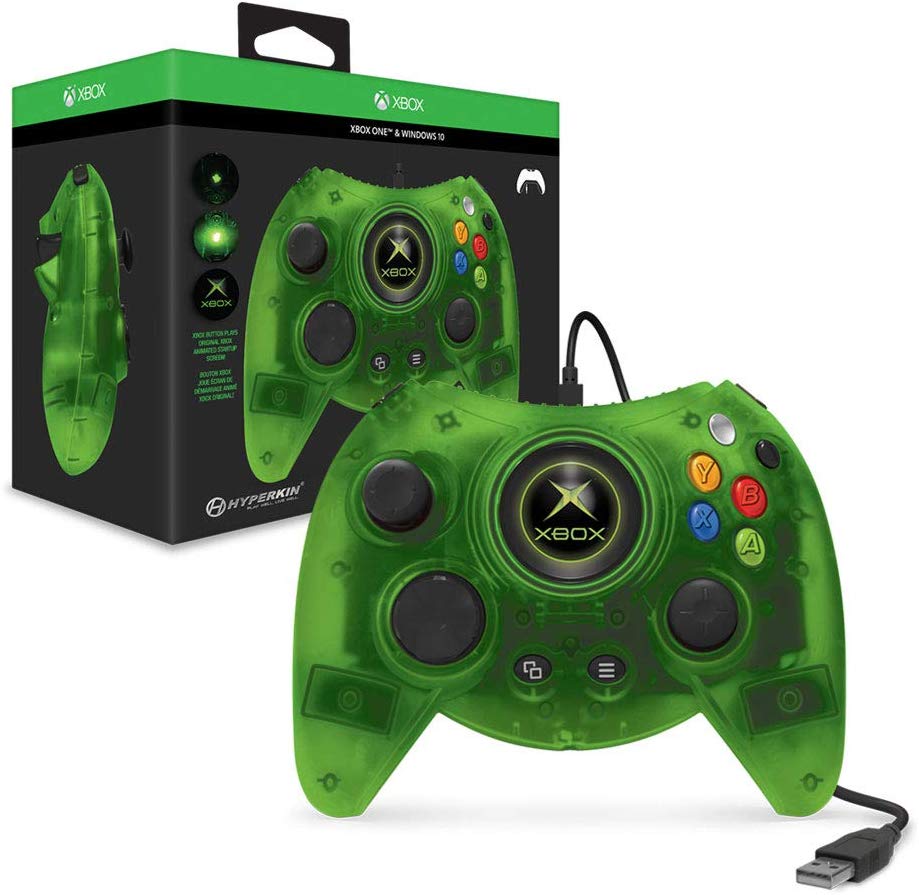
I’m a sucker for awesome game controllers, and when I saw the Duke being announced by Hyperkin, I was both excited and puzzled. Why bring back such a loathed controller, which is considered one of the worst ever made? Who does this appeal to? The few who did like the Duke or people who like collecting weird controllers? The question is that it was neither, as the controller didn’t sell very well and received very little attention. I picked it up only for the retro awesomeness factor and because I have never owned a Duke controller.

61DyTvafx5L._AC_

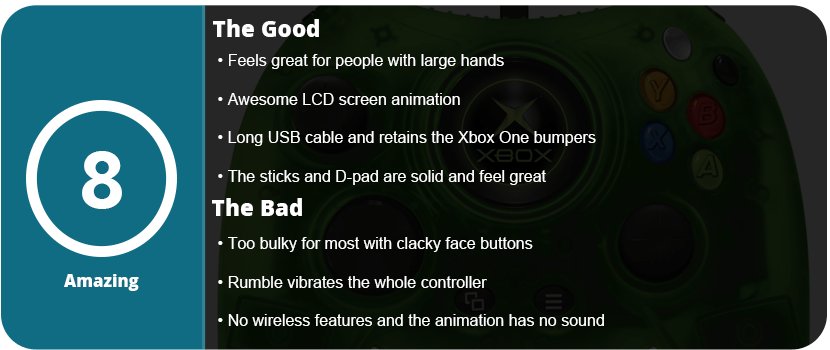
In the box, you get a very long USB cable and the controller itself. Sadly, this is not wireless, and part of this is due to the fact that Microsoft will not release the codes to third-party developers, so Microsoft is the only company with wireless controllers. It’s been this way since the Xbox 360, sadly. Once you do open the box and pick up the controller, you realize just how gaudy this thing is. I have large hands, and it’s almost too big for me. It feels ergonomic, but it’s so bulky and heavy that it’s both satisfying and weird. The face buttons are slanted, and at least the bumpers were retained as small buttons on top, but the black and white buttons also function as bumpers (I mean, the black and white buttons were converted to bumpers on the Xbox 360). The coolest feature is the LCD at the center that plays the original Xbox startup animation and displays the Xbox logo on a crisp, clear LCD. I would have liked the startup sound as well, but I’ll take what I can get. There is no other controller on the market with a built-in LCD like this, and it’s great.

618qtZDCJ8L._AC_

Once you start playing games, I can see the issue of bulkiness making your hands tired, and the controller build is a tad iffy. The controller creaks, and the buttons feel hollow and clack loudly while vibrations rattle the entire controller. It’s both awesome as it makes the controller seem that much more ridiculous and adds to that factor, as well as questioning the build quality. It sure feels solid, like you can knock someone out with it, and the analog sticks and D-Pad are fantastic and feel just like the originals. The back and menu buttons are where they start and select normally, and they feel fine.

xbox-duke-700x409

Overall, the Duke controller is a strange device, as retro collectors will get a kick out of it, and it has some enjoyability, but new players will balk at the bulkiness, build quality, and overall weird factor this controller brings.

Share this:

  • Email a link to a friend (Opens in new window) Email
  • Share on Tumblr
  • Tweet
  • Share on Reddit (Opens in new window) Reddit
Like Loading...

Posts navigation

← Older Entries
Newer Entries →
    • Reddit
    • Instagram
    • Bluesky
  • Follow on WordPress.com
    1. Unknown's avatar
      Anonymous on Red Faction – 22 Years Later03/10/2026

      Try multiplayer. A lot of fun !

    2. BinaryMessiah's avatar
      BinaryMessiah on Rengoku II: The Stairway to H.E.A.V.E.N. – 19 Years Later01/25/2026

      Yeah, it's pretty damn awful. Notoriously one of the worst games on the PSP. A 4 was actually being generous.…

    3. Unknown's avatar
      Anonymous on Rengoku II: The Stairway to H.E.A.V.E.N. – 19 Years Later01/24/2026

      No idea about this game, its not that bad its a 6.5 not a 4....

    4. BinaryMessiah's avatar
      BinaryMessiah on Lonewolf12/10/2025

      Yep! The fact that I forgot about this game until you made a comment proves that.

    5. Unknown's avatar
      Anonymous on Lonewolf12/10/2025

      completely forgetable?

  • https://www.heavensgate.com/
Blog at WordPress.com.
  • Subscribe Subscribed
    • thebinarymessiah.com
    • Join 204 other subscribers
    • Already have a WordPress.com account? Log in now.
    • thebinarymessiah.com
    • Subscribe Subscribed
    • Sign up
    • Log in
    • Report this content
    • View site in Reader
    • Manage subscriptions
    • Collapse this bar
 

Loading Comments...
 

    %d