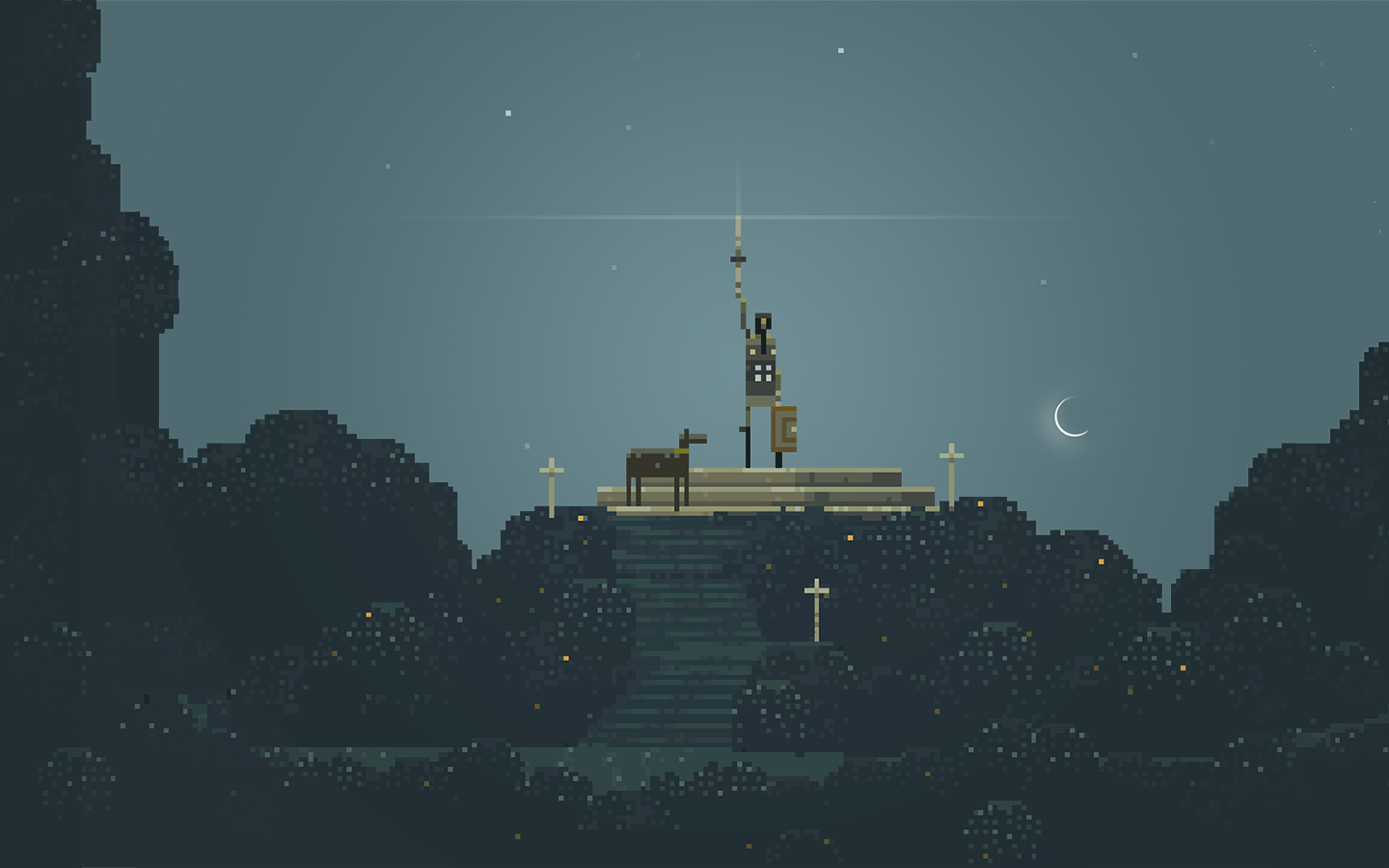
This game made a huge splash in the indie scene thanks to its rocking soundtrack and unique take on mobile games. I have to say that Superbrothers uses tablets and phones unlike any other mobile game out there. It is a breath of fresh air, but in the end, it is way too short and just leaves a feeling of emptiness, like there is no point in playing it.
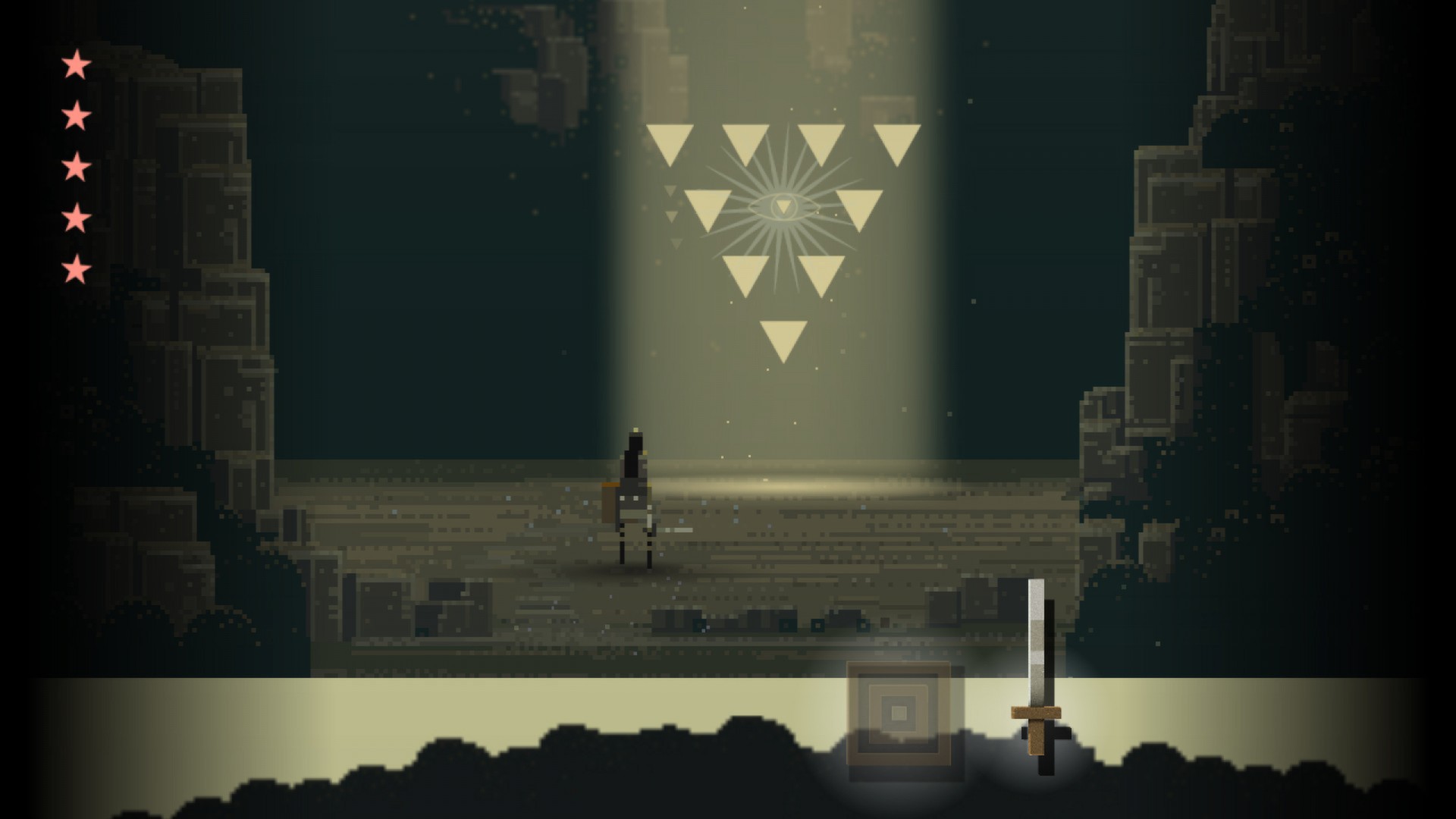
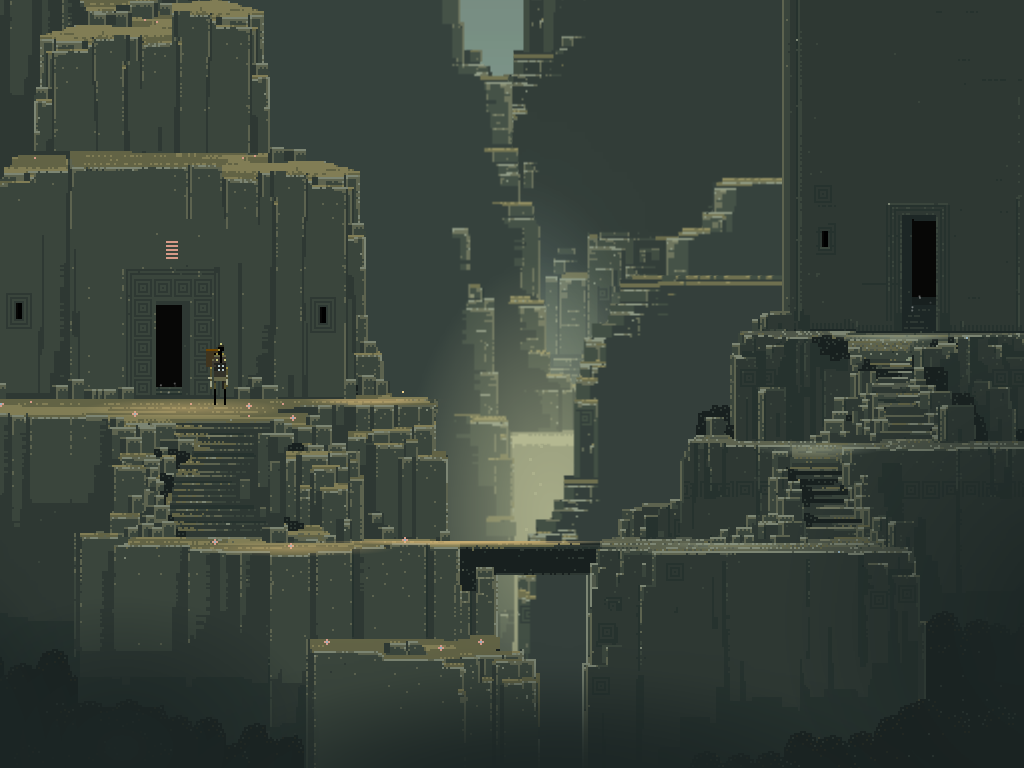
You play as a man or boy who is on a quest to destroy an evil being at the top of a mountain called Mingi Taw. You come across a magic tome and must find three triangles to make a trifecta. The story is pretty thin, and there really isn’t much of one there. It’s all about adventure, music, and unique art styles. You tap along this countryside during the first half, trying to find your way to a cliffside. After you play for a bit, you get a sword and shield and fight your first monster. If you turn your phone or tablet sideways to fight, you can block an attack, but it’s very simple and not very complicated. There are only a few fights in the entire game. The bulk of the game is made up of using your swoony powers to solve little puzzles, but these feel easy and slightly uninspired.
You hold down on your character to enter this mode. You then have to figure out what to tap in order to get the little sprite out of the ground. You need these to advance to the next stage. Sometimes things have to be tapped in order, but it’s not all that hard to figure out. One interesting concept is that you need to find two of these triangles during the bright and dark phases of the moon—in real-time. You will have to come back when the phases of the moon are just right, and the game will tell you when. Or you can just cheat and advance your calendar on your device. If you do this, the developers are on to you, and they only give you a 99% completion rating for cheating. This is a pretty interesting idea, as no other mobile game has done this, but it’s not very significant and feels like a cheap way to extend the game’s length.
The only challenging part of the game was the three major boss fights and figuring out where to go. There are almost no hints; sometimes I wandered around forever, not knowing what to do. The boss fights require precise reaction times for dodging and attacking and can get pretty tough. You can beat the game in a few short hours if you cheat, but when I finished the game, there was no attachment. The characters are just there, and there’s not much of a story to get attached to. The music is great, but only during certain scenes or events. I honestly just feel this game is really overrated; it’s good, but not that good. I personally loved the 8-bit retro art style, and it’s beautifully done. I just wish there was better gameplay to go with it.
In the end, this is just an odd game that you play for the hell of it. It’s a unique mobile game, yet everything in it feels unnecessary, and in the end, you wonder why you played it. There’s nothing here that will keep you talking about it years later; it’s really short and lacks any challenge or depth. I just like that it took a different approach to game design, and that is greatly respected.
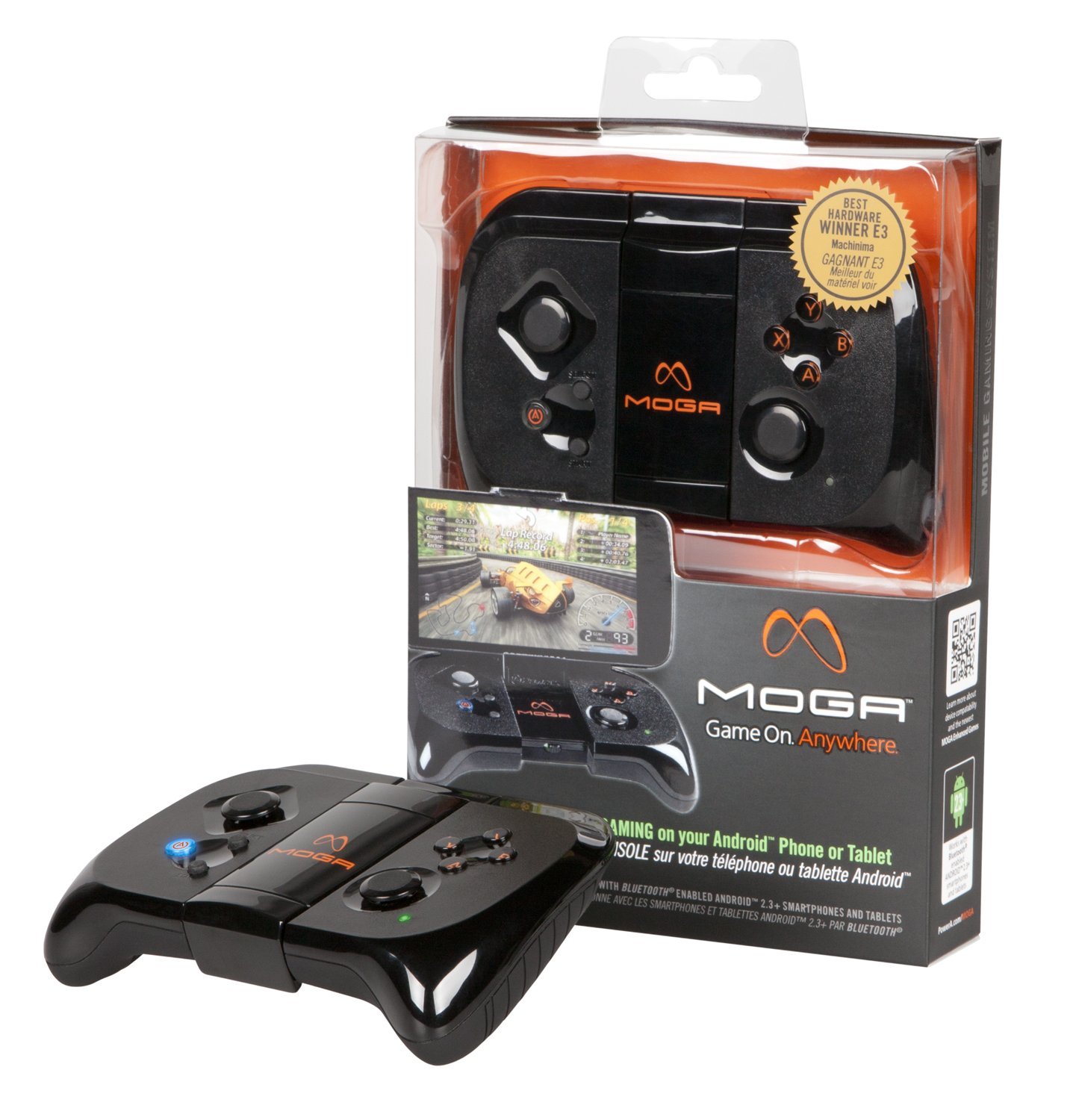
Now that gaming on tablets and phones is becoming more serious and popular, companies are coming out with dedicated controllers for your devices. PowerA was one of the first ones out of the gate with their Moga series of controllers. This is the mobile version that holds your phone while you play. It’s Bluetooth, so there are no cords tethered to your device. The controller is very well designed and sturdy; it doesn’t feel cheap at all.
I love the ergonomics of this controller. The middle of the controller has a flip-up phone holder. It can hold up to 6″ phones, so everything up to the Samsung Note II. The top and bottom of the clip have rubber grips so your phone doesn’t slip out, and it keeps it from getting scratched. Getting the controller to connect is a breeze. The initial setup is done with the Moga Pivot app, which also scans your device for games that can be played with the controller. You can also navigate and launch these apps with the controller. The controller sits well in your hands and is powered by 2 AA batteries, each housed on either side of the controller. PowerA went for minimalism with this controller, and they nailed it.
The only issue with the controller is that it feels too rigid. The buttons aren’t very soft and make a loud clicking sound. The thumbstick nubs are a bit stiff, and there’s no D-pad. I like the L and R triggers, which feel great for shooting games and racing. I wish the controller had analog sticks rather than nubs. It’s really hard to adjust to these in a shooter; I had to turn the sensitivity way down in the game to make it feel somewhat normal. The controller is also lacking bumpers, which could have fit just fine. So there’s a bit of a learning curve with this controller.
At least it comes with two free games: Pac-Man and Sonic CD. It also includes a really nice leather case to hold your controller in. The biggest issue of all is that there aren’t many games that support this thing. There is a free universal driver app to use in emulators, which is probably the main reason why someone would buy this. I was able to play a GBA, SNES, PS1, and Genesis emulator with no issues. Other than this, this is well worth the $40 for anyone looking for a controller without having to buy special cables, root, or buy expensive apps.
The Android family is growing exponentially and feels like a train hurtling down the track at 200 MPH with no stop in sight. The whole platform has grown in just a couple of short years with a quality market (and market storefront), more quality apps, and games, and now the addition of books and movies just makes the Android market feel like something to compete with the App Store. The devices are also really utilizing the system, and thanks to Google allowing open resource development of the platform, we get some really great apps and features on the phone that the iPhone, Blackberry, and other phones just can’t do.
Out of the Box
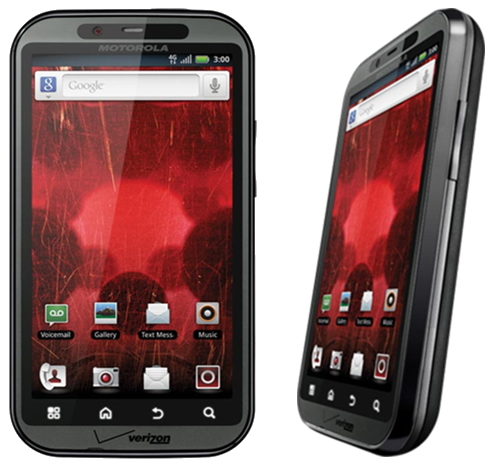
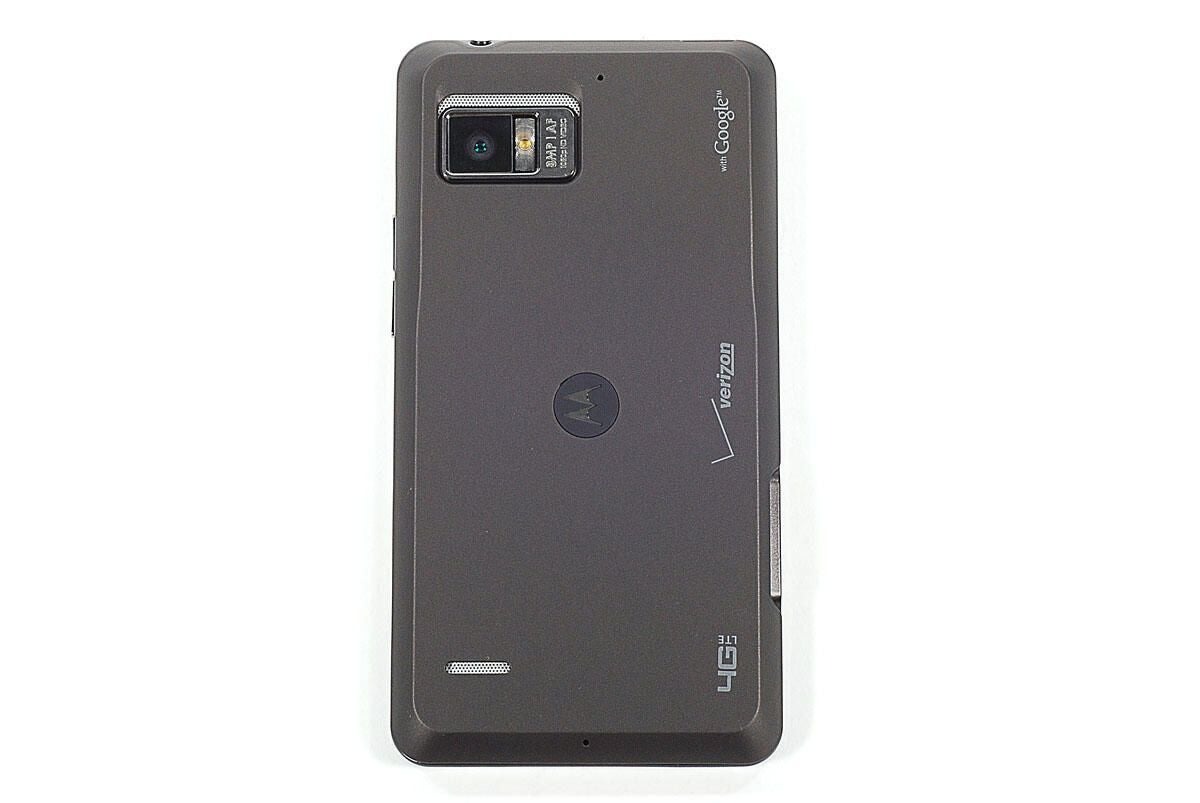
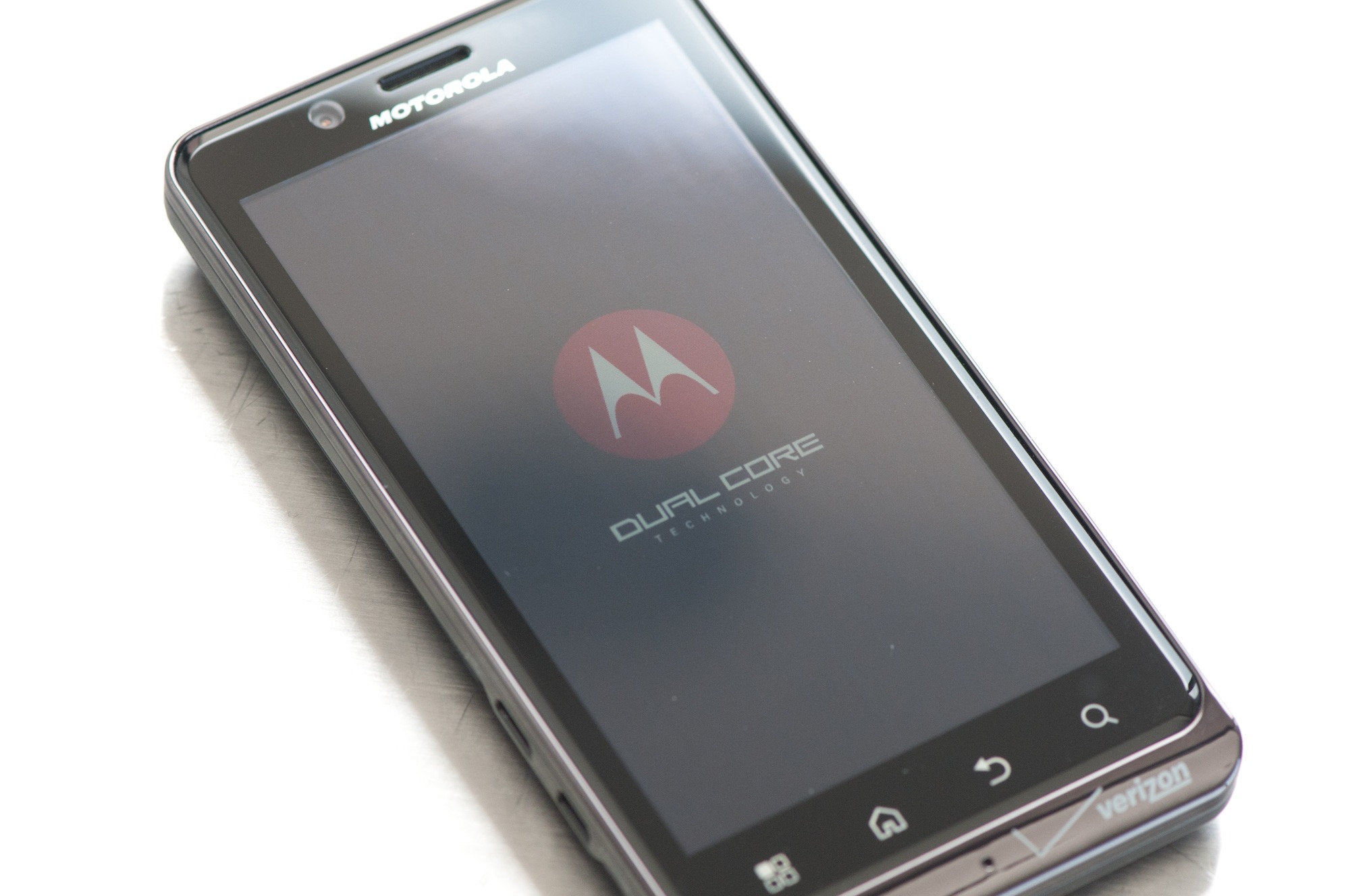
The Bionic has a great-looking box, but there’s not much beyond that. It comes with the standard battery, charger, USB cable, and 16GB micro SD card (cha-ching!) (I’ll cry if a phone comes with a car charger.) The phone came with a SIM card, which is new to Verizon and Droid phones. This is a 4G SIM card and is needed to activate 4G. When you boot it up, you can act like normal, but there’s one feature that was enabled on my phone that kept me on the phone with Verizon for over an hour until I scoured the internet myself. A certain little voice privacy feature was enabled that keeps your 3/4G off and, for some reason, was also enabled on my old Droid. Thankfully, disabling this turned my 3G back on, but that wasn’t really a problem with the phone itself. Once that’s all done, you’ll notice how fast the phone boots up (there’s even a neat Droid Bionic logo animation and sound!). Transformers anyone?) So let’s go over some of the hardware features.
Hardware Features
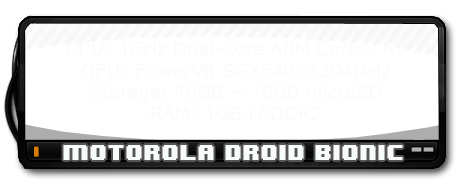
The first thing you’ll notice is that the speed of the phone is as fast as a computer. That’s the 1 GHz dual-core processor running everything for you at lightning speed. Why dual-core? Everything is just twice as fast and lets you multitask like never before without any type of slowdown or lag that you might even get on single-core 1Ghz phones. Compared to the iPhone 4S, it’s actually faster with an ARM Cortex-A9 processor. Yes, the iPhone 4S does have the same processor type, but it’s under-clocked at 800 MHz per core, so you’re losing about 25% speed over the Bionic unless you jailbreak your iPhone and overclock the processor.
The GPU is also slightly faster than both the iPhone 4 and 4S (they both have the same GPU) with a PowerVR SGX540 at 304 MHz, while the new iPhones both have an SGX535 model. The Bionic has faster and more memory with 1 GHz DDR2 memory, which is as fast as a computer, while both iPhones still use eDRAM and only have 512 MB. This means extra speed, faster app switching, and the ability to have more apps open without suffering from slowdown, lag, or crashes.
The Bionic also has 8GB of internal memory with the option of SD cards (up to 32GB), so with the standard model, you get 22GB of memory (maximum 40GB), while the iPhones are stuck with just the internal memory and you have to pay huge dollars for more space. The camera is about on par with the 4S with 8MP and 1080p support that lets you take panoramic photos, super high-quality video, and photos, and has an excellent flash. The front-facing camera is just 1.3 MP for video calling.
The only thing that the iPhone really trumps the Bionic on are the displays. The iPhones have 960×640 resolutions with 326 ppi, and the Bionic has 960×540 resolutions with 266 ppi. It’s not much, but it does make a difference when you compare the two. The Bionic does have a huge 4.3″ screen, which stomps on the iPhone’s 3.5″ screen, and is a true qHD screen (true 16:9 ratio), which is perfect for watching movies. The Bionic also has a mini-HDMI port for connecting to your TV, and even other high-end phones don’t have this yet. The Bionic has a higher contrast ratio of 800:1, while the iPhones have 800:1. This means it can display more colors and resemble more of an HDTV than a phone display.
Software Features
When you start using the phone, you will see it has so many great features over old Android phones, the iPhone, and Blackberry. First off, let’s talk about data management and sharing. The phone now comes with a file manager, so you can transfer files from your internal storage to your SD card as well as connect to your computer wirelessly and share files. The phone also supports DLNA, which can sync your media via Wi-Fi and upload media to your computer. The phone also gives a few options when you connect to your computer via USB. Instead of just the mass storage device option, you get a PC Mode that allows you to connect via a Motorola laptop or installs the MotoHelper driver on your PC and lets you access the SD card and internal storage. The software will also show any missed calls, texts, etc., which is a nice touch.
There are some nice pre-installed apps, such as the built-in camera apps, which give you a good range of options for video and photos; you now have a download manager; and MotoPrint, which allows you to connect to a wireless printer via W-Fi. There’s also a task manager, which is very useful to kill stubborn (read: poorly programmed) apps that won’t close. It also has an auto-kill list for when the screen goes out for 2 minutes. This helps preserve battery life (you’ll need it), but the phone does a good job of doing this on its own. You can turn the phone into a mobile hotspot (remember, it’s extra per month for this feature), plus all the standard apps like the task scheduler, calculator, and alarm are nice.
The market has a great storefront and has tons of quality games, apps, books, and movies now. The market just allows you to really make the phone your own, reflects your personality, and gives you so many options. The phone really has just so many great features built-in that make things so much easier for transferring data and media, as well as using the cameras and all the nifty hardware.
One thing I have to mention is that the games run smoothly on this phone. Using the PlayStation and SNES emulators, I can get games to run at 400 FPS with all the quality options enabled. All the high-end 3D games run without a hitch, and you will be unstoppable game-wise, especially if you can switch from a hardware-hungry emulator to the browser to check an FAQ, switch back, answer a call, or text someone, all without any slowdown and with all those running in the background.
When it comes to the basic phone features, it sounds great; the speakers sound sweet; calls are clear; and typing on the keyboard is easy with the huge screen. You won’t miss a pull-out keyboard with this phone.
It’s Not Perfect
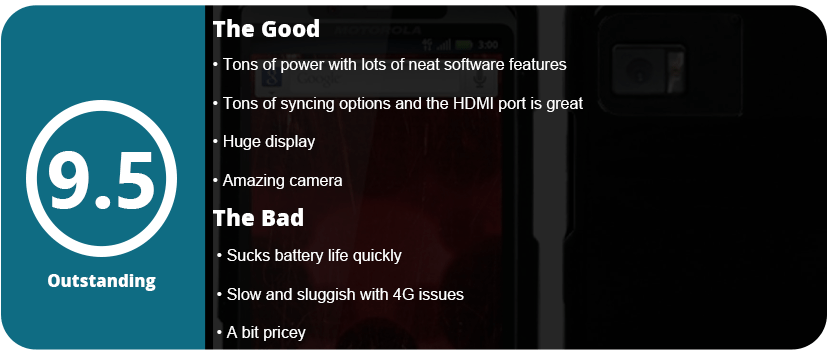
The phone isn’t perfect; however, the battery is probably the biggest issue with this monster sucking it dry within a few hours. Sure, you can use battery-saving apps, and the phone has a built-in battery saver, but if you surf the net a lot or play games all the time, have a charger with you at all times. There also seems to be an issue with mobile networking, because it fades in and out a lot. I’m not sure if that’s my area or the phone itself. While 4G LTE is lightning fast (there’s a world of difference in speed), it’s only available in a few areas (mainly big cities), so I don’t even get it in my area. By 2013, Verizon said the whole country would get it, so we’ll have to see. There also isn’t a camera button on the phone, and a lot of people are used to this. The volume and power buttons are also really small and sometimes hard to press when you’re not looking. Other than that, this is an amazing phone and should be bought by every Android lover!
Update (6/17/13)
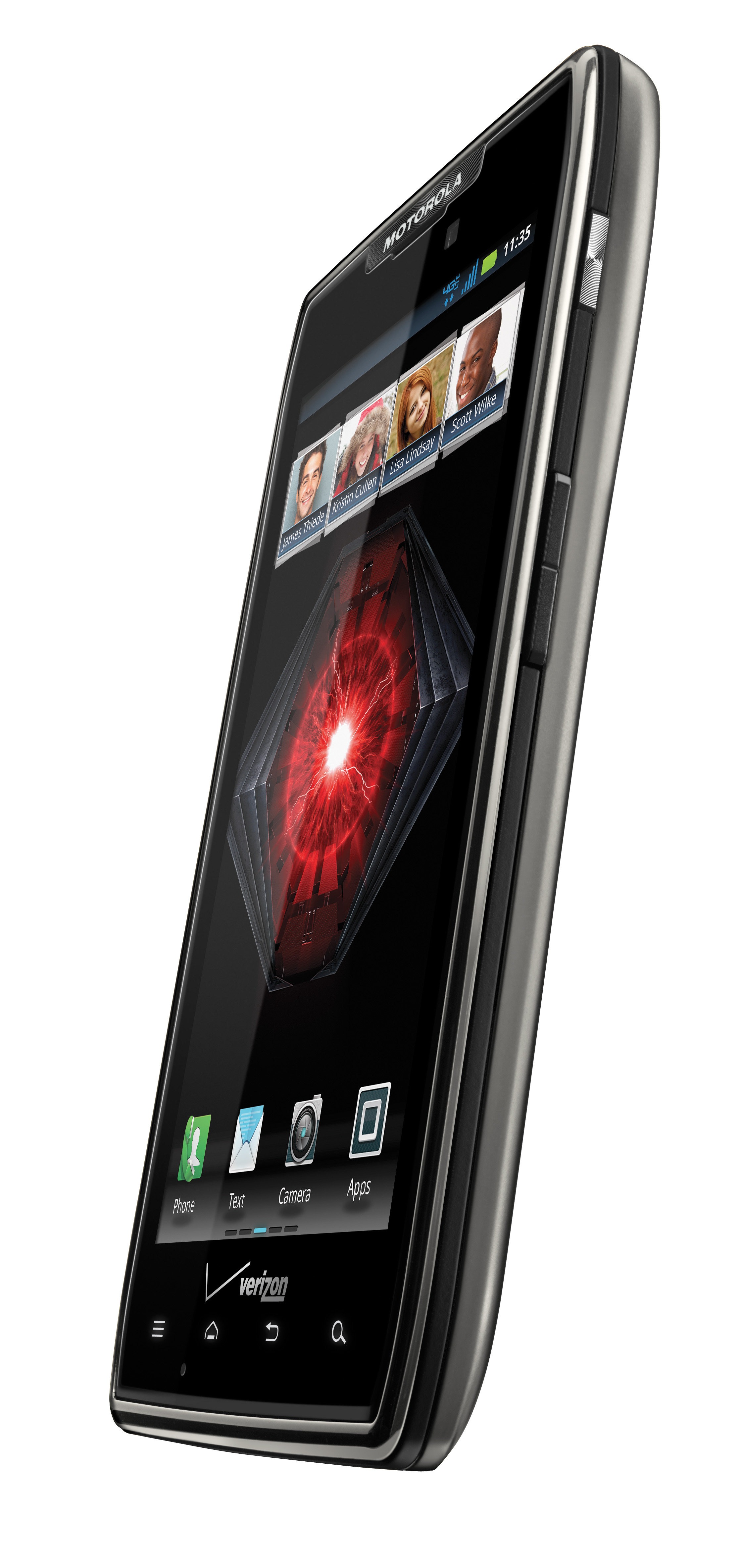
Now that I have had this phone for a full 2 years, I hate the thing. I have the same problem I did with the original Droid. I went through two years of crappy firmware updates, 4G constantly dropping out, sluggish, unresponsive everything, but at least the battery issue got fixed, but it took an entire year. I don’t know what happens with Motorola phones, but after 6 months, they just tank on you. I tried resetting the phone to factory defaults and replacing the phone, but neither worked. It would sometimes take minutes for a browser to load, and typing would be delayed up to 10 seconds, and it was frustrating and annoying. It also doesn’t help that the phone is huge and heavy compared to phones that are out now. It finally got the 4.2.2 Jellybean update about 3 months ago, but it runs worse on that OS than the 2.3 it came with. I will never buy a Motorola phone again. Sometimes the language would change randomly, but at least it didn’t reboot on its own like my last phone. While the Bionic is discontinued now and has been replaced by the Droid Razer and Razer Maxx, I feel mad about Motorola abandoning their Bionic users. The phone was the last to get the 4.0 ICS update, and even that had bugs of its own. Just don’t ever buy a Motorola phone; they are all the same.
Apple finally met its match; the Samsung Galaxy S III has sold more units than the iPhone 4 and 4S combined. That’s a serious feat. Why do you ask? Because Android OS gives you complete freedom to do what you want, not what Samsung wants. There is no iTunes that you are tethered to; you can put what you want on your phone; you can buy expandable media; the choice is yours. People loved that, and the S3 took off due to the form factor and Samsung’s smart marketing ideas. With the S4, Samsung has created the most powerful smartphone on the planet. Honestly, I won’t even compare the S4 to the iPhone 5 much because it is more powerful than that phone and the iPad 3.
Out of the Box
The box itself is actually pretty nice. It has a wood texture on it, letting you know you bought something classy, something with character—not a robot clone like the iPhone 5. Like wood, you can shape it and do what you want with it—make furniture, do some wood burning, or break it into pieces. Like wood, the S4 has endless customization options. The S4 comes with earbuds that are better than the iPhone earbuds, as well as three different earpieces for different size preferences. You will also have to put the battery in yourself, the back cover, and for some carriers, the 4G SIM card. Assembling your phone also lets you know that it’s yours; it’s not assembled in the box like an iPhone, and it gives you a bit more attachment to your phone. This sounds weird to some people, but it’s true; there’s a reason for all this.
Welcome to Android
For people who have used Android for a while (like me since 2.2), you will love the 4.2.2 Jellybean OS. Samsung’s personal touch is amazing, with many power-saving options, a great shutter menu, and the speed and precision of a high-end PC. Think I’m kidding? There is virtually zero lag even with multiple apps open, but that’s not the first thing you will notice.
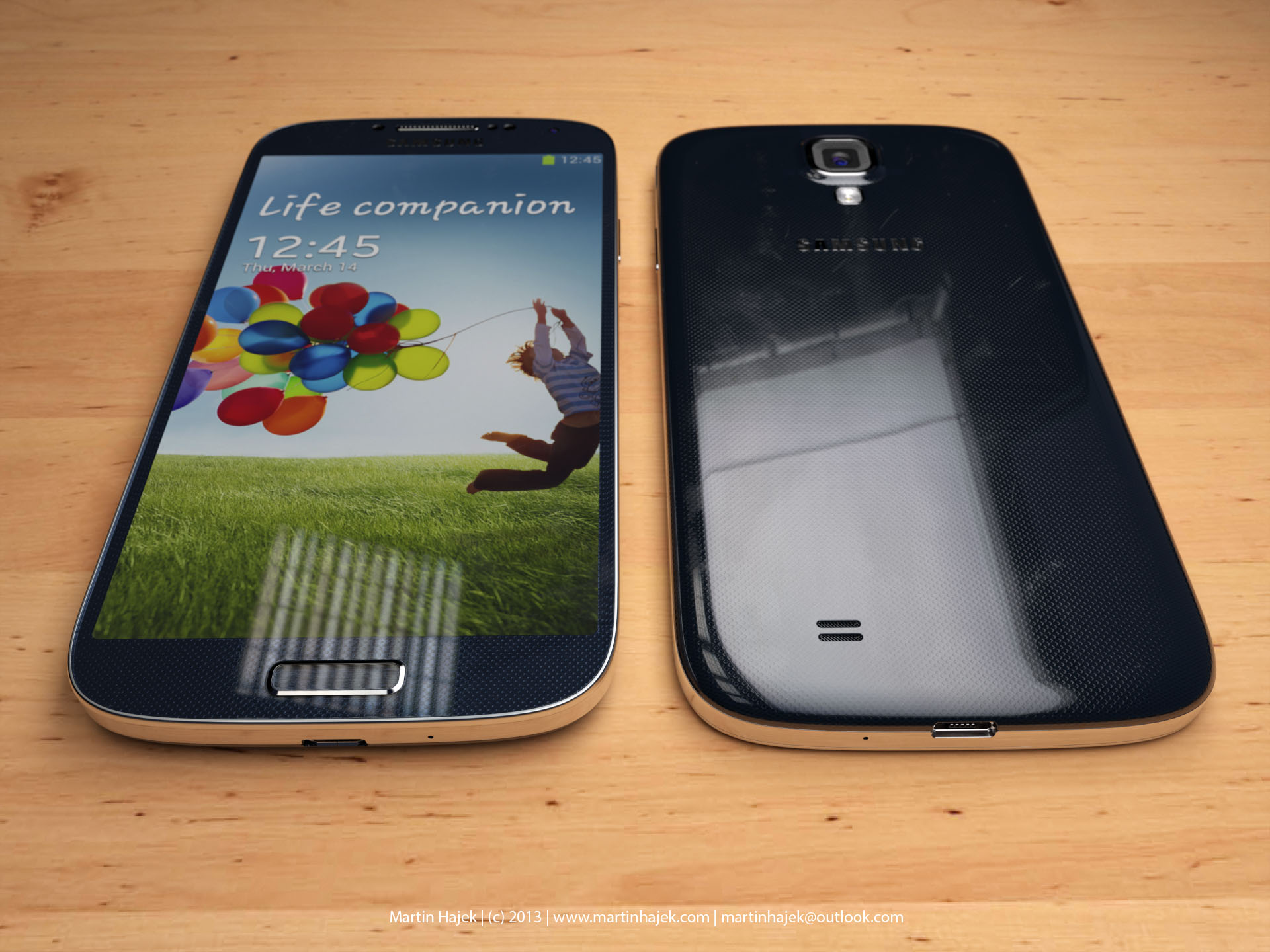
The phone itself is the thinnest and sleekest phone around. Especially for the power under the hood. The 5″ Super AMOLED display is gorgeous and rivals that of high-end HDTVs. It has a 1920×1080 resolution; that’s a full 1080p resolution, which is the same quality as a TV. The screen is also 441 PPI, which is twice that of most other high-end phones. You are looking at pure, eye-catching, crisp visuals for movies, games, and photos. Nothing out there beats it. It also feels great; it’s a perfect rectangle with rounded edges. It has aluminum sides to make it look modern, and it also comes in black and white. I prefer the black because it looks sleeker, and the white makes it look like a stretched-out iPhone 4S. The volume rocker is very thin and blends in with the phone, and the same goes with the power button. The S4 has a home button like the iPhone and is unlike most other Android phones. It has a menu and back soft key, but no search soft key like other phones. I found this simple, and honestly, it looks like a better iPhone.
Under the Hood
For people who care or don’t care, the S4 is one of the most powerful phones on the market. It has a 1.9 GHz (there are 1.6 and 1.4 GHz models available) quad-core Krait 300 CPU. That is damn fast, even faster than most high-end tablets. It sports an SGX PowerVR 544 GPU, which will let you play the best games out there but is also extremely fast, and current games don’t quite push it to its limits; it’s a tri-core GPU to boot. In fact, it’s just one up from the PlayStation Vita GPU, and everyone knows it can produce near-PS3-quality graphics. The S4 has 2GB of LPDDR3 RAM, which means tons of room for app switching, and you won’t have any slowdowns. You also get a 13 MP camera, yeah. It’s the same quality as a high-end point-and-shoot, and the quality is amazing. There is also a 2 MP front-facing camera, which is better than most phones’ 1.3 or 0.3 MP FFC. This allows extra precision when using the smart gestures later. The battery also has a Near Field Communications chip, which allows for NFC to beam to other devices. You can also mirror your screen on another device to show them something. The S4 also features DLNA file sharing for computers and other devices.
Air Gestures
With the combination of the gyroscope, front-facing camera, and smart screen, you can do things on your phone without even touching it. One feature lets you wave your hand in front of the screen to answer a call, hold the screen with two thumbs and use the gyroscope to look around your pictures, wave your hand in front of the screen to scroll pictures, and various other features. One other feature lets you hover your finger above an image to preview it before pressing it. Honestly, these features are gimmicks and nothing more than something to show off to the public. The biggest issue is that there is a serious battery drain. Keeping the FFC and smart screen features on just sucks your battery dry in a few short hours.
Smart Screen
A few features are here, including scrolling pages with the tilt of your head or tilting your screen. It doesn’t respond as well as you think and sucks your battery down. You can also use Smart Stay, which will turn the screen off when you look away, and Smart Pause, which will pause the video when you look away. This all keeps your FFC on and will drain your battery in no time as well.
The Little Things That Matter
In the end, there are little things that are there for customization. Multi-Window allows you to quickly switch apps with a drawer at the side of your screen. There’s a great power-saving mode that underclocks the CPU and can turn off haptic feedback as well as dial back the color resolution on the screen. You will need these because the battery does not last long in the S4 with everything turned on. There’s also a little feature that lets you make your own vibration patterns, which are really interesting. You can have widgets and shortcuts on your lock screen, which most phones need third-party apps for; you can control the phone with your voice; and you can unlock the screen with your voice. This may seem pointless to some people, but the fact that Samsung put it in here means they care about the consumer. They give you all these tools, and you can decide if you want them or not; they are not forced on you. One thing that I do need to mention is that there is a lot of bloatware on the phone that needs to be disabled. I disabled nearly 30 apps that I would never use and just used up space and resources.
In the end, the Galaxy S4 is one of the most customizable and powerful smartphones on the market, and I would go as far as to say THE most. I have never had a phone that gave me so much freedom, so much power, and such great picture quality. The biggest problems are with the battery and the gimmicky features that help drain that battery. The air gestures and smart screen are for lazy people or people who like to show off; it actually takes more effort to use these than to just use the screen. Despite this, the S4 gives you endless possibilities with the most powerful and efficient mobile OS on the market. You are a fool not to own this phone.
Super Hexagon is a game where I can say it’s barely that; in fact, it’s a game you might quit in less than one minute. I don’t know what the designers were thinking, but this game is so hard that it becomes no fun in less than 5 minutes. You are just a triangle rotating around a circle, trying to find your way through gaps in a giant hexagon that closes in on you. I couldn’t get past 28 seconds of survival, and that was after I memorized every stage and died about 50 times.
That’s really all I can say about this game, because it’s hardly a game at all. The graphics are so simple, with just basic colors and shapes; the only praise I can give this game is the awesome 8-bit soundtrack. The game requires memorization and super-fast-twitch reflexes to win. It doesn’t help that there are only hard difficulties; there is nothing easy to start out with. It doesn’t help that the visuals will give you a headache in less than 10 minutes, and it just hurts your eyes. I like the fact that the game is trying to be challenging, but I’m glad I didn’t pay much for this game.
With that said, I really can’t recommend this to many people unless you are seriously hardcore, but the majority of players will uninstall it in less than 5 minutes. Why play a game that takes over 20 minutes of practice just to advance past the 30-second mark? I honestly don’t understand why this game was even made or what audience it was supposed to be for. I really can’t say much else about this game because there just isn’t anything there to say; it’s hardly a game as it is.
The mobile game market is getting very strong thanks to new and powerful technology. This is the epicenter of indie game developers, and there are some amazing phone games out there. The best one is usually very innovative but doesn’t necessarily have to use phone features well. These were some of the best this year. This was a tough choice.
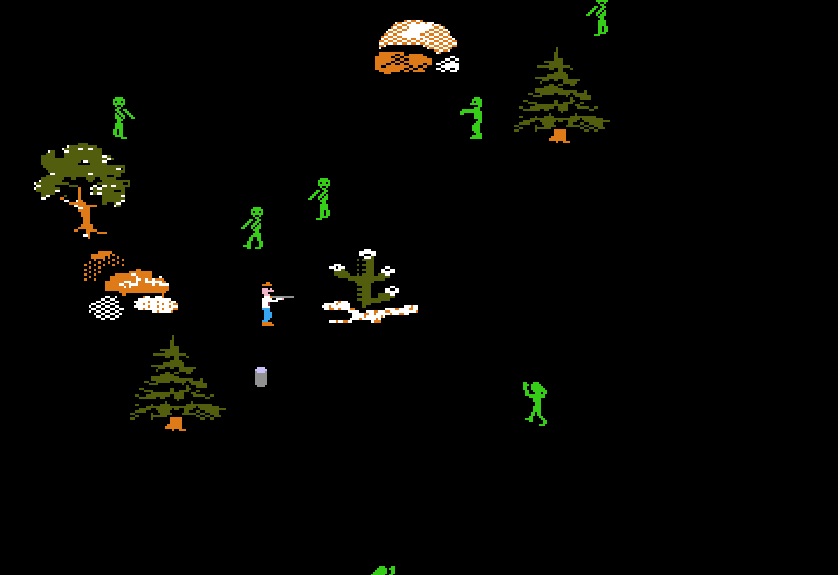
Organ Trail is a zombie remake of Oregon Trail from the early 90’s. What makes this game stand out so well is that it brings back those childhood memories look no other phone game this year. The game is intense, funny, fun, and just very well done. There were plenty of mobile games I enjoyed this year, but this one topped it all for me.
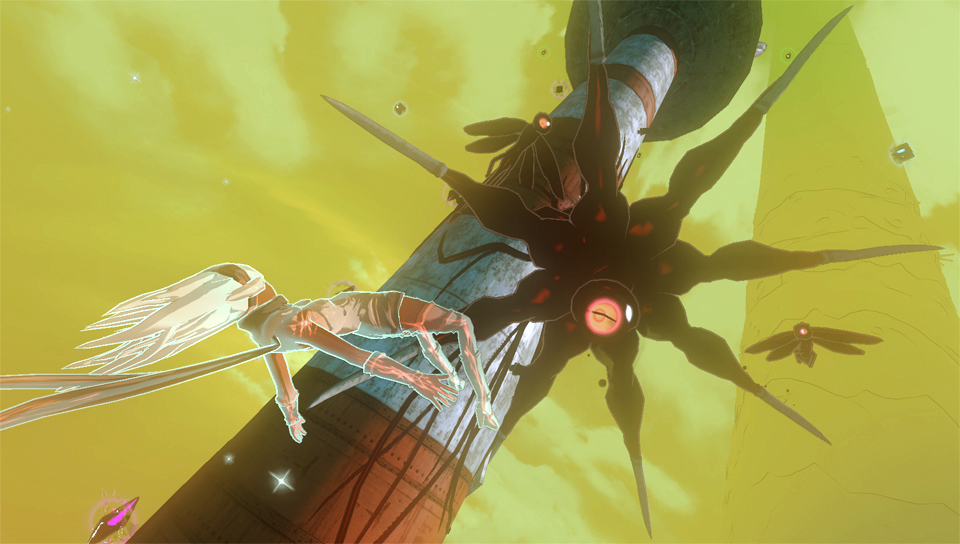
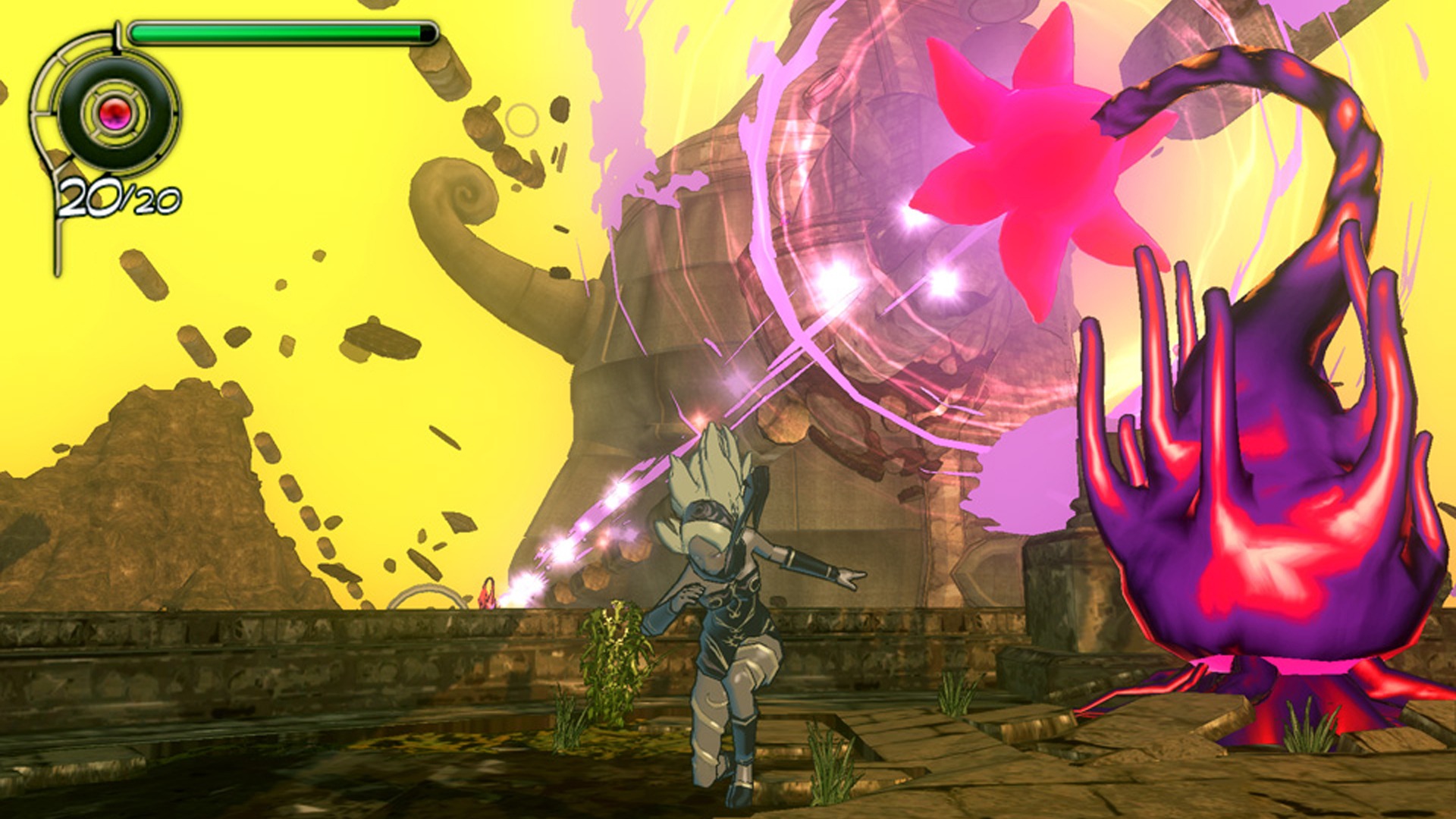
Gravity Rush was one of the most exciting games I saw for the Vita’s launch lineup. It never made the launch but was delayed by a few months, and now I am very disappointed in the game. When you play the game, it feels very magical at first. Flying through the air, beautifully rendered graphics with a great art style, an interesting story, and well-made comic-style cut scenes, but once you play more, all this wears off and you just want to hurl your Vita at a wall.
That’s not to say the game isn’t worth playing, but this isn’t worth a purchase at $40 either. There are two major elements to the game, and each of them is frustrating and has serious flaws. Throughout the whole game, you get around by flying through the air. You press R to float, then aim where you want and press it again to head in that direction. It seems simple enough, right? Well, your gravity gauge will drive you nuts with it always running low. You have to land to let it refill (which is pretty quick), but the controls just take a turn for the worse during combat.
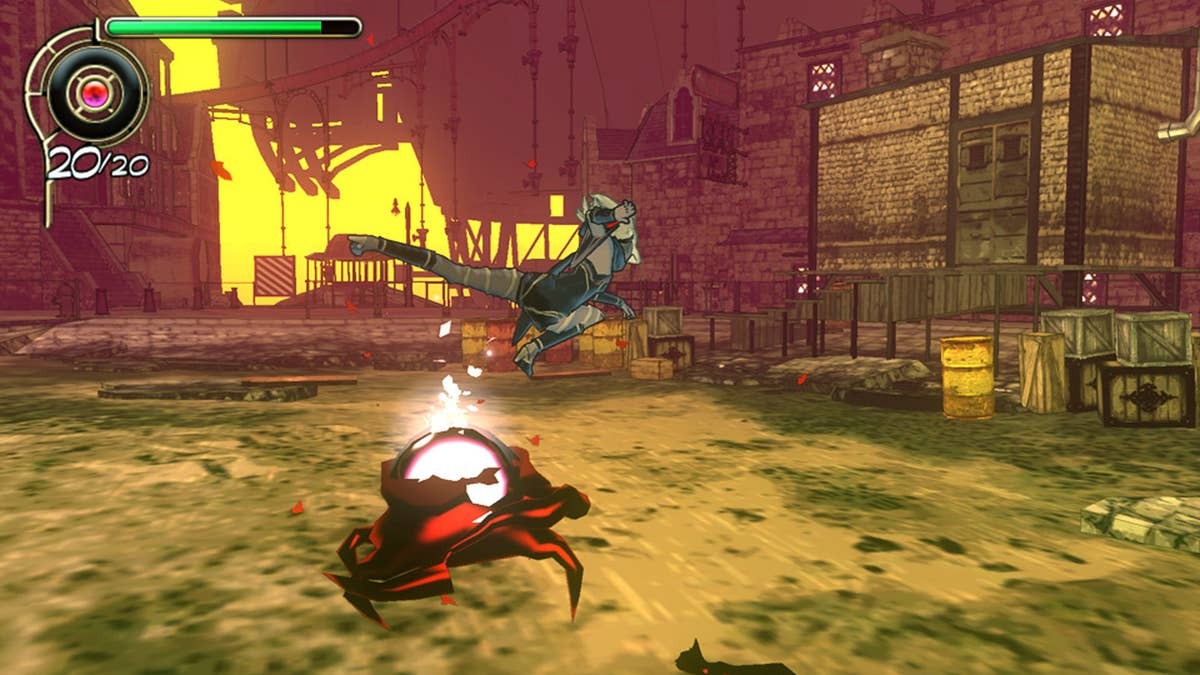
You fight Nevi, who are some sort of evil source of power. They are black blobs that have a red orb that you must destroy to kill them. You can fight on the ground with just one kick move (boring) or use your gravity kick, which I stuck to through the whole game. Fighting on the ground is slow and just isn’t any fun. Even with the gravity kick, there are issues because there is no lock-on button. This game desperately needs it. There’s a soft lock when you gravity kick, but if the Nevi moves away from you, just keep going forever until you stop. On top of that, the camera is nauseating because if Kat is upside down, so will the camera; if she is sideways, the camera follows. The whole time, the camera is flipping around in all different ways, and you lose track of your targets. There are some power attacks you can use, and they are very handy during boss fights, but the Nevi are just boring enemies to fight. I felt the camera and controls were my enemies in this game.
You can upgrade everything with gems you find floating everywhere. You can also play challenge missions, which are marred by the camera and controls. They were extremely difficult, and if I’m tired of the combat I have to do in the story, why would I want to do extra? At least the story has mission variety, like being able to use a stasis field and fly people or objects around; don’t even bother using this during combat because you will just frustrate yourself more. After you finish the 21-mission story, there’s nothing to really do except the challenge missions, but I was tired of this game before it was halfway over. There aren’t even any voiceovers (kind of), which was a disappointment.
The game looks great, with some great lighting effects and surprisingly good-looking textures and character models. I have no complaints there. I just wish there was more to do in this great, big world. If it weren’t for the awkward controls, vomit-inducing camera, and more content, this game would be a bit better. This game is a good weekend rental, but nothing really more.
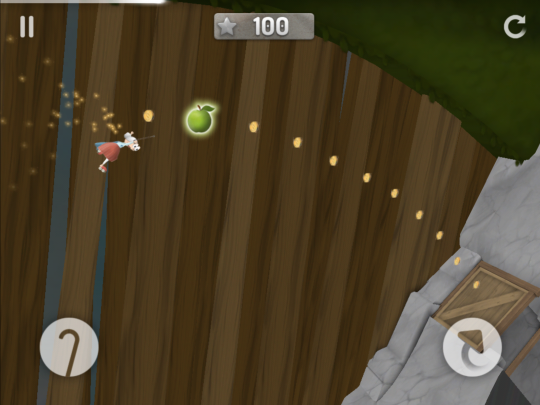
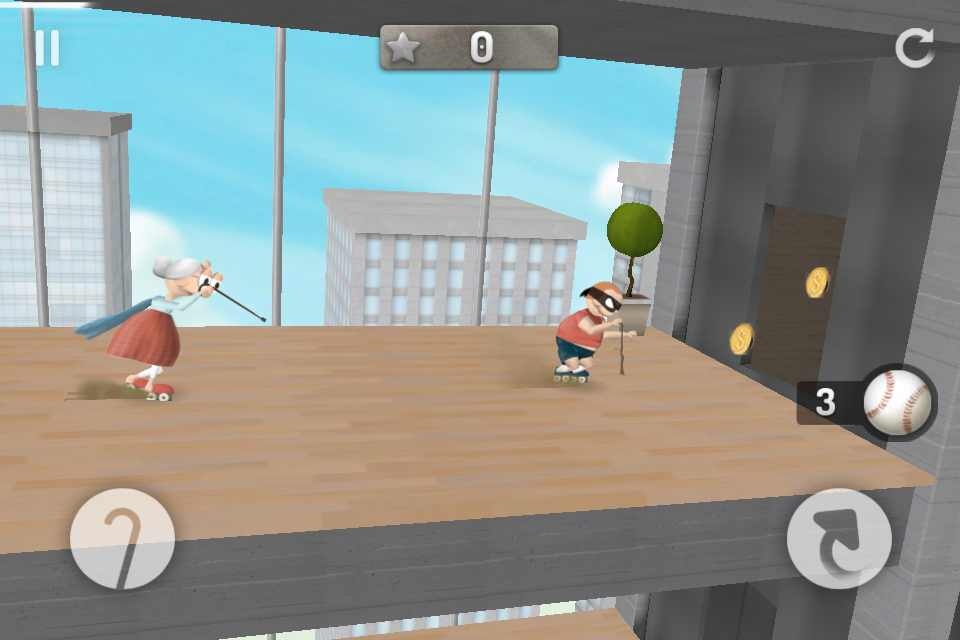
I have to admit that I passed this one by as another ridiculous mobile game for kids. This game is one of the most fun I have ever had on a phone. The fast pace and perfectly balanced difficulty make you want to never put this game down. I got all three apples at every level in just a few playthroughs and desperately wanted more. That is how you make a good mobile game.
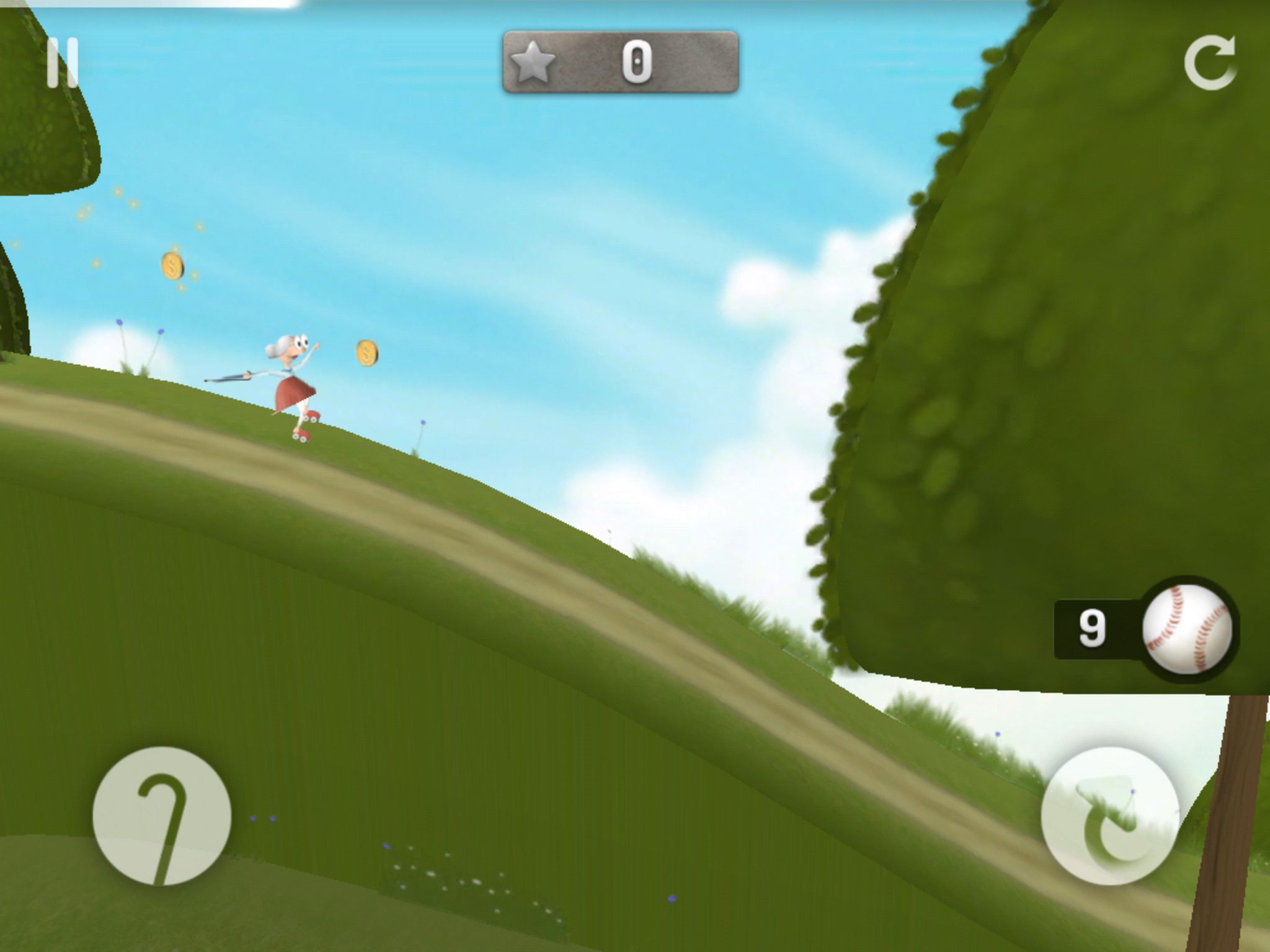
You play a granny who is chasing down a little boy dressed as a thief. You have to jump, zip line, and somersault your way through each level to collect every apple. Along the way, you get to collect coins, which you can use to buy banana peels, baseballs, and helmets. The helmets shorten your recovery time when you fall, and the other two slow down the little boy when thrown. The basic gameplay is simple yet addictive. One button is used to jump, but if you hold it, you will front-flip, which also makes you jump farther. It was very smart on the developer’s part to do this. The coins are your guideline on where to jump and what to do. Also very smart. I never got stuck because I didn’t know what to do or how to get to an area. The platforming gets a bit trickier with zip-lining and having to use momentum and physics to get around.
Each level is less than a minute long, but you have to do them flawlessly to stay ahead of the boy and get each apple. The level design is very clever, and there’s a nice balance between all the levels. I found that there were a few frustrating sections, but I eventually got past them and mastered the levels. The game is just so fast-paced with the flips, slides, jumps, and zip lines. The fact that you can get every apple and complete every level makes you want to not put the game down. This game wants you to beat it, and it feels really great.
Granny Smith is well worth the $1 and probably even more. More levels are coming soon, but what is here is some seriously addictive and fast-paced fun. I haven’t had this much fun with a mobile game in a long time, and that’s saying a lot. My biggest complaint is probably that you can only buy three items with your coins, and there aren’t enough levels or characters to play as. These are minor issues that don’t really hinder this excellent game.
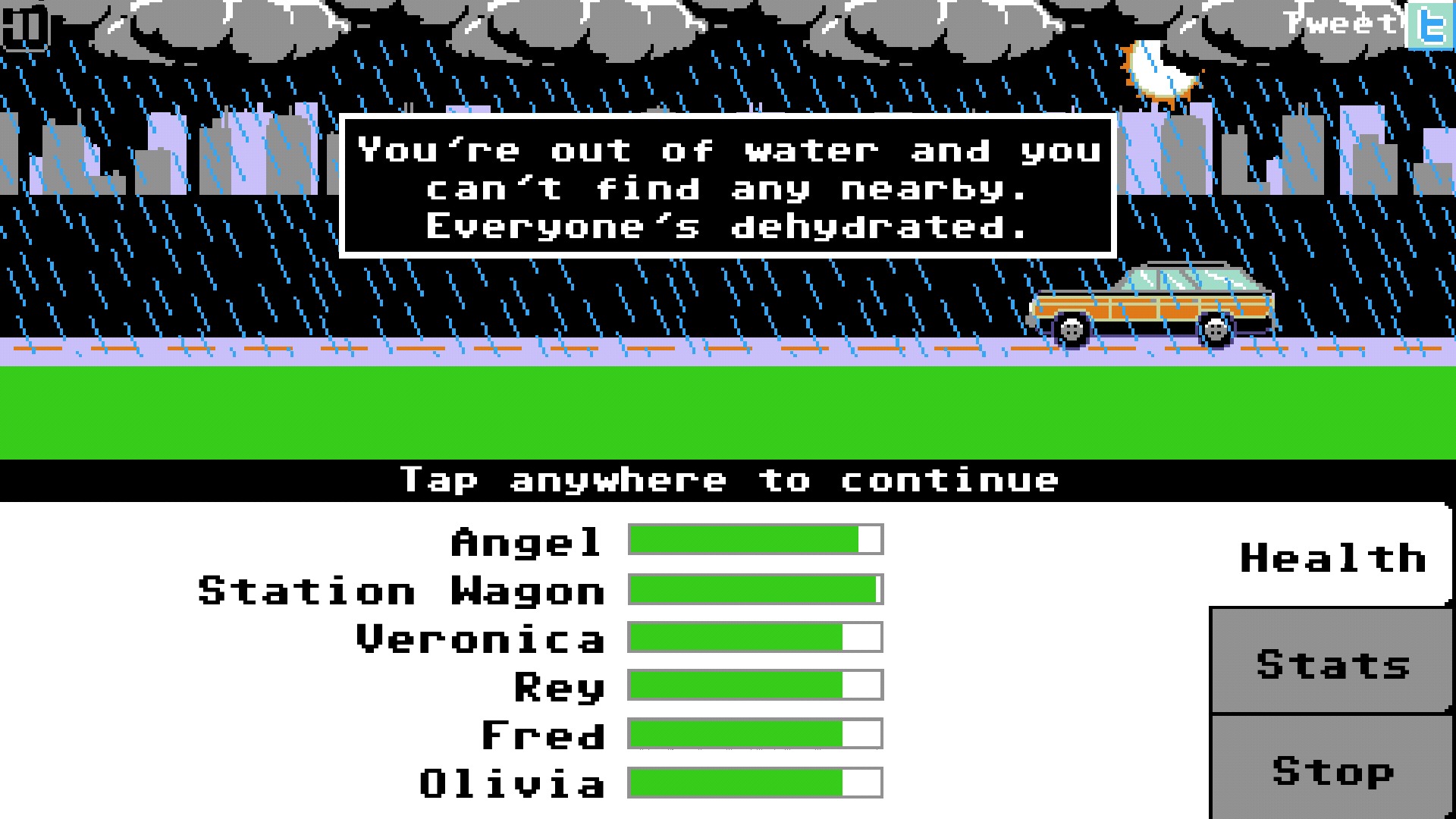
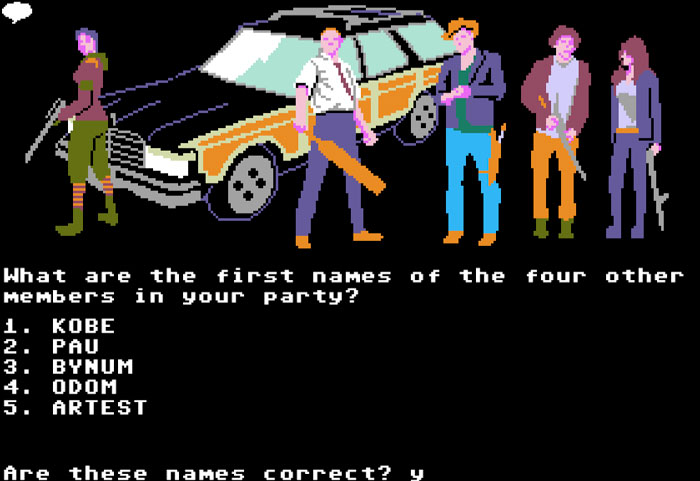
90s kids remember Oregon Trail at school on those old, colorful iMacs, right? If you didn’t, then you had a terrible childhood! For those who did, you must play this game. Organ Trail is a zombie take on the Oregon Trail gameplay, but it is much better with a great atmosphere.
You start off by shooting some zombies, but you run out of ammo. Someone comes to help, but he ends up getting bitten, so you put him down. Yes, you can put down people in this game! After you name your characters with names that aren’t real names (you all did it!) You set off in your station wagon to the first town. This is where you decide what kind of supplies you are going to start off with. Ammo, money, tires, batteries, gas, food, and mufflers. Your station wagon is your life. If it breaks down, you aren’t getting to the west coast. In between landmarks, random events will display that will affect your character or car in some way. Sometimes harsh weather may make you drive slower; you might find interesting things on the road, lose things on the road, get ambushed by biker gangs, have to drive through a horde of zombies, etc.
Not all of this is as simple as flipping through menus. When a gang attacks, you have to ram them off the road with your car, or their bullets will cause precious damage to your car. When you see a horde, you have to decide how to approach them. Is the horde docile? Then sneak through at a slow speed. You can blast your way through or hire mercenaries to protect you, but they are very expensive. There are events that you run into where you have to decide whether to help the person, leave, or kill them. This is a game about surviving a zombie apocalypse, and it is very dark and moody. These events make the game feel like a true adventure. Even scavenging at any time can be a risky move due to how many bullets you have and your health. If you don’t survive, you could possibly die by taking too much damage!
Of course, you can rest and heal your group, but this costs food. Using medkits should only be kept for yourself so you can quickly heal after scavenging. When you reach a town, you can either buy upgrades for your car and pay to repair it, or you can use the scrap you find to do it yourself. This costs lots of food and may not be successful if you don’t have enough scrap. Sometimes you can take jobs for people or trade with them for items you desperately need. I have never played a game like this where I had to think about every single decision so much.
My only main issue is that the game can be too hard sometimes, and the shooting mechanic is clumsy. You hold back the gun and let go to shoot, but the three pixels that help you aim aren’t much help. I found the aiming too sensitive and desperately needed a longer guide or larger projectiles. The shooting sections are the hardest in the game because tons of zombies will come after you, so you must constantly be on the move. I found the character’s moves too slow—just barely faster than the zombies. If this issue were fixed, this game would be perfect. A lot of people will be turned off by the Atari 2600-style graphics, but they add to the charm. The atmosphere is surprisingly well done here, despite the ancient-looking graphics.
Overall, the game requires a lot of thinking and careful strategy but throws in enough random events to make it seem almost realistic. The shooting mechanic is finicky, and the character moves too slowly, but I couldn’t put this game down. Even after dying halfway across America, I tried again because the next journey was completely different from the last. I even decided to take more of something else and try again. This is a wonderful game, but it may not be for everyone.







































































































 thebinarymessiah.com
Try multiplayer. A lot of fun !