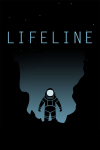
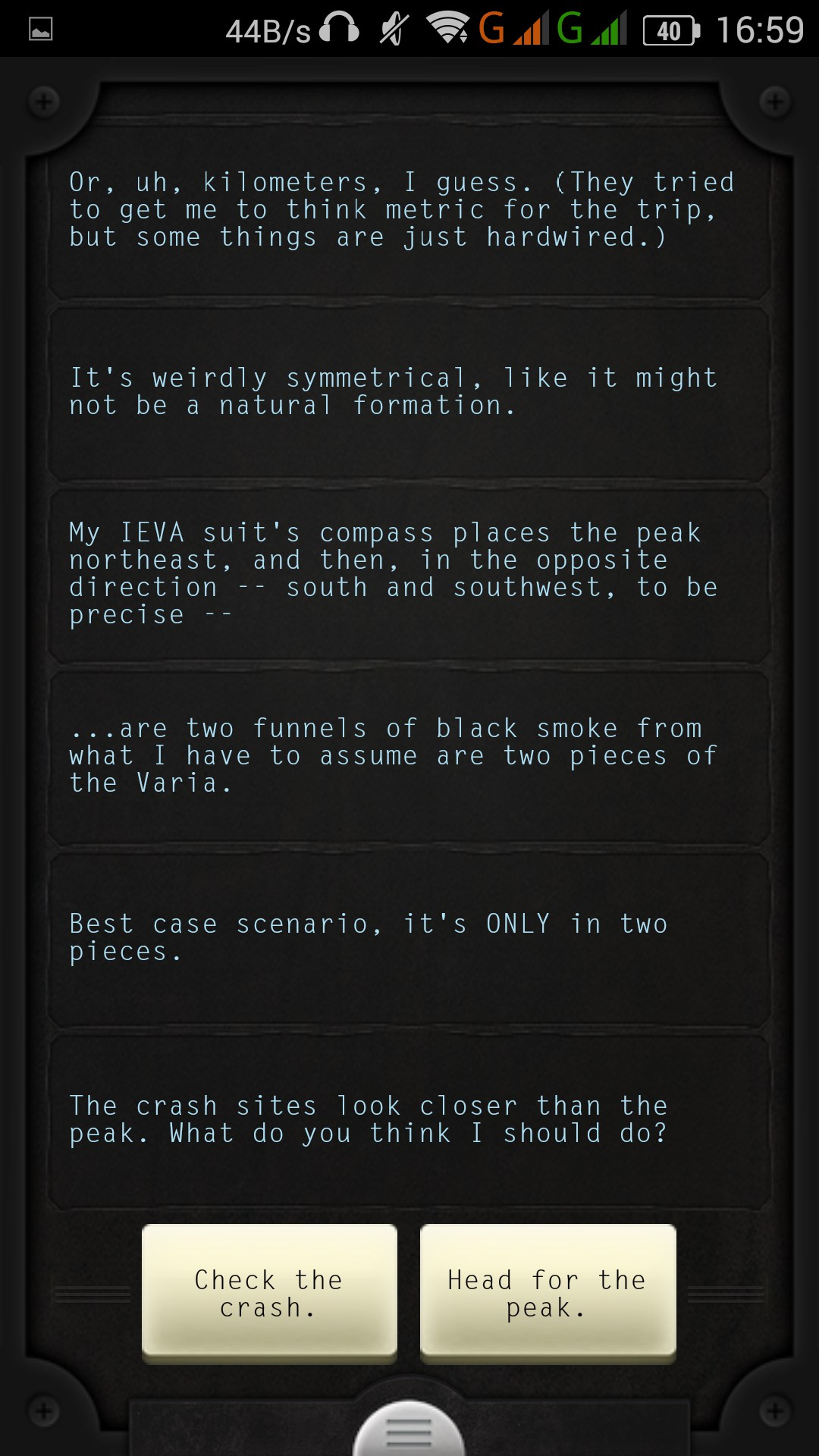
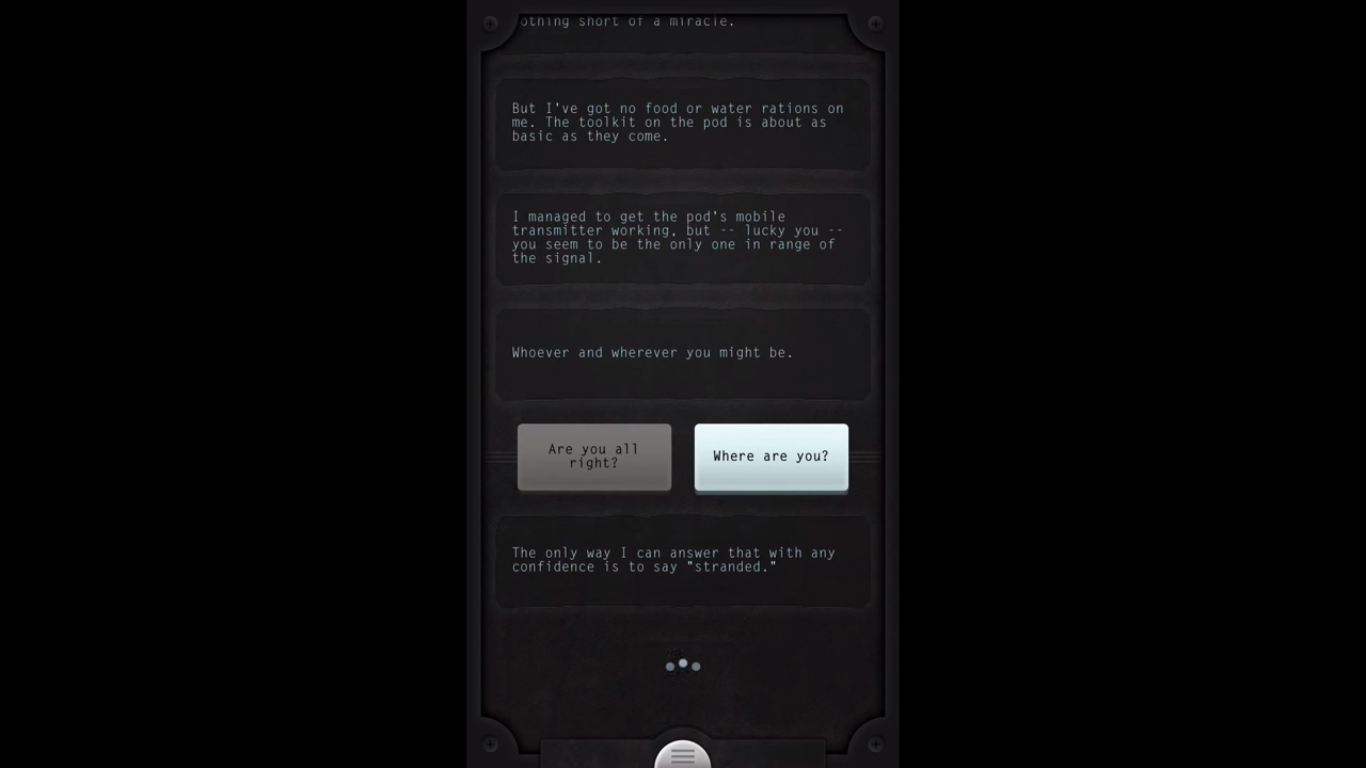
Texting with an astronaut. That’s not something you can say you do every day. Lifeline is a text adventure game like no other and actually is an evolution thanks to, well, cell phones. You receive an incoming message from a stranded astronaut named Taylor on an unknown moon. Your job is to give him the advice he needs to survive and find a way off the moon. It sounds boring and stupid, but it isn’t. Lifeline is one of the most unique mobile games I have ever played.
The best part about Lifeline is that you actually have to wait for Taylor to reply in real-time. If Taylor is going down to bed, you may have to wait 4-5 hours; if he’s eating, maybe 30 minutes. This sounds boring, but it’s actually quite engaging and thrilling; it leaves you wanting more. Of course, there’s a fast mode, but what’s the fun in that? My journey with Taylor was quite memorable, and the pace picked up towards the end of the story, which took me about two days to actually get there. Several times I wound up giving poor Taylor some bad advice, and our plucky, sarcastic astronaut died a few times. During my adventure, Taylor ran across two spaceships. The way Taylor describes everything paints a perfect picture in our heads of what the moon could look like. It’s a sci-fi horror mystery with no pictures or spoken dialog, which is what makes it that much more thrilling.
Several times Taylor would stop midway through sentences and cut off, and I wanted to know what happened. I would get a lot of “OH MY GOD” or “YOU WILL NEVER BELIEVE WHAT JUST HAPPENED.” You get a choice of two short responses, and while some may be similar, a few will decide Taylor’s fate. I was able to get Taylor to calm down after seeing strange creatures; we got some glow rods, a generator, and then a long and rough journey to a large crater with a tower in the middle that kept disappearing. Without spoiling anything, after you reach the tower, this is where the climax begins, and the wait times are non-existent. I really felt Taylor’s psyche start to deteriorate and felt his suffering. I actually felt like I was texting a stranded astronaut, and that’s the beauty of this game.
The best part about Lifeline is that you can go back to any point and rewind the story to that point or to the beginning of the day. This allows for zero frustration and complete fluidity through the story—something that other text adventures need to take note of. I just wish the story was longer and we could have explored nearly the entire moon. I wouldn’t mind a game like this lasting days or even weeks with dozens of hours of gameplay; it’s just so satisfying and engaging. With that said, Lifeline is a phenomenal idea, and hopefully more people will pick it up. The writing is believable, and the fact that you’re just staring at a gray screen with scrolling text and some haunting music makes it that much better and more engaging. The game forces you to use your imagination; it uses the unknown and lacks sensory input to make you want more and to really care about Taylor. On top of this, you can tell everyone you have texted an astronaut.
Mobile gaming hits are usually casual-friendly, like Angry Birds, Farmville, Flappy Bird, and many others. Most of those games are fairly mindless and don’t require much thought. Along comes Threes, a game that requires strategy and thinking beyond just a simple tile-sliding game.
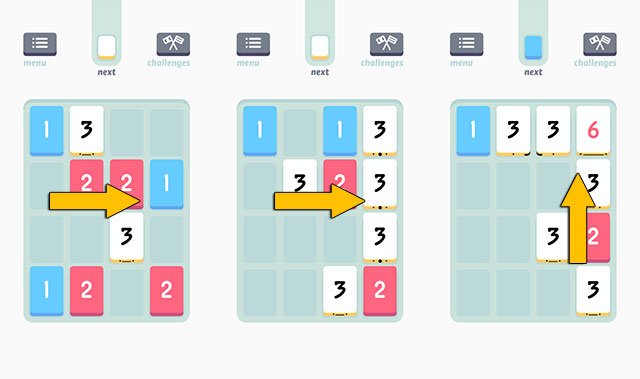
Threes is simple, minimalistic, and quite charming. The board is made up of 16 tiles. You get six random tiles made up of numbers 1, 2, or 3. You must slide these tiles into each other to add them up. If you slide to the left, everything on the board will slide to the left. This single gameplay element is what distinguishes it from regular slider puzzles. With this in mind, you have to be careful to slide all the tiles in the right direction. Once you get 3, you can slide 3 and 3 together to make 6. Two of those make 12, and so on. However, the higher the number you have, the harder it is to get another number like it together to join those two. It’s a brilliant gameplay design that gets extremely addictive.
It takes a lot of practice, and sliding randomly won’t get you anywhere. You can easily gridlock yourself without even realizing it if you aren’t careful. Thankfully, Threes is pleasant to look at and listen to. Each number tile has its own voice and caricature, and the simple, washed-out white design is easy on the eyes. Even the music is charming and great to listen to. This is the kind of zen game that Angry Birds or Clash of Clans can’t get to.
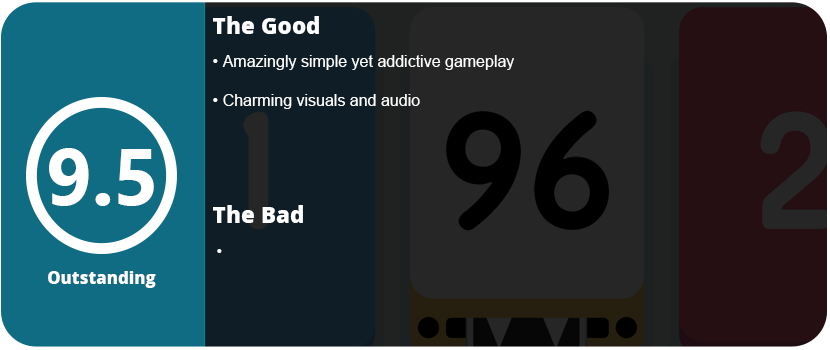
Even if you aren’t a fan of numbers or math, you are missing out on one of the best mobile games ever made that doesn’t require microtransactions. Even that alone is worth the purchase.
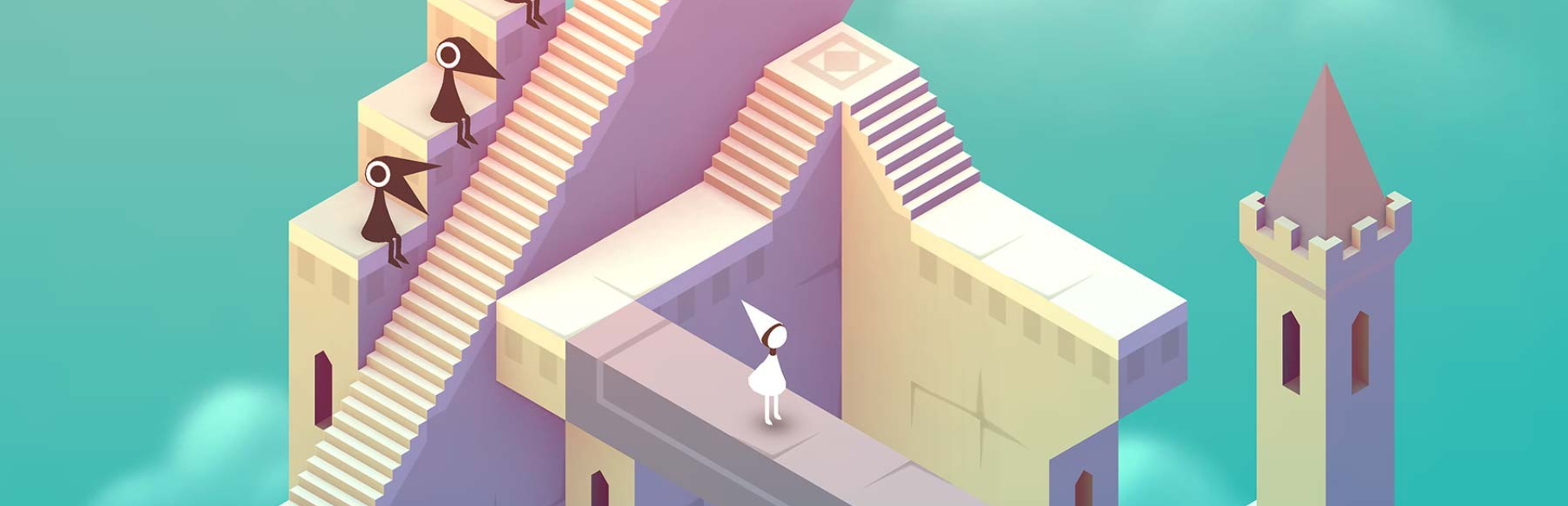
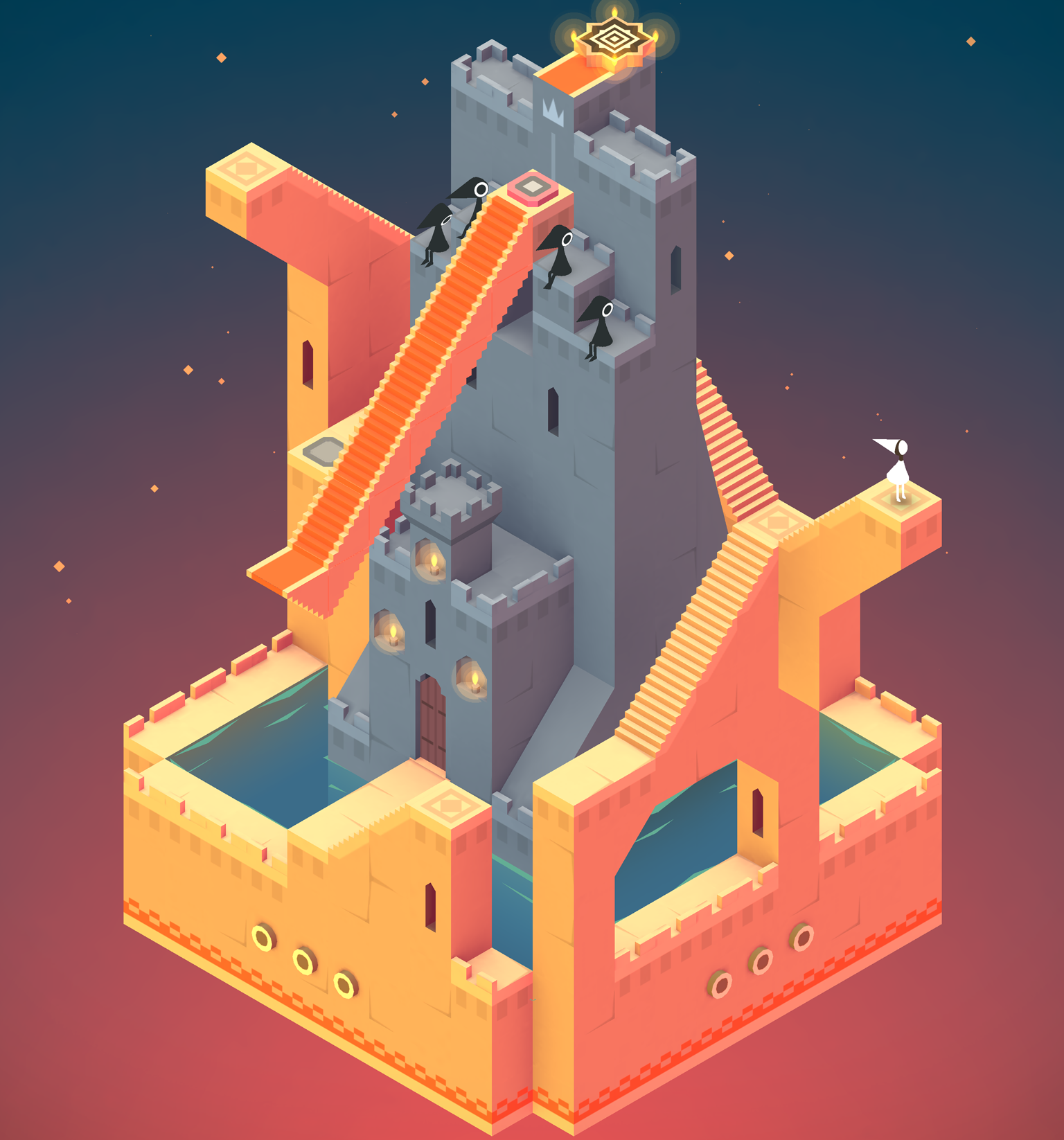
It’s very rare that a mobile game gets as artsy as an indie console or PC game. Monument Valley is where Journey meets Echochrome straight out of the gate. It has the aesthetics of Journey and the gameplay of Echochrome. Flipping levels to create illusions that create new pathways—that’s what Monument is all about. The game isn’t really all that hard; in fact, it’s a cakewalk, but it’s all about the experience.
There’s an underlying story here, and the ending is a bit touching. You’re a princess (that resembles a white cloak from Journey) who is trying to restore gems at the end of each level. If I say more, I will spoil the experience. New gameplay elements are slowly added in, like crows getting in your way that you must avoid or use to press switches. Walking on different planes is another, while an interactive column (that’s actually a small character) becomes an ally. The game is strange, yet so damn beautiful.
But there is one huge problem. The game is only 10 levels long, and they are extremely short. For $4, you’re getting a fantastic experience, but it’s over way too soon. I would have liked an endless mode or some sort of puzzle mode that didn’t include a story. The puzzles are just so fun to solve, and each level is like opening a present. The more you fiddle with the level, the more beautiful everything gets and the more fun it becomes.
As it is, Monument Valley is a rare gem on mobile devices. It looks and plays beautifully, but the shortness will enrage people who fall in love with it.
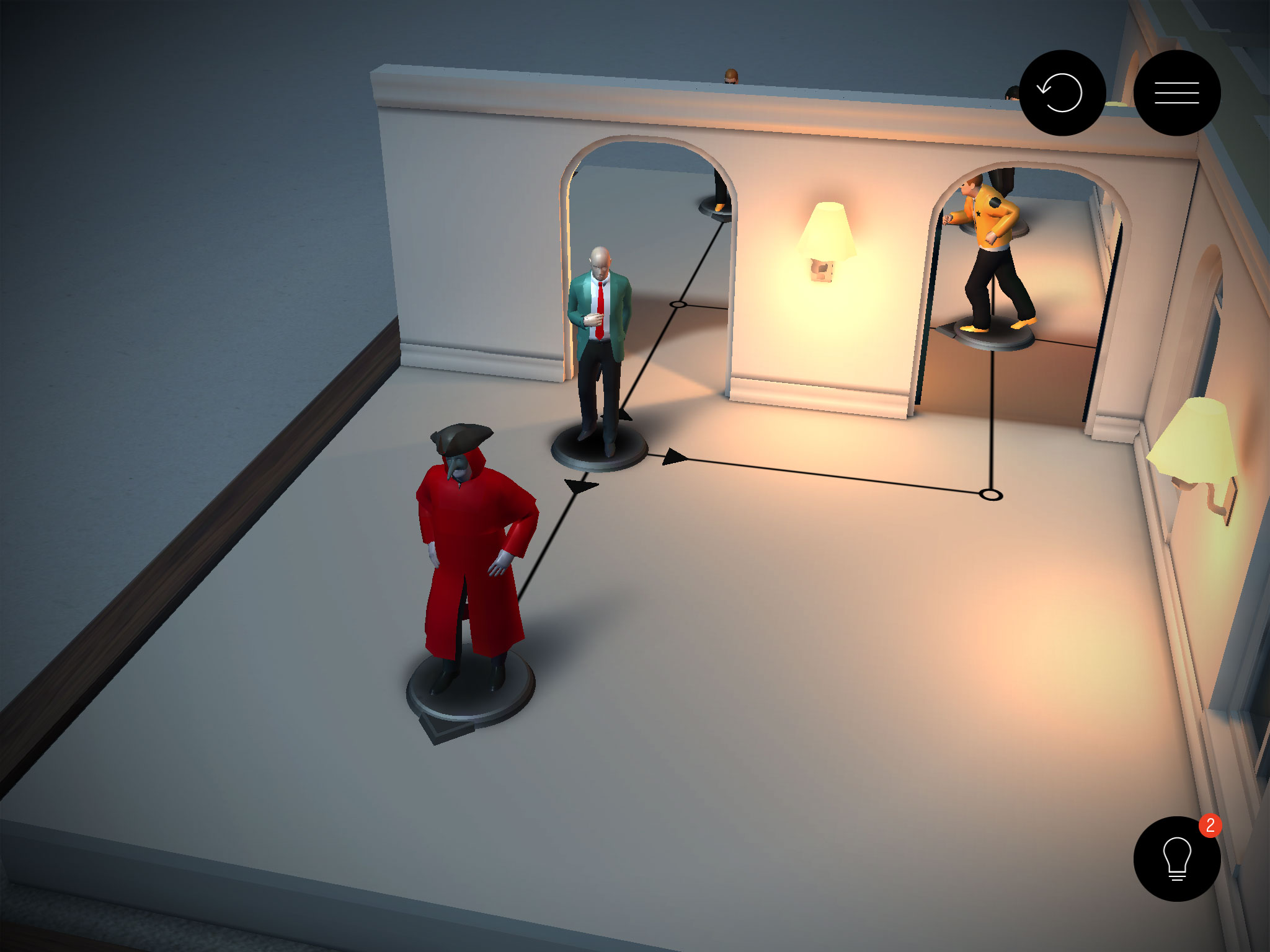
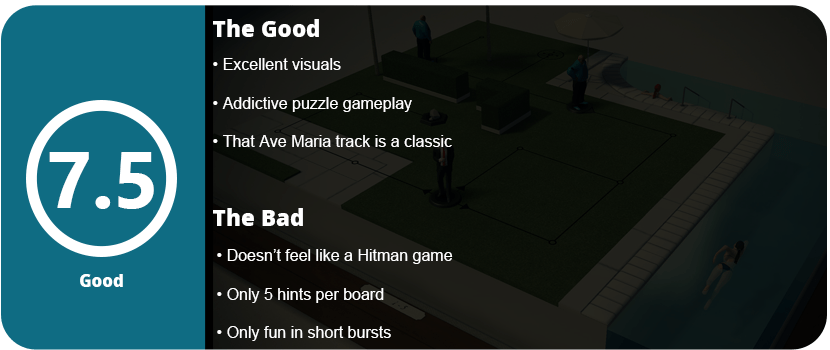
When you think of Hitman, you don’t exactly think of a board game. Hitman GO has Agent 47 sliding around various levels, trying to find the best way to the end, or his target, without getting caught. The enemies vary, with some who follow a path and will move one space when you do; other enemies will catch you if you land on the space they are facing (but they don’t move). The game is more of a puzzle than anything else. Some levels have briefcases you need to get to, while others want you to finish in a certain number of moves. There are other elements introduced later on, such as trap doors, items you can throw to distract enemies, and so on.
The game is highly addictive since levels have that (I get it now!) appeal where you just want to do one more level. I especially love when you have an assassination level and the Ave Maria theme plays from Hitman: Blood Money (composed by the oh-so-excellent Jasper Kyd of Assassin’s Creed II soundtrack fame). I also love the graphics, which look very good for a simple puzzle game.
However, this game just doesn’t feel like Hitman, and that’s the issue. Sure, you’re sneaking around, but there’s no violence, no gruesome death scenes, and no nudity. There’s zero plot (which is really fine for this kind of game), but many Hitman fans will scratch their heads wondering why this game even exists.
That’s not to say the game is bad. But even with faceless woodblocks, the game would have been just as good. At least non-Hitman fans can enjoy this game. Anyone who loves puzzles or board games, in fact.
Racing simulators were not something you’d think of on a phone outside of looking like something from the Atari days. Now that phones are nearly as powerful as home computers, racing simulators can have all the processor-demanding traits to bring a great experience to your phone or tablet. Real Racing 3 is probably the best mobile racing game out there, and for many reasons.
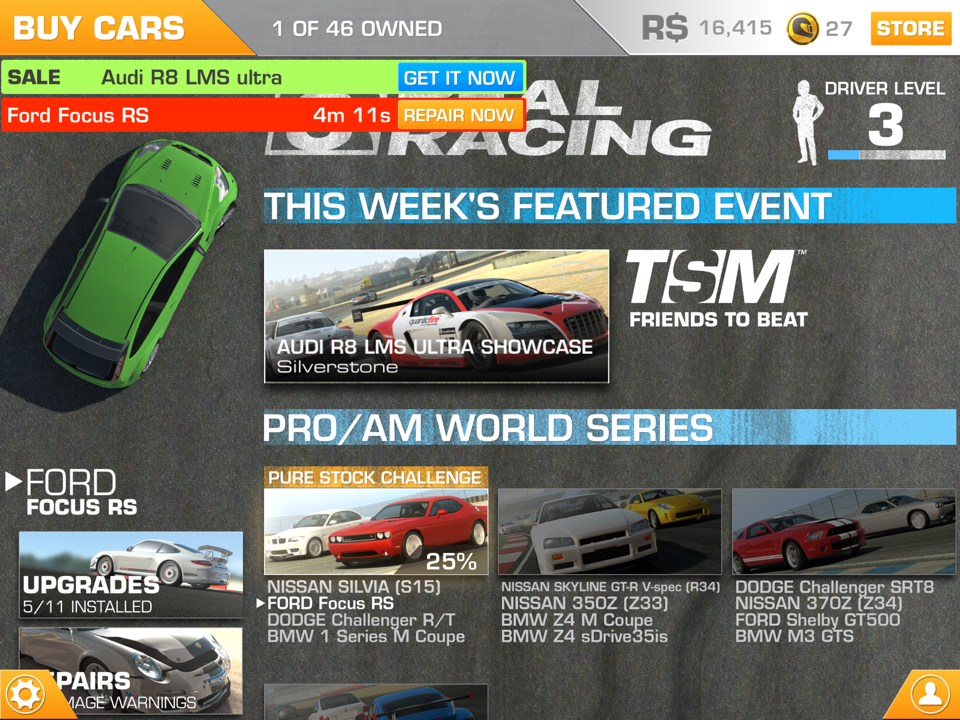
Let’s just get this out of the way. Yes, the game is free-to-play, and yes, the game is always tempting you to pay for more R$ or gold coins. If you’re patient enough to wait for upgrades, repairs, etc., then you will have a great time. Jump in for about 20 minutes, do a few races, buy and upgrade, and go about your business until it’s done. If you want to just cram away at races for hours, you will either need to cheat (by altering your save data on the Android version to give you unlimited money) or you will completely hate this game.
Before you go about hating it, give it a chance. There are hundreds of races, plenty of real-world tracks, and a lot of great-looking real-world cars. Once you jump into a race, you will notice how fantastic the controls are and just how real the game can feel. As you rumble across strips on turns, you will feel your phone vibrate accordingly. Using the accelerometer makes the game feel smooth and realistic. All you need is the gas on your right and the brakes on your left. Each car has its own characteristic feeling to it, just like any console simulator.
Once you finish a race, you will work your way around achievements, unlocking new events and cars, and also trying to upgrade your car as fast as you can. You can even customize your vehicle a little with ride height, rims, paint, and decals. This all may come at a huge cost of grinding and waiting, but it’s well worth it once you can finally beat that race you couldn’t before thanks to your new upgrade. However, people who don’t have the patience will quickly uninstall this game and give it a 1 star on the app store, which isn’t quite fair.
Outside of the tense races and many race types, the graphics are fantastic. The cars look great, and the dust kicking up behind opponents’ tires makes you forget you are on a phone. The only issue I had graphics-wise was the massive amount of slowdown when 22 cars were on screen. Even on a Samsung Galaxy S4, with some of the best mobile hardware out there, I received a slowdown. Apart from this, you also get slick menus and some nice music to go along with all this.
If I were to rate this game based on the free-to-play model, I would give it a 4/10. Simply because some of the wait times are really long, earning enough cash to upgrade can be a bit of a grind. On the flip side, those kinds of people will see a wonderfully crafted racing simulator that’s one of a kind right now on the mobile market.
The Android family is growing exponentially and feels like a train hurtling down the track at 200 MPH with no stop in sight. The whole platform has grown in just a couple of short years with a quality market (and market storefront), more quality apps, and games, and now the addition of books and movies just makes the Android market feel like something to compete with the App Store. The devices are also really utilizing the system, and thanks to Google allowing open resource development of the platform, we get some really great apps and features on the phone that the iPhone, Blackberry, and other phones just can’t do.
Out of the Box
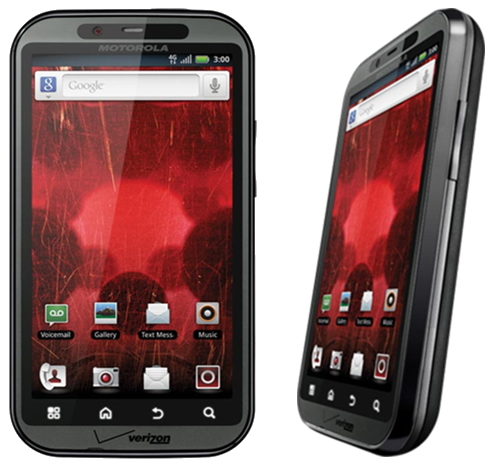
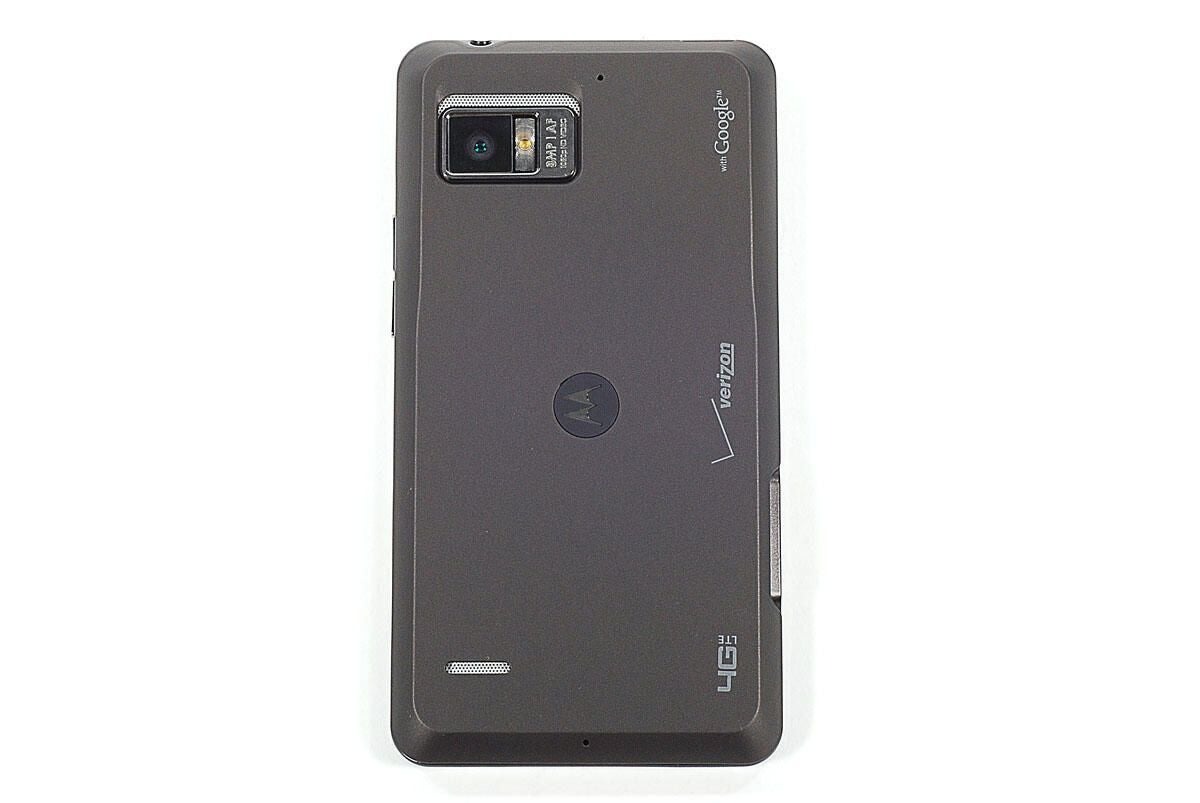
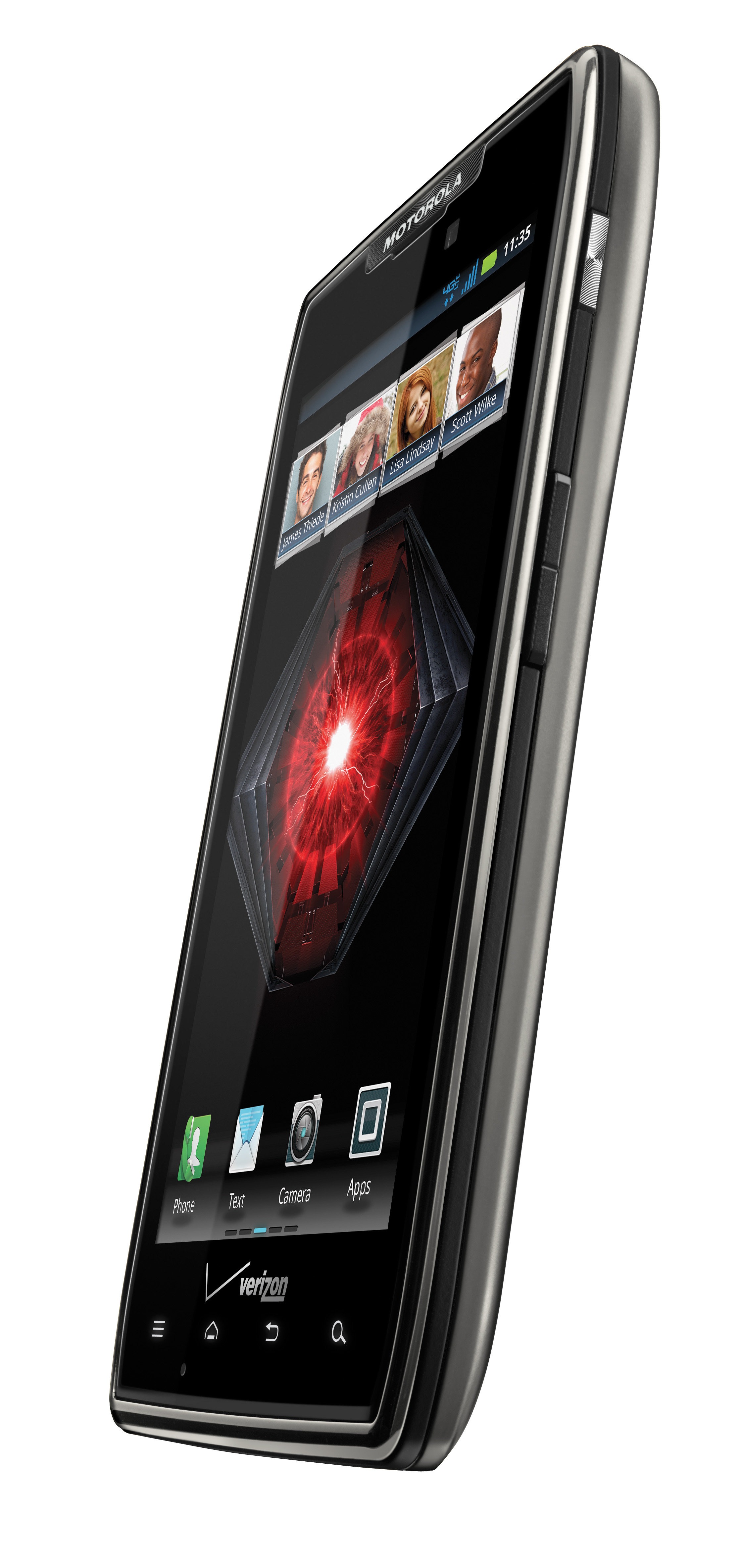
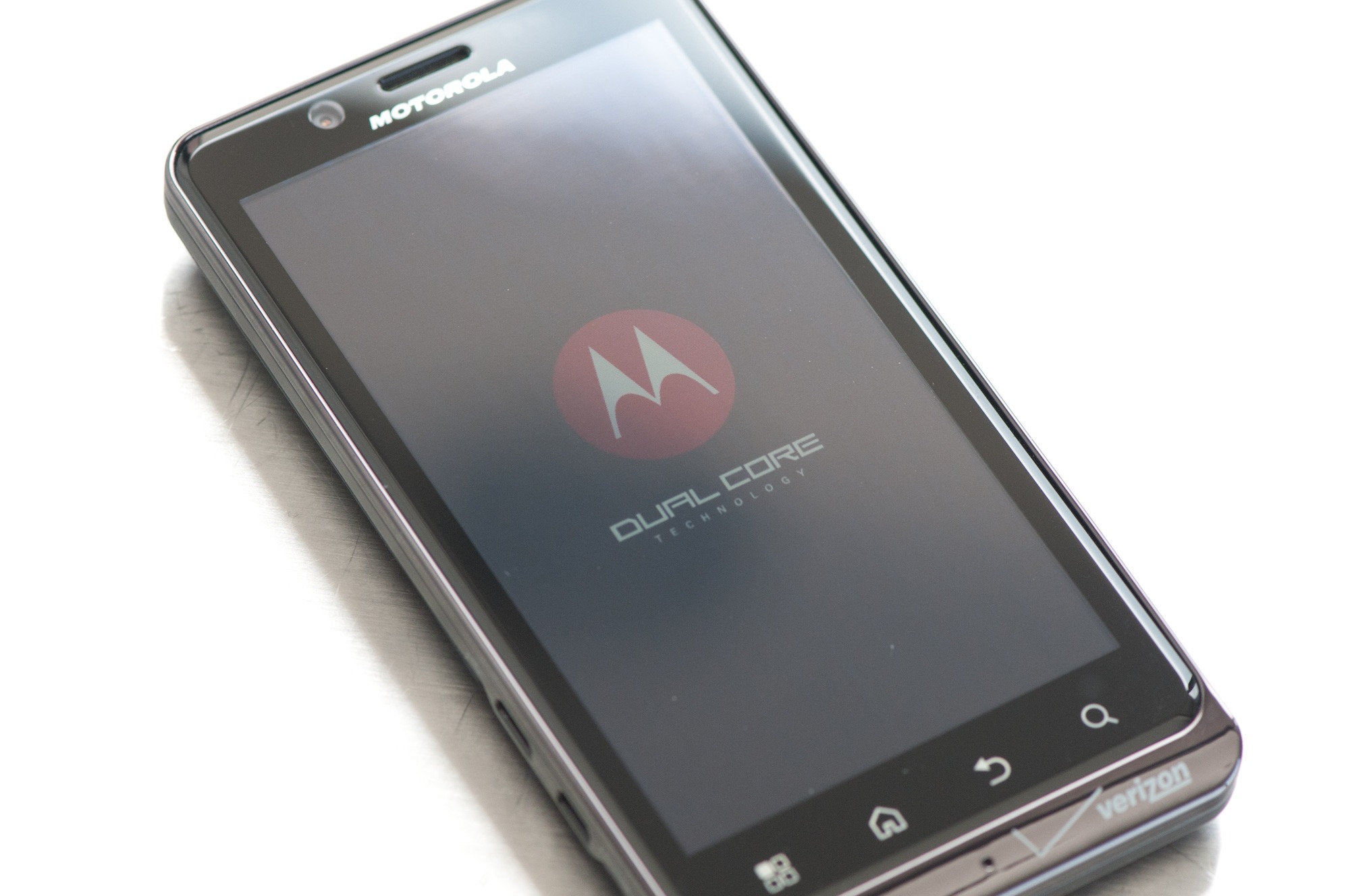
The Bionic has a great-looking box, but there’s not much beyond that. It comes with the standard battery, charger, USB cable, and 16GB micro SD card (cha-ching!) (I’ll cry if a phone comes with a car charger.) The phone came with a SIM card, which is new to Verizon and Droid phones. This is a 4G SIM card and is needed to activate 4G. When you boot it up, you can act like normal, but there’s one feature that was enabled on my phone that kept me on the phone with Verizon for over an hour until I scoured the internet myself. A certain little voice privacy feature was enabled that keeps your 3/4G off and, for some reason, was also enabled on my old Droid. Thankfully, disabling this turned my 3G back on, but that wasn’t really a problem with the phone itself. Once that’s all done, you’ll notice how fast the phone boots up (there’s even a neat Droid Bionic logo animation and sound!). Transformers anyone?) So let’s go over some of the hardware features.
Hardware Features
The first thing you’ll notice is that the speed of the phone is as fast as a computer. That’s the 1 GHz dual-core processor running everything for you at lightning speed. Why dual-core? Everything is just twice as fast and lets you multitask like never before without any type of slowdown or lag that you might even get on single-core 1Ghz phones. Compared to the iPhone 4S, it’s actually faster with an ARM Cortex-A9 processor. Yes, the iPhone 4S does have the same processor type, but it’s under-clocked at 800 MHz per core, so you’re losing about 25% speed over the Bionic unless you jailbreak your iPhone and overclock the processor.
The GPU is also slightly faster than both the iPhone 4 and 4S (they both have the same GPU) with a PowerVR SGX540 at 304 MHz, while the new iPhones both have an SGX535 model. The Bionic has faster and more memory with 1 GHz DDR2 memory, which is as fast as a computer, while both iPhones still use eDRAM and only have 512 MB. This means extra speed, faster app switching, and the ability to have more apps open without suffering from slowdown, lag, or crashes.
The Bionic also has 8GB of internal memory with the option of SD cards (up to 32GB), so with the standard model, you get 22GB of memory (maximum 40GB), while the iPhones are stuck with just the internal memory and you have to pay huge dollars for more space. The camera is about on par with the 4S with 8MP and 1080p support that lets you take panoramic photos, super high-quality video, and photos, and has an excellent flash. The front-facing camera is just 1.3 MP for video calling.
The only thing that the iPhone really trumps the Bionic on are the displays. The iPhones have 960×640 resolutions with 326 ppi, and the Bionic has 960×540 resolutions with 266 ppi. It’s not much, but it does make a difference when you compare the two. The Bionic does have a huge 4.3″ screen, which stomps on the iPhone’s 3.5″ screen, and is a true qHD screen (true 16:9 ratio), which is perfect for watching movies. The Bionic also has a mini-HDMI port for connecting to your TV, and even other high-end phones don’t have this yet. The Bionic has a higher contrast ratio of 800:1, while the iPhones have 800:1. This means it can display more colors and resemble more of an HDTV than a phone display.
Software Features
When you start using the phone, you will see it has so many great features over old Android phones, the iPhone, and Blackberry. First off, let’s talk about data management and sharing. The phone now comes with a file manager, so you can transfer files from your internal storage to your SD card as well as connect to your computer wirelessly and share files. The phone also supports DLNA, which can sync your media via Wi-Fi and upload media to your computer. The phone also gives a few options when you connect to your computer via USB. Instead of just the mass storage device option, you get a PC Mode that allows you to connect via a Motorola laptop or installs the MotoHelper driver on your PC and lets you access the SD card and internal storage. The software will also show any missed calls, texts, etc., which is a nice touch.
There are some nice pre-installed apps, such as the built-in camera apps, which give you a good range of options for video and photos; you now have a download manager; and MotoPrint, which allows you to connect to a wireless printer via W-Fi. There’s also a task manager, which is very useful to kill stubborn (read: poorly programmed) apps that won’t close. It also has an auto-kill list for when the screen goes out for 2 minutes. This helps preserve battery life (you’ll need it), but the phone does a good job of doing this on its own. You can turn the phone into a mobile hotspot (remember, it’s extra per month for this feature), plus all the standard apps like the task scheduler, calculator, and alarm are nice.
The market has a great storefront and has tons of quality games, apps, books, and movies now. The market just allows you to really make the phone your own, reflects your personality, and gives you so many options. The phone really has just so many great features built-in that make things so much easier for transferring data and media, as well as using the cameras and all the nifty hardware.
One thing I have to mention is that the games run smoothly on this phone. Using the PlayStation and SNES emulators, I can get games to run at 400 FPS with all the quality options enabled. All the high-end 3D games run without a hitch, and you will be unstoppable game-wise, especially if you can switch from a hardware-hungry emulator to the browser to check an FAQ, switch back, answer a call, or text someone, all without any slowdown and with all those running in the background.
When it comes to the basic phone features, it sounds great; the speakers sound sweet; calls are clear; and typing on the keyboard is easy with the huge screen. You won’t miss a pull-out keyboard with this phone.
It’s Not Perfect
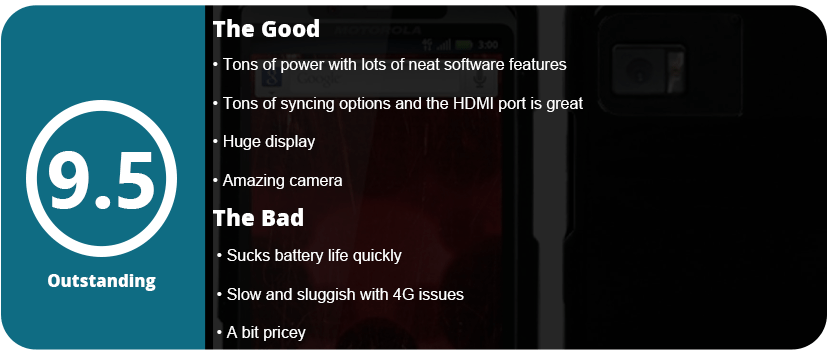
The phone isn’t perfect; however, the battery is probably the biggest issue with this monster sucking it dry within a few hours. Sure, you can use battery-saving apps, and the phone has a built-in battery saver, but if you surf the net a lot or play games all the time, have a charger with you at all times. There also seems to be an issue with mobile networking, because it fades in and out a lot. I’m not sure if that’s my area or the phone itself. While 4G LTE is lightning fast (there’s a world of difference in speed), it’s only available in a few areas (mainly big cities), so I don’t even get it in my area. By 2013, Verizon said the whole country would get it, so we’ll have to see. There also isn’t a camera button on the phone, and a lot of people are used to this. The volume and power buttons are also really small and sometimes hard to press when you’re not looking. Other than that, this is an amazing phone and should be bought by every Android lover!
Update (6/17/13)
Now that I have had this phone for a full 2 years, I hate the thing. I have the same problem I did with the original Droid. I went through two years of crappy firmware updates, 4G constantly dropping out, sluggish, unresponsive everything, but at least the battery issue got fixed, but it took an entire year. I don’t know what happens with Motorola phones, but after 6 months, they just tank on you. I tried resetting the phone to factory defaults and replacing the phone, but neither worked. It would sometimes take minutes for a browser to load, and typing would be delayed up to 10 seconds, and it was frustrating and annoying. It also doesn’t help that the phone is huge and heavy compared to phones that are out now. It finally got the 4.2.2 Jellybean update about 3 months ago, but it runs worse on that OS than the 2.3 it came with. I will never buy a Motorola phone again. Sometimes the language would change randomly, but at least it didn’t reboot on its own like my last phone. While the Bionic is discontinued now and has been replaced by the Droid Razer and Razer Maxx, I feel mad about Motorola abandoning their Bionic users. The phone was the last to get the 4.0 ICS update, and even that had bugs of its own. Just don’t ever buy a Motorola phone; they are all the same.
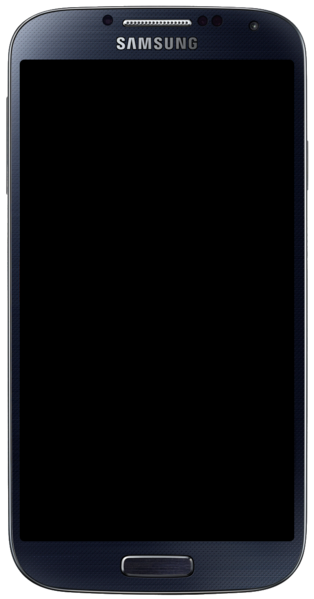
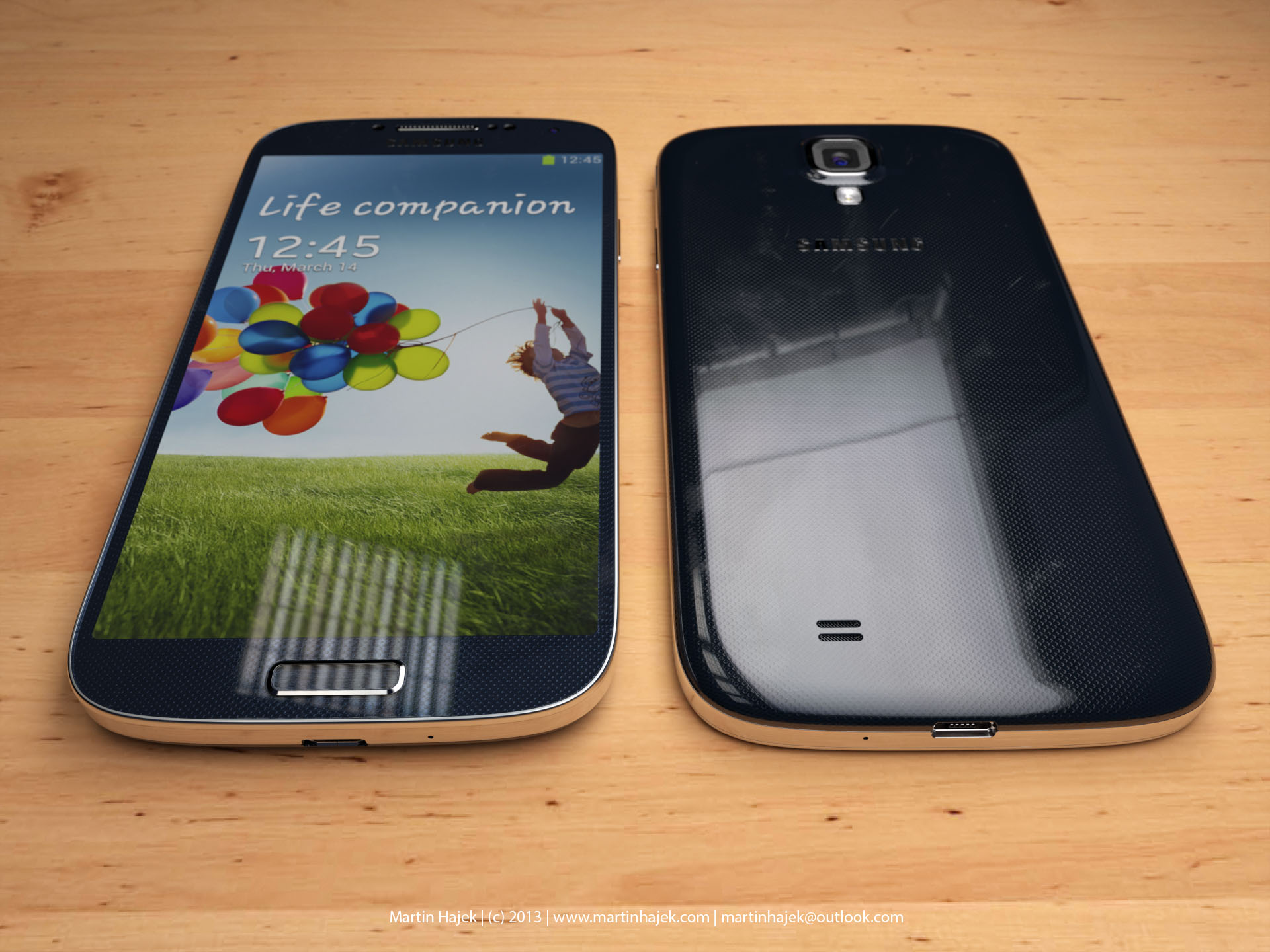
Apple finally met its match; the Samsung Galaxy S III has sold more units than the iPhone 4 and 4S combined. That’s a serious feat. Why do you ask? Because Android OS gives you complete freedom to do what you want, not what Samsung wants. There is no iTunes that you are tethered to; you can put what you want on your phone; you can buy expandable media; the choice is yours. People loved that, and the S3 took off due to the form factor and Samsung’s smart marketing ideas. With the S4, Samsung has created the most powerful smartphone on the planet. Honestly, I won’t even compare the S4 to the iPhone 5 much because it is more powerful than that phone and the iPad 3.
Out of the Box
The box itself is actually pretty nice. It has a wood texture on it, letting you know you bought something classy, something with character—not a robot clone like the iPhone 5. Like wood, you can shape it and do what you want with it—make furniture, do some wood burning, or break it into pieces. Like wood, the S4 has endless customization options. The S4 comes with earbuds that are better than the iPhone earbuds, as well as three different earpieces for different size preferences. You will also have to put the battery in yourself, the back cover, and for some carriers, the 4G SIM card. Assembling your phone also lets you know that it’s yours; it’s not assembled in the box like an iPhone, and it gives you a bit more attachment to your phone. This sounds weird to some people, but it’s true; there’s a reason for all this.
Welcome to Android
For people who have used Android for a while (like me since 2.2), you will love the 4.2.2 Jellybean OS. Samsung’s personal touch is amazing, with many power-saving options, a great shutter menu, and the speed and precision of a high-end PC. Think I’m kidding? There is virtually zero lag even with multiple apps open, but that’s not the first thing you will notice.
The phone itself is the thinnest and sleekest phone around. Especially for the power under the hood. The 5″ Super AMOLED display is gorgeous and rivals that of high-end HDTVs. It has a 1920×1080 resolution; that’s a full 1080p resolution, which is the same quality as a TV. The screen is also 441 PPI, which is twice that of most other high-end phones. You are looking at pure, eye-catching, crisp visuals for movies, games, and photos. Nothing out there beats it. It also feels great; it’s a perfect rectangle with rounded edges. It has aluminum sides to make it look modern, and it also comes in black and white. I prefer the black because it looks sleeker, and the white makes it look like a stretched-out iPhone 4S. The volume rocker is very thin and blends in with the phone, and the same goes with the power button. The S4 has a home button like the iPhone and is unlike most other Android phones. It has a menu and back soft key, but no search soft key like other phones. I found this simple, and honestly, it looks like a better iPhone.
Under the Hood
For people who care or don’t care, the S4 is one of the most powerful phones on the market. It has a 1.9 GHz (there are 1.6 and 1.4 GHz models available) quad-core Krait 300 CPU. That is damn fast, even faster than most high-end tablets. It sports an SGX PowerVR 544 GPU, which will let you play the best games out there but is also extremely fast, and current games don’t quite push it to its limits; it’s a tri-core GPU to boot. In fact, it’s just one up from the PlayStation Vita GPU, and everyone knows it can produce near-PS3-quality graphics. The S4 has 2GB of LPDDR3 RAM, which means tons of room for app switching, and you won’t have any slowdowns. You also get a 13 MP camera, yeah. It’s the same quality as a high-end point-and-shoot, and the quality is amazing. There is also a 2 MP front-facing camera, which is better than most phones’ 1.3 or 0.3 MP FFC. This allows extra precision when using the smart gestures later. The battery also has a Near Field Communications chip, which allows for NFC to beam to other devices. You can also mirror your screen on another device to show them something. The S4 also features DLNA file sharing for computers and other devices.
Air Gestures
With the combination of the gyroscope, front-facing camera, and smart screen, you can do things on your phone without even touching it. One feature lets you wave your hand in front of the screen to answer a call, hold the screen with two thumbs and use the gyroscope to look around your pictures, wave your hand in front of the screen to scroll pictures, and various other features. One other feature lets you hover your finger above an image to preview it before pressing it. Honestly, these features are gimmicks and nothing more than something to show off to the public. The biggest issue is that there is a serious battery drain. Keeping the FFC and smart screen features on just sucks your battery dry in a few short hours.
Smart Screen
A few features are here, including scrolling pages with the tilt of your head or tilting your screen. It doesn’t respond as well as you think and sucks your battery down. You can also use Smart Stay, which will turn the screen off when you look away, and Smart Pause, which will pause the video when you look away. This all keeps your FFC on and will drain your battery in no time as well.
The Little Things That Matter
In the end, there are little things that are there for customization. Multi-Window allows you to quickly switch apps with a drawer at the side of your screen. There’s a great power-saving mode that underclocks the CPU and can turn off haptic feedback as well as dial back the color resolution on the screen. You will need these because the battery does not last long in the S4 with everything turned on. There’s also a little feature that lets you make your own vibration patterns, which are really interesting. You can have widgets and shortcuts on your lock screen, which most phones need third-party apps for; you can control the phone with your voice; and you can unlock the screen with your voice. This may seem pointless to some people, but the fact that Samsung put it in here means they care about the consumer. They give you all these tools, and you can decide if you want them or not; they are not forced on you. One thing that I do need to mention is that there is a lot of bloatware on the phone that needs to be disabled. I disabled nearly 30 apps that I would never use and just used up space and resources.
In the end, the Galaxy S4 is one of the most customizable and powerful smartphones on the market, and I would go as far as to say THE most. I have never had a phone that gave me so much freedom, so much power, and such great picture quality. The biggest problems are with the battery and the gimmicky features that help drain that battery. The air gestures and smart screen are for lazy people or people who like to show off; it actually takes more effort to use these than to just use the screen. Despite this, the S4 gives you endless possibilities with the most powerful and efficient mobile OS on the market. You are a fool not to own this phone.
The mobile game market is getting very strong thanks to new and powerful technology. This is the epicenter of indie game developers, and there are some amazing phone games out there. The best one is usually very innovative but doesn’t necessarily have to use phone features well. These were some of the best this year. This was a tough choice.
Organ Trail is a zombie remake of Oregon Trail from the early 90’s. What makes this game stand out so well is that it brings back those childhood memories look no other phone game this year. The game is intense, funny, fun, and just very well done. There were plenty of mobile games I enjoyed this year, but this one topped it all for me.
Strategy games tend to be the best on PC, but with today’s technology, the game is tailored to the controller with ease. This year saw some great strategy games, but only a few really stood out from the rest. A great strategy game doesn’t so much as need a good story, but easy to use menus, lots of useful units, and a way to use them in a tactical and useful way. Upgrading and acquiring new units is key and also needs to flow and tie into the game.
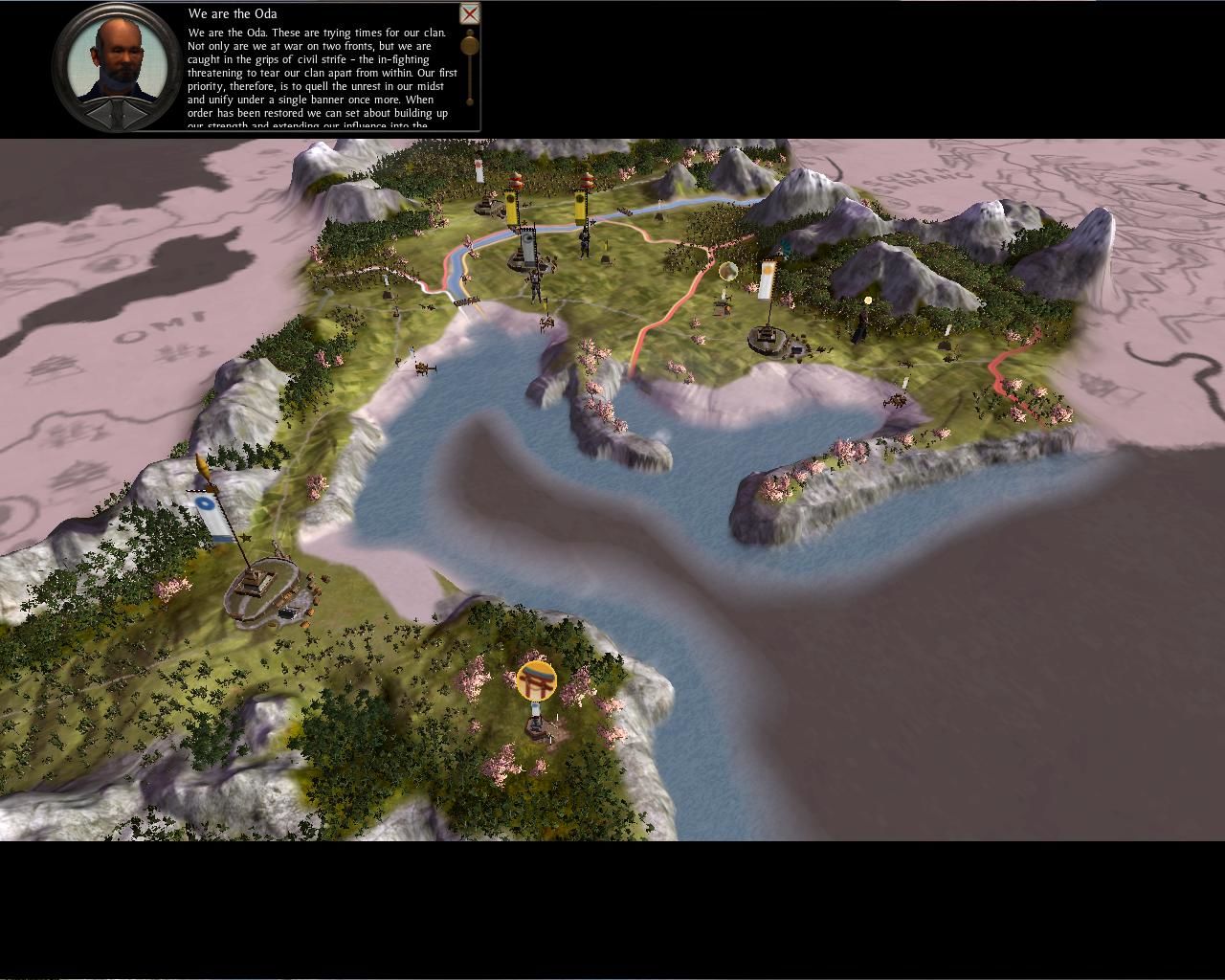
Total War: Shogun 2
This was an easy pick mainly because it completely changes the way people thought about the last game, being this is a new game all on its own. With great units to use, tons of excellent DLC, and great visuals to boot Shogun 2 is a heavy hitter that stays true to the genre and that’s what put it on top.
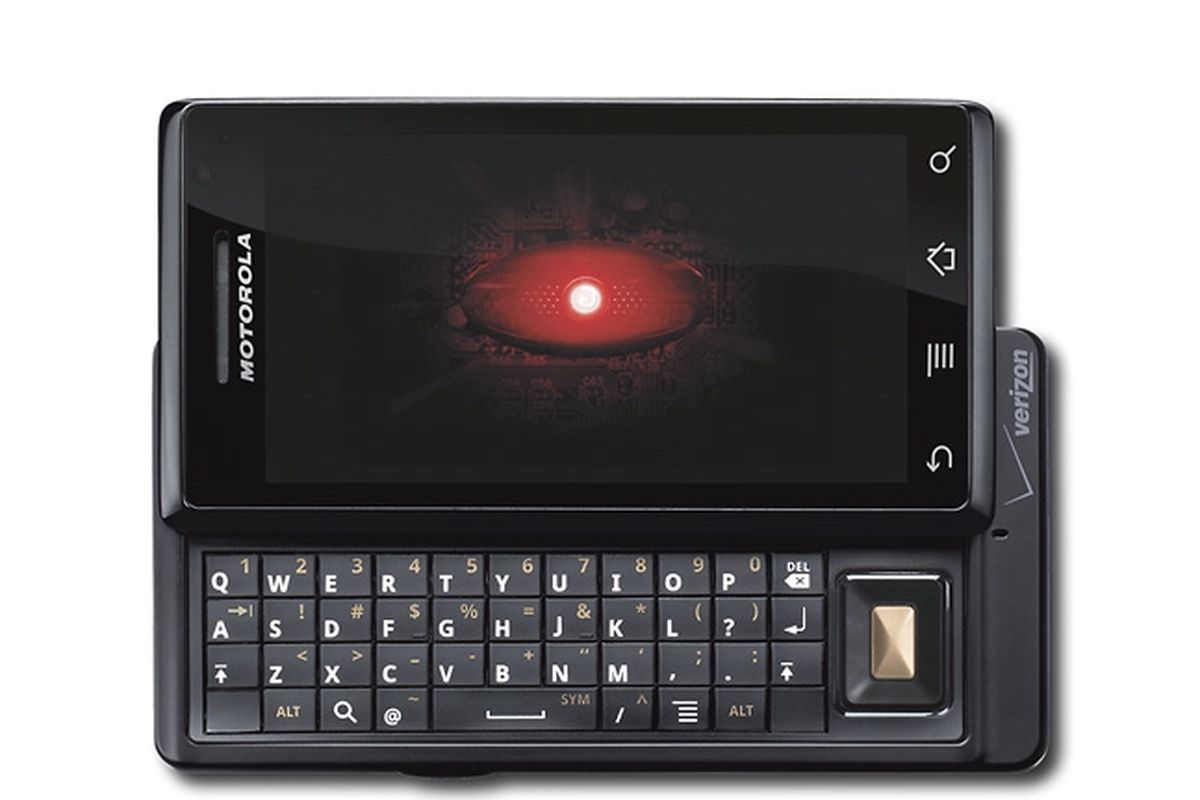
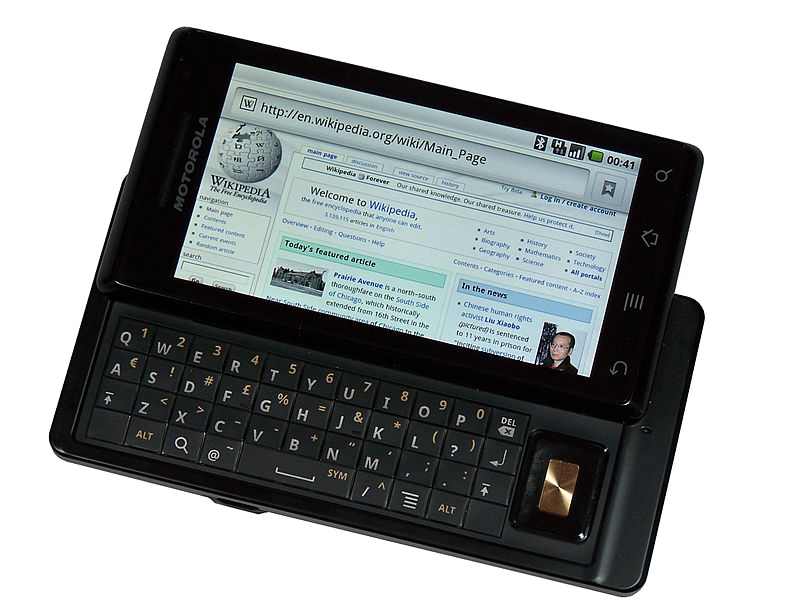
Google has been known for revolutionizing the internet, and now they are with their Android phones. The Motorola DROID (A855) is the newest and most advanced phone on the market right now, and this bad boy does an awful lot. A lot of people are going to compare this phone to the iPhone, but the DROID trumps the iPhone in features and freedom. I will discuss, first, the tech specs and compare them to the iPhone head-to-head so you can see how powerful the DROID truly is.
Techno Babble
The DROID has a 550 MHz processor, specifically the Arm Cortex A8 processor that is also present in the iPhone 3GS by Samsung. The 3GS is clocked only 50 MHz higher and can be overclocked to 800 MHz. To compare, the original Xbox has a 733 MHz processor. So can the drug be overclocked to this as well? Most likely. With a monster processor, the DROID can multitask and has one of the first actual mobile OSs (besides Windows Mobile 7). This also means maintaining processes running in the background to gain battery life, uninstalling apps (not just deleting them), and a lot more, but we’ll get to that later. The iPhone, however, cannot multitask due to the OS running on it, and the processor is only used in games.
When it comes to graphics, the DROID still hasn’t been pushed to its limits. There are very few 3D games on the Android Market, but as of right now, the iPhone stomps the DROID in the graphics department. The DROID has a 200 MHz PowerVR SGX 530 GPU. The iPhone has the same, but due to its slightly better CPU, it can currently outperform the DROID. The iPhone has been on the market for quite some time, so there are bigger, better games available. The DROID should start getting the same quality soon. They both have 256MB of RAM, so under the hood, they are pretty much the same.
The DROID has a slightly bigger screen, sizing in at 3.7″ and the iPhone at 3.5″. Do 2 millimeters matter? Yes, it does. There are a good 2 millimeters on the top of the iPhone that could be a screen, but for some unknown reason, it’s not. The DROID has a higher resolution of 854 x 480 and 265 PPI (pixels per inch). The 3GS has a 320×480 resolution with only 163 PPI, so the DROID has double the resolution of the iPhone. That is great for people wanting to watch high-res movies on their devices.
Both devices have the same inputs, such as the 3-axis accelerometer (tilt sensor), digital compass, multi-touch display, proximity, ambient light sensors, etc. The DROID is a bit heavier than the 3GS, but only by 1.2 oz. The drone wipes the floor with the 3GS camera. The DROID camera is 5 MP compared to the 3GS’s 3 MP. The DROID has dual LED flash and geotagging, and it can even run higher than 30 FPS. The 3GS has all this except the dual-LED flash, which is a huge plus.
When it comes to storage, the DROID wins with its external memory option. You can insert up to a 32GB microSD card, but you’re stuck with the 3GS internal memory and have to pay a huge price for more. The DROID even comes with a 16GB microSD card when you buy the phone. So when it comes to comparing junk under the hood, they both have the same hardware, but the DROID has the extra tidbits that push it over the edge.
GUI: Graphical User Interface
The DROID has an excellent GUI, and the whole marketplace is run by the community. There are programs such as PandaHome, OpenHome, GDEHome, etc. that allow you to change “themes” for a small price or for free. These also change icons, clock widgets, etc. The DROID has a great interface that is more like a computer that gives you a desktop, then a slide-up menu where all your apps are stored. You can drag and drop as you see fit. The iPhone, however, is plagued with the mundane Apple OS that only shows apps in a grid format with a black background. Sure, you can change your “wallpaper,” but this is only when the phone comes out of sleep mode, so it’s rarely seen. This makes every iPhone look the same, so the DROID wins in customization by a long shot. There are four touch buttons located at the bottom of the screen: your back button, menu, home, and search. You will use these buttons a lot, so Motorola and Google were smart to put them here.
Apps: Who’s Better?
It all comes down to the apps. Who has more rights? Well, the iTunes marketplace has hundreds of thousands of apps that the DROID doesn’t have, so the iPhone wins there. However, the Android market is ever-growing, and thanks to the user-run community, a lot of great apps are showing up that the iPhone can’t run. These include a lot of customization apps and loads more. Apps are easier to run on the DROID since there is no iTunes-type program. The app store is run off the phone and downloaded from the phone as well. If you don’t want an app anymore, you go to your settings and uninstall it. Google also allows you to refund anything you buy within 24 hours, and Apple does not support this. While iTunes may have more stuff, Android has better customer service, a better community, and a better setup. There are really no “hardcore” games for the DROID like there are for the iPhone, but it’s getting there. You do not want to get a DROID for a gaming system just yet, for sure; stick with your iPod or phone.
Features: Welcome to Google Town
The DROID has a lot of little things going on in it. You can do everything a touch-screen phone can do, but it also has a slide-out QWERTY keyboard. The buttons were a little flat, and the top row is hard to get at if you have big fingers, but it works well. If you tilt the phone sideways, you can type with a landscape keyboard or use Google text-to-speech. I found this feature extremely useful when typing long messages or writing reviews for apps. Since this is a Google phone, you get all their awesome apps, such as Google Earth (yes, it’s in 3D and you can see every detail) and Google Maps. Switch to your “car app” and press navigation. Speak your selection (i.e., Phoenix, Arizona), and Google will give you directions for a car, bus, or walk (God forbid you to walk that far!). Press Get to Navigate, and the phone will give you the directions. It doesn’t update in real-time, but it does update as you drive down each block.
Google Sky is a fun app that lets you point your phone in the sky, and it will show you, in real-time, where each constellation and the planet are. You get plenty of excellent Google apps, such as Gmail, YouTube (yes, Google owns YouTube), and Google Goggles, which allow you to take pictures of products or objects, and the phone will scan and search them for you. There’s even a Google search bar on the desktop with a text-to-speech button next to it. Brilliant. There are plenty of other apps, such as the Amazon store, eBay, Bank of America, MLIA, FML, and even ShopSavvy. This app allows you to scan a barcode, and it will tell you where you can find it cheaper online or locally. Of course, you have all your social networking apps, like Twitter, Facebook, and MySpace, which run great.
When it comes to things like ringtones, pictures, and videos, the DROID delivers. You can store any MP3 or picture and set them as wallpapers, notifications, or just ringtones. Mount your SD card via USB and just create the folders. There is no need to sync with a program on the PC. Total freedom is what Google gives you, and this is what I love.
Problems: It’s Not Perfect
There are some issues with the drug, but not many, and they are minor. The biggest one is the running processes in the background that can kill your battery even in sleep mode. You have to get the Advanced App Killer app and every so often check everything you don’t want running and kill the apps. Another problem I ran into was that since most of the apps are user-made, they can be glitchy and screw up your phone, so watch out and read reviews before downloading anything. You could say that the major issue is the app store. There are a lot of apps, but some of them are junk. There aren’t any excellent games available, and the app store doesn’t have any sort of feature except Top Paid, Top Free, and Just In.
For a $550 phone (if you pay for it without a plan), the DROID delivers and trumps the iPhone in every direction except the apps. The DROID is a very advanced phone and is for people who love using their phones constantly and want to make them a part of their everyday lives. With a sleek design, excellent features, sturdy hardware, and monster processing power, the DROID should be the #1 phone in 2010.
Update: 10/15/2011
Now that I have had this phone for 18 months, I don’t like it as much. The phone started having issues with serious lag, slowing down, and just hardly responding anymore. The touch screen lost sensitivity after about a year, plus the hardware is ancient compared to what is out now. Due to that, all the apps are now optimized for higher-end phones, so the Droid is left in the dust.
Overall, the phone just doesn’t really work anymore internally. It won’t come out of sleep mode sometimes, won’t answer calls, turns off randomly, and the internet is just impossible to surf due to the now weak processor. Hardware-wise, it has stood the test of time with many drops, slides, fumbles, and kicks. Not a single crack or anything, but thankfully this phone is now discontinued. If you have the original Droid, you are probably finding the same problems even after a factory reset. The phone was great 22 months ago, but now I just absolutely hate this thing. If I were to amend my score, I would give it a 4/10 now, but of course, that’s unfair and should be remembered for how great it was at the time of release. Did I also mention that the appraisal price for the phone is about $20 nowadays?













































 thebinarymessiah.com
Try multiplayer. A lot of fun !